Search the Community
Showing results for tags 'safe'.
Found 7 results
-
Version 1.0.2
47 downloads
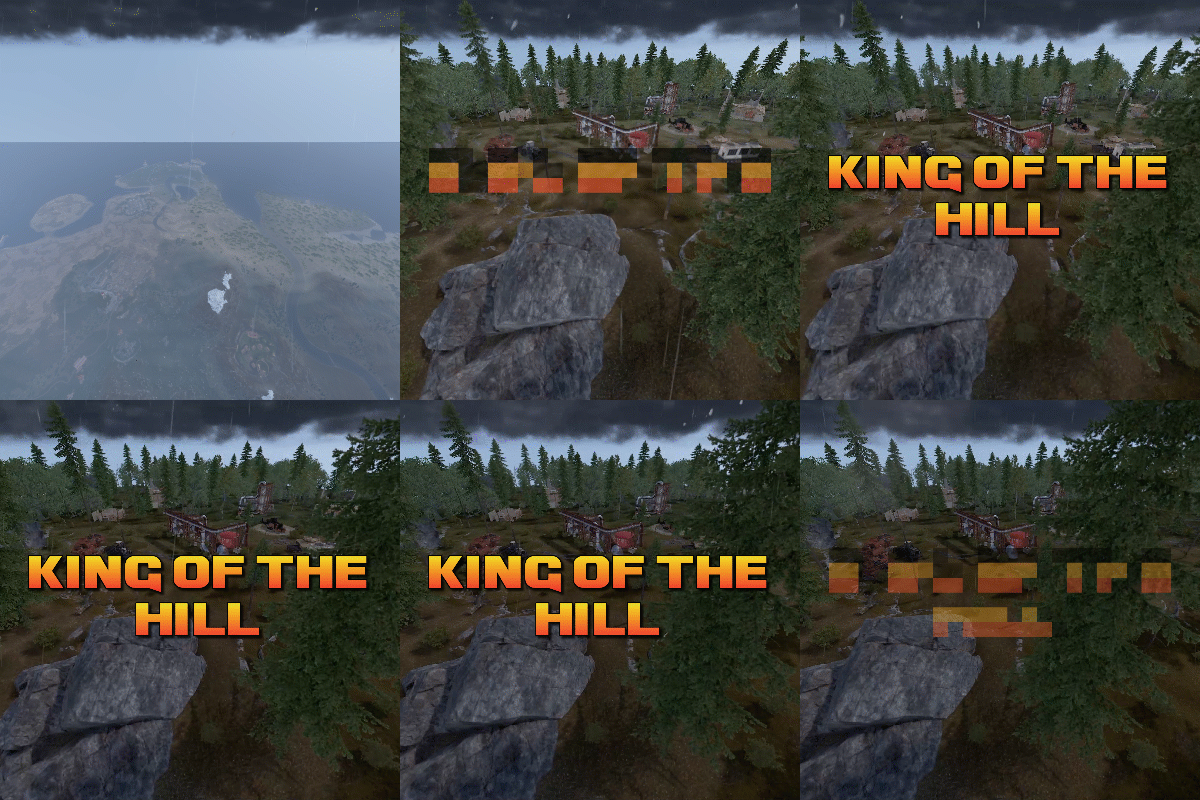
King of the hill is an arena plugin similar to SurvivalArena, Paintball, ZombieInfection and GunGame. It spawns an arena high in the sky to host the game, and players can join from anywhere on the map via a command. The plugin will store all of the players items, stats and buffs, and teleport them to the lobby before the game starts. The objective of the game is to be the first player to hold the hill for the target time, or be the player with the highest hill time by the end of the event. Upon completion of the event (or if a player manually leaves), players are returned to the location that they joined from with their equipment, stats and modifiers in tact. The plugin is highly customizable and allows you to: Create as many equipment profiles as you'd like. The game will select one at random using a weighted system. Adjust hill locations, movement times, sizes, capture targets and game time limits. Spectate players using a computer station. Automatically run, and allow your players to vote for the event using the EventHelper plugin. The plugin is also compatible with the maps from Paintball, ZombieInfection & GunGame. Simply drop the json files into the respective data folders to run king of the hill on those maps. Chat command: koth.addhill Permission: kingofthehill.admin Description: Adds a hill spawn position at the players location and saves it into the spawned arenas profile. Command: koth.start Permission: kingofthehill.admin Description: Manually starts a game of koth. You can also specify random to pick a random map. Command: koth.end Permission: kingofthehill.admin Description: Manually ends an active game of koth. Command: koth.spawnarenaend Permission: kingofthehill.admin Description: Spawns the arena without starting the game. Useful for adding new hill positions. Command: koth.cleararenaspawnarenaend Permission: kingofthehill.admin Description: Clears a spawned arena. Chat command: koth.setcentrepoint Permission: kingofthehill.admin Description: Sets the spawn position of the arena based on the players location. Chat command: koth.ban/koth.unban <id> Permission: kingofthehill.admin Description: Bans/unbans the target player from joining future events.$19.99 -

Version 1.1.1
77 downloads
Teleports players that are kicked for particular reasons to a safe place Avoids players getting frustrated with random disconnections and loss of loot Use /getmonumentpos in a monument in order to get the correct position & add it to the config if there are more than one monument added the safe place will be randomized, same mechanism applies to multiple positions The plugin allows you to set a list of positions for any monument you desire once, even if the map wipes and monument's positions changes the plugin will still teleport the player to the same position within the monument Configuration: { "Kick Reasons": [ "auth", "packet flooding: player tick", "unresponsive", "steam" ], "Monuments & positions to teleport (Randomized if more than one monument)": { "assets/bundled/prefabs/autospawn/monument/medium/compound.prefab": [ { "x": 0.0, "y": 0.0, "z": 0.0 }, { "x": 0.0, "y": 0.0, "z": 0.0 } ], "assets/bundled/prefabs/autospawn/monument/medium/bandit_town.prefab": [ { "x": 0.0, "y": 0.0, "z": 0.0 }, { "x": 0.0, "y": 0.0, "z": 0.0 } ] } } Permissions: safekick.use Commands: /getmonumentpos (Requires admin access)$5.00 -
Version 1.0.1
10 downloads
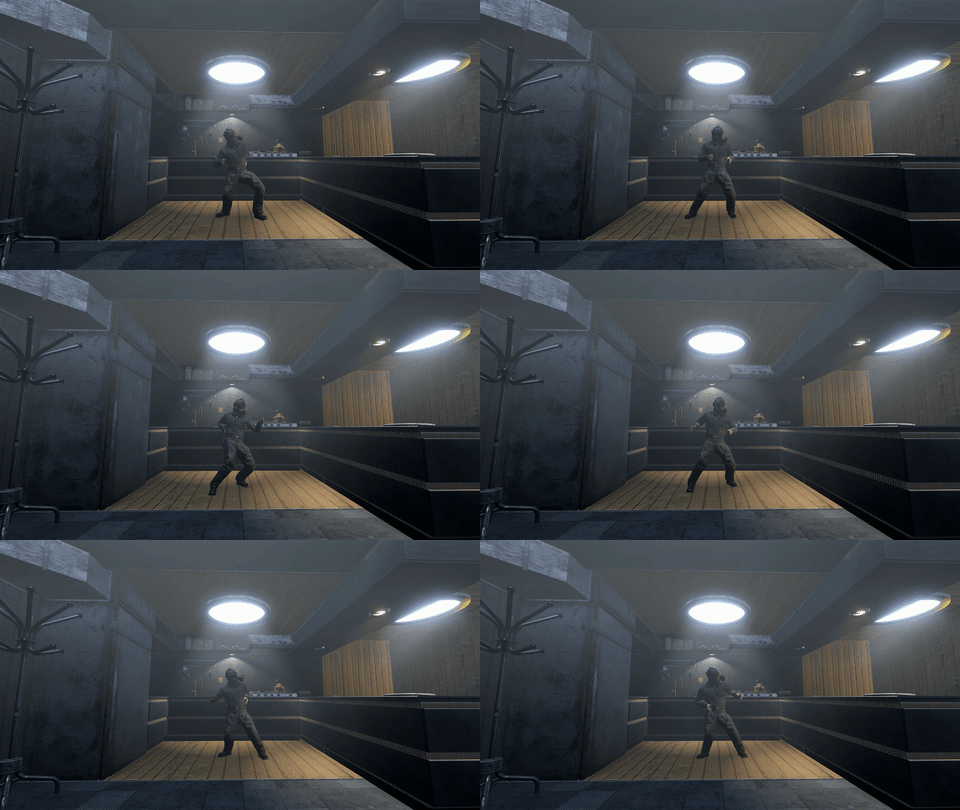
This pack features 3 immersive custom bunkers, each sharing a similar structure but offering distinct lore and purpose: The Active Bunker This functioning bunker serves as a safe zone with a configurable trader. You can customize the trader to suit your gameplay needs. Within, you'll find a small amount of loot, including a blue keycard and one standard blueprint. The Ruined Bunker A more challenging environment, this derelict bunker is guarded by two heavy bots and one standard bot. Brave its defenses to score a red keycard and two elite crates. The Unfinished Bunker Left incomplete, this bunker invites your creativity - you can claim it as your own and make it livable. RUST’s procedural maps often lack enough locations to acquire red keycards or trade safely. These bunkers address that, injecting new gameplay depth and opportunities for exploration.$12.99 -
Version 1.0.1
33 downloads
Welcome to the Smurf Detection Plugin by Bnucket! This powerful tool helps you maintain a level playing field on your Rust server by detecting potential smurf accounts. - Keep Your Rust Server Fair and Fun! Features Automatic Smurf Detection: Identifies potential smurf accounts as soon as players join. Discord Integration: Sends alerts to your Discord server. Customizable Configurations: Tailor the plugin to meet your server’s specific needs. Whitelist Management: Exclude trusted players from smurf detection checks. Detailed Reports: Provides comprehensive player data and smurf probability. How It Works Player Connection: When a player connects to your server, the plugin fetches their Steam data. Data Analysis: The plugin analyzes various metrics like playtime, Steam level, friends count, game count, account age, achievements, and ban history. Probability Calculation: Using customizable thresholds, the plugin calculates the likelihood that the player is a smurf. Automated Actions: If the smurf probability exceeds your set threshold, the plugin can execute predefined commands (e.g., kick the player). Discord Alerts: Alerts are sent to a specified Discord channel, providing detailed player data and detection results. Easy Configuration Modify the plugin configuration to suit your needs: { "SteamApiKey": "YOUR_STEAM_API_KEY", "DiscordWebhookUrl": "YOUR_DISCORD_WEBHOOK_URL", "MinPlayTime": 2000, "SmurfProbabilityThreshold": 85.0, "SmurfCommand": "kick {SteamID} Suspicious_account", "Whitelist": [] } { "PlayTime": {"MinValue": 0, "MaxValue": 2000, "MinProbability": 35, "MaxProbability": 0}, "SteamLevel": {"MinValue": 0, "MaxValue": 30, "MinProbability": 25, "MaxProbability": 0}, "FriendsCount": {"MinValue": 0, "MaxValue": 50, "MinProbability": 5, "MaxProbability": 0}, "GamesCount": {"MinValue": 0, "MaxValue": 40, "MinProbability": 20, "MaxProbability": 0}, "AccountAge": {"MinValue": 0, "MaxValue": 1095, "MinProbability": 5, "MaxProbability": 0}, "Achievements": {"MinValue": 0, "MaxValue": 92, "MinProbability": 4, "MaxProbability": 0}, "VACBan": {"MinValue": 0, "MaxValue": 1, "MinProbability": 0, "MaxProbability": 3}, "GameBan": {"MinValue": 0, "MaxValue": 1, "MinProbability": 0, "MaxProbability": 3} } Detailed Player Data For each player, the plugin collects and analyzes: Playtime in Rust Steam Level Friends Count Games Count Account Age Achievements VAC and Game Bans Discord Notifications Stay informed with instant notifications on Discord: Player Name and Steam ID Smurf Probability Detailed Player Stats Detection Method (automatic/manual) Commands Console Commands: smurfcheck <playerName or steamId>: Manually check if a player is a smurf. whitelist <add/remove> <steamId>: Manage the whitelist. Chat Commands: /smurfcheck <playerName or steamId>: Manually check via chat. /whitelist <add/remove> <steamId>: Manage the whitelist via chat.$19.97 -
Version 1.0.0
5 downloads
BetterSecurity - Rust Server Moderation Plugin BetterSecurity is a powerful and easy-to-use Rust server plugin designed to enhance your server’s moderation capabilities. It provides a comprehensive system for temporary and permanent bans, warnings, kicks, and unbanning players, all with seamless Discord webhook integration for real-time notifications. Key Features: Temporary & Permanent Bans: Ban players either permanently or for a custom duration using intuitive commands. Warnings: Issue warnings to players with reasons, helping to maintain order without immediate bans. Kick Command: Kick disruptive players with a clear reason visible to them and the server. Unban Commands: Easily unban players by name or SteamID. Discord Integration: Automatic rich embed notifications to your configured Discord webhook for bans, warnings, kicks, unbans, and expired bans. Configurable: Set your Discord webhook URL in the config file to receive instant updates. Automatic Ban Expiry: Temporary bans automatically expire, and unban notifications are sent to Discord. Detailed Notifications: In-game messages and Discord embeds include player names, Steam IDs (with clickable Steam profile links), reasons, and durations. Robust and Reliable: Saves ban data persistently, checks for expired bans every 30 seconds. Commands: /warn (player) (reason) — Warn a player. /tempban (player) (duration) (reason) — Temporarily ban a player (e.g., 1d, 2h, 30m). /permban (player) (reason) — Permanently ban a player. /banid (steamid) (duration) (reason) — Ban by Steam ID. /kick (player) (reason) — Kick a player from the server. /unban (player) — Unban a player by name. /unbanid (steamid) — Unban a player by Steam ID. Config: Why Choose BetterSecurity? This plugin gives server admins full control over player behavior with a user-friendly command set and seamless integration with Discord, making moderation transparent and efficient. It ensures your Rust server stays clean and enjoyable for everyone.$6.00 -
Version 1.0.0
22 downloads
SafeHighlight is a plugin which will create green sphere zones around safezones to highlight actual safezone radius for players. Plugin will automatically detect all safezones on your map, even custom one.$10.00 -
Version 0.8.0
17 downloads
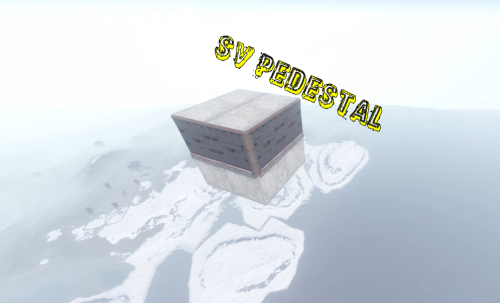
A great plugin for donation services! The plugin issues an access card to the secure zone of the server, after activating which, it is teleported to a small 2 * 2 database, where it can store its resources! 1. The base is created high in the sky (900 meters) in a random location 2. The base is completely invulnerable, it cannot be destroyed by other players from the ground! 3.The plugin does not depend on other plugins 4.The name of the map, the name of the sleeping bag, the height of the base construction and much more are configured! The database model is sewn into the code, it cannot be changed through the configuration file, pay attention to this when buying. The plugin supports English The plugin was created for my server, where I actively use it for donation services. PERMISSIONS: svpedestal.use OUTPUT COMMAND VIA THE CONSOLE: dropzone steamid CONFIG: { "Settings": { "Permission": "svpedestal.use", "Height spawn zone": 900.0, "SkinId Cards": 2560602174, "SkinId sleepbags": 1102195403, "ItemId": 609049394, "Name sleepbags": "Zone", "Chat Tag": "[SV_ZONE]", "Name Cards": "ZONE_CARD", "Font size": 16, "Building Grade": 4, "Time teleport": 10, "Effect teleport": "assets/prefabs/locks/keypad/effects/lock.code.denied.prefab" } }$5.00