
Search the Community
Showing results for tags 'scrap'.
-

Version 2.8.0
14 downloads
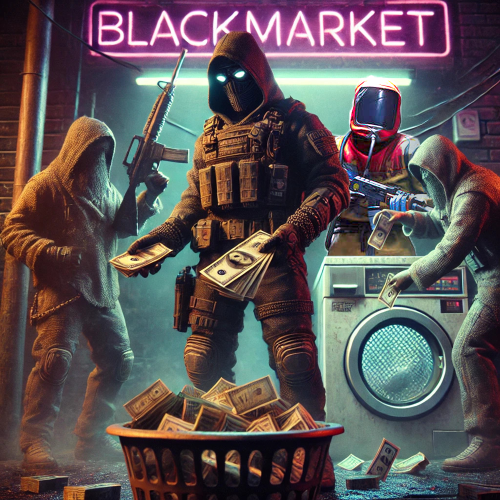
BlackMarket is a complex plugin that awakens the dark dealings of the underground. It offers players a completely new gaming experience by introducing illegal trading activities with special currencies. Thanks to the various customization options, the plugin can be perfectly adapted to individual needs. ⇨ MoneyWash Dealer: ➤ The MoneyWash Dealer offers the possibility to exchange black money for a special currency. By default, Scrap is exchanged for Golden Scrap - my exclusive currency that is used on my server. Players can thus safely launder their illegal winnings to use them for other transactions. ⇨ Black Market Merchant: The Black Market Merchant provides access to various stores: ➤ Weapons Shop: Players can purchase exclusive weapons here. ➤ Ammoshop: A place to stock up on ammunition. ➤ Special Items & Fun Items: Players can purchase unique items or fun items that can only be paid for with special currencies such as Golden Scrap. You can, of course, customize the stores to suit your needs. ⇨ Dynamic dealer behavior: ➤ The two dealers don't stay in one place for long. To avoid being caught, they change their position every X minutes. As a result, they always remain hidden and ensure an immersive and dynamic gaming experience. ➤ no Commands ➤ blackmarket.moneywash - Allows basic use of the Money Wash Dealer. ➤ blackmarket.dealer - Allows basic use of the Black Market Dealer. ➤ The plugin offers numerous configuration options so that it can be easily customized to the needs of each server. See this one: How can I set up BlackMarket? load, run, enjoy Support Discord ⇽ Free Download GoldenScrap Plugin *Attention because there are frequent questions after the purchase I would like to explain 1-2 things here! If you buy the plugin, it is naked! You must define your monuments before putting it into operation. Since everyone has different needs, I have made the plugin simple so that everyone can adjust these settings with copy/paste and numbers. I have made you an example using airfield. You can set this for each monument. You make these settings only once! The dealers spawn at a map wipe regardless of the direction of the monument, how high it is or how it is inclined again at this point. Do the work for yourself. If you find great spots, please share them on discord via ticket. Maybe I’ll make a long list of choices if enough people get in touch$39.99 -

Version 0.1.13.1
868 downloads
Allows automating the entire manure collection process and adds other useful features in this area, by adding Industial Adapters and BoxStorage to the HitchTrough and Composter. Also auto spliting dungs in the Composter container. Note: During plugin unloading, modified entities are not removed, to prevent the removal of pipes every time the plugin/server is restarted. To remove modifications from entities, you should use the "idung unload" command. industrialdung.admin - Provides unrestricted access to the plugin's functionality. This includes the ability to add/remove or clear modificated entities from other players. Note: In the configuration file, within the "Max ammount of modified entites per group" section, you can specify limits for any existing permission by simply listing its name. "Max amount of modified entites for each permission. Leave null or empty to recreate the default": { "industrialdung.default": { "HitchTroughs": 5, "Composters": 2 }, ... }, ... If you want to create a new permission, you can also include it in the list, but the name must begin with "industrialdung". { "Chat command": "idung", "Is it worth enabling GameTips for messages?": true, "Is it worth using Notify plugins for messages instead of the vanilla UI?": false, "Specify the regular message type for notify": 0, "Specify the warning message type for notify": 1, "List of language keys for creating language files": [ "en" ], "Is it worth ignoring Facepunch's rules regarding skins and DLCs?": false, "Is it worth removing modifications when permissions or groups are revoked if they exceed the limit?": true, "Use auto-splitting in the Composter?": true, "Item's short name for auto-splitting in the Composter. Leave the field empty to use the default": "horsedung", "AutoModify - Default value for new players": true, "Wood Storage Box Workshop Skin ID": 850379673, "Wood Storage Box Scale": 0.5, "The list of items(short name) available for the composter. Leave empty to use vanilla": [ "horsedung", "fertilizer", "plantfiber" ], "Popup - Duration": 6.0, "Popup - Position AnchorMin": "0 0.9", "Popup - Position AnchorMax": "0.25 1", "Popup - Position OffsetMin": "20 0", "Popup - Position OffsetMax": "0 -30", "Popup - Icon Url": "https://i.ibb.co/dJW6zfTk/4Adzkb8.png", "Popup - Icon Color(Hex or RGBA)": "#CCE699", "Popup - Icon Transparency": 0.8, "Popup - Text Font(https://docs.oxidemod.com/guides/developers/basic-cui/basic-cui#fonts)": "RobotoCondensed-Bold.ttf", "Popup - Text Font Size": 14, "Popup - Text Font Color(Hex or RGBA)": "#FFFFFF", "Popup - Description Font": "RobotoCondensed-Regular.ttf", "Popup - Description Font Size": 12, "Popup - Description Font Color(Hex or RGBA)": "#FFFFFF", "Popup - Text FadeIn": 1.0, "Popup - Sound Prefab Name": "assets/bundled/prefabs/fx/invite_notice.prefab", "Max amount of modified entites for each permission. Leave null or empty to recreate the default": { "industrialdung.default": { "HitchTroughs": 5, "Composters": 2, "DungMultiplier": 1.0 }, "industrialdung.vip": { "HitchTroughs": 10, "Composters": 4, "DungMultiplier": 2.0 }, "realpve.default": { "HitchTroughs": 5, "Composters": 2, "DungMultiplier": 1.0 }, "realpve.vip": { "HitchTroughs": 15, "Composters": 6, "DungMultiplier": 2.0 } }, "Version": { "Major": 0, "Minor": 1, "Patch": 13 } } EN: { "PopupTitleHitch": "Modify this hitch trough?", "PopupTitileComposter": "Modify this composter?", "PopupDescription": "Click on the notification to confirm", "CmdNotAllowed": "You do not have permission to use this command!", "CmdPlayerNotFound": "Player '{0}' not found! You must provide the player's name or ID.", "CmdMultiplePlayers": "Multiple players found: {0}", "CmdEntityNotFound": "Entity not found! You must specify the entity ID or look directly at it.", "CmdEntityNotOwned": "This entity has no owner!", "CmdEntityNotOwner": "You are not the owner of this entity!", "CmdEntityNotModified": "This entity has no modifications!", "CmdAdmin": "Available admin commands:\n\n<color=#D1CBCB>/idung</color> <color=#D1AB9A>auto</color> - Toggle automatic modification of HitchTroughs and Composters\n<color=#D1CBCB>/idung</color> <color=#D1AB9A>add *entityID*(optional)</color> - Add modifications to HitchTroughs or Composters you are looking at or specified\n<color=#D1CBCB>/idung</color> <color=#D1AB9A>remove *entityID*(optional)</color> - Remove modifications from HitchTroughs or Composters you are looking at or specified\n<color=#D1CBCB>/idung</color> <color=#D1AB9A>clear</color> - Remove all modifications from your HitchTroughs and Composters\n<color=#D1CBCB>/idung</color> <color=#D1AB9A>clear *nameOrId*</color> - Remove all modifications from HitchTroughs and Composters of the specified player\n<color=#D1CBCB>/idung</color> <color=#D1AB9A>clear all</color> - Remove all modifications from HitchTroughs and Composters, from all players\n<color=#D1CBCB>/idung</color> <color=#D1AB9A>aclear</color> - Remove all modifications from HitchTroughs and Composters that were not saved in the data file for some reason\n<color=#D1CBCB>/idung</color> <color=#D1AB9A>unload</color> - Unload the plugin and removing all modifications from HitchTroughs and Composters without deleting them from the data file\n\n--------------------------------------------------", "CmdAdminClearTarget": "Successfully removed {1} modifications from HitchTroughs and Composters for player '{0}'!", "CmdAdminClear": "Successfully removed all modifications from HitchTroughs and Composters for all players!", "CmdAdminAclear": "Successfully removed all modifications from HitchTroughs and Composters that were not in the data file!", "CmdAdminUnload": "Plugin '{0}' has been successfully unloaded with the removal of all modifications from HitchTroughs and Composters, but without deleting from the data file!", "CmdMain": "Available commands:\n\n<color=#D1CBCB>/idung</color> <color=#D1AB9A>auto</color> - Toggle automatic modification of HitchTroughs and Composters\n<color=#D1CBCB>/idung</color> <color=#D1AB9A>add *entityID*(optional)</color> - Add modifications to HitchTroughs or Composters you are looking at or specified\n<color=#D1CBCB>/idung</color> <color=#D1AB9A>remove *entityID*(optional)</color> - Remove modifications from HitchTroughs or Composters you are looking at or specified\n<color=#D1CBCB>/idung</color> <color=#D1AB9A>clear</color> - Remove all modifications from your HitchTroughs and Composters\n\n--------------------------------------------------", "CmdAutoModifyEnabled": "Automatic entity modification is enabled!", "CmdAutoModifyDisabled": "Automatic entity modification is disabled!", "CmdLimitReached": "You cannot to modify this entity as you have reached your limit of {0}!", "CmdHitchTroughModified": "The hitch trough has been successfully modified!", "CmdComposterModified": "The composter has been successfully modified!", "CmdEntityRemoved": "Entity modifications have been successfully removed!", "CmdEntityClear": "All modifications of your entities have been successfully removed!" } RU: { "PopupTitleHitch": "Модифицировать данную кормушку?", "PopupTitileComposter": "Модифицировать данный компостер?", "PopupDescription": "Нажмите на уведомление для подтверждения", "CmdNotAllowed": "У вас недостаточно прав для использования этой команды!", "CmdPlayerNotFound": "Игрок '{0}' не найден! Вы должны указать имя или ID игрока.", "CmdMultiplePlayers": "Найдено несколько игроков: {0}", "CmdEntityNotFound": "Сущность не найдена! Вы должны указать ID сущности или смотреть прямо на нее.", "CmdEntityNotOwned": "У этой сущности нет владельца!", "CmdEntityNotOwner": "Вы не являетесь владельцем этой сущности!", "CmdEntityNotModified": "Данная сущность не имеет модификаций!", "CmdAdmin": "Доступные админ команды:\n\n<color=#D1CBCB>/idung</color> <color=#D1AB9A>auto</color> - Переключение автоматической модификации кормушек и компостеров\n<color=#D1CBCB>/idung</color> <color=#D1AB9A>add *айдиСущности*(опционально)</color> - Добавить модификации к кормушке или компостеру, на который вы смотрите или указали\n<color=#D1CBCB>/idung</color> <color=#D1AB9A>remove *айдиСущности*(опционально)</color> - Удалить модификации у кормушки или компостера, на который вы смотрите или указали\n<color=#D1CBCB>/idung</color> <color=#D1AB9A>clear</color> - Удалить все модификации у ваших кормушек и компостеров\n<color=#D1CBCB>/idung</color> <color=#D1AB9A>clear *имяИлиАйди*</color> - Удалить все модификации у кормушек и компостеров, указанного игрока\n<color=#D1CBCB>/idung</color> <color=#D1AB9A>clear all</color> - Удалить все модификации у кормушек и компостеров, всех игроков\n<color=#D1CBCB>/idung</color> <color=#D1AB9A>aclear</color> - Удалить все модификации у кормушек и компостеров, которые по некоторым причинам не попали в дата файл\n<color=#D1CBCB>/idung</color> <color=#D1AB9A>unload</color> - Выгрузить плагин с удалением модификаций у всех кормушек и комспостеров, без удаления из даты файла\n\n--------------------------------------------------", "CmdAdminClearTarget": "Успешно удалено {1} модификации у кормушек и компостеров, игрока '{0}'!", "CmdAdminClear": "Успешно удалены все модификации у кормушек и компостеров, всех игроков!", "CmdAdminAclear": "Успешно удалены все модификации у кормушек и компостеров, которых не было в дата файле!", "CmdAdminUnload": "Плагин '{0}' был успешно выгружен с удалением всех модификации у кормушек и компостеров, но без удаления из дата файла!", "CmdMain": "Доступные команды:\n\n<color=#D1CBCB>/idung</color> <color=#D1AB9A>auto</color> - Переключение автоматической модификации кормушек и компостеров\n<color=#D1CBCB>/idung</color> <color=#D1AB9A>add *айдиСущности*(опционально)</color> - Добавить модификации к кормушке или компостеру, на который вы смотрите или указали\n<color=#D1CBCB>/idung</color> <color=#D1AB9A>remove *айдиСущности*(опционально)</color> - Удалить модификации у кормушки или компостера, на который вы смотрите или указали\n<color=#D1CBCB>/idung</color> <color=#D1AB9A>clear</color> - Удалить все модификации у ваших кормушек и компостеров\n\n--------------------------------------------------", "CmdAutoModifyEnabled": "Автоматическая модификация сущностей включена!", "CmdAutoModifyDisabled": "Автоматическая модификация сущностей выключена!", "CmdLimitReached": "Вы не можете модифицировать данную сущность, так как вы превысили свой лимит в {0}!", "CmdHitchTroughModified": "Кормушка успешно модифицирована!", "CmdComposterModified": "Компостер успешно модифицирован!", "CmdEntityRemoved": "Модификации сущности успешно удалены!", "CmdEntityClear": "Все модификации ваших сущностей успешно удалены!" } auto - Toggle automatic modification of HitchTroughs and Composters; add *entityID*(optional) - Add modifications to HitchTroughs or Composters you are looking at or specified; remove *entityID*(optional) - Remove modifications from HitchTroughs or Composters you are looking at or specified; clear - Remove all modifications from your HitchTroughs and Composters; clear *nameOrId* - Remove all modifications from HitchTroughs and Composters of the specified player. Permission "industrialdung.admin" required; clear all - Remove all modifications from HitchTroughs and Composters, from all players. Permission "industrialdung.admin" required; aclear - Remove all modifications from HitchTroughs and Composters that were not saved in the data file for some reason. Permission "industrialdung.admin" required; unload - Unload the plugin and removing all modifications from HitchTroughs and Composters without deleting them from the data file. Permission "industrialdung.admin" required. Example: /idung auto /idung add /idung add *netID* /idung clear all$9.99- 76 comments
- 2 reviews
-
- 1
-

-
- #rust
- #industrial
- (and 25 more)
-
Version 2.10.23
1,660 downloads
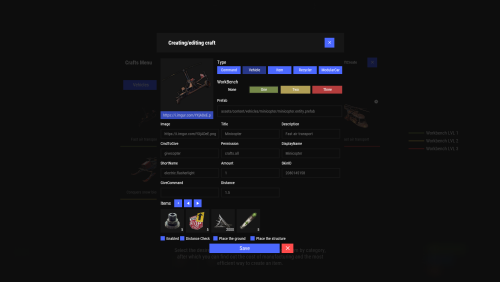
Crafting system that allows you to create items, cars, vehicles, recyclers, etc! Commands craft open interface crafts.setwb [categories: cat1 cat2 ...] set new custom workbench Permissions You can set permission in config, for example: "Permission (ex: crafts.use)": "crafts.use", crafts.setworkbench - allows you to use the "crafts.setwb" command (set custom workbenches) Craft Types Command Vehicle Item Recycler ModularCar How to install a custom workbench 1. Spawn the workbench (for example, in RustEdit or a plugin) 2. In the game, go to him and use the command "crafts.setwb" and specify the necessary categories. Example: /crafts.setwb Misc 3. Go to config (oxide/config/Crafts.json) and configure this workbench (use SafeZone, workbench level, etc.) VIDEO FAQ Q: Where can I see an example of a config? A: Config$19.95 -
Version 0.1.2
16 downloads
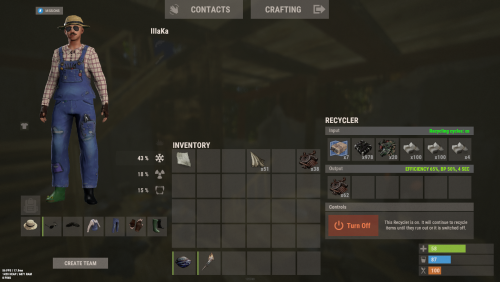
An excellent plugin for item recycling with extensive functionality. The ability to log successful recycling; The ability to create new permissions; The ability to customize permissions flexibly, including both new and existing ones; The ability to have multiple permissions at the same time, with the selection of the best limits from the available permissions; The ability to configure the recycling efficiency for each permission; The ability to configure the scrap return percentage when recycling blueprints for each permission; The ability to configure the chance to return the original item when recycling blueprints for each permission; The ability to configure forbidden items for recycling for each permission; The ability to configure the recycling speed for each permission; The ability to configure the recycling cycle limit per use for each permission; The ability to configure the recycling slot limit for each permission; The ability to configure the recycling cooldown for each permission; The ability to purchase a bypass for the recycle cooldown; The ability to configure the daily recycling limit for each permission; The ability to purchase additional recycles after reaching the daily limit; The ability to count recycling only when at least one item is successfully recycled; The ability to forbid recycling when wounded; The ability to forbid recycling while swimming; The ability to forbid recycling while mounted on certain seats; The ability to forbid recycling in specified monuments, by name or by monument type; The ability to forbid recycling in someone else's building privileges; The ability to forbid recycling when taking damage; The ability to forbid recycling during a combat block; The ability to forbid recycling during a raid block; The ability to automatically generate language files for specified languages(with content filled in English); The ability to display a status bar while waiting for a cooldown; The ability to choose between bar types(TimeCounter and TimeProgressCounter); The ability to specify the order of the bar; The ability to change the height of the bar; The ability to customize the color and transparency of the background; The ability to set a material for the background; The ability to switch between CuiRawImageComponent and CuiImageComponent for the image; The ability to get images from the local folder(*SERVER*\oxide\data\AdvancedStatus\Images); The ability to set own image and customize the color and transparency of the image; The ability to set sprite instead of the image; The ability to customize the color, size and font of the text. { "Chat command": "rec", "Is it worth enabling GameTips for messages?": true, "Is it worth saving recycling logs to a file?": true, "List of language keys for creating language files": [ "en" ], "Is it worth allowing blueprint recycling based on permissions?": true, "Price to skip 60 seconds of recycler cooldown": 10.0, "List of mount names where recycling is prohibited": [ "horsesaddle", "horsesaddlerear", "bikedriverseat", "bikepassengerseat", "motorbikedriverseat", "motorbikepassengerseat", "modularcardriverseat", "modularcarpassengerseatleft", "modularcarpassengerseatright", "modularcarpassengerseatlesslegroomleft", "modularcarpassengerseatlesslegroomright", "modularcarpassengerseatsidewayleft", "miniheliseat", "minihelipassenger", "transporthelipilot", "transporthelicopilot", "attackhelidriver", "attackheligunner", "submarinesolodriverstanding", "submarineduodriverseat", "submarineduopassengerseat", "snowmobiledriverseat", "snowmobilepassengerseat", "snowmobilepassengerseat tomaha", "workcartdriver", "locomotivedriver", "craneoperator", "batteringramseat", "ballistagun.entity" ], "Status. Bar - Display time in seconds. A value of 0 keeps it visible until the cooldown ends": 15.0, "Status. Bar - Type(TimeProgressCounter or TimeCounter)": "TimeCounter", "Status. Bar - Height": 26, "Status. Bar - Order": 10, "Status. Background - Color(Hex or RGBA)": "#EFC570", "Status. Background - Transparency": 0.7, "Status. Background - Material(empty to disable)": "", "Status. Image - Url": "https://i.imgur.com/DsWk4zm.png", "Status. Image - Local(Leave empty to use Image_Url)": "AdvancedStatus_SandClock", "Status. Image - Sprite(Leave empty to use Image_Local or Image_Url)": "", "Status. Image - Is raw image": false, "Status. Image - Color(Hex or RGBA)": "#EFC570", "Status. Image - Transparency": 1.0, "Status. Image Outline - Color(Hex or RGBA)": "0.1 0.3 0.8 0.9", "Status. Image Outline - Transparency": 1.0, "Status. Image Outline - Distance(Leave empty to disable). Example '0.75 0.75'": "", "Status. Text - Size": 12, "Status. Text - Color(Hex or RGBA)": "#FFFFFF", "Status. Text - Transparency": 1.0, "Status. Text - Font(https://umod.org/guides/rust/basic-concepts-of-gui#fonts)": "RobotoCondensed-Bold.ttf", "Status. Text - Offset Horizontal": 0, "Status. Text Outline - Color(Hex or RGBA)": "#000000", "Status. Text Outline - Transparency": 1.0, "Status. Text Outline - Distance(Leave empty to disable)": "", "Status. SubText - Size": 12, "Status. SubText - Color(Hex or RGBA)": "#FFFFFF", "Status. SubText - Transparency": 1.0, "Status. SubText - Font": "RobotoCondensed-Bold.ttf", "Status. SubText Outline - Color(Hex or RGBA)": "0.5 0.6 0.7 0.5", "Status. SubText Outline - Transparency": 1.0, "Status. SubText Outline - Distance(Leave empty to disable)": "", "Status. Progress - Background Color(Hex or RGBA)": "1 1 1 0.15", "Status. Progress - Background Transparency": 0.15, "Status. Progress - Reverse": true, "Status. Progress - Color(Hex or RGBA)": "#EFC570", "Status. Progress - Transparency": 0.7, "Status. Progress - OffsetMin": "0 0", "Status. Progress - OffsetMax": "0 0", "List of recycling permissions": [ { "Permission Name": "advancedrecycler.default", "Item recycling time(seconds)": 8.0, "Item recycling efficiency": 0.4, "Blueprint recycling efficiency. A value of 0 disables this ability": 0.0, "Chance(0.0 – 1.0) of the original item dropping when recycling a blueprint": 0.001, "Is it worth giving scrap if the original item drops when recycling a blueprint?": false, "Number of available recycling slots": 2, "Cooldown time(in seconds) before next recycling": 600.0, "Daily recycling limit. A value of 0 disables the limit": 50, "Price to purchase a recycling after exceeding the daily limit. A value of 0 disables the purchase": 5.0, "Item recycling limit per session(per command use). A value of 0 disables the limit": 15, "Is it worth forbidding recycling if the player is in a wounded state?": true, "Is it worth forbidding recycling if the player is swimming?": true, "Is it worth forbidding recycling if the player is mounted?": true, "Is it worth forbidding recycling if the player is in someone else's building privilege area?": true, "Is it worth forbidding recycling if the player has taken damage?": true, "Is it worth forbidding recycling if the player has combat block?": true, "Is it worth forbidding recycling if the player has raid block?": true, "List of monuments where recycling is forbidden": null, "List of monument types where recycling is forbidden": [ "RadTown", "RadTownWater", "RadTownSmall", "TunnelStation", "Custom" ], "List of forbidden recycling items": [ "blood" ] }, { "Permission Name": "advancedrecycler.vip", "Item recycling time(seconds)": 5.0, "Item recycling efficiency": 0.6, "Blueprint recycling efficiency. A value of 0 disables this ability": 0.15, "Chance(0.0 – 1.0) of the original item dropping when recycling a blueprint": 0.15, "Is it worth giving scrap if the original item drops when recycling a blueprint?": true, "Number of available recycling slots": 4, "Cooldown time(in seconds) before next recycling": 450.0, "Daily recycling limit. A value of 0 disables the limit": 100, "Price to purchase a recycling after exceeding the daily limit. A value of 0 disables the purchase": 2.5, "Item recycling limit per session(per command use). A value of 0 disables the limit": 50, "Is it worth forbidding recycling if the player is in a wounded state?": true, "Is it worth forbidding recycling if the player is swimming?": true, "Is it worth forbidding recycling if the player is mounted?": true, "Is it worth forbidding recycling if the player is in someone else's building privilege area?": true, "Is it worth forbidding recycling if the player has taken damage?": true, "Is it worth forbidding recycling if the player has combat block?": true, "Is it worth forbidding recycling if the player has raid block?": true, "List of monuments where recycling is forbidden": null, "List of monument types where recycling is forbidden": [ "RadTown", "RadTownWater", "TunnelStation" ], "List of forbidden recycling items": [ "blood" ] }, { "Permission Name": "realpve.vip", "Item recycling time(seconds)": 4.0, "Item recycling efficiency": 0.65, "Blueprint recycling efficiency. A value of 0 disables this ability": 0.5, "Chance(0.0 – 1.0) of the original item dropping when recycling a blueprint": 0.3, "Is it worth giving scrap if the original item drops when recycling a blueprint?": true, "Number of available recycling slots": 6, "Cooldown time(in seconds) before next recycling": 300.0, "Daily recycling limit. A value of 0 disables the limit": 0, "Price to purchase a recycling after exceeding the daily limit. A value of 0 disables the purchase": 0.0, "Item recycling limit per session(per command use). A value of 0 disables the limit": 0, "Is it worth forbidding recycling if the player is in a wounded state?": false, "Is it worth forbidding recycling if the player is swimming?": false, "Is it worth forbidding recycling if the player is mounted?": false, "Is it worth forbidding recycling if the player is in someone else's building privilege area?": false, "Is it worth forbidding recycling if the player has taken damage?": false, "Is it worth forbidding recycling if the player has combat block?": false, "Is it worth forbidding recycling if the player has raid block?": false, "List of monuments where recycling is forbidden": [ "oilrig_1" ], "List of monument types where recycling is forbidden": null, "List of forbidden recycling items": [ "blood" ] } ], "Version": { "Major": 0, "Minor": 1, "Patch": 2 } } EN: { "CmdNotAllowed": "You do not have permission to use this command!", "CmdEconomicsNotEnough": "Not enough funds!", "CmdMain": "Available commands for the recycler:\n\n<color=#D1CBCB>/rec</color> - Request access to the remote recycler\n<color=#D1CBCB>/rec</color> <color=#D1AB9A>limits</color> - View your usage limits\n<color=#D1CBCB>/rec</color> <color=#D1AB9A>buy limits *amount*(optional)</color> - Purchase additional uses of the remote recycler\n<color=#D1CBCB>/rec</color> <color=#D1AB9A>buy cd *amount*(optional)</color> - Purchase a 60 second(* by amount) cooldown skip for remote recycler\n\n--------------------------------------------------", "CmdDailyLimitExtra": "You have exceeded the daily limit({0}) for using the remote recycler!\n<size=10>However, you can buy additional uses with the <color=#D1AB9A>/rec buy limits</color> command for <color=#D1CBCB>${1}</color></size>", "CmdDailyLimit": "You have exceeded the daily limit ({0}) for using the remote recycler!", "CmdCooldownSkip": "You must wait {0} seconds before using the remote recycler again!\n<size=10>However, you can skip the cooldown using the <color=#D1AB9A>/rec buy cd</color> command for <color=#D1CBCB>${1}</color> per 60 seconds</size>", "CmdCooldown": "You must wait {0} seconds before using the remote recycler again!", "CmdWoundBlock": "You can't use the remote recycler while wounded!", "CmdSwimming": "You can't use the remote recycler while swimming!", "CmdMountBlock": "You can't use the remote recycler while mounted here!", "CmdMonumentBlock": "You can't use the remote recycler at '{0}'!", "CmdBuildingBlock": "You can't use the remote recycler inside someone else's base!", "CmdDamageBlock": "You can't use the remote recycler while taking damage!", "CmdCombatBlock": "You can't use the remote recycler during combat block!", "CmdRaidBlock": "You can't use the remote recycler during a raid block!", "CmdAlredyHave": "You already have an active remote recycler!", "CmdPurchaseNotLimited": "You haven't reached your daily limit yet!", "CmdPurchaseHaveExtra": "You still have {0} additional remote recycler uses! Use them before purchasing more.", "CmdPurchaseLimitsNotAllowed": "Purchasing additional remote recycler uses is unavailable!", "CmdPurchasedLimits": "You have successfully purchased <color=#D1CBCB>{0}</color> remote recycler uses!\n<size=10>Now you have <color=#D1CBCB>{1}</color> additional uses</size>", "CmdPurchaseNoCooldown": "You don't have a cooldown for remote recycler usage!", "CmdPurchaseCooldownNotAllowed": "Purchasing a cooldown skip for remote recycler usage is not available!", "CmdPurchasedCooldown": "You have successfully purchased a cooldown skip for <color=#D1CBCB>{0} seconds</color> for remote recycler usage!\n<size=10>Now you need to wait <color=#D1CBCB>{1} seconds</color></size>", "CmdMyLimits": "Your remote recycler limits:\n\n<color=#D1CBCB>Efficiency</color> - <color=#D1AB9A>{0}%</color>\n<color=#D1CBCB>Blueprint efficiency</color> - <color=#D1AB9A>{1}%</color>\n<color=#D1CBCB>Blueprint original item return</color> - <color=#D1AB9A>{2}%</color>\n<color=#D1CBCB>Cycle Time</color> - <color=#D1AB9A>{3}</color>\n<color=#D1CBCB>Usage Cycles</color> - <color=#D1AB9A>{4}</color>\n<color=#D1CBCB>Cooldown</color> - <color=#D1AB9A>{5} sec</color>\n<color=#D1CBCB>Daily Limit</color> - <color=#D1AB9A>{6}</color>\n\n--------------------------------------------------", "UiRecycleEfficiency": "EFFICIENCY {0}%, {1} SEC", "UiRecycleEfficiencyBp": "EFFICIENCY {0}%, BP {2}%, {1} SEC", "UiSessionLimit": "Recycling cycles: {0}", "BarCooldown": "Recycler cooldown:", "MsgSessionLimit": "You have exceeded the limit of {0} recycling cycles per session." } RU: { "CmdNotAllowed": "У вас недостаточно прав для использования этой команды!", "CmdEconomicsNotEnough": "Не достаточно средств!", "CmdMain": "Доступные команды для переработчика:\n\n<color=#D1CBCB>/rec</color> - Запросить доступ к удалённому переработчику\n<color=#D1CBCB>/rec</color> <color=#D1AB9A>limits</color> - Узнать свои лимиты\n<color=#D1CBCB>/rec</color> <color=#D1AB9A>buy limits *количество*(опционально)</color> - Докупить дополнительное количество доступа к удалённому переработчику\n<color=#D1CBCB>/rec</color> <color=#D1AB9A>buy cd *количество*(опционально)</color> - Купить пропуск 60 секунд(* на количество) задержки перед повторным использованием удалённым переработчиком\n\n--------------------------------------------------", "CmdDailyLimitExtra": "Вы превысили допустимую дневную норму({0}) на использование удалённого переработчика!\n<size=10>Но вы можете купить дополнительные использования удалённого переработчика с помощью команды <color=#D1AB9A>/rec buy limits</color> за <color=#D1CBCB>{1}$</color></size>", "CmdDailyLimit": "Вы превысили допустимую дневную норму({0}) на использование удалённого переработчика!", "CmdCooldownSkip": "Перед повторным использованием удалённого переработчика вам необходимо подождать {0} секунд!\n<size=10>Но вы можете купить пропуск задержки с помощью команды <color=#D1AB9A>/rec buy cd</color> за <color=#D1CBCB>{1}$</color> за каждые 60 секунд</size>", "CmdCooldown": "Перед повторным использованием удалённого переработчика вам необходимо подождать {0} секунд!", "CmdWoundBlock": "Вам запрещено пользоваться удалённым переработчиком в предсмертном состоянии!", "CmdSwimming": "Вам запрещено пользоваться удалённым переработчиком в воде!", "CmdMountBlock": "Вам запрещено пользоваться удалённым переработчиком сидя в данном месте!", "CmdMonumentBlock": "Вам запрещено пользоваться удалённым переработчиком в '{0}'!", "CmdBuildingBlock": "Вам запрещено пользоваться удалённым переработчиком в чужой базе!", "CmdDamageBlock": "Вам запрещено пользоваться удалённым переработчиком при получении урона!", "CmdCombatBlock": "Вам запрещено пользоваться удалённым переработчиком во время боя!", "CmdRaidBlock": "Вам запрещено пользоваться удалённым переработчиком во время рейда!", "CmdAlredyHave": "У вас уже имеется активный удалённый переработчик!", "CmdPurchaseNotLimited": "Вы ещё не исчерпали свой дневной лимит!", "CmdPurchaseHaveExtra": "У вас ещё есть {0} дополнительных использований удалённого переработчика! Используйте их прежде, чем покупать новые.", "CmdPurchaseLimitsNotAllowed": "Покупка дополнительных использований удалённого переработчика недоступна!", "CmdPurchasedLimits": "Вы успешно докупили <color=#D1CBCB>{0}</color> использований удалённого переработчика!\n<size=10>Теперь у вас <color=#D1CBCB>{1}</color> дополнительных использований</size>", "CmdPurchaseNoCooldown": "У вас нет задержки на использование удалённого переработчика!", "CmdPurchaseCooldownNotAllowed": "Покупка пропуска задержки на использование удалённого переработчика недоступна!", "CmdPurchasedCooldown": "Вы успешно купили пропуск на <color=#D1CBCB>{0} секунд</color> задержки для использования удалённого переработчика!\n<size=10>Теперь вам нужно подождать <color=#D1CBCB>{1} секунд</color></size>", "CmdMyLimits": "Ваши лимиты удалённого переработчика:\n\n<color=#D1CBCB>Эффективность</color> - <color=#D1AB9A>{0}%</color>\n<color=#D1CBCB>Эффективность(чертежи)</color> - <color=#D1AB9A>{1}%</color>\n<color=#D1CBCB>Шанс возврата(чертежи)</color> - <color=#D1AB9A>{2}%</color>\n<color=#D1CBCB>Время цикла</color> - <color=#D1AB9A>{3}</color>\n<color=#D1CBCB>Циклов использований</color> - <color=#D1AB9A>{4}</color>\n<color=#D1CBCB>Время задержки</color> - <color=#D1AB9A>{5} сек</color>\n<color=#D1CBCB>Дневной лимит</color> - <color=#D1AB9A>{6}</color>\n\n--------------------------------------------------", "UiRecycleEfficiency": "ЭФФЕКТИВНОСТЬ {0}%, {1} СЕК", "UiRecycleEfficiencyBp": "ЭФФЕКТИВНОСТЬ {0}%, ЧЕРТЕЖИ {2}%, {1} СЕК", "UiSessionLimit": "Циклы переработки: {0}", "BarCooldown": "Задержка переработчика:", "MsgSessionLimit": "Вы превысили лимит в {0} циклов переработки за одно использование." } /rec - Request access to the remote recycler. /rec limits - View your usage limits. /rec buy limits *amount*(optional) - Purchase additional uses of the remote recycler. /rec buy cd *amount*(optional) - Purchase a 60 second(* by amount) cooldown skip for remote recycler. Example: /rec limits /rec buy limits 1 /rec buy limits 0.5$14.99 -
Version 0.1.7
233 downloads
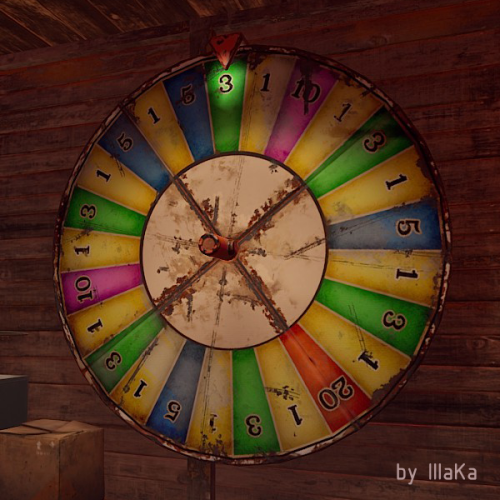
An indispensable plugin that collects Fortune Wheel statistics and provides the ability to view them through the UI. bigwheelstats.use - Provides access to use UI; bigwheelstats.admin - Provides the same permissions as bigwheelstats.use. Additionally, it provides the ability to manage big game wheels without any limitations. { "Is it worth checking for permissions before displaying the UI?": false, "Is it worth clearing statistics during a wipe?": true, "List of language keys for creating language files": [ "en" ], "Name of the prefab to play when a player becomes the best player. Leave empty to disable": "assets/prefabs/misc/xmas/advent_calendar/effects/open_advent.prefab", "Is it worth skipping the reward for the first best player?": true, "Command to execute when a player becomes the best player(0 - userID). Leave empty to disable, or null to use the default": "tperm add {0} vip 3600", "Cash reward for becoming the best player. Leave 0 to disable": 100.0, "List of items granted for becoming the best player. Leave empty to disable, or null to use the default": [ { "ShortName": "scrap", "Amount": 100, "SkinId": 0 } ], "List of permissions for top players. Each position in the list corresponds to the player's rank. Note: empty or null entries will be removed": [ [ "example.firstA", "example.firstB" ], [ "example.secondA" ], [ "example.thirdA" ] ], "List of permissions for top players for custom game wheels": [], "Big Wheel Game - Default name": "BIG WHEEL GAME", "Big Wheel Game - Name length limit(1–30)": 16, "Big Wheel Game - Cooldown time in seconds for changing the image url": 600.0, "Big Wheel Game - Default image Url": "https://i.imgur.com/MhW63JV.png", "Big Wheel Game - Allowed image Url prefix. Leave empty to allow all sites. Example: 'https://i.imgur.com/'": "", "Ui - Main Background Color": "#1A1A1A", "Ui - Main Background Transparency": 0.95, "Ui - Text Font(https://umod.org/guides/rust/basic-concepts-of-gui#fonts)": "RobotoCondensed-Bold.ttf", "Hud - Icon Url": "https://i.imgur.com/HvoFS7p.png", "Hud - Icon Color": "#808080", "Hud - Icon Transparency": 0.5, "Hud - Icon Is Raw Image": false, "Hud - Icon AnchorMin": "1 0", "Hud - Icon AnchorMax": "1 0", "Hud - Icon OffsetMin": "-250 15", "Hud - Icon OffsetMax": "-220 45", "Hit - Yellow Color": "#BFBF40", "Hit - Yellow Transparency": 0.4, "Hit - Green Color": "#408C8C", "Hit - Green Transparency": 0.4, "Hit - Blue Color": "#03598C", "Hit - Blue Transparency": 0.4, "Hit - Purple Color": "#8026CC", "Hit - Purple Transparency": 0.4, "Hit - Red Color": "#B24C59", "Hit - Red Transparency": 0.4, "Panel - Background Color": "#4C4C4C", "Panel - Background Transparency": 0.5, "Panel - OffsetMin": "-320 -255", "Panel - OffsetMax": "320 255", "Panel - Close Url": "https://i.imgur.com/O9m6yZF.png", "Panel - Close Color": "#D94026", "Panel - Close Transparency": 0.6, "Panel - Close Is Raw Image": false, "Panel - Close AnchorMin": "1 0", "Panel - Close AnchorMax": "1 0", "Panel - Close OffsetMin": "-250 15", "Panel - Close OffsetMax": "-220 45", "Menu - Buttons Color": "#808080", "Menu - Buttons Color Transparency": 0.4, "Menu - Buttons Active Color": "#3380BF", "Menu - Buttons Active Color Transparency": 0.6, "Menu - Font Size": 18, "Menu - Font Color": "#CCCCCC", "Menu - Font Color Transparency": 0.5, "Menu - Font Active Color": "#FFFFFF", "Menu - Font Active Color Transparency": 1.0, "Sub Menu - Reload Color": "#CCCCCC", "Sub Menu - Reload Color Transparency": 0.5, "Sub Menu - Settings Color": "#CCCCCC", "Sub Menu - Settings Color Transparency": 0.5, "Player Info - Online Color": "#CCFFB2", "Player Info - Online Transparency": 0.4, "Player Info - Offline Color": "#FF0000", "Player Info - Offline Transparency": 0.4, "Player Info - Font Size": 16, "Player Info - Font Color": "#FFFFFF", "Player Info Card - Background Color": "#808080", "Player Info Card - Background Transparency": 0.4, "Player Info Card - Title Font Size": 12, "Player Info Card - Title Font Color": "#808080", "Player Info Card - Value Font Size": 16, "Player Info Card - Value Font Color": "#CCCCB2", "Game Info - Color": "#808080", "Game Info - Transparency": 0.4, "Game Info - Font Size": 16, "Game Info - Font Color": "#FFFFFF", "Game Info Card - Background Color": "#808080", "Game Info Card - Background Transparency": 0.4, "Game Info Card - Title Font Size": 12, "Game Info Card - Title Font Color": "#808080", "Game Info Card - Value Font Size": 16, "Game Info Card - Value Font Color": "#CCCCB2", "Game Info Card - Percentage Font Size": 12, "Game Info Card - Percentage Font Color": "#808080", "Column Header - Color": "#4C4C4C", "Column Header - Transparency": 1.0, "Column Header - Active Color": "#595959", "Column Header - Active Transparency": 1.0, "Column Header - Font Size": 16, "Column Header - Font Color": "#CCCCB2", "Column Header - Font Active Color": "#FFFFFF", "Column Item - Font Size": 16, "Column Item - Color": "#808080", "Column Item - Transparency": 0.3, "Column Item - Even Color": "#808080", "Column Item - Even Transparency": 0.6, "Column Item - Font Color": "#CCCCB2", "Column Item - Font Active Color": "#FFFFFF", "Player HitList - Win Color": "#8CC83C", "Player HitList - Win Transparency": 0.4, "Player HitList - Lose Color": "#CD4632", "Player HitList - Lose Transparency": 0.4, "Game HitList Item - Font Size": 18, "Game HitList Item - Font Color": "#CCCCB2", "Player List - Name Font Size": 12, "Player List - ID Font Size": 10, "Player List - ID Font Color": "#808080", "Game List - Name Font Size": 12, "Game List - ID Font Size": 10, "Game List - ID Font Color": "#808080", "Settings - Background Color": "#4C4C4C", "Settings - Background Color Transparency": 0.5, "Settings - Title Color": "#4C4C4C", "Settings - Title Color Transparency": 0.7, "Settings - Input Color": "#4C4C4C", "Settings - Input Color Transparency": 0.7, "Settings - Button Color": "#4C4C4C", "Settings - Button Color Transparency": 0.7, "Settings - Text Color": "#CCCCB2", "Settings - Text Color Transparency": 1.0, "Settings - Sub Text Color": "#808080", "Settings - Sub Text Color Transparency": 1.0, "Scrolling - Width": 3.0, "Scrolling - Handle color": "#CCCCCC", "Scrolling - Handle color transparency": 0.5, "Scrolling - Pressed color": "#CCCCB2", "Scrolling - Pressed color transparency": 1.0, "Scrolling - Track color": "#000000", "Scrolling - Track color transparency": 0.0, "Footer - Color": "#4C4C4C", "Footer - Transparency": 0.4, "Footer - Font Size": 16, "Footer Buttons - Between Button Text": "...", "Footer Buttons - Color": "#808080", "Footer Buttons - Transparency": 0.4, "Footer Buttons - Active Color": "#3380BF", "Footer Buttons - Active Transparency": 0.6, "Footer Buttons - Font Color": "#CCCCB2", "Footer Buttons - Font Active Color": "#FFFFFF", "Footer Custom Button - Command. Leave empty to disable": "", "Footer Custom Button - Color": "#808080", "Footer Custom Button - Transparency": 0.4, "Footer Text - Font Size": 12, "Footer Text - Font Color": "#808080", "Wipe ID": null, "Version": { "Major": 0, "Minor": 1, "Patch": 7 } } EN: { "UiMenuPlayer": "My statistics", "UiMenuPlayerList": "Top players", "UiMenuGameList": "Game list", "UiFooterCustomButton": "My button", "UiFooterText": "Showing {0} to {1} of {2}", "UiPlayerTotalSpins": "Total spins", "UiPlayerWinSpins": "Win spins", "UiPlayerLoseSpins": "Lose spins", "UiPlayerScrapSpend": "Scrap spend", "UiPlayerScrapWin": "Scrap win", "UiPlayerScrapResult": "Scrap result", "UiPlayerScrapRecordBid": "Scrap record bid", "UiPlayerScrapLastBid": "Scrap last bid", "UiPlayerScrapLastWin": "Scrap last win", "UiPlayerHitsItem": "Item", "UiPlayerHitsHit": "Hit", "UiPlayerHitsBidAmount": "Bid amount", "UiPlayerHitsResultAmount": "Result", "UiPlayerListPlayer": "Player", "UiPlayerListTotal": "Total", "UiPlayerListLoses": "Loses", "UiPlayerListWins": "Wins", "UiPlayerListRecordBid": "Record bid", "UiPlayerListRecordWin": "Record win", "UiPlayerListResult": "Result", "UiGameBestPlayer": "Best player", "UiGameCurrentSpins": "Current session spins", "UiGameTotalSpins": "Total spins", "UiGameTotalYellow": "Yellow", "UiGameTotalGreen": "Green", "UiGameTotalBlue": "Blue", "UiGameTotalPurple": "Purple", "UiGameTotalRed": "Red", "UiGameSettingsTitle": "Big Wheel Game Management", "UiGameSettingsName": "Name:", "UiGameSettingsImage": "Image Url:", "UiGameSettingsImageCooldown": "The next opportunity to change the image will be available in {0} seconds!", "UiGameSettingsReset": "Reset statistics", "UiGameSettingsResetSpinning": "Can't reset the game wheel statistics while it is spinning!", "UiGameListBigWheelGame": "Big wheel game", "UiGameListBestWin": "Best Win", "UiGameListTotalSpins": "Total spins" } RU: { "UiMenuPlayer": "Моя статистика", "UiMenuPlayerList": "Топ игроков", "UiMenuGameList": "Список игр", "UiFooterCustomButton": "Моя кнопка", "UiFooterText": "Отображены с {0} по {1} из {2}", "UiPlayerTotalSpins": "Всего ставок", "UiPlayerWinSpins": "Выигрышные ставки", "UiPlayerLoseSpins": "Проигрышные ставки", "UiPlayerScrapSpend": "Потрачено скрапа", "UiPlayerScrapWin": "Выиграно скрапа", "UiPlayerScrapResult": "Итог скрапа", "UiPlayerScrapRecordBid": "Рекордная ставка", "UiPlayerScrapLastBid": "Последняя ставка", "UiPlayerScrapLastWin": "Последний выигрыш", "UiPlayerHitsItem": "Предмет", "UiPlayerHitsHit": "Число", "UiPlayerHitsBidAmount": "Ставка", "UiPlayerHitsResultAmount": "Итог", "UiPlayerListPlayer": "Игрок", "UiPlayerListTotal": "Всего", "UiPlayerListLoses": "Проигрышей", "UiPlayerListWins": "Выигрышей", "UiPlayerListRecordBid": "Рекордная ставка", "UiPlayerListRecordWin": "Рекордный выигрыш", "UiPlayerListResult": "Итог", "UiGameBestPlayer": "Лучший игрок", "UiGameCurrentSpins": "Вращений за сессию", "UiGameTotalSpins": "Всего вращений", "UiGameTotalYellow": "Желтый", "UiGameTotalGreen": "Зеленый", "UiGameTotalBlue": "Синий", "UiGameTotalPurple": "Фиолетовый", "UiGameTotalRed": "Красный", "UiGameSettingsTitle": "Управление игровым колесом", "UiGameSettingsName": "Имя:", "UiGameSettingsImage": "Ссылка на изображение:", "UiGameSettingsImageCooldown": "Следующая возможность изменить изображение будет доступна через {0} секунд!", "UiGameSettingsReset": "Сбросить статистику", "UiGameSettingsResetSpinning": "Нельзя сбросить статистику игрового колеса пока оно крутится!", "UiGameListBigWheelGame": "Игра", "UiGameListBestWin": "Лучший выигрыш", "UiGameListTotalSpins": "Всего вращений" }$14.99 -
Version 0.1.6
257 downloads
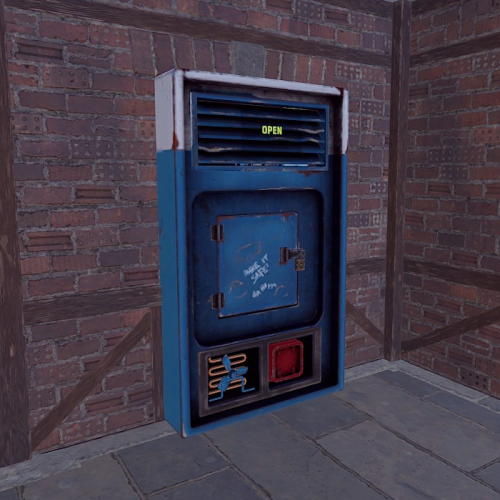
Allows you to add delivery drones to your vending machine through which you can order various items. Note: For transactions with a custom fee, you still need to have 20 scrap available, which will not be taken. Also, for the vending machines modified by CustomVendingSetup(umod), there is no custom fee. vDelivery.admin - Provides unrestricted access to the plugin's functionality. This includes the ability to add/remove or clear terminals from other players' vending machines. Note: In the configuration file, within the "Settings of Vending machines for each permission" section, you can specify limits for any existing permission by simply listing its name. "Settings of vending machines for each permission. Leave null or empty to recreate the default": { "vDelivery.default": { "Max ammount": 1, "Delivery fee item": "scrap", "Delivery fee amount": 20 }, ... } If you want to create a new permission, you can also include it in the list, but the name must begin with "vDelivery". { "Chat command": "vdelivery", "Is it worth enabling GameTips for messages?": true, "Is it worth ignoring the inaccessibility of drones?": false, "AutoModify - Default value for new players": true, "List of language keys for creating language files": [ "en" ], "Display position - Forward": -0.35, "Display position - Up": 1.8, "Display position - Right": 0.0, "Popup - Duration": 6.0, "Popup - Position AnchorMin": "0 0.9", "Popup - Position AnchorMax": "0.25 1", "Popup - Position OffsetMin": "20 0", "Popup - Position OffsetMax": "0 -30", "Popup - Icon Url": "https://i.imgur.com/4Adzkb8.png", "Popup - Icon Color(Hex or RGBA)": "#CCE699", "Popup - Icon Transparency": 0.8, "Popup - Text Font(https://umod.org/guides/rust/basic-concepts-of-gui#fonts)": "RobotoCondensed-Bold.ttf", "Popup - Text Font Size": 14, "Popup - Text Font Color(Hex or RGBA)": "#FFFFFF", "Popup - Description Font": "RobotoCondensed-Regular.ttf", "Popup - Description Font Size": 12, "Popup - Description Font Color(Hex or RGBA)": "#FFFFFF", "Popup - Text FadeIn": 1.0, "Popup - Sound Prefab Name": "assets/bundled/prefabs/fx/invite_notice.prefab", "Settings of vending machines for each permission. Leave null or empty to recreate the default": { "vDelivery.default": { "Max ammount": 1, "Delivery fee item": "scrap", "Delivery fee amount": 20 }, "vDelivery.vip": { "Max ammount": 3, "Delivery fee item": "scrap", "Delivery fee amount": 20 }, "realpve.vip": { "Max ammount": 5, "Delivery fee item": "scrap", "Delivery fee amount": 20 } }, "Version": { "Major": 0, "Minor": 1, "Patch": 6 } } EN: { "MsgNotAllowed": "You do not have permission to use this command!", "MsgNotOwner": "You are not the owner of this vending machine!", "MsgNotAccessible": "The vending machine is not accessible to drones!", "MsgNotVending": "You need to look at the vending machine or provide correct net ID!", "MsgNotVendingDelivery": "The vending machine does not have a terminal!", "MsgLimitReached": "You cannot add a terminal as you have reached your limit of {0}!", "MsgPopupText": "Add a terminal to the vending machine?", "MsgPopupSubText": "Click on the notification to confirm", "MsgMyAdded": "The terminal has been successfully added!", "MsgMyRemoved": "The terminal has been successfully removed!", "MsgMyAllRemoved": "All your terminals have been successfully removed!", "MsgPlayerAllRemoved": "All {0}'s terminals have been successfully removed!", "MsgAllRemoved": "All terminals have been successfully removed!", "MsgTerminalsNotFound": "No terminals found!", "MsgPlayerTerminalsNotFound": "{0}'s terminals not found!", "MsgNoHaveCustomFee": "To pay the personal fee, you need to have :{0}:(x{1}). Using default fee settings!", "MsgAutoModifyEntityEnabled": "Automatic entity modification is enabled!", "MsgAutoModifyEntityDisabled": "Automatic entity modification is disabled!" } RU: { "MsgNotAllowed": "У вас недостаточно прав для использования этой команды!", "MsgNotOwner": "Вы не являетесь владельцем данного торгового автомата!", "MsgNotAccessible": "Торговый автомат не доступен для дронов!", "MsgNotVending": "Вам необходимо смотреть на торговый автомат или указать корректный net ID!", "MsgNotVendingDelivery": "Торговый автомат не имеет терминала!", "MsgLimitReached": "Вы не можете добавить терминал, так как вы превысили свой лимит в {0}!", "MsgPopupText": "Добавить терминал к торговому автомату?", "MsgPopupSubText": "Нажмите на уведомление для подтверждения", "MsgMyAdded": "Терминал успешно добавлен!", "MsgMyRemoved": "Терминал успешно удалён!", "MsgMyAllRemoved": "Все ваши терминалы успешно удалены!", "MsgPlayerAllRemoved": "Все терминалы игрока {0} успешно удалены!", "MsgAllRemoved": "Все терминалы успешно удалены!", "MsgTerminalsNotFound": "Терминалы не найдены!", "MsgPlayerTerminalsNotFound": "Терминалы игрока {0} не найдены!", "MsgNoHaveCustomFee": "Для оплаты персональной комиссии вам необходимо иметь :{0}:(x{1}). Использование настроек комиссии по умолчанию!", "MsgAutoModifyEntityEnabled": "Автоматическая модификация сущностей включена!", "MsgAutoModifyEntityDisabled": "Автоматическая модификация сущностей выключена!" } add - Adding a terminal to the vending machine that you are looking at from a distance of no more than 10 meters. *netID* - Adding a terminal to a vending machine with the specified netID; remove - Removing a terminal from the vending machine that you are looking at from a distance of no more than 10 meters. *netID* - Removing a terminal from the vending machine with the specified netID; clear - Removing all of your terminals from vending machines. *userID* - Removing all of specified player's terminals from vending machines. Permission "vDelivery.admin" required. all - Removing all terminals from vending machines. Permission "vDelivery.admin" required. auto - Enabling/Disabling automatic modification of VendingMachines, if possible. Example: /vdelivery add /vdelivery clear all$4.99 -
Version 1.0.9
14 downloads
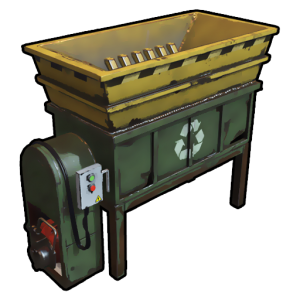
The simplest Pocket Recycler with permissions Permission pocketrecycler.use - permission to use /rec command You can add custom permissions to change the recycling time and efficiency for players with permissions Commands Chat Command: /rec - Open Pocket Recycler DEFAULT CONFIGURATION { "Permission to use the plugin (default: pocketrecycler.use)": "pocketrecycler.use", "Recycler Container Size": 6, "Works only for those who have permission ?": true, "Use Sound Effects?": true, "Recycle Sound Effects": "assets/prefabs/misc/xmas/presents/effects/unwrap.prefab", "Recycler Open Sound Effects?": "assets/prefabs/npc/autoturret/effects/autoturret-deploy.prefab", "Allow blueprints to be obtained from recycled items.(default: false)": false, "Chance of obtaining blueprints from recycled items. 0 - 100 (default: 0)": 0, "Stack Multiplier Per Recycle Tick(default: 0.1)": 0.1, "Extra Scrap rate(default: 0)": 0.0, "Default recycling efficiency (pocketrecycler.use: 0.4)": 0.4, "Default recycling time duration (pocketrecycler.use: 8)": 8, "Recycler Permissions Settings": { "Recycling efficiency [permission] = efficiency (1.0 = 100%)": { "pocketrecycler.deluxe": 1.0, "pocketrecycler.premium": 0.8, "pocketrecycler.vip": 0.6 }, "Recycling time duration [permission] = time (sec)": { "pocketrecycler.deluxe": 0, "pocketrecycler.premium": 4, "pocketrecycler.vip": 6 } }, "Items recycle list": { "Enable item replacement after recycling": false, "Consider the efficiency value ?": true, "Get default item ingredients ?": false, "List of recyclable items": [ { "SkinID": 0, "Shortname": "wood", "Displayed item name": null, "Ingredients": [ { "SkinID": 2420097877, "Shortname": "paper", "Amount per 1 recycled item": 1, "Displayed item name": null } ] }, { "SkinID": 2420097877, "Shortname": "paper", "Displayed item name": null, "Ingredients": [ { "SkinID": 0, "Shortname": "wood", "Amount per 1 recycled item": 1, "Displayed item name": null } ] } ] } } DEFAULT LANG FILES EN { "permission": "You do not have permission to use this command!", "INPUT_STRING": "Input", "EFFICIENCY": "EFFICIENCY {0}%, {1} SEC", "CAN_RECYCLE": "You cannot perform this action while: <color=#FBD900>{0}</color>", "BUILDING_BLOCKED": "in another player's building zone" } RU { "permission": "У вас нет разрешения для использования этой команды!", "INPUT_STRING": "Ввод", "EFFICIENCY": "ЭФФЕКТИВНОСТЬ {0}%, {1} СЕКУНД", "CAN_RECYCLE": "Вы не можете выполнить это действие находясь: <color=#4A95CC>{0}</color>", "BUILDING_BLOCKED": "в зоне запрета строительства" }$3.99 -
Version 2.1.0
1,035 downloads
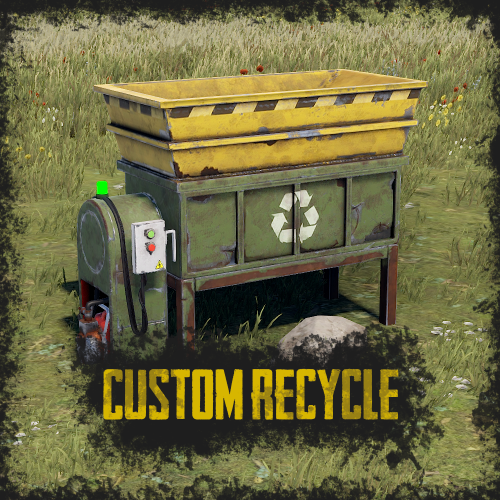
RUST Plugin Test Server TEST MY PLUGINS THERE! connect play.thepitereq.ovh:28050 Custom Recycle plugin expands the possibilities of RUST recycler recipes. You can customize and remove existing recipes, and add new ones, even for non-recyclable items. Additionally, you can add levels to your recycler to increase its speed. The only limit with this plugin is your imagination! Edit existing recycler recipes and add your own. Disable RUST's default recipes. Set editable chances for custom recipe items. Change the speed of the recycler. Place and pick up the recycler. Set custom recycle amounts with levels. A RUST-themed level UI. Supports currency plugins. Level progress is saved when the recycler is picked up. giverecycler <userId> - Gives you or player (if ID is set) an placeable recycler. (From player console - requires permission) customrecycle.give - Required to use giverecycler command from player console. ImageLibrary plugin is required ONLY when Recycler Levels are enabled. When you have problems like DOUBLE RECYCLER PLACING try CHANING ITEM NAME in configuration! { "Override Custom Skinned Items With Steam Icons (no URLs needed)": false, "Recycler Speed (5 = Default)": 5.0, "Recycler Speed Permissions": { "customrecycle.admin": 1.0, "customrecycle.vip": 4.0 }, "Require Permission To Place": false, "Placed Recycler Amount Permissions": { "customrecycle.admin": 1000, "customrecycle.default": 1, "customrecycle.vip": 3 }, "Recycler Item Name": "Recycler", "Allow Placing Only On Floor": false, "Allow Placing On Tug Boat": false, "Enable Better Amount Accuracy (More Calculations)": true, "Allow Pickup Recycler To Everyone Authed": true, "Disabled Vanilla Recipes": [ "axe.salvaged", "box.wooden.large" ], "Recycler Levels - Enable": true, "Recycler Levels - Save Levels On Pickup In Name": false, "Recycler Levels - Enable For No Owner": false, "Recycler Levels - Money Plugin (0 - None, 1 - Economics, 2 - ServerRewards, 3 - ServerRewards)": 0, "Recycler Levels - Money Plugin Currency (If ShoppyStock Is Used)": "rp", "Recycler Levels": [ { "Recycler Stack Percentage Per Tick": 0.15, "Custom Recycle Chance Multiplier": 1.0, "Next Level Currency Cost (0 to disable)": 1000, "Required For Next Level": [ { "Item Shortname": "wood", "Item Skin": 0, "Item Amount": 1000, "Icon URL": "" }, { "Item Shortname": "stones", "Item Skin": 0, "Item Amount": 1000, "Icon URL": "" } ] }, { "Recycler Stack Percentage Per Tick": 0.2, "Custom Recycle Chance Multiplier": 1.0, "Next Level Currency Cost (0 to disable)": 1000, "Required For Next Level": [ { "Item Shortname": "wood", "Item Skin": 0, "Item Amount": 3000, "Icon URL": "" }, { "Item Shortname": "stones", "Item Skin": 0, "Item Amount": 3000, "Icon URL": "" } ] } ], "Custom Recyclables - Show Level Bonus": true, "Custom Recyclables - Allow Only In Placed Recyclers": false, "Custom Recyclables (Shortname or SkinID)": { "2483299228": { "Give Default Output": true, "Custom Output Items": [ { "Item Shortname": "coal", "Item Chance (0-100)": 50.0, "Minimum Item Amount": 1, "Maximum Item Amount": 1, "Item Skin": 2550800428, "Item Display Name": "Golden Jackhammer Body" }, { "Item Shortname": "coal", "Item Chance (0-100)": 50.0, "Minimum Item Amount": 1, "Maximum Item Amount": 1, "Item Skin": 2550800641, "Item Display Name": "Golden Jackhammer Drill" } ] }, "metal.refined": { "Give Default Output": true, "Custom Output Items": [ { "Item Shortname": "metal.fragments", "Item Chance (0-100)": 100.0, "Minimum Item Amount": 50, "Maximum Item Amount": 100, "Item Skin": 0, "Item Display Name": "" } ] }, "rifle.ak": { "Give Default Output": true, "Custom Output Items": [ { "Item Shortname": "techparts", "Item Chance (0-100)": 100.0, "Minimum Item Amount": 1, "Maximum Item Amount": 2, "Item Skin": 0, "Item Display Name": "" }, { "Item Shortname": "scrap", "Item Chance (0-100)": 100.0, "Minimum Item Amount": 30, "Maximum Item Amount": 70, "Item Skin": 0, "Item Display Name": "" } ] } } }$9.99 -
Version 1.1.1
106 downloads
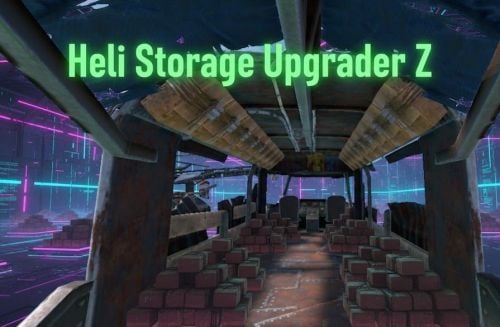
HeliStorageUpgraderZ plugin preview Automatically add storages to 3 types of helicopters after spawn. Increase your storage options on Helicopters, which is very useful during Raid! Config: { "Enable plugin?": true, "Spawned storages count for ScrapTransportHelicoper: (0-18) / 0 = disable": 18, "Spawned storages count for Minicopter: (0-4) / 0 = disable": 4, "Spawned storages count for AttackHelicopter: (0-8) / 0 = disable": 8, "Need permission to spawn? (spawn only owners helicopter = true | global spawn = false)": true } Permission HeliStorageUpgraderZ.Use - Containers only appear on the helicopters of players with the right I guarantee the functionality of the plugin as described. However, I cannot take responsibility for conflicts or issues arising from incompatibility with third-party plugins or themes. Please take this into account before purchasing. I will list all known compatibility details in the product description.$5.00 -

Version 1.0.1
12 downloads
xScrapBag xScrapBag adds a virtual scrap storage system to your Rust server, allowing players to automatically store, manage, and transfer scrap without clogging their inventory. Features Automatic Scrap Storage Scrap picked up by players is automatically stored in their Scrap Bag Optional player chat notification when scrap is stored Prevents scrap from filling inventory slots Manual Deposit & Withdraw Deposit scrap from inventory into the Scrap Bag Withdraw stored scrap back into inventory Player-to-Player Scrap Transfer Transfer stored scrap to other online players via UI Persistent Data Storage Scrap balances are saved automatically Death Handling Option to reset stored scrap on death Or keep scrap safe after death - your choice. Plugin Preview Chat Commands /scrapbag /xsb /* Both chat commands will open the scrapbag UI */ Permission xscrapbag.use Config { "PermissionUse": "xscrapbag.use", "ResetStoredScrapOnDeath": false, "StoreScrapAutomatically": true, "StoreScrapAutomaticallyPlayerMessage": true }$7.99 -
Version 1.1.6
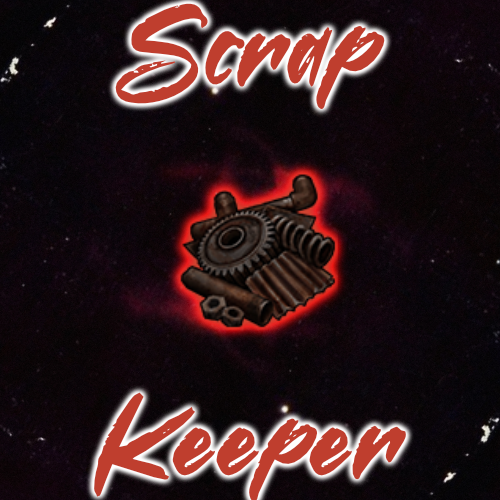
67 downloads
Do your players have Excess scrap with nothing to use it on? Help players get rid of it and competing / working together with Scrap Keeper. Scrap Keeper is an NPC that has a UI for depositing and viewing the top scrap contributors for the wipe. When the Top Spot has been taken, players will be notified who the new leader is. The plugin also has broadcasts at your interval, and can send the info to discord, on wipe, discord can be notified who contributed the top amount if you would like to gift that player a special perk next wipe. The Scrap Keeper can be spawned at a monument of your choice dynamically, or spawned on your position. Players can also work together to complete threshold rewards. Set a goal at 10k Scrap - and grant all players that have contributed towards the goal a command. Set as many goals as you like. The UI panel is customizable, use my existing PNG and create your own on top of it to make it your own. Permissions ScrapKeeper.use ScrapKeeper.admin Commands /SK - SPAWNS A SCRAP KEEPER AT YOUR POSITION /SKREMOVE - REMOVES THAT SCRAP KEEPER YOU ARE LOOKING AT /SKWIPE - WIPES DATA /SCRAPANNOUNCE - TRIGGERS THE TOP ANNOUNCEMENT MANUALLY VIDEO CONFIG { "Dynamic Spawn Of The NPC Enabled?": false, "Dynamic Spawn Points (Relative to Monument)": [ { "x": -8.34, "y": 1.45, "z": 24.75 } ], "Dynamic Spawn Rotation Correction": 90, "Enable Threshold Rewards?": false, "Minimum Required Scrap to Receive Rewards": 500, "Threshold Rewards": [ { "Threshold": 1000000, "Description": "Chad Reward", "Commands": [ "say Another command goes here", "say Yet another command" ] }, { "Threshold": 5000000, "Description": "GigaChad Reward", "Commands": [ "say Another command goes here", "say Yet another command" ] }, { "Threshold": 10000000, "Description": "Unreal Reward", "Commands": [ "say Another command goes here", "say Yet another command" ] } ], "Winner Rewards": [ "say {id} was the Scrap Keeper Winner!" ], "Enable Runner Up Rewards?": false, "Runner Up Rewards": [ { "Position": 2, "Commands": [ "grant a permission here", "grant more here target with {id}" ] }, { "Position": 3, "Commands": [ "grant a permission here", "grant more here {id}" ] } ], "Enable Prize Message On Announce?": false, "Leaderboard Panel ImageURL": "https://www.dropbox.com/scl/fi/40iy1y1rne2neiv1hxyr2/scrapleaderboard-1.png?rlkey=aw4bsumws8n271rohofft7dud&st=0de3xomk&dl=1", "Deposit Panel ImageURL": "https://www.dropbox.com/scl/fi/9opxevktd5wevkgo57nuk/ScrapConfirmation.png?rlkey=n55xkhow7v2logpmxxvdhy0g8&st=8unvusxu&dl=1", "Discord Webhook URL": "INSERT_WEBHOOK_URL", "NPC Clothing Options": [ { "Shortname": "metal.plate.torso", "Skin": 3280605481 }, { "Shortname": "metal.facemask", "Skin": 3280621382 }, { "Shortname": "shoes.boots", "Skin": 2830476912 }, { "Shortname": "hoodie", "Skin": 3223886138 }, { "Shortname": "pants", "Skin": 3223902740 }, { "Shortname": "gloweyes", "Skin": 0 } ], "Max Characters in Name to Display in Leaderboard": 10, "Dynamic Spawn at this Monument (Requires your Position Input to be set to match Monument if Changing from Default.)": "assets/bundled/prefabs/autospawn/monument/medium/compound.prefab", "Announce Scrap Leaderboard To Chat Every x Seconds (0 To Disable)": 600, "Prize Message": "<color=#FF5733>Scrap Keeper</color>\n\nContribute <color=#FF5733>Scrap</color> to the <color=#FF5733>Scrap Keeper</color> by the <color=yellow>Quest Room</color>, This Wipes Prize, $10 Steam Gift Card for Skins(or Alt Item)." } Lang { "NoScrap": "<color=#FF5733>Scrap Keeper</color> \n\nYou have no <color=#FF5733>Scrap</color> to Deposit...", "ScrapDeposit": "<color=#FF5733>Scrap Keeper</color>\n\nYou have deposited <color=#33ffbd>{0}</color> <color=#FF5733>Scrap</color>.\n\nFor a Total value of <color=#33ffbd>{1}</color> <color=#FF5733>Scrap</color> contributed this Wipe.", "CurrentRank": "<color=#FF5733>Scrap Keeper</color>\n\nYour Current Ranking on The <color=#FF5733>Scrap Leaderboard</color> is: <color=#33ffbd>{0}</color>", "ScrapWiped": "<color=#FF5733>Scrap Keeper</color>\n\nScrap Contributions Wiped.", "PlayerRankAndTotal": "<color=#FF5733>Scrap Keeper</color>\n\nYour current rank on the <color=#FF5733>Scrap</color> Leaderboard is: <color=#33ffbd>{0}</color> \nYou have contributed a total of <color=#33ffbd>{1}</color> <color=#FF5733>Scrap</color>.", "NoScrapContributed": "<color=#FF5733>Scrap Keeper</color>\n\nYou have not contributed any <color=#FF5733>Scrap</color> yet.", "ThresholdRewardClaimed": "[<color=orange>Scrap Keeper</color>] \nThreshold Reward Claimed: <color=orange>{0}</color>. \n<color=orange>Scrap</color> Contributed For Reward: <color=orange>{1}</color>. \nTotal Accumulated <color=orange>Scrap</color>: <color=orange>{2}</color>", "UnclaimedThresholdReward": "[<color=orange>Scrap Keeper</color>] \nUnclaimed Threshold Reward: <color=orange>{0}</color>. \nAmount of <color=orange>Scrap</color> needed: <color=orange>{1}</color>", "NewTopLeader": "<color=#FF5733>Scrap Keeper</color> {0} has just taken the <color=#33ff33>#1</color> spot on the <color=#FF5733>Scrap Leaderboard</color>!", "WeCantTalk": "<color=#FF5733>Scrap Keeper</color> \n\nYou don't have Permission to Deposit <color=#FF5733>Scrap</color>." } Thank you to @Luuxen for the help testing.$20.00- 11 comments
-
- 2
-
-

-
- #scrap
- #leaderboard
- (and 3 more)
-

Version 3.2.6
195 downloads
V2 Update Features Automatic Events: Events run at configurable intervals Simple Gameplay: Players just type their guess directly in chat Prize System: Winners claim customizable rewards Sound Effects: Special sounds for winning and claiming prizes Leaderboard: Track and display top winners Admin Controls: Manually start events Commands Guessing: Just type a number in chat when event is active /claim: Claim your prizes if you won the previous event /startevent: Admins can manually start an event /leaderboard: View the top winners /eventstatus: Check if an event is active and see details Configuration The plugin is highly customizable with the following options: { "PrizeCommands": [ "inventory.give {player.id} wood 100" ], "GuessRangeMin": 0, "GuessRangeMax": 10, "EventIntervalMinutes": 15, "EventDurationMinutes": 10, "CorrectGuessSound": "assets/prefabs/misc/halloween/lootbag/effects/gold_open.prefab", "ClaimPrizeSound": "assets/prefabs/misc/xmas/presents/effects/unwrap.prefab", "SteamApiKey": "", "ClaimCommand": "claim" } Multiple Prize Example: You can configure multiple prizes to be awarded to winners: { "PrizeCommands": [ "inventory.give {player.id} wood 100", "inventory.give {player.id} stone 75", "inventory.give {player.id} metal.fragments 50", "inventory.give {player.id} scrap 25" ], "GuessRangeMin": 0, "GuessRangeMax": 10, "EventIntervalMinutes": 15, "EventDurationMinutes": 10, "CorrectGuessSound": "assets/prefabs/misc/halloween/lootbag/effects/gold_open.prefab", "ClaimPrizeSound": "assets/prefabs/misc/xmas/presents/effects/unwrap.prefab", "SteamApiKey": "", "ClaimCommand": "claim" }$6.99 -
.thumb.gif.bbdb2748300f413e2c83b04ba2ea2edd.gif)
Version 2.0.0
11 downloads
Mines is a classic, high-stakes gambling game brought to life in Rust with a sleek, modern, and fully interactive UI. Players bet their chosen currency on a 5x5 grid, aiming to uncover as many gems as possible while avoiding hidden mines. With each gem found, the potential winnings multiply, creating a thrilling risk-versus-reward experience. Cash out at any time to secure your profits, or push your luck for a chance at massive payouts! The plugin features both a manual mode for casual play and a highly advanced autobet system for seasoned gamblers, ensuring an engaging experience for everyone. VIDEO PREVIEW HERE Main Features Fully Interactive UI: A beautifully designed and intuitive user interface that is highly responsive and includes smooth, satisfying animations for revealing tiles, winning, and losing. Multiple Currency Support: Seamlessly integrates with Scrap, Economics, and ServerRewards, allowing players to bet with their preferred currency. Manual & Auto Modes: Choose between placing bets manually one tile at a time or configuring the advanced autobet system for automated, high-speed gameplay. Advanced Autobet System: Tailor your strategy with detailed settings: Set the number of bets or run infinitely. Automatically increase the bet amount on a win or loss by a specific percentage. Configure it to reset the bet amount after a win or loss. Set stop-limits based on total profit or loss. Select a specific pattern of tiles to be revealed automatically. Customizable Gameplay: Players can adjust their bet amount with quick-select buttons (½, 2×, MAX) and set the number of mines on the grid (from 1 to 24) to control the risk and potential multiplier. Dynamic Multipliers: The payout multiplier increases with every safe tile revealed, with the rate of increase influenced by the number of mines in play. Highly Configurable UI: Nearly every color in the UI can be customized via the configuration file, allowing server owners to match the plugin's aesthetic to their server's branding. Sound Effects: Optional sound effects provide auditory feedback for key in-game actions, enhancing player immersion. Random Pick: In an active game, players can use the "Random Pick" button to have the plugin select a tile for them. Permissions mines.use - Required to open the Mines UI with the chat command. Chat Commands /mines - Opens or closes the main Mines game UI.$12.99 -

Version 1.0.7
150 downloads
Experiments is a plugin introducing the old research system in Rust! Do you remember when tech tree was not around and you could gamble your scrap for a random blueprint? This plugin introduces just that and is made to be as close to the old system as possible with a ton of configurable options! Features: - Gamble scrap for a random bp at each workbench tier. - Disables tech tree system - Restrict certain blueprints from the random search - Change cost of research for each tier Here is a preview video I made to show off how the system works! Config: { "Block Tech Tree?": true, "Disable Research Sound?": false, "Experiment Time (Could effect timing with the reseach sound)": 10, "Tier 1 Scrap Cost": 75, "Tier 2 Scrap Cost": 500, "Tier 3 Scrap Cost": 1000, "Disable Default Blueprints?": true, "Blueprint Blackist": [ "electric.blocker", "electric.orswitch", "mask.balaclava", "fridge", "water.barrel" ] }$9.99- 22 comments
- 3 reviews
-
- 6
-
-
-
- #old research
- #random
- (and 6 more)
-

Version 2.5.1
97 downloads
Personal Heli Give your players the power to summon their own personal patrol helicopter! This plugin lets players call in a customizable helicopter with tiered permissions, configurable costs (Scrap, Economics, ServerRewards), and advanced privacy controls (Owner, Team, Friends, Clan, PVE, Public). Features include: Multiple helicopter tiers with unique cooldowns, health, speed, and costs In-game UI for easy heli requests and status Announcements in chat and Discord (optional) Full support for Economics, ServerRewards, Friends, and Clans plugins Advanced privacy: restrict who your heli can attack or protect Admin override and full configuration support Perfect for VIP perks, events, or just adding a new layer of fun and strategy to your Rust server!$9.99 -
Version 1.0.14
405 downloads
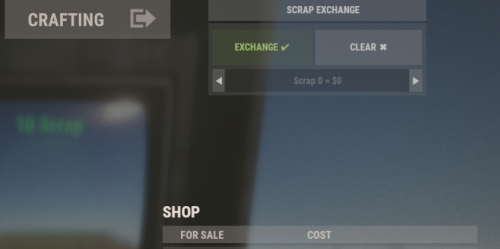
Plugin gives players the ability to exchange scrap for currency at npc vending machines, with the ability to set exchange rates via the config. By default the plugin runs a command set in the config for Economics on Umod. Permission: scrapvendingexchange.use scrapvendingexchange.admin Commands: /sve add|del <prefab-path>, full vending machine prefab path /sve min|max <number>, sets min and max amount to exchange per transaction /sve percent <number>, sets the exchange percentage Deposit Example commands: Economics: deposit {userid} {amount} Server Rewards: sr add {userid} {amount} Configuration: { "deposit command (default Economics arguments {userid} {amount})": "deposit {userid} {amount}", "setup command name": "sve", "exchange item id": -932201673, "exchange item skinid": 0, "exchange percent (default 80% percent ex: 1000 = 800)": 80, "min amount to exchange per transaction": 1, "max amount to exchange per transaction": 1000, "max amount to increment/decrement per click": 1, "user interface": { "success button color": "0.337 0.424 0.196 0.85", "success button font color": "0.607 0.705 0.431", "clear button color": "0.75 0.75 0.75 0.3", "clear button font color": "0.75 0.75 0.75 1", "panel color": "0.65 0.65 0.65 0.25", "PanelFontColor": "0.75 0.75 0.75 0.9", "panel input color": "0 0 0 0.42", "panel input font color": "1 1 1 0.58", "panel input placeholder color": "0.7 0.7 0.7 0.25", "panel offset position": { "position": { "x": -10.0, "y": 470.0 }, "size": { "x": 310.0, "y": 118.0 } }, "popup font color": "1 1 1 0.89", "popup error color": "0.631 0.282 0.22 0.98", "popup success color": "0.337 0.424 0.196 0.98", "popup offset position": { "position": { "x": -10.0, "y": 390.0 }, "size": { "x": 310.0, "y": 28.0 } } }, "allowed prefabs (leave empty to allow all vending machines)": [ "assets/prefabs/deployable/vendingmachine/npcvendingmachines/npcvendingmachine_tools.prefab" ], "VersionNumber: current version of the plugin": { "Major": 1, "Minor": 0, "Patch": 13 } }$3.00 -

Version 1.0.0
18 downloads
Now you will have a Rust style space for your clan, group or game team. The community is a circular space with several construction zones for your base or house. Surrounded by a large wall which offers a defense for your team. The community offers a decorative space for your Rust server, junkyard style.$12.90-
- 1
-
-
- #thecommunity
- #community
- (and 59 more)
-
Version 1.0.2
53 downloads
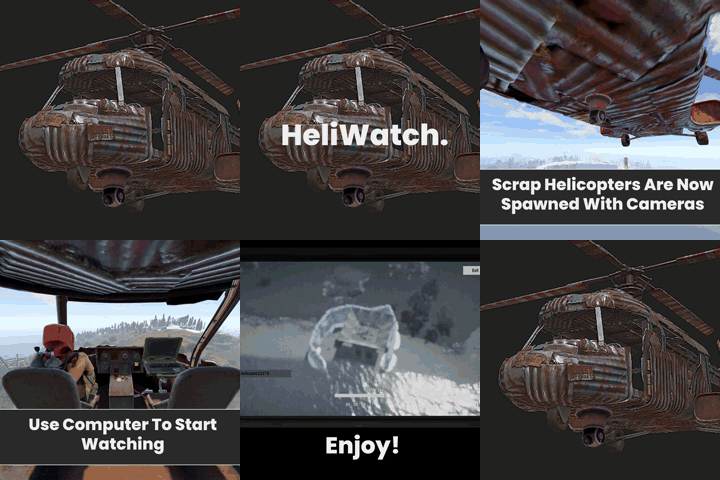
With this plugin, you can see players on the ground more easily and fly more comfortably. Ptz camera is automatically added to all scrap transport helicopters. To change position of the ptz camera, change the configuration and reload. Configuration { "Local PTZ Camera Position for Scrap Helicopter (Vector3)": { "x": 0.0, "y": 0.6, "z": 2.0 }, "Local PTZ Camera Rotation for Scrap Helicopter (Vector3)": { "x": 0.0, "y": 0.0, "z": 0.0 } }$4.00- 7 comments
- 1 review
-
- 2
-
-
- #helicopter
- #camera
- (and 5 more)
-
Version 1.0.3
26 downloads
Blackjack plugin is just like any other blackjack game, although is a portable version players can do from anywhere on your server! This plugin is fully configurable and supports Economics plugin as well as Server Rewards. Features: Customizable Card Deck Economics, Server Rewards, & Custom Item Betting Player vs Dealer Double Down, with Pushing if player and dealer have same card value. Ace 1-11 depending on your cards value. Language: There is a full language file which allows server owners to fully support other languages. Commands: /blackjack or /bj - Open the Blackjack UI Menu. Config: { "Bet Settings": { "Use Economics": false, "Use Server Rewards": false, "Use Item": true, "Item Shortname": "scrap", "Item Skin ID": 0, "Minimum Bet": 500, "Maximum Bet": 2000 }, "Chat Settings": { "Message Prefix": "<color=#FFD700>[Billys Blackjack]</color>", "Message Icon (Steam ID)": 76561198194158447 }, "Card Deck": [ { "cardImage": "assets/content/ui/gameui/cardgames/deck_small/clubs/2_small_clubs.png", "cardType": "2", "cardValue": 2 }, { "cardImage": "assets/content/ui/gameui/cardgames/deck_small/clubs/3_small_clubs.png", "cardType": "3", "cardValue": 3 }, { "cardImage": "assets/content/ui/gameui/cardgames/deck_small/clubs/4_small_clubs.png", "cardType": "4", "cardValue": 4 }, { "cardImage": "assets/content/ui/gameui/cardgames/deck_small/clubs/5_small_clubs.png", "cardType": "5", "cardValue": 5 }, { "cardImage": "assets/content/ui/gameui/cardgames/deck_small/clubs/6_small_clubs.png", "cardType": "6", "cardValue": 6 }, { "cardImage": "assets/content/ui/gameui/cardgames/deck_small/clubs/7_small_clubs.png", "cardType": "7", "cardValue": 7 }, { "cardImage": "assets/content/ui/gameui/cardgames/deck_small/clubs/8_small_clubs.png", "cardType": "8", "cardValue": 8 }, { "cardImage": "assets/content/ui/gameui/cardgames/deck_small/clubs/9_small_clubs.png", "cardType": "9", "cardValue": 9 }, { "cardImage": "assets/content/ui/gameui/cardgames/deck_small/clubs/10_small_clubs.png", "cardType": "10", "cardValue": 10 }, { "cardImage": "assets/content/ui/gameui/cardgames/deck_small/clubs/Jack_small_clubs.png", "cardType": "10", "cardValue": 10 }, { "cardImage": "assets/content/ui/gameui/cardgames/deck_small/clubs/King_small_clubs.png", "cardType": "10", "cardValue": 10 }, { "cardImage": "assets/content/ui/gameui/cardgames/deck_small/clubs/Queen_small_clubs.png", "cardType": "10", "cardValue": 10 }, { "cardImage": "assets/content/ui/gameui/cardgames/deck_small/clubs/Ace_small_clubs.png", "cardType": "Ace", "cardValue": 11 }, { "cardImage": "assets/content/ui/gameui/cardgames/deck_small/diamonds/2_small_diamonds.png", "cardType": "2", "cardValue": 2 }, { "cardImage": "assets/content/ui/gameui/cardgames/deck_small/diamonds/3_small_diamonds.png", "cardType": "3", "cardValue": 3 }, { "cardImage": "assets/content/ui/gameui/cardgames/deck_small/diamonds/4_small_diamonds.png", "cardType": "4", "cardValue": 4 }, { "cardImage": "assets/content/ui/gameui/cardgames/deck_small/diamonds/5_small_diamonds.png", "cardType": "5", "cardValue": 5 }, { "cardImage": "assets/content/ui/gameui/cardgames/deck_small/diamonds/6_small_diamonds.png", "cardType": "6", "cardValue": 6 }, { "cardImage": "assets/content/ui/gameui/cardgames/deck_small/diamonds/7_small_diamonds.png", "cardType": "7", "cardValue": 7 }, { "cardImage": "assets/content/ui/gameui/cardgames/deck_small/diamonds/8_small_diamonds.png", "cardType": "8", "cardValue": 8 }, { "cardImage": "assets/content/ui/gameui/cardgames/deck_small/diamonds/9_small_diamonds.png", "cardType": "9", "cardValue": 9 }, { "cardImage": "assets/content/ui/gameui/cardgames/deck_small/diamonds/10_small_diamonds.png", "cardType": "10", "cardValue": 10 }, { "cardImage": "assets/content/ui/gameui/cardgames/deck_small/diamonds/Jack_small_diamonds.png", "cardType": "10", "cardValue": 10 }, { "cardImage": "assets/content/ui/gameui/cardgames/deck_small/diamonds/King_small_diamonds.png", "cardType": "10", "cardValue": 10 }, { "cardImage": "assets/content/ui/gameui/cardgames/deck_small/diamonds/Queen_small_diamonds.png", "cardType": "10", "cardValue": 10 }, { "cardImage": "assets/content/ui/gameui/cardgames/deck_small/diamonds/Ace_small_diamonds.png", "cardType": "Ace", "cardValue": 11 }, { "cardImage": "assets/content/ui/gameui/cardgames/deck_small/hearts/2_small_hearts.png", "cardType": "2", "cardValue": 2 }, { "cardImage": "assets/content/ui/gameui/cardgames/deck_small/hearts/3_small_hearts.png", "cardType": "3", "cardValue": 3 }, { "cardImage": "assets/content/ui/gameui/cardgames/deck_small/hearts/4_small_hearts.png", "cardType": "4", "cardValue": 4 }, { "cardImage": "assets/content/ui/gameui/cardgames/deck_small/hearts/5_small_hearts.png", "cardType": "5", "cardValue": 5 }, { "cardImage": "assets/content/ui/gameui/cardgames/deck_small/hearts/6_small_hearts.png", "cardType": "6", "cardValue": 6 }, { "cardImage": "assets/content/ui/gameui/cardgames/deck_small/hearts/7_small_hearts.png", "cardType": "7", "cardValue": 7 }, { "cardImage": "assets/content/ui/gameui/cardgames/deck_small/hearts/8_small_hearts.png", "cardType": "8", "cardValue": 8 }, { "cardImage": "assets/content/ui/gameui/cardgames/deck_small/hearts/9_small_hearts.png", "cardType": "9", "cardValue": 9 }, { "cardImage": "assets/content/ui/gameui/cardgames/deck_small/hearts/10_small_hearts.png", "cardType": "10", "cardValue": 10 }, { "cardImage": "assets/content/ui/gameui/cardgames/deck_small/hearts/Jack_small_hearts.png", "cardType": "10", "cardValue": 10 }, { "cardImage": "assets/content/ui/gameui/cardgames/deck_small/hearts/King_small_hearts.png", "cardType": "10", "cardValue": 10 }, { "cardImage": "assets/content/ui/gameui/cardgames/deck_small/hearts/Queen_small_hearts.png", "cardType": "10", "cardValue": 10 }, { "cardImage": "assets/content/ui/gameui/cardgames/deck_small/hearts/Ace_small_hearts.png", "cardType": "Ace", "cardValue": 11 }, { "cardImage": "assets/content/ui/gameui/cardgames/deck_small/spades/2_small_spades.png", "cardType": "2", "cardValue": 2 }, { "cardImage": "assets/content/ui/gameui/cardgames/deck_small/spades/3_small_spades.png", "cardType": "3", "cardValue": 3 }, { "cardImage": "assets/content/ui/gameui/cardgames/deck_small/spades/4_small_spades.png", "cardType": "4", "cardValue": 4 }, { "cardImage": "assets/content/ui/gameui/cardgames/deck_small/spades/5_small_spades.png", "cardType": "5", "cardValue": 5 }, { "cardImage": "assets/content/ui/gameui/cardgames/deck_small/spades/6_small_spades.png", "cardType": "6", "cardValue": 6 }, { "cardImage": "assets/content/ui/gameui/cardgames/deck_small/spades/7_small_spades.png", "cardType": "7", "cardValue": 7 }, { "cardImage": "assets/content/ui/gameui/cardgames/deck_small/spades/8_small_spades.png", "cardType": "8", "cardValue": 8 }, { "cardImage": "assets/content/ui/gameui/cardgames/deck_small/spades/9_small_spades.png", "cardType": "9", "cardValue": 9 }, { "cardImage": "assets/content/ui/gameui/cardgames/deck_small/spades/10_small_spades.png", "cardType": "10", "cardValue": 10 }, { "cardImage": "assets/content/ui/gameui/cardgames/deck_small/spades/Jack_small_spades.png", "cardType": "10", "cardValue": 10 }, { "cardImage": "assets/content/ui/gameui/cardgames/deck_small/spades/King_small_spades.png", "cardType": "10", "cardValue": 10 }, { "cardImage": "assets/content/ui/gameui/cardgames/deck_small/spades/Queen_small_spades.png", "cardType": "10", "cardValue": 10 }, { "cardImage": "assets/content/ui/gameui/cardgames/deck_small/spades/Ace_small_spades.png", "cardType": "Ace", "cardValue": 11 } ] }$9.99- 2 comments
- 1 review
-
- 3
-
-
-

-
- #blackjack
- #gambling
- (and 6 more)
-
Version 2.0.3
953 downloads
Penalise players if they die. Supports Server Rewards, Economics, XPerience or scrap. Stops taking once the player has zero or less balance to avoid griefing new players. Uses permission to determine if a player will be penalised: death_penalty.active There is a new flag to toggle behaviour of the permission: Penalty on active or inactive If set to active and the player had the permission, they get penalised. If it is set to inactive, and they have the permission, they do not get penalised. If set to active, and they do not have the permission, they do not get penalised. If set to inactive, and they do not have the permission, they get penalised. Here is a quick chart that hopefully makes this clearer: Default Config: { "Penalty Type (amount or percent)": "amount", "Penalty Amount": -100.0, "Use Economics": false, "Use ServerRewards": false, "Use XPerience": false, "Use Scrap": true, "Maximum Amount": 1000.0, "Penalty on active or inactive": "active" }Free- 23 comments
- 1 review
-
- 6
-
-
- #rust
- #mechanics
- (and 5 more)
-
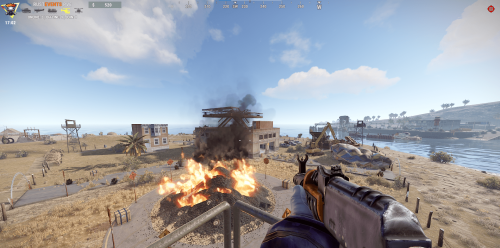
Version 1.0.0
7 downloads
Inspired by a car scrapyard, this monument is perfect for large or small maps, thanks to the fact that it has enough loot, the possibility of taking all 3 cards and much more. Everything in one place. Parts of the monument: -Central building where the blue and red doors are located, with medium radiation in the blue cabin and high radiation in the red cabin, where in addition to finding military boxes you have the hacked box. -Roof: here you will find the recycler, a couple of boxes and 2 barrels of diesel. -Round: A pile of burning tires surrounded by boxes and lootable road signs. -Purple House: Located in a corner, here you will find a hackable box along with a couple of military boxes, a sofa, a cooking barrel, a research table and a level 2 workbench. All surrounded by 4 watchtowers monitored by scientists. File content: -Car Scrapping prefab -Car Scrapping Topology -Car Scrapping Splat 0 -Car Scrapping Splat1 -Car Scrapping Heights$4.50 -
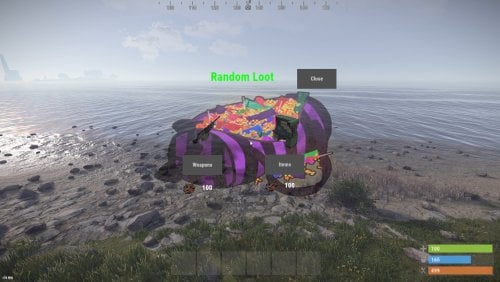
Version 1.0.0
11 downloads
This plugin gives players random items or weapons for scrap, using a menu. This can be a little help for players after bp wipe Permission: randomloot.use ChatCommand: /randomloot In the config file you can set the scrap price and change the items.$5.00 -
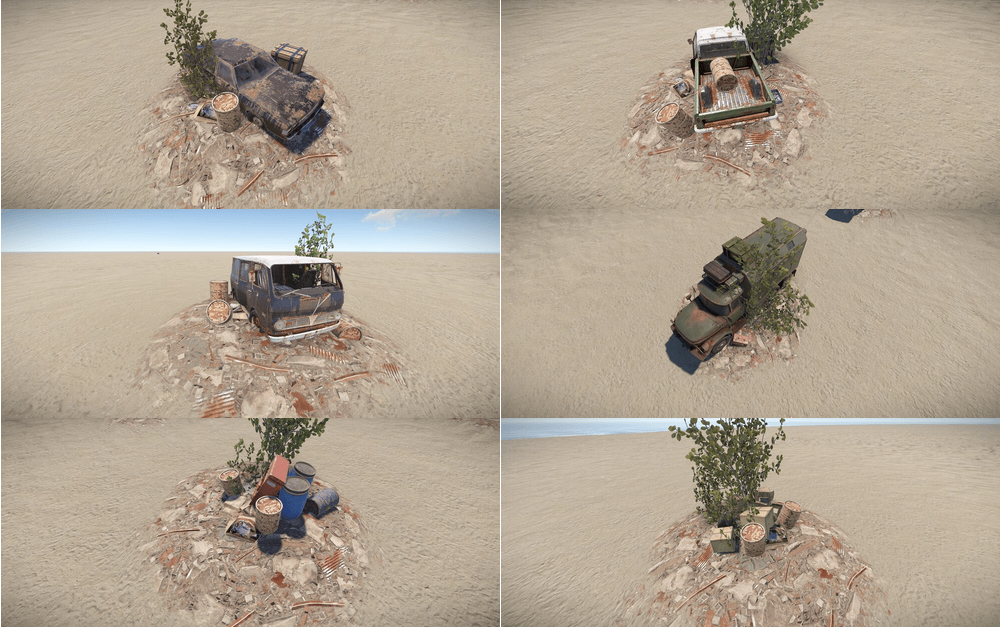
Version 1.0.1
13 downloads
This is my collection of custom Junk Piles. 8x Yard variants 6x Compact Car 6x Military Truck 6x Pickup Truck 6x Van 6x Sedan Car 4x Industrial 4x Toolbox 2x Tyres I will continue to add new Junk Piles as I create new variants., so grab this one-time buy for a collection that will keep growing. Any issues? Add me on discord smoke.uk#1373$4.99 -
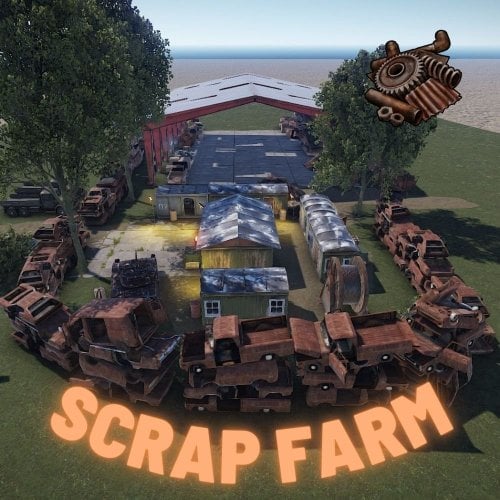
Version 1.0.0
3 downloads
It's a landfill with 2 small crates plus scrappet, and there is a red room with extra scrap. Loot in red keycard room: elite crate 2pcs normal crate 1cps tool crate 1pcs (custom loot preset: only scrap)$7.90 -
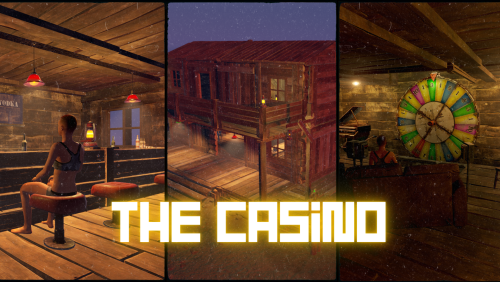
Version 0.5
41 downloads
THE CASINO - BY CORK Come on down and check out the new Rusty Casino. The casino gives your server a place for all your players to meet and have fun in a nice and weapon free area. The casino is also a great place for your players to relieve themselves of their gambling addictions with lots to do! Games currently in the casino: - Wheelspin - Chippy - Slot machines - Card games (coming soon) Extra small details: - You can use the stove to cook food behind the bar - Usable toilet!?!?! - Piano for beautiful music to the players ears - Auto Turrets to keep the casino safe of chads$10.00- 2 comments
- 1 review
-
- 2
-
-
- #monument
- #monuments
- (and 8 more)





.thumb.png.f676fcb4237b0d630285499251bcf88e.png)












.thumb.png.2e7ae6a71fcc8d9255d3bdc329aa6033.png)
