Search the Community
Showing results for tags 'search'.
Found 7 results
-

Version 1.0.0
14 downloads
Bring the iconic "Clue Scroll" experience from Old School RuneScape directly into Rust! Treasure Trails adds a dynamic, multi-stage reward system that encourages players to explore the map, engage in diverse activities, and hunt for high-tier loot through a series of challenging tasks. How It Works Discovery: Players find Clue Scrolls as rare drops from loot sources (barrels & crates), and can effortlessly be added to shops, custom loot plugins etc. The Hunt: Each scroll contains a specific task. Upon completion, the player is granted the next "step" in the trail. The Reward: After completing a set number of steps, the player receives a Reward Casket. Opening a casket grants customizable loot and can even trigger server commands. Key Features Fully Customizable Steps: Server owners have total control. Design unique tasks for every step of the trail to fit your server's theme. Dynamic Loot Tables: Reward your players with rare items, blueprints, or currency. Command Integration: Caskets aren't just for items—run any console command upon opening (e.g., granting VIP ranks, economic rewards, server rewards, item perk rewards etc). Immersive Experience: Keeps players moving across the map and interacting with the world in ways they normally wouldn't. Every trail is a unique journey. Players will encounter several distinct types of challenges, each requiring a different set of skills to overcome. Players are given a list of specific clothing or armor pieces they must equip. Once dressed correctly, they must locate and speak to a specific NPC to receive their next step. The scroll displays a static image of a location or a hand-drawn style map with a red X. These clues only appear if the corresponding monument or landmark exists on your current map seed. Navigate to the exact spot marked on the image to progress. A scrambled name or phrase appears on the scroll. Solve the anagram to figure out which NPC the clue is referring to, then find and speak with them. A direct question regarding Rust lore, game mechanics, or server-specific trivia. Input or provide the correct answer through the clue interface to unlock the next stage. A cryptic poem or mysterious description of an NPC. Use logic and map knowledge to deduce who the riddle describes and track them down. The clue provides a specific set of world coordinates or grid references. Players must use their map and compass to reach the exact location. These commands require the treasuretrails.admin permission to be assigned. Type: Console Command: tt.giveclue <target> Description: Gives a clue scroll to the specified target. Type: Chat Command: tt.next Description: Skips the current clue step. Type: Chat Command: tt.rewards Description: Generates a reward cache. Type: Chat Command: tt.showcoordinates Description: Shows nearby coordinates that the coordinate clues can use. Type: Chat Command: tt.addnpc <profile> Description: Adds an Npc with the specified profile at the player's current location (case sensitive). Type: Chat Command: tt.addmonumentnpc <profile> Description: Adds an Npc with the specified profile at the player's location, and register their position to the closest monument. These Npcs will automatically spawn at this monument at the same relative position if it exists on the map. Type: Chat Command: tt.map.pos Description: Prints the closes monument, the player's local position to that monument, and the monument's custom name (if it's a custom monument). Type: Chat Command: tt.shownpcs Description: Shows all Treasure Trail registered Npcs on the map. Permissions - treasuretrail.admin - required to run administrative commands. - treasuretrail.loot - required to find treasure trail clues from loot sources such as crates, barrels etc.$24.99- 3 comments
-
- 2
-

-

-
- #scavenger
- #hunt
- (and 9 more)
-
Version 1.0.35
2,899 downloads
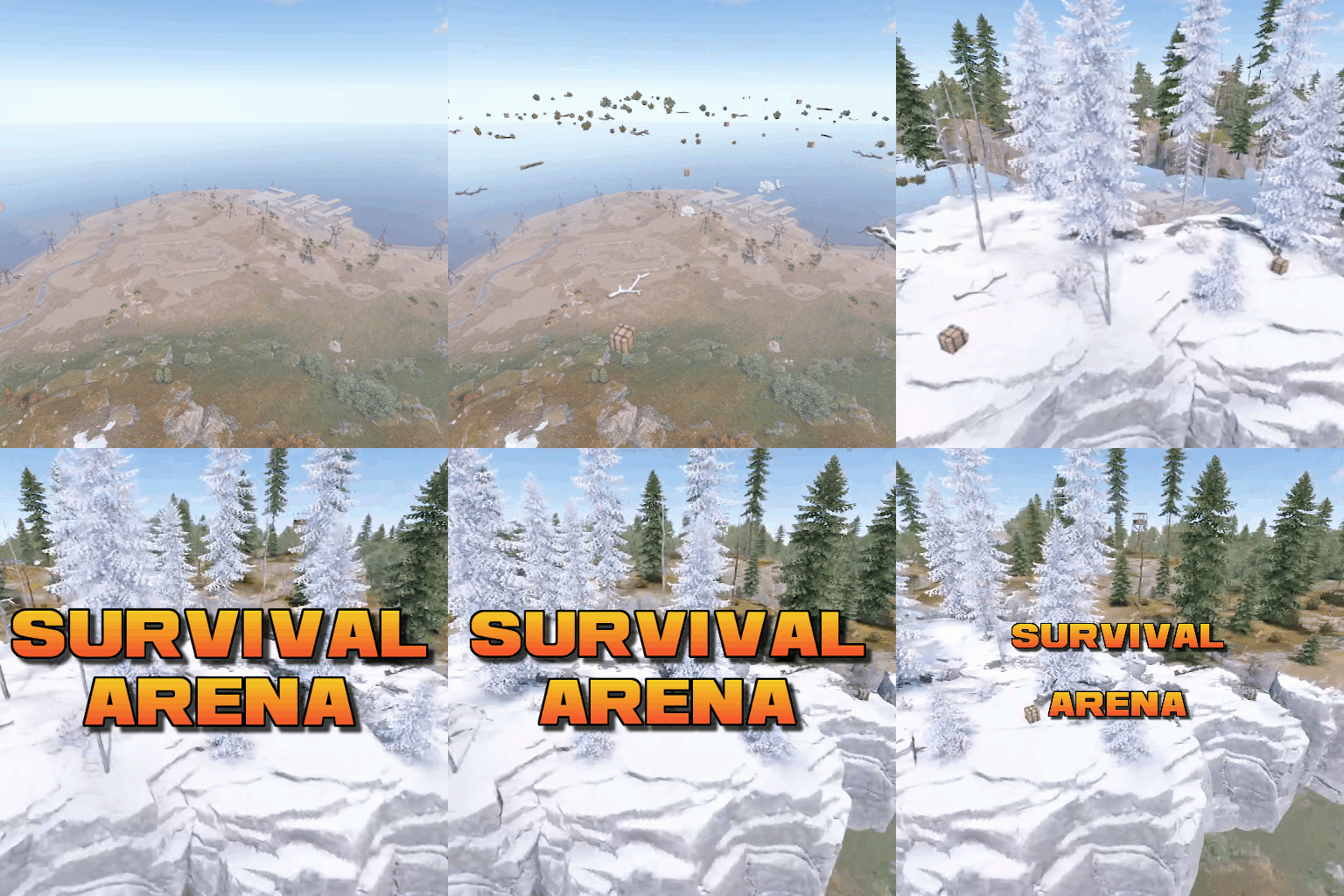
Survival Arena is a plugin that spawns a Battle-royal style game, where players must scavenge for equipment and fight to the death, all while staying inside of a shrinking, non-radiated zone. The plugin spawns a large play area high in the sky and inherits the biome type from the ground below. This means that if the area is suspended above an arctic biome, all of the rocks, trees, logs and bushes will be spawned mirroring that biome type. Players are teleported into the center building when they join, and once the game begins, they must loot containers to gear up to survive. Players are returned to their original locations when they leave the event or respawn after dying at the event. Server owners can change or add loot profiles via the config. The plugin will select a random profile when the arena begins and fill the loot containers based on your specifications. It comes with 2 default loot profiles: Primitive - spears, melee weapons, bows, crossbows, burlap equipment, revolvers etc GunLoot - more modern weapons. The plugin uses EventHelper to run automatically, handle joining and leaving, and will allow players to vote to start the game. Admins can also add additional trees, bushes, logs and loot spawns to the arena via command. Type: Chat Command: survivalarena Function: Sends the user the UI to start up the game. Loot profiles, spawn height and lobby time can be adjusted here before starting the game. Type: Chat/Console Command: startarena <heightMod> <lobbytime> <arenaName> <lootProfile> Function: Spawns and starts the game using the specified heightmod and lobbytime parameters. You can simply use the command with no parameters to start it using the default settings and a random arena/lootprofile. Type: Chat/Console Command: endarena Function: Ends any active games and despawns the arena. Type: Chat Command: spawnarena <name> Function: Spawns the arena, but does not start the game. Useful for debugging and development. Type: Chat Command: setcentrepoint Function: Sets the arena's new center point at the players location. Useful if you want to move the spawn so it has more biome variety. Be sure not to make it too high or too close to the ground. Type: Chat Command: survival Function: Used to join the game when the lobby is active. Type: Chat Command: saremove Function: Removes the tree, loot container, log or bush that the player is looking at. This will no longer spawn in future games. Type: Chat Command: addtree Function: adds a tree spawn at the players position. Type: Chat Command: addbush Function: adds a bush spawn at the players position. Type: Chat Command: addlog Function: adds a log spawn at the players position. Type: Chat Command: addloot Function: adds a loot spawn at the players position. Type: Chat Command: saleave Function: Leaves the event Type: Console/Chat Command: wipeoldarena Function: Wipes any entities that are at the same height or higher than the arena. survivalarena.admin survivalarena.autojoin If you wish to create your own arena, you may follow this tutorial here: https://youtu.be/BxmcjHjIJDU Please note that the map file name needs to contain survivalarena or it will not allow the getarena command to work. Also I will not be offering support for this, so use at your own risk. API Hook Calls void OnSurvivalArenaStart() - Called when the lobby starts. void OnSurvivalArenaEnd() - Called when the game is ending. void OnSurvivalArenaWin(BasePlayer player) - Called when a player wins the game. void OnEventLeave(BasePlayer player, string pluginName) - Called when a player leaves the event. object OnEventJoin(BasePlayer player, string pluginName) - Called when a player is attempting to join the event. Returning a string will prevent the player from joining and will print the string to them. void OnEventJoined(BasePlayer player, string pluginName) - Called when a player has successfully joined the arena. void OnPlayerItemsRestored(BasePlayer player) - called when a players items have been restored. Hook Methods bool IsEventPlayer(BasePlayer player) - returns true or null if the player is an EventPlayer.$19.99 -
Version 1.0.3
9 downloads
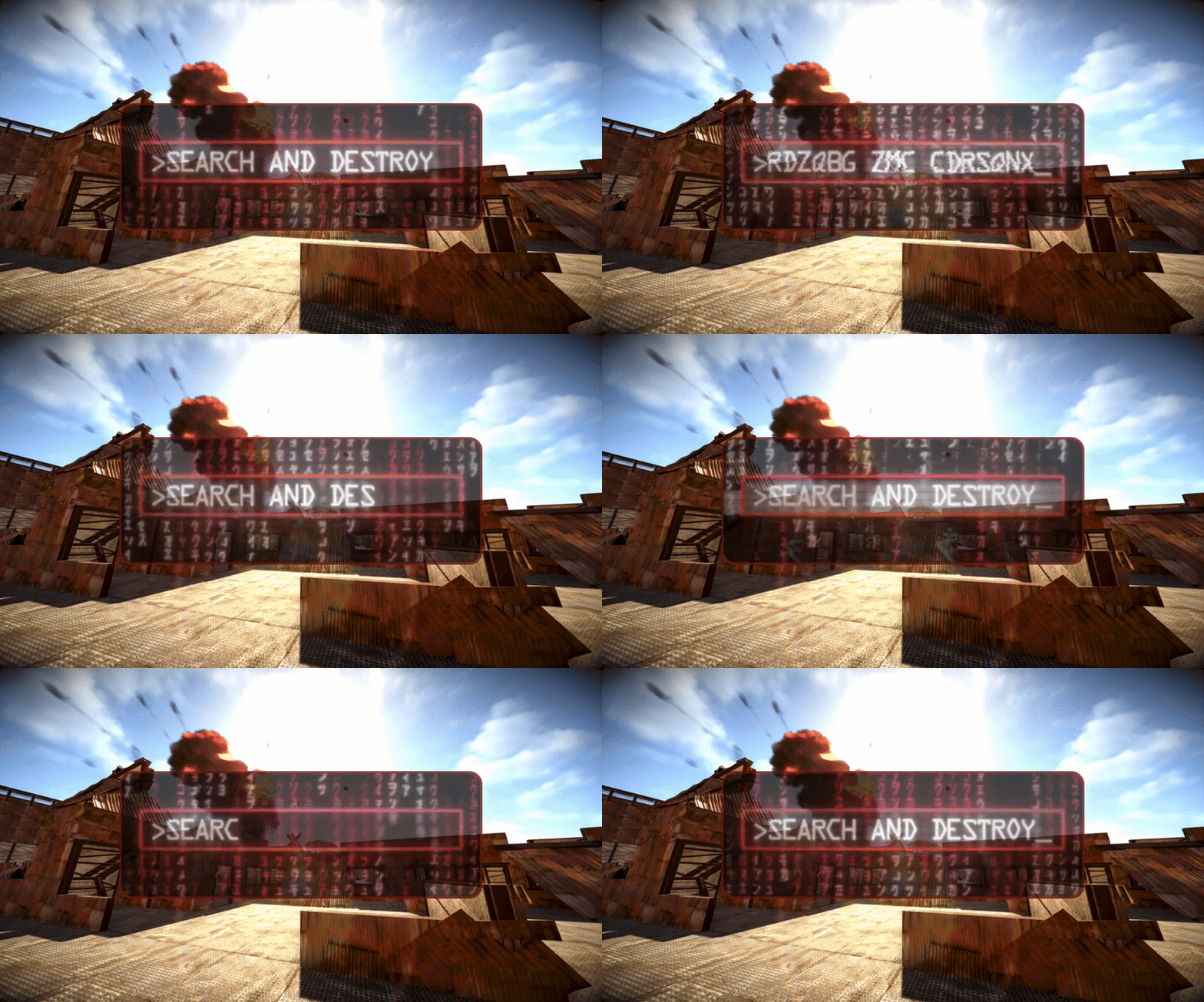
Search And Destroy Search and Destroy Classic PVP Game Mode Event. 2 in 1: Respawn or No Respawn. Features How Search and Destroy works: Each team spawns on the opposite side of the arena. Both teams must locate the bomb sites. Each round one team defends and one team is the attacker, the objectives switch each round or halfway through depending on your configuration. The attackers can plant the bomb at a bomb site to start the countdown. If the bomb detonates before the defender team defuses it the attackers win the round. If the defenders prevent the attackers from planting, or defuse the bomb before it explodes they win the round. The game ends when one team reaches the score limit first. Choose if players respawn until the round time limit is reached or if players have one life per round so you can also win the round by eliminating the other team. Choose if anyone on the attacking team can plant the bomb or if one bomb spawns on the ground that someone from the attacking team must pick up to plant at the bomb site. Edit your game settings for a faster or slower paced game! Three demo arenas included as seen in images. These are Copy Paste files. Build your own custom arena: You can build a custom arena in-game or use an arena prefab and set the location where the game starts with commands. Use the commands /bomb 1, /bomb 2, /setspawn red, /setspawn blue, and /setspawn spectate to set the teleport locations for the game to your arena. Location settings can be saved and loaded using the arena profile command. Lots of configurable options and an editable language file for in-game message customization. Customize your game settings including: Time limit for event registration. Time limit per round if bomb is not planted. Choose if players respawn until the round time limit is reached or if they have one life per round. Choose optional respawn delay timer. Choose optional spawn protection timer. Choose how often sides switch. Choose if all attacking team players can plant bomb or if only one bomb spawns on the ground for the attackers to plant. Choose duration of bomb timer. Choose number of points points required to win. Choose if there are one or two bomb sites. Choose length of bomb plant code. Choose length of bomb defuse code. Minimum number of players required to start event. Maximum number of players required to start event. Choose if players get instant full health when they get a kill. Choose if players can team kill. Increase or decrease randomized distance from spawn point to teleport players. Optional temporary Team UI with save and restore original team UI after the game. Works with vanilla teams only. Blocked command list to prevent players from using commands during the game. Choose kit name for Red and Blue teams to spawn with. Choose kit for ammo and med restock when a player gets a kill. Configure skin ID for bomb site object (fridge). Required. Configure skin ID for ground bomb item (satchel). Required. More Features: GUI with random code for planting and defusing the bomb. Command for players to join event when registration opens. Chat command and console command to start event registration. If enabled, bomb item spawns in front of attacking teams spawn. One player can pick it up and it is required to plant the bomb at the bomb site. If they die with the bomb it will drop and only the attacking team can pick it up. Bomb ticking noise near bomb that speeds up in the last five seconds. Chat notifications to participating players for events like kills, bomb plants, etc. Scoreboard (sorted by kills) in chat at the end of the event with player names, kills, deaths, plants, and defuses. If you knock a player and they f1 kill it will count as a kill for the person who knocked them. Developer API hook OnGameWin to notify you when a game has been won along with the statistics. Good for rewards and score keeping. Optional temporary Team UI for players on the same team during the event. They will be returned to their original team after the event (vanilla teams only). Restore player items after the game. (Players are teleported to the event naked). After the event teleport players back to original location from when they joined the event. Player disconnection handling in case anyone leaves during the event. Bomb object is unbreakable during the event. You can't remove your team clothing and armor. No looting bodies or knocked players. Admin team change commands to change players teams with a configurable amount of time for team changing before game. Yes, the bomb explodes. Demo Arenas: If you want to use the three demo arenas that come with the plugin as seen in the images you will need: Copy Paste by misticos (https://umod.org/plugins/copy-paste) Skins: If you want colored kits and don't have a plugin to skin items already: Skins by misticos (https://umod.org/plugins/skins) Check out Steam Workshop for free skins. Dependencies The following plugin is required for Search And Destroy. Rust Kits by k1lly0u - Required (Free) This plugin does not include pre-configured kits. You can choose what to give as a kit in the configuration. Permissions searchanddestroy.join - Required to use /snd command to join event. searchanddestroy.admin - Required to use event management and setup commands. Chat Commands Join, start, stop event: /snd - Command for players to join event during registration. Requires permission searchanddestroy.join. /snd start - Command for admins to start the event registration. Requires permission searchanddestroy.admin. Optionally, you can also use /snd start <profile name> to start a specific arena profile if you have any saved. /snd stop - Command for admins to stop the event in progress. Requires permission searchanddestroy.admin. Set bomb locations: /bomb 1 - Set location for Bomb 1 to where you are standing Requires permission searchanddestroy.admin. /bomb 2 - Set location for Bomb 2 to where you are standing. Requires permission searchanddestroy.admin. Set spawn locations: /setspawn red - Set location for Red Team Player Spawn to where you are standing. Requires permission searchanddestroy.admin. /setspawn blue - Set location for Blue Team Player Spawn to where you are standing. Requires permission searchanddestroy.admin. /setspawn spectate - Set location for pre-game lobby and spectator zone to where you are standing. Requires permission searchanddestroy.admin. Team management: /sndteam swap <player1> <player2> - Swap two players teams during the team swapping period. Requires permission searchanddestroy.admin. /sndteam red <player> - Force blue team player to join red team during team swapping period. Requires permission searchanddestroy.admin. /sndteam blue <player> - Force red team player to join blue team during team swapping period. Requires permission searchanddestroy.admin Arena profiles (optional): /profile save <name> - Save current arena configuration to an arena profile. Requires permission searchanddestroy.admin. /profile load <name> - Load arena configuration from an arena profile. Requires permission searchanddestroy.admin Keep in mind you can also use /ctf start <profile name> to load and start a specific profile. /profile list - List saved arenas. Requires permission searchanddestroy.admin. /profile option <name> <option> <value> - Change arena gameplay settings for a specific arena. Requires permission searchanddestroy.admin. /profile show <name> - Display current settings for an arena profile. Requires permission searchanddestroy.admin. Console Commands snd start - Start the event. You can use snd start <arena profile> to load and start an arena profile. snd stop - Stop the event. Configuration { "Amount of time in seconds for event registration": 180, "Amount of time in seconds before a round ends for taking too long if bomb is not planted": 300, "Amount of time in seconds between registration end and event start (for admin team swapping)": 15, "First to reach this number of points wins": 4, "Minimum number of players required to start the game": 2, "Maximum number of players before registration closes": 20, "Maximum distance from team spawn point player can spawn within": 4.0, "Length of random code to enter when planting bomb": 10, "Length of random code to enter when defusing bomb": 10, "Duration of bomb timer in seconds": 60, "Use two bomb sites, otherwise use one": true, "Require bomb ground item to plant at bombsite, otherwise anyone on attacking team can plant": true, "Do players respawn until the round time limit is reached or bomb explodes?": false, "Cooldown in seconds for respawning during game": 10, "Amount of time in seconds player will be invincible after spawning": 5, "Can players on the same team kill each other?": false, "Grant player instant full health when they get a kill": false, "Create a temporary Team UI for players and restore vanilla teams after the game": false, "Blocked command list for players during game": [ "home", "outpost" ], "Red Team kit name": "red team", "Blue Team kit name": "blue team", "Ammo Restock and Meds on kill kit name": "restock ammo", "Bomb Skin ID (Fridge)": 3484089384, "Bomb ground item Skin ID (Satchel)": 2921225770, "Bomb one position (X)": 0.0, "Bomb one position (Y)": 0.0, "Bomb one position (Z)": 0.0, "Bomb two position (X)": 0.0, "Bomb two position (Y)": 0.0, "Bomb two position (Z)": 0.0, "Position to teleport players on pre-game lobby and spectate (X)": 0.0, "Position to teleport players on pre-game lobby and spectate (Y)": 0.0, "Position to teleport players on pre-game lobby and spectate (Z)": 0.0, "Red team spawn position (X)": 0.0, "Red team spawn position (Y)": 0.0, "Red team spawn position (Z)": 0.0, "Blue team spawn position (X)": 0.0, "Blue team spawn position (Y)": 0.0, "Blue team spawn position (Z)": 0.0 } Arena Profiles (optional): Save your arena settings and load them later. If you have multiple arenas on your map you can save your current arena configuration to an arena profile and load it when you need it. Use the /arena commands to manage your arena profiles. An arena profile contains player spawn locations and bomb spawn locations and gameplay settings. What is an arena profile? Arena profiles are optional and are not required. They are used to make setting up games easier when you have multiple arenas on your map. Use arena profiles to save arena and game settings from your current configuration to a named profile that you can load back to your configuration when needed. This lets you configure multiple arenas on your map with different settings, and swap between them when you need to with one command. How do I create an arena profile? First, set up your /bomb and /setspawn locations. Save your current config to an arena profile using the command /profile save <profile name>. Edit additional arena gameplay options using /profile option <profile name>. Load the arena with /profile load <profile name> when you need it. This will copy the arena profile to your current configuration. How do I edit an existing arena profile? Updating player and bomb spawn points: Load the arena profile you want to edit. Use the commands /bomb and /setspawn to set update teleport locations in your current configuration. Using the same saved profile name with /profile save, save the current configuration to the arena profile so the teleport locations are updated and your current profile options are still saved. Updating arena gameplay options: Save your arena profile after you set up the spawn points, then use the command /profile option to change your settings. Reload the arena profile to apply the updated profile to your current configuration. What arena gameplay options can I edit on the arena profile? You can use the /profile option command to modify: PointsToWin MaxPlayers SpawnMaxDistance BombTimer UseTwoBombSites RequireGroundBomb PlayerRespawn RespawnDelay RespawnProtection RedTeamKit BlueTeamKit AmmoRestockKit In case you want to have different settings per arena. Here's an example: /profile option <profile name> PointsToWin 5. Included Arenas The included arenas are Copy Paste data files. To use the arenas you must download Copy Paste by Misticos here and upload the snd_*.json files to your your server framework folder (oxide/carbon)/data/copypaste/snd_stone.json. Paste the arena in-game using the command /paste snd_stone. If you need to, you can adjust the height with /paste ctf_stone height 10 (to paste it in the air). Use the available commands to set the bomb spawns and teleport locations. Developer API Hooks void OnGameWin(string winningTeam, List<ulong> redTeamPlayers, List<ulong> blueTeamPlayers, Dictionary<ulong, int> playerKills, Dictionary<ulong, int> playerDetahs, Dictionary<ulong, int> playerPlants, Dictionary<ulong, int> playerDefuses) - Called when a game is won. Good for rewards and score keeping. Support and Configuration Help Discord For support or for questions about the plugin before you purchase reach out on Codefling or visit the support Discord for my plugins here: https://discord.gg/25sR5EZktP$30.00- 5 comments
-
- 1
-
-
- #search and destroy
- #snd
- (and 10 more)
-

Version 1.2.8
297 downloads
Open UI - /craftcontrole (craftcontroller.use) FEATURES: Changing the minimum required workbench for item crafting Craft time is adjustable For items with a certain skinID Block crafting Block explore a blueprint Block explore at the workbench P.s - (My Discord - tofurahie#4144) Config: { "Craft Rate in %": 50, "Item Settings": { "ammo.shotgun.slug": { "Default Skin": 0, "Block craft": false, "Block to explore a blueprint": false, "Block to explore at the workbench": false, "Craft time (-1 => Default)": -1.0, "WorkbenchLevel (-1 => Default)": -1 }, "ammo.rifle": { "Default Skin": 0, "Block craft": true, "Block to explore a blueprint": true, "Block to explore at the workbench": false, "Craft time (-1 => Default)": 15.0, "WorkbenchLevel (-1 => Default)": 1 } } }$8.49 -
Hello there! I'm here to show off my project RUSTalyzer - A Rust Server Browser - where I index and analyze all rust servers - so you can comfortably search and filter for the server of your dreams. At least that's the what I'm trying to do, but see for yourself. For Server Owners: I want to make your servers look good, and show as much informaton as i can possibly extract - but you can take it a step further and claim your servers, update metadata, create server organizations and more. Oh, and i offer a nice widget for you to embed on your servers website. Check it Out RUSTalyzer.com - Find the Best Rust Servers

-

Version 1.0.0
406 downloads
Description: You can find a player's teammates trough discord. You can ban cheater's teammates without having to log in. It shows the team leader with a crown emoji next to his name. Usage: !team <steamid> (the prefix can be changed in server/oxide/discord.config.json) Setup Guide: Add Oxide.Ext.Discord.dll to yourserver/RustDedicated_Data/Managed https://umod.org/extensions/discord Go to https://discord.com/developers/applications and create a new application. Choose your desired picture and name for the bot. Go to the bot section and click add bot. Copy the bot token and add it to the config file. Very important! Turn on the privileged gateway intents. Go to the OAuth2 tab and click on URL Generator. Select bot from the scopes then select Send Messages and Read Messages from the permissions. Invite the bot with the link that can be found at the bottom of the page Set the channel's id in the config file where the bot can be used. Reload the plugin. If you want to try the plugin before buying or you have some questions about this plugin feel free to join my discord server. I can also help you to set everything up or add a custom feature for you. https://discord.gg/7SwN28bnycFree -
Hello everyone! We are a German gaming community and operate a PVE and roleplay server. For this we are looking for a plugin that exchanges the scrap resource for any other item with a skin. This item should work as a means of payment in vending machines, bandit camp, outpost workbench and research table. We are grateful for any help.