Search the Community
Showing results for tags 'serverrewards'.
Found 17 results
-
Version 1.3.19
1,738 downloads
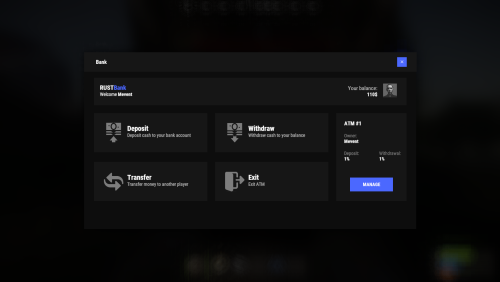
Enhance your server's economy with a comprehensive banking system! Players can manage their finances through ATMs, transfer money, and even earn interest. Fully customizable and integrable with other economy plugins. Features ATM system: Players can install their own ATMs and receive profit from them. ATMs can break and be repaired. Money transfer system between players. Support for HumanNPC. Ability for players to earn money. Adds banknotes as a new item to the game. Auto Wipe options for each item. Works with third-party economy plugins (optional). Conversion from ServerRewards and Economics. Commands bank - open the bank interface bank.givenote [target] [amount] - give banknotes to the player bank.giveatm [target] - give ATM to the player bank.setbalance [target] - set balance for the player bank.deposit [target] - deposit money to the player bank.withdraw [target] - withdraw money from a player bank.transfer [player] [target] - transfer money from a player to another player bank.wipe [type] (0 - all, 1 - players, 2 - logs, 3 - ATMs) - wipe data bank.convert.economics - convert from Economics bank.convert.serverrewards - convert from ServerRewards Hooks and API The plugin provides several hooks and API methods for developers to integrate with other plugins or custom scripts. Hooks: private object CanPlayerCreateCard(BasePlayer player) private void OnPlayerCreatedCard(BasePlayer player) private void OnBalanceChanged(ulong member, int amount) API Methods: private bool HasCard(BasePlayer player) private bool HasCard(ulong member) private int Balance(BasePlayer player) private int Balance(ulong member) private bool Deposit(BasePlayer player, int amount) private bool Deposit(string member, int amount) private bool Deposit(ulong member, int amount) private bool Withdraw(BasePlayer player, int amount) private bool Withdraw(string member, int amount) private bool Withdraw(ulong member, int amount) private bool Transfer(BasePlayer member, BasePlayer target, int amount) private bool Transfer(string member, string target, int amount) private bool Transfer(ulong member, ulong target, int amount) Permissions Permissions can be configured in the plugin's config file. For example: "Permission (example: banksystem.use)": "banksystem.use", Additionally, you can set permissions for ATM breakage percentages. FAQ Q: Where can I see an example of a config? A: Config Q: How do I spawn an ATM at a monument using BankSystem and MonumentAddons? A: Follow these steps to auto-spawn an ATM at your monuments: Go to a Monument: Position yourself at a monument where you want the ATM to appear (e.g., near a vending machine location). Spawn a Vending Machine: Run the following command to spawn a vending machine using MonumentAddons: /maspawn vendingmachine.deployed Convert It to an ATM: Immediately change the vending machine’s skin to the ATM design by running: /maskin 2551771822 Confirm that 2551771822 matches the ATM skin ID configured in your BankSystem settings. Your ATM is now installed at the monument and will automatically respawn during wipes or map changes. Q: How do I fix RUSTNote stack splitting issues? A: You need to find "Enable item split control? (if there are errors with stack plugins - it is worth turning off)" in the config and set it to false.$29.95 -
Version 1.2.3
52 downloads
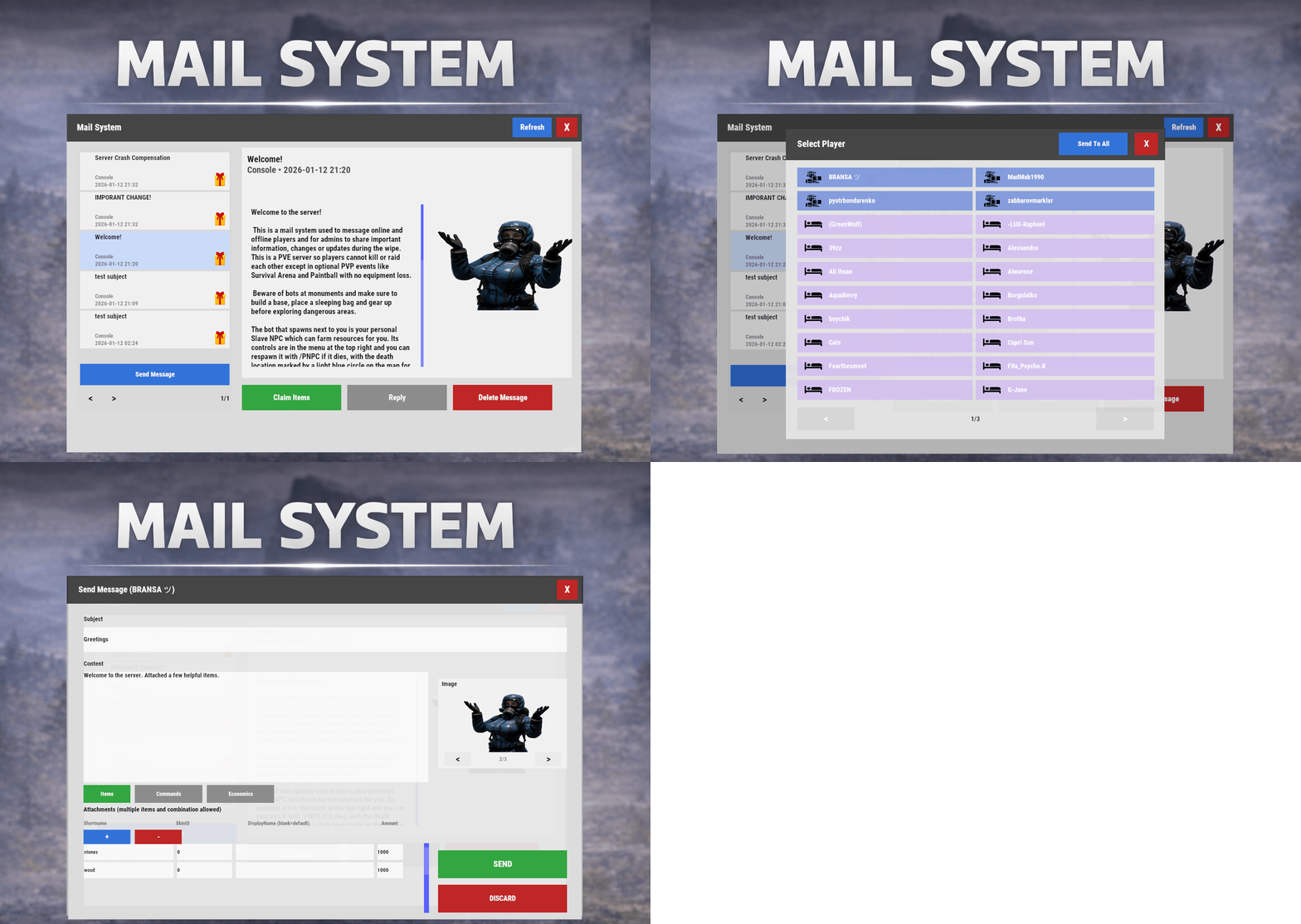
Mail System is an in-game mail and notification system for Rust servers, allowing players to send “emails” to online and offline players. Admins will also benefit from being able to include attachments such as items, commands, and economy rewards, and players can now open support tickets for staff assistance directly in-game. Designed for wipes, announcements, rewards, crash compensation, support, and direct communication, Mail System ensures both online and sleeping players receive admin messages, while also providing threaded conversations—replies are appended to the original message—so players can follow the full back-and-forth anytime via a simple UI they can access at any time. Perfect For Admin announcements Server rules and new player welcome messages Compensations Reward delivery Event prizes Player to Player communication Core Features Persistent inbox per player Messages are delivered even when players are currently offline Configurable inbox limits per player - oldest message deleted if limit exceeded. Optional wipe-based inbox clearing Simple message creation Ability to input subject and message content Recipient can be easily selected via a player picker UI, with unique colors and icons for Online/Sleeper/Staff Optional image per message via ImageLibrary. Available Image URLs (recommend square images eg 512x512) can be configured. Default/Example images have been included. Clean scrollable UI and configurable max length for long messages. Admins can easily include a combination of items, economies, or commands ran against the recipient. Messages and attachments can also be created via console commands, perfect for use in other plugins. Known Limitation: Rust does not currently have a functional multi-line support (as in, hitting enter to create a line break won't create a line break for the recipient). However. when typing message content, entering \n will create a new line in the resulting message as shown in attached screenshots. Facepunch is aware of this and UI input functionality will be updated accordingly. Unread notifications Notification sound upon receiving new message Visual indicator for unread messages and attachments Customizable position and size of on-screen notification bell Support Tickets (In-Game Helpdesk) Create new tickets with subject + message Staff groups can view/respond to all tickets (permission group based, configurable) Open & Closed ticket views (toggle), with close/reopen controls Threaded ticket history: every reply is stored and displayed as a conversation Attachments & Rewards Each message can include any combination of: Item rewards Multiple items per message Custom display names Optional skin IDs Inventory-safe claiming Command rewards Ability to run server commands on claim Supports placeholders to ensure command is run against the recipient (%steamid%) Repeatable command execution via amount entry Economy rewards Economics ServerRewards TCBank each handled independently, with clear failure feedback if unavailable or failed Players claim attachments directly from the inbox with a single click and receive a clear summary of what was successfully claimed and what failed, if anything. 🛠 Admin & Console Tools Send messages with attachments: Using In-game UI Using Console commands Attach rewards and images using simple flag-based commands Ability to include attachments is admin permission based Target: Individual players All players (Online and Sleepers) Customization Customize HUD icon and unread indicators Customize online/sleeper/staff icons Built-in notification HUD position & size editor (no config guessing) Customize available images which can be included in messages. Adjust HUD colors Configure subject/message max lengths and inbox size. Localization via lang files Timestamp +/- offset Chat Commands: /inbox - Opens the Inbox UI where players can view and send/reply messages /tickets - opens the Tickets UI /sendmail "PlayerName" - optional chat command to send message to specific player without going through inbox/player picker /inbox_top - Admin command to view players with largest inbox sizes /inbox_clear "PlayerName" - Admin command to clear a specific player's inbox /notif_iconpos - Admin command to reposition and resize the notification icon (auto saves) Permissions: mailsystem.send - required to be able to send messages mailsystem.admin - required to add attachments via UI and run admin commands mailsystem.ticketopen - allows opening/using the Tickets UI mailsystem.ticketstaff - marks a player as ticket staff (can view/respond to all tickets) mailsystem.ticketmanage - allows managing tickets (e.g., close/reopen regardless of creator) Console command functionality Console commands can be used for both messaging and attachment delivery using flags, with included option to select which image will appear in the message Basic command structure is as follows: mail.send <playername OR SteamID> "<subject>" "<content>" [flags] mail.sendall "<subject>" "<content>" [flags] Available flags are desribed below and may be used multiple times and in any order: Image Flag: -img <number> Sets the message image. Uses the image list from the config Index starts at 0 0 = first image, 1 = second, etc. _______________________________ Item Flag: -item <shortname> <amount> <skinId> optional:"displayName" Adds an item attachment. skinId may be 0 Custom name is optional If omitted, the item’s default name is used _______________________________ Commands Flag: -cmd "<name>" "<command>" <amount> Runs a server command when claimed. amount specified how many time to run the command. It defaults to 1 Supports %steamid% and %name% wildcards - useful when sending to all players or via other plugins. "name" is what the player will see as the attachment name (instead of seeing the command itself) _______________________________ Economy Flag: -eco <type> <amount> Adds a currency attachment. Supported types: Economics ServerRewards TCBank _______________________________ Example Console Commands: Below are some example console commands. Note you can use \n\n for following text to start as a new paragraph Simple message only to single player(with image) mail.send PlayerName "Welcome!" "Welcome to the server. Enjoy your stay!" -img 0 Simple message only to all players (with image) mail.sendall "Server Notice" "Welcome to the server everyone!" -img 0 Single item attachment (with image) mail.send PlayerName "Resource Gift" "Here are some materials to get you started." -img 1 -item wood 2000 0 Item attachment with custom display name and specific skinID (with image) mail.send PlayerName "Special AK" "You have received skinned HV pistol ammo." -img 2 -item rifle.ak 1 987654321 "Very Cool AK" Multiple items (with image) mail.send PlayerName "Supply Drop" "A mix of useful resources." -img 0 -item wood 3000 0 -item stones 2000 0 -item metal.fragments 500 0 Command attachment (with image) mail.send PlayerName "Starter Kit" "Claim this message to receive your starter kit." -img 1 -cmd "Starter Kit" "kit give %steamid% starter" Economy reward (Economics) (with image) mail.send PlayerName "Welcome Bonus" "You have received a currency reward." -img 0 -eco Economics 1000 Mix of Items + Economics (with image) mail.send PlayerName "Builder Pack" "Resources and money to help you build." -img 2 -item wood 4000 0 -item stones 4000 0 -eco Economics 2500 Mix of Items and Command (TWO vip kits) (with image) mail.send PlayerName "VIP Trial" "Enjoy a one time VIP kit." -img 1 -item scrap 250 0 -cmd "VIP Kit" "kit give %steamid% VIP" 2 Full mixed attachments (items + command + economy) (with image) mail.send PlayerName "Welcome Package" "Everything you need to get started." -img 0 -item wood 3000 0 -item ammo.pistol.hv 100 0 -cmd "Starter Kit" "kit give %steamid% starter" -eco Economics 1500 Full mixed attachments to all players (note using \n\n to create a new paragraph within message content) (with image) mail.sendall "Attention Citizens!" "Thank you for being awesome.\n\nAttached some gifts." -img 0 -item wood 3000 0 -item ammo.pistol.hv 100 0 -cmd "Starter Kit" "kit give %steamid% starter" -eco Economics 1500 If using the commands within a JSON (config) file, you will need to ensure you escape the quotes with a backslash (place a backslash before any quote sign), for example: mail.send %SteamID% \"Welcome!\" \"Welcome to the server!\n\n This is a mail system used to message online and offline players and for admins to share important information, changes or updates during the wipe\n\nWe hope you have a great time\" -item ammo.pistol.hv 100 0 \"\" -img 1 If you’re looking for a modern replacement for chat spam, manual kit commands, or unreliable reward delivery, Mail System provides a polished, user-friendly solution that players will instantly understand and appreciate. I have done my best to document the full functionality, but if any doubt do not hesitate to open a support request.$22.99 -

Version 2.6.0
94 downloads
BattlePass completely reimagines player progression in Rust, delivering a triple-A game experience directly to your server. It features a gorgeous, animated user interface that feels native to the game, ensuring smooth performance without compromising visual fidelity. Players earn XP through every in-game activity, unlocking rewards across two distinct tracks. With a built-in season system, daily challenges, and deep integration with popular event plugins, it provides endless goals for your community to chase. The plugin features a robust Web-Based Configurator, allowing you to visually design your season, rewards, and challenges without ever touching a line of code a first-of-its-kind feature for a plugin of this scale. [ VIDEO PREVIEW HERE ] Main Features Web-Based Configurator : Effortlessly design your seasons using a modern, drag-and-drop web interface. Export ready-to-use config files in seconds, saving you hours of manual coding. Dual Progression Tracks : Offer both Free and Premium paths. Server owners can monetize the Premium track by allowing players to purchase access using Economics, Server Rewards (RP), or in-game items like Scrap. Stunning Visuals & Animations : Features a highly polished UI with smooth entry/exit effects, satisfying claim animations, and dynamic progress bars that look like a native game feature. Advanced Reward System : Supports full Console Command integration. Instantly grant Kits, VIP Ranks, Permissions, or virtual currencies the moment a player claims their reward. Daily Challenge System : Keep your players coming back every day with fresh, rotating objectives (e.g., "Kill 5 Bears") and a countdown timer for the next reset. Comprehensive XP Actions : Players earn XP through a massive variety of activities including Combat (Player/NPC kills), Raiding (destroying structures), Gambling, Survival (eating/healing), and Gathering. Massive Event Integration : Automatically rewards XP for participating in over 25+ popular server events, including Raidable Bases, Convoy, Space Event, Boss Monsters, and many more. Integrated Activities Massive Plugin Support & Event Integrations The Rust Battle Pass works seamlessly out-of-the-box with a wide range of custom plugins, ensuring your unique server events contribute directly to player progression. Every major event is tracked, allowing players to level up their pass by simply playing the game: Chat Commands Permissions Configuration Files Frequently Asked Questions (Q&A) Web Based Configurator$41.95- 35 comments
- 4 reviews
-
- 6
-

-

-

-
- #battlepass
- #web
- (and 24 more)
-
Version 1.3.11
1,254 downloads
This plugin adds custom portals, which could be deployed on players' bases, vanilla and custom monuments. Custom maps To use Custom Portals on your map you need to place any prefab and create a custom prefab from it. Name it CustomPortals.<portal name> 2 portals with the same name will link. ! Make sure not to break the prefab and not to add them as part of other prefabs ! Commands Player Chat Commands /buyportal - buy portal (requires customportals.buy permission) /spawnportal - spawns portal (requires customportals.spawn permission) Admin Chat Commands All of the commands that are mentioned below require customportals.admin permission! /customportals add <portal name> - spawns portal on the monument you stand on /customportals remove - removes portal from the monument /customportals reset - removes all portals from the monument /changeportal - setup any portal Admin Console Commands giveportal <amount> <player name> - gives portal(s) to the specified player Permissions customportals.use - required to use portals customportals.admin - allows usage of /customportals and giveportal commands customportals.buy - allows players to buy portal, using /buyportal command customportals.free - allows players to get portal for free, using /buyportal command (buy permission is still required) customportals.freeuse - allows players to use the portal for free (if the use price is set) customportals.bypasslimit - allows players to place infinite amount of portals customportals.bypasslinkinglimits - allows players to link any portals customportals.spawn - alllows players to spawn portals using a command, instead of placing them manually If you are an admin, you can specify individual portal permissions. They are saved as customportals.portal.<portal permission name> Localization This plugin has built-in support for the following languages - English Russian API BasePortal SpawnPortal(Vector3 position, Quaternion rotation, string name) // spawns portal Item CreatePortalItem() // returns portal item$9.99 -

Version 1.4.8
1,155 downloads
This plugin adds jet skis with customizable physics! Chat Commands /jetski - Spawns jet ski near player (requires jetski.spawn permission) /jetski remove - despawns player's jet ski (requires jetski.despawn permission) /buyjetski - allows player to buy jet ski item and deploy it later (requires jetski.buy permission) Console Commands givejetski <amount> <player name> - give specified amount of jet skis to specified player (can be run in the server console or by player with jetski.admin permission) Admin Chat Commands (requires jetski.admin permission) /jetski_debug - show buoyancy points Each buoyancy point has force and size parameters Permissions jetski.admin - admin permission jetski.spawn - allows players to spawn a jetski via /jetski jetski.buy - allows players to buy jet ski deployable via /buyjetski jetski.free - allows players to use /jetski for free (if price is not 0) jetski.despawn - allows players to despawn a jet ski via /jetski remove Localization English Russian Configuration Example of JetSki.json { "(1.1) Jet ski price (set value to 0 to make it free, use ServerRewards or Economics as a shortname to use RP points or Economics balance respectively)": { "ShortName": "scrap", "Amount": 75, "SkinID": 0 }, "(1.2) Spawn cooldown (in seconds)": 120, "(1.3) Allow only 1 jet ski per player": false, "(1.4) Allow spawning jet skis only on beaches": false, "(1.5) Amount of jet skis /buyjetski command gives": 1, "(1.6) Starting fuel": 0, "(2.1) Allow picking up the jet ski only in building privilege": false, "(2.2) How much HP is reduced when the jet ski is picked up (0-100)": 25.0, "(2.3) Jet ski item name": "Jet Ski", "(2.4) Jet ski item skin ID": 2935987835, "(2.5) Jet ski item ID": 794443127, "(3.1)Make all snowmobiles jet ski": true, "(3.2) Allow Jet ski to drive on land": true, "(4.1) Enable 'boost' button (Left Shift)": false, "(4.2) 'Boost' button thrust": 10000.0, "(4.3) 'Boost' duration (seconds)": 5.0, "(4.4) 'Boost' cooldown (seconds)": 30.0, "(5.1) Engine thrust": 5000, "(5.2) Engine thrust on land": 49, "(5.3) Move slowly on grass or roads": true, "(5.4) Steering scale": 0.05, "(5.5) Automatically flip jet skis": false, "(5.6) Off axis drag": 0.35, "(5.7) Buoyancy force": 730.0, "(6.1) Jet ski prefab": "assets/content/vehicles/snowmobiles/tomahasnowmobile.prefab", "(6.2) Thrust point position": { "x": -0.001150894, "y": 0.055, "z": -1.125 }, "(6.3) Buoyancy points": [ { "Position": { "x": -0.62, "y": 0.09, "z": -1.284 }, "Size": 1.3 }, ... } ] } API BaseEntity SpawnJetski(Vector3 position, Quaternion rotation) Item CreateJetskiItem()$16.99 -

Version 1.2.0
282 downloads
What is it? Revolutionize your crafting experience with the Smart Workbench! Say goodbye to the repetitive clicking and hello to convenience and efficiency. This enhancement takes ordinary workbenches to the next level by simplifying research and repairs. Let your players focus on the fun, not the clicking; make their adventures smoother, faster and more enjoyable. Usage * Research all remaining blueprints with just one click - no more tedious individual unlocks! * Seamlessly access a Virtual Repair Bench or Research Table directly from the workbench. It's the ultimate quality-of-life improvement for any Rust server. Command /sw -- Opens UI menu (if player has workbench level 1+) Permissions smartworkbench.use -- Gives user permission to see and use the Smart Workbench Features Virtual Repair Bench Virtual Research Table Research All button Supported plugins: Server Rewards Economics (UI before Rust update) (UI after Rust update) Configuration { "Research All currency": "scrap", "Rate (Based on scrap)": 1.0, "Type of money (1 = default currency, 2 = Server Reward points, 3 = Economics cash)": 1, "Notify player when their item gets dropped from Smart repair/research table": true } Localization { "SWResearch": "RESEARCH ALL\n{0}\n{1}", "NoResources": "Not enough resources", "Success": "Successfully learned BPs from WB lvl {0}", "AlreadyKnow": "You already know everything from this workbench", "SRPoints": "Points", "Economics": "Cash", "SWResearchTable": "RESEARCH TABLE", "SWRepairTable": "REPAIR TABLE", "SWRange": "You must be close to a Workbench!", "SWT1": "Tier 1", "SWT2": "Tier 2", "SWT3": "Tier 3", "SWLvl": "Workbench level is not high enough!", "NotifyDrop": "Item/s have been dropped on the ground." }$10.00- 28 comments
- 2 reviews
-
- 3
-
-
-
- #smart
- #workbench
- (and 8 more)
-

Version 1.0.6
423 downloads
This plugin allows your players to list and sell custom items through their vending machines. By creating a store via the back of the vending machine, players can list any item (custom or vanilla) for sale through their machines. Players can then interact with the players vending machine to purchase their wares, just like vanilla rust. This is ideal for any server, but especially for servers with heavy role play elements, or servers that use a lot of custom items. Custom Item Vending can receive data from other plugins for both a currency and an item properties. Custom items can be added manually through the config, or sent via an API directly from another plugin. Allows players to sell items for vanilla items, custom items, economics and server rewards. Customizable limit on how many listings each vending machine can have. A map marker that will display what is currently being sold (and is in stock) in the machine. Floating text at the front of each custom item machine indicating what is being sold and its stock level. Supports almost every custom item, identifying them uniquely based on skin, name, text field, slot count and condition. Economics and Server rewards are withdrawn from the back of the machine. The only requirement to use this plugin is the permission: customitemvending.create. This is require to turn a regular vending machine into a Custom Item Vending machine. Please note that due to the nature of the plugin and the way the map's vending listings are handled via client side, it is not possible to use market drones to obtain items using this plugin.$19.99 -

Version 2.0.1
599 downloads
Simple plugin to allow anyone using Server Rewards to wipe player RP with server wipe, which is a feature not available natively within the Server Rewards plugin. Config Options: "Reset ServerRewards player RP on wipe": true/false Enable/disable clearing RP on new save (wipe) "Backup player RP before wiping": true/false Enable/disable backup player RP data before clearing (backs up to "/data/ServerRewards/backups/player_balances_yyyy-MM-dd_HH-mm-ss.json") "Call 'server.save' after wiping so SR writes new data to disk immediately (protects against server crash)": true/false Enable/disable immediate server save after clearing RP so Server Rewards writes the new data to disk immediately. If disabled it is written on the next natural server save. Enabling protects against server crashes that would then cause RP clearing to fail. Permissions: serverrewardswipe.admin - To use clearrpdata command below Additional console command available to trigger a RP wipe at any time while server is running: clearrpdata Default Config: { "Options": { "Reset ServerRewards player RP on wipe": true, "Backup player RP before wiping": true, "Call 'server.save' after wiping so SR writes new data to disk immediately (protects against server crash)": false }, "Version": { "Major": 2, "Minor": 0, "Patch": 0 } }Free -
.thumb.png.06e250aa2c356a516da990256f034174.png)
Version 1.1.0
141 downloads
FreeMoneyTimer Give money to players with a configurable timer and when they first spawn. Features Give money to players when they first spawn. Give money to players with a configurable timer. Choose how much money they get. Choose how long the timer is. Compatible with TC Bank, Economics, and ServerRewards. Enable or disable chat message to player. Configurable currency symbol. Dependencies TC Bank - Optional plugin for paying players. Economics - Optional plugin for paying players. ServerRewards - Optional plugin for paying players. Documentation Permissions ConfigurationFree -
.thumb.gif.bbdb2748300f413e2c83b04ba2ea2edd.gif)
Version 2.0.0
11 downloads
Mines is a classic, high-stakes gambling game brought to life in Rust with a sleek, modern, and fully interactive UI. Players bet their chosen currency on a 5x5 grid, aiming to uncover as many gems as possible while avoiding hidden mines. With each gem found, the potential winnings multiply, creating a thrilling risk-versus-reward experience. Cash out at any time to secure your profits, or push your luck for a chance at massive payouts! The plugin features both a manual mode for casual play and a highly advanced autobet system for seasoned gamblers, ensuring an engaging experience for everyone. VIDEO PREVIEW HERE Main Features Fully Interactive UI: A beautifully designed and intuitive user interface that is highly responsive and includes smooth, satisfying animations for revealing tiles, winning, and losing. Multiple Currency Support: Seamlessly integrates with Scrap, Economics, and ServerRewards, allowing players to bet with their preferred currency. Manual & Auto Modes: Choose between placing bets manually one tile at a time or configuring the advanced autobet system for automated, high-speed gameplay. Advanced Autobet System: Tailor your strategy with detailed settings: Set the number of bets or run infinitely. Automatically increase the bet amount on a win or loss by a specific percentage. Configure it to reset the bet amount after a win or loss. Set stop-limits based on total profit or loss. Select a specific pattern of tiles to be revealed automatically. Customizable Gameplay: Players can adjust their bet amount with quick-select buttons (½, 2×, MAX) and set the number of mines on the grid (from 1 to 24) to control the risk and potential multiplier. Dynamic Multipliers: The payout multiplier increases with every safe tile revealed, with the rate of increase influenced by the number of mines in play. Highly Configurable UI: Nearly every color in the UI can be customized via the configuration file, allowing server owners to match the plugin's aesthetic to their server's branding. Sound Effects: Optional sound effects provide auditory feedback for key in-game actions, enhancing player immersion. Random Pick: In an active game, players can use the "Random Pick" button to have the plugin select a tile for them. Permissions mines.use - Required to open the Mines UI with the chat command. Chat Commands /mines - Opens or closes the main Mines game UI.$12.99 -

Version 2.0.6
557 downloads
How to use : You get 4 map Items . You can add more in config ! You can get those Maps from rust containers/prefabs . You chose what map will spawn in what container and chance to spawn in that container in config . When player press unwarp on map item it will spawn chest from that map . Player will get chat text where chest spawned and he will see MapMarker on map. Each map will spawn chest(prefab) with your loot inside. All is customizable , Map Items ,Loottable items, Prefab Chest - prefab skin, Prefabs where maps will spawn with chance , Npc Prefab - amount of npc - spawn radius,Animals Prefab - amount of animals, LocalTreasureMaxDistance: " ", MaxOpenedMaps : " ", MapOpenCooldown : " " . Coins are also unwarpable ,after unwarp you will get loot from your config for that coin (item/plugin balance) Also maps can be spawned as event . Great for PvP and for PvE ! You can chose : "AutomaticEventEnabled": true, "MaxEventsAtTime": 10, "MinEventTimer": 600.0, "MaxEventTimer": 1200.0, For each map : "EventProbability": 1.0, "MarkerRadius": 0.2, "MarkerDisplayName": "Green Treasure", "MarkerColor": "00FF00", "MarkerOutlineColor": "00FF00", Key Features : Customizable Map Items : Offer a range of treasure maps with distinct loot tables, stack sizes, and skins to make each find a fresh experience. Dynamic Loot Spawns : Configure treasure chests with specific loot tables, ensuring rewards are always enticing and fair. NPC Defenders : Add an extra challenge with NPCs guarding the treasures, making each hunt a thrilling encounter. Animal Defenders : Animals can also defend chest ! BRADLEY : You can add bradley for each map item ,bradley will sit on spawned chest. You can change for each map item will it be enabled , health, min - max chest . Flexible Spawn Configurations : Set where and how often maps can spawn in the game world, adjusting the rarity and discovery chance. Permission : treasuremaps.give Commands : command : /givemap <display name> <quantity>; example /givemap green map 5, command : /givecoin <display name> <quantity>; example /givecoin gold coin 5, command : /givemapto <player ID/name> <display name> <quantity>; example /givemapto copek green map 5, command : /givecointo <player ID/name> <display name> <quantity>; example /givecointo copek gold coin 5, console command : givemapto <player ID/name> <display name> <quantity>; example givemapto copek green map 5, console command : givecointo <player ID/name> <display name> <quantity>; example givecointo copek gold coin 5, For opening virtualy chest to balance loot : ConsoleCommand : mapsim <lootTable> <number of chests> // with this you will see in game console ConsoleCommand : mapsimr <lootTable> <number of chests> // with this you will see in rcon console Config Example : { "AutomaticEventEnabled": false, "MaxEventsAtTime": 5, "MinEventTimer": 1800.0, "MaxEventTimer": 3600.0, "LocalTreasureMaxDistance": 150.0, "MaxOpenedMaps": 3, "MapOpenCooldown": 60, "MaxOpenedCoins": 3, "CoinOpenCooldown": 60, "Chest/NPC/Marker DestroyTimer": 1800.0, "NPC Profiles": [ { "Profile Name": "EasyGuard", "NPC Spawns": [ { "SpawnRadius": 5.0, "EntityDisplayName": "Green Treasure Guard", "Health": 100, "RoamRange": 5.0, "ChaseRange": 30.0, "SenseRange": 20.0, "ListenRange": 10.0, "AttackRangeMultiplier": 1.0, "CheckVisionCone": true, "VisionCone": 140.0, "HostileTargetsOnly": false, "DamageScale": 1.0, "TurretDamageScale": 1.0, "AimConeScale": 1.0, "Speed": 6.0, "MemoryDuration": 10.0, "Kit": "", "WearItems": [ { "ShortName": "hazmatsuit", "SkinID (0 - default)": 0 } ], "BeltItems": [ { "ShortName": "rifle.ak", "Amount": 1, "SkinID (0 - default)": 0, "Mods": [], "Ammo": "ammo.rifle" } ], "CustomLoot": false, "LootTable": [ { "DisplayName": "Custom Rock", "Shortname": "rock", "SkinID": 0, "MaxItemAmount": 5, "MinItemAmount": 1, "Probability": 1.0, "IsBlueprint": false } ] } ] } ], "Animal Profiles": [ { "Profile Name": "WildBear", "Animal Spawns": [ { "SpawnRadius": 15.0, "Animal DisplayName": "Wild Bear", "Prefab": "assets/rust.ai/agents/bear/bear.prefab", "Health": 150, "Chase Range": 30.0, "Sense Range": 20.0, "Listen Range": 10.0, "Attack Range Multiplier": 1.0, "Check Vision Cone": false, "Vision Cone": 140.0, "Hostile Targets Only": false, "Attack Damage": 25.0, "Attack Rate": 1.0, "Turret Damage Scale": 1.0, "Can Run Away Water": false, "Can Sleep": false, "Speed": 10.0, "Memory Duration": 60.0 } ] }, { "Profile Name": "WildBoar", "Animal Spawns": [ { "SpawnRadius": 15.0, "Animal DisplayName": "Wild Boar", "Prefab": "assets/rust.ai/agents/boar/boar.prefab", "Health": 500, "Chase Range": 30.0, "Sense Range": 20.0, "Listen Range": 10.0, "Attack Range Multiplier": 1.0, "Check Vision Cone": false, "Vision Cone": 140.0, "Hostile Targets Only": false, "Attack Damage": 25.0, "Attack Rate": 1.0, "Turret Damage Scale": 1.0, "Can Run Away Water": false, "Can Sleep": false, "Speed": 10.0, "Memory Duration": 60.0 } ] } ], "TreasureMapsDescription": [ "LocalTreasureMaxDistance - max distance of spawning prefab/chest", "CustomStackSize - you can change stack size of each map,and for coins", "You can change skin and display name of each map,for each coin", "MinItemPerChest/MaxItemPerChest - how much items player will get from spawned chest ", "MinItemPerCoin/MaxItemPerCoin - how much items player will get from coin", "SpawnedPrefabChest - what chest will spawn when you unwarp map item,if you put default rust container it will be default rust loot table", "SpawnedPrefabSkin - skin of prefab", "You can add more items to loottable,works also with loottable of coins", "Min/MaxAmount - quantity of that item (you can put min/max - to same number (1),so its min and max 1 quantity of that item)", "Probability - from 0.0 (0%) to 1.0 (100%) chance to get that item", "IsBlueprint - if true you will give bp of that item", "command : /givemap <display name> <quantity>; example /givemap green map 5", "command : /givecoin <display name> <quantity>; example /givecoin gold coin 5", "command : /givemapto <player ID/name> <display name> <quantity>; example /givemapto copek green map 5", "command : /givecointo <player ID/name> <display name> <quantity>; example /givecointo copek gold coin 5", "console command : givemapto <player ID/name> <display name> <quantity>; example givemapto copek green map 5", "console command : givecointo <player ID/name> <display name> <quantity>; example givecointo copek gold coin 5", "Spawns - PrefabPath (chose where will map spawn),SpawnChance (0-100 ,chance to spawn map in that prefab),works also with coins,works also with coins", "SpawnCount - how much scientist will be defending chest", "SpawnRadius - distance where scientist will spawn", "NpcOptions - you can change stats of npc Health,Damage and more", "Kits - you can use kits or you can manualy add wear,belt items", "EntityDisplayName - name of npc, for each group change name ,if you are using custom loot for npc", "CustomLoot - true/false ,if true you can add custom loot table for npc body", "You can now add new custom item <coins>, coins can we crackopen/unwarp and you will get items/plugin balance", "In coins you have option to give economics and serverrewards", "Economy: here you put item or plugin", "PluginName: economics or serverrewards" ], "Maps": [ { "EventProbability": 1.0, "MarkerRadius": 0.4, "MarkerColor": "00FF00", "MarkerOutlineColor": "00FF00", "Use Vending Marker ?": false, "Vending Marker DisplayName": "Green Treasure", "What marker prefab ?": "assets/prefabs/tools/map/cratemarker.prefab", "CustomStackSize": 10, "ItemDisplayName": "Green Map", "ItemShortname": "xmas.present.large", "SkinID": 3073615238, "SpawnedPrefabChest": "assets/prefabs/deployable/woodenbox/woodbox_deployed.prefab", "SpawnedPrefabSkin": 1818868472, "MinItemPerChest": 1, "MaxItemPerChest": 2, "LootTable": "greenmap", "LootTables": { "greenmap": [ { "DisplayName": "", "Shortname": "rock", "SkinID": 0, "MaxItemAmount": 5, "MinItemAmount": 1, "Probability": 1.0, "IsBlueprint": false } ] }, "NPC profiles what will guard chest": [ { "Profile Name": "EasyGuard", "Amount": 1 } ], "Animal profiles what will guard chest": [ { "Profile Name": "WildBear", "Amount": 1 }, { "Profile Name": "WildBoar", "Amount": 2 } ], "SpawnBradley": false, "BradleyHealth": 1000, "MinCratesToSpawn": 1, "MaxCratesToSpawn": 3, "Spawns": [ { "PrefabPath": "assets/bundled/prefabs/radtown/crate_normal_2.prefab", "SpawnChance": 0.0 } ] }, { "EventProbability": 1.0, "MarkerRadius": 0.4, "MarkerColor": "00BFFF", "MarkerOutlineColor": "00BFFF", "Use Vending Marker ?": true, "Vending Marker DisplayName": "Blue Treasure", "What marker prefab ?": "assets/prefabs/tools/map/cratemarker.prefab", "CustomStackSize": 10, "ItemDisplayName": "Blue Map", "ItemShortname": "xmas.present.large", "SkinID": 3073615579, "SpawnedPrefabChest": "assets/prefabs/deployable/large wood storage/box.wooden.large.prefab", "SpawnedPrefabSkin": 837107924, "MinItemPerChest": 1, "MaxItemPerChest": 2, "LootTable": "bluemap", "LootTables": { "bluemap": [ { "DisplayName": "", "Shortname": "scrap", "SkinID": 0, "MaxItemAmount": 5, "MinItemAmount": 1, "Probability": 1.0, "IsBlueprint": false } ] }, "NPC profiles what will guard chest": [ { "Profile Name": "EasyGuard", "Amount": 5 } ], "Animal profiles what will guard chest": [ { "Profile Name": "WildBear", "Amount": 5 }, { "Profile Name": "WildBoar", "Amount": 5 } ], "SpawnBradley": false, "BradleyHealth": 1000, "MinCratesToSpawn": 1, "MaxCratesToSpawn": 3, "Spawns": [ { "PrefabPath": "assets/bundled/prefabs/radtown/crate_normal_2.prefab", "SpawnChance": 0.0 } ] }, { "EventProbability": 1.0, "MarkerRadius": 0.4, "MarkerColor": "FF0000", "MarkerOutlineColor": "FF0000", "Use Vending Marker ?": true, "Vending Marker DisplayName": "Red Treasure", "What marker prefab ?": "assets/prefabs/tools/map/cratemarker.prefab", "CustomStackSize": 10, "ItemDisplayName": "Red Map", "ItemShortname": "xmas.present.large", "SkinID": 3073615919, "SpawnedPrefabChest": "assets/prefabs/misc/decor_dlc/storagebarrel/storage_barrel_a.prefab", "SpawnedPrefabSkin": 0, "MinItemPerChest": 1, "MaxItemPerChest": 2, "LootTable": "redmap", "LootTables": { "redmap": [ { "DisplayName": "Not Bad Weapon", "Shortname": "rifle.ak", "SkinID": 0, "MaxItemAmount": 1, "MinItemAmount": 1, "Probability": 1.0, "IsBlueprint": false } ] }, "NPC profiles what will guard chest": [ { "Profile Name": "EasyGuard", "Amount": 5 } ], "Animal profiles what will guard chest": [], "SpawnBradley": false, "BradleyHealth": 1000, "MinCratesToSpawn": 1, "MaxCratesToSpawn": 3, "Spawns": [ { "PrefabPath": "assets/bundled/prefabs/radtown/crate_normal_2.prefab", "SpawnChance": 0.0 } ] }, { "EventProbability": 1.0, "MarkerRadius": 0.4, "MarkerColor": "FFFF00", "MarkerOutlineColor": "FFFF00", "Use Vending Marker ?": true, "Vending Marker DisplayName": "Gold Treasure", "What marker prefab ?": "assets/prefabs/tools/map/cratemarker.prefab", "CustomStackSize": 10, "ItemDisplayName": "Gold Map", "ItemShortname": "xmas.present.large", "SkinID": 3073616325, "SpawnedPrefabChest": "assets/prefabs/misc/decor_dlc/storagebarrel/storage_barrel_c.prefab", "SpawnedPrefabSkin": 0, "MinItemPerChest": 1, "MaxItemPerChest": 2, "LootTable": "goldmap", "LootTables": { "goldmap": [ { "DisplayName": "Fire!!", "Shortname": "lmg.m249", "SkinID": 0, "MaxItemAmount": 1, "MinItemAmount": 1, "Probability": 1.0, "IsBlueprint": false } ] }, "NPC profiles what will guard chest": [ { "Profile Name": "EasyGuard", "Amount": 5 } ], "Animal profiles what will guard chest": [], "SpawnBradley": false, "BradleyHealth": 1000, "MinCratesToSpawn": 1, "MaxCratesToSpawn": 3, "Spawns": [ { "PrefabPath": "assets/bundled/prefabs/radtown/crate_normal_2.prefab", "SpawnChance": 0.0 } ] } ], "Coins": [ { "CustomStackSize": 10, "ItemDisplayName": "Gold Coin", "ItemShortname": "easter.goldegg", "SkinID": 3151241149, "MinItemPerCoin": 1, "MaxItemPerCoin": 10, "LootTable": "goldcoin", "LootTables": { "goldcoin": [ { "Economy": "Item", "PluginName": "", "DisplayName": "Gold Coin", "Shortname": "easter.goldegg", "SkinID": 3151241149, "MaxItemAmount": 10, "MinItemAmount": 1, "Probability": 1.0, "IsBlueprint": false }, { "Economy": "Plugin", "PluginName": "Economics", "DisplayName": "Gold Coin", "Shortname": "easter.goldegg", "SkinID": 3151241149, "MaxItemAmount": 100, "MinItemAmount": 50, "Probability": 1.0, "IsBlueprint": false }, { "Economy": "Plugin", "PluginName": "ServerRewards", "DisplayName": "Gold Coin", "Shortname": "easter.goldegg", "SkinID": 3151241149, "MaxItemAmount": 200, "MinItemAmount": 150, "Probability": 1.0, "IsBlueprint": false } ] }, "Spawns": [ { "PrefabPath": "assets/bundled/prefabs/radtown/crate_normal_2.prefab", "SpawnChance": 100.0 } ] } ],$15.00- 74 comments
- 4 reviews
-
- 4
-
-
-
- #custom loot
- #rewards
- (and 4 more)
-

Version 1.4.2
65 downloads
This plugin gives the possibility to trigger a timed events or an event between two server restart. The event will choose randomly a weapon category. During the event, after the minimum category distance was achieved, the player will be on the leader board. The less attachment the weapon has, the players can earn extra percent points, what is count in the end, when the rewards are given. For example, if the first place worth 50 and the reward type is a Small Halloween Bag, and the player had no attachment on the weapon what he used, then he got a 100% extra point, what will double the price and he will get 100 Small Halloween Bag. Each additional attachment deduct ~33%. So for example, if the player has a Flashlight, a Scope and a Silencer, he will get 0% extra point in the end. (With the attachment-less weapon, automatically 100% bonus given) If the Players not gain points, they will be not listed on the Scoreboard. Rewards can be claimed after the event(s) are over. First event will start after 5 min as soon as the plugin loaded in. The plugin have several protection against wrong configuration. If no weapon category is enabled, no event will started and message will be written to the server console. If no reward or invalid reward number set in the configuration, list of rewards will be cleared, 0 and 1 will be added as default (see the meaning below). If ServerRewards plugin not installed, this type of reward will be not selected. Configuration Default configuration: { "minimum_hour_before_reset": 12, "event_duration_in_hour": 6, "event_reward_type": "0, 1, 2", "event_top1_reward": 50, "event_top2_reward": 40, "event_top3_reward": 30, "rp_reward_multiplier": 10, "economics_reward_multiplier" : 10.0, "additional_winners_reward": 15, "max_winners": 10, "event_based_challenge": false, "reminder_enabled": true, "reminder_time_in_minute": 30, "disable_pvp" = false, "event_based_delay" = 0, "first_event_delay_in_min" = 5, "enable_extra_point_feature" = true, "SC_UIPanel_Color": "0.39 0.39 0.39 0.8", "SC_Player_Color": "0.76 0.90 0.29 1", "SC_Description_Color": "0.76 0.90 0.29 1", "SC_Description_Color_Img": "0.39 0.39 0.39 0.9", "SC_Distance_Color": "0.76 0.90 0.29 1", "SC_Weapon_Color": "0.76 0.90 0.29 1", "SC_Extra_point_Color": "0.76 0.90 0.29 1", "SC_Title_Color": "0.76 0.90 0.29 1", "SC_CloseButton_Color": "0.5 0.5 0.5 1", "SC_Close_Color": "0.76 0.90 0.29 1", "rifle_weapon_cat": [ "lr300.entity", "l96.entity", "m39.entity", "semi_auto_rifle.entity", "ak47u.entity", "bolt_rifle.entity" ], "rifle_weapon_cat_enabled": true, "rifle_weapon_cat_min_dist": 100.0, "smg_weapon_cat": [ "smg.entity", "thompson.entity", "mp5.entity", "m249.entity" ], "smg_weapon_cat_enabled": true, "smg_weapon_cat_min_dist": 100.0, "shotgun_weapon_cat": [ "double_shotgun.entity", "shotgun_waterpipe.entity", "shotgun_pump.entity", "spas12.entity" ], "shotgun_weapon_cat_enabled": true, "shotgun_weapon_cat_min_dist": 100.0, "pistol_weapon_cat": [ "pistol_eoka.entity", "m92.entity", "python.entity", "pistol_revolver.entity", "nailgun.entity", "pistol_semiauto.entity" ], "pistol_weapon_cat_enabled": true, "pistol_weapon_cat_min_dist": 100.0, "bow_weapon_cat": [ "bow_hunting.entity", "compound_bow.entity", "crossbow.entity" ], "bow_weapon_cat_enabled": true, "bow_weapon_cat_min_dist": 50.0, } Definition of configurations: event_based_challenge - If it is set to false, then a server start to server restart long event will be active, and "minimum_hour_before_reset" hour need to be between the two to give reward to the players (it is for avoid too many reward in case of often server restarts) minimum_hour_before_reset - If "event_based_challenge" is set to false, then a server start to server restart long event will be active, and "minimum_hour_before_reset" hour need to be between the two to give reward to the players (it is for avoid too many reward in case of often server restarts) event_duration_in_hour - If event_based_challenge set to true, then the given hour long events will be started, and as soon as the event is over, the next X hour long will started event_reward_type - 0 - (Bronze Easter Egg - item ID: 844440409) 1 - ( Small Halloween Bag item ID: 1319617282) 2 - RP from [ServerRewards plugin if installed, if not, it can not be choosen even if in the list](https://umod.org/plugins/server-rewards) 3 - Economics point from Economics plugin [if installed, if not, it can not be choosen even if in the list](https://umod.org/plugins/economics) max_winners - maximum number of rewarded player, after the first 3 place, the additional_winners_reward amount will be given event_top1_reward - Amount of choosen item/RP(base for a the rp_reward_multiplier below) for the first place event_top2_reward - Amount of choosen item/RP(base for a the rp_reward_multiplier below) for the second place event_top3_reward - Amount of choosen item/RP(base for a the rp_reward_multiplier below) for the third place additional_winners_reward - - Amount of choosen item/RP(base for a the rp_reward_multiplier below) for the rest of the place until maximum winner is reached rp_reward_multiplier - ServerRewards multiplier for the RP reward, if the event is generated to give RP as a reward economics_reward_multiplier - Economics multiplier for the Economics reward, if the event is generated to give Economics point as a reward reminder_enabled - enable/disable the repeated reminder to the players with unclaimed reward reminder_time_in_minute - reminder time in minute format enable_extra_point_feature - Disable the extra point feature event_based_delay - If the event based configuration is set, it can be now configured, what time shall be between two event (By default as soon as the event is over a new immediately start) first_event_delay_in_min - customize when the first event after server start to start instead of the originally introduced 5 min disable_pvp - disable player kills (to avoid bypass and exploit long kills with other friendly players, also added Friends, Clan and team support to discard the friendly fire even if the pvp enabled) ****_weapon_cat - different weapon categories, the listed weapons will be considered as an allowed weapons for the selected challenge ****_weapon_cat_enabled - if it is set to true, the category can selected as challenge ****_weapon_cat_min_dist - minimum distance for the kill with the selected category weapons to earn place Colors: the first 3 number is the corresponding RGB color number, but between 0-1 with float numbers. So if you want to write an RGB, where the RED is 210, then the first number in the config will be 210/255=0.82. The last number is the opacity 0 is invisible, 1 the maximum Commands /sc - Show information about Sniper Challenges /sc info - Show information about Sniper Challenges /cch show - Show currently Active Challenge Scoreboard /cch claim - Claim rewards after event(s) Localization English language file generated by default, texts supported by the language files. Logging Reported winner and claimed rewards stored in the oxide/logs folder.$15.00- 22 comments
- 1 review
-
- 1
-
-
- #sniper
- #challenge
- (and 8 more)
-
Version 2.0.4
1,856 downloads
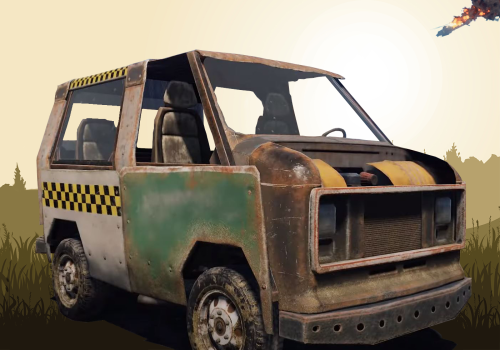
Spawn in a lift ,parts ,modules ,chassis or car with permissions and shared cooldown. They still need to be fixed before driven ! Features : Updating to v2.0.0 will reset the garage prices only (backup the cfg file) !!! Set kits and sell them through the shop Use of Economics or ServerRewards (combined to 1 button as of v2.0.0) Configurable colors/backgrounds/transparency/buttons This is a Garage so no complete vehicles incl parts attached are planned in the near future Logging of each sale or attempt to a misbuy is saved in the log folder Garage is now able to use HumanNPC vendors. Changes made in 2.0.0 Rewrite of the plugin (phase 1) Added additional kit checks and added a chat message if not. Currency will now be combined into 1 purchase button for Eco/SR Backup your config price settings (images colors remain) Naming of prices changed this will reset all prices to the ones set in the plugin. Relocated buttons and images accordingly Added the Armored Passenger Module Permissions : garage.use : for using the Plugin garage.usenpc : Grants permission to use HumanNPC shops (new) garage.nocost : for free purchases (Shows in the UI you have the Free perm) garage.nocooldown : to have no cooldown on spawning them in Commands : /garage ui or /garage : to open Garage Shop /garage info : to show the commands and info in chat Logfiles : Log files are found in the oxide.logs folder garage_kits : All actions by using Kits will be in this file saving purchases errors and/or if the player didnt had enough cash garage_sales : Will list all sales/errors and/or players didnt had enough cash regarding buying parts/cars/chassis/modules Configuration : For use with HumanNPC : you can add multiple npc id's to the configuration. Make sure the npc has a clear area to spawn the chassis and cars to make sure there is room for them. Place the npc outside would be highly recommended. You can also only give the Cars and Chassis a Shared cooldown to avoid spamming. What can you change in the cfg.json ? Can you spawn inside (false by default) Cooldown (only cars/chassis) Using ServerRewards Settings Using Economics Settings Background image Kit Images Modules images Parts Images Button colors (cars/chassis/modules/parts) , (lift) and (close button) each share their colors ( ). Button text colors (cars/chassis/modules/parts) , (lift) ,(close button) and kits each share their colors ( ). Can change the Garage Title text on topside and its color which is (Garage By Krungh Crow v1.0.8) by default. Prices for all the cars/chassis/mods/parts and kits For making kits u make a "KIT" you would normaly do then add just the kits name incl uppercases for example The kits can be configured like normal the cooldowns will be taken over from the kits plugin so if u set the cooldowns in the Kits.json config file it will use that cooldown same goes for the amount of times u can take it (kit Title) : To show a short description/name for the kit (Icon Url) : Link to the image used for the kit (Kit name ID) : full kit name (use the kitnameID from the kits plugin) (Price) : Price tag Set prices to 0 if you will be using the cooldowns from the kits plugin !!!!!! Example config below : { "Cooldown": 5, "BuildingSpawn": false, "NPC Vendor settings": { "Use NPC shop": true, "NPC Id's": [ "5769350144" ] }, "Use ServerRewards": true, "Use Economics": true, "Garage shop Title": "Midlands PVE Garage Shop", "Garage Text color (RGBA)": "1 1 1 1", "Button color (RGBA)": "0.05 0 0 0.80", "Button text color (RGBA)": "1 1 1 0.90", "Menu Button color (RGBA)": "0.0 0.0 0.0 0.0", "Close Button color (RGBA)": "0.0 0.0 0.0 0.0", "Close Button Text color (RGBA)": "1 1 1 0.90", "Button Lift color (RGBA)": "0.05 0 0 0.80", "Button Lift Text color (RGBA)": "1 1 1 0.90", "Use Background Image": false, "Garage shop Background Image Url": "https://cdn.discordapp.com/attachments/718923255574167665/768477956007526400/Garage-Poster.png", "Garage shop Background Transparancy (0-1)": 0.95, "Main page button icon Image Url": "https://i.ibb.co/pLdsMQV/Green.png", "Modules page button icon Image Url": "https://i.ibb.co/s1xqmTX/Purple.png", "Parts page button icon Image Url": "https://i.ibb.co/Cbtx3rc/Blue.png", "Close button icon Image Url": "https://i.ibb.co/84xBH5Y/Red.png", "Kits text color (RGBA)": "1 1 1 0.90", "Kit 1 (kit Title)": "HQ Engine Parts", "Kit 1 (Icon Url)": "https://i.ibb.co/2NpSvZX/parts.png", "Kit 1 (kit name ID)": "car1", "Kit 1 (Price)": 3999, "Kit 2 (kit Title)": "Mechanics Outfit", "Kit 2 (Icon Url)": "https://i.ibb.co/Vm5drNd/mechanics-outfit.png", "Kit 2 (kit name ID)": "mechanic", "Kit 2 (Price)": 500, "Kit 3 (kit Title)": "Refuell", "Kit 3 (Icon Url)": "https://vignette.wikia.nocookie.net/play-rust/images/2/26/Low_Grade_Fuel_icon.png/revision/latest?cb=20151110002210", "Kit 3 (kit name ID)": "fueling", "Kit 3 (Price)": 500, "Kit 4 (kit Title)": "Carkit 4 description", "Kit 4 (Icon Url)": "https://i.ibb.co/JBmNcC0/carkitpink.png", "Kit 4 (kit name ID)": "car4", "Kit 4 (Price)": 0, "Kit 5 (kit Title)": "Carkit 5 description", "Kit 5 (Icon Url)": "https://i.ibb.co/R3SXcvY/carkitred.png", "Kit 5 (kit name ID)": "car5", "Kit 5 (Price)": 0, "Kit 6 (kit Title)": "Carkit 6 description", "Kit 6 (Icon Url)": "https://i.ibb.co/Fs0VqDQ/carkitgreen.png", "Kit 6 (kit name ID)": "car6", "Kit 6 (Price)": 0, "Lift (Icon Url)": "https://i.ibb.co/Sfd2kxH/modularcarlift.png", "Lift (Button Text)": "Get A lift", "lift (Price)": 2500, "Simple Cockpit (Image Url)": "https://i.ibb.co/tcg16yg/vehicle-1mod-cockpit.png", "Simple Cockpit (Price)": 1000, "Armored Cockpit (Image Url)": "https://i.ibb.co/SPvDV9c/vehicle-1mod-cockpit-armored.png", "Armored Cockpit (Price)": 1500, "Cockpit+Engine (Image Url)": "https://i.ibb.co/TtLNz4G/vehicle-1mod-cockpit-with-engine.png", "Cockpit+Engine (Price)": 1250, "Large Fuell Tank (Image Url)": "https://i.ibb.co/2YSbbRD/vehicle-2mod-fuel-tank.png", "Large Fuelltank (Price)": 1000, "Engine (Image Url)": "https://i.ibb.co/1dzkVVV/vehicle-1mod-engine.png", "Engine (Price)": 1250, "Short Flatbed (Image Url)": "https://i.ibb.co/s62zLrg/vehicle-1mod-flatbed.png", "Short Flatbed (Price)": 1000, "Long Flatbed (Image Url)": "https://i.ibb.co/VNMpXtp/vehicle-2mod-flatbed.png", "Long Flatbed (Price)": 1250, "Passenger Module (Image Url)": "https://i.ibb.co/3cBtXSL/vehicle-2mod-passengers.png", "Passenger Module (Price)": 1500, "Rear Seat (Image Url)": "https://i.ibb.co/KLJsdXQ/vehicle-1mod-rear-seats.png", "Rear Seat (Price)": 1250, "Storage Module Image Url": "https://i.ibb.co/BN2qFzp/vehicle-1mod-storage.png", "Storage Module (Price RP": 1500, "Armored Passenger Module (Image Url)": "https://rustlabs.com/img/items180/vehicle.1mod.passengers.armored.png", "Armored Passenger Module (Price)": 1500, "Camper Module (Image Url)": "https://i.ibb.co/kQN6XQC/vehicle-2mod-camper.png", "Camper Module (Price)": 2000, "Taxi Module (Image Url)": "https://i.ibb.co/HCLzx2S/vehicle-1mod-taxi.png", "Taxi Module (Price)": 1500, "Pistons Icon Url": "https://i.ibb.co/2qh1Q0G/pistons.png", "LQ Piston (Price)": 500, "MQ Piston (Price)": 750, "HQ Piston (Price)": 1000, "Crankshafts Icon Url": "https://i.ibb.co/THY34QF/cranks.png", "LQ Crankshaft (Price)": 500, "MQ Crankshaft (Price)": 750, "HQ Crankshaft (Price)": 1000, "Sparkplugs Icon Url": "https://i.ibb.co/YQ3g4sf/plugs.png", "LQ Sparkplug (Price)": 500, "MQ Sparkplug (Price)": 750, "HQ Sparkplug (Price)": 1000, "Valves Icon Url": "https://i.ibb.co/qkYPV9R/valves.png", "LQ Valve (Price)": 500, "MQ Valve (Price)": 750, "HQ Valve (Price)": 1000, "Carburetor Icon Url": "https://i.ibb.co/Wk9yQqz/carbs.png", "LQ Carburetor (Price)": 500, "MQ Carburetor (Price)": 750, "HQ Carburetor (Price)": 1000, "Small Chassis (image Url)": "https://i.ibb.co/VMbLdzN/chas2.png", "Small Chassis (Price)": 2500, "Medium Chassis (image Url)": "https://i.ibb.co/q0QRcqn/chas3.png", "Medium Chassis (Price)": 3500, "Large Chassis (image Url)": "https://i.ibb.co/164Fxxs/chas4.png", "Large Chassis (Price)": 4500, "Small Car (image Url)": "https://i.ibb.co/Tk38DWd/howard-schechtman-car1.jpg", "Small Car (Price)": 5000, "Nedium Car (image Url)": "https://i.ibb.co/vJWGtcw/howard-schechtman-car2.jpg", "Medium Car (Price)": 7500, "Large Car (image Url)": "https://i.ibb.co/zXpDRht/howard-schechtman-car3.jpg", "Large Car (Price)": 10000 } Localization : English language file included to use a diffrent language just make a new file in the language folder. { "NoPermission": "You do not have permission to use that command!", "InvalidInput": "Please enter a valid command!", "IndoorsBlocked": "You cannot spawn indoors only outside!", "Info": "\n\n/garage ui : to open the Garage Shop.\n/givelift to buy a lift directly", "Cooldown": "You are still on a cooldown!", "Spawned": "You spawned a {0}!", "Prefix": "<color=yellow>[Garage]</color> ", "Lift": "You just recieved a lift!", "BoughtSmallCar": "You just Bought a Small Car, Have fun!", "BoughtMediumCar": "You just Bought a Medium Car, Have fun!", "BoughtlargeCar": "You just Bought a Large Car, Have fun!", "BoughtSmallChas": "You just Bought a Small Chassis, Have fun!", "BoughtMediumChas": "You just Bought a Medium Chassis, Have fun!", "BoughtlargeChas": "You just Bought a Large Chassis, Have fun!", "FreeCar": "You just Got a free Car, Have fun!", "FreeChas": "You just Got a free Chassis, Have fun!", "Nokit": "No kit has been assigned!", "ReceivedCockpit": "You just recieved a simple cockpit!", "ReceivedCockpitArmored": "You just recieved a Armored Cockpit!", "ReceivedCockpitEngine": "You just recieved a Cockpit with a Engine attached!", "ReceivedFuelltank": "You just recieved a empty Large Fuelltank!", "ReceivedEngine": "You just recieved a Engine Module!", "ReceivedSingleFlatbed": "You just recieved a short Flatbed Module!", "ReceivedDualFlatbed": "You just recieved a Long Flatbed Module!", "ReceivedPassengers": "You just recieved a Passenger Module!", "ReceivedRearseat": "You just recieved a Rear Seat Module!", "ReceivedStoragemodule": "You just recieved a Storage Module!", "ReceivedArmoredPasmodule": "You just recieved a Passengers Armored Module!", "ReceivedTaximodule": "You just recieved a Taxi Module!", "ReceivedLowPart": "You just recieved a Low quality engine part!", "ReceivedMedPart": "You just recieved a Medium quality engine part!", "ReceivedHighPart": "You just recieved a High quality engine part!", "NoBallance": "You Dont have enough points!", "NotSet": "This currency is not set to true or not installed on this server!", "OnlyNPC": "The garage is only available at the Garage NPC in Town", "ReceivedCamper": "You just recieved a Camper Module!", "UIFreeBanner": "<color=green>For having Permission ,You get Items for Free</color> " } Credits * Steenamaroo for help with the cooldowns and uiFree- 46 comments
- 2 reviews
-
- 7
-
-
-
- #spawn
- #modular vehicle
- (and 12 more)
-
Version 1.0.1
307 downloads
Only available on RCON or server console due to abuse protection. Features: Avoid duplicate purchases mrefund user playerid permission amount rp ex) mrefund user $player.id backpacks.use 5000 eco ex2) mrefund user $player.id backpacks.use 5000 rp ex3) mrefund group $player.id admin 5000 rp has permission 5000 eco refund Example Server Rewards) "Backpack": { "description": "Buy Backpack", "iconName": "", "commands": [ "mrefund user $player.id backpacks.use 500 rp" ], "displayName": null, "cost": 500, "cooldown": 5 }, Config: { "Prefix": "<color=#00ffff>[ Money Refund ] - </color>\n", "SteamID": 0, "Version": { "Major": 1, "Minor": 0, "Patch": 0 } } Lang: { "HasPerm": "<color=red>You already have this permission</color> <color=yellow>I got {0} {1} back</color>", "HasGroup": "<color=red>You already have this group</color> <color=yellow>I got {0} {1} back</color>" "RP": "<color=lime>RP</color>", "ECO": "<color=lime>ECO</color>" }Free -
Version 1.0.0
38 downloads
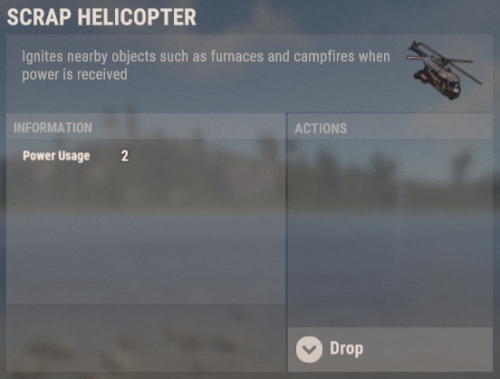
Custom Store Items allows you to give any custom item you want to your players via a command Command: customstoreitems.give playerName/playerId Usable/Deployable skinId amount name Example: customstoreitems.give supreme Deployable 1856165291 1 "Scrap Helicopter" customstoreitems.give supreme Usable 2307929123 1 "VIP 30 Days" The command can be used in Server Rewards/Tebex or via console in order to give the custom item to any player! You can create a custom item that can be either placed or used/consumed, both can trigger a special command After creating the item with a specified skin id you will have to add it to the configuration Configuration: { "Deploy effect when deploying the custom item": "assets/prefabs/misc/halloween/lootbag/effects/loot_bag_upgrade.prefab", "Unwrap effect when unwrapping the custom item": "assets/prefabs/misc/halloween/lootbag/effects/gold_open.prefab", "Custom Items (Skin Id and their settings)": { "1": { "Custom Item Reward Type (Default/Spawn)": "Default", "Command to run after using the custom item (Leave empty if not needed)": "sr add {playerId} 100", "Item to spawn (Prefab) (Only works if the Item Reward Type is set to Spawn)": "" }, "1594245394": { "Custom Item Reward Type (Default/Spawn)": "Spawn", "Command to run after using the custom item (Leave empty if not needed)": "", "Item to spawn (Prefab) (Only works if the Item Reward Type is set to Spawn)": "assets/bundled/prefabs/static/recycler_static.prefab" }, "1856165291": { "Custom Item Reward Type (Default/Spawn)": "Spawn", "Command to run after using the custom item (Leave empty if not needed)": "", "Item to spawn (Prefab) (Only works if the Item Reward Type is set to Spawn)": "assets/content/vehicles/scrap heli carrier/scraptransporthelicopter.prefab" } } } Language: { "Unwrap": "You have unwrapped <color=#acfa58>{0}</color>!", "Deploy": "You have successfully deployed <color=#acfa58>{0}</color>!", "ReceivedItem": "You have received <color=#acfa58>{0}</color>!" }$10.00 -

Version 2.1.0
59 downloads
This plugin make it possible, to have a Question database, with 1 valid and 1 to several invalid answer, and it will post a question into the chat in every configured X time, for configured Y time long. It support 4 different reward type, Economy, ServerReward, Item and Command. To win, the player need to type in the good answer. First good answer win. If the "Prevent bruteforce against answers" set to true, only the first guess will be considered. The current variables you can use in a command are: $player.name - Player display name $player.id - Player Steam ID $player.x, $player.y, $player.z - Vector3 coordinates Examples: say You are the best: $player.name! oxide.grant user $player.id randompermission randomairstrike $player.x, $player.y, $player.z Configuration { "Repeat in every X second": 30, "Notification before a game start enabled": false, "Hide game Close message": false, "Notification before a game start (in seconds, please watch for the overlap between questions)": 25, "Economy enabled?": false, "Serverrewards enabled?": false, "Commands as reward enabled?": true, "Duration of the Question in second": 10, "Play Sound to notify the event": true, "Prevent bruteforce against answers": true, "Player need to type in the Index of the valid answer": true, "Player need to type in the FULL valid answer, without typo": false, "Broadcast player winning notification.": false, "Text after the question duration number": "seconds, starting now!", "Sound prefab to play on start to notify players": "assets/prefabs/tools/pager/effects/beep.prefab", "Show valid answer at the end of the game, if nobody guessed good.") - false "Remove question from the available question pool, if it was not guessed and and valid answer was displayed before.") - false } Data [ { "question": "Test Question for Economy?", "valid_answer": "This is a valid answer", "incorrect_answer": [ "Random wrong answer 1", "Random wrong answer 2" ], "customreward": { "type": 0, "command": "", "itemid": 0, "amount": 3000 } }, { "question": "Test Question for ServerReward?", "valid_answer": "This is a valid answer", "incorrect_answer": [ "Random wrong answer 1", "Random wrong answer 2", "Random wrong answer 3" ], "customreward": { "type": 1, "command": "", "itemid": 0, "amount": 5000 } }, { "question": "Test Question for Item?", "valid_answer": "This is a valid answer, and give scrap as Item", "incorrect_answer": [ "Random wrong answer 1" ], "customreward": { "type": 2, "command": "", "itemid": -932201673, "amount": 150 } }, { "question": "Test Question for Command?", "valid_answer": "This is a valid answer, and will run a command", "incorrect_answer": [ "Random wrong answer 1", "Random wrong answer 2", "Random wrong answer 3" ], "customreward": { "type": 3, "command": "", "itemid": 0, "amount": 0 } } ]$2.00 -
Version 1.5.1
132 downloads
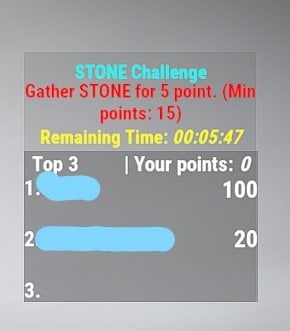
This plugin gives the possibility to trigger a timed event, with a random long time (choose randomly between min and max configured time). The event will choose randomly a type, KILL or Gather (prior the config), after it choose a random objective from the corresponding list. During the event, after the objective is triggered (for example: Sulfur ore mined completely, Barrel destroyed, Bear killed, Tree chopped down.. etc), the player will get point /objective. Top 3 player (or player group if there is even in the points) will get reward, if they reach the minimum configured point. If the Players not gain points, they will be not listed on the Scoreboard. Rewards can be claimed after the event(s) over. First event will start after 5 min as soon as the plugin loaded in. The plugin have several protection against wrong configuration. Only 1 event can be active at time. If the TIME related configurations allow overlay, the maximum event time will be set as (event_repeat_time_in_hour*60)-5 Minute, to not affect the next event start. If no event type enabled, no event will started and message will be written to the server console. If no reward or invalid reward number set in the configuration, list of rewards will be cleared, 0 and 1 will be added as default (see the meaning below). If ServerRewards/Economics plugin not installed, this type of reward will be not selected. Configuration Default configuration: { "_Plugin_Cfg_Version": { "Major": 1, "Minor": 2, "Patch": 0 }, "CCH_Challenge_color": "0.76 0.90 0.29 1", "CCH_Desc_color": "0.76 0.90 0.29 1", "CCH_ScoresPanel_color": "0.39 0.39 0.39 0.75", "CCH_Time_color": "0.76 0.90 0.29 1", "CCH_Top1_color": "1 1 1 1", "CCH_Top2_color": "1 1 1 1", "CCH_Top3_color": "1 1 1 1", "CCH_Top3_yourpoint_color": "1 1 1 1", "CCH_UIPanel_color": "0.39 0.39 0.39 0.5", "event_gather_type": "{\"tree\":15,\"metal\":15,\"sulfur\":15,\"stone\":15,\"barrel\":15,\"berry\":15,\"corn\":15,\"hemp\":15,\"mushroom\":15,\"pumpkin\":15,\"potato\":15,\"crate\":15,\"foodbox\":15,\"minecart\":15}", "event_gather_type_enabled": true, "event_kill_type": "{\"bear\":15,\"wolf\":15,\"boar\":15,\"murderer\":15,\"scientist\":15,\"scarecrow\":15}", "event_kill_type_enabled": true, "event_long_max_in_minute": 1, "event_long_min_in_minute": 1, "event_minimum_player": 1, "event_points_by_entity": 5, "event_repeat_time_in_hour": 2, "event_reward_type": "0, 1, 2, 3", "event_top1_reward": 18, "event_top2_reward": 12, "event_top3_reward": 6, "grownable_collect_enabled": false, "rp_reward_multiplier": 10.0, "economics_reward_multiplier": 10.0, "reminder_enabled": true, "reminder_time_in_minute" : 30 } Definition of configurations: event_gather_type - List of collect/gatherable items, next to them after the ":" the minimum points to earn reward. (For example not much foodbox or minecart spawned) event_gather_type_enable - Gather type of events can be disabled/enable event_kill_type - List of killable enemys, next to them after the ":" the minimum points to earn reward. (For example not much animal spawned) event_kill_type_enabled - Gather type of events can be disabled/enable event_long_max_in_minute - Minimum Time for a generated event (Time choosen randomly between min and max) event_long_min_in_minute - Maximum Time for a generated event (Time choosen randomly between min and max) event_minimum_player - Minimum Player number. Below this the event will not started event_points_by_entity - Point gained by gather/kill one of the objective event_repeat_time_in_hour - Events repeated in every given hour event_reward_type - 0 - (Bronze Easter Egg - item ID: 844440409) 1 - ( Small Halloween Bag item ID: 1319617282) 2 - RP from [ServerRewards plugin if installed, if not, it can not be choosen even if in the list](https://umod.org/plugins/server-rewards) event_top1_reward - Amount of choosen item/RP(base for a the rp_reward_multiplier below) for the first place event_top2_reward - Amount of choosen item/RP(base for a the rp_reward_multiplier below) for the second place event_top3_reward - Amount of choosen item/RP(base for a the rp_reward_multiplier below) for the third place grownable_collect_enabled - To avoid player advantage, with big crop farms, the growned crops can be disabled/enabled to count as a gathered objective rp_reward_multiplier - ServerRewards multiplier for the RP reward, if the event is generated to give RP as a reward. economics_reward_multiplier - Economics multiplier for the Economics reward, if the event is generated to give Economics as a reward. reminder_enabled - enable/disable the repeated reminder to the players with unclaimed reward reminder_time_in_minute - reminder time in minute format Colors: the first 3 number is the corresponding RGB color number, but between 0-1 with float numbers. So if you want to write an RGB, where the RED is 210, then the first number in the config will be 210/255=0.82. The last number is the opacity 0 is invisible, 1 the maximum. _Plugin_Cfg_Version - only present for compatibility check Commands /cch info - Show information about Custom Challenges /cch show - Show currently Active Challenge Scoreboard /cch hide - Hide Challenge Scoreboard /cch claim - Claim rewards after event(s) Localization English language file generated by default, texts supported by the language files. Logging Reported winner and claimed rewards stored in the oxide/logs folder.$15.00









.thumb.png.8fb9cb5db33376288eba94beb961d0c6.png)