Search the Community
Showing results for tags 'spooky'.
Found 11 results
-
Version 1.0.0
8 downloads
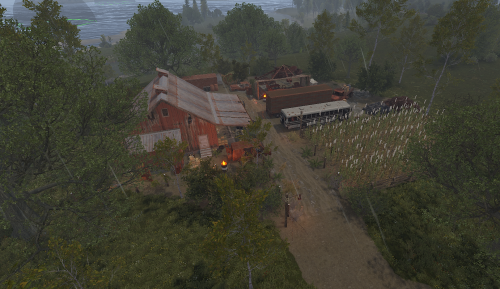
A lone homestead in the desolate valley. The family that lived here is gone, but their final, twisted celebration lingers. What really happened on that night? Find out if you dare. Category: Custom Monument / Farmstead Theme: Horror / Survival / Abandoned Agriculture Great for PvE or PvP servers!! This prefab can be used as: A custom event location (with loot crates + AI). A PvP hotspot for small to medium groups. A roleplay horror landmark for server events. Has 441 Prefabs Loot Includes 1 x Basic Crate 1 x Ammo Crate 1 x Tech Parts Crate 1 x Food Crate 2 x Tool Crate 4 x Normal Crate 3 x Normal Crate Random 1 x Oil Barrel 3 x Barrel 2 x Diesel Barrel For any support contact me on discord @ https://discord.gg/HNhPTPZVmd$6.99- 1 review
-
- 4
-

-

-
- #prefabs
- #halloween
- (and 5 more)
-
Version 1.0.0
7 downloads
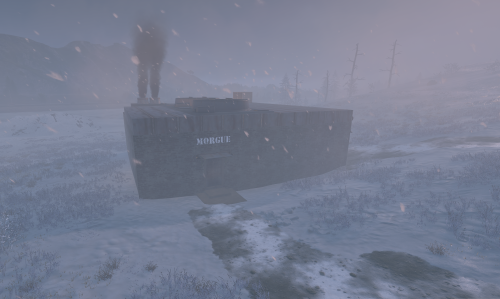
Step into a new kind of terror with this monument, a spooky or Halloween-themed addition for your map. Inspired by the world of Rust, this monument offers a haunted experience. Venture to the site where, in the last moments of a dying world, bodies were piled high, and a madman, consumed by despair, threw himself into the incinerator. This Monument has a total prefab count of 313. This is great For Pvp or PvE servers Loot 1 x Elite Crate 1 x Food Crate 1 x Oil Barrel 3 x Diesel Barrel 3 x Normal Crate 1 x Basic Crate 1 x Tool Crate 3 x Scarecrow Npc Spawns 1 x Murderer Npc Spawns For support contact me on discord @ https://discord.gg/HNhPTPZVmd$5.00- 1 review
-
- 4
-
-
- #halloween
- #rust
- (and 3 more)
-
Version 1.0.0
2 downloads
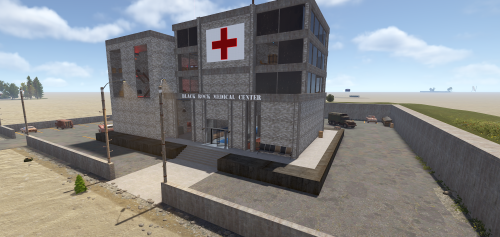
Black Rock Medical Center Step into the decaying halls of Black Rock Medical, a medium-to-large scale monument designed to be the crown jewel of your Rust map. Whether you run a hardcore PvP environment or a custom PvE survival world, this abandoned hospital offers the perfect blend of atmospheric storytelling and high-stakes gameplay. Once a state-of-the-art facility, Black Rock now stands as a hollowed-out labyrinth of rusted gurneys and shattered glass—yet, it remains heavily stocked with the supplies players crave. Key Features Dual-Tier Logic Puzzle: Navigate a complex security system featuring two separate Red Keycard rooms. Getting through the first door is only the beginning; players will need to solve a secondary environmental puzzle to access the deepest, most lucrative vaults. Dynamic Combat Layout: Designed with verticality and tight corridors, the hospital provides intense "close quarters combat" (CQC) opportunities while offering plenty of flanking routes for tactical squads. High-Tier Loot Progression: From medical supplies in the wards to elite crates in the secure wings, the rewards are scaled to match the monument’s difficulty. Atmospheric Detail: Immersive lighting and custom prefab work ensure this monument feels like a lived-in part of the Rust world. The "Mad Doctor" Mystery Legend has it the facility wasn't entirely abandoned. As players delve deeper into the basement levels, they must stay alert to avoid becoming the Mad Doctor’s final patient. WARNING: A mysterious button is located within the facility. Its purpose is unknown, and the consequences of pressing it are... unpredictable. Use at your own risk. For any Assistance or questions Please contact me on Discord @ https://discord.gg/HNhPTPZVmd$9.99 -
.thumb.jpg.00ac3809fdd0a11c5c97d3d72f3289bd.jpg)
Version 1.0.4
227 downloads
Halloween is here early! Spooky Sky turns your server into an eerie blood-red paradise - featuring intensity & cloud coverage options, you can tweak the sky to your liking and give your players a hauntingly unique experience! Perfect for zombie, roleplay & survival servers or just your yearly Halloween event! It even affects water reflections in case you're brave enough to swim in it Config: { "AtmosphereBrightness": 0.3, // higher = brighter "AtmosphereContrast": 1.5, // higher = more contrast - can be used to darken sky more "CloudBrightness": 0.1, // higher = brighter clouds "CloudCoverage": 0.2, // higher = more clouds "FogLevel": 0.2, // higher = more fog "MieIntensity": 1.0, // slightly affects colour, won't do much "RayleighMultiplier": 10.0, // higher = more intensity on sky effect/colour "SkyDarkening": 0.1, // lower = darker sky "StormClouds": true, "Thunder": true }$4.49 -
Version 1.4.2
1,203 downloads
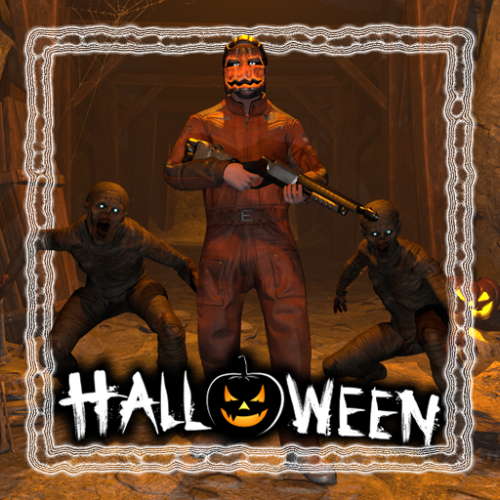
Get your server ready for Halloween! This plugin adds several options to make your server more spooky, including jumpscares when looting a crate, customizable NPC clothing and graveyards with zombies that spawn at night. Features: Graveyards with loot guarded by zombies Play spooky sound effects at night Jumpscares when looting a crate Custom NPC clothing Junk pile decorations New with version 1.4.0: Pumpkin Launcher & Zombie Grenade Pumpkin rockets are only visual and do not affect rocket damage. In order to fire pumpkin rockets, players need the permission halloween.pumpkinlauncher The zombie grenade is a regular smoke grenade that spawns zombies inside the smoke circle when deployed. The smoke duration and zombie count can be adjusted in the config file. To obtain a zombie grenade, use the command halloween.give grenade <optional amount> <optional player> with permission halloween.give . The skin id of the zombie grenade is 3578690997 New with version 1.3.0: Random jumpscares An NPC will randomly appear behind a player and make noises to get the players attention. When the player turns around, a configurable sound is played. The NPC will follow the player until it gets killed or destroyed by a timer. Video: https://imgur.com/a/1IsYXKV Command to manually scare players: jumpscare <playerNameOrSteamId?> Permission: halloween.scare - Required to use the jumpscare command Graveyards: The plugin comes with one graveyard built-in, you can also create custom grave yards. Graveyards spawn at night and are guarded by zombies. Inside you can find coffins with loot. They will burn down as soon as the sun rises. To create a custom graveyard you first have to build one. Any deployable in the game can be added to a graveyard with some serving a special purpose: Snowman: Placing a snowman in the graveyard will create a zombie spawn point at that position Coffin: Every coffin will be filled with loot when the graveyard spawns. The loot can be changed in the config To save a graveyard, go to the center of your graveyard and type /gy new . Now hit every object you want to include in your graveyard with a hammer. When you are done use /gy save <name> to save the graveyard. To spawn the graveyard at night you have to add the name to the config field "Grave yard configurations to spawn". Junkpiles: Every junk pile can be customized with decorations. Out of the box the plugin comes with a default configuration for each junk pile. To edit the decorations of a junk pile, use the command /jp <type> where type is a letter from a to j each representing a different junk pile. A junk pile will spawn at your current position. To add objects to the junk pile just hit them with a hammer and use /jp save when you are done. Custom jumpscare sounds: There are 2 default sounds for jumpscares: _scream and _laugh, you can also record custom sounds. To record a custom sound using the in-game voice chat, type /hrec to start the recording and /hrec again to stop the recording. You can check you current recording by using the command /hrec test. A ghost will spawn next to you and play the sound you just recorded. To save your recording use /hrec save <name>. Now you can add the name of the recording to the config field "Jumpscare sounds". Permissions: halloween.edit - Required to edit junk piles and graveyards halloween.record - Reqired for recording new sounds Configuration: { "Enable lightnings at night": true, "Enable fog at night": true, "Enable junk pile decorations": true, "Max decorations per junk pile": 2, "Max total junk pile decorations (set lower to reduce performance impact)": 2000, "Enable grave yards": true, "Enable fire when grave yards despawn (impacts performance)": false, "Show graveyards on the map (requires https://codefling.com/plugins/marker-api)": true, "Map marker settings": { "Name": "A Graveyard", "Radius": 0.2, "Color (hex format)": "#FFFF00" }, "Spawn graveyards during this time": { "start": 19, "end": 7 }, "Grave yard zombie health": 120.0, "Grave yard population at night": 20, "Allow grave yards on roads": true, "Grave yard despawn time (seconds)": 40.0, "Minimum distance between grave yards": 50.0, "Grave yard configurations to spawn": [ "_default" ], "Grave yard loot table": // Removed for readability "Grave yard zombie configuration": { "Npc name": "Zombie", "Health": 150.0, "Attack range multiplier": 1.0, "Sense range (m)": 50.0, "Vision cone (degrees)": 135.0, "Damage scale (1 = 100%)": 1.0, "Memory duration (seconds)": 60.0, "Roam range (m)": 30.0, "Chase range (m)": 50.0, "Remove corpse on death and drop bag": false, "Kit (requires Kits plugin)": "", "Clothing items": // Removed for readability }, "Enable sound effects at night": true, "Minimum time between sound effects (per player, in minutes)": 5.0, "List of sound effects": [ "assets/bundled/prefabs/fx/player/beartrap_scream.prefab", "assets/bundled/prefabs/fx/player/howl.prefab" ], "Custom NPC Clothing": { "stables_shopkeeper": [ { "Item shortname": "pumpkin", "Skin id": 0 }, { "Item shortname": "gloweyes", "Skin id": 0 } ] // Removed for readability }, "Custom NPC clothing ignored NPC skins": [ 11162132011012 ], "Loot jumpscare configuration": { "Enabled": true, "Jumpscare NPC name": "Ghost", "Jumpscare chance (%)": 5.0, "Minimum time between jumpscares (per player, in minutes)": 30, "Jumpscare sounds - played when the player is looking at the npc": [ "_scream" ] }, "Random jumpscare configuration": { "Enabled": true, "Jumpscare NPC name": "Ghost", "Jumpscare chance (%)": 5.0, "Minimum time between jumpscares (per player, in minutes)": 30, "Jumpscare sounds - played when the player is looking at the npc": [ "_laugh", "_scream" ], "Attention sound effects - played when the player is not looking at the npc": [ "assets/prefabs/deployable/reactive target/effects/snd_knockdown.prefab", "assets/prefabs/clothes/halloween.scarecrow/effects/soul_release_effect.prefab", "assets/bundled/prefabs/fx/item_break.prefab", "assets/prefabs/building/door.hinged/effects/door-wood-knock.prefab", "assets/prefabs/weapons/cleaver big/effects/hit.prefab", "assets/prefabs/weapons/sword big/effects/hit.prefab", "assets/bundled/prefabs/fx/player/gutshot_scream.prefab" ] }, "Recording command name": "hrec", "Grave yard command name": "gy", "Junk pile decoration command name": "jp", "Jumpscare command name": "jumpscare" }$24.00- 111 comments
- 9 reviews
-
- 6
-
-
-
- #halloween
- #zombie
- (and 8 more)
-
Version v1.2
52 downloads
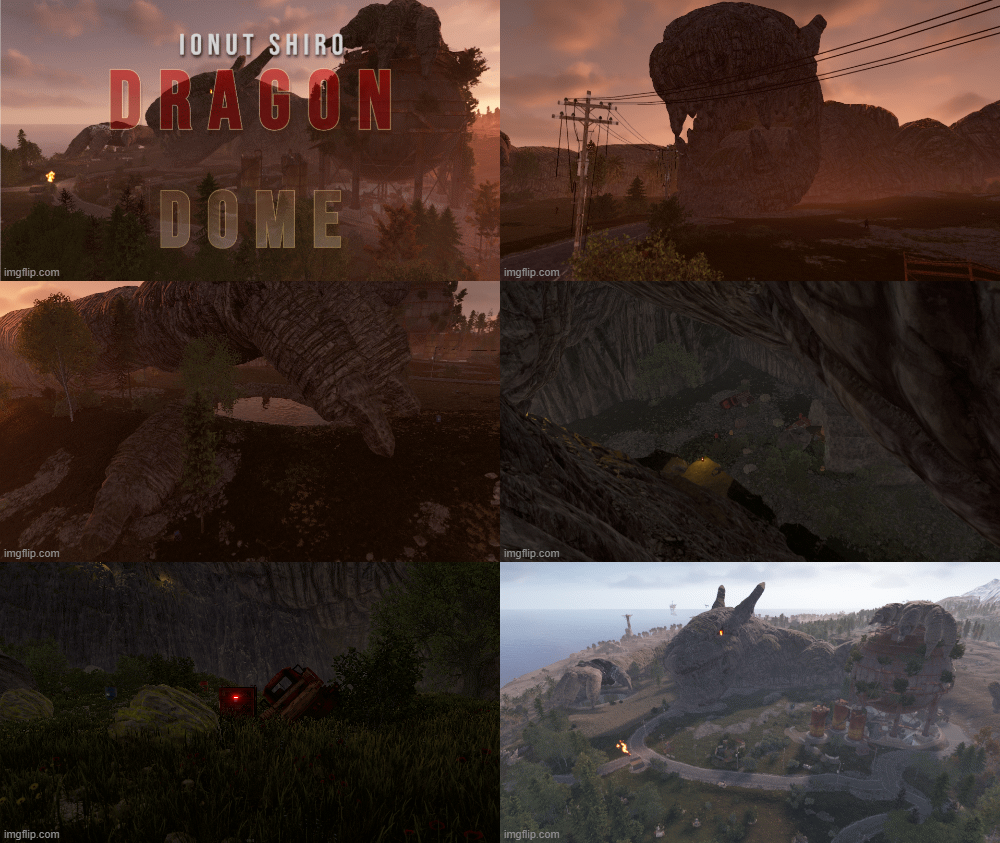
The Tatzelwurm emerged from a mountain cave after a centuries long sleep looking for food to try and sate its ravenous hunger. The only thing to stop it and turn it to stone was the strange copper dome it touched. A great addition to any Halloween styled map. Explore the depths of its belly to see what loot it contains. Prefab Count 430 This prefab contains: Crate Normal 1 Crate Tool 2 Npc 7 Barrel 15 Food Box 7 Added beside Dome to make it more interesting for players to have fun.$7.00- 1 comment
- 3 reviews
-
- 5
-
-

-
- #halloween
- #dragon
- (and 4 more)
-
Version 1.0.5
7 downloads
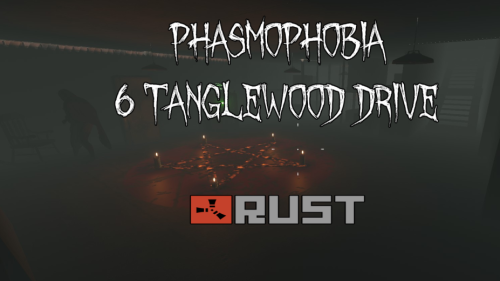
The first of the Phasmophobia collection I am working on. Tanglewood drive. Features green,blue and red security doors hackable crate elite loot crates mil crates loot crates working lights As accurate to Phasmophobia as I could get. Video below is both a tour and a suggested use of the monument. It is made using BotreSpawn and Kits. Tested and recorded on @Markiii test server. Big thanks cupdaddy by @Steenamaroo by @Mevent$9.99 -
Version 1.0.0
7 downloads
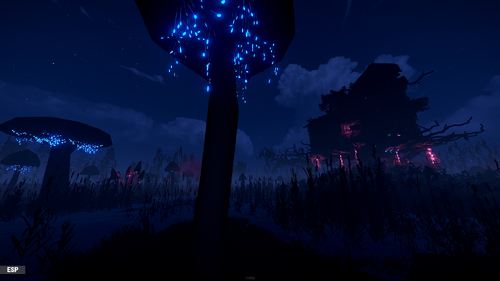
This is an unusual colorful swamp with a large house in the center. The house is made of natural materials and serves as a refuge for dark forces. Inside the storeroom behind the green door, players can find good loot. Something evil lives on the roof..$15.00 -
Version 1.0.0
22 downloads
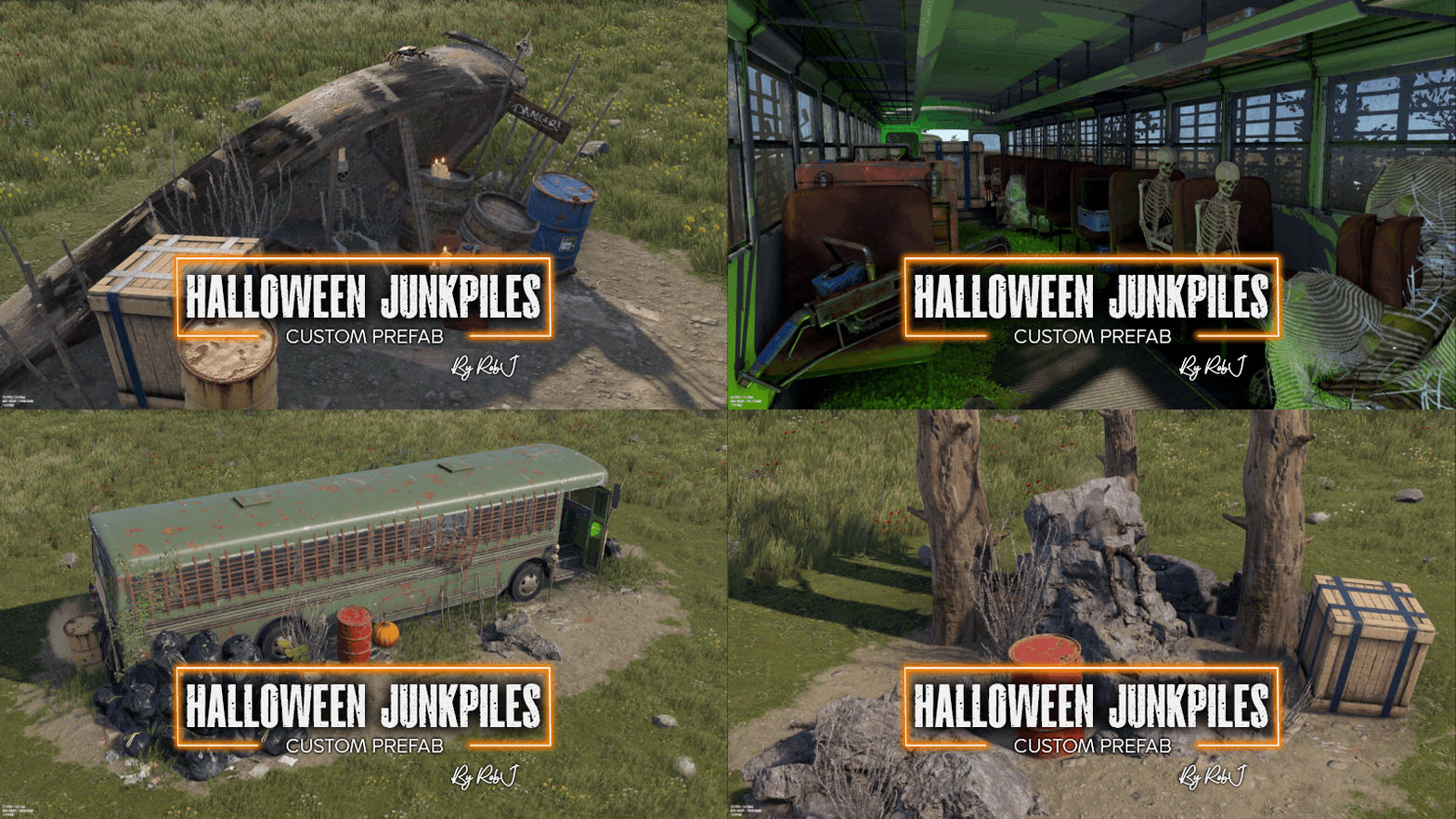
Introducing my highly detailed Halloween-themed custom junk pile replacement set, perfect for giving your Rust maps a spooky seasonal makeover. Features: 10 Unique Junk Pile Designs 3 Variants for Each Design: Available in temperate, arid, and arctic versions 45 Custom Junk Piles in Total, with some featuring color variations Junkpiles Staked Vampire Poisoned Drunk Murdered Sailor Trapped Naked Hangman Prison Bus Nest Murdered Pumpkin Farmer's Pickup Murderer’s Killing Van Chained Vampire Exposed to Sunrise Kidnap Victim Never Found Custom Junk Pile Behavior: Unlike default Rust junk piles, these custom piles do not despawn. However, all loot crates will continue to despawn and respawn normally. Quick Start Guide: 1. Extract the ZIP file into your RustEdit installation folder. 2. In RustEdit, go to "Prefabs" and open the "Prefab List." 3. Navigate to the "Custom" category to find "RobJs Premium Prefabs." 4. Double-click the prefab file to spawn it in the map. 5. Position the prefab in your desired location. 6. Apply the Splat Mask and Topology Mask. 7. You're all set! Contact and Support: For direct contact, reach out on Discord: RobJ2210#2553 For help and support, join the: RobJMaps Discord Community$14.99-
- 2
-
-
- #halloween
- #junkpile
- (and 8 more)
-
Version 1.0.0
537 downloads
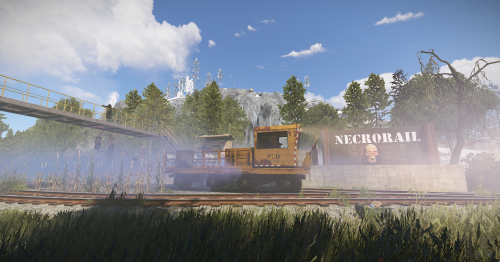
A Simple Railway station with a side branch for spawning a Work cart. Creepy undead aesthetic with fog trees and tiny pond and easy to install with heights, splat and topology included.Free -
![More information about "Hallow's Grave [HDRP]"](https://codefling.com/uploads/monthly_2021_09/HallowsGrave1.thumb.jpg.7b70754719ecc34d5018ac0eafe9c125.jpg)
Version 1.0.0
11 downloads
Discover the horrors of Hallow's Grave, an abandoned graveyard where the restless lay. A perfect aesthetic addition for any Halloween loving community! Monument Details - 373 Prefabs - Food Crate & Various Halloween Collectables (Sulfur, Stone, Wood, and Metal Ore) - Eerie Autopsy Kitchen - Hanging Deck - Collectable Pumpkins Please Note! The HUGE Pumpkins are for decorative appeal only. Players will not be able to approach them closely or climb on them due to Collider scaling. It is purely meant to be decoration and for the spoops!$5.00






.thumb.gif.b68fcc45abe70ab7d7235dffc8a0c770.gif)