Search the Community
Showing results for tags 'template'.
-
Version 1.0.0
1 download
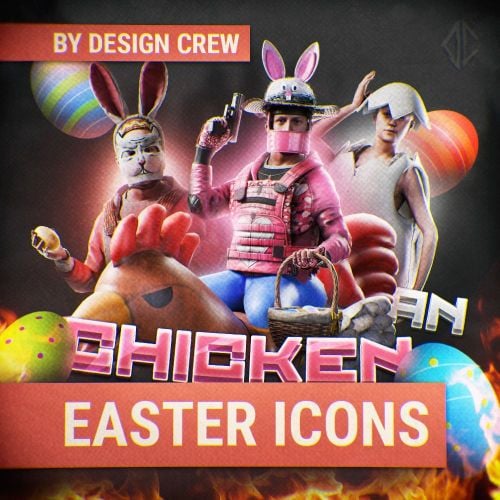
SPECIALLY FOR THE EASTER HOLIDAY WE DECIDED TO PREPARE AN ICON TEMPLATE With this set of icons, you can decorate your store in honor of the holiday. Also included is a template with which you can change the color of the effects and text To work, you will need any new version of ADOBE PHOTOSHOP.$8.00 -
Version 1.0.1
3 downloads
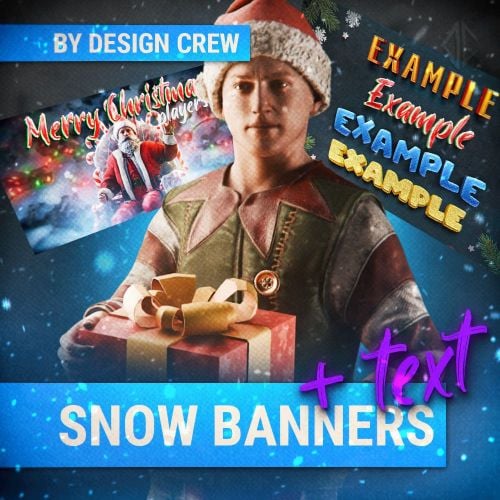
Hello everyone! Thank you for purchasing our product. These Christmas and winter banners are perfect for your project. In the archive, in the PICTURES folder, you'll find ready-made images you can use. If you want to write your own text, follow the link and download the PSD file. To edit the text, you'll need fonts; you can install them in the FONT folder. You can use these text templates in any of your projects. Happy New Year!$10.00-
- 2
-

-

-
- #design
- #rust design
- (and 5 more)
-
Version 1.0.0
2 downloads
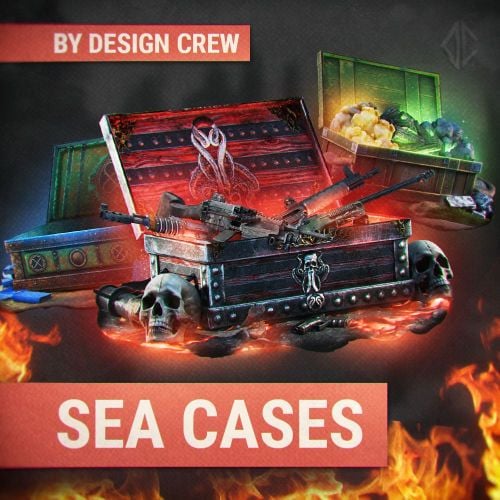
HI ALL! DESIGN CREW WITH YOU! DESIGN STUDIO FOR RUST PROJECTS. With this template you can make your own unique cases. Bright and high-quality effects will highlight your products among other projects.$7.00 -
![More information about "[PSD] Rust Industrial / Banner & Logo"](https://codefling.com/uploads/monthly_2026_03/-2.thumb.png.ffff0d008eb22c8d745ad2da204e8b63.png)
Version 1.0.0
1 download
This industrial style template is perfect for Rust servers. Banner resolution: 1024×512 (server banner) Logo resolution: 500×500. To edit the text correctly, you will need to install the fonts located in the FONT folder. You can freely use these templates in any of your personal projects. The template includes some customization options: 2 different background options This allows you to easily adjust the banner to match your style or project. We hope you enjoy using this template! Looking for a unique design? Feel free to message us!$5.99 -
Version 1.0.0
1 download
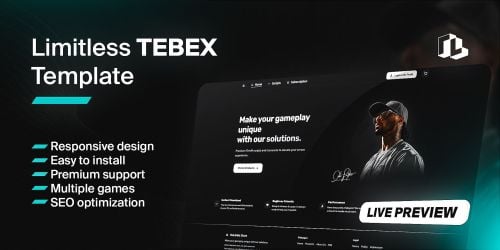
NoLimits – Premium Tebex Store Template (Clean, Fast, High-Converting) Short Pitch A sleek, conversion-focused Tebex template designed for FiveM/GTAV communities. Clean UI, fast load, mobile-ready, and built to boost cart conversions—no bloat, just results. Overview Give your Tebex store a pro look that actually sells. This template blends modern UI/UX with lightweight code and smart CTAs to turn visitors into buyers. Perfect for script sellers, MLOs, bundles, and seasonal promos. Easy install, fully documented, and actively maintained. Key Features Modern, clean UI – sharp typography, balanced spacing, consistent iconography High-converting layout – clear hero, benefits, social proof, sticky CTAs Mobile-first – responsive across phones, tablets, and desktops Optimized product cards – price badges, quick actions, and trust cues Customizable color palette – update brand colors in one place Promo blocks – sales banners, discount badges, countdown placeholder Category navigation – improved discoverability for large catalogs Lightweight & fast – minimal CSS/JS, no heavy frameworks Tebex-ready – works with latest Tebex theme system, Twig, and custom CSS Clean code – well-commented, easy to extend for devs SEO basics – clean headings, metadata placeholders Discord/YouTube spots – direct call-outs for support & showcases What’s Included /theme/ files (Twig + CSS) Global variables (easy brand color swap) Example banner & badge assets (editable) Setup guide (step-by-step) Changelog + update notes Compatibility Tebex Webstore (latest) Works with scripts, MLOs, bundles, and giftcards Tested on Chrome, Firefox, Edge, Safari (modern versions) Demo Live store using the template: no-limits.tebex.io (layout/style reference) Installation (5 minutes) Go to Tebex → Webstore → Appearance → Theme/Template Upload/replace the provided Twig & CSS files Paste the custom CSS into your store’s custom CSS field (if required) Set brand colors & links in the variables section Save → Clear cache → Refresh your store Customization Change colors, buttons, banners, and icons from a single variables file Toggle sections (hero, badges, trust strip, socials) with simple flags Add/remove promo cards and categories with documented snippets Support & Updates Support: quick bug fixes + install help via Discord (ticket system) Updates: ongoing improvements + compatibility releases Requests: minor tweaks accepted (paid customizations available) FAQ Q: Will it work with my existing products? A: Yes—your product data stays the same; only the presentation changes. Q: Can I use it with Tebex themes? A: Yes—this template is built for the current Tebex structure (Twig/CSS). Q: Can I edit the code? A: Absolutely. Files are clean and commented. Keep header notices intact.$24.99 -
![More information about "[PSD] Summer Vibes / Banner & Logo"](https://codefling.com/uploads/monthly_2026_03/PREV.thumb.png.a86050514e75a580152fa5b519dbecce.png)
Version 1.0.0
1 download
Create stunning server banners and logos with our template! Easy text editing, customization options, and high-resolution designs make it perfect for personal projects. Enjoy creating with ease! Banner resolution: 1024×512 (server banner) Logo resolution: 500×500. To edit the text correctly, you will need to install the fonts located in the FONT folder. You can freely use these templates in any of your personal projects. The template includes some customization options: 2 different text options (in front of the wave and one behind the wave) This allows you to easily adjust the banner to match your style or project. We hope you enjoy using this template! Looking for a unique design? Feel free to message us!$6.00-
- 1
-

-
- #design
- #rust design
- (and 6 more)
-
![More information about "[PSD] Rust Adventure / Banner & Logo"](https://codefling.com/uploads/monthly_2026_03/PREV.thumb.png.9ee8b4d868482ad74ea07c879210ce65.png)
Version 1.0.0
2 downloads
This art style template is perfect for Rust servers. Banner resolution: 1024×512 (server banner) Logo resolution: 500×500. To edit the text correctly, you will need to install the fonts located in the FONT folder. You can freely use these templates in any of your personal projects. The template includes some customization options: 2 different background options (Blur or without blur) This allows you to easily adjust the banner to match your style or project. We hope you enjoy using this template! Looking for a unique design? Feel free to message us!$6.00 -
![More information about "[PSD] Modern / Banner & Logo"](https://codefling.com/uploads/monthly_2026_03/PREV1.thumb.png.577430ae1ae5d9d85987f0616acf7fae.png)
Version 1.0.0
1 download
This modern style banner template is perfect for Rust servers. Banner resolution: 1024×512 (server banner) Logo resolution: 500×500. To edit the text correctly, you will need to install the fonts located in the FONT folder. You can freely use these templates in any of your personal projects. We hope you enjoy using this template! Looking for a unique design? Feel free to message us!$6.00-
- 1
-
-
- #design
- #rust design
- (and 6 more)
-
![More information about "[PSD] The Last Path / Banner & Logo"](https://codefling.com/uploads/monthly_2026_03/prevmain.thumb.png.7783e0e8c4f39ae28f02d44c9465a55f.png)
Version 1.0.0
1 download
This survival style banner template is perfect for Rust servers. Banner resolution: 1024×512 (server banner) Logo resolution: 500×500. To edit the text correctly, you will need to install the fonts located in the FONT folder. You can freely use these templates in any of your personal projects. Additionally, the template includes several customization options: • 2 different background options (Darker or Lighter) • Ability to disable the linear light effect on the character This allows you to easily adjust the banner to match your style or project. We hope you enjoy using this template! Looking for a unique design? Feel free to message us!$6.00 -
Version 1.0.4
73 downloads
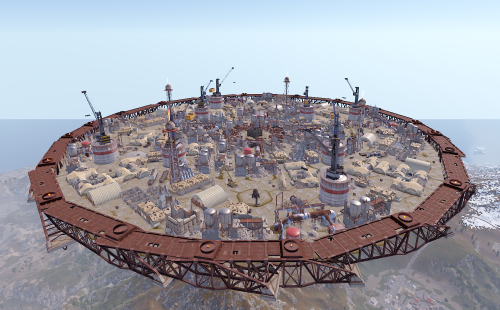
Description: This is an additional arena designed to be used with the SurvivalArena plugin. The arena is in an industrial/military wasteland setting, with ruined industrial buildings, pipelines and old military facilities. The addition of storage tanks and cranes gives additional opportunities for ranged combat. Installation: Simply drop the file into your oxide/data/SurvivalArena folder, then reload the plugin. Support: The arena is designed separately from the SurvivalArena plugin. All support and updates for the arena design/file itself will be handled by me$5.99 -
![More information about "[PayNow] Scientist-Template"](https://codefling.com/uploads/monthly_2024_08/scientist-template_Thumb.thumb.png.6056ed64e0270e983df410cf57cec043.png)
Version 1.0.2
18 downloads
Features You can simply download the free Scientist template and integrate it into your existing PayNow store. It is complete and contains all modules. Simply mark the upload as currently active and all your existing store entries will be seamlessly transferred. Join my Discord for more free templates plugins or other beneficial features Support Discord Install - Webstore -> Create Template: -> Name: Scientist-Template -> Compatibility Mode: None (PayNow) -> Click Create button - New Site: -> Click upload template button and add the .zip D O N E D E M O SEE A DEMO load, run, enjoy$10.99 -
Version 2.1.2
245 downloads
Premium 3x is a quick template to get a server up as soon as possible. All features you get with this server template: - Better Loot - Faster Airdrops - Clans Reborn - Faster Crafting - Automated Events - Higher Stack Sizes - Welcome Controller - Better Chat - Remover Tool - Dynamic Cup Share and Automatic Authorisation - QuickSmelt Smelt - No Escape (Raid / Combat Block) - Simple Splitter - NTeleportation / Home system - 3x Gather Rates - 50 Minute Day / 10 Minute Night - Level 1 BPs - Auto Broadcast and Scheduled Messages - Faster Airdrops - SkinBox - Permissions Manager - Vanish$14.99 -

Version 2.1.2
338 downloads
Premium 5x is a quick template to get a server up as soon as possible. All features you get with this server template: - Better Loot - Better No Workbench - Clans Reborn - Instant Crafting - Automated Events - Decently Higher Stack Sizes - Welcome Controller - Better Chat - Remover Tool - Dynamic Cup Share and Automatic Authorisation - Quick Smelt - No Escape (Raid / Combat Block) - Simple Splitter - NTeleportation / Home system - Always Bonus - 5x Gather Rates - Instant Barrels - Auto Broadcast and Scheduled Messages - Faster Airdrops - No Blueprints - Faster Recycler Speed - SkinBox - Always Day and TOD - Vanish - Permissions Manager$14.99 -

Version 2.1.2
428 downloads
Premium 10x is a quick template to get a server up as soon as possible. All features you get with this server template: - Better Loot - Better No Workbench - Clans Reborn - Instant Crafting - Automated Events - Much Higher Stack Sizes - Welcome Controller - Better Chat - Remover Tool - Dynamic Cup Share and Automatic Authorisation - QuickSmelt - Vanish - Permissions Manager - No Escape (Raid / Combat Block) - Simple Splitter - NTeleportation / Home system - Always Bonus - 10x Gather Rates - Instant Barrels - Auto Broadcast and Scheduled Messages - Faster Airdrops - No Blueprints - Faster Recycler Speed - SkinBox - Always Day and Time of Day$14.99 -
Version 2.1.2
409 downloads
Premium 2x is a quick template to get a server up as soon as possible. All features you get with this server template: - Better Loot - Faster Airdrops - Clans Reborn - Faster Crafting - Automated Events - Slightly Higher Stack Sizes - Welcome Controller - Better Chat - Remover Tool - Dynamic Cup Share and Automatic Authorisation - No Escape - Permissions Manager - Simple Splitter - NTeleportation / Home system - 2x Gather Rates - 40 Minute Day / 20 Minute Night - Level 1 BPs - Auto Broadcast and Scheduled Messages - Faster Airdrops - SkinBox - QuickSmelt - Vanish Join my support discord for more: here$14.99 -
Version 1.4.2
41 downloads
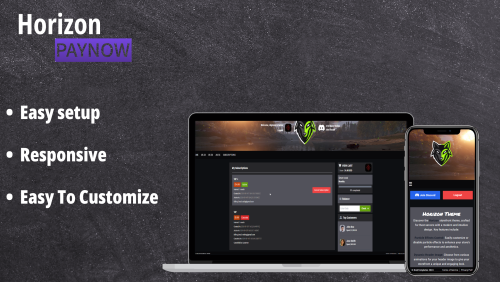
Features: Fully Responsive Design Seamlessly adapts to all screen sizes—desktop, tablet, and mobile—for a smooth shopping experience on any device. Toggleable FAQ Section Built-in FAQ section that can be easily enabled or disabled to suit your store’s needs. Customizable Color Scheme Quickly update the template’s colors to match your brand with minimal effort. Easy Setup: Go to your Paynow Webstore Dashboard. Create a new template file. Click "Upload Template” and drag in the Horizon.zip file. Activate the Horizon template. Reload your storefront after a few seconds to see it live. Live Preview: horizontemplate.paynow.store Logo Float Animation Logo Grow Animation Logo Drop Animation$10.00 -
Version 1.0.0
2 downloads
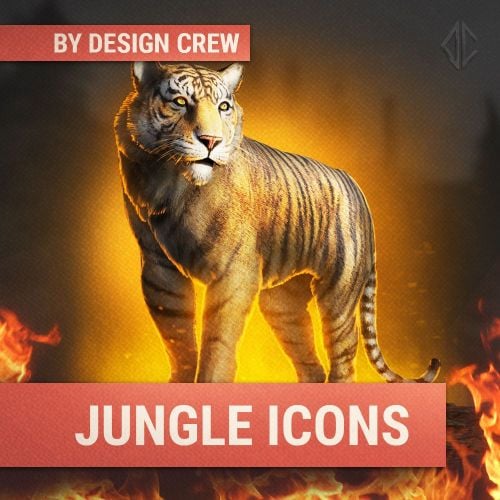
HELLO EVERYONE! WITH YOU DESIGN CREW! DESIGN STUDIO FOR RUST PROJECTS. we have prepared pack icons in jungle style They can be used in the store or on the server. Whats include? 5 png ICONS with text 5 png ICONS without text convenient text template COMPRESSED VERSIONS PSD Always choose quality!$5.00 -
Version 25.6.1968
170 downloads
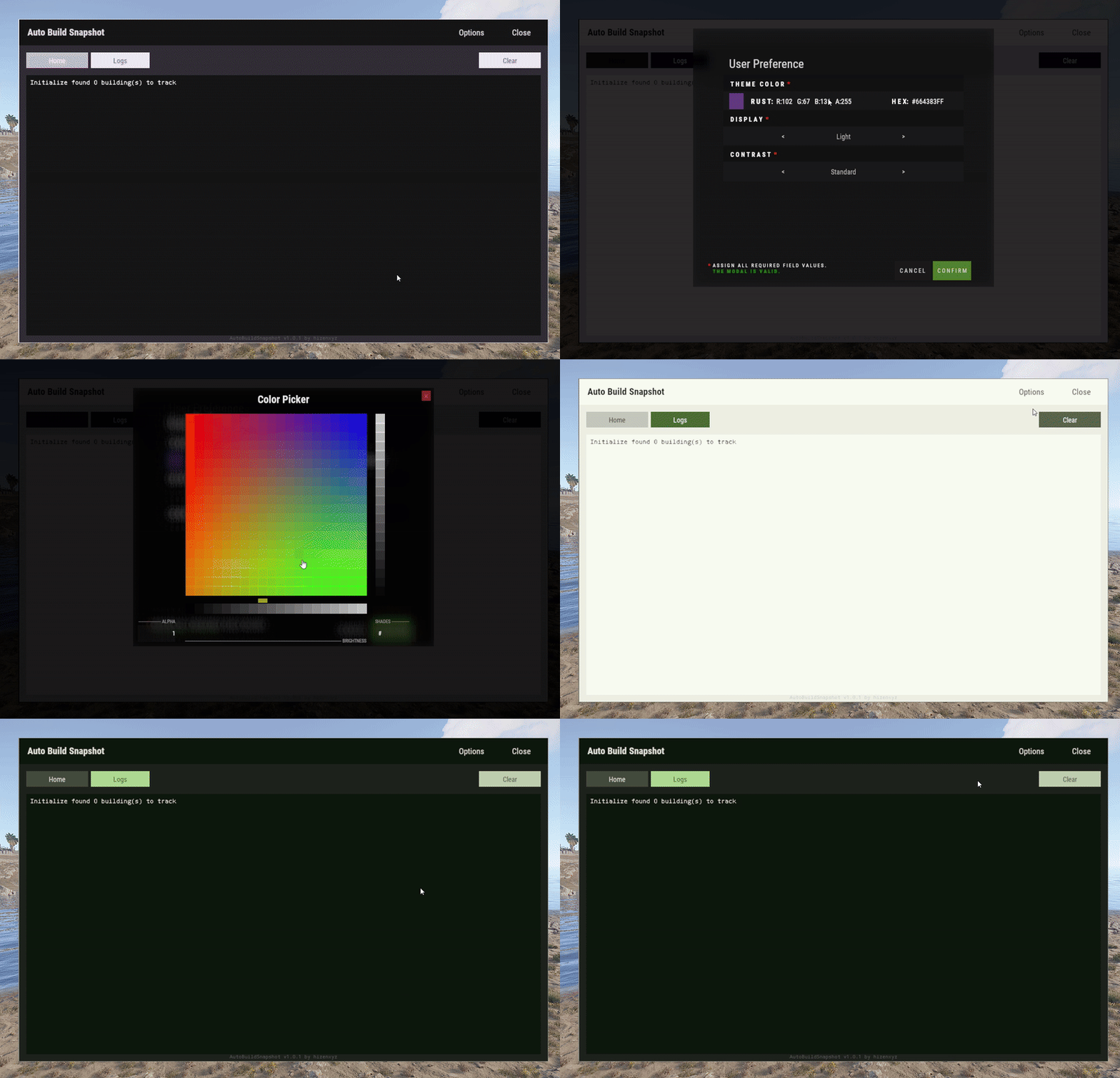
User Preference is an extension that enables plugin developers to provide a way for their users to customize their interface. Plugins can use this extension by placing a button in their application that calls the API to show the user interface options modal. Donations You won't get any extra colors, but if it makes you feel better!- Ko-fi: https://ko-fi.com/hizenxyz Note: If you want this to be optional, plugins should use the EXTENSION_USER_PREFERENCE region directive. See usage example below. Example 1 (optional dependency, recommended, using region directives): #if EXTENSION_USER_PREFERENCE using HizenLabs.Extensions.UserPreference.Data; #endif ... void Init() { #if EXTENSION_USER_PREFERENCE UserPreferenceData.SetDefaultTheme(this, MaterialTheme.CreateFromRgbHex("#FFFFFF", isDarkMode: true)); #endif } ... void ShowMenu(BasePlayer player) { #if EXTENSION_USER_PREFERENCE var userPreference = UserPreferenceData.Load(_instance, player); var theme = userPreference.Theme; string primary = theme.Primary; string onPrimary = theme.OnPrimary; var userPreferenceButton = CreateButton(cui, player, userPreference, container: headerButtons, position: new(optionsButtonX - .005f, 0, closeButtonX - .005f, 1), offset: LuiOffset.None, color: primary, textColor: primary, textKey: LangKeys.StringEmpty, commandName: nameof(CommandMenuSettings), fontSize: 14 ); #else string primary = "0.2 0.2 0.1 1"; string onPrimary = "0.9 0.9 0.9 1"; #endif // do ui stuff, using the defined color variables ... } #if EXTENSION_USER_PREFERENCE [ProtectedCommand(CommandPrefix + nameof(CommandMenuSettings))] private void CommandMenuSettings(BasePlayer player, string command, string[] args) { UserPreferenceUI.Show(this, player, onConfirm: () => UserInterface.ShowMenu(player)); } #endif For a complete example of how far you can take this, see the AutoBuildSnapshot implementation: https://github.com/HizenLabs/Plugins.Free/blob/main/src/Carbon.Plugins/Active/AutoBuildSnapshot/AutoBuildSnapshot.UserInterface.cs Example 2 (optional dependency, using PluginReference): [Info("Plugin Test", "hizenxyz", "1.0.0")] [Description("A plugin to test things.")] public class PluginTest : CarbonPlugin { [PluginReference("UserPreferencePlugin")] private CarbonPlugin userPreference; [ChatCommand("test")] private void TestCommand(BasePlayer player, string command, string[] args) { if (userPreference == null) { // Show the selection UI. userPreference.Call("Show", this, player, () => ShowConfirm(player)); } } private void ShowConfirm(BasePlayer player) { // Use the resulting values in the UI var primary = userPreference.Call<string>("GetPrimary", this, player); player.ChatMessage($"Primary: {primary}"); var secondary45Percent = userPreference.Call<string>("GetSecondary", this, player, 0.45f); player.ChatMessage($"Secondary (45% Opacity): {secondary45Percent}"); } } Example 3 (hard dependency): UserPreferenceUI.Show(this, player, onConfirm: () => Puts("Player clicked confirm!"); Example 3 continued in theme: var userPreference = UserPreferenceData.Load(this, player); var theme = userPreference.Theme; cui.v2.CreatePanel( container: parent, position: LuiPosition.MiddleCenter, offset: new(-450, -275, 450, 275), color: theme.SurfaceContainer ); cui.v2.CreateText( container: parent, position: LuiPosition.Top, offset: LuiOffset.None, color: theme.OnBackground, fontSize: 16, text: "Welcome!", alignment: TextAnchor.UpperCenter ); Themes (color palettes) are based on Material Design 3 (Material You) - https://material-foundation.github.io/material-theme-builder/ The user simply selects a color, a display mode (light/dark), and a contrast level, and a palette will be automatically generated off their selections. The available colors for use in theme are as follows: Primary Colors Primary OnPrimary PrimaryContainer OnPrimaryContainer InversePrimary Secondary Colors Secondary OnSecondary SecondaryContainer OnSecondaryContainer Tertiary Colors Tertiary OnTertiary TertiaryContainer OnTertiaryContainer Error Colors Error OnError ErrorContainer OnErrorContainer Surface & Background Surface SurfaceBright SurfaceContainerLowest SurfaceContainerLow SurfaceContainer SurfaceContainerHigh SurfaceContainerHighest SurfaceVariant OnSurface OnSurfaceVariant Background OnBackground InverseSurface InverseOnSurface Outline & Effects Outline OutlineVariant SurfaceTint Shadow Scrim Transparent (static 0 opacity black) You can either use these directly as properties of MaterialTheme, or all of these can be called from the plugin with userPref.Call<string>("Get[Option]") where [Option] is the color option above. It is recommended to use them directly and just use the #if EXTENSION_USER_PREFERENCE constant to toggle functionality.Free -
Version 1.2.0
79 downloads
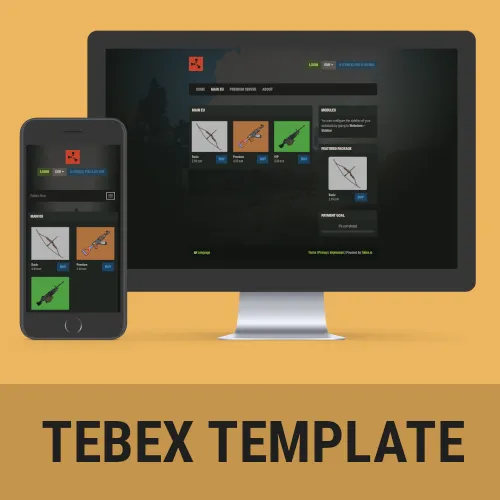
Rust Tebex Template – Outpost Stand out from the competition with this Rust-themed Tebex template! Features Rust Themed The template is heavily inspired by the Rust in-game UI, so people will instantly recognize what they’re used to. It is kept in a darkish style to stand out from all the other default-white templates out there! Fully Customizable Everything is directly integrated into Tebex. If you are already running a shop with them, it will integrate in a few minutes. If you are new to setting everything up do not worry – it is pretty straight forward! Comes with product images Product images make you stand out and allow to get attention from your players. The template comes with a few basic product images so you can focus on getting everything set up! Perfect addition to the Rust Website Template If you didn’t already know, I have published a Rust-themed website template before. Check it out over here. The Tebex template is heavily based on that, so if you plan to extend your existing website, try to give it a go! Requirements ! You need to have the paid Tebex Plus plan to be able to use custom themes! We do not refund payments if you don’t have the plan available. ! Installation Instructions Installation instructions can be found on our Discord Troubleshooting If you have any open questions or problems while setup, check out the troubleshoot guide on our Discord Contact and Support If you need additional assistance or got any open questions before purchasing, join us on Discord: https://promeus.io/discord$29.99 -
Version 1.4.0
67 downloads
Pre-configured Rust server package, designed to simplify the setup and management of your Rust server. Experience enhanced gameplay and streamlined administration with the following features: Easy setup: Our plug-and-play installation process saves you time and effort in configuring your Rust server. Balanced 3x server: Enjoy a well-balanced gameplay experience with 3x loot, gathering, and crafting speeds. Automated features: Permissions, group creation, and entity tracking are automated, eliminating manual setup. Random spawn points: Players are spawned randomly across the map, adding variety to each session. Teleportation convenience: Users can teleport to outpost and bandit camp locations, as well as to other players for easy coordination. Restricted teleportation: Teleportation is blocked if the player is raid blocked, under attack, or taking any damage, ensuring fair gameplay. Team authorization: Players in the same team are automatically authorized in all turrets, doors, and Tool cupboards. Enhanced looting and Loot Table: Discover a rewarding experience with improved loot containers and valuable resources. Access to Rust skins: Use the "/skin" command to access a wide range of Rust skins for customization. NO NEED TO BUY SKINBOX! Admin tools: Take control with features like radar for player detection and efficient management of gameplay such as vanish. Experience a streamlined and engaging Rust server experience with our pre-configured package, designed to save you time and provide endless hours of fun for you and your friends. Disclaimer: No need to set up any permissions/groups/etc. It will be done automatically. Specifications: This package is constantly updating with new feature as per buyers request and do not expect any sale on this package. PLUGINS ARE NOT INCLUDED, but this is what you will have as an idea: • Admin Tools • AutoModerator chat (Auto mute for saying naughty words) • Better Loot (3x Loot table) • Blueprints (T0 & T1 unlocked) • Crafting Controller (3x speed) • Smelting (3x speed and no burnt food) • Gather Manager (3x gather) • Kits (Auto kit) • Random Spawn locations • Automatic Authorization (Turrets, codelocks, TCs, etc.) • Teleportation (Outpost/Bandit/Player) • Block Teleportation (Cancels tps when takes damage or raid blocked) • Night (1 min long) • Extended Workbench (Can craft as far as 5 meters away from the base) • Furnace splitter (for everyone) • Trade (for everyone) • Skins (for everyone) (3000+ skins are pre-generated and NO need to buy skinbox) *Links to plugins are provided For any additional help write me back to: FlushedFiber8#6446$15.99 -
Version 2.0.0
125 downloads
Are you tired of spending countless hours setting up and configuring your Rust server? Look no further than my pre-configured Rust server package. With easy plug-and-play installation, you'll be up and running in no time, with a perfectly balanced 2x server that is sure to provide hours of fun for you and your friends including automatic permissions and group creation. You won't need to worry about giving any permissions or creating any groups - it will all be done for you automatically, without you having to lift a finger (or almost). What is this server about: My server configuration includes a range of features designed to enhance the gameplay experience. Upon respawn, players will be automatically granted a basic kit, making it easier to jump back into the action. Trading and teleportation between players and outposts/bandit camps has also been enabled, adding a new level of convenience to the game. Players can also access almost ALL rust SKINS with /skin command. Looting has been made much more rewarding with a perfectly balanced 2x loot table, ensuring that players won't regret looting monuments and other locations. Gathering resources has also been turned up to 2x, making it easier to acquire the materials you need to survive. Furnace and smelting speeds have been doubled, as has crafting speed, making it easier to create the items you need to stay ahead. In addition to these features, I've also implemented a furnace splitter to ensure resources are evenly distributed, and increased stack sizes by 2x to prevent the economy from being broken. All players will receive Tier 0 and 1 Blueprints, and junk has been removed from barrels and other containers, ensuring a smooth and streamlined gameplay experience. Lastly, my server configuration also offers admins the ability to track who placed each entity, making it easier to manage and monitor gameplay. For added convenience, a radar has also been enabled, allowing admins to quickly spot players and take action as necessary. Disclaimer: No need to set up any permissions/groups/etc. It will be done automatically. Specifications: This package is constantly updating with new feature as per buyers request and do not expect any sale on this package. PLUGINS ARE NOT INCLUDED, but this is what you will have as an idea: • Admin Tools • AutoModerator chat (Auto mute for saying naughty words) • Better Loot (2x Loot table) • Blueprints (T0 & T1 unlocked) • Crafting Controller (2x speed) • Smelting (2x speed and no burnt food) • Gather Manager (2x gather) • Kits (Auto kit) • Teleportation (Outpost/Bandit/Player) • Night (1 min long) • Extended Workbench (Can craft as far as 5 meters away from the base) • Furnace splitter (for everyone) • Trade (for everyone) • Skins (for everyone) (3000+ skins are pre-generated and NO need to buy skinbox) *Links to plugins are provided For any additional help write me back to: FlushedFiber8#6446$15.99 -
Version 1.4.0
55 downloads
We understand the complexities of server management and have designed a package that not only caters to players but also streamlines your admin experience, giving you more time to focus on building a thriving community. Experience enhanced gameplay and streamlined administration with the following features: Effortless Implementation: Say goodbye to the hassle of manual setup – your server will be fully configured with all the necessary commands automatically in no time! A simple drag and drop is all it takes to fully set up your server, ready to roll with a suite of optimized commands. Optimized Balancing: We know the importance of balance in attracting and retaining players. Our 5x server is equipped with a carefully tuned custom loot table that ensures exciting challenges and rewarding gameplay for your community. Time-Efficient Gameplay: Time is precious, and our server respects that. With 5x crafting, recycling, and resource gathering speeds, you're offering your players a fast-paced Rust experience that keeps them engaged and motivated to progress. Strategic Engagement: Differentiate your server with strategic spawning. Our random spawn points place players near valuable monuments, adding a layer of tactical depth to their adventures. Admin Empowerment: As a server owner, your administrative tasks are simplified. Players automatically gain authorization for essential elements like auto turrets, doors, and Tool Cupboards. Blueprint sharing is effortless, and auto code locks enhance the user experience. Unique Player Expression: We value player individuality. With the "/skin" command, your users can flaunt their personal style by applying Rust skins to their items, fostering a sense of ownership and identity. NO NEED TO BUY SKINBOX! Efficient Moderation: Administering your server is a breeze with our integrated admin tools. Vanish and radar functionalities help you ensure fair play and address issues promptly, maintaining a healthy gaming environment. Seamless Trading: Nurture a thriving economy within your community using the "/trade" command. Players can effortlessly trade resources, strengthening bonds and enhancing the overall experience. 24/7 Daylight: Eliminate the challenges of nighttime gameplay with perpetual daylight. Your players can explore, engage, and strategize without the hindrance of darkness. Enhanced Communication: Foster a positive community atmosphere with our auto-moderator chat. Inappropriate language is automatically filtered, promoting respectful interactions among players. Elevate your server ownership journey today! Our pre-configured server solution empowers you with the tools to provide an immersive, balanced, and feature-rich Rust experience for your community. Leave the technicalities to us and focus on what truly matters – cultivating a thriving gaming haven that players will call home. Your server's potential starts here! Disclaimer: No need to set up any permissions/groups/etc. It will be done automatically. Specifications: This package is constantly updating with new feature as per buyers request and do not expect any sale on this package. *Links to plugins are provided from where you can download them PLUGINS ARE NOT INCLUDED, but this is what you will have as an idea: • Admin Tools • AutoModerator chat (Auto mute for saying naughty words) • Shared Blueprints (For team) • Better Loot (5x Loot table) • Blueprints (T0 & T1 unlocked) • Crafting Controller (5x speed) • Smelting (5x speed and no burnt food) • Gather Manager (5x gather) • Kits (Auto kit) • Random Spawn locations • Automatic Authorization (Turrets, codelocks, TCs, etc.) • Teleportation (Outpost/Bandit/Player) • Block Teleportation (Cancels tps when takes damage or raid blocked) • Always Day • Automatic code locks • Extended Workbench (Can craft as far as 5 meters away from the base) • Furnace splitter (for everyone) • Trade (for everyone) • Skins (for everyone) (3000+ skins are pre-generated and NO need to buy skinbox) *Links to plugins are provided For any additional help write me back to: FlushedFiber8#6446$15.99 -
Version 1.0.0
13 downloads
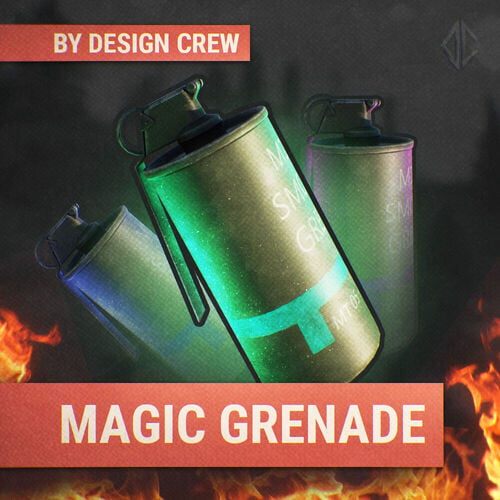
With this template you can make your own unique icons for grenades. All effects are set up automatically! To work, you will need the new version of ADOBE PHOTOSHOP.$3.00 -
Version 1.1.1
383 downloads
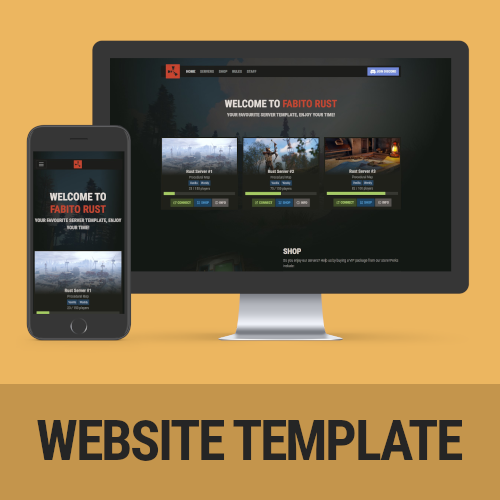
A feature-packed, fully customizable Rust server template that comes ready to go out of the box! Features include mobile responsiveness, server auto-discovery, and compatibility with the outpost Tebex theme! Features Rust Themed - The template is heavily inspired by the Rust in-game UI, so people will instantly recognize what they’re used to. It is kept in a darkish style to stand out from all the other default-white templates out there! Server Auto-Discovery - No need to manually add server information anymore. The inbuilt auto-discovery automatically updates your server information every 10 minutes and caches it (for website performance). It is automatically connecting information about the map, the player amount, server name, your banner, the description, and the tags used in game. All you have to do is add your IP + Ports to the config file! Fully Customizable - The template was developed with non-developer server owners in mind. Even if you have no idea about web development you can easily edit the most important parts of the template. This includes the links in the navigation, the servers (via auto-discovery), rules, and your social links. All from a single configuration file! Mobile Responsve & Extremely Fast - The template doesn’t only look good on the desktop. If you have someone checking out your site from a mobile phone, rest assured, it is mobile-ready! In addition to that, it has extremely fast loading times. Your site will not take longer than 200ms to load, once the server information is cached. Comes ready to use - The rust server website template comes with example values in the configuration file, including a basic ruleset. Setting up your website will not take longer than 15 minutes! Compatible with the Tebex Rust Output template! - If you do not run your own shop, do not wait! This template looks amazing in combination with the Tebex Outpost Theme, which I made as well. Thats the perfect combo of both Shop and Content! Demo https://dev.fabito.net/rust-template Webspace Requirements You can see all the requirements on our Discord Recommended Webhoster If you are not with a hosting company yet, I recommend using Hetzner (https://www.hetzner.com/webhosting). They offer great and cheap hosting with all the requirements. You can go with their cheapest plan without an issue. Buy the website, edit the config.php, get the FTP information from their cotnrol panel, upload all the files (on Hetzner: into the public_html folder, delete any existing files in that folder) – now you’re ready to go! Installation Instructions Installation instructions can be found on our Discord Troubleshooting Additional information and help to troubleshoot issues can be found on our Discord Contact and Support If you need additional assistance or got any open questions before purchasing, join us on our Discord: https://promeus.io/discord$29.99 -
Version 1.1.4
3 downloads
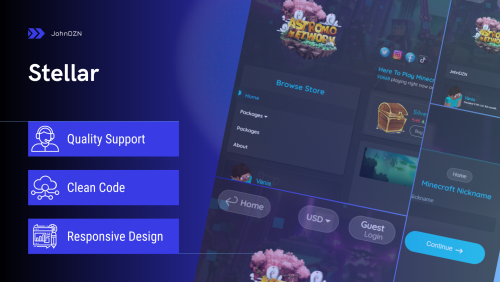
DEFAULT THEME RED THEME PREVIEW CmhAdmin Shop Holomount Lmcc-Pulse-Service You can customize the template to your liking. For example: WINTER STYLE Contact Us for Support More MEDIA:$19.99