Search the Community
Showing results for tags 'text'.
Found 8 results
-
Version 1.0.0
7 downloads
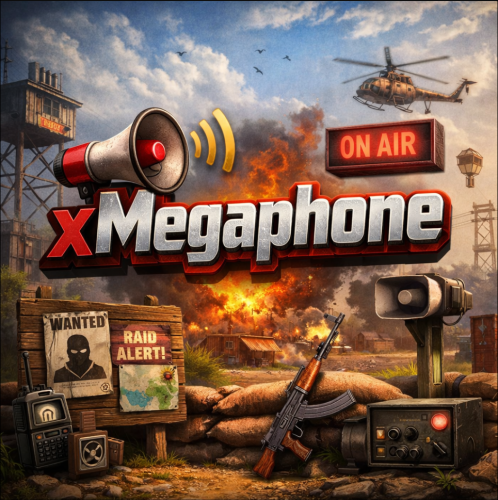
xMegaphone xMegaphone is a powerful megaphone broadcast system for Rust servers that allows players and/or admins to submit custom announcements through an intuitive UI. Messages can be displayed globally as either animated sliding text or clean static text, making it perfect for announcements, events, advertisements, community communication or even selling megaphones to your players for real money. The plugin is optimized for performance and designed to run smoothly on most servers. For maximum flexibility, you can choose between two display modes depending on your server’s needs: Type 0 - Sliding Text: Eye-catching animated ticker that scrolls across the screen. Type 1 - Static Text: Performance-friendly message displayed in the center without animation (recommended for very high population servers). This allows you to balance visual impact and performance with a simple configuration change. ■ Inspired by the classic megaphone system from the game "Combat Arms" (when it wasn't dead lol), bringing that nostalgic broadcast experience to your server. Plugin Preview Permission xmegaphone.use - Needed to use the /xmp command xmegaphone.admin - Needed to use admin commands </> Chat Commands (Players) /xmp - Opens the xMegaphone UI ⌨ Chat/Console Commands (Admins) /xmp - Opens the xMegaphone UI /xmp give <steamId|partialName> <amount> - Adds megaphone uses to a player. /xmp set <steamId|partialName> <amount> - Sets a player’s megaphone uses to an exact number. /xmp reset <steamId|partialName> - Resets a player’s uses back to your configured StartingMegaphoneUses value. Config { "Uses": { "StartingMegaphoneUses": 0 }, "Message": { "MaxLength": 80 }, "Ticker": { "MegaphoneType": 0, "DurationSecondsType0": 20.0, "DurationSecondsType1": 8.0, "FontSize": 18, "ShowSender": true, "PrefixText": "[MEGAPHONE]", "PrefixColor": "#cffc03", "SenderColor": "#75ff9a", "TextColor": "#ffffff" } } ^ "StartingMegaphoneUses" = How many megaphones a player receives when added to datafile for first time.$9.99 -
Version 1.0.0
26 downloads
Display's a customizable, holographic text messages in-game. Key Features Dynamic Proximity-Based Messages: Create immersive experiences with text that appears and changes based on player proximity. Real-Time Text Manipulation: Instantly add or update holographic texts in-game, allowing for dynamic communication. Complete Customization: Tailor text content, refresh rates, visibility distances, and positions to create unique and engaging scenarios. Efficient Performance: Optimized to ensure minimal impact on server load, maintaining smooth gameplay even in high-action moments. Intuitive Command Interface: Simple and easy-to-use chat commands for adding and updating holographic texts. API: Easy to use API, which allows other plugins to automatically create and update holographic texts. Commands and Permission /AddHolo <name> <refresh> <distance> <"Text Displayed"> - Quickly set up new holographic texts at your location. /UpdateHolo <name> <"New Text"> - Effortlessly modify existing holographic texts. holotext.admin - allows player to use the commands. Config { "Holo Texts": [ { "Name": "first", "Refresh": 1, "Distance": 25, "Text": "Hello this is a rock!", "Position": { "x": -1903, "y": 12, "z": -605 } } ] } API (for developers) void AddHoloText(string name, string text, float refresh, float distance, Vector3 position) void UpdateHoloText(string name, string newText) Support and More Checkout my discord server here.$7.99 -
(1).thumb.gif.3621bf913311ac348587437f75a3cf0e.gif)
Version 0.0.5
36 downloads
FloatingHits – World-Space Hit Indicators. Now hits will be displayed in 3D space, rather than just on the screen. Configuration: { "Default hit": "<b> <size=25> <color=yellow> %DAMAGE% </color> </size> </b>", "Headshot": "<b> <size=25> <color=red> %DAMAGE% </color> </size> </b>", "Wounded": "<b> <size=25> <color=red> Fell! </color> </size> </b>", "Dead": "<b> <size=30> <color=red> Dead! </color> </size> </b>", "Maximum distance for drawing a hit (0 = endless)": 100, "Show hit if hitted npc": true, "Show hit if hitted animal": false }$5.00 -
Version 1.0.0
249 downloads
This file is very simple and compact. All it is meant to do is to block things that you do not want to be sent in your Discord. It's pre-built to not allow the new Discord bold text to be sent by non authorized users. However, you can keep those settings, or add more words or special things for it to block. FEATURES - Deletes unwanted messages / special formatting from your discord - Has a whitelist so selected roles are allowed to send blacklisted things - Checks edited messages to make sure people are not trying to bypass the filter - All deleted messages can be logged if you choose SIMPLE INSTALL The file includes a setup guide within it, everything is quite simple and won't take much time to get up and running. Need support or want updates about what is coming to the bot? Join the support discord here https://discord.gg/RVePam7pd7Free -

Version V01
3 downloads
Includes 3 variants - Green - Black - Brown All letters have been exported as individual prefabs with sockets on all sides so they can easily be snapped together when used. Prefabs can also be broken apart and the colors altered with the replace tool within Rust Edit. For any issues please Reach out to me on Discord: potato_sheep$5.00 -
Version v01
23 downloads
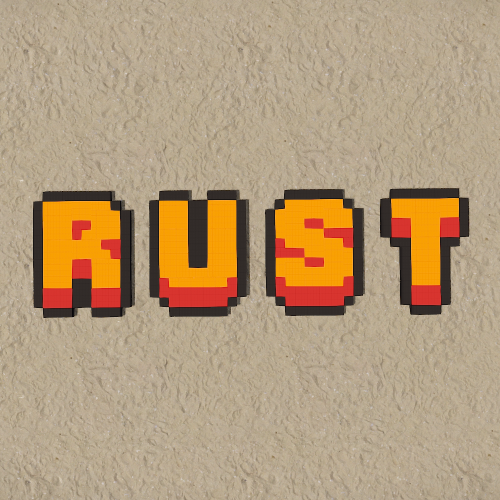
Includes 3 variants. Red Orange [RO] Blue Purple [BP] Grey Grey [GG] All letters have been exported as individual prefabs with sockets on all sides so they can easily be snapped together when used. Prefabs can also be broken apart and the colors altered with the replace tool within Rust Edit. For any issues please Reach out to me on Discord: potato_sheep$5.00 -

Version V01
9 downloads
Includes 3 variants - White - Black - Brown All letters have been exported as individual prefabs with sockets on all sides so they can easily be snapped together when used. Prefabs can also be broken apart and the colors altered with the replace tool within Rust Edit. For any issues please Reach out to me on Discord: potato_sheep$5.00 -
Version v01
29 downloads
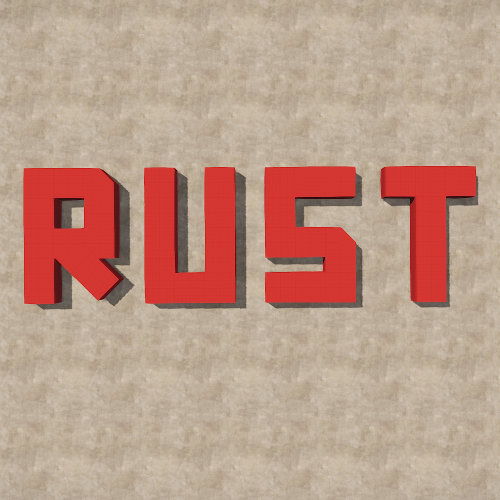
Introducing the Soviet Font Pack! A-Z, 0-9 and Cyrillic alphabet. Includes 3 variants. Red Black White All letters have been exported as individual prefabs with sockets on all sides so they can easily be snapped together when used. Prefabs can also be broken apart and the colors altered with the replace tool within Rust Edit. Included in the pack is a demo of a sign where the letters have been made into concreate. For any issues please Reach out to me on Discord: potato_sheep$5.00
.thumb.png.f676fcb4237b0d630285499251bcf88e.png)