Search the Community
Showing results for tags 'wallpaper'.
Found 11 results
-
Version 1.6.2
6,955 downloads
Fed up with the need to use multiple addons on my server for functions that players could execute from within the game, and considering the constant increase of new Skins for builds, I found myself dissatisfied with the limited supply of automatic upgrades on the market. For this reason, I have reworked the most used TC-related features on my server into a single plugin, which has been enriched with ideas contributed by players and other Rust administrators. All this under an attractive graphical interface, inspired by the item store of the game itself. Video Update 1.5.0 Video Update 1.4.9 Video Update 1.4.0 Old Video Features AUTOMATIC CONSTRUCTION SKINS With BetterTC your players will be able to improve their builds to any level of improvement, but they will also be able to choose their favorite Skin (if you enable it) completely free of charge or offering it to the VIPS on your server. Update system: I have added a small system that checks for new skins to automatically add them to the configuration. When you install the plugin for the first time and once you obtain permission from bettertc.admin, you must click on "Check Update" so that it performs an internal check and adds all the skins and options that exist to date. LIST OF AUTHORIZED PLAYERS It allows players or simply the rest of the Staff to easily see which players are authorized in the locker. Except for the administrators themselves, if you activate it in the config. (I don't think any player needs to know that the admin was authorized in their locker to check something) You can also allow authorizations to be deleted individually. AUTOMATIC IMPROVEMENT SYSTEM Allows your players to upgrade the grade of their bases automatically by obtaining resources directly from the TC. As long as they don't have RaidBlock (if you use NoEscape/RaidBlock plugin of course). You can configure different speed levels and costs depending on the player's permission from the plugin's own settings. That is, you can have players improve a building every 5 seconds for free and VIPs can improve every 2 or 1... Use your imagination! In addition, you can also calculate the cost of materials that will be required to carry out said improvement by clicking on the info button. A new setting has been added to disable the Container skin's multi-color option. Disabling this option, which is enabled by default, will slightly improve frame rates in builds using this skin: Fewer colors = Better performance (FPS Client). AUTOMATIC RESKIN OF EXTERNAL WALLS The plugin also includes an automatic reskin system for external walls. Previously, it was only compatible with standard stone external walls and their adobe variant. Now, it also includes the ability to switch wooden walls to Frontier and vice versa. Ice walls have also been added as a variant for stone. If you place regular stone external walls (the usual ones), you can change their appearance to adobe or ice by clicking on the corresponding wall icon. When changing the skin, the original wall's health will be preserved, so if it’s damaged, it won’t be fully restored. This prevents players from abusing the system. Important: I recommend using the system for external walls as an appearance modification system, not as an upgrade system. In other words, with the following configuration: "Only reskin on wall of the same grade": true If you disable this parameter, you will be able to change from wood to stone, or vice versa, completely free of charge. Since the wall system doesn’t have a cost mechanism for players, I recommend keeping this option enabled. AUTOMATIC REPAIR SYSTEM Allows your players to repair their bases automatically by obtaining resources directly from the TC. As long as they don't have RaidBlock (if you use NoEscape of course). Now since version 1.4.0 it will also repair damaged objects such as doors, trapdoors, windows, boxes! With configurable cooling system to prevent repair abuse during raids. ("Repair Cooldown After Recent Damage (seconds)": 30.0) AUTOMATIC CONSTRUCTION DEGRADATION It allows players to regret upgrading their huge base to metal and not being able to afford it anymore. Of course, it will charge them resources as if they improved it from 0. However, if you do not want to allow downgrade you can disable it from the config. AUTOMATIC WALLPAPER PLACEMENT Allows your players to place any available wallpaper in the game automatically based on the building type. Support for wallpapers on walls, ceilings, and floors. Wallpapers are always kept up-to-date automatically. So if FacePunch adds new wallpapers, they will be instantly added to the list. You'll also enjoy my exclusive wallpapers. Since update 1.5.0, you can also add and remove custom wallpapers with the following commands. Chat Command: Usage: /addwp <skinid> <Wall|Floor|Ceiling>, Example: /addwp 3356517390 Wall, Usage: /wpb (It allows you to place wallpapers on boats. To do this, you must first sit at the boat’s steering wheel.) Console Command: Usage: addwp <skinid> <Wall|Floor|Ceiling>, Example: addwp 3356517390 Wall I've added a new parameter to the config: "Wallpaper Damage": true Setting this parameter to false prevents wallpapers from being broken in melee or with ammunition. However, you can still break them with C4 or missiles. Blocking damage completely is more complex and, in my opinion, unnecessary. In addition, with BetterTC you can place wallpapers on both sides of the walls, even if they are on the outside of the building, as it includes an option in the configuration to force this placement. TC SKINS Give your players the ability to change the appearance of their TC. ALLOWS TO SAVE OLD ITEMS A new configuration option has been added to allow saving items back to the TC. "Allow items in TC inventory": { "gunpowder": false, "sulfur": false, "sulfur.ore": false, "explosives": false, "diesel_barrel": false, "cctv.camera": false, "targeting.computer": false } CONSTRUCTION EFFECTS Allows players to disable auto-build buff effects and reduces headaches.However, if you do not want to allow them to disable this, you can disable it from the config. BETTER GUI The plugin's interface has been programmed so that it maintains its size regardless of the interface scaling settings of each player. It has also been taken into account that perhaps not everyone wants to enable all options for their players. Therefore, the buttons that appear at the top of the TC have been programmed so that if a player does not have permission for a specific function, instead of leaving the space empty, the buttons adapt their position automatically. The player list GUI and construction SKINS have also been prepared with a pagination system if necessary. 95% of the images used in the plugin are loaded directly from the client side, thus optimizing the loading and rendering of the interface and reducing the use of Image Library. Carbon Image Module support. If your server is running Carbon instead of Oxide, it will now use the built-in module instead of the Image Library. Permissions bettertc.admin Exclusive for Admin. It allows you to check if there are new skins to add. You will not appear in the list of authorized players if the option in the settings is activated. bettertc.authlist Shows a button at the top of the TC to check which players are authorized. bettertc.deleteauth Allows you to individually revoke an authorized player. You can give this permission to players if you want them to be able to delete individually. bettertc.use It is the basic degree of use found in the configuration. bettertc.vip It is the level of use for advanced that is found in the configuration. Depending on how you configure it, it makes players with this permission improve/repair/change skin faster. Or it simply costs them less resources. bettertc.repair Displays a button on top of the TC to repair the build automatically. bettertc.repair.nocost No explanation needed I think. (USE WITH CAUTION) bettertc.reskin Allows players to change the skin of their build automatically. Imagine one day you upgrade your entire foundation to container and the next day you regret losing FPS and would like to leave it on normal metal. bettertc.reskin.nocost No explanation needed I think. bettertc.updefault Shows players the default upgrade options. Without SKINS. bettertc.upskin Show players upgrade options with SKINS. bettertc.upwall Allows players to change the skin of external walls. bettertc.upgrade Permission to evade blocking of all items. bettertc.upgrade.nocost No explanation needed I think. (USE WITH CAUTION) bettertc.wallpaper Allows players to place Wallpaper. bettertc.wallpaper.nocost No explanation needed I think. (USE WITH CAUTION) bettertc.wallpaper.custom Display custom wallpapers to players with this permission. bettertc.tcskinchange Allows players to change the TC skin. bettertc.tcskindeployed Allows players to place TC with Skin. Commands Chat Command: Usage: /addwp <skinid> <Wall|Floor|Ceiling>, Example: /addwp 3356517390 Wall, Console Command: Usage: addwp <skinid> <Wall|Floor|Ceiling>, Example: addwp 3356517390 Wall Configuration DEFAULT CONFIGURATION { "Check for updates when loading": true, "Bypass DLC ownership check (⚠ only allowed on creative/test servers per Facepunch rules)": false, "Use NoEscape Plugin": false, "Use RaidBlock Plugin": true, "GUI Buttons TC - Color Default": "0.3 0.40 0.3 0.60", "GUI Buttons TC - Color Active": "0.90 0.20 0.20 0.50", "GUI Buttons TC - OffsetMin": "280 621", "GUI Buttons TC - OffsetMax": "573 643", "GUI Buttons TC - AnchorMin": "0.5 0", "GUI Buttons TC - AnchorMax": "0.5 0", "Alert Gametip": true, "Alert Chat": true, "Alert Notify Plugin": false, "Notify: select what notification type to be used": { "error": 0, "info": 0 }, "Color Prefix Chat": "#f74d31", "Show Admin Auth List": false, "Show SteamID Auth List": true, "Upgrade Effect": true, "Colour Selection MultiColor Option": false, "Reskin Enable": true, "Reskin Wall Enable": true, "Only reskin on wall of the same grade": true, "Reskin Wall TC Distance (Default: 100)": 100.0, "Deployables Repair": true, "Repair Cooldown After Recent Damage (seconds)": 30.0, "Downgrade Enable": true, "Downgrade only Owner Entity Build": false, "Upgrade only Owner Entity Build": false, "Upgrade / Downgrade only Owner and Team": true, "Wallpaper Enable": true, "Wallpaper placement Cost (Cloth)": 5, "Wallpaper Damage": true, "Wallpaper both sides": true, "Force both sides including external sides": true, "Cooldown Frequency Upgrade (larger number is slower)": { "bettertc.use": 2.0, "bettertc.vip": 1.0 }, "Cooldown Frequency Reskin (larger number is slower)": { "bettertc.use": 2.0, "bettertc.vip": 1.0 }, "Cooldown Frequency Repair (larger number is slower)": { "bettertc.use": 2.0, "bettertc.vip": 1.0 }, "Cooldown Frequency Wallpaper (larger number is slower)": { "bettertc.use": 2.0, "bettertc.vip": 1.0 }, "Cost Modifier for repairs": { "bettertc.use": 1.5, "bettertc.vip": 1.0 }, "Allow Items in TC Inventory": { "gunpowder": false, "sulfur": false, "sulfur.ore": false, "explosives": false, "diesel_barrel": true, "cctv.camera": true, "targeting.computer": true }, ... ] } Bonus KNOWN ISSUES Random spawn of default (blue) wallpapers in constructions. If this happens on your server, it's likely because you have the TruePVE plugin or a similar one installed. Make sure to disable the configuration option that protects wallpaper damage in that plugin. Instead, enable wallpaper damage protection in BetterTC. While it won't prevent 100% of the damage to wallpapers, it will significantly reduce it—especially from melee weapons. For any problem, doubt, suggestion or assistance do not hesitate to contact me by Discord ninco90#6219 If you need me to configure everything from scratch, according to your tastes, for your server I can also do it for an additional fee. Although you should be able to configure everything yourself$30.00- 419 comments
- 29 reviews
-
- 14
-

-

-
- #builder
- #automation
- (and 9 more)
-

Version 1.2.3
829 downloads
BoatControl is a Rust server plugin that completely enhances boat handling. When taking the helm, a user-friendly CUI interface appears, allowing players to raise/lower sails and anchors, start/stop engines, and switch navigation direction forward or backward. The plugin also supports automatic reloading when the player has ammunition, cannon firing with configurable cooldown (or bypass via permission), and toggling all torches and lanterns without fuel consumption. Additionally, players can control navigation using W/S and fire cannons with the left mouse click. Want to try it before you buy it? You can try it by accessing the Staging server: connect staging.rustspain.com (provided the server is online, as it's my test server). Video Update 1.0.0 Features Displays a CUI interface when taking the helm that allows you to: Raise / lower sails. Raise / lower anchors. Turn engines on / off. Change the navigation direction forward / backward (engines and sails reverse accordingly). Reload (if the player has ammunition in their inventory, with a permission to bypass this). Fire cannons with a cooldown (or without it if you have the bypass permission). Turn all torches and lamps on/off (In the settings you can decide whether you want them to consume fuel or not). Allows enabling boat editing anywhere. Blocks edit mode within safe zones. Blocks the ability to activate the anchor within safe zones. Allows you to view the list of authorized players (similar to BetterTC). Sail Configuration System: Displays a window similar to the config menu showing all sails placed on the boat. Each sail shows its health amount below it. Added a button that allows upgrading sails by levels (thrust power). Everything is configurable, including upgrade costs (in-game resources, RP, or Economy). This allows admins to add as many levels as they want in the config. Engine Configuration System: Displays a window similar to the config menu showing all engines placed on the boat. Each engine shows its fuel amount and health below it. Added the ability to refuel engines using fuel from the player’s inventory. Added another button that allows upgrading engines by levels (fuel efficiency and engine power). Everything is configurable, including upgrade costs (in-game resources, RP, or Economy). This allows admins to add as many levels as they want in the config. Important: There is a maximum speed limit in the game. I have been testing ways to increase the speed, but I still need to continue researching and testing to find the best way to increase it. Automatic repair system: If damage is received during repair, it will stop. If the player runs out of materials in their inventory, it will stop. If the player disconnects, it will also stop. Note: The boat health system is unusual and does not work like a normal building, so the system simulates repairs at different points on the boat depending on the percentage of health lost. That is why you will not hear the actual damaged entity being repaired. BetterTC Integration: If you have BetterTC installed with version 1.6.2 or higher, the automatic Wallpaper placement system will be enabled. Facepunch will add wallpaper support for Boats starting in March; you can test it meanwhile on staging. You can also change the navigation direction using the W and S keys, and fire the cannons with the left mouse click. I'm open to further improving this plugin over time. If you'd like to see any features integrated, please mention them in the discussion section. Ideas I've tried but haven't been able to implement: Modifying the build area (net size) to make it larger. It doesn't seem possible to change this. Making the engines work without fuel consumption. I managed to do this in an initial test, but then FacePunch changed something and it's no longer possible. I'll try to see if I can adjust fuel consumption to make it more economical. The maximum number of engines and sails cannot be increased. Or at least not easily; it could be done with commands and strange contraptions, but it wouldn't be entirely convenient. Permissions boatcontrol.use – Enables the functionality for the player when mounting the boat’s helm. boatcontrol.bypassammo – Allows you to fire cannons without using real ammunition from your inventory. Free ammo! (not recommended to give to regular players) boatcontrol.bypasscannoncooldown – Allows you to fire cannons with no cooldown. Maximum bombardment! boatcontrol.edit allows enabling boat editing anywhere. boatcontrol.cannonuse If the player doesn’t have it enabled, the option to control cannons won’t appear in the interface. Not having this permission will not block manual/vanilla use. boatcontrol.authlist Shows the list of players authorized to the Boat, similar to BetterTC. boatcontrol.deleteauth Allows authorized players to remove player permissions individually. boatcontrol.sailconfig Allows players to open and manage the Sail Configuration menu for boats. boatcontrol.sailupgrade Allows players to upgrade sails (thrust power) according to the configured upgrade levels. boatcontrol.engineconfig Allows players to open and manage the Engine Configuration menu for boats. boatcontrol.engineupgrade Allows players to upgrade engines (fuel efficiency and engine power) according to the configured upgrade levels. boatcontrol.wallpaper Allows players to use the wallpaper placement system on boats. (Requires BetterTC version 1.6.2 or higher.) boatcontrol.repair Allows players to use the automatic boat repair system. boatcontrol.repair.nocost Allows players to repair boats without consuming materials Dynamic repair permissions (speed adjustment) Allows admins to grant specific permissions defined in the config to adjust boat speed limits. Commands It currently has no chat or console commands. Configuration DEFAULT CONFIGURATION { "Enable WASD Direction": true, "Enable Cannon Fire Key (Left Mouse Button)": true, "Cannon Aim Step (degrees per click)": 5.0, "Cannon Fire Cooldown": 5.0, "Cannon Crew": { "Enable": true, "Names": [ "Seaman", "Deckhand", "Bosun", "Gunner", "Quartermaster", "Navigator", "Sailor", "Crewman", "Mate", "Boatswain", "Cannoneer", "Buccaneer", "Mariner", "Sea Dog", "Old Salt" ], "Health": 100.0, "MaxCannons": 0, "Wear": { "burlap.shirt": 1380044819, "burlap.trousers": 1380047706, "burlap.shoes": 2215057317, "hat.boonie": 965553937 }, "RequireOperate": true, "ToggleCrewCooldown": 30.0, "NoCorpse": true }, "Lights": { "Enable Light Toggle Key (R)": true, "Light Toggle Cooldown": 1.0, "Require Fuel For Lights": false, "Light Items (shortnames)": [ "tunalight", "lantern", "torchholder", "largecandles", "smallcandles", "jackolantern.angry", "jackolantern.happy", "chineselantern", "chineselanternwhite" ] }, "Impact Force Physics": { "Enable Impact Physics": true, "Impact Force (default: 100, range: 50-500)": 100.0, "Enable Debug Logging": false }, "Alert Chat": true, "Alert Notify Plugin": false, "Notify: select what notification type to be used": { "error": 0, "info": 0 }, "Color Prefix Chat": "#f74d31", "GUI": { "GUI Windows Belt": { "BG Color Primary": "0.10 0.15 0.10 1", "BG Color Secundary": "0.2 0.30 0.2 0.80", "Button Active Color": "0.2 0.6 0.2 0.80", "Button Inactive Color": "0.2 0.30 0.2 0.80", "OffsetMin": "-200 15", "OffsetMax": "181 79", "AnchorMin": "0.5 0", "AnchorMax": "0.5 0" }, "GUI Windows Info": { "BG Color Primary": "0.10 0.10 0.10 0.8", "BG Color Secundary": "0.2 0.30 0.2 0.80", "Button Active Color": "0.2 0.6 0.2 0.80", "Button Inactive Color": "0.2 0.30 0.2 0.80", "OffsetMin": "-115 -100", "OffsetMax": "115 100", "AnchorMin": "0.902 0.8104", "AnchorMax": "0.902 0.8104" }, "GUI Windows Cannons Menu": { "BG Color Primary": "0.10 0.15 0.10 1", "BG Color Secundary": "0.2 0.30 0.2 0.80", "Button Active Color": "0.2 0.6 0.2 0.80", "Button Inactive Color": "0.2 0.30 0.2 0.80", "OffsetMin": "-140 85", "OffsetMax": "140 185", "AnchorMin": "0.5 0", "AnchorMax": "0.5 0" } }, "Show Info Window": true, "Boat Edit Damage Cooldown (seconds)": 30.0, "Block Anchor in Safe Zone": true, "Block Boat Edit in Safe Zone": true, "Config Version": "1.2.0", "Repair Cooldown After Recent Damage (seconds)": 30.0, "Cooldown Frequency Repair (larger number is slower)": { "boatcontrol.use": 2.0, "boatcontrol.vip": 1.0 }, "Repair Costs (ItemShortName: Amount per block/component)": { "lowgradefuel": 4, "wood": 75 }, "Engine Upgrades": { "Enable Engine Upgrades": true, "Upgrade Levels": [ { "Level": 1, "Display Name": "Tier 1", "Fuel Efficiency Multiplier (1.0 = normal, 0.5 = half fuel consumption)": 0.9, "Power Multiplier (1.0 = normal, 2.0 = double power)": 2.0, "Upgrade Cost": { "Resource Costs (ItemShortName: Amount)": { "scrap": 100, "lowgradefuel": 50 }, "ServerRewards Points": 0, "Economics Money": 0.0 } }, { "Level": 2, "Display Name": "Tier 2", "Fuel Efficiency Multiplier (1.0 = normal, 0.5 = half fuel consumption)": 0.8, "Power Multiplier (1.0 = normal, 2.0 = double power)": 4.0, "Upgrade Cost": { "Resource Costs (ItemShortName: Amount)": { "scrap": 250, "lowgradefuel": 100, "metal.fragments": 300 }, "ServerRewards Points": 0, "Economics Money": 0.0 } }, { "Level": 3, "Display Name": "Tier 3", "Fuel Efficiency Multiplier (1.0 = normal, 0.5 = half fuel consumption)": 0.65, "Power Multiplier (1.0 = normal, 2.0 = double power)": 8.0, "Upgrade Cost": { "Resource Costs (ItemShortName: Amount)": { "scrap": 500, "lowgradefuel": 200, "metal.fragments": 500, "metal.refined": 25 }, "ServerRewards Points": 0, "Economics Money": 0.0 } }, { "Level": 4, "Display Name": "Tier 4", "Fuel Efficiency Multiplier (1.0 = normal, 0.5 = half fuel consumption)": 0.65, "Power Multiplier (1.0 = normal, 2.0 = double power)": 16.0, "Upgrade Cost": { "Resource Costs (ItemShortName: Amount)": { "scrap": 1000, "lowgradefuel": 300, "metal.fragments": 1500, "metal.refined": 100 }, "ServerRewards Points": 0, "Economics Money": 0.0 } } ], "Currency Type (Resources, ServerRewards, Economics)": "Resources" }, "Sail Upgrades": { "Enable Sail Upgrades": true, "Upgrade Levels": [ { "Level": 1, "Display Name": "Tier 1", "Thrust Multiplier (1.0 = normal, 2.0 = double thrust)": 1.5, "Upgrade Cost": { "Resource Costs (ItemShortName: Amount)": { "scrap": 75, "cloth": 100 }, "ServerRewards Points": 10, "Economics Money": 0.0 } }, { "Level": 2, "Display Name": "Tier 2", "Thrust Multiplier (1.0 = normal, 2.0 = double thrust)": 2.0, "Upgrade Cost": { "Resource Costs (ItemShortName: Amount)": { "scrap": 150, "cloth": 200, "leather": 50 }, "ServerRewards Points": 15, "Economics Money": 0.0 } }, { "Level": 3, "Display Name": "Tier 3", "Thrust Multiplier (1.0 = normal, 2.0 = double thrust)": 2.5, "Upgrade Cost": { "Resource Costs (ItemShortName: Amount)": { "scrap": 300, "cloth": 300, "leather": 100, "metal.fragments": 200 }, "ServerRewards Points": 20, "Economics Money": 0.0 } }, { "Level": 4, "Display Name": "Tier 4", "Thrust Multiplier (1.0 = normal, 2.0 = double thrust)": 3.0, "Upgrade Cost": { "Resource Costs (ItemShortName: Amount)": { "scrap": 600, "cloth": 500, "leather": 200, "metal.fragments": 500 }, "ServerRewards Points": 30, "Economics Money": 0.0 } } ], "Currency Type (Resources, ServerRewards, Economics)": "ServerRewards" } } For any problem, doubt, suggestion or assistance do not hesitate to contact me by Discord ninco90$15.00- 47 comments
- 5 reviews
-
- 11
-
-
-
- #boat
- #controller
- (and 8 more)
-
Version 1.1.11
2,015 downloads
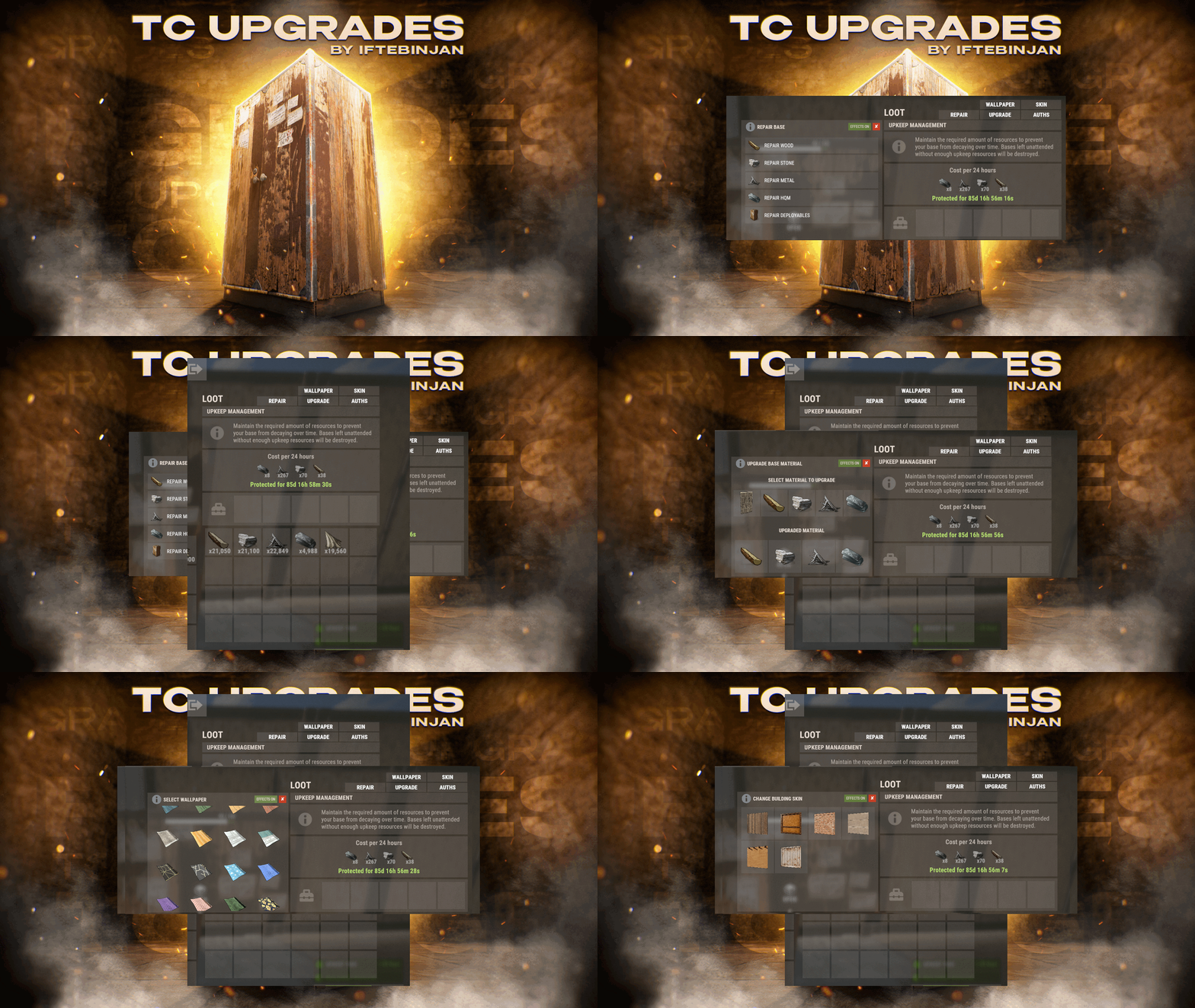
TC Upgrades provides an efficient and optimized way to enhance your base directly from the Tool Cupboard. With this plugin, you can easily change building grades, switch building skins, repair structures or deployables, and even set up wallpapers on your base, streamlining your base management process. Key Features Multi-TC Support Authorization List on Tool Cupboard Upgrade Building Grades Change Building Skins Repair Structures and Deployables Apply Wallpapers Detailed Permissions VIP Features User-Friendly UI Video Showcase Permissions TCUpgrades.admin- Shows a UI Change button when in admin mode (command: /tcuadmin) TCUpgrades.authlist - Shows Authorization list button on TC TCUpgrades.upgrade - Shows upgrade button on TC TCUpgrades.repair - Shows repair button on TC TCUpgrades.skin - Shows skin button on TC TCUpgrades.wallpaper - Shows wallpaper button on TC TCUpgrades.upgrade.nocost - Allows player to use no resources when upgrading TCUpgrades.repair.nocost - Allows player to use no resources when repairing TCUpgrades.reskin.nocost - Allows player to use no resources when reskining TCUpgrades.wallpaper.nocost - Allows player to use no resources when setting wallpaper TCUpgrades.default - Allows player to use (wood, stone, metal, hqm & deploy) TCUpgrades.wood TCUpgrades.stone TCUpgrades.metal TCUpgrades.hqm TCUpgrades.deploy Configurations Support$14.99- 69 comments
- 7 reviews
-
- 4
-
-
-
- #upgrade
- #toolcupboard
- (and 7 more)
-
Version 2.3.6
1,705 downloads
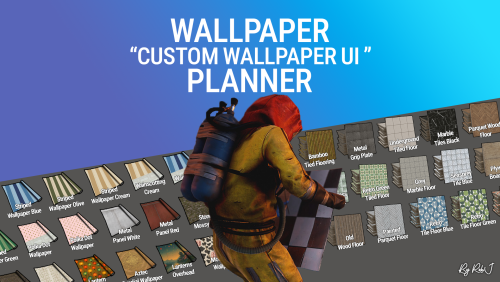
Welcome to Wallpaper Planner a lightweight, fast, and user-friendly extension for Rust that enhances the default wallpaper tool with a powerful custom skin selector. Features Custom UI: Access a sleek, in-game wallpaper selector by middle-clicking (FIRE_THIRD) while holding the wallpaper tool. The plugin automatically detects whether you're aiming at a wall, floor, or ceiling and opens the correct category. Favourites System: Mark your favourite skins in each category, then easily toggle a view that shows only your most liked wallpapers. VIP Skins (New): Offer exclusive VIP-only wallpapers, floors, and ceilings to supporters or special groups. Create unlimited VIP tiers in the config (e.g. wallpaperplanner.vip, wallpaperplanner.vip1, wallpaperplanner.vip2, etc.). Assign unique skins to each tier. Players with the matching permission automatically see their extra VIP skins in the UI. 100% Custom All wallpapers are exclusively made for this plugin. No DLC or official skins are used, though some designs may be inspired by existing skins. More Skins Incoming: New exclusive custom wallpapers are added regularly. You can also import your own Workshop skins with ease. Permissions wallpaperplanner.use — Grants access to the wallpaper planner UI. wallpaperplanner.outside — Allows use of wallpapers outside of a player’s base. (Please note: This is currently in Beta. Not all skins perform perfectly on exterior surfaces or Armoured Tier walls.) wallpaperplanner.admin — Enables admin-only tools to rename, delete, or manage skins directly through the UI. Chat Commands /wallpaperplanner — Use this if you prefer a custom keybind instead of the middle mouse button. Must be used while holding the wallpaper planner. Example: Bind to H key Open console (F1) and enter: bind H "chat.say /wallpaperplanner" List of input keys to use in config that rust accepts. BACKWARD LEFT RIGHT JUMP DUCK SPRINT USE FIRE_PRIMARY FIRE_SECONDARY RELOAD FIRE_THIRD DISABLED DISABLED Input Key (New): Server owners can now disable the UI keybind system entirely. In the config, set: "UI input key": "DISABLED" This prevents the menu from opening with FIRE_THIRD, allowing admins to enforce custom binds (e.g. /wallpaperplanner only).$23.99- 70 comments
- 7 reviews
-
- 9
-
-
-
- #wallpaper
- #wall
- (and 8 more)
-
Version 1.0.0
2 downloads
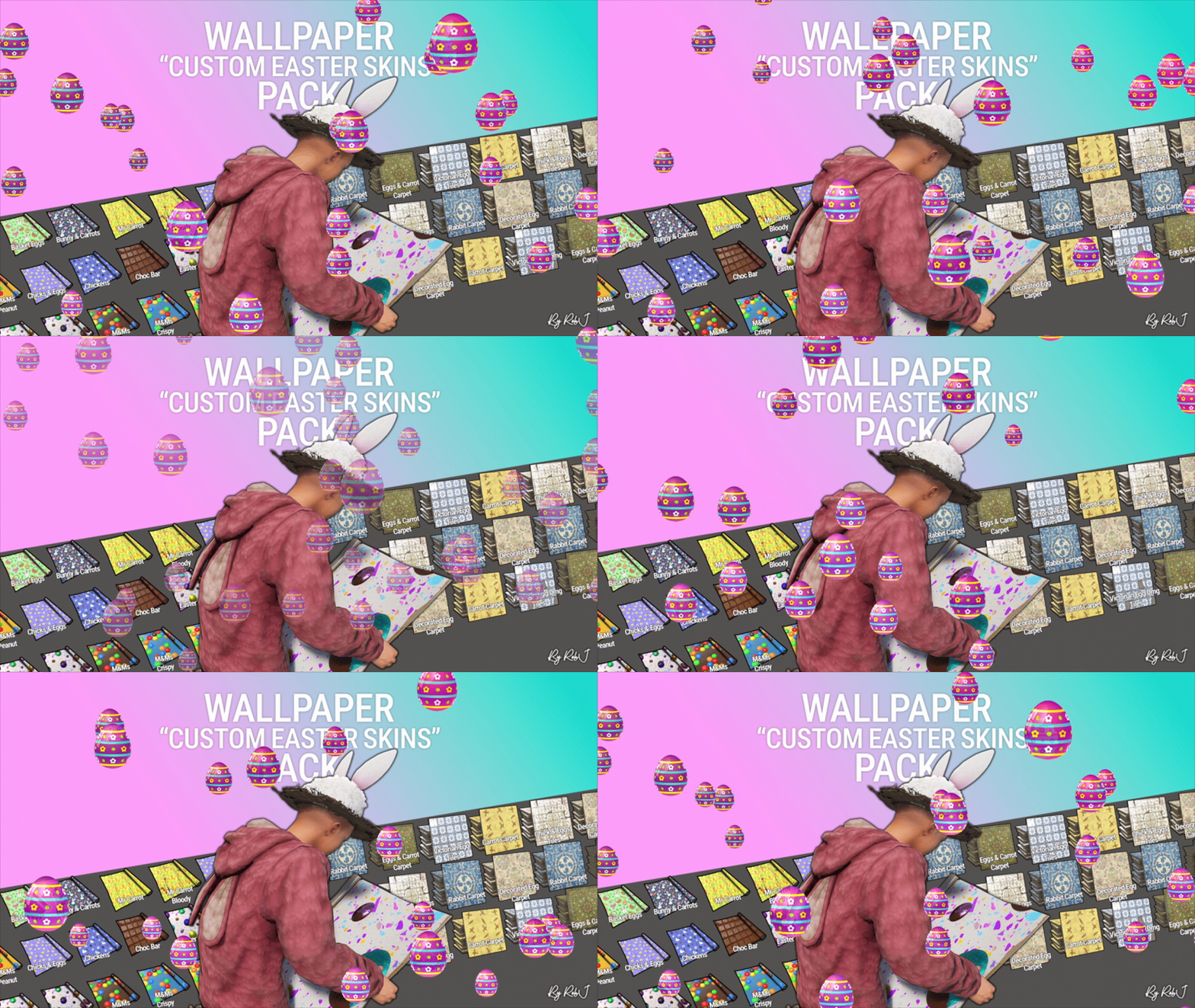
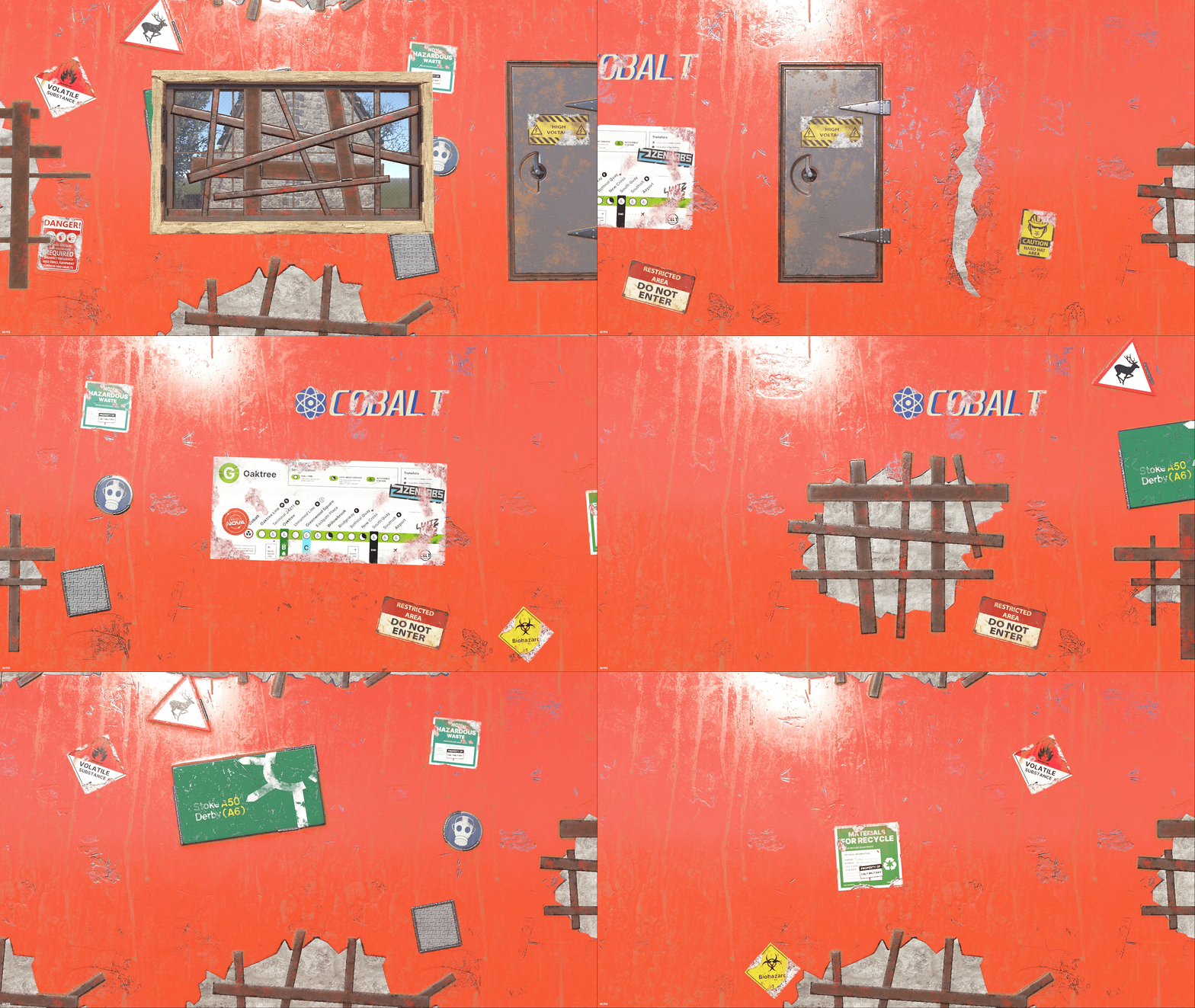
Upgrade your builds this easterwith this exclusive pack of custom skins! Each design is handcrafted with care and fully maintained. 10 Wall wallpaper skins 9 Floor wallpaper skins Perfect for Bases & Events These skins drop straight into any plugin and are fully compatible with my Wallpaper Planner for easy in-game browsing and selection. ✔ Fully Compatible Works with any plugin that supports custom skins, plus seamless integration with WallpaperPlanner. ✔ Ongoing Maintenance When you buy this pack, you’re buying long-term access. I personally maintain and update all skins for every buyer, so they stay fresh, polished, and ready to use. ✔ Each skin is built to high standards and includes four image maps: Albedo (base color) Normal/Bump Ambient Occlusion (AO) Specular These maps work together to simulate real lighting and surface detail, giving your builds depth, warmth, and a realistic shine. Bring style, atmosphere, and creativity to every build with this essential skin collection! Note: Some base layers were enhanced using generative fill/expand for improved visual quality. Auto-Install Plugin Included No manual setup required. Drop the plugin into your Oxide/Carbon plugins folder. Let it run once. Delete the plugin after it completes. Click Here For Video Your skins will automatically appear inside WallpaperPlanner.$12.99 -
Version 1.0.0
1 download
Upgrade your builds with this exclusive set of custom wallpaper skins for walls, floors, and ceilings in Rust. This is my first proper set where all of the skins share the same theme, with each one built from scratch as a true Rust skin using the same process I use to create approved Rust skins for boxes, doors, and other items. 1 Floor Skins 8 Wall Skins 2 Ceiling Skin 1 Rug ✔ No AI Used Each design is handcrafted with care and fully maintained. No AI Used ✔ Fully Compatible Works with any plugin that supports custom skins, plus seamless integration with WallpaperPlanner. ✔ Ongoing Maintenance When you buy this pack, you’re buying long-term access. I personally maintain and update all skins for every buyer, so they stay fresh, polished, and ready to use. ✔ Each skin is built to high standards and includes four image maps: Albedo (base color) Normal/Bump Ambient Occlusion (AO) Specular These maps work together to simulate real lighting and surface detail, giving your builds depth, warmth, and a realistic shine. Bring style, atmosphere, and creativity to every build with this skin collection! Auto-Install Plugin Included No manual setup required. Drop the plugin into your Oxide/Carbon plugins folder. Let it run once. Delete the plugin after it completes. Your skins will automatically appear inside WallpaperPlanner for you.$14.99 -
Version 1.0.2
21 downloads
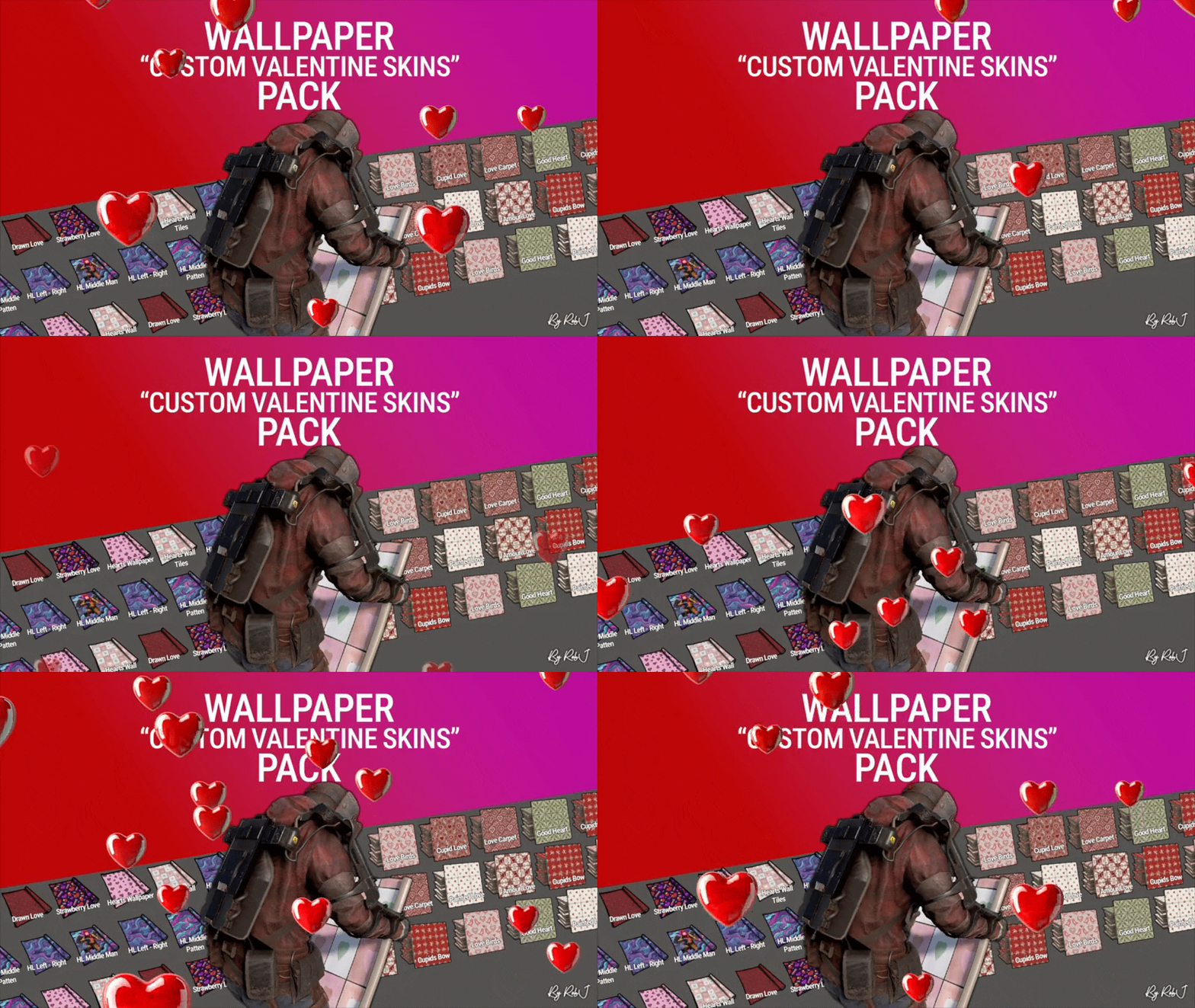
Upgrade your builds this valentines with this exclusive pack of custom skins! Each design is handcrafted with care and fully maintained. 9 Wall wallpaper skins 7 Floor wallpaper skins Perfect for Bases & Events These skins drop straight into any plugin and are fully compatible with my Wallpaper Planner for easy in-game browsing and selection. ✔ Fully Compatible Works with any plugin that supports custom skins, plus seamless integration with WallpaperPlanner. ✔ Ongoing Maintenance When you buy this pack, you’re buying long-term access. I personally maintain and update all skins for every buyer, so they stay fresh, polished, and ready to use. ✔ Each skin is built to high standards and includes four image maps: Albedo (base color) Normal/Bump Ambient Occlusion (AO) Specular These maps work together to simulate real lighting and surface detail, giving your builds depth, warmth, and a realistic festive shine. Bring style, atmosphere, and creativity to every build with this essential skin collection! Note: Some base layers were enhanced using generative fill/expand for improved visual quality. Auto-Install Plugin Included No manual setup required. Drop the plugin into your Oxide/Carbon plugins folder. Let it run once. Delete the plugin after it completes. Your skins will automatically appear inside WallpaperPlanner.$12.99 -
Version 1.0.2
37 downloads
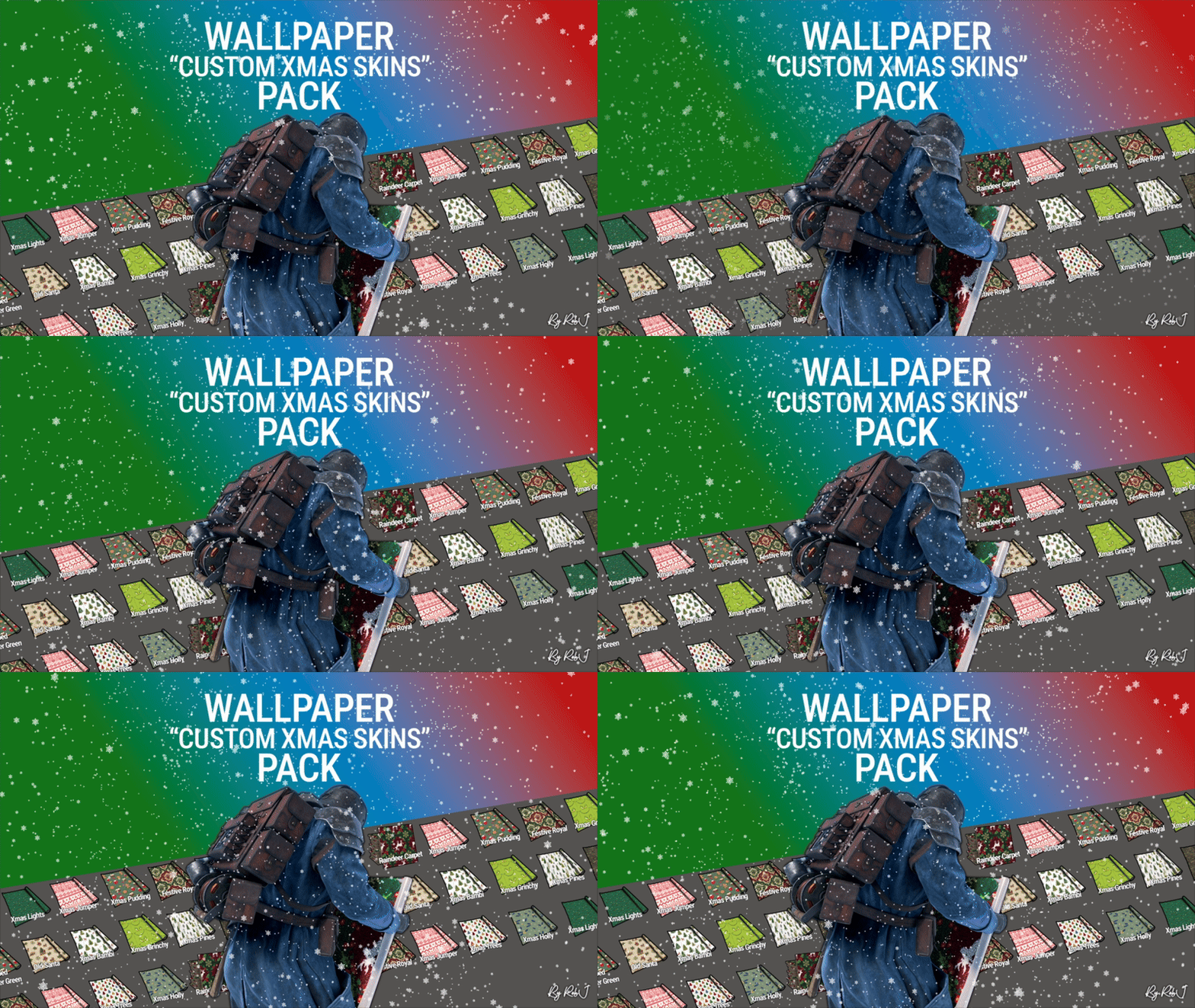
Upgrade your builds this Christmas with this exclusive pack of 14 custom festive floor skins! Each design is handcrafted with care and fully maintained, ensuring your holiday-themed builds look amazing all season long. Perfect for Festive Bases & Events These skins drop straight into any plugin and are fully compatible with my Wallpaper Planner for easy in-game browsing and selection. ✔ Fully Compatible Works with any plugin that supports custom skins, plus seamless integration with WallpaperPlanner. ✔ Ongoing Maintenance When you buy this pack, you’re buying long-term access. I personally maintain and update all skins for every buyer, so they stay fresh, polished, and ready to use. ✔ Each skin is built to high standards and includes four image maps: Albedo (base color) Normal/Bump Ambient Occlusion (AO) Specular These maps work together to simulate real lighting and surface detail, giving your builds depth, warmth, and a realistic festive shine. Bring holiday style, atmosphere, and creativity to every build with this essential Christmas floor-skin collection! Note: Some base layers were enhanced using generative fill for improved visual quality. Auto-Install Plugin Included No manual setup required. Drop the plugin into your Oxide/Carbon plugins folder. Let it run once. Delete the plugin after it completes. Your skins will automatically appear inside WallpaperPlanner.$12.99 -
Version 1.0.1
50 downloads
Upgrade your builds with this exclusive pack of 30 custom floor skins! Carefully designed and fully maintained, these skins are always kept up-to-date and ready to use. ✔ Works with any plugin – simply drop the Skin IDs into your config. ✔ Fully compatible with my Wallpaper Planner plugin for effortless selection in-game. ✔ Ongoing updates & maintenance to keep your skins fresh. ✔ When you buy this pack, you’re buying ongoing access to skins that I personally maintain and update for all buyers all you need to do is add the list of ids to your plugins. Each skin is built to high standards and includes four image maps: Albedo (base color) Normal/Bump Ambient Occlusion (AO) Specular These maps work together to realistically simulate how light interacts with a real-world surface, giving your builds depth, texture, and authenticity. Bring variety, style, and creativity to every build with this must-have floor skin collection! Note: A little generative fill help was used in some base layer designs. Auto-Install Plugin Included Simply drop the plugin into the Oxide/Carbon plugins folder. Let it run. Delete the plugin once completed. Your skins will be automatically added to WallpaperPlanner.$12.99-
- 2
-
-
-
- #wallpaper
- #floor
- (and 8 more)
-
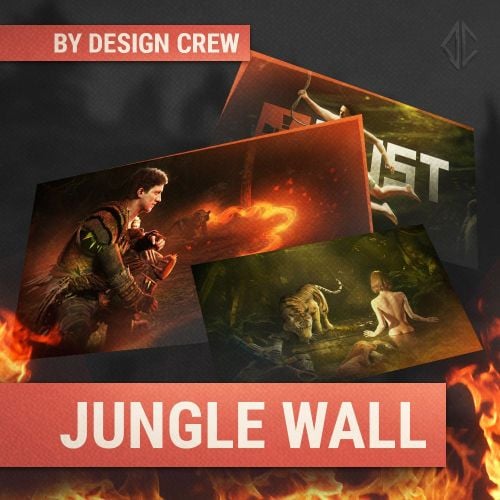
Version 1.0.0
132 downloads
FREE WALLPAPERS We sat down in the team, thought about it and decided to make a gift for you. Wallpaper for your computer or phone Yes, we just took and manually made 4 complex scenes. Then we processed them and just gave them to you. You can use them as you want.Free -
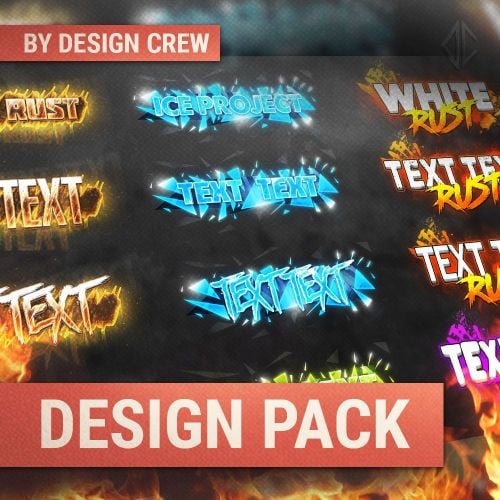
Version 1.0.0
58 downloads
The package consists of a header, wallpaper and logo In this big pack you will find: 3 different text banner designs with different effects 8 unique fonts for your design adaptive effects that automatically apply to your changes a complete set for the design of your project All necessary elements are in the archive. To change you need Adobe Photoshop program When purchasing you receive endless support from the author$10.00- 1 review
-
- 1
-
-
- #design
- #designcrew
- (and 7 more)

.thumb.jpg.f2f378cbb4943d7036c8a674f8a23b40.jpg)
.thumb.gif.b68fcc45abe70ab7d7235dffc8a0c770.gif)