SQL Tutorial | Understand Its History, Uses, Pros and Cons
Published: 28 Oct 2024
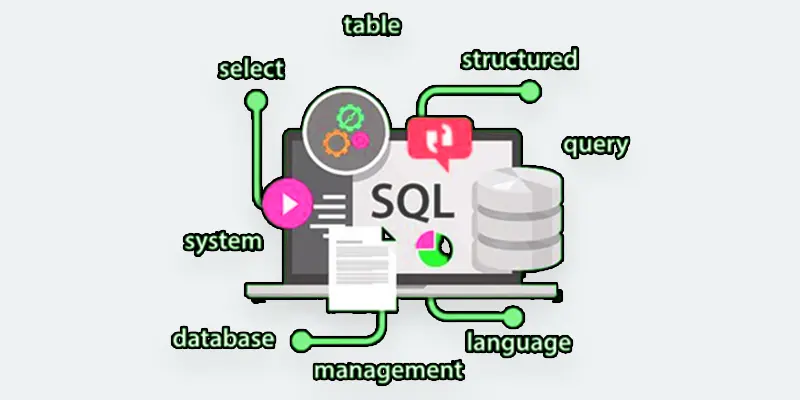
Welcome to our SQL tutorial, where you’ll learn both the basics and advanced concepts of SQL. This tutorial is perfect for beginners and professionals alike. SQL (Structured Query Language) helps you work with data in a database, like adding, updating, or deleting records and managing tables and views. It’s not a database system itself, but a language used to interact with databases. To start using SQL, you’ll need to install a database management system on your computer, such as MySQL, Oracle, SQL Server, PostgreSQL, or MongoDB.
What is SQL in simple words?
SQL stands for Structured Query Language, pronounced as “S-Q-L” or “See-Quell.” In relational databases, where data is kept in tables, SQL is a specialized language used for data management. Data professionals use SQL to create, update, and modify data in these tables. It’s also useful for processing data streams in databases.
SQL became the standard language for managing databases by ANSI in 1986 and ISO in 1987. Learning SQL is essential if you’re interested in data science. Major companies like Facebook, Instagram, and LinkedIn rely on SQL to store and manage their data.
Examples of SQL Queries:
Imagine you have a table called Customers in your database that stores customer information. The table has columns like CustomerID, Name, City, and Age. Here’s how you can use SQL to get all the customers from a specific city, say “New York.”
SELECT * FROM Customers
WHERE City = ‘New York’;
How does SQL work in a Database
- SELECT * tells the database to retrieve all columns (like CustomerID, Name, City, and Age) from the table.
- FROM Customers, specify the table from which we’re getting the data.
- WHERE City = ‘New York’; filters the results only to show customers from New York.
Why should I learn SQL this year?
SQL is important because it helps you work with data in databases. Whether you’re managing a website, running a business, or analyzing data, you’ll likely need to store and access information. SQL makes it easy to do things like:
- Retrieve Data: You can quickly get specific information from a large amount of data, like finding all customers who live in a certain city.
- Update Data: Easily change or update records, like correcting a typo or changing a customer’s email.
- Organize Data: Create and manage tables to keep your data structured and easy to access.
- Widely Used: SQL is used by many big companies like Google, Facebook, and Amazon, making it a valuable skill for jobs in tech and data science.
What Should You Know Before Learning SQL?
- Basic computer skills.
- Understanding of databases.
- Familiarity with data concepts.
- Knowledge of programming logic (optional).
- Attention to detail.
- Ability to solve problems.
- Willingness to practice regularly.
- Understanding of how data is organized.
- Familiarity with data types.
- Basic knowledge of spreadsheet software.
What is the History and Evolution of the SQL Language?
SQL, or Structured Query Language, has a rich history that began in the early 1970s.
- 1970s: SQL was first developed by IBM in the 1970s. It was part of their project to create a system called “System R” for managing relational databases.
- 1979: A company called Oracle became the first to commercialize SQL, making it available to businesses for database management.
- 1986: SQL became the official standard of ANSI (American National Standards Institute), which made it the go-to language for databases.
- 1987: SQL was also adopted as a standard by ISO (International Organization for Standardization), further establishing its importance.
- Today, SQL is widely used by major companies and organizations worldwide, including Facebook, Google, and Microsoft, to manage large databases.
What are the Applications of SQL?
- Data Retrieval: Data retrieval in SQL is the process of getting specific information from a database. You use the SELECT command to request data, such as finding all customers from a particular city or listing all products below a certain price. This allows you to quickly access and view important information without having to sort through the entire database manually.
- Data Insertion: Data insertion in SQL refers to adding new information to a database. You use the INSERT INTO command to create new records, such as adding a new customer or product to a table. This process allows you to keep your database up-to-date with the latest information.
- Data Update: Data update in SQL is the process of changing existing information in a database. You use the UPDATE command to modify records, such as correcting a customer’s address or changing a product’s price. This helps ensure that the information in the database remains accurate and current.
- Data Deletion: Data deletion in SQL involves removing unwanted or outdated information from a database. You use the DELETE command to eliminate specific records, such as removing a customer who no longer uses your service or deleting products that are no longer available. This helps keep the database clean and relevant by ensuring only useful data remains.
- Database Management: Database management in SQL refers to organizing and controlling the structure of a database. You can create new tables, define relationships between different data, and set rules for how data is stored. This ensures that the database runs efficiently and that information is easy to access and maintain.
What are the Benefits of Using SQL?
- Easy to Learn: SQL is easy to learn because it uses simple and clear commands that resemble everyday language. This makes it accessible for beginners who want to work with databases. With a little practice, you can quickly understand how to retrieve, update, and manage data, even if you have no prior programming experience.
- Powerful Data Management: SQL offers powerful data management capabilities, allowing you to handle large volumes of information efficiently. With just a few commands, you can quickly retrieve, update, or delete data from the database. This ability to manage data effectively helps businesses make informed decisions based on accurate and up-to-date information.
- Standardized Language: SQL is a standardized language used by many different database systems, such as MySQL, Oracle, and SQL Server. This means that once you learn SQL, you can apply your skills across various platforms without needing to learn a new language. Working with diverse databases is made easier for developers and data professionals by this uniformity.
- Strong Data Security: SQL provides strong data security features that help protect sensitive information in databases. You can set permissions to control who can access or modify the data, ensuring that only authorized users can make changes. This level of security helps keep important data safe from unauthorized access and potential threats.
- Support for Multiple Users: SQL allows multiple users to access and work with the database at the same time without any issues. This means that different people can retrieve or update data simultaneously, making collaboration easier. With SQL, everyone can work together efficiently, which is especially helpful in businesses where teamwork is essential.
What are the Limitations of SQL?
- Complexity with Large Databases: As databases grow larger, working with SQL can become complicated. Writing queries to manage and retrieve data from vast amounts of information may take more time and effort. This complexity can lead to slower performance and make it harder to keep everything organized, especially if many users are accessing the database at the same time.
- Limited by Structure: SQL is designed to work with structured data organized in tables, which means it may not be the best choice for unstructured data, like images, videos, or documents. This limitation makes it challenging to store and manage different types of information that don’t fit neatly into rows and columns. As a result, other technologies might be needed to handle such data effectively.
- Cost of Database Systems: Many powerful SQL database systems can be expensive to purchase and maintain. Licensing fees, hardware requirements, and ongoing support costs can add up, making it challenging for small businesses or startups with limited budgets. This financial burden might lead some organizations to seek more affordable alternatives for managing their data.
- Vulnerability of SQL Injection: If not properly secured, SQL databases can be vulnerable to attacks known as SQL injection. This happens when a malicious user tricks the database into running harmful commands by inserting them into input fields. If successful, this attack can allow the user to access, modify, or delete sensitive data, posing a significant security risk to the database and its information.
- Requires Technical Skills: While SQL is relatively easy to learn, it still requires some technical knowledge to use effectively. Users need to understand database concepts and how to write SQL queries, which can be a challenge for those without a programming background. This requirement can make it harder for non-technical individuals to manage and interact with databases confidently.
What are the Latest SQL Trends and Updates This Year?
- Cloud-Based Databases: Cloud-based databases store data on the internet instead of on local computers, allowing easy access from anywhere. This means businesses can scale their storage needs as they grow, only paying for what they use. It also reduces costs, as there’s no need for expensive hardware or maintenance, making it a convenient option for many companies.
- Integration with Big Data: Integration with big data means that SQL is now being used alongside technologies like Hadoop and Apache Spark to analyze large amounts of data. This combination allows businesses to efficiently process and gain insights from vast datasets while still using familiar SQL commands. It helps organizations make better decisions by turning complex data into understandable information.
- NoSQL Databases: Unstructured or semi-structured data that doesn’t fit into conventional tables is handled by NoSQL databases. Unlike SQL databases, which use fixed schemas, NoSQL databases are more flexible and can store various data types, such as documents, key-value pairs, or graphs. This makes them ideal for applications like social media, real-time analytics, and big data projects, where data can change rapidly and isn’t always organized in a specific way.

What are the SQL Job Opportunities for Beginners This Year?
There is a growing demand for SQL professionals in various industries, and many companies offer attractive salaries for their expertise. On average, SQL developers earn between 40,000 and 65,000 INR. This makes SQL skills valuable in the job market, as businesses rely on data to drive decisions and strategies. Here are some popular job titles for SQL professionals:
- Microsoft
- Amazon
- Meta
- Apple
- Accenture
- Deloitte
- McKinsey & Company
- Boston Consulting Group
- SQL Developer
- Uber
- Trello
- TCS
- Infosys
- Wipro
- Tech Mahindra
- KPMG
- JPMorgan Chase
- Bank of America
- Citigroup
- Wells Fargo
- HSBC
- Netflix
- Airbnb
- Capgemini
- Tata Consultancy
- Infosys
- Many More
What are the Most Used SQL Commands with Examples?
Below is a list of essential SQL commands.
| Command | Purpose |
|---|---|
| SELECT | Retrieve data from one or more tables. |
| INSERT | Add new records to a table. |
| UPDATE | Change existing records in a table. |
| DELETE | Remove records from a table. |
| CREATE TABLE | Make a new table in the database. |
| ALTER TABLE | Modify the structure of an existing table. |
| DROP TABLE | Delete a table and all its data. |
| JOIN | Combine rows from two or more tables based on a related column. |
| WHERE | Filter records to meet specific conditions. |
| ORDER BY | Sort the results of a query in a specific order. |
| GROUP BY | Organize similar data into groups for summary. |
| HAVING | Filter groups based on specific conditions. |
Conclusion
This SQL tutorial covered the basics and important concepts of SQL, from data retrieval to database management. SQL is a powerful tool for working with data, making it easier to store, manipulate, and analyze information. Whether you’re a beginner or looking to enhance your skills, learning SQL opens up many job opportunities in various fields. By practicing the commands and techniques we’ve discussed, you’ll be well on your way to becoming proficient in SQL and harnessing the full potential of your data.
FAQS
What are the different types of SQL?
The main types of SQL include MySQL, PostgreSQL, SQLite, Oracle SQL, and Microsoft SQL Server. Each type has its own features and is used for different purposes, but they all use SQL to manage data.
How can I begin learning SQL?
You can start learning SQL by taking online courses, reading tutorials, or watching videos. Practice writing SQL commands using sample databases and try to solve real-world problems to gain hands-on experience.
What are SQL data types?
The categories that specify the types of data that can be kept in a database table column are known as SQL data types. INT (integer), VARCHAR (variable-length text), DATE (date), and BOOLEAN (yes or no) are examples of common data types.
How long does it take to learn SQL?
You can learn the basics of SQL in about 1 to 2 weeks with regular practice. Advanced concepts may take a few months, depending on your pace.
What is SQL in a tutorial?
In a tutorial, SQL is shown as a language used to talk to databases. You’ll learn how to create tables, add data, and get information using simple commands.
Is SQL good for beginners in tech?
Yes, SQL is one of the easiest and most useful languages to start with in tech. It opens doors to jobs in data, web development, and IT.



- Be Respectful
- Stay Relevant
- Stay Positive
- True Feedback
- Encourage Discussion
- Avoid Spamming
- No Fake News
- Don't Copy-Paste
- No Personal Attacks
- Be Respectful
- Stay Relevant
- Stay Positive
- True Feedback
- Encourage Discussion
- Avoid Spamming
- No Fake News
- Don't Copy-Paste
- No Personal Attacks

