-
-
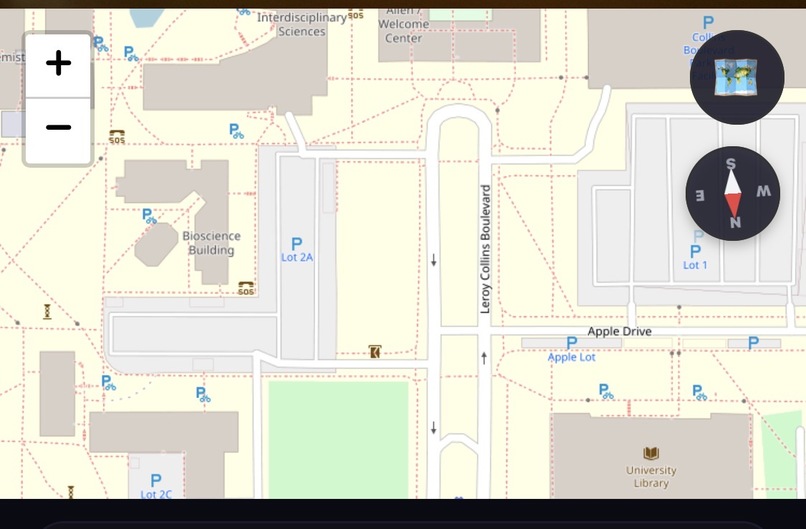
Campus Map
-
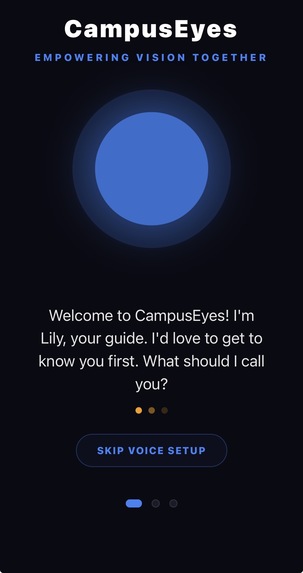
Lilly - Voice Assistant
-
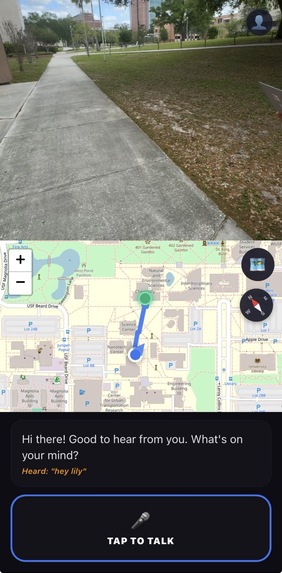
Live Demo image


CampusEyes
Inspiration
Navigating a large university campus can be challenging for anyone, but for visually impaired students it can become a constant obstacle. Traditional GPS apps are designed primarily for driving and often lack the precision needed for pedestrian walkways. They also cannot detect temporary hazards like construction zones, debris, or unexpected obstacles.
We wanted to build something more than a navigation tool. Our goal was to create an intelligent companion that could see the environment, guide users safely, and provide independence for visually impaired students exploring campus.
What it does
CampusEyes is an AI-powered visual assistant that helps visually impaired students navigate campus safely and confidently.
The app introduces Lily, an intelligent voice guide that provides:
- Turn-by-turn pedestrian navigation optimized for campus pathways
- Real-time obstacle detection using the device camera
- Sign reading and environment description using OCR and AI vision
- Community hazard reporting so users can warn others about obstacles like broken pavement or low branches
- Voice-first onboarding for a hands-free and accessible setup experience
By combining navigation, computer vision, and voice interaction, CampusEyes creates a multi-sensory navigation system designed specifically for accessibility.
How we built it
CampusEyes was built as a cross-platform mobile application using React Native with Expo.
Key components include:
- AI Vision: Google Gemini Pro Vision analyzes camera frames to identify obstacles, read signs, and describe surroundings.
- Navigation System: A hybrid routing approach using OSRM and OpenRouteService to generate pedestrian-optimized routes across campus pathways.
- Mapping Interface: A Leaflet-based WebView displays routes and community-reported hazards in real time.
- Voice Interaction: We used
expo-speechfor Lily’s natural voice output andreact-native-voicefor speech-to-text input. - Device Sensors: GPS and compass data help provide orientation-aware navigation and accurate directional guidance.
Challenges we ran into
One of the biggest technical challenges was navigation timing. Standard routing APIs typically provide instructions too late or all at once, which can be confusing for pedestrians. To solve this, we built custom logic that triggers alerts such as “In 50 feet, turn right” followed by a precise “Turn now” cue.
Another challenge was voice timing and repetition. Without proper control, instructions could overlap or repeat excessively. We implemented a priority-based speech queue to ensure Lily speaks clearly without overwhelming the user.
We also encountered issues with GPS drift, which can cause inaccurate arrival notifications. To address this, we introduced a 3-meter arrival threshold so the system only confirms the destination when the user is truly there.
What we learned
Building CampusEyes taught us the importance of designing technology with accessibility as the primary focus rather than an afterthought. We gained experience integrating real-time AI vision, handling sensor data, and designing voice-driven interfaces.
We also learned that haptic feedback and clear audio cues are critical in accessibility tools, providing users with multiple ways to receive important information.
What's next
In the future, we want to expand CampusEyes with:
- Indoor navigation using Bluetooth beacons to guide users inside buildings
- Multilingual voice support to reach a broader audience
- Wearable integration with smartwatches and smart glasses for a fully hands-free experience
CampusEyes is a step toward a more accessible world—one where every student can explore their campus with confidence and independence.
Built With
- expo-search
- expo-speech
- expo.io
- gemini
- google-directions
- javascript
- leaflet.js
- mobile-sensors
- openrouteservice
- osrm
- react-native
- react-native-voice
- scene-description
- typescript


Log in or sign up for Devpost to join the conversation.