-
-
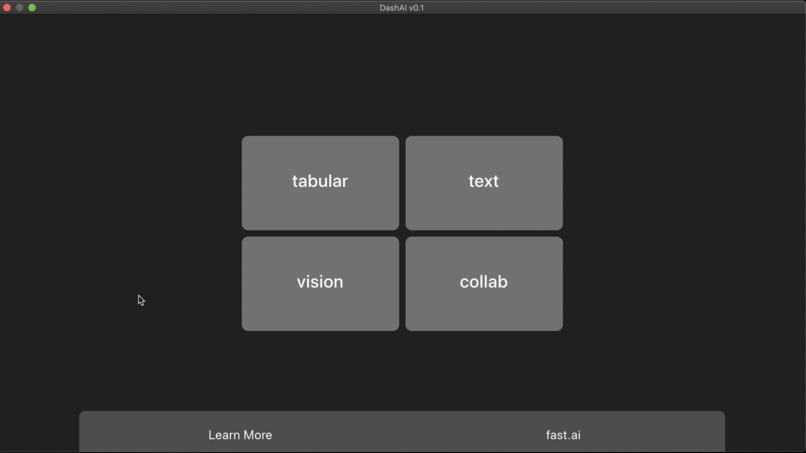
Landing page.
-
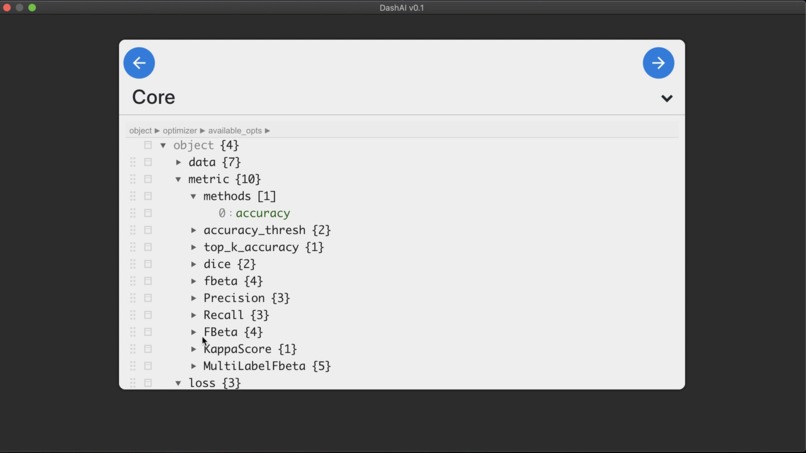
Choosing the metrics.
-
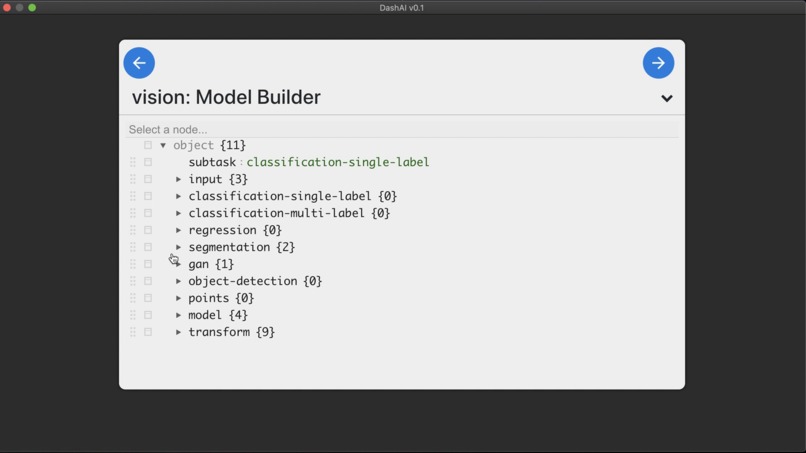
The model-builder.
-
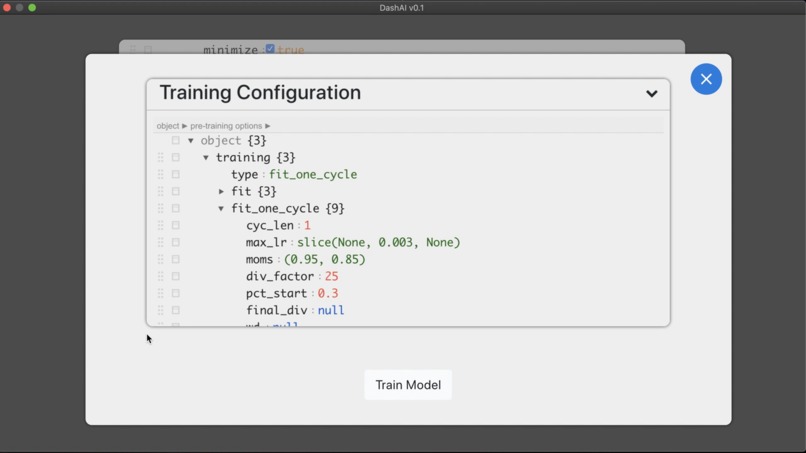
Training configuration.
-
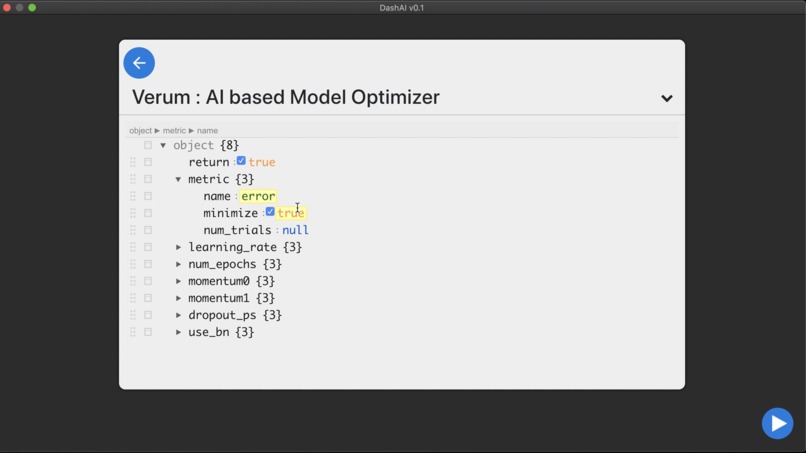
Configuring auto ML.
-
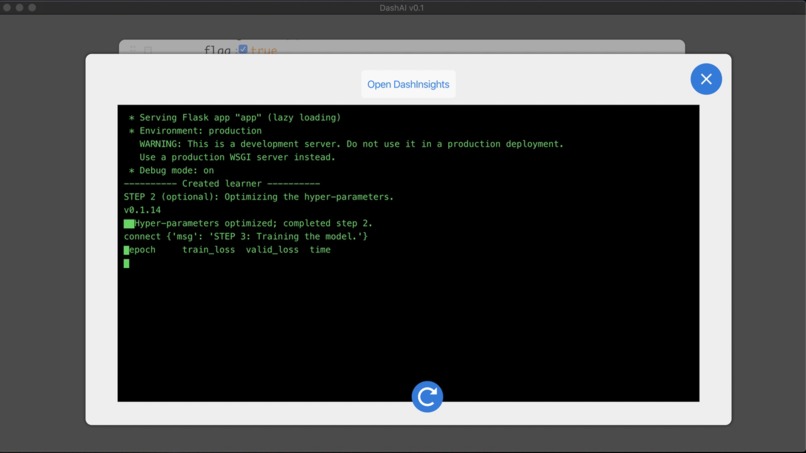
Training the model.
-
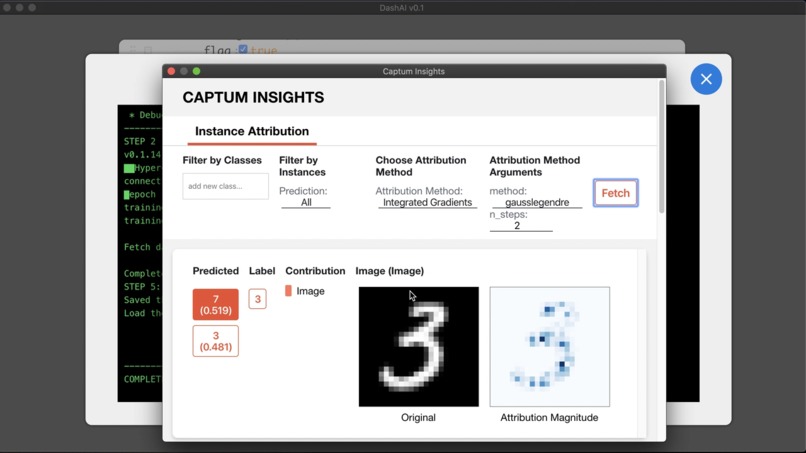
Visualizing attributions.


Inspiration
We are students of the FastAI course by Jeremy Howard, which we highly recommend. A tagline they've used is, "Making neural networks uncool again." What they mean by this isn't that artificial intelligence doesn't deserve the hype ascribed to it. Instead, they indicate that cool things tend to be accessible only to the elite, the super-rich, the one percent. FastAI intends to ensure that neural nets don't fall into the category of things that are "cool" by that definition. We found that super inspiring.
However, even with the outstanding work FastAI does, it only makes it accessible to the coders on the planet, which makes up only 26.4 million people out of 7.7 billion, only about 0.3% of people. Now, of course, this is a worthy goal, and one deserving of applause, because the actual number of people who can use neural networks right now is even smaller. However, we would like to help FastAI along with their goal and do our part in increasing that number by allowing people to create state-of-the-art deep learning models without writing any code.
Making a no-code deep learning application not just allows non-coders to access the wonders of deep learning, it also lets coders speed up prototyping, allowing them to bring their programs to production much quicker.
Finally, explainability is an up-and-coming field that is needed by the multitudes and utilized by the few, and so we wanted to provide easy access to that as well.
What it does
DashAI provides a simple graphical user interface (GUI) that guides users through a step-by-step process through creating, training, and saving a model. We also implement optional steps for Auto ML and visualizing attributions as a way of perceiving explainability. We go into more detail below.
Step 1: Choosing the task.
We provide our users with the ability to choose their type of application early on in the process. DashAI uses this information in later stages, to suggest architectures that have achieved state-of-the-art results in that task. Users can choose one of four tasks: collaborative filtering, tabular, text, and vision.
Step 2: Selecting the dataset.
Users then provide the dataset they intend to use, and they have options to let DashAI know how to utilize the dataset best. DashAI then asks how the user wants to split the dataset (into training and validation sets), how to label it, and what transforms the user wants to apply on the dataset.
Step 3: Selecting the model.
Users then have to choose what architecture they want their model to have. DashAI provides architectures that have achieved state-of-the-art results in the task defined by the user, but the user may use any model built using PyTorch layers.
Step 4: (Optional) Auto ML
At this point, users may choose one of three options:
- to use DashAI default hyper-parameters;
- to input hyper-parameter values of their choosing; or
- to use DashAI's auto ML component, Verum, to select the best possible hyper-parameter values. In Verum, users may choose which hyper-parameters they would like tuned, the number of experiments they want to run, and whether they would like to have the resulting values automatically applied to the model.
Step 5: (Optional) Training the model.
DashAI then provides a simple training interface, where, if they have not chosen to utilize Verum's automatic applying feature, users may input the hyper-parameter values required for training. Users can also pick between generic training and 1-cycle training.
Step 6: (Optional) Explainability
Users can then choose to visualize the attributions in the explainability component of DashAI, DashInsights. They may choose from a multitude of attribution-calculation algorithms, depending on their task. The visualizations can provide insight into why a model is predicting what it is predicting.
Step 7: (Optional) Saving the model.
Finally, if users are so inclined, they can save their models as .pth files. We provide instructions on how to use these files in our Wiki in our GitHub repo.
How we built it
We designed our application to leverage the broad use-cases of JSON files for API communication between our front- and back-ends. We were thus able to write our code safe in the knowledge that everything we need to know just needed to be in a JSON file. Further, this allowed us to split our team into two so each could work without having to wait for updates from the other. Also, in production, users could modify values from the JSON, and the Flask server could use these to generate a model, train it, save it, and everything else we do.
We based our application on FastAI for everything that they provide out of the box. We wrote everything else we wanted to add using PyTorch and libraries written on top of it.
For our hyper-parameter tuning component, Verum, we used the Ax library. To allow users to visualize the attributions of their models, we used the Captum library.
Challenges we ran into
Given the wide variety of features that we wanted to provide, we had to find and use open-source libraries that have done some fantastic work. However, this meant that we had trouble interfacing them. For example, we would need to use a wrapper around a layer to get one library to work, but that would break another.
Another thing with all the libraries we used was that, despite them being well documented and well written, we still faced issues that seemed to have no solution we could find. Thus, we spent many an hour scouring through source code and figuring it out to find one.
Another of the major challenges we faced was becuase we wanted our users to see what was happening, and that meant we had to interface our terminal output to our JavaScript front-end—no easy task. React is a front-end library that doesn't allow direct access to the file system, so in the end, we had to write a hack for that. ;)
Accomplishments that we're proud of
Everything! :D
What we learned
All of us are students, so despite our internships, we are still relatively new to writing an entire application from an idea to a product.
We were thrilled that we got to leverage some amazing libraries from the open-source community to full effect.
We were working with automated hyper-parameter tuning for the first time, and it was fascinating to learn the processes behind them from the people at Ax. Similarly, finding out how to get a model to tell us why it thinks what it thinks, from the good folks at Captum, was also captivating.
Finally, during these troubled times, with every team member doing an internship (and two starting college semesters in the middle of the competition period), we learned how to collaborate remotely on a project we were all passionate about with everything else we were doing. We faced a few roadblocks, but it was all loads of fun!
What's next for DashAI
We have two features coming soon:
- a way for us to give users a template for them to deploy their models with no code, once again inspired by FastAI; and
- support on DashInsights for collaborative filtering and tabular models, which we currently don't provide.
We are also looking forward to opening this project up to the open-source community and finding out all the creative and fascinating new things we can add to DashAI!





Log in or sign up for Devpost to join the conversation.