-
-
Alters on Sterss
-
-
-


Inspiration
Every developer knows the feeling; you've been staring at a failing deployment for 45 minutes, your frustration is rising, and you're about to make the kind of mistake that only exhausted people make. What if your tools could see that and step in to help?
FlowState was born from the idea that AI shouldn't wait to be asked. It should notice when you're struggling and offer to help but only with your explicit consent.
What it does
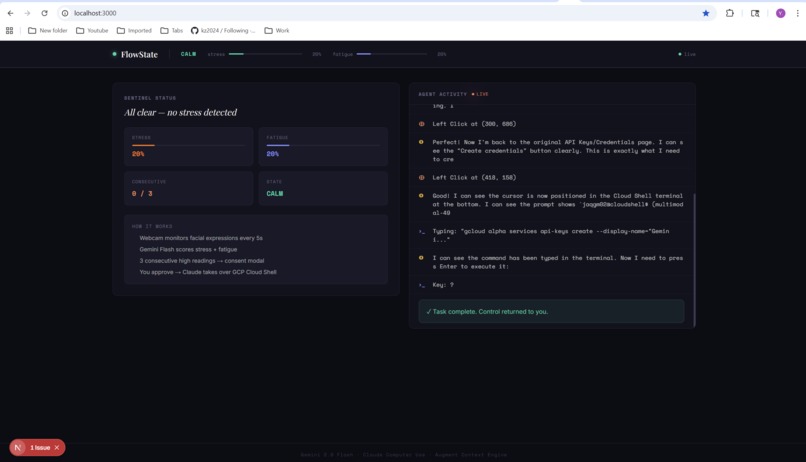
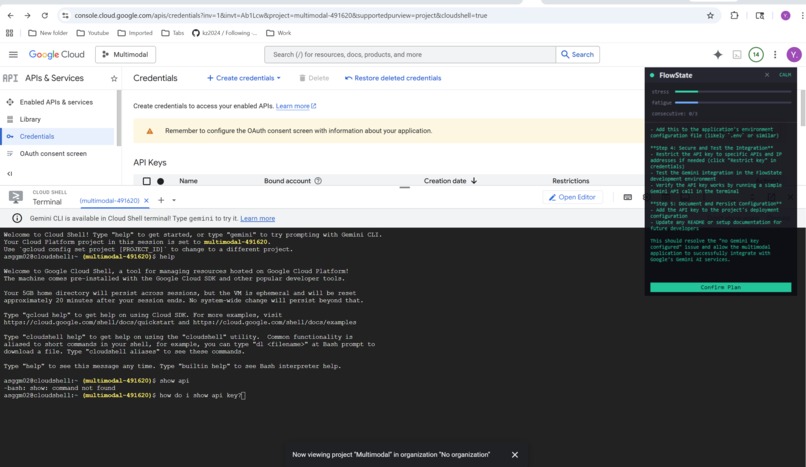
FlowState is an ambient AI sentinel that runs alongside your work. It uses your webcam to detect stress and fatigue in real-time via Gemini 2.0 Flash vision analysis. When sustained stress is detected, it:
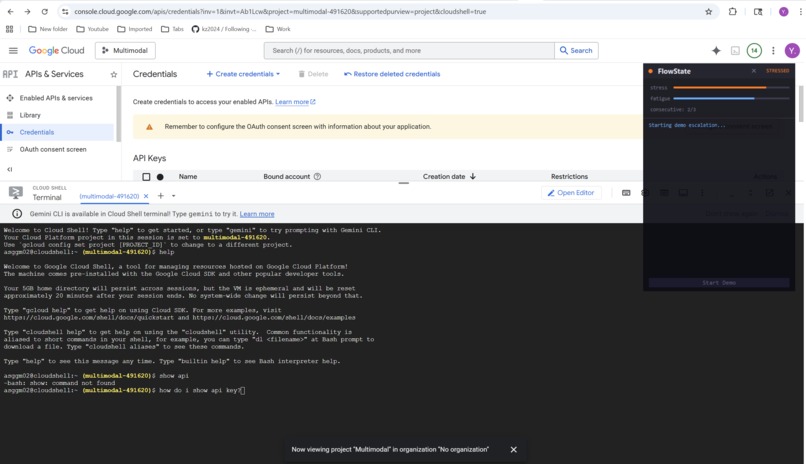
- Alerts you through a floating always-on-top overlay
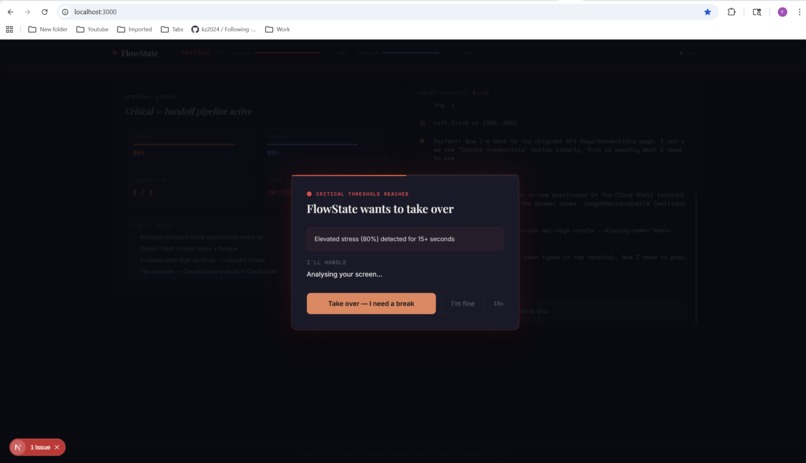
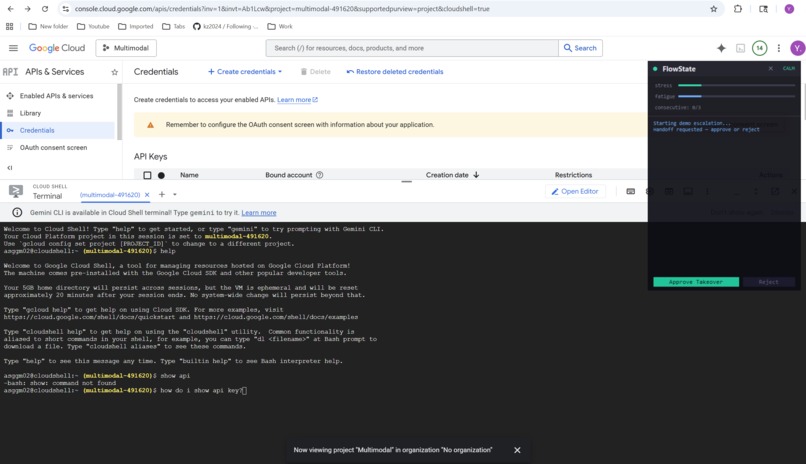
- Asks for consent via a handoff modal — it never acts without permission
- Analyzes your screen to understand what you're working on
- Proposes a plan explaining what it sees and what it would do
- Takes over your screen using Claude Computer Use — real mouse clicks, real keyboard input — and executes the fix
The entire pipeline is autonomous: webcam capture → sentiment scoring → stress threshold → consent negotiation → screen analysis → plan proposal → confirmed execution.
How we built it
The backend is a Python asyncio pipeline with 5 concurrent agents coordinated through shared state and asyncio Events/Queues:
- Webcam Monitor ; captures frames every 5 seconds
- Sentiment Analyzer ; sends frames to Gemini 2.0 Flash for facial expression analysis
- Orchestrator ; state machine tracking consecutive stress scores
- Negotiator ; fires consent modal, waits for user approval
- Control Agent ; two-phase: (1) Claude analyzes screen and proposes plan, (2) after confirmation, executes with Computer Use
The frontend is a Next.js dashboard connected via Server-Sent Events, plus a Python tkinter floating overlay that stays on top of all windows so FlowState is always visible while you work.
We used Unkey for API rate limiting, Augment Code for codebase context during screen analysis, and deployed to DigitalOcean App Platform.
Challenges we ran into
- Claude Computer Use in practice ; getting the agent to understand what to do, not just where to click. We solved this with a two-phase approach: analyze first, propose a plan, get confirmation, then execute.
- SSE broadcasting; our initial single-consumer queue meant only one client (browser OR overlay) got each event. We had to build a fan-out broadcaster.
- Always-on-top UI ; browser windows can't stay on top of other apps. We built a native tkinter overlay that floats above everything.
- Headless deployment ;screen capture libraries crash without a display server. We added graceful fallbacks for cloud deployment.
What we learned
The hardest part of building autonomous agents isn't the AI — it's the consent and trust layer. Users need to understand what the agent will do before it does it. The two-phase plan-then-execute pattern made the difference between a scary demo and a compelling one.
What's next for FlowState
- Multi-monitor support and smarter screen region detection
- Voice-based consent ("Hey FlowState, go ahead")
- Learning from past interventions to get better at proposing fixes
- IDE plugin integration for deeper code context
Built With
- anthropic-api
- asyncio
- augment-code
- claude-computer-use
- digitalocean
- fastapi
- gemini-2.0-flash
- google-genai
- next.js
- opencv
- pyautogui
- python
- sse
- tailwind
- tkinter
- unkey


Log in or sign up for Devpost to join the conversation.