-
-

Technology stack
-
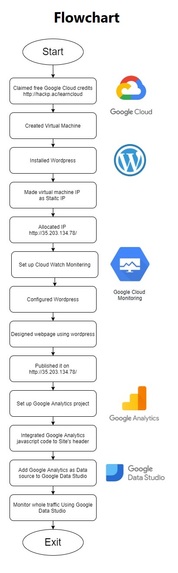
Technology stack
-
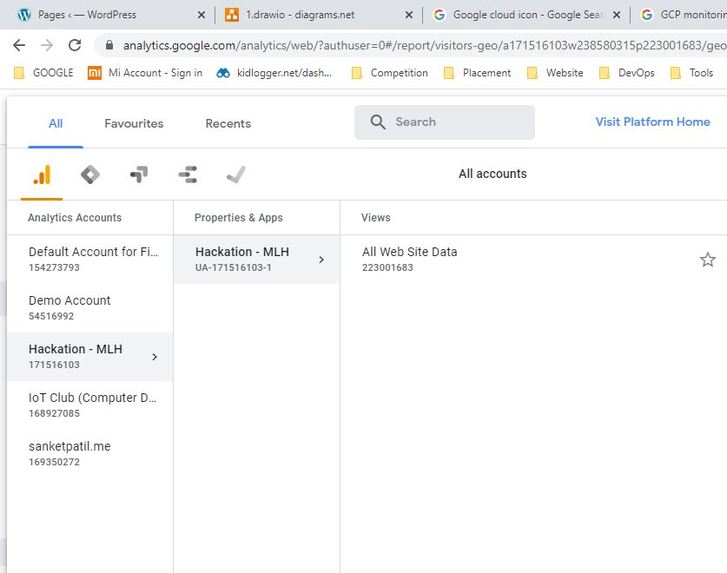
Google Analytics
-
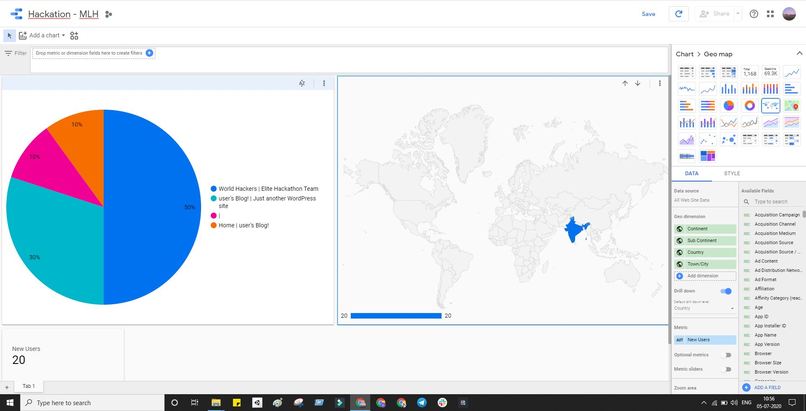
Google Data Studio
-

Wordpress
-
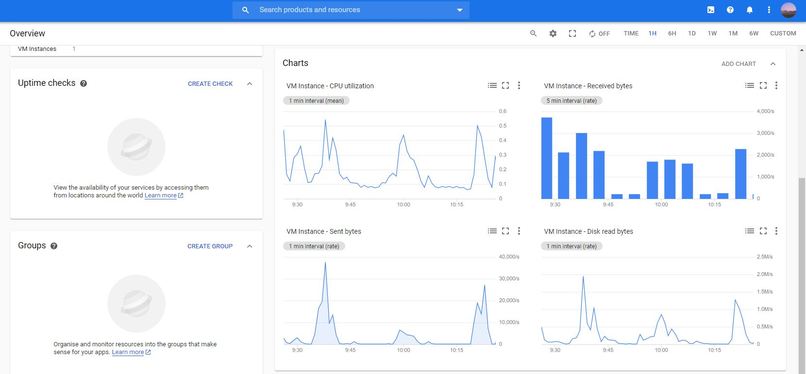
Google Cloud Monitering
-
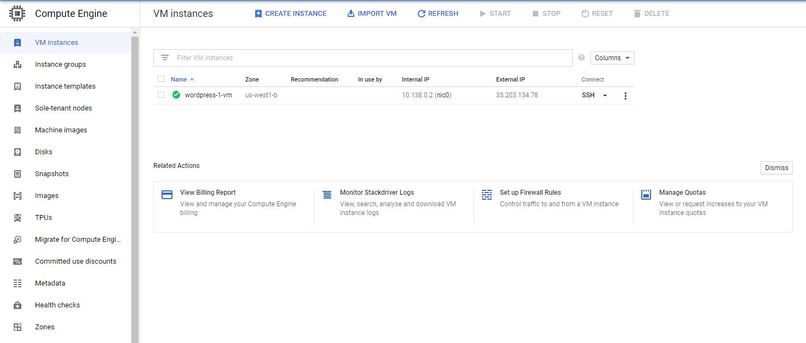
Google Cloud for Hosting VM


Project Description:-
Used Google Cloud for hosting Virtual machine. After that installed WordPress on that Virtual machine. When Initially I created Virtual Machine its IP was dynamic which I made static as it was necessary. To track Virtual Machine's performance and know other details like API Requests (per/sec), bytes received by VM, bytes send by VM. After that, I designed the whole webpage using WordPress. When my design is done I decided to track the user's record (data) using Google Analytics for which I created a new project on Google Analytics and put 5 lines of javascript code on my webpage header section to enable google analytics. To go one step ahead (i.e to generate useful data from Google Analytics) I connected Google Analytics as a source of data to Google Data Studio which helps to know users (traffic which comes to the site) much better.
In order to see my work (demo) you watch the above video
Google Cloud for Hosting VM - Screenshot
Google Cloud Monitering - Screenshot
Built With
- elementor
- google-analytics
- google-cloud
- google-data-studio
- wordpress








Log in or sign up for Devpost to join the conversation.