-
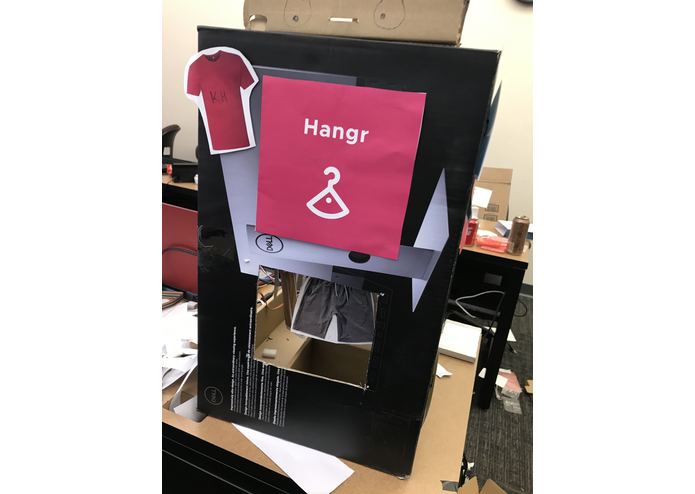
Final Carousel Prototype - Front
-
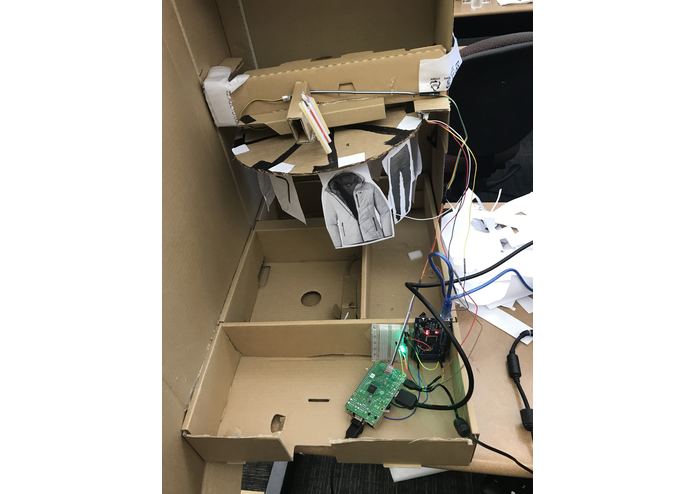
Final Carousel Prototype - Back
-
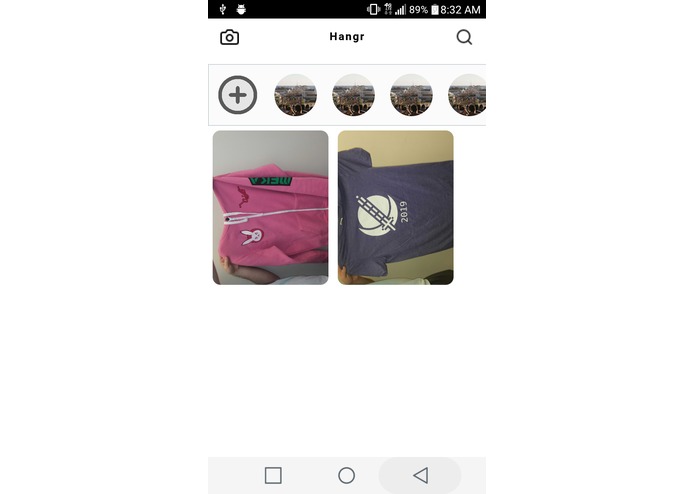
Clothing List Page
-
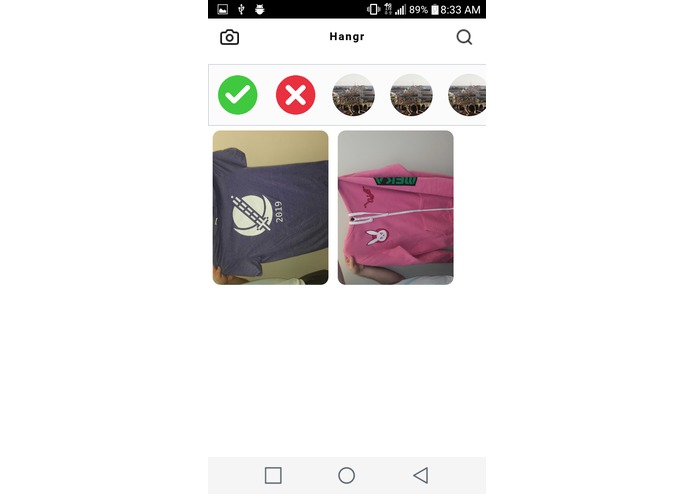
Recommendation Page


Inspiration
I've always found trouble picking out what to wear in the morning and will often just throw on whatever outfit is on top of the pile. I figured that I could do better, and I wanted an app that would keep track of all of that for me, would make sure I'm dressed properly for the weather and diversify my choices. So out of that need, Hangr was born.
What it does
Hangr is an application that allows you to catalog all of the clothes you own and have them be intelligently recommended to you based on the weather, the time since it was last worn, and how often it is combined with other articles of clothing. After you confirm your selected outfit it then activates a mechanical carousel which presents you with that very outfit.
How we built it
Hangr was built in three different parts all working together.
1) Backend The backend was written in TypeScript on a Node.js server. Each API endpoint was hosted as a separate Azure serverless function with some shared libraries to support each of the functions. For data storage, we used an Azure Postgresql instance and for blob image storage we used Firebase storage. Furthermore, we used the machine learning ClarifAi API in order to determine the type of clothing it was from just the picture. This allowed us to know what kind of weather that piece of clothing would be best for. We would then combine that as well as our other recommendation methods into one compatibility score that helped us choose what items to recommend.
2) Mobile App Our mobile app was built on React-Native and the Ignite toolkit. The app is capable of running on both iOS and Android, we primary built for the Android platform. It makes use of the phones built-in camera to photograph and catalog images before sending them off to the server for processing.
3) Embedded Hardware The mechanical carousel is powered by a Raspberry Pi, which uses the Requests library to send a get request to the backend for the index of the desired clothing item. The item is indexed and presented using a combination of a continuous servo and light sensor. We initially create a mechanical rotary encoder for indexing, but the pressure placed on the servo caused it to stall, so we created an electronic-based rotary encoder with a brushing mechanism. However, due to limited resources, this attempt was made with a combination of aluminum foil, hot glue, and cardboard and was ultimately unsuccessful. However, with the addition of a light sensor hooked up to an Arduino Mega, we decided to determine indices programmatically.
Challenges we ran into
Some of the biggest challenges we faced were with setting up blob storage to store a lot of images in the cloud as well as deploying and connecting to a Postgres database on Azure. We also faced a lot of issues setting up the layout for the mobile application in order to create an enjoyable user experience.
Accomplishments that we are proud of
We are super proud of being able to create a machine out of just cardboard, tinfoil, and wires to create a mostly functional prototype. Furthermore, we are proud that we were able to successfully create a database and blob storage system in the cloud. Finally, we are very happy with the solution we discovered to allow the serverless backend to send data to our Raspberry Pi.
What we learned
We learned a lot about working with a serverless architecture and using Azure functions with HttpTriggers in order to replicate the function of a whole web server in much less code and far easier deployment. We also learned a lot about helping embedded hardware communicate with services on the internet and then using that information to move mechanisms in the real world.
What's next for Hangr
There are so many improvements that could be made to the project such as adding complementary color recognition to our recommendation engine, creating a full-size mechanical model to use with real clothes, and further improving the accuracy of our recommendations. We would love to continue working on it to further polish the user experience and application value as a whole.
Built With
- azure
- cardboard
- functions
- node.js
- python
- raspberry-pi
- raspbian
- react-native
- serverless
- typescript


Log in or sign up for Devpost to join the conversation.