-
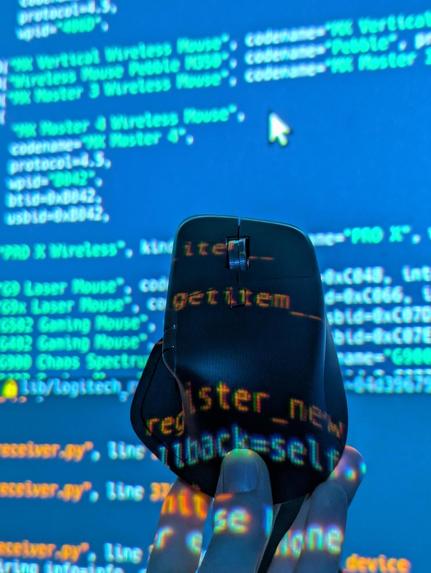
Social Challange - Working on the Solaar MX Master 4 Integration
-
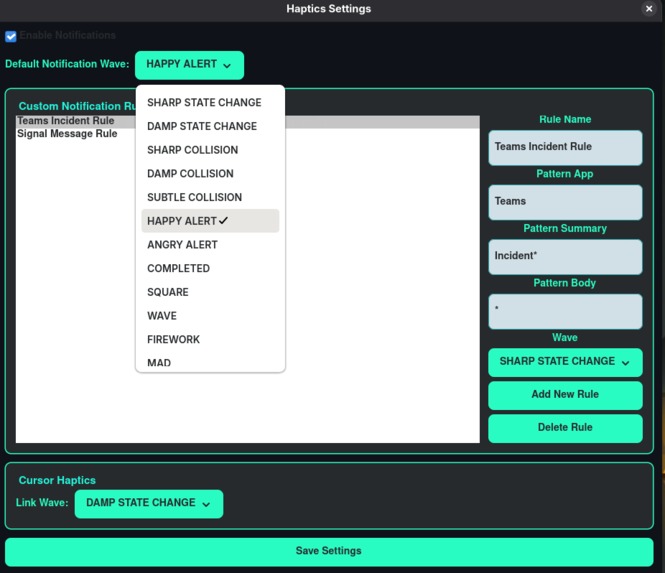
Haptics Rules Settings Window - GTK4 (in Logitech Theme)
-
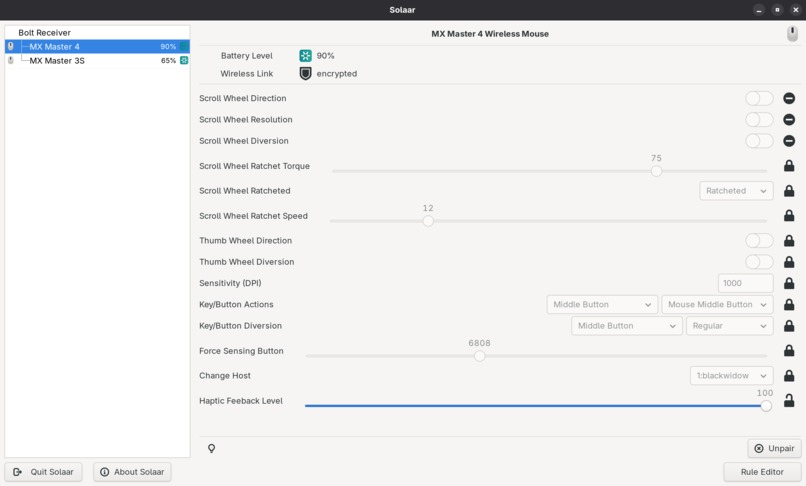
MX Master 4 Support in Solaar (With Haptic Setting)
-
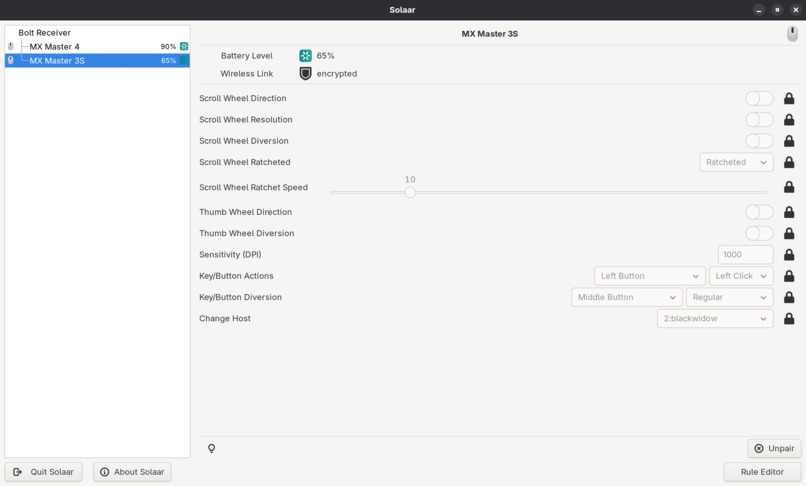
Old MX Master 3s for Comparison in Solaar


Inspiration
Logitech’s MX Master 4 introduced incredible haptic technology, but currently, it’s locked to Windows and Mac. We as enthusiastic Linux users felt a bit left behind. We also wanted to use the cool new Logitech Features :D
More importantly, we saw as opportunity. Haptics shouldn't just be for "immersion"; they should be a tool for inclusivity. We wanted to transform the mouse from a simple input device into a two-way communication channel, helping vision-impaired users "feel" the digital world and allowing power users to stay informed without sensory overload.
What it does
LogiTux brings full haptic support for the MX Master 4 to the Linux ecosystem, bridging the gap between productivity and accessibility. It operates in two main modes:
- Tactile Accessibility (GNOME Extension): We created a tactile experience. Whenever the cursor hovers over a clickable link or button (changing to the hand icon), the mouse provides subtle haptic feedback. This allows vision-impaired users to physically "feel" navigable elements on their screen, drastically improving UI exploration.
- Smart Haptic Notifications: We integrated a systemd service with Solaar. The mouse listens to system notifications via DBus and triggers customizable waveforms based on rules (App name, body text, bodies).
- Example: Get a specific vibration for a Prod incident in Teams or a specific Discord tag, allowing you to remain focused without constant audio pings or checking the screen corner.
How we built it
- Core Integration: We reverse-engineered the haptic op-codes (Turned out they already existed for Logitech Controllers in Solaar) and implemented support for the MX Master 4 directly into Solaar (the open-source Logitech device manager).
- Backend: We built a systemd service in Python that acts as a listener on the Linux DBus, capturing notification signals, calls for haptic operations from other Linux Applications (like the Gnome Extension) and mapping them to haptic impulses on the mouse.
- Frontend/UI: We extended Solaar’s GUI to allow users to create "Haptic Rules" (adding regex filtering rules for notifications, similar to mail filter rules).
- Accessibility: We developed a custom GNOME Shell Extension that monitors cursor state changes to trigger immediate haptic responses via our backend systemd service.
Challenges we ran into
- Protocol Obscurity: Without official Linux drivers, mapping the specific hex codes to trigger the different haptic waveforms on the MX Master 4 required trial and error.
- Real-time Latency: For the accessibility feature, the feedback had to be instant. Minimizing the delay between the GNOME cursor change and the hardware vibration was critical for it to feel natural.
- DBus Filtering: Parsing the noise of system-wide notifications to find only the relevant alerts required robust filtering logic.
Accomplishments that we're proud of
- Successfully bringing a "Windows/Mac only" hardware feature to Linux in just 36 hours.
- Creating a genuinely useful accessibility tool that changes how users interact with a GUI.
- Integrating cleanly into existing open-source tools (Solaar) rather than building a standalone, incompatible app. ## What we learned
- The intricacies of the Linux DBus and how to manipulate HID devices at a low level.
- How to write GNOME extensions to interact with system hardware.
What's next for LogiTux
- Upstreaming: Submitting our Pull Request to the official Solaar repository to make this available to all Linux users.
- Expanded Accessibility: Adding "texture" differences—different vibration patterns for different types of UI elements (buttons vs. text inputs).
Built With
- dbus
- gnome
- gtk
- javascript
- linux
- python


Log in or sign up for Devpost to join the conversation.