-
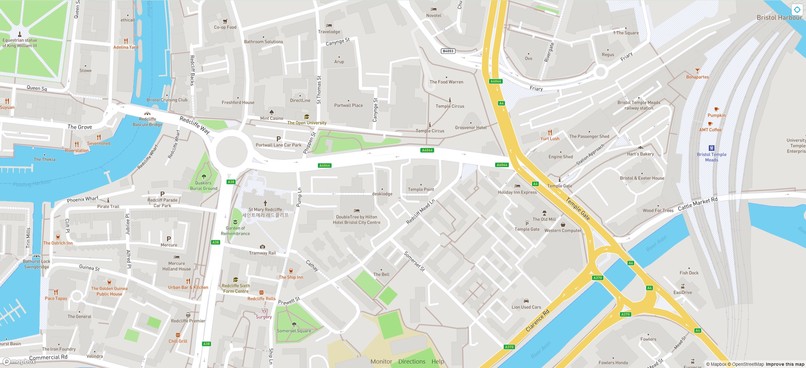
View of map zoomed in at footpath level, with navigation at the bottom.
-
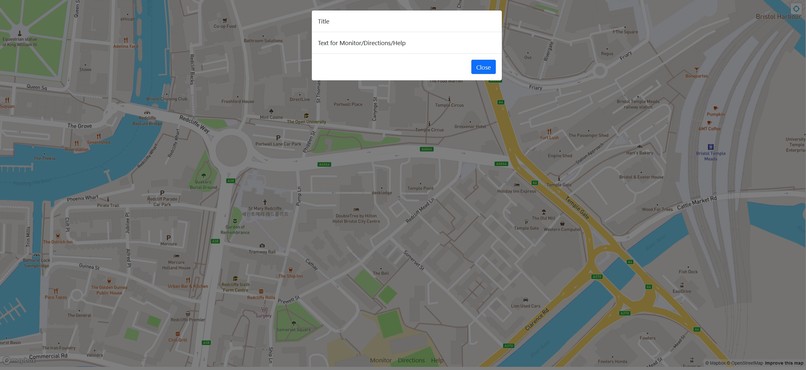
View of information modal invoked by clicking on a navigation button.


Inspiration
I wanted to take my university final year project application and "upgrade" it from the JavaScript, HTML and CSS I originally wrote it in, to a modern web application that uses the reusable component structure of React.
At present the original application supports route plotting, and weather checking for the central part of the visible map.
The purpose of this react project is to allow the application to be easier to further develop in future.
What it does
This application loads a map using Mapbox's services, and lets the user open a modal when they press the navigation buttons.
How we built it
I used Javascript with React, Bootstrap and Sass.
Challenges we ran into
I had difficulty getting my custom map style to display. This was because I was using a draft version which uses a distinctly different link from the easy share linking tools in the Mapbox Studio window. So, it is good to remember that when experimenting and using an asset you have not shared publicly that the Mapbox software will allow you to use draft map styles but you must check you are using such a style or you may find an important element such as custom footpath colours not appearing when you preview your webpage!
I also experienced a challenge using an environment variable for my access to the Mapbox service. A check on the https://create-react-app.dev/docs/adding-custom-environment-variables/ page told me what I needed to ensure I had my file set up in the correct place.
Accomplishments that we're proud of
I have a functional interactive map which can zoom to the user's location with permission.
I have set up the infrastructure to continue development.
What we learned
I learned to use react-bootstrap's navigation for the first time. I learned to position the navigation to be fixed to the screen bottom and be transparent, allowing the map to show through. (I recall this was more time consuming in vanilla JavaScript!)
What's next for Plan My Walk
I want to:
- Populate the information modal dynamically according to which navigation button is pressed.
- Set the navigation buttons to have a background colour without losing the transparency for the remaining length of the navigational bar/row.
- Implement route plotting. This step may require me to write my first complex custom React components because not every Mapbox API feature is set up for React, and the different Mapbox React libraries have differing compatibility with different features.


Log in or sign up for Devpost to join the conversation.