-
Banner
-
PS5 Controller


Project story
Inspiration
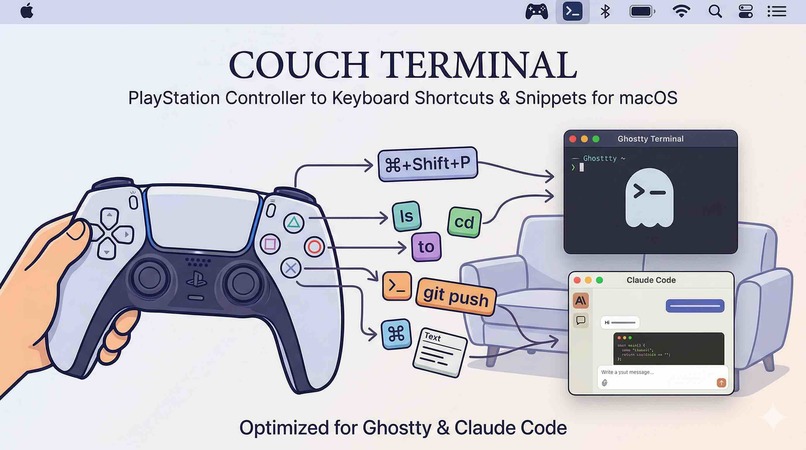
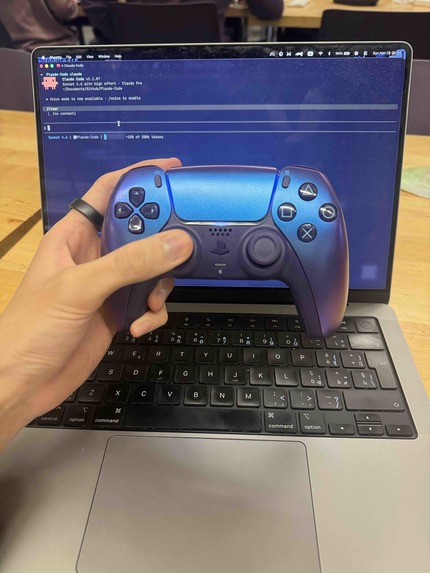
I spend a lot of time in a terminal (Ghostty) and sometimes want to work from the couch with a DualSense instead of reaching for the keyboard. macOS doesn’t ship a good story for “controller → real keyboard input into arbitrary apps,” so I built a small bridge: map buttons to keys, snippets, and pointer control, with a cheatsheet so I don’t forget what I assigned.
What I learned
- GameController is fine for sticks and buttons, but touchpad-style data on DualSense often means dropping to IOKit HID and reconciling two sources of truth.
- Accessibility isn’t optional if you want synthetic keys to land in the focused app; users have to grant it, and the UI has to stay honest about when injection will fail.
- SwiftUI + AppKit together are workable for a menu bar app, but window presentation (
openWindow, hidden opener windows) takes some care so flows like “open cheatsheet from the menu” don’t race launch order.
How I built it
The app is a Swift package producing a macOS executable. A ControllerManager reads gamepad state; bindings live in a MappingStore and route through an ActionRouter to emitters: Carbon-based key events, paste where needed, and CoreGraphics for pointer moves and clicks when the touchpad path is enabled. UI is SwiftUI (MenuBarExtra, settings, cheatsheet) with AppKit where window behavior matters. Permission state is checked against Application Services APIs so the menu bar reflects reality.
If you care about timing in one line: treating input as discrete samples every frame suggests a bound like \( \Delta t \leq 1/f_s \) for a sampling rate \( f_s \); in practice I cared more about debouncing and not double-firing on the same physical press than about formal sampling theory.
For anything that deserved a clear “what happened” line in logs, a small NDJSON debug path helped without spamming the console.
Challenges
- HID vs GameController: merging touchpad HID data with controller buttons without weird drift or missed gestures.
- Focus: optionally bringing Ghostty forward before sending keys so input doesn’t disappear into the wrong window.
- macOS permissions: explaining Accessibility in plain language and recovering when the user toggles it in System Settings without restarting the app.
- SwiftUI window IDs: cheatsheet and settings flows needed explicit registration so “open from menu bar” worked on a cold start.
Built With
- appkit
- gamecontroller
- swift
- swiftui


Log in or sign up for Devpost to join the conversation.