-
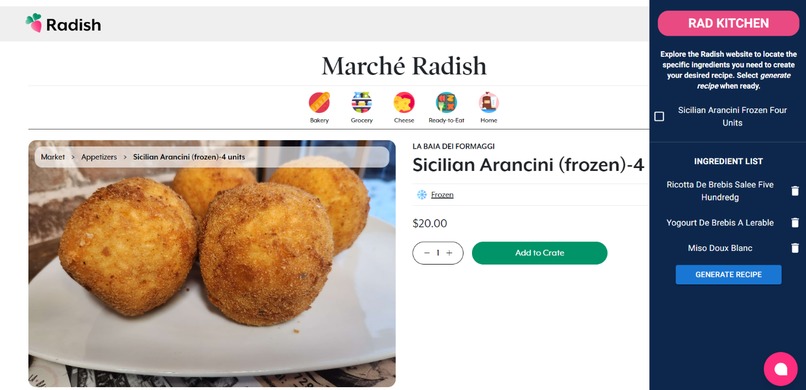
Going to a page
-
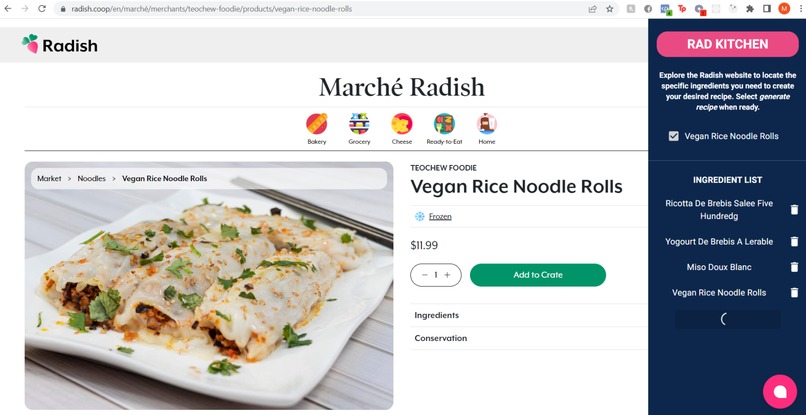
Add items to the list by going to different pages
-
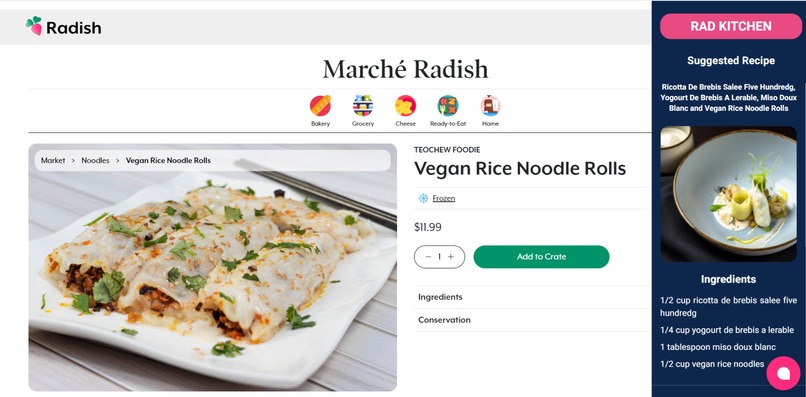
Render image with meal
-
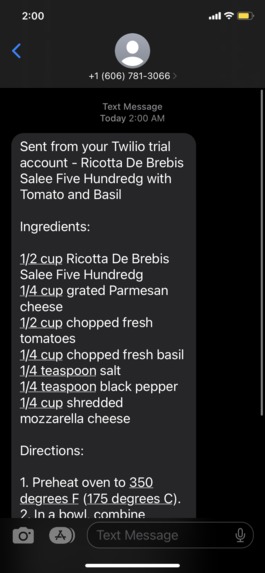
Text message from Twilio


Inspiration
It can be tough coming up with a unique recipe each and every week. Sometimes there are good deals for specific items (especially for university students) and determining what to cook with those ingredients may not be known. Rad Kitchen says goodbye to last-minute trips to the grocery store and hello to delicious, home-cooked meals with the Ingredient Based Recipe Generator chrome extension.
What it does
Rad Kitchen is a Google Chrome extension, the ultimate tool for creating delicious recipes with the ingredients you already have on hand. This Chrome Extension is easy to install and is connected to Radish's ingredient website. By surfing and saving ingredients of interests from the Radish website, the user can store them in your personal ingredient library. The extension will then generate a recipe based on the ingredients you have saved and provide you with a list of recipes that you can make with the ingredients you already have. You can also search for recipes based on specific dietary restrictions or cuisine type. It gives a final image that shows what the dish may look like.
How we built it
- Google Chrome extension using the React framework. The extension required a unique manifest.json file specific to Google Chrome extensions.
- Cohere NLP to take user input of different ingredients and generate a recipe.
- OpenAI's API to generate an image from text parameters. This creates a unique image to the prompt.
- Material UI and React to create an interactive website.
- Integrated Twilio to send the generated recipe and image via text message to the user. The user will input their number and Twilio API will be fetched. The goal is to create a more permanent place after the recipe is generated for people to refer to
Challenges we ran into
- Parsing data - some issues with the parameters and confusion with objects, strings, and arrays
- Dealing with different APIs was a unique challenge (Dalle2 API was more limited)
- One of our group members could not make it to the event, so we were a smaller team
- Learning curve for creating a Chrome Extension
- Twilio API documentation
- Cohere API - Determining the best way to standardize message output while getting unique responses
Accomplishments that we're proud of
- This was our first time building a Google Chrome extension. The file structure and specific-ness of the manifest.json file made it difficult. Manifest v3 quite different from Manifest v2.
- For this hackathon, it was really great to tie our project well with the different events we applied for
What we learned
- How to create a Google Chrome extension. It cannot be overstated how new of an experience it was, and it is fascinating how useful a chrome extension can be as a technology
- How to do API calls and the importance of clear function calls
What's next for Rad Kitchen
- Pitching and sharing the technology with Radish's team at this hackathon
Built With
- chrome
- cohere
- css
- html5
- javascript
- material-ui
- openai
- react
- typescript




Log in or sign up for Devpost to join the conversation.