-

The Trigger Relief logo, representing peace amidst the chaos of the internet.
-
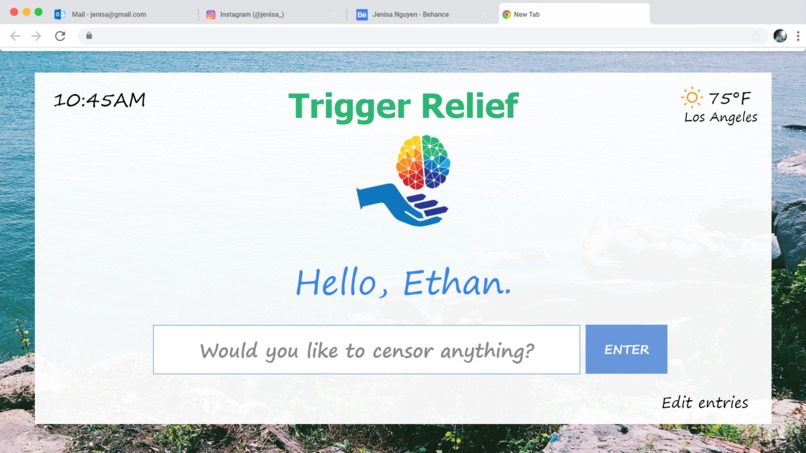
The splash screen, designed to be simple, calming, and easy to use.
-
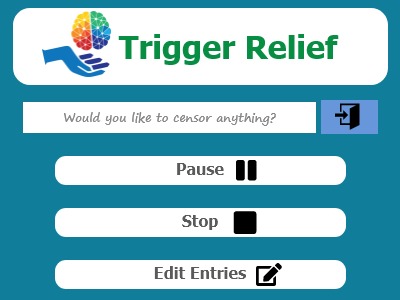
The drop-down menu with extra features, accessible at any time from the top right-hand corner of the screen


Inspiration
| We were inspired by AlwaysAI's booth that we visited after the opening ceremony and Google Cloud's Vision API demo during their workshop. |
What it does
| We created a google chrome extension that takes images from the webpage you are going to. Temporarily downloads those images and runs them through AlwaysAI's API to check for a censorship parameter. If the image contains the said parameter then the API with return our code with a value to indicate we should censor that said image. |
How we built it
| We used python and HTML for our extension to interact with the AlwaysAI API. We used Adobe Creative Suites to design our logo and our mock-up of how our extension would look like. |
Challenges we ran into
| We did not start coding until past 1:00 am Saturday. Completely scrapped everything we were working on with Google Cloud's Vision/Video Intelligence APIs around 6:45 pm Sat and switched over to using AlwaysAI's API. |
Accomplishments that we're proud of
| First time using machine learning technology as four first-year undergraduates. Establishing the correct neural network model with AlwaysAI's API so that it correctly identifies what needs and doesn't need to be censored. |
What we learned
| We learned the challenges of trying to implement a Google Cloud API. How to interconnect a google chrome extension with an outside party's API. How to download images from any website load it into a file to search and return an altered image if needed to original position on the webpage. |
What's next for Trigger Relief
| Using other neural networks that are already created we can expand the triggers that people will be able to block from their webpages. Finishing our interface with the user so that it is easy to change what "triggers" you want on or off. |
Built With
- adobe-creative-suites
- alwaysai-api
- html/css
- python


Log in or sign up for Devpost to join the conversation.