-
-
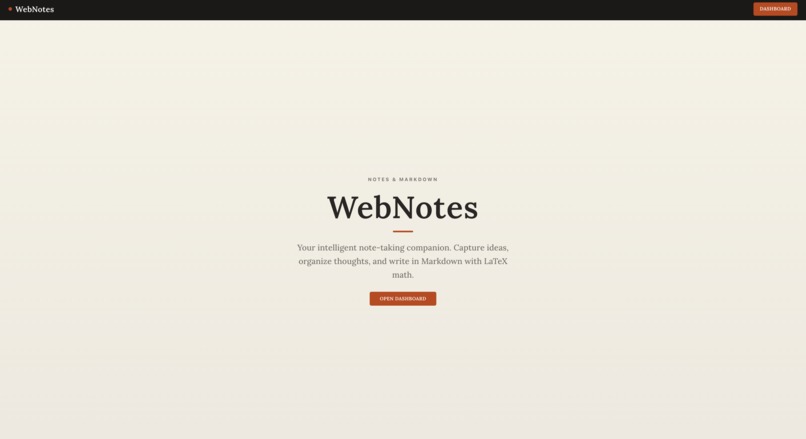
Home Page
-
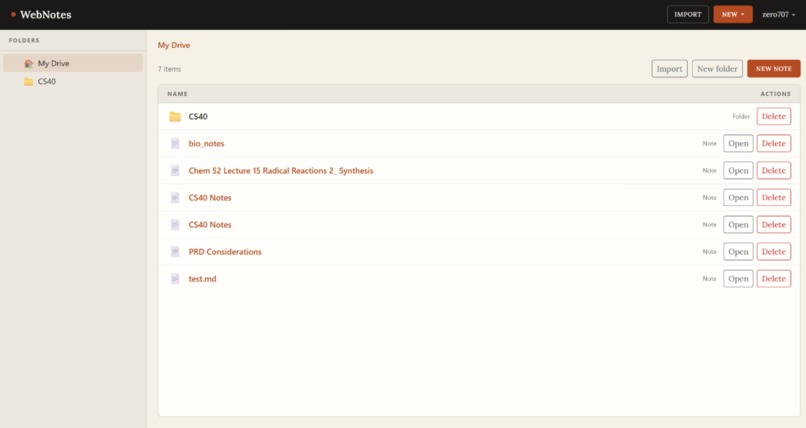
File Browser Page
-
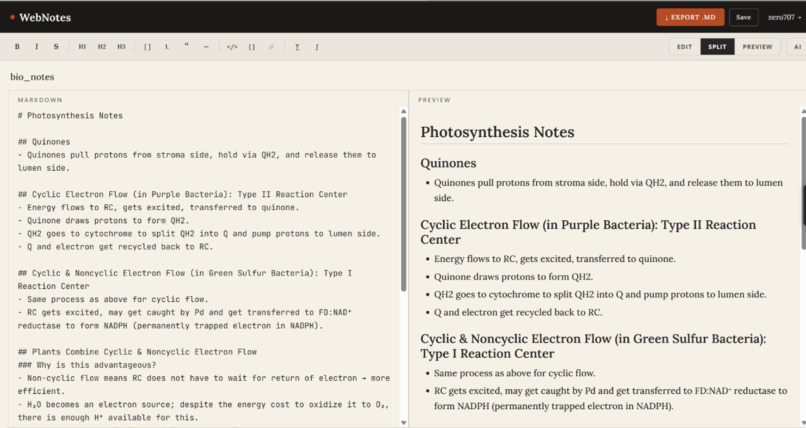
Text Editor
-
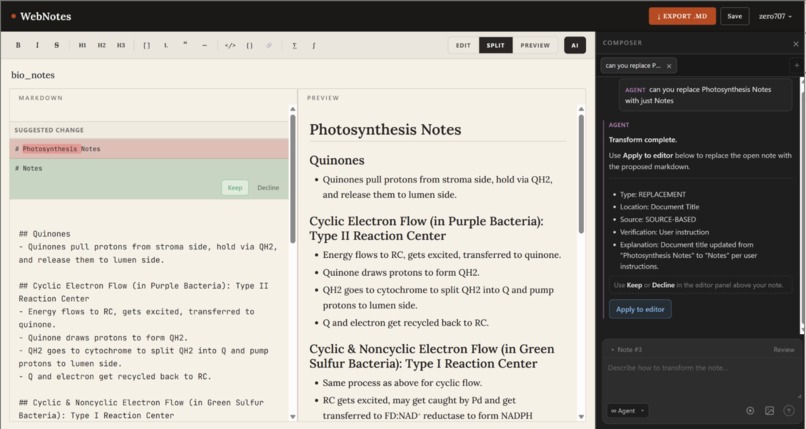
AI Agent Editing Text Editor


webnotes.study — AI-powered note editor for students
Inspiration
We've all been there — staring at a wall of messy lecture notes the night before an exam, wishing someone could just clean them up. Existing tools either do too much (rewriting everything) or too little (just storing files). We wanted something in between: an AI that reads your notes like a study partner and proposes improvements, not one that takes over.
The moment it clicked was when we looked at GitHub pull requests. The accept/decline workflow is the clearest mental model for controlled collaboration ever built. We asked — what if students had that same control over AI suggestions on their notes?
What it does
webnotes.study is an all-in-one note editor built for students. You upload typed notes, PDFs, or even handwritten pages which get converted to markdown automatically. Once your notes are in, you invoke the AI agent to review them. Every suggestion appears as a tracked change — you accept, modify, or decline each one individually. The AI never rewrites anything without your say.
How we built it
Frontend — React + Vite with a component-driven architecture. The file system renders recursively from a nested folder tree fetched at login, supporting infinite folder depth with breadcrumb navigation. The AI diff review panel sits alongside the markdown editor, showing suggestions as tracked changes with individual accept and decline controls.
Backend — Flask REST API organized into blueprints for auth, files, folders, and profiles. PostgreSQL stores all data, with folders modeled as a self-referential table — a single parent_id column is what makes infinite nesting possible. Every route is secured with JWT authentication so users only ever touch their own data.
AI layer — Note content is sent to OpenAI GPT-4o, which returns structured edit suggestions mapped to specific sections of the original text. The diff panel then renders these suggestions inline without touching the original until the student decides.
Infrastructure — The entire stack runs containerized with Docker Compose, making the environment consistent across any machine.
Challenges we faced
Recursive folder schema — Modeling infinite folder nesting in a relational database without blowing up query complexity took more thought than expected. The self-referential foreign key approach ended up being elegant, but getting SQLAlchemy's cascade deletes to work correctly down the tree required careful configuration.
The diff UX — Getting the accept/decline interaction to feel natural was harder than building it. We went through several iterations before landing on the inline tracked-change model. The key insight was treating each suggestion as its own atomic unit rather than a batch.
Circular imports — Flask's application factory pattern combined with SQLAlchemy models caused circular import errors that took a while to untangle. The fix was isolating all extensions into a dedicated extensions.py file so nothing imports from app directly.
JWT across the stack — Keeping the token lifecycle consistent between the frontend context and every API call required a centralized API client and careful state management so sessions didn't silently expire mid-session.
What we learned
- Relational databases are more powerful than we gave them credit for — a single self-referential column unlocks recursive data structures cleanly
- The best AI UX keeps humans in the loop at every step
- Docker Compose makes "it works on my machine" a problem of the past
- Good mascots matter — meet Weno, our jolly little AI agent 🤖
What's next
- Handwritten note OCR pipeline
- Collaborative notes with shared folders
- AI that understands course context across multiple notes
- Mobile app so Weno lives in your pocket
Built With
- docker
- docker-compose
- flask
- flask-bcrypt
- flask-cors
- flask-jwt-extended
- flask-migrate
- gpt-4o
- javascript
- openai
- postgresql
- python
- react
- react-bootstrap
- react-context-api
- react-router
- scss
- sqlalchemy
- vite


Log in or sign up for Devpost to join the conversation.