 Docs Portal
Introduction
What is Mapped?
Mapped is an AI-powered data infrastructure platform for IoT, built to help customers securely access real-time data from building systems, sensors, enterprise applications, and APIs. Through automation, we simplify the data discovery, extraction, and normalization process so you can easily access your data via our simple and secure API.
We connect to both cloud-based systems and on-premise infrastructure, ranging from modern SaaS platforms to building systems like BACnet and Niagara, bringing together data that is typically siloed across systems, vendors, and protocols.
As data is ingested, it is translated from vendor or protocol specific formats into a consistent structure, creating standardized entities such as things (equipment, assets) and points (telemetry, states, and measurements). This normalization allows data from very different systems to be unified without requiring custom integration work.
Mapped then organizes this data into a graph model, where entities are not only stored but also related to one another. Points can belong to systems, equipment can have components, and systems can be associated with spaces, providing the context needed to understand how a building actually operates.
The result is a single, cohesive data layer where information from all connected systems behaves as one dataset, enabling consistent querying, analysis, and application development across the entire portfolio.
How it Works
Discovery
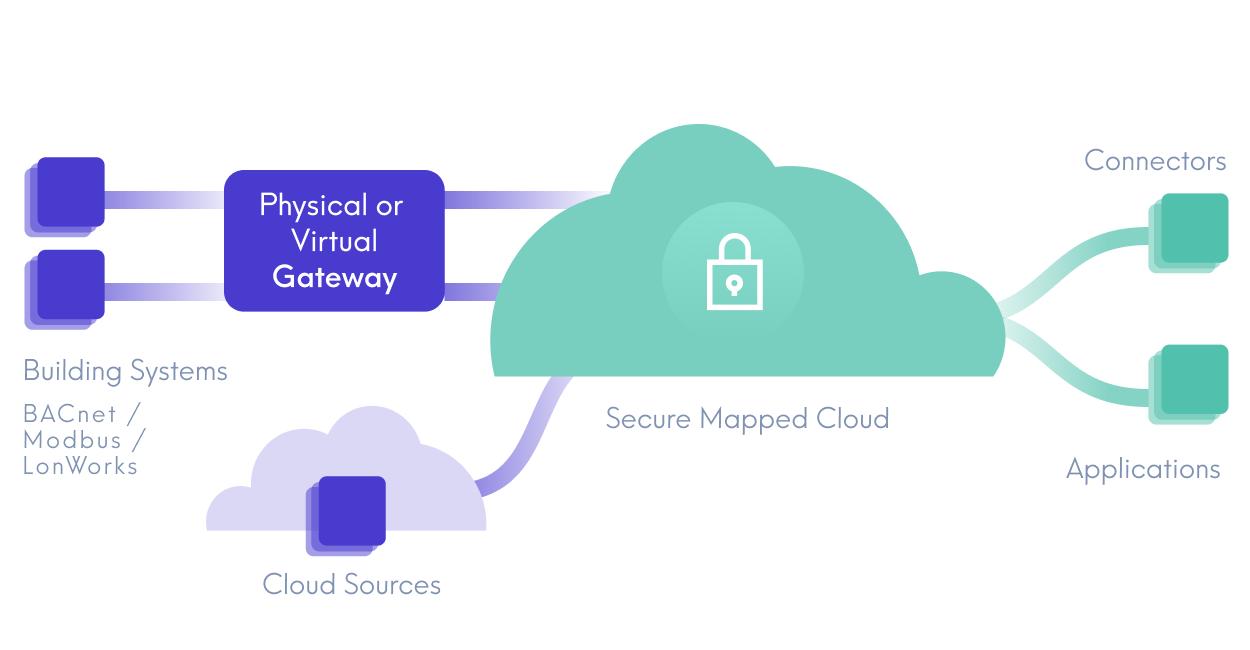
Mapped discovers and integrates data from both on-premise systems and external platforms through a combination of gateway-based discovery and connector-based integrations.
For on-premise systems, the Mapped Universal Gateway performs automated discovery across IP networks, using techniques similar to those found in cybersecurity appliances to actively scan networks and identify devices and systems using protocols such as BACnet and Modbus. It scans for devices, retrieves their objects and points, and continuously polls for timeseries data to reflect real-world conditions.
- Device discovery: Every seven days, the Gateway walks all IPs on the network. For each device that responds on the BACnet protocol, the Gateway performs a device scan.
- Device scan: Once a device or controller is discovered, the Gateway asks the device for all of its objects, at a default interval of 24 hours. For each object, it requests its points and all the point's properties, including additional information such as make, model, and firmware.
- Time series polling: For all discovered devices, objects, points and properties that are of time series type, Mapped Universal Gateway asks the device for the current value of each time series property, at a default interval of 15 minutes; this interval is configurable.
In parallel, connectors integrate with external systems by connecting to vendor APIs or interfacing with edge platforms (such as Niagara via oBIX). This enables Mapped to discover and access data from systems that are not available through network scanning alone.
Extraction
Once identified, data is retrieved through both gateway-based and connector-based integrations.
Edge data is securely transmitted from the gateway to the cloud over MQTT, employing optimizations to reduce network overhead, including binary serialization and an algorithm that sends only changes in point data (deltas). Connector-based integrations retrieve data directly from APIs or external systems.
Across both ingestion paths, Mapped applies optimizations such as sending only incremental changes to ensure efficient data transfer.
Normalization
All ingested data, whether from gateways or connectors, is translated from vendor-specific formats into a consistent structure. Devices, assets, and equipment are represented as things, while telemetry and state data are represented as points.
The data flows through an analysis and transformation pipeline before being stored in Mapped’s data layer. It is aligned with the Mapped Graph ontology, an extension of Brick, an industry standard capable of modeling thousands of distinct system and point types.
This normalized data is then available in the Mapped Console and the Mapped API for exploration and use.
Mapped Console
In the Mapped Console, you're able to see information about your onboarded locations via the Explore tab - buildings, floors, spaces. You have two options for the view - rendered into graphics you can interact with to see various details, all the way down to a specific device on a specific floor:
.png)
Or a Grid View that shows columns and rows for both Thing and Point data:
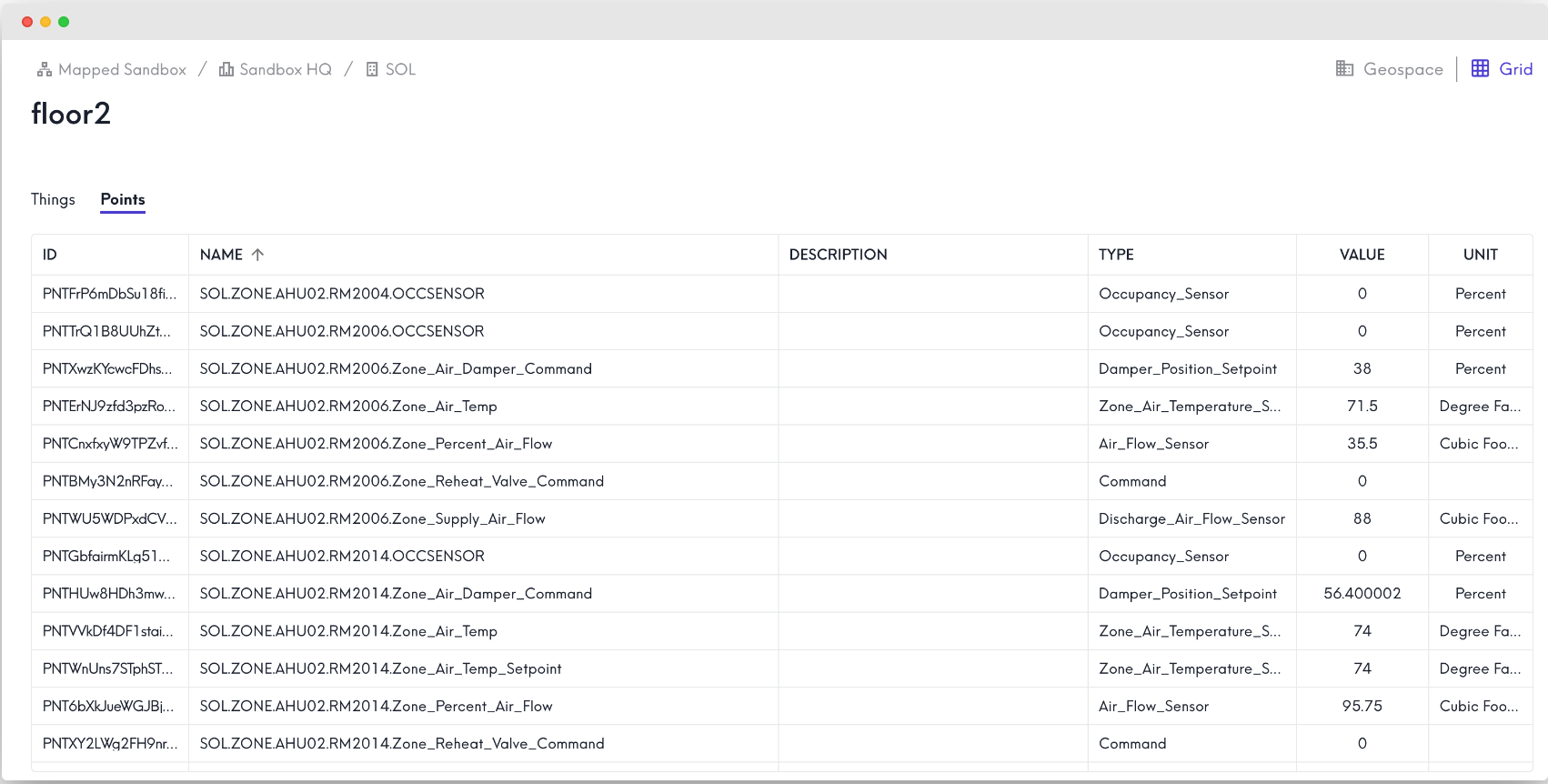
After Explore, there's the Connectors tab, which allows you to add various applications to your Mapped organization, expanding your capabilities and opening up new ways to use your data.
You'll also be able to view and configure your Gateways, and take actions like activating the Sandbox.
Mapped for Developers
As a developer, working in IoT can be challenging - dozens of device protocols, hundreds of vendors, and thousands of possible devices. Getting everything synchronized into one system can take significant time and effort. Mapped removes this complexity by unifying disparate data streams into a single GraphQL API with standardized data models.
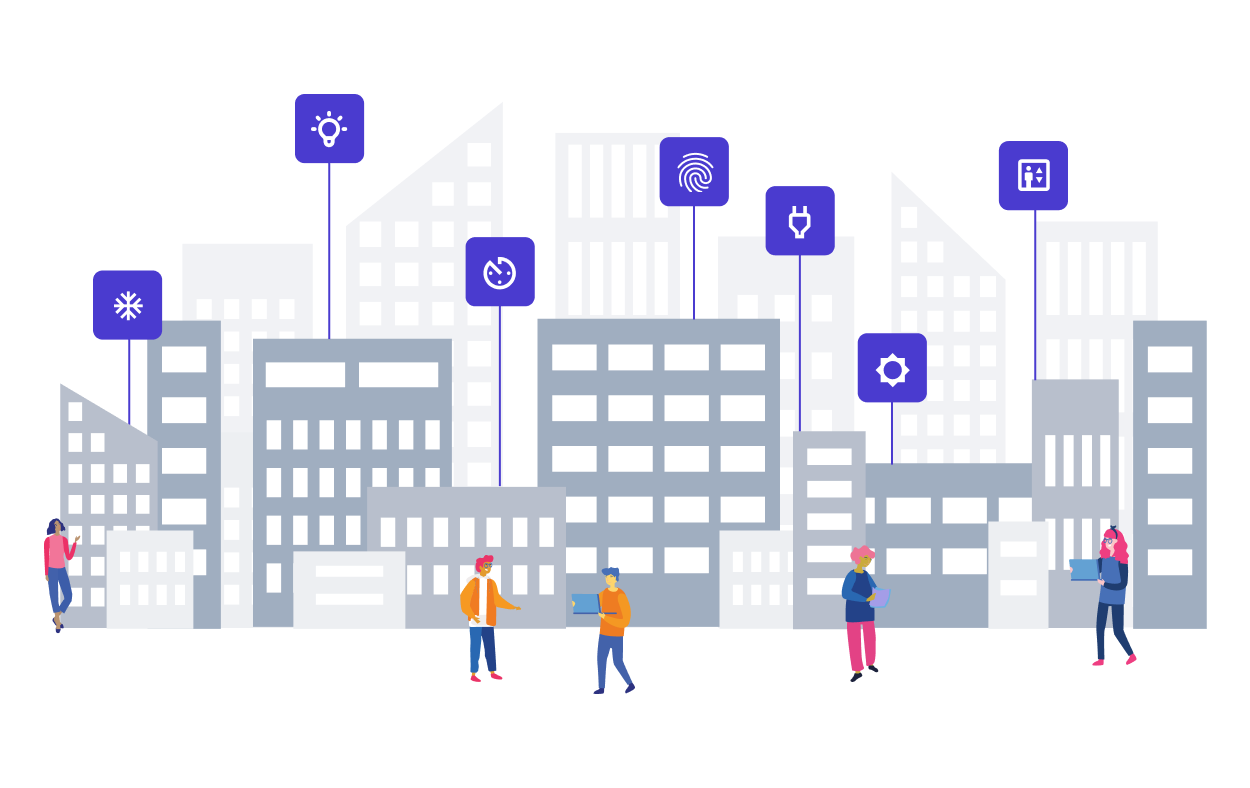
The Mapped API is mostly grouped together in three broad categories: People, Places & Things.
- People represents the individuals that exist in Places (like an office space) and interact with Things (like a badge reader).
- Places represents the physical locations where People and Things exist - buildings, floors on a building, spaces in a floor and so on.
- Things represent devices & equipment inside of a Place, from full HVAC systems to badge readers to individual lights.
What is GraphQL?
GraphQL is an alternative to REST for API development, particularly useful for APIs with large datasets because users can build the structure of a complicated request into a single query. For example, the following GraphQL request retrieves quite a lot of data - it could take up to 100 individual calls to BMS system to achieve the same results, typically to a variety of endpoints:
Request ResponseCopy1 2 3 4 5 6 7 8 9 10 11 12 13 14 15 16 17 18 19 20{ buildings { id name points(filter: {type: {eq: "Temperature_Setpoint"}}) { id name exactType aggregation( startTime: "2024-07-13T17:00:00" endTime: "2024-07-14T17:00:00" period: DAY ) { timestamp avg max } } } }
Here is a summary of what this query will return:
- For the currently authenticated user (or app), return the name and id for each building.
- For each building, filter for all Temperature Set Point sensors.
- For each point, aggregate its time series data for the defined date and time, by the day.
- For each period, return the timestamp along with the average and maximum sensor reading for that period.
For IoT datasets that can be very large and intense, the simplification of GraphQL is clearly beneficial.
How to Make a GraphQL request
GraphQL works similar to REST, in that you'll have a URL to call, headers defined, authentication set and then the body of your request (which would look like the example above). Where it differs - you won't use GET/PUT/POST/DELETE, and you won't use multiple URLs with different endpoints. Here's an example of the specifics needed to make a GraphQL API call:
URL:
- https://api.mapped.com/graphql
- This link will not work in a browser
Headers :
- Authorization: token ABcDZGRpbjpvcGVuc2Vz1138
- Content-type: application/json
- Read the Authentication & Security docs for more info on the Authorization header
Request Body:
Copy1 2 3 4 5 6{ buildings { id name } }
Many of our docs pages include example request bodies you can test, but the URL and the headers don't need to change.
Each piece of data returned by the API will contain an opaque string up to 128 characters long - these are static, the ID for any piece of data won't change, and are used extensively in filtering. The format of an ID may vary, so don't include any logic in an app that checks against information like character count; the individual ID for a place or a thing won't change once assigned, however.
Tools to test GraphQL requests:
Insomnia has the benefit of automatically importing our schema via the URL, meaning you can get syntax predictions right in the request body as you type. Postman requires an import of the schema, which takes a bit more effort. Contact Support for help getting that file imported correctly.
In the docs that follow, we will explore all the endpoints you can hit in the API and provide examples to get you going. If you find you have questions that can't be answered in the docs, please reach out to Support anytime.
