

AI-powered multi-platform social media content generation and publishing automation.
PostAll is a complete content automation pipeline that generates platform-optimized posts from your brand guidelines and content strategy, reviews them with AI quality control, and publishes across multiple social platforms.
See the Telegram Bot in action:
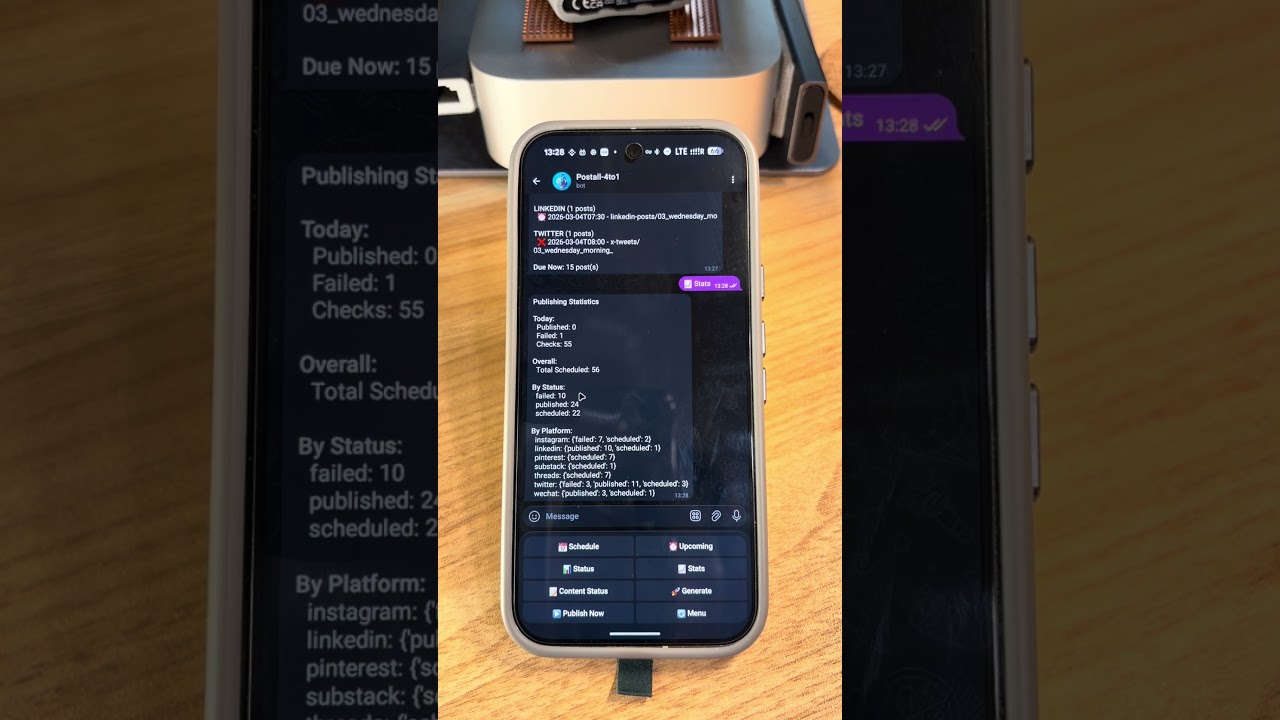
Click to watch the demo video
PostAll is designed for AI agent automation. Use our Agent CLI or integrate via skill files.
A dedicated command-line interface for AI agents with JSON output:
# Install
pip install postall-agent

# Generate content for multiple platforms
postall-agent generate --topic "AI is changing how we work" --platforms twitter,linkedin,wechat,xhs

# Output (all commands return JSON)
{
  "success": true,
  "draft_id": "abc123",
  "contents": {
    "twitter": {"thread": ["Tweet 1...", "Tweet 2...", "Tweet 3..."]},
    "linkedin": {"post": "Professional content..."},
    "wechat": {"title": "标题", "article": "公众号文章..."},
    "xhs": {"title": "小红书标题", "content": "笔记内容...", "tags": ["AI", "效率"]}
  },
  "image_prompt": "A futuristic workspace..."
}

# Generate cover image
postall-agent image --draft abc123

# Publish to platforms
postall-agent publish --draft abc123 --platforms twitter,linkedin

# List drafts
postall-agent list --status draft
See postall-agent/README.md for full documentation.
For AI agents that prefer HTTP-based discovery:
| File | URL | Description |
|---|---|---|
| SKILL.md | https://postall.live/skill.md |
Full integration guide for AI agents |
| skill.json | https://postall.live/skill.json |
Machine-readable metadata |
# Your AI agent can fetch and read these files directly
curl https://postall.live/skill.md
curl https://postall.live/skill.json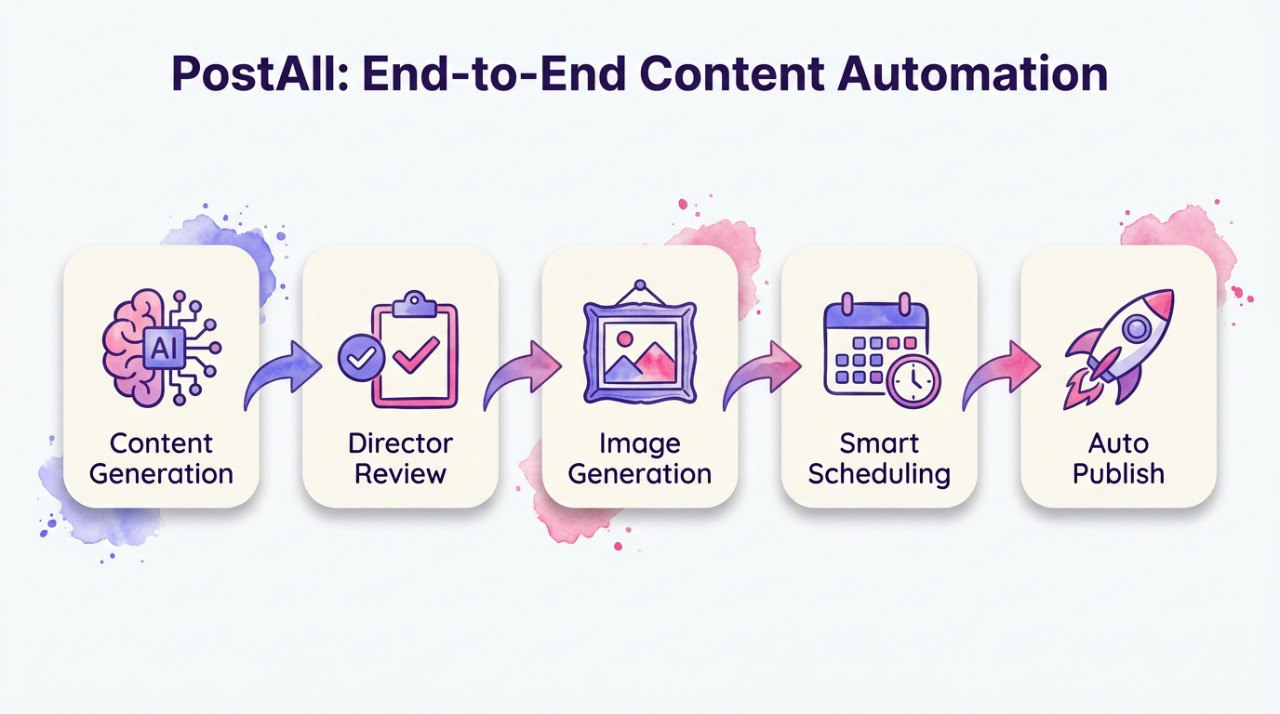

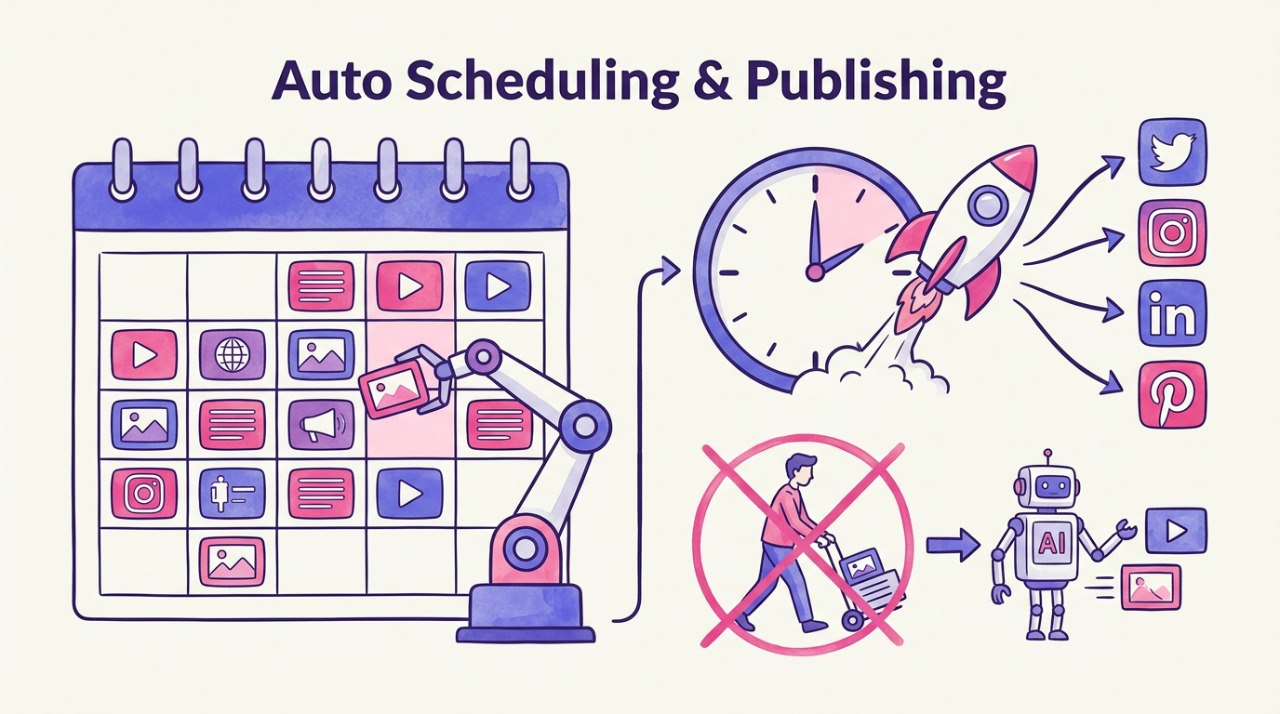
- 🤖 AI Content Generation - Powered by Claude, GPT-4, and Gemini
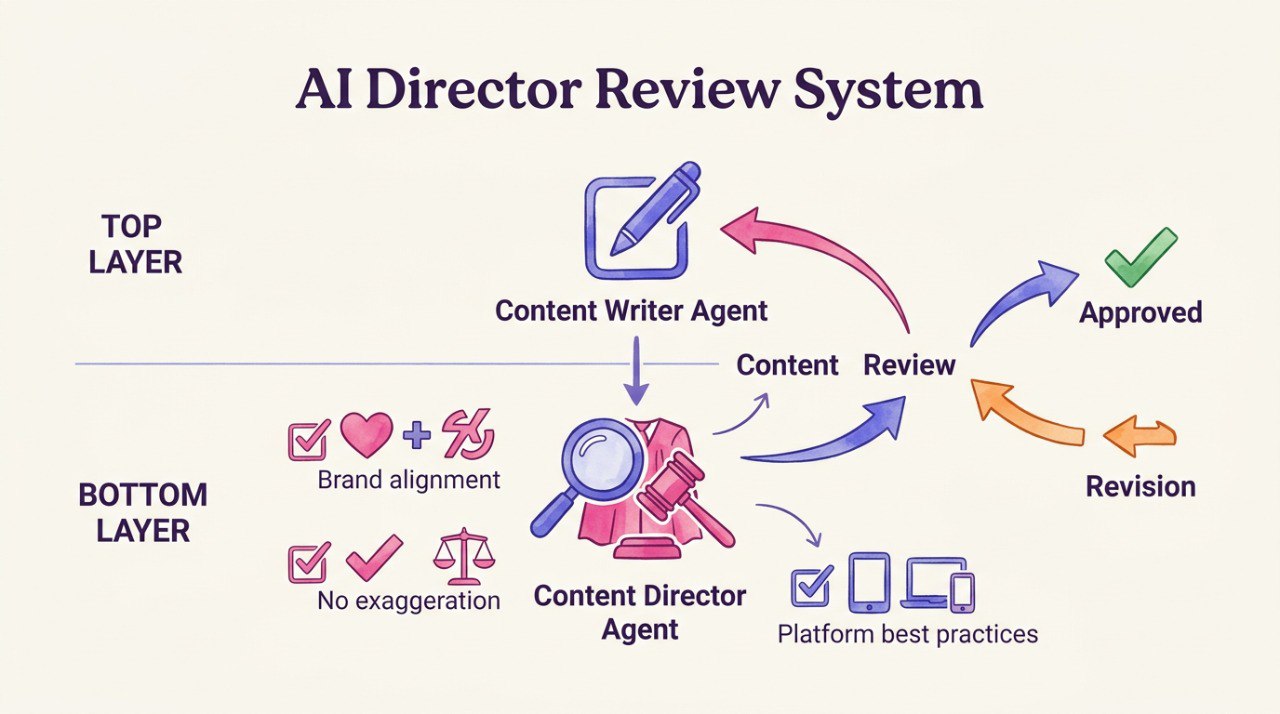
- 🎯 Director Review System - AI quality control checks brand alignment before publishing
- 📱 Multi-Platform Publishing - Twitter/X, LinkedIn, Instagram, Pinterest, Threads, Xiaohongshu
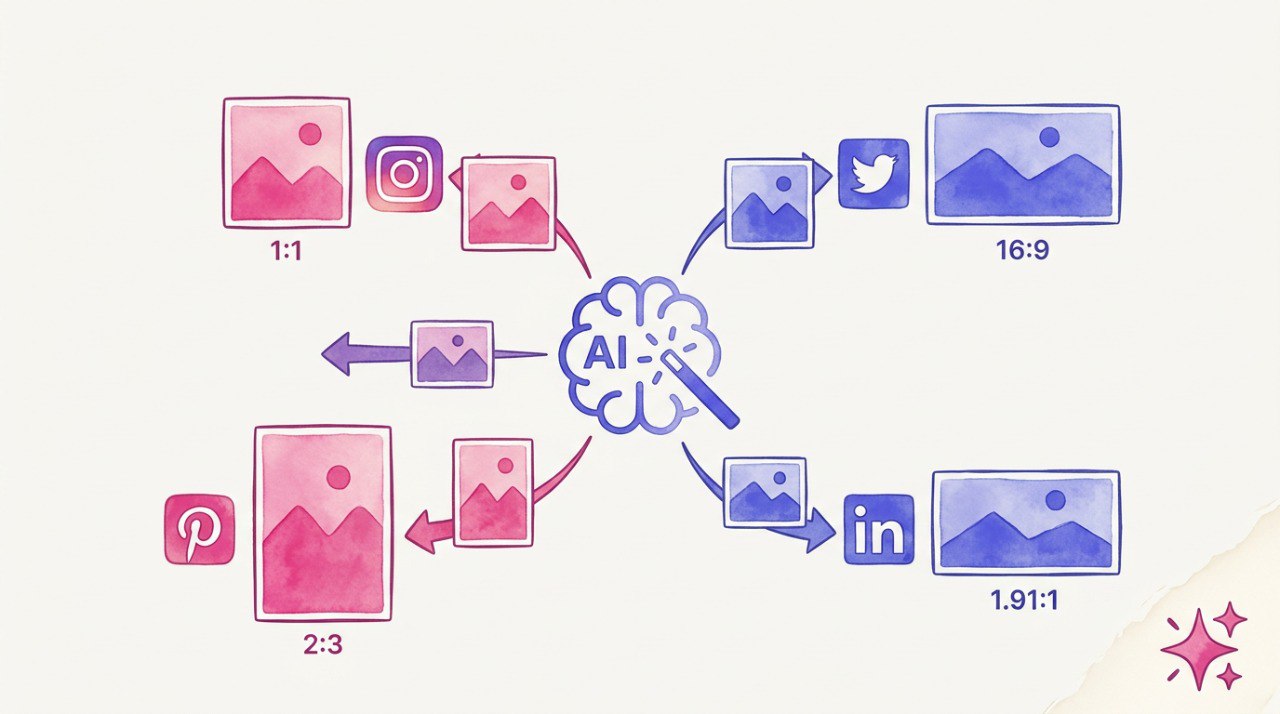
- 🎨 Image Generation - Auto-generate matching visuals with AI
- 📊 Content Strategy - Define pillars, themes, and maintain balanced content mix
- 📈 RLHF Learning - System improves from your feedback over time
- ⏰ Smart Scheduling - Optimal posting times per platform
- 🔄 Daemon Mode - Run continuously with auto-generation and publishing
- Python 3.9+
- Docker (optional, recommended)
- API keys for AI providers (Anthropic, OpenAI, or Google)
git clone https://github.com/qingxuantang/postall.git
cd postall

# Copy environment template
cp .env.example .env
# Edit .env with your API keys

# Start with Docker
docker-compose up -dgit clone https://github.com/qingxuantang/postall.git
cd postall
# Install dependencies
pip install -e .
# Copy environment template
cp .env.example .env
# Edit .env with your API keys
# Run
python -m postall.cli --project projects/example/project.yaml daemon- Set up API keys in
.env:
ANTHROPIC_API_KEY=your_key_here
# or
OPENAI_API_KEY=your_key_here
# or
GEMINI_API_KEY=your_key_here- Configure your brand in
projects/example/project.yaml:
project_name: "My Brand"
brand:
  name: "My Brand"
  tagline: "Your Tagline"
  voice:
    tone: "professional yet friendly"
    characteristics:
      - "clear and concise"
      - "helpful and educational"
    avoid:
      - "aggressive sales language"
      - "technical jargon"

platforms:
  twitter:
    enabled: true
  linkedin:
enabled: true- Run content generation:
# Generate content
python -m postall.cli generate --project projects/example/project.yaml

# Or run as daemon (auto generate + publish)
python -m postall.cli daemon --project projects/example/project.yamlpostall/
├── postall/ # Core library
│ ├── cli.py # Command-line interface
│ ├── config.py # Configuration management
│ ├── cloud/ # Cloud services
│ │ ├── daemon.py # Background daemon
│ │ ├── generation_controller.py # AI content generation
│ │ ├── telegram_bot.py # Telegram bot interface
│ │ └── notifier.py # Notifications
│ ├── director/ # AI review system
│ │ └── director.py # Quality control
│ ├── executors/ # AI model executors
│ │ ├── claude_api_executor.py
│ │ ├── gemini_api_executor.py
│ │ └── gemini_image_executor.py
│ ├── publishers/ # Platform publishers
│ │ ├── twitter_publisher.py
│ │ ├── linkedin_publisher.py
│ │ ├── instagram_publisher.py
│ │ ├── pinterest_publisher.py
│ │ ├── threads_publisher.py
│ │ └── xhs_publisher.py # Xiaohongshu
│ ├── generators/ # Content generators
│ │ └── xhs_cards.py # Xiaohongshu cards
│ ├── learning/ # RLHF system
│ │ ├── feedback_collector.py
│ │ ├── rlhf_manager.py
│ │ └── rule_library.py
│ └── theory_framework/ # Content frameworks
│ ├── hook_types.py
│ ├── psychology_triggers.py
│ └── viral_scorer.py
├── projects/
│ └── example/ # Example project
│ ├── project.yaml # Brand & strategy config
│ ├── output/ # Generated content
│ └── database/ # Persistent data
├── docs/ # Landing page
├── docker-compose.yml
├── Dockerfile
└── .env.example
Define your brand identity in project.yaml:
brand:
  name: "Your Brand"
  tagline: "Your Tagline"
  website: "yourbrand.com"

  # Color palette (for image generation)
  colors:
    primary: "#3498DB"
    secondary: "#2ECC71"
    accent: "#E74C3C"

  # Voice guidelines
  voice:
    tone: "professional yet friendly"
    characteristics:
      - "clear and concise"
      - "helpful and educational"
      - "trustworthy and authentic"
    avoid:
      - "aggressive sales language"
      - "overpromising or hype"
      - "technical jargon"
- "clichés and buzzwords"Configure content pillars and distribution:
content_strategy:
  # Pillar distribution (must total 100%)
  pillars:
    product_education: 35    # Teaching about your product
    industry_insights: 25    # Industry trends and news
    tips_productivity: 20    # Tips and how-tos
    customer_stories: 10     # Success stories
    behind_scenes: 5         # Company culture
    lead_magnet: 5           # Free resources

  # Content themes
  themes:
    - "Getting Started"
    - "Best Practices"
    - "Common Mistakes"
    - "Success Stories"

  # Platform-specific hashtags
  hashtags:
    twitter:
      - "#YourBrand"
      - "#YourIndustry"
    linkedin:
      - "#Professional"
- "#BusinessGrowth"Configure each platform:
platforms:
  twitter:
    enabled: true
    language: "en"

  linkedin:
    enabled: true
    language: "en"

  instagram:
    enabled: false  # Requires Meta Business setup

  pinterest:
    enabled: false

  threads:
enabled: falseSet optimal posting times:
timezone: "America/Los_Angeles"

generation_schedule:
  day: "saturday"     # When to generate weekly content
  time: "09:00"

posting_times:
  twitter: ["08:00", "12:00", "18:00"]
  linkedin: ["07:30", "12:00"]
instagram: ["08:00", "17:00"]# Generate content for all platforms
python -m postall.cli generate --project project.yaml
# Generate for specific platform
python -m postall.cli generate --project project.yaml --platform twitter
# Generate with specific AI model
python -m postall.cli generate --project project.yaml --model claude
# Publish pending content
python -m postall.cli publish --project project.yaml
# Run as daemon (continuous operation)
python -m postall.cli daemon --project project.yaml
# Review generated content
python -m postall.cli review --project project.yaml
# Check system status
python -m postall.cli status --project project.yaml┌─────────────────┐ ┌─────────────────┐ ┌─────────────────┐
│ Brand Config │────▶│ AI Generation │────▶│ Director Review │
│ (project.yaml) │ │ (Claude/GPT) │ │ (Quality Check)│
└─────────────────┘ └─────────────────┘ └─────────────────┘
│
▼
┌─────────────────┐ ┌─────────────────┐ ┌─────────────────┐
│ Publishing │◀────│ Human Review │◀────│ Content Ready │
│ (Platforms) │ │ (Optional) │ │ (Approved) │
└─────────────────┘ └─────────────────┘ └─────────────────┘
│
▼
┌─────────────────┐
│ RLHF Learning │
│ (Improvement) │
└─────────────────┘
The Director is a second AI that reviews generated content for:
- Brand Alignment - Does it match your voice and tone?
- Quality Standards - Is it well-written and engaging?
- Platform Fit - Is it optimized for the target platform?
- Factual Accuracy - No fabricated statistics or claims
- Compliance - No problematic content
The system learns from your feedback:
- Rate Content - Mark posts as good, bad, or needs improvement
- Custom Feedback - Provide specific notes on what to change
- Auto-Learning - System adjusts future generations based on patterns
| Platform | Publishing | Image Support | Notes |
|---|---|---|---|
| Twitter/X | ✅ | ✅ | Threads supported |
| ✅ | ✅ | Personal & Company pages | |
| ✅ | ✅ | Requires Meta Business | |
| ✅ | ✅ | Pin creation | |
| Threads | ✅ | ✅ | Meta Threads API |
| Xiaohongshu | ✅ | ✅ | Card generation + publishing |
# AI Providers (at least one required)
ANTHROPIC_API_KEY=       # Claude API
OPENAI_API_KEY=          # GPT-4 API
GEMINI_API_KEY=          # Gemini API

# Twitter/X
TWITTER_ENABLED=true
TWITTER_API_KEY=
TWITTER_API_SECRET=
TWITTER_ACCESS_TOKEN=
TWITTER_ACCESS_SECRET=

# LinkedIn
LINKEDIN_ENABLED=true
LINKEDIN_ACCESS_TOKEN=
LINKEDIN_CLIENT_ID=
LINKEDIN_CLIENT_SECRET=
LINKEDIN_PERSON_URN=

# Instagram (Meta)
INSTAGRAM_ENABLED=false
INSTAGRAM_ACCESS_TOKEN=
INSTAGRAM_BUSINESS_ACCOUNT_ID=

# Pinterest
PINTEREST_ENABLED=false
PINTEREST_ACCESS_TOKEN=

# Telegram Bot (optional, for notifications)
TELEGRAM_BOT_ENABLED=false
TELEGRAM_BOT_TOKEN=
TELEGRAM_CHAT_ID=# Clone repository
git clone https://github.com/qingxuantang/postall.git
cd postall
# Create virtual environment
python -m venv venv
source venv/bin/activate # or `venv\Scripts\activate` on Windows
# Install in development mode
pip install -e ".[dev]"
# Run tests
pytest
# Format code
black postall/Contributions are welcome! Please feel free to submit a Pull Request.
- Fork the repository
- Create your feature branch (
git checkout -b feature/AmazingFeature) - Commit your changes (
git commit -m 'Add some AmazingFeature') - Push to the branch (
git push origin feature/AmazingFeature) - Open a Pull Request
- Platform API Setup Guide - How to get API credentials for each platform
- 平台 API 设置指南 - 如何获取各平台 API 凭证(中文)
This project is licensed under the MIT License - see the LICENSE file for details.
Built with:
- Anthropic Claude - Primary AI engine
- Google Gemini - Image generation
- OpenAI - Alternative AI provider
Website: postall.live
Questions? Open an issue or start a discussion!
