Image

Open Graphics Card Powers Cyberpunk “Laptop”

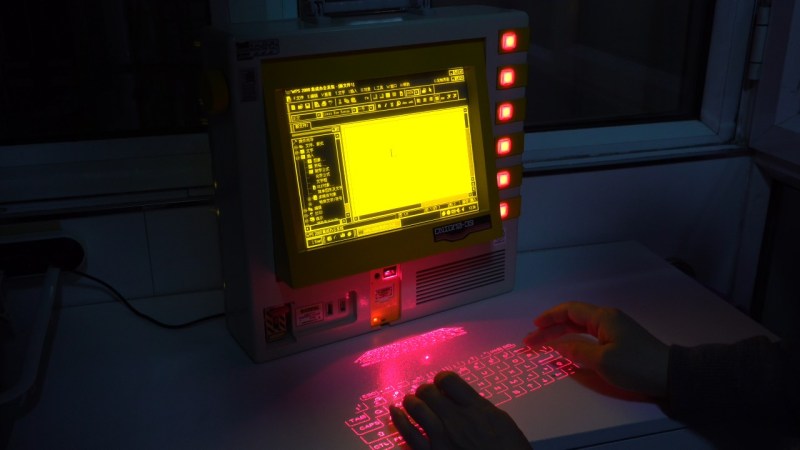
For once, we can avoid debating in the comments what constitutes a “cyberdeck”, because [LCLDIY] does not refer to his cyberpunk masterpiece as such — he calls it a laptop. Considering the form factor is more like an all-in-one with a built-in laser projection keyboard, that’s arguably an even more controversial label to use, but as stylish this build is, it’s what’s inside it that interests us most.

Image
This would be much easier than the original for our old eyes, especially in the dark.

No, not the cash-register motherboard that serves as the brain, though that has got to be worth some hacker cred. No, it’s the graphics card [LCLDIY] designed to drive 10″ electroluminescent (EL) displays that really has us interested. EL screens have a unique and beautiful glow that many find captivating, but we don’t see them all that often for two reasons. One is price: if you can’t find them surplus, they’re not cheap. The other is driving them, which [LCLDIY]’s project helps with, because the graphics card is open source.

The card is PCI, so you’ll need an adapter to plug it into a modern PCIe slot, or you’d have to redesign the thing. Since this isn’t elegant-engineering-a-day, we know which we’d do. The card is based on the CHIPS65548/5 chip, which means you should be able to find driver support under Linux and Windows. [LCLDIY] seems to be using Windows 2000, but that might just be because it’s all been downhill since then.

If the cyberpunk laptop wasn’t enough inspiration, [LCLDIY] also created a giant-scale Game Boy using the same 10″ screen and DIY graphics card. The soft glow of the EL display is particularly suited to the low-res nature of the retro games, as it’s not entirely unlike a CRT. You can see it in action–both builds!– in videos embedded below.

The last time somebody posted an EL display here, they had to build the driver board for it, too. Continue reading “Open Graphics Card Powers Cyberpunk “Laptop””

Image

DC In The Data Center For A More Efficient Future

If you own a computer that’s not mobile, it’s almost certain that it will receive its power in some form from a mains wall outlet. Whether it’s 230 V at 50 Hz or 120 V at 60 Hz, where once there might have been a transformer and a rectifier there’s now a switch-mode power supply that delivers low voltage DC to your machine. It’s a system that’s efficient and works well on the desktop, but in the data center even its efficiency is starting to be insufficient. IEEE Spectrum has a look at newer data centers that are moving towards DC power distribution, raising some interesting points which bear a closer look.

A traditional data center has many computers which in power terms aren’t much different from your machine at home. They get their mains power at distribution voltage — probably 33 KV AC where this is being written — they bring it down to a more normal mains voltage with a transformer just like the one on your street, and then they feed a battery-backed uninterruptible Power Supply (UPS) that converts from AC to DC, and then back again to AC. The AC then snakes around the data center from rack to rack, and inside each computer there’s another rectifier and switch-mode power supply to make the low voltage DC the computer uses.

The increasing demands of data centers full of GPUs for AI processing have raised power consumption to the extent that all these conversion steps now cost a significant amount of wasted power. The new idea is to convert once to DC (at a rather scary 800 volts) and distribute it direct to the cabinet where the computer uses a more efficient switch mode converter to reach the voltages it needs.

It’s an attractive idea not just for the data center. We’ve mused on similar ideas in the past and even celebrated a solution at the local level. But given the potential ecological impact of these data centers, it’s a little hard to get excited about the idea in this context. The fourth of our rules for the responsible use of a new technology comes in to play. Fortunately we think that both an inevitable cooling of the current AI hype and a Moore’s Law driven move towards locally-run LLMs may go some way towards solving that problem on its own.


header image: Christopher Bowns, CC BY-SA 2.0.

Image

Windows 3.1 On A Modern AM5-Based PC Is Surprisingly Usable

Although Windows 95 stole the show, Windows 3.0 was arguably the first version of Windows that more or less nailed the basic Windows UI concept, with the major 3.1 update being quite recognizable to a modern-day audience. Even better is that you can still install Win3.1 on a modern x86-compatible PC and get some massive improvements along the way, as [Omores] demonstrates in a recent video.

The only real gotcha here is that the AMD AM5 system with Asus Prime X670-P mainboard is one of those boards whose UEFI BIOS still has the ‘classic BIOS’ Compatibility Support Module (CSM) option. With that enabled, Win 3.1 installs without further fuss via a USB floppy drive from a stack of ‘backup’ floppies that someone made in the early 90s. [Omores] also tried it with CSMWrap, but with this USB to PS/2 emulation didn’t work.

Windows 3.1 supports ‘enhanced mode’ by default, which adds virtual memory and multi-tasking if you have an 80386 CPU or better. To fix crashing on boot and having to use ‘standard mode’ instead, the ahcifix.386 fix for the responsible SATA issue by [PluMGMK] should help, or a separate SATA expansion card.

For the video driver the vbesvga.drv by [PluMGMK] was used, to support all VESA BIOS Extensions modes. This driver has improved massively since we last covered it and works great with an RTX 5060 Ti GPU. There’s now even DCI support to enable direct GPU VRAM access for e.g. video playback, with audio also working great with only a few driver-related gotchas.

Continue reading “Windows 3.1 On A Modern AM5-Based PC Is Surprisingly Usable”

Image

Anything Can Be A Router, If You Try Hard Enough

If you’re an American and you use the Internet at home, it seems probable that routers are going to be in short supply. The US government recently mandated all such devices be home grown for security reasons, which would be fine were it not that the US has next-to-no consumer-grade router manufacturing industry.

So if you’re in the US and you need a router, what can you do? [Noah Bailey] is here from Canada to point out that almost anything (within reason) in computer terms can be made to perform as a router.

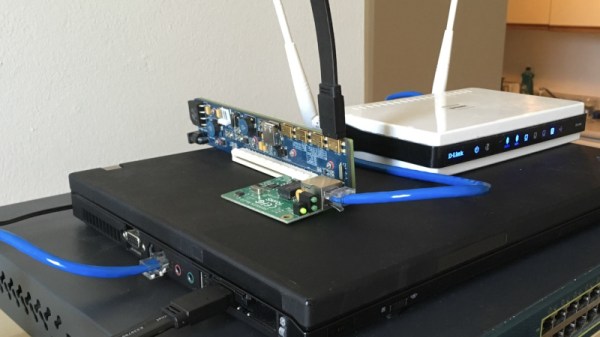
The piece is really a guide to setting up a Linux router, which he does on a small form factor PC and a hacked-together assembly of old laptop, PCI-express extender, and scrap network kit. In its most basic form a router doesn’t need the latest and greatest hardware, so there exists we’re guessing almost two decades of old PCs just waiting to be pressed into service. Perhaps it won’t help the non-technical Man In The Street much, but maybe it’ll inspire a few people to save themselves a hefty bill when they need to connect.

You can read our coverage of the ban here.

Image

Ask Hackaday: How Much Compute Is Enough?

Over the history of this business, a lot of people have foreseen limits that look rather silly in hindsight– in 1943, IBM President Thomas Watson declared that “I think there is a world market for maybe five computers.” That was more than a little wrong. Depending on the definition of computers– particularly if you include microcontrollers, there’s probably trillions of the things.

We might as well include microcontrollers, considering how often we see projects replicating retrocomputers on them. The RP2350 can do a Mac 128k, and the ESP32-P4 gets you into the Quadra era. Which, honestly, covers the majority of daily tasks most people use computers for.

The RP2350 and ESP32-P4 both have more than 640kB of RAM, so that famous Bill Gates quote obviously didn’t age any better than Thomas Watson’s prediction. As Yogi Berra once said: predictions are hard, especially about the future. Continue reading “Ask Hackaday: How Much Compute Is Enough?”

Image

WheatForce: Learning From CPU Architecture Mistakes

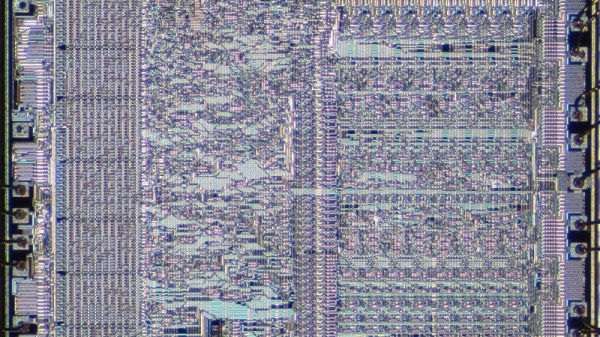
Nothing ever made is truly perfect and indeed, CPU architectures like x86, RISC-V, ARM, and PowerPC all have their own upsides and downsides. Today, I aim to make an architecture that learns from all these mistakes and improves architecture design for everyone.

I’ve consulted with many people opinionated on the matter, both from a software perspective, and from a hardware perspective. I have taken all their feedback in mind while creating this initial draft of the WheatForce architecture (PDF). It is inspired by pieces from many architectures: segmentation inspired by x86, hash table-like paging from PowerPC, dynamic endianness control from RISC-V and PowerPC, and more. Let’s look into each feature in a little bit more detail. Continue reading “WheatForce: Learning From CPU Architecture Mistakes”

Image

Running A Game On A PC With No System RAM

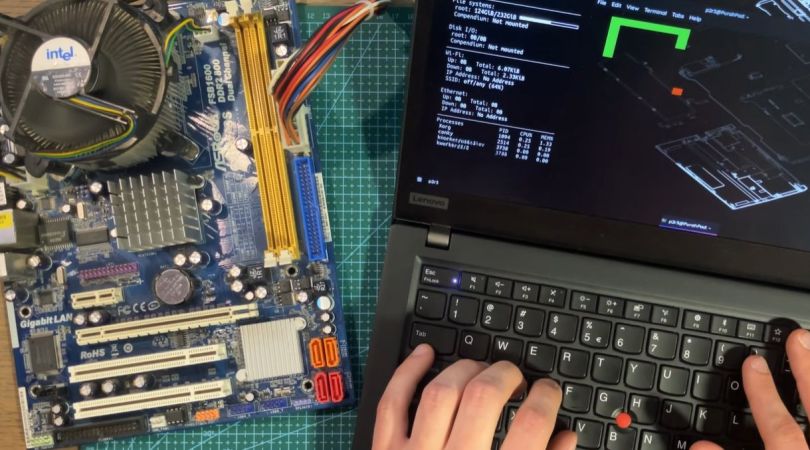
As a clear sign of how desperate these RAMpocalypse times are becoming, we have [PortalRunner] over on YouTube contemplating how to run modern-day software on a PC that has no sticks of that most precious PC-related commodity that is not printer ink. What fallbacks do we have when purchasing some sticks of DDR5 is inconceivable due to budgetary limitations or chronic sticker shock symptoms? As it turns out, quite a few.

Of course, it should be noted up front that none of these options are particularly good or desirable. The video starts with simply trying to push Linux to see how little RAM it really needs using boot arguments. This unfortunately soft-bricks the system if not enough RAM is allocated for boot. Next is the idea of leaning heavily into swap, as today’s SSDs ought to be a lot faster than memory page swapping from a HDD. Only this turns out to be also too slow to be usable due to the sheer overhead that this adds.

Even more desperate is to try and use the video RAM on GPUs as a kind of system RAM, which sort-off works, but also with enormous overhead and an if possible worse experience than running a system off basically a pure swap file. Ultimately the most viable method is to lean into the CPU’s many megabytes of cache and modify a CoreBoot BIOS image to simply not initialize system RAM.

As long as you can squeeze your software into the BIOS image and available CPU cache memory, you can run amazing software like the Snake clone in the video. Of course this concept could be expanded upon, and maybe even made to work with UEFI BIOSes, but there will probably not be anyone running Linux from a 32 MB L3 cache any time soon.

Continue reading “Running A Game On A PC With No System RAM”