Image

Recreating One Of The First Hackintoshes

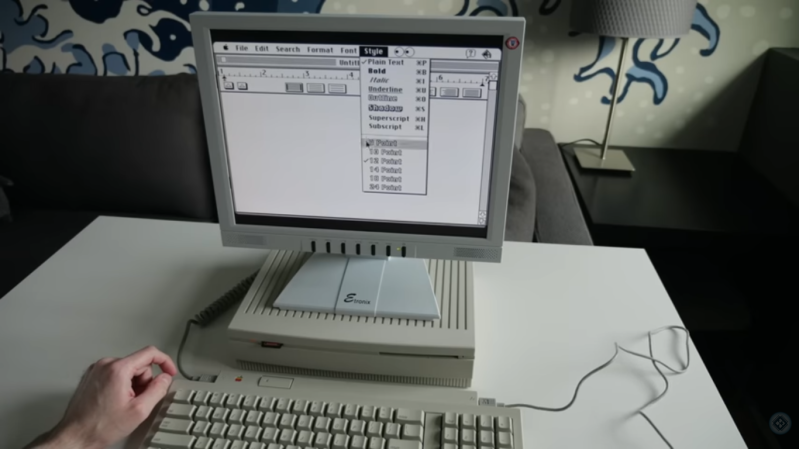
Apple’s Intel era was a boon for many, especially for software developers who were able to bring their software to the platform much more easily than in the PowerPC era. Macs at the time were even able to run Windows fairly easily, which was unheard of. A niche benefit to few was that it made it much easier to build Hackintosh-style computers, which were built from hardware not explicitly sanctioned by Apple but could be tricked into running OSX nonetheless. Although the Hackintosh scene exploded during this era, it actually goes back much farther and [This Does Not Compute] has put together one of the earliest examples going all the way back to the 1980s.

The build began with a Macintosh SE which had the original motherboard swapped out for one with a CPU accelerator card installed. This left the original motherboard free, and rather than accumulate spare parts [This Does Not Compute] decided to use it to investigate the Hackintosh scene of the late 80s. There were a few publications put out at the time that documented how to get this done, so following those as guides he got to work. The only original Apple part needed for this era was a motherboard, which at the time could be found used for a bargain price. The rest of the parts could be made from PC components, which can also be found for lower prices than most Mac hardware. The cases at the time would be literally hacked together as well, but in the end a working Mac would come out of the process at a very reasonable cost.

[This Does Not Compute]’s case isn’t scrounged from 80s parts bins, though. He’s using a special beige filament to print a case with the appropriate color aesthetic for a computer of this era. There are also some modern parts that make this style computer a little easier to use in today’s world like a card that lets the Mac output a VGA signal, an SD card reader, and a much less clunky power supply than the original would have had. He’s using an original floppy disk drive though, so not everything needs to be modernized. But, with these classic Macintosh computers, modernization can go to whatever extreme suits your needs.

Thanks to [Stephen] for the tip!
Continue reading “Recreating One Of The First Hackintoshes”

Image

Raspberry Pi Gets Desktop Form Factor

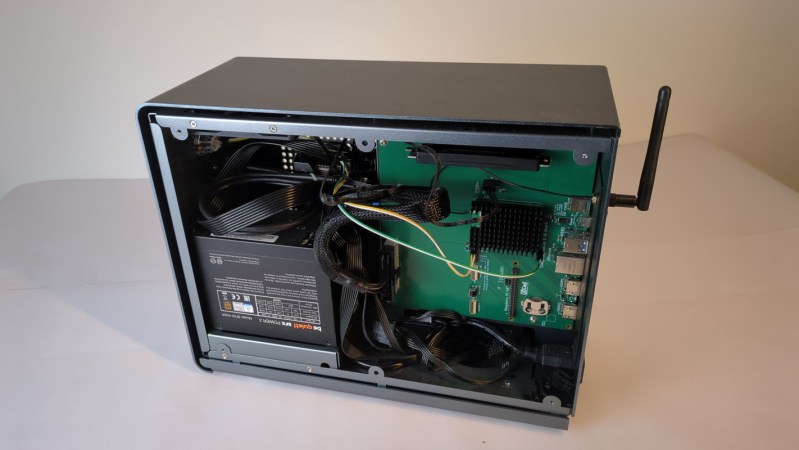
Before the Raspberry Pi came out, one cheap and easy way to get GPIO on a computer with a real operating system was to manipulate the pins on an old parallel port, then most commonly used for printers. Luckily, as that port became obsolete we got the Raspberry Pi, which has the GPIO and a number of other advantages over huge desktop computers from the 90s and 00s as well. But if you really miss that form factor or as yearn for the days of the old parallel port, this build which puts a Raspberry Pi into a mini ITX desktop case is just the thing for you.

There are a few features that make this build more than just a curiosity. The most obvious is that the Pi actually has support for PCIe and includes a single PCIe x1 slot which could be used for anything from a powerful networking card to an NVMe to a GPU for parallel computing in largely the same way that any desktop computer might them. The Pi Compute Module 5 that this motherboard is designed for doesn’t provide power to the PCIe slots automatically though, but the power supply that can be installed in the case should provide power not only to the CM5 but to any peripherals or expansion cards, PCIe or otherwise, that you could think of to put in this machine.

Of course all the GPIO is also made easily accessible, and there are also pins for installing various hats on the motherboard easily as well. And with everything installed in a desktop form factor it also helps to improve the cable management and alleviate the rats-nest-of-wires problems that often come with Pi-based projects. There’s also some more information on the project’s Hackaday.io page. And, if you’re surprised that Raspberry Pis can use normal graphics cards now, make sure to take a look at this build from a few years ago that uses completely standard gaming GPUs on the Pi 5.

Image

NFC Hidden In Floppy Disk For Retro-Themed PC

As we all look across a sea of lifeless, nearly identically-styled consumer goods, a few of us have become nostalgic for a time when products like stereo equipment, phones, appliances, homes, cars, and furniture didn’t all look indistinguishable. Computers suffered a similar fate, with nearly everything designed to be flat and minimalist with very little character. To be sure there are plenty of retro computing projects to recapture nostalgia, but to get useful modern hardware in a fun retro-themed case check out this desktop build from [Mar] that hides a few unique extras.

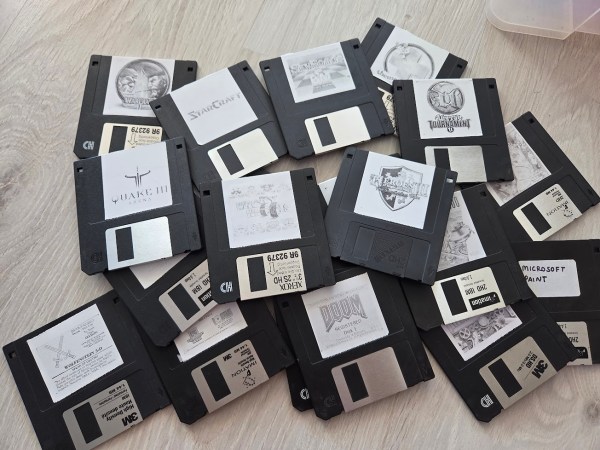
The PC itself is a modern build with an up-to-date operating system, but hidden in a 386-era case with early-90s styling. The real gem of this build though is the floppy disk drive, which looks unaltered on the surface. But its core functionality has been removed and in its place an Arduino sits, looking for NFC devices. The floppy disks similarly had NFC tags installed so that when they interact with the Arduino, it can send a command to the computer to launch a corresponding game. To the user it looks as though the game loads from a floppy disk, much like it would have in the 90s albeit with much more speed and much less noise.

Modern industrial design is something that we’ve generally bemoaned as of late, and it’s great to see some of us rebelling by building unique machines like this, not to mention repurposing hardware like floppy drives for fun new uses (which [Mar] has also open-sourced on a GitHub page). It’s not the first build to toss modern hardware in a cool PC case from days of yore, either. This Hot Wheels desktop is one of our favorites.

Image

Jellybean Mac Hides Modern PC

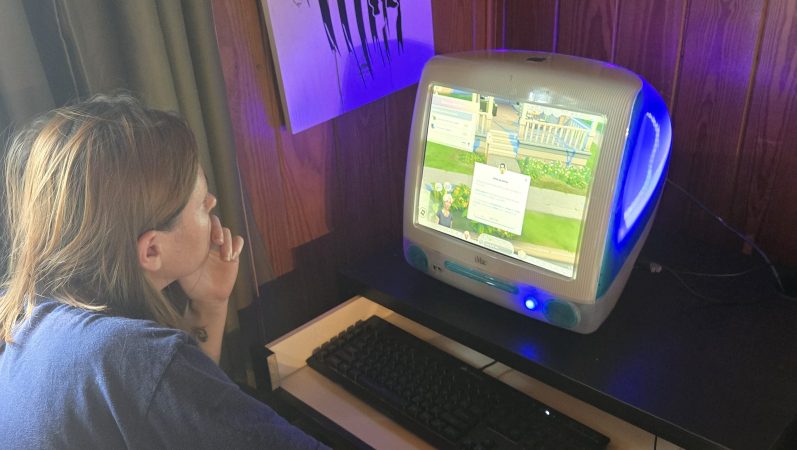
The iMac G3 is an absolute icon of industrial design, as (or perhaps more) era-defining than the Mac Classic before it. In the modern day, if your old iMac even boots, well, you can’t do much with it. [Rick Norcross] got a hold of a dead (hopefully irreparable) specimen, and stuffed a modern PC inside of it.

From the outside, it’s suprizingly hard to tell. Of course the CRT had to go, replaced with a 15″ ELO panel that fits well after being de-bezeled. (If its resolution is only 1024 x 768, well, it’s also only 15″, and that pixel density matches the case.) An M-ATX motherboard squeezes right in, above a modular PSU. Cooling comes from a 140 mm case fan placed under the original handle. Of course you can’t have an old Mac without a startup chime, and [Rick] obliges by including an Adafruit FX board wired to the internal speakers, set to chime on power-up while the PC components are booting.

These sorts of mods have proven controversial in the past– certainly there’s good reason to want to preserve aging hardware–but perhaps with this generation of iMac it won’t raise the same ire as when someone guts a Mac Classic. We’ve seen the same treatment given to a G4 iMac, but somehow the lamp doesn’t quite have the same place in our hearts as the redoubtable jellybean.

Image

An IPhone Case Study

Way back in 2008, Apple unveiled the first unibody Macbook with a chassis milled out of a single block of aluminum. Before that, essentially all laptops, including those from Apple, were flimsy plastic screwed together haphazardly on various frames. The unibody construction, on the other hand, finally showed that it was possible to make laptops that were both lightweight and sturdy. Apple eventually began producing iPhones with this same design style, and with the right tools and a very accurate set of calipers it’s possible to not only piece together the required hardware to build an iPhone from the ground up but also build a custom chassis for it entirely out of metal as well.

The first part of the project that [Scotty] from [Strange Parts] needed to tackle was actually getting measurements of the internals. Calipers were not getting the entire job done so he used a flatbed scanner to take an image of the case, then milled off a layer and repeated the scan. From there he could start testing out his design. After an uncountable number of prototypes, going back to the CAD model and then back to the mill, he eventually settles into a design but not before breaking an iPhone’s worth of bits along the way. Particularly difficult are the recessed areas inside the phone, but eventually he’s able to get those hollowed out, all the screw holes tapped, and then all the parts needed to get a working iPhone set up inside this case.

[Scotty] has garnered some fame not just for his incredible skills at the precision mill, but by demonstrating in incredible detail how smartphones can be user-serviceable or even built from scratch. They certainly require more finesse than assembling an ATX desktop and can require some more specialized tools, but in the end they’re computers like any other. For the most part.

Continue reading “An IPhone Case Study”

Image

Retro Hackintosh Made From Retro Parts

Apple as a company, has staked most of its future around being a “walled garden” where it controls everything from the hardware up through the user experience. In some ways this is good for users; the hardware is generally high quality and vetted by the company creating the software, making for a very uniform experience. This won’t stop some people from trying to get Apple’s operating systems and other software running on unapproved hardware though. These “Hackintosh” computers were much more common in the Intel era but this replica goes even further back to the Macintosh era.

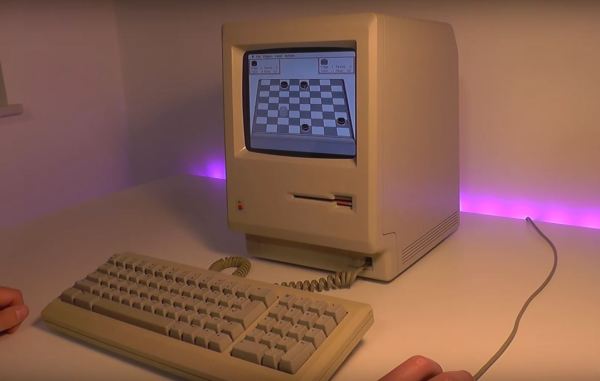
Originally [Kevin] had ordered an authentic Macintosh with the intent of getting it working again, but a broken floppy disk drive and lack of replacement parts turned this project into a different beast. He used the Mac instead as a model for a new 3D-printed case, spending a ton of time sanding, filling, and finishing it to get it to look nearly indistinguishable from the original. The hardware going in this replica is an old Linux-based thin client machine running the Mini vMac operating system, with a modified floppy drive the computer uses to boot. A hidden SD card slot helps interface with modern computers. The display is a modern LCD, though a sheet of acrylic glued to the front panel replicates a bit of the CRT curve.

Click through to read on!

Continue reading “Retro Hackintosh Made From Retro Parts”

Image

Thin Keyboard Fits In Steam Deck Case

Although some of the first Android-powered smartphones had them and Blackberries were famous for them, physical keyboards on portable electronics like that quickly became a thing of the past. Presumably the cost to manufacture is too high and the margins too low regardless of consumer demand. Whatever the reason, if you want a small keyboard for your portable devices you’ll likely need to make one yourself like [Kārlis] did for the Steam Deck.

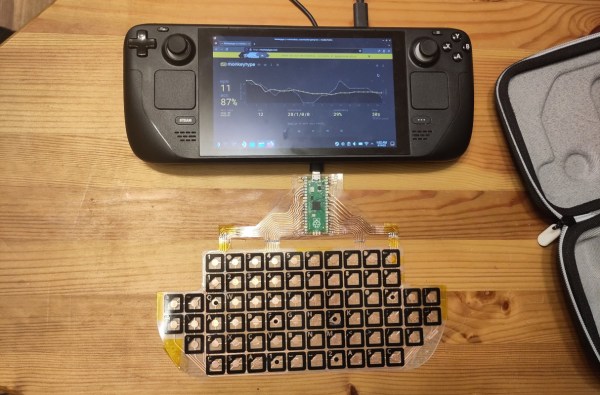
Unlike a more familiar mechanical keyboard build which prioritizes the feel and sound of the keyboard experience, this one sacrifices nearly every other design consideration in order to be thin enough to fit in the Steam Deck case. The PCB is designed to be flexible using copper tape cut to size with a vinyl cutter with all the traces running to a Raspberry Pi Pico which hosts the firmware and plugs into the Steam Deck’s USB port. The files for the PCB are available in KiCad and can be exported as SVG files for cutting.

In the end, [Kārlis] has a functioning keyboard that’s even a little more robust than was initially expected and which does fit alongside the Deck in its case. On the other hand, [Kārlis] describes the typing experience as “awful” due to its extreme thinness, but either way we applaud the amount of effort that went in to building a keyboard with this form factor. The Steam Deck itself is a platform which lends itself to all kinds of modifications as well, from the control sticks to the operating systems, and Valve will even show you how.