Image

Simulating The AVR8 For A Browser-based Arduino Emulator

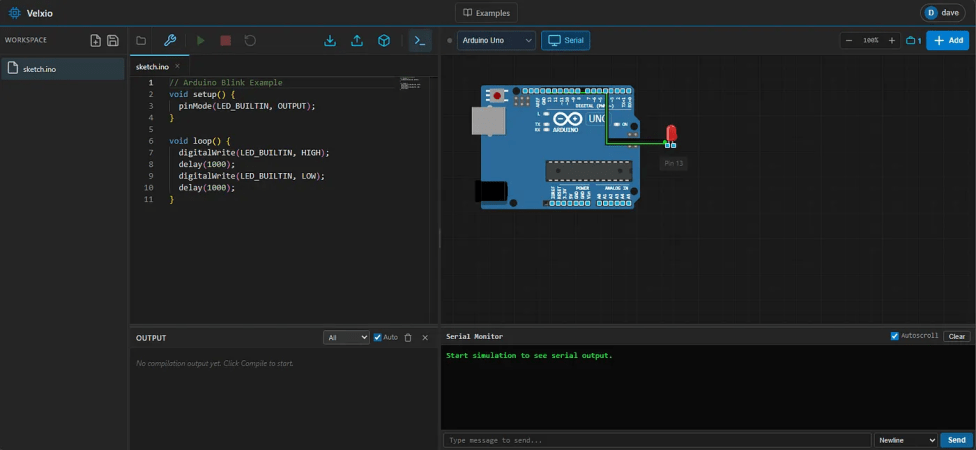
It’s always nice to simulate a project before soldering a board together. Tools like QUCS run locally and work quite well for analog circuits, but can fall short with programmable logic. Tools like Wokwi handle the programmable side quite well but may have license issues or require the cloud. The Velxio project by [David Montero Crespo] is quite an excellent example of an (online) circuit simulator with programmable logic and local execution!

It’s built largely around Wowki’s AVR8JS library for Arduino simulation. All CPU simulation occurs on the local computer, while sketch compilation happens on the backend using official Arduino tools. But this was certainly not the most impressive aspect of the project. Likewise, Velxio features RP2040 execution using the rp2040js library. It also features the execution of some ESP32 derivative boards built around the RISC-V architecture using the RiscVCore.ts library.

Continue reading “Simulating The AVR8 For A Browser-based Arduino Emulator”

Image

The Smallest Dialup ISP Is A Raspberry Pi And A Prison Phone

There were a plethora of tiny, local ISPs in the days of dial-up internet. Along with the big providers, many cities would have more than one. Some of those have survived broadband, but none of them were as small as [Jeff Geerling]’s Pi ISP — a tiny dialup ISP built so his Aunt’s old G3 MacBook can get online at 36kbps, as God and [Robert Khan] intended.

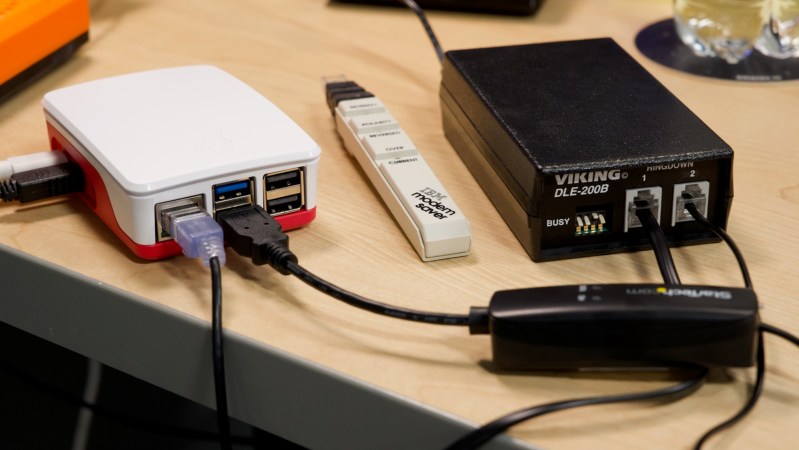
Hardware-wise, the Raspberry Pi is at one end of the chain, and your retrocomputer at another. In between, you’ll have a USB modem plugged into the Pi, and a device called a “two-way line simulator” to create a dial tone for that plain-old-telephone goodness. [Jeff] notes that these were commonly used in prisons for the phones that visitors use to talk to inmates.

Of course, since these devices are designed strictly for voice transmissions, which POTS was built for, you’re not going to get over 36 kbps, and that’s even with high-quality gear. The cheaper options might drop you down to 28k… just like with an ISP back in the day. ‘You get what you pay for’ is very rarely false.

Now, you can use this technology to just connect two computers together — as we’ve featured previously — but [Jeff] has gone the extra mile to put together, via Ansible, an easy-to-install software package that will let the Raspberry Pi act just like your ISP’s servers once did, and connect you to that series of tubes once called the World Wide Web. Of course, the World Wide Web isn’t built for dial-up anymore, so you’re going to be waiting… a while. Hackaday’s front page isn’t especially heavy, weighing about 4MB at the time of this writing, but that’s 15 minutes of load time, and you still aren’t reading the articles.

You also won’t be able to access much on old machines that can’t do HTTPS, but [Jeff] thought of that and bundles [rdmark]’s MacProxyClassic to translate the modern web into HTML tags that Netscape can understand and serve them over HTTP. You’ll still be waiting for our modern bloat, but perhaps not quite so long.

If you want the “authentic” dial-up experience, you’ll need to see the lightweight webpages of Yesteryear, and MacProxyClassic contains a Wayback Machine extension for that purpose. We featured a similar project a while back that did that, but without all the joys of dial-up. Now get off the computer, we’re expecting a call!

Continue reading “The Smallest Dialup ISP Is A Raspberry Pi And A Prison Phone”

Image

The Raspberry Pi 4 With 3 GB RAM Is No Joke

Raspberry Pi 5 price increases. (Credit: Jeff Geerling)

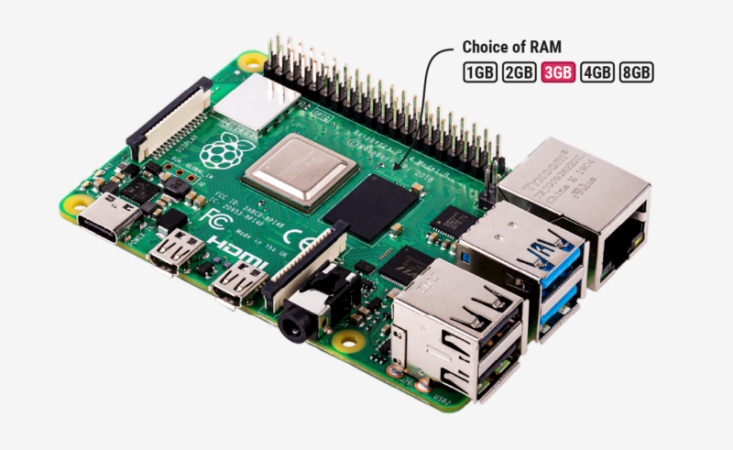
Although easily dismissed by some as another cruel April Fools joke, Raspberry Pi’s announcement of a new 3 GB model of the Raspberry Pi 4 along with (more) price increases for other models was no joke. Courtesy of the ongoing RAMpocalypse, supplies of LPDDR4 and LPDDR5 are massively affected, leading to this new RPi 4 model with two 1.5 GB LPDDR4 chips, as these are apparently cheaper to source.

Affected in this latest price increase across RP’s product range are RPi 4 and 5 models with 4 or more GB of RAM, with price bumps ranging from $25 on the low end to $150 for the Raspberry Pi 500+. If you wanted a Raspberry Pi 5 with 16 GB of RAM, you’re now paying $300 for the privilege.

Obviously, this news has got people like [Jeff Geerling] rather down in the dumps, essentially stating that using SBCs like the RPi is now beyond the means of many hobbyists. While you can still use SBCs that use e.g. LPDDR2 RAM, such as the older RPi Zero, 2 and 3 models, [Jeff] himself is now moving more towards wrangling with snakes on MCUs, as these boards are so far not significantly affected in terms of price.

With current projections in the RAM market being that this year will still see more price increases, it remains hard to tell exactly how ‘temporary’ this situation will be. That said, using readily available, powerful and cheap MCUs like the ESP32 variants for projects isn’t a bad idea if you really don’t need to be running more than perhaps FreeRTOS.

Continue reading “The Raspberry Pi 4 With 3 GB RAM Is No Joke”

Image

Battery Tester Outperforms Cheaper Options

Batteries are notoriously difficult pieces of technology to deal with reliably. They often need specific temperatures, charge rates, can’t tolerate physical shocks or damage, and can fail catastrophically if all of their finicky needs aren’t met. And, adding insult to injury, for many chemistries, the voltage does not correlate to state of charge in meaningful ways. Battery testers take many efforts to mitigate these challenges, but often miss the mark for those who need high fidelity in their measurements. For that reason, [LiamTronix] built their own.

The main problem with the cheaper battery testers, at least for [LiamTronix]’s use cases, is that he has plenty of batteries that are too large to practically test on the low-current devices, or which have internal battery management systems (BMS) which can’t connect to these testers. The first circuit he built to help solve these issues is based on a shunt resistor, which lets a smaller IC chip monitor a much larger current by looking at voltage drop across a resistor with a small resistance value. The Pi uses a Python script which monitors the current draw over the course of the test and outputs the result on a handy graph.

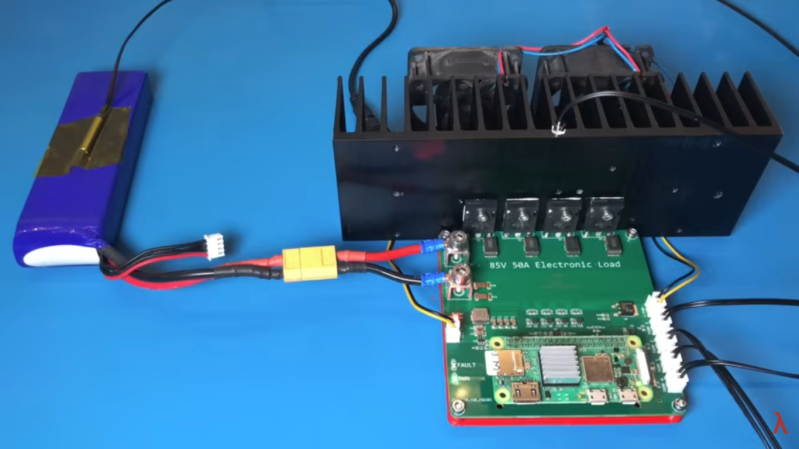
This circuit worked well enough for smaller batteries, but for his larger batteries like the 72V one he built for his electric tractor, these methods could draw far too much power to be safe. So from there he built a much more robust circuit which uses four MOSFETs as part of four constant current sources to sink and measure the current from the battery. A Pi Zero monitors the voltage and current from the battery, and also turns on some fans pointed at the MOSFETs’ heat sink to keep them from overheating. The system can be configured to work for different batteries and different current draw rates, making it much more capable than anything off the shelf.

Continue reading “Battery Tester Outperforms Cheaper Options”

Image

Retro Open Source Camera Straight From The ’90s

In our modern society, we have started to take the humble camera for granted. Perhaps because of this, trendy standalone cameras have started to take off. Unfortunately, most of the time these cameras are expensive and not any better than those in our everyday smartphones. If only there were some open-source solution where you could build and customize your own standalone device? [Yutani] has done just that with the SATURNIX.

Simple microcontrollers and cameras meant for Raspberry Pis are a dime a dozen these days. Because of this, it’s no surprise to hear that the SATURNIX is based on recognizable hardware, a Raspberry Pi Zero 2W and an Arducam 16MP sensor. The Pi Zero powers both the sensors’ capture abilities and the interactive LCD display.

Continue reading “Retro Open Source Camera Straight From The ’90s”

Image

Recording HDR Video With A Raspberry Pi

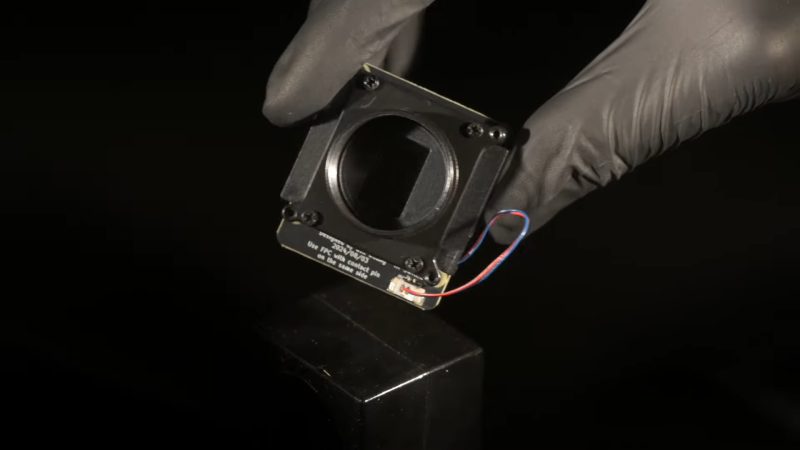
The Raspberry Pi line of single-board computers can be hooked up with a wide range of compatible cameras. There are a number of first party options, but you don’t have to stick with those—there are other sensors out there with interesting capabilities, too. [Collimated Beard] has been exploring the use of the IMX585 camera sensor, exploiting its abilities to capture HDR content on the Raspberry Pi.

The IMX585 sensor from Sony is a neat part, capable of shooting at up to 3840 x 2160 resolution (4K) in high-dynamic range if so desired. Camera boards with this sensor that suit the Raspberry Pi aren’t that easy to find, but there are designs out there that you can look up if you really want one. There are also some tricks you’ll have to do to get this part working on the platform. As [Collimated Beard] explains, in the HDR modes, a lot of the standard white balance and image control algorithms don’t work, and image preview can be unusable at times due to the vagaries of the IMX585’s data format. You’ll also need to jump some hurdles with the Video4Linux2 tools to enable the full functionality of these modes.

Do all that, recompile the kernel with some tweaks and the right drivers, though, and you’ll finally be able to capture in 16-bit HDR modes. Oh, and don’t forget—you’ll need to find a way deal with the weird RAW video files this setup generates. It’s a lot of work, but that’s the price of entry to work with this sensor right now. If it helps convince you, the sample shots shared by [Collimated Beard] are pretty good.

If you’re looking to record some really juicy, colorful imagery with the Raspberry Pi, this is a difficult but viable way to go. We’ve seen some other hardcore Raspberry Pi camera hacks of late, too.

Continue reading “Recording HDR Video With A Raspberry Pi”

Image

Building A Hackerspace Entry System

A hackerspace is a place that generally needs to be accessed by a wide group of people, often at weird and unusual hours. Handing around keys and making sure everything is properly locked up can be messy, too. To make it easy for hackers to get in to [Peter]’s local hackerspace, a simple electronic system was whipped up to grant access.

Image
The combined use of QR code & PIN adds a layer of security.

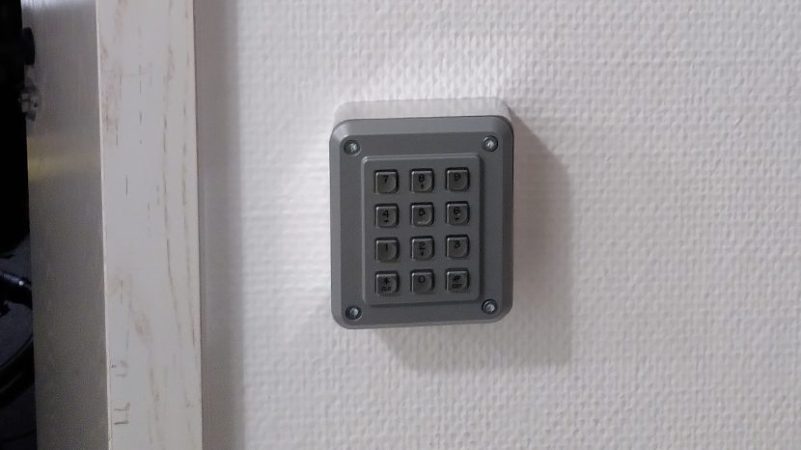
The basic components of the system are a keypad, a QR code and barcode scanner, a stepper motor, an Arduino Nano, and a Raspberry Pi. The keypad is read by an Arduino Nano, which is also responsible for talking to a stepper motor driver to actuate the lock cylinder. A secondary Arduino mounted inside the building is used to control the stepper motor, which actuates the lock cylinder once authentication is complete.

The system works on the basis of two-factor authentication. Regular users authenticate to enter by presenting a QR code or barcode, and entering a matching PIN number. The system can also be set up for PIN-only entry on a temporary basis.

For example, if the hackerspace is running an event, a simple four-digit pin can allow relatively free access for the duration without compromising long-term security. Actual authentication is handled by the Raspberry Pi, which takes in the scanned barcode and/or PIN, hashes it, and checks it against a backend database which determines if the credentials are valid for entry. If so,they command the second Arduino to unlock the door.

While it’s not technically necessary for a project like this — in fact, you could argue it’s preposterously overkill — we have to take particular note of the machined aluminum enclosure for the keypad. Mere mortals could just run it off on their 3D printers, but if you’ve got access to a CNC router and a suitably chunky piece of aluminum, why not show off a bit?

Continue reading “Building A Hackerspace Entry System”