Over the history of this business, a lot of people have foreseen limits that look rather silly in hindsight– in 1943, IBM President Thomas Watson declared that “I think there is a world market for maybe five computers.” That was more than a little wrong. Depending on the definition of computers– particularly if you include microcontrollers, there’s probably trillions of the things.
We might as well include microcontrollers, considering how often we see projects replicating retrocomputers on them. The RP2350 can do a Mac 128k, and the ESP32-P4 gets you into the Quadra era. Which, honestly, covers the majority of daily tasks most people use computers for.
The RP2350 and ESP32-P4 both have more than 640kB of RAM, so that famous Bill Gates quote obviously didn’t age any better than Thomas Watson’s prediction. As Yogi Berra once said: predictions are hard, especially about the future. Continue reading “Ask Hackaday: How Much Compute Is Enough?”→
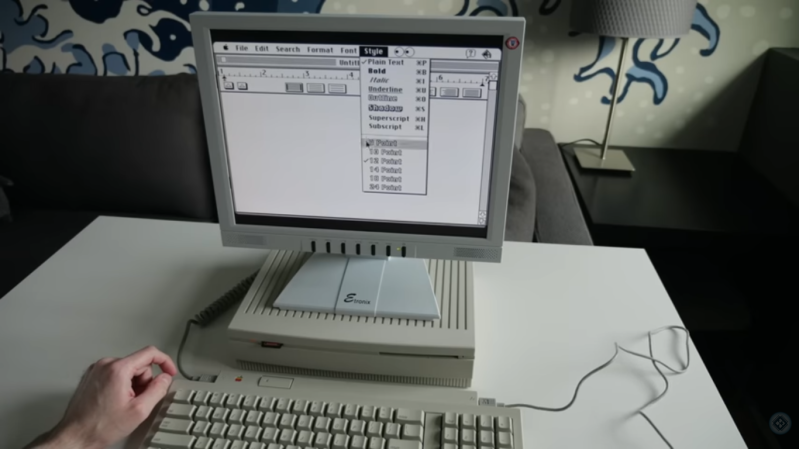
Apple’s Intel era was a boon for many, especially for software developers who were able to bring their software to the platform much more easily than in the PowerPC era. Macs at the time were even able to run Windows fairly easily, which was unheard of. A niche benefit to few was that it made it much easier to build Hackintosh-style computers, which were built from hardware not explicitly sanctioned by Apple but could be tricked into running OSX nonetheless. Although the Hackintosh scene exploded during this era, it actually goes back much farther and [This Does Not Compute] has put together one of the earliest examples going all the way back to the 1980s.
The build began with a Macintosh SE which had the original motherboard swapped out for one with a CPU accelerator card installed. This left the original motherboard free, and rather than accumulate spare parts [This Does Not Compute] decided to use it to investigate the Hackintosh scene of the late 80s. There were a few publications put out at the time that documented how to get this done, so following those as guides he got to work. The only original Apple part needed for this era was a motherboard, which at the time could be found used for a bargain price. The rest of the parts could be made from PC components, which can also be found for lower prices than most Mac hardware. The cases at the time would be literally hacked together as well, but in the end a working Mac would come out of the process at a very reasonable cost.
[This Does Not Compute]’s case isn’t scrounged from 80s parts bins, though. He’s using a special beige filament to print a case with the appropriate color aesthetic for a computer of this era. There are also some modern parts that make this style computer a little easier to use in today’s world like a card that lets the Mac output a VGA signal, an SD card reader, and a much less clunky power supply than the original would have had. He’s using an original floppy disk drive though, so not everything needs to be modernized. But, with these classic Macintosh computers, modernization can go to whatever extreme suits your needs.
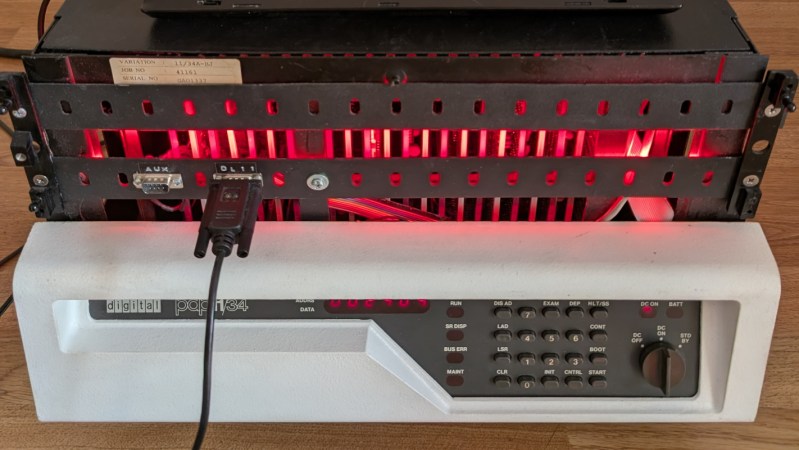
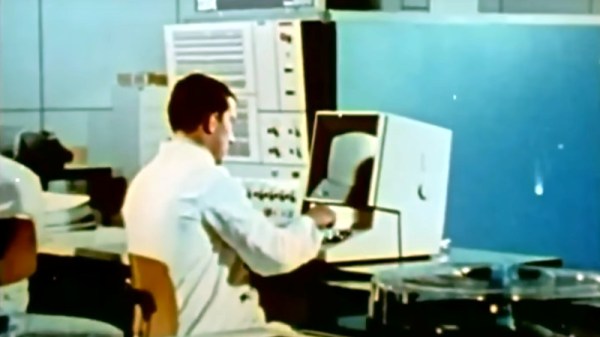
Although generative language models have found little widespread, profitable adoption outside of putting artists out of work and giving tech companies an easy scapegoat for cutting staff, their their underlying technology remains a fascinating area of study. Stepping back to the more innocent time of the late 2010s, before the cultural backlash, we could examine these models in their early stages. Or, we could see how even older technology processes these types of machine learning algorithms in order to understand more about their fundamentals. [Damien Boureille] has put a 60s-era IBM as well as a PDP-11 to work training a transformer algorithm in order to take a closer look at it.
For such old hardware, the task [Damien Boureille] is training his transformer to do is to reverse a list of digits. This is a trivial problem for something like a Python program but much more difficult for a transformer. The model relies solely on self-attention and a residual connection. To fit within the 32KB memory limit of the PDP-11, it employs fixed-point arithmetic and lookup tables to replace computationally expensive functions. Training is optimized with hand-tuned learning rates and stochastic gradient descent, achieving 100% accuracy in 350 steps. In the real world, this means that he was able to get the training time down from hours or days to around five minutes.
Not only does a project like this help understand these tools, but it also goes a long way towards demonstrating that not every task needs a gigawatt datacenter to be useful. In fact, we’ve seen plenty of large language models and other generative AI running on computers no more powerful than an ESP32 or, if you need slightly more computing power, on consumer-grade PCs with or without GPUs.
If you weren’t around for the early PC era, or were a little more casual about operating systems, you could perhaps be forgiven for not knowing that DOS is not synonymous with MS-DOS. MS-DOS was just Microsoft’s implementation — or rather, an implementation they purchased — of a Disk Operating System, one that was…let’s just say “inspired by” Digital Research’s CP/M.
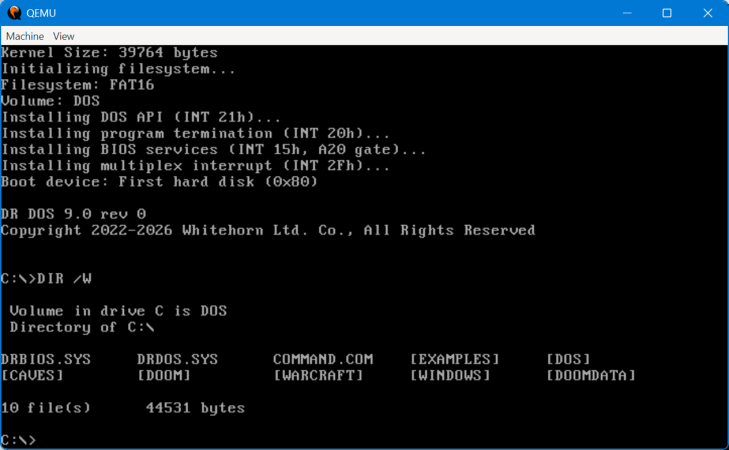
Digital Research shot back with DR-DOS, an operating system that was both compatible with and much superior in some ways to MS-DOS. The last version was released in 1991, after Novell bought the struggling Digital Research. Now it’s back, or at least, it’s on its way back with a fully clean-room implementation by a fellow who calls himself [CheeseWeezel] on Reddit.
He’s gone so far as to purchase the trademark, so this re-creation is the official DR-DOS. In any case [CheeseWeezel]’s DR-DOS is considered version 9.0, and is currently in Beta. The clean-sheet re-implementation of DR-DOS’s API was sadly necessary due to the rather tortured history of the IP after DR was bought by Novel, who sold DR-DOS to Caldera, who briefly open-sourced the code before retracting the license and selling on. Some of you may remember a controversy where a previous rights holder, DR DOS INC, was found purloining FreeDOS code in violation of the GPL. Perhaps because of that, [CheeseWeezel] isn’t using any old code, and isn’t open-sourcing what he’s done. Right now, the beta of DR-DOS 9 is free for non-commercial use, but as is standard for EULAs, that could change at any time without warning. [CheeseWeezel] is still working full compatibility, but at this point it at least runs DOOM.
Still, given the origins of DOS in Digital Research’s early work on CP/M, it warms the heart to see what many of us thought of as the “true” DOS survive in some form in the 21st century. Arguably it already had, in the form of SvarDOS, but you can’t use that to make smug jokes about your operating system having PhD instead of a measly master’s. If you did not like DOS, we recall the joke from Mac users was that those were the degrees needed to operate the PC. Speaking of DOS, you don’t necessarily need a retrocomputer to run it.
Before the modern Internet existed, there were still plenty of ways of connecting with other computer users “online”, although many of them might seem completely foreign to those of us in the modern era. One of those systems was the Bulletin Board System, or BBS, which would have been a single computer, often in someone’s home, connected to a single phone line. People accessing the BBS would log in if the line wasn’t busy, leave messages, and quickly log out since the system could only support one user at a time. While perhaps a rose-tinted view, this was a more wholesome and less angsty time than the modern algorithm-driven Internet, and it turns out these systems are making a bit of a comeback as a result.
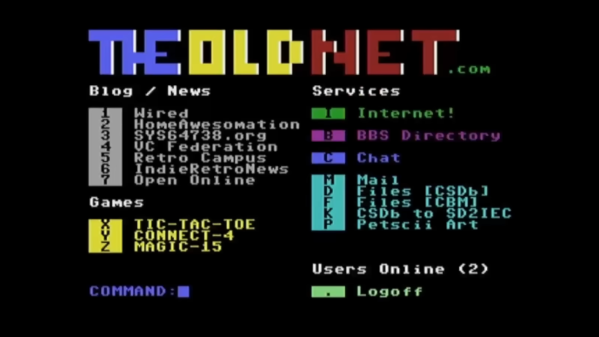
The video by [The Retro Shack] sets up a lot of this history for context, then, towards the end, uses a modern FPGA-based recreation called the Commodore 64 Ultimate to access a BBS called The Old Net, a modern recreation of what these 80s-era BBS systems were like. This involves using a modern networking card that allows the C64 to connect to Wi-Fi access points to get online instead of an old phone modem, and then using a terminal program called CCGMS to connect to the BBS itself. Once there, users can access mail, share files, and even play a few games.
While the video is a very basic illustration of how these BBS systems worked and how to access one, it is notable in that it’s part of a trend of rejecting more modern technology and systems in favor of older ones, where the users had more control. A retro machine like a C64 or Atari is not required either; modern operating systems can access these with the right terminal program, too. A more in-depth guide to the BBS can be found here for those looking to explore, and we’ve also seen other modern BBS systems recently.
Al and I were talking about the IBM 9020 FAA Air Traffic Control computer system on the podcast. It’s a strange machine, made up of a bunch of IBM System 360 mainframes connected together to a common memory unit, with all sorts of custom peripherals to support keeping track of airplanes in the sky. Absolutely go read the in-depth article on that machine if it sparks your curiosity.
It got me thinking about how strange computers were in the early days, and how boringly similar they’ve all become. Just looking at the word sizes of old machines is a great example. Over the last, say, 40 years, things that do computing have had 4, 8, 16, 32, or even 64-bit words. You noticed the powers-of-two trend going on here, right? Basically starting with the lowly Intel 4004, it’s been round numbers ever since.
Harvard Mark I, by [Topory]On the other side of the timeline, though, you get strange beasts. The classic PDP-8 had 12-bit words, while its predecessors the PDP-6 and PDP-1 had 36 bits and 18 bits respectively. (Factors of six?) There’s a string of military guidance computers that had 27-bit words, while the Apollo Guidance computer ran 15-bit words. UNIVAC III had 25-bit words, putting the 23-bit Harvard Mark I to shame.
I wasn’t there, but it gives you the feeling that each computer is a unique, almost hand-crafted machine. Some must have made their odd architectural choices to suit particular functions, others because some designer had a clever idea. I’m not a computer historian, but I’m sure that the word lengths must tell a number of interesting stories.
On the whole, though, it gives the impression of a time when each computer was it’s own unique machine, before the convergence of everything to roughly the same architectural ideas. A much more hackery time, for lack of a better word. We still see echoes of this in the people who make their own “retro” computers these days, either virtually, on a breadboard, or emulated in the fabric of an FPGA. It’s not just nostalgia, though, but a return to a time when there was more creative freedom: a time before 64 bits took over.
This article is part of the Hackaday.com newsletter, delivered every seven days for each of the last 200+ weeks. It also includes our favorite articles from the last seven days that you can see on the web version of the newsletter.
Want this type of article to hit your inbox every Friday morning? You should sign up!
DDR3 seemed plenty fast when it first showed up 19 years ago. Who could say no to 6400 Mb/s transfer speeds? Of course compared to the modern DDR5 that’s glacially slow, but given that RAM is worth its weight in gold these days– with even DDR4 spiking in price– some people, like [Gheeotine], are asking “can you game on DDR3“? The answer is a shocking yes.
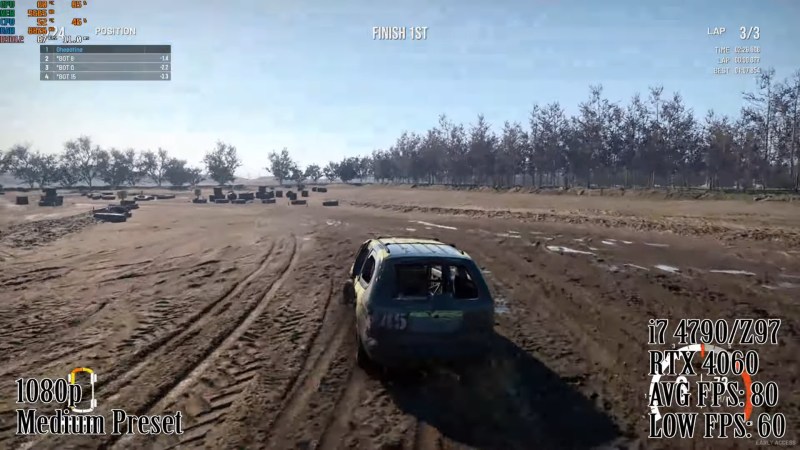
[Gheeotine] builds two budget-friendly PCs for this video, using some of the newest DD3-supporting motherboards available. That’s not exactly new: we’re talking 12 to 15 years old, but hey, not old enough to drive. We certainly didn’t expect to hear about an x79 motherboard hosting an Ivy Bridge processor in 2026, but needs must when the devil dances. The only concession to modernity is the graphics cards: the x79 mobo got an RX6600XT 8GB, and the other build, using a z97 motherboard got an NVIDIA RTX 4060. The z97 motherboard allowed a slightly newer processor, as well, an i7 4790, with the new and exciting Haswell architecture you may have heard of. Both boards are maxed out on RAM, because at less than one USD/GB, why not?
[Gheeotine] puts a few new titles through their paces on these boxen, and while the results aren’t amazing, everything he tries comes out playable, which is amazing in and of itself. Well, playable unless you’re one of those people who can’t stand playing at resolutions under 4K or FPS under 100. Those of who spent their formative years with 29.7 FPS or 25 FPS in NTSC or PAL regions aren’t going to complain too loudly if frame rates dip down into the 30s playing at 1080p for some of the more demanding titles. Ironically, one of those was the five-year-old Crysis Remastered. Given the age of some of this hardware “Can it Run Crysis” is a perfectly reasonable question, and the answer is still yes.
If you want modern games, you’re much better off with a z97 chipset motherboard if you chose to go the DDR3 route, since you won’t run into issues related to the AVX2 instruction, which first appeared with the Haswell microarchitecture. Here at Hackaday our preferred solution to the rampocalypse is software optimization, Since holding your breath for that would probably be fatal, cost-optimizing PC builds is probably a good plan, even if some might balk at going all the way back to DDR3.
Of course if you’re going to use nearly-retro hardware like DDR3, you might as well go all-out on retro vibes with a nostalgic 80s-style, or even 50s-style case.