
Leírás
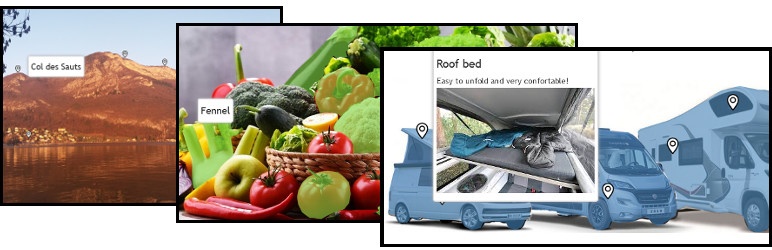
Easily create interactive images with zones and hotspots Here somes examples
And there is a Pro version of this plugin with many more settings: https://www.info-d-74.com/en/produit/interactive-image-pro-plugin-wordpress-2/
And see my others WordPress Pro plugin on my shop
Telepítés
-
Upload the plugin files to the
/wp-content/plugins/directory, or install the plugin through the WordPress plugins screen directly. -
Activate the plugin through the ‘Plugins’ screen in WordPress
-
Go to the Interactive Image menu
Vélemények

2022.01.30.
one of my new favorite plugin
thank you

2021.12.29.
Not responsive, ugly to work with, just Awful, It has a 1989 feel to it LOL

2021.11.14.
1 reply
Interface is a little rough but it works like a charm. Super easy to create interactive images with hotspot popups and highlight zones. Thanks!

2021.10.16.
1 reply
It would be much more useful if you could add more images to work with, select different colors for each clickable area and set a URL to go on click.
Közreműködők és fejlesztők
“Interactive Image” egy nyílt forráskódú szoftver. A bővítményhez a következő személyek járultak hozzá:
Közreműködők
“Interactive Image” fordítása a saját nyelvünkre.
Érdekeltek vagyunk a fejlesztésben?
Browse the code, check out the SVN repository, or subscribe to the development log by RSS.
