Etiqueta del plugin: developer-tools
-

Version Info – Server Health Monitor, PHP & MySQL Version Display, Environment Indicators
The #1 technical dashboard for WordPress professionals. Display PHP, MySQL, WP & server versions anywhere in admin. Monitor CPU, RAM, DB size & …
-

Advanced Post Manager
Turbo charge your posts admin for any custom post type with sortable filters and columns, and auto-registration of metaboxes.
-
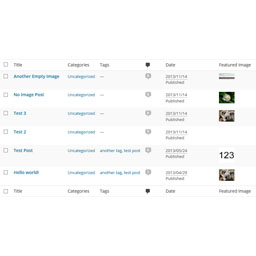
Post List Featured Image
A plugin that adds the "Featured Image" column in admin posts and pages list.
-
-

Featured Image Column Display
A plugin that adds the "Featured Image" column in admin posts and pages list.
-
REST API Route Tester
A WordPress admin tool to quickly test REST API routes, path params, headers, body payloads, and copy requests as cURL.
-
PostMeta Viewer – Custom Fields Inspector
A powerful debugging tool for WordPress developers to inspect and analyze post meta (custom fields) across posts, pages, and custom post types.
-

Project Management, Bug and Issue Tracking Plugin – Software Issue Manager
Best issue tracking, bug tracking and project management plugin. Easily manage tasks, stay organized, and track progress in WordPress.
-

Admin Code Search
Search code across active plugins, themes, and MU plugins directly from the WordPress admin.
-
Modules Insight
Provides a quick overview of installed WordPress plugins with their status, exportable as JSON.
-

SniffPress
A powerful search tool that helps developers quickly find text strings within theme and plugin files.
-

Query All The Post Types
A developer tool that displays all registered post types and now exposes them to AI tools and admin clients via the WordPress Abilities API.
-

Developer Debug Mode
Toggle WordPress debug mode instantly. No wp-config.php editing needed. Features auto-save, admin bar quick toggle, and debug log viewer.
-
LogIQ – Intelligent Debug Log Viewer
Stop digging through raw log files. LogIQ gives WordPress developers a smart, searchable, and beautiful debug log viewer — right inside the admin.
-
-

Structure Viewer
View, search, export, and download files from your WordPress plugins and themes with an advanced file viewer and multi-format structure export.
-

Calculate Page Execution Time
Track page execution time easily. Just activate and view page source to see the loading time at the bottom. No configuration needed for WordPress.
-

Blocks for GitHub
Easily display your GitHub profile, organization, repositories, and more within the WordPress Block Editor aka "Gutenberg".
-
-
Quick Edit Post by ID (Admin Bar)
Instantly open the edit screen for any post, page, or custom post type by ID, right from the WordPress admin bar.