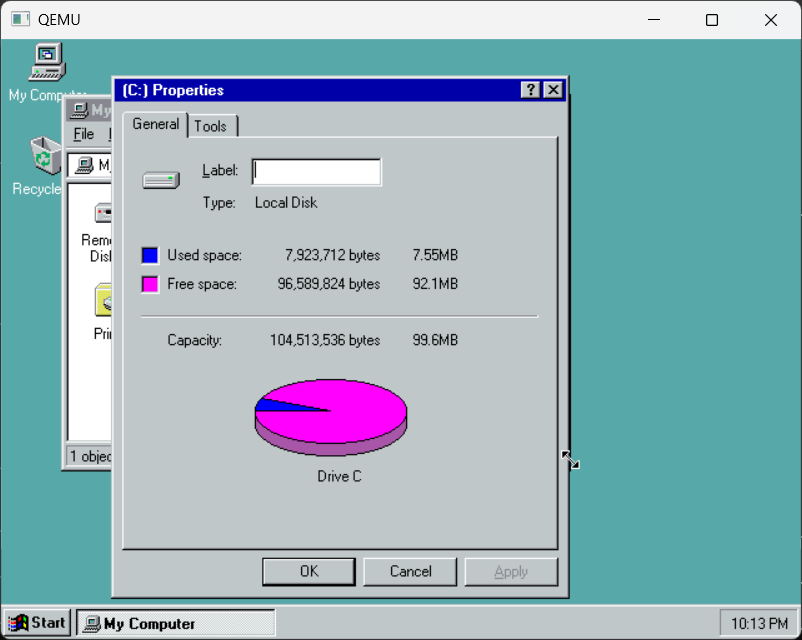
It’s tyomitch‘s 2 disk Windows 95 bootable set! That’s right, 2 1.44Mb disks, and be whisked away in the exciting world of Windows 95, complete with working command prompt and notepad! … and not much else.
I’ve installed it onto a VMDK for older emulators that seem to have issues with the long filename mapping somehow. But I love the idea of DOSLFN & long name archives coming together like this!
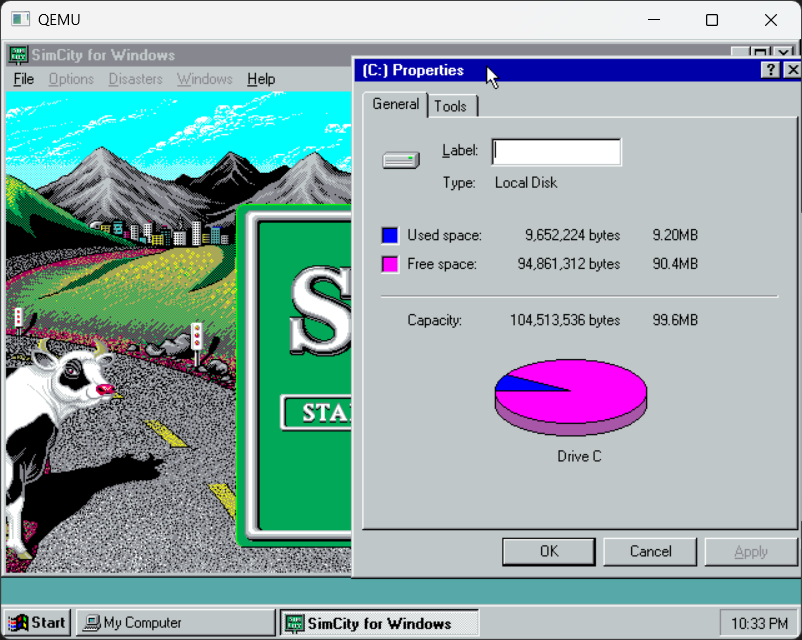
So Yeah I installed it to a VMDK, and added some Sim City, and yep it runs!
Sim City runs!
So yeah it’s complete enough for some 16bit tasks for sure! Kind of fun to play with so I’ve uploaded the VMDK on archive.org: Windows 95 ‘2disk’ set with Sim City
I guess look forward to the 40th & 50th anniversary?
While it’s been … quite some time, I used to use an early beta of VMware 1.0 back in the day early 00’s I believe for Linux, where I could run Lotus notes and some other apps that just of course were not available for Linux. And it was neat but a bit pricey. And as I’d tout the benefits of having desktop virtual computers, getting rid of the need of having a stack of random junk PCs from your desk.
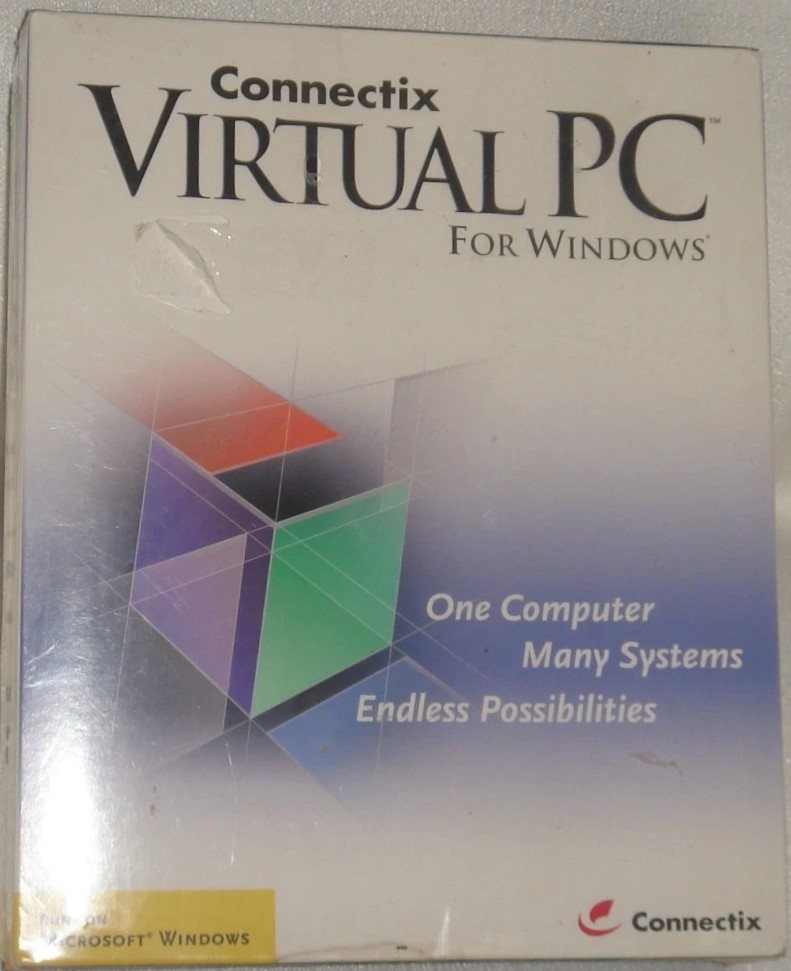
The retail box of Virtual PC for Windows
Connectix was trying new things, and yeah, the Mac was a dying platform, and bringing their tech to the PC was a winning move that would have lasting ramifications for the industry for decades. Well that and getting bought out by Microsoft.
Virtual PC for the PC, was another great, but short-lived solution for those few of us that got the ‘pc virtualization’ bug early on, before the tidal wave of bare metal hypervisors, and the serious business it’d create.
For me, it was the ability to use server class hardware with multiple PSU’s lots of RAM, redundant disks as firewalls that I could easily setup with multiple network cards, and instances allowing full isolation, and hide the mess of wires with something that looked pretty elegant.
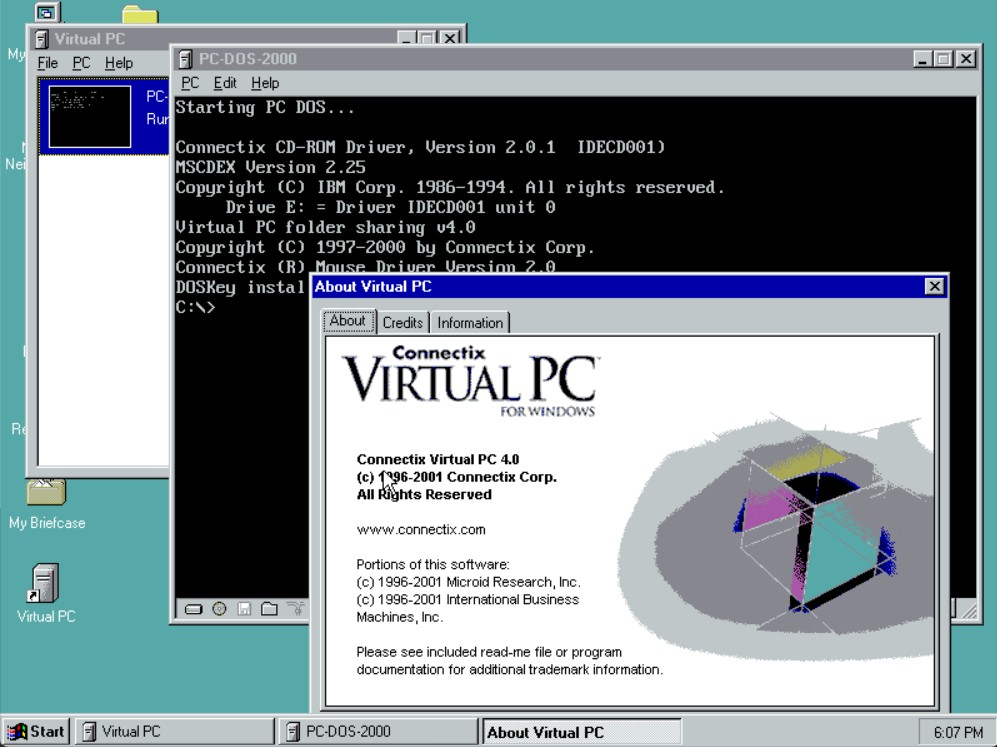
Booting PC-DOS 7.01
I’d recently come across a copy of Virtual PC 4.0 for Windows, the system requirements are pretty log, Windows ME (98 is reported to work), NT 4.0 & Windows 2000. As a bonus it includes PC DOS 7.01. Just like the Mac minimal versions.
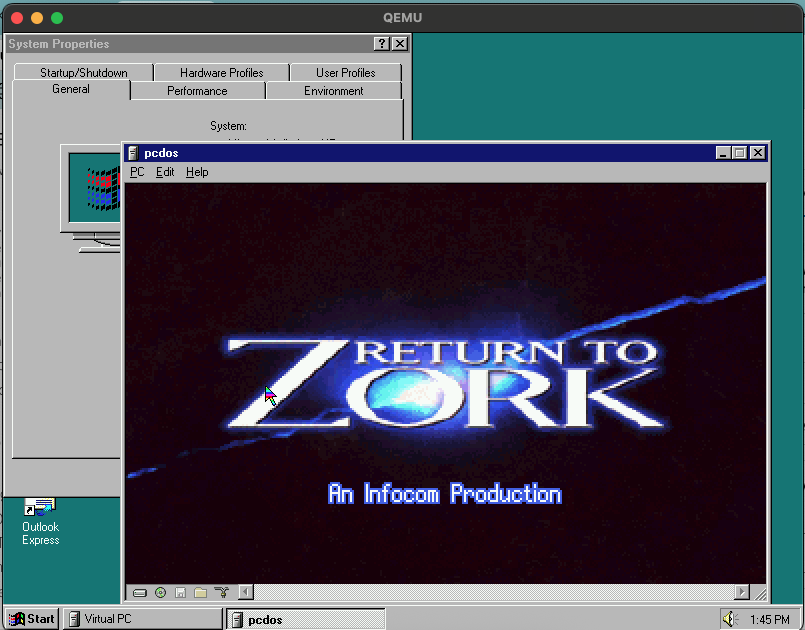
Running VPC on NT under Qemu is dooable, even under OS X, although you’ll want sound, of course which is a bit tricky now.
Although this is a bit involved, I have issues with the later QEMU’s sound blaster emulation and found it best to specify IRQ 7, which means removing the parallel port (who prints anyways?!). I also used the vbempj driver for that full colour experence.
Return to Zork
Although games like Links386, Return to Zork, DooM should have had retail Windows versions IMHO, but I know that getting 32bit games up and running on Windows 3.1 had so many dependancies and hardware requirements that made it quite the ordeal (as mentioned when running DooM on Windows 3.1)
For a long while your options for playing ‘old’ circa mid 90’s MS-DOS games was going all in on NT4/2000/XP with a fast machine and VirtualPC (there was a time when DOSBox wasn’t a thing) or the NTVDM emulated sound blaster driver. At least XP 32bit had one built in (and hidden sadly). But as machines pulled away from ISA and got faster, dual booting to MS-DOS for games with sound became a thing of the past, very quickly.
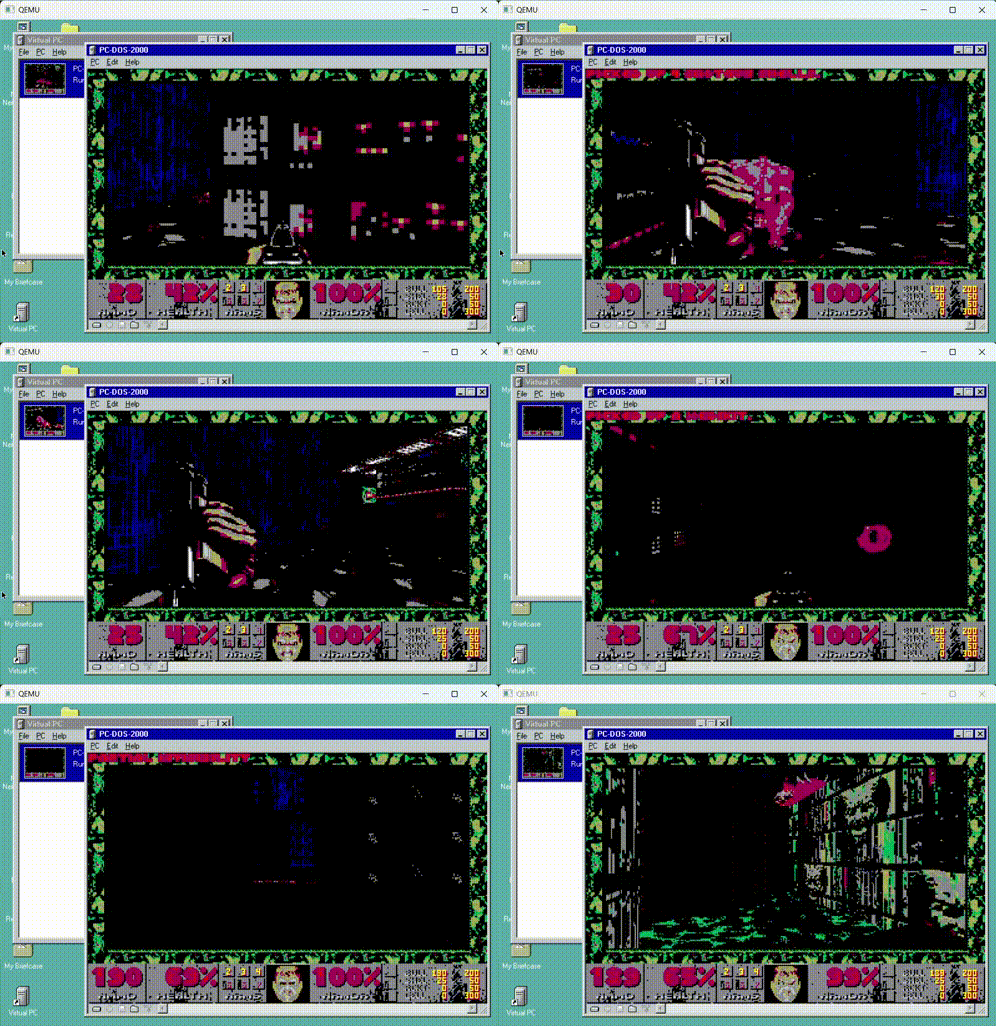
As shown above, of course I had to run DooM. even on the glorious 16 colour display, but yeah. And yeah it’s great!
I should add, that also for a long while this was my preferred way to play DOS games like DooM, or a multitude of things, also like running OS/2, this was my go-to way to get things done. You can check in the history that I was also a super big fan of Virtual PC 2004 on XP. It’s kind of crazy that Virtual PC for Windows is some 24 years ago now!
I had to limit the CPU to pentium level for the installation, then Virtual PC requires a Pentium II or higher. But luckily that’s a simple switch for Qemu.
So, while on this path, I thought it’d be fun to try the next evolution, Virtual Server 2005 on Windows Server 2003. Because I love old stuff, I ran Qemu 0.15.1 because yeah it’s so ancient. bonus!
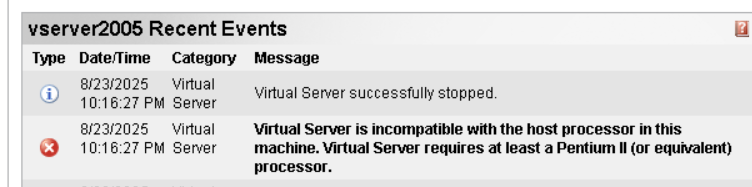
The good news is that Windows Server installed okay, and so did Virtual Server. However running was a different story:
Changing the CPU flag to any combination got the same result that a Pentium II or greater is required. Bummer.
I have a copy of VMWare Workstation handy, and thought I could just mount the VMDK, and good to go. No. Nooooo. Or at least I failed. Use the install template for 2003, and just deal with it. I know. dissapoint.
However, the best part is that it runs fine on VMware. Although it is SLOW. so slow. I updated the VM to 4 core, single processor, 512Mb of ram, and installed Service Pack 1 for the 2003 server. It helped a bit too!
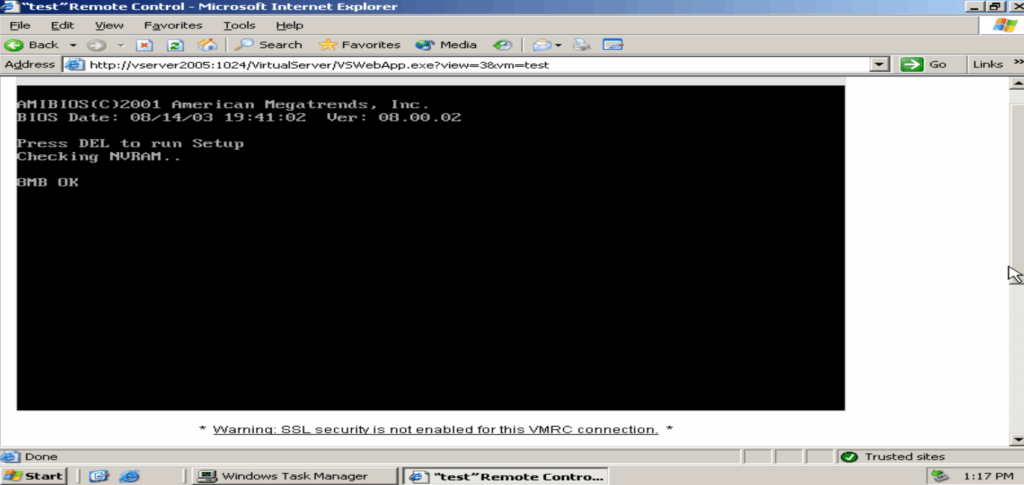
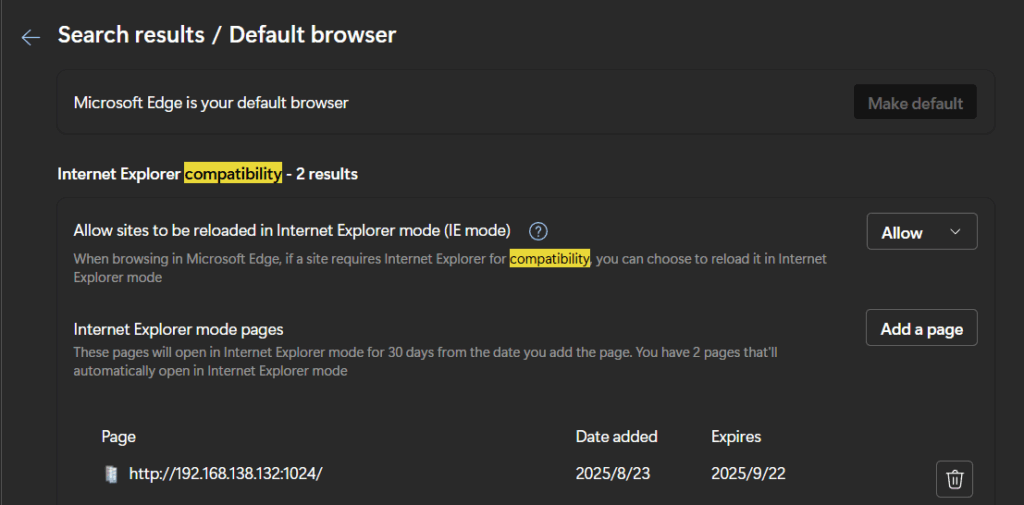
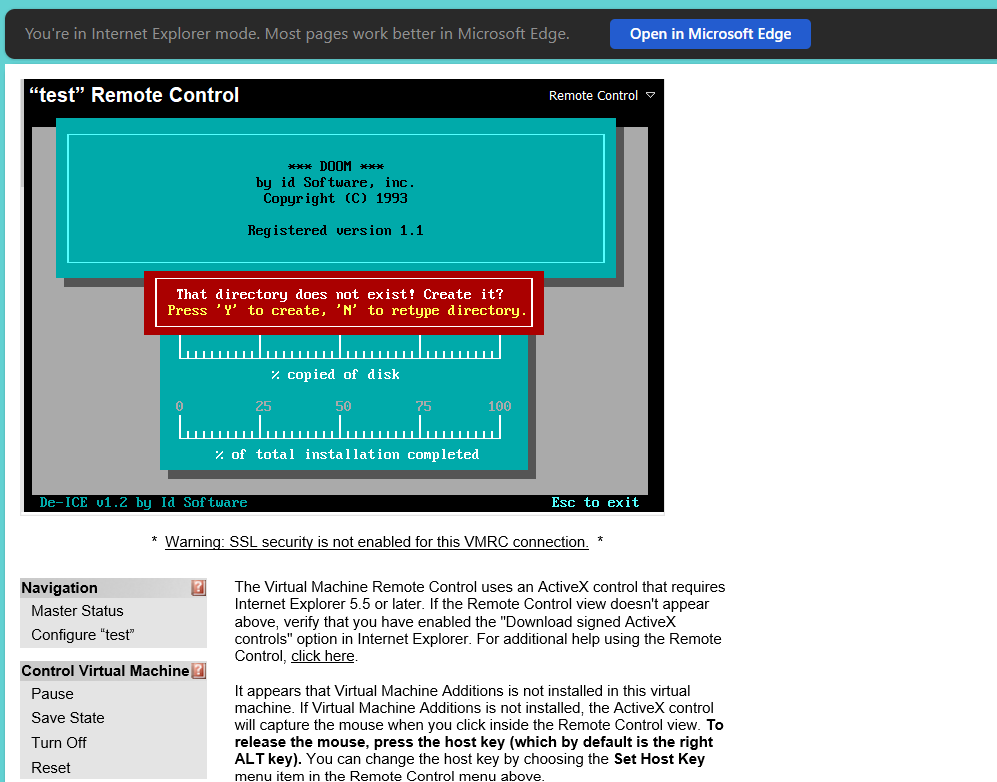
The big fun of Virtual Server is of course being able to manage it remotely, although the remote console is an ActiveX control, so you need to enable IE mode on Edge. It’s under settings and ‘compatibility’ , turn on the 11 mode, and add the admin site and blamo good to go!
And yeah!
You can kinda use the server remotely from a modern machine. Many menu options don’t render correctly, and I had to copy/paste some of the URL’s directly. I think I had this issue with FireFox 20 years ago, although I don’t feel like digging that far deep. It may have been chrome too, but does it matter? I need that ActiveX hook.
With the control loaded, and DooM set to low resolution and drop the render window and..
Well yeah, it’s almost okay.
I’ll have to dig out a P4 and try it native, as emulation in emulation is of course a finicky thing. But I’m all too happy to run this on my laptop without getting my hands dirty dealing with old hardware.
Kind of what got me into this in the first place, running it all, virtually.
(This is a guest post by Antoni Sawicki aka Tenox)
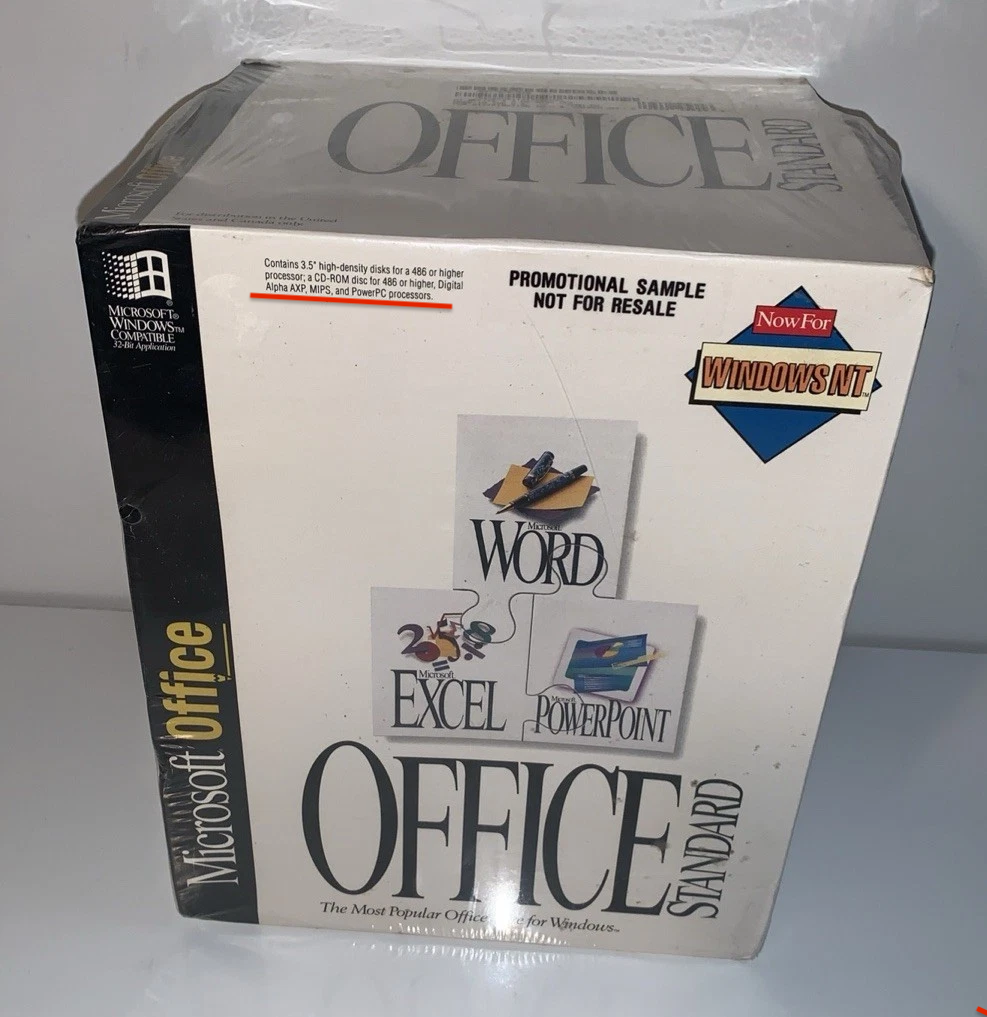
It appears that up until just now we did not have archived copy of MS Word 6.0 for PPC. There were copies floating for Alpha and MIPS, for example https://archive.org/details/ms-word60-nt. However PPC version was nowhere to be found…
Until Term24 pointed me to this eBay auction:
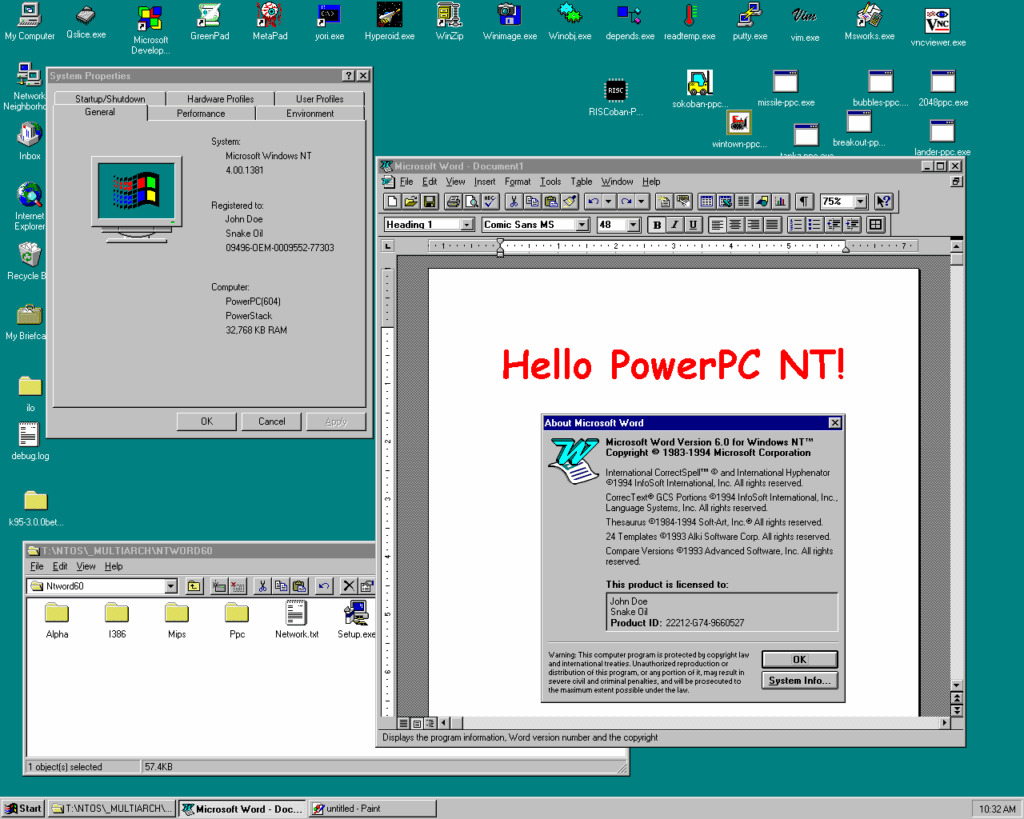
Since it clearly said PowerPC on the box I got it… and here it is:
MS Word 6.0 on Windows NT 4.0 PowerPC / PPC
Now thanks to Rairii you can enjoy it on a PowerMac or WII!
(This is a guest post from Antoni Sawicki aka Tenox)
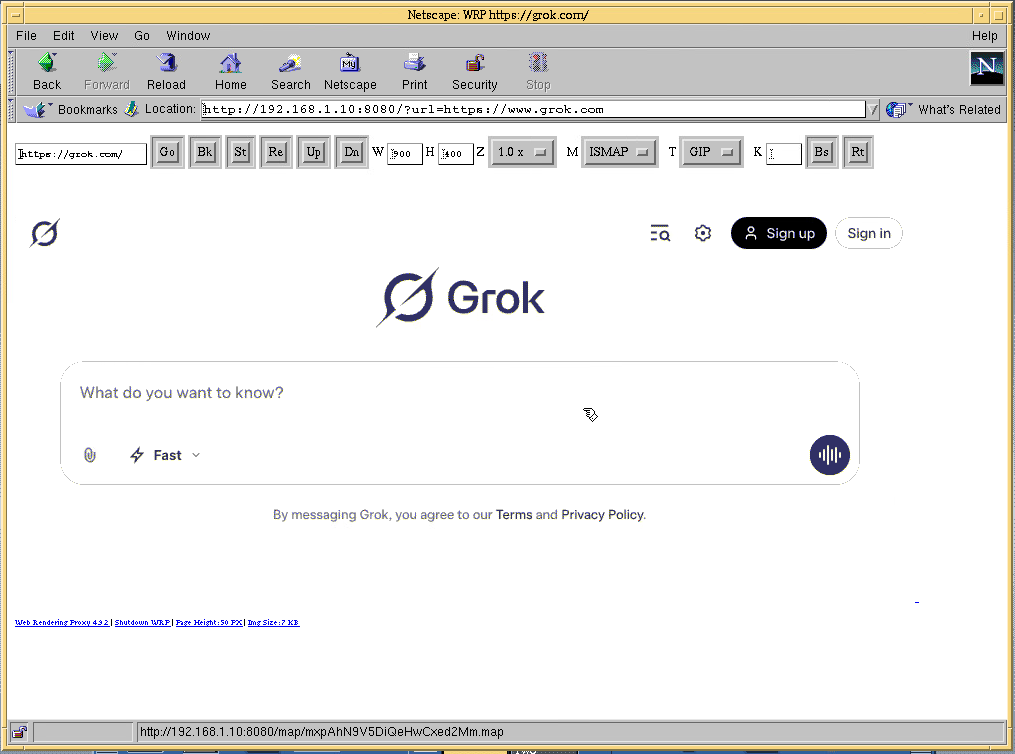
For those not familiar, WRP is a “proxy” that allows vintage web browsers to surf modern web. Some details in old post and another one.
It works pretty well for casual use, however it always been a little slow, and not only on the old computer side. Screenshot capture and encoding to GIF image has always been little time challenged. As of version 4.6, Hill Ma added a fast gif encoder with optimized palette. This has been a game changer. However the image encoding was still single threaded bottleneck.
In v4.9 I have added a parallel, multithreaded GIF encoder that uses Hill’s fast palette optimization. The improvement is about 100x faster encoding on my 20 core Mac Studio. In addition the file size is also about 30-40% smaller than the original. It’s actually faster and smaller than PNG image! This encoder works both in ISMAP and Simple HTML mode. It finally allows for fast and snappy browsing experience!
In addition I have added support for Brave Browser, DuckDuckGo search, as Google had Captcha nightmare. Finally the default, automatic “headless” User Agent has been replaced with jnrsbsn allowing some rudimentary anti-headless browser detection.