
The one-dimensional array of characters followed by a null character \0 is called a string in C Programming. Let us see how to declare a string array, access elements or characters, and print characters with examples.
The syntax of a string declaration in C Programming is as follows. For Example, char full_name[50];. Here, full_name is the name, and the size equals 50. It means this allows a maximum of 49 characters.
char Name [Size];
- Name: Please specify the name. For example, full_name, employee_name, etc
- Size: Number of characters required for this plus one (\0). For instance, if Size =10, it can hold 9 characters.
C String Initialization
There are multiple ways to initialize a string.
char name[] = “Tutorial Gateway”; // Declare without Size
char name[50] = “Tutorial Gateway”; // Declare with Size
Declare string Characters Array in this programming language.
char name[] = {‘T’, ‘u’, ‘t’, ‘o’, ‘r’, ‘i’, ‘a’, ‘l’, ‘G’, ‘a’, ‘t’, ‘e’, ‘w’, ‘a’, ‘y’, ‘\0’};
char name[16] = {‘T’, ‘u’, ‘t’, ‘o’, ‘r’, ‘i’, ‘a’, ‘l’,’ G’, ‘a’, ‘t’, ‘e’, ‘w’, ‘a’, ‘y’, ‘\0’};
You can also declare it using pointers
char *str;
char *name = “hello world”;
C Program to Declare and Print Strings
In this program, We are declaring the character array in possible ways. Next, we use the printf statement to print the char array. I suggest you refer to the Array article.
You must use %s to display the sentence or text as output. Or you can use the C Programming puts function.
#include  <stdio.h>

int main(int argc, const char * argv[]) {
    // Without Size
    char name1[] = "Tutorial Gateway";

    // With Size
    char name2[50] = "Tutorial Gateway";

    // Declare Characters Array
    char name3[] = {'T','u','t','o','r','i','a','l','G','a','t','e','w','a','y', '\0'};

    char name4[16] = {'T','u','t','o','r','i','a','l','G','a','t','e','w','a','y', '\0'};

    printf("Name1: %s \n", name1);
    printf("Name2: %s \n", name2);
    printf("Name3: %s \n", name3);
    printf("Name4: %s \n", name4);
    return 0;
}

Allow Users to enter Text from the Command line
In this program, we are allowing users to enter their own string. Next, we print that user’s given sentences as output.
#include  <stdio.h>

int main(int argc, const char * argv[])
{
    char name1[50];
    printf("Please enter the Name : ");
    scanf("%s", name1);

    printf("Name: %s \n", name1);
    return 0;
}
Please enter the Name : TutorialGateway
Name: TutorialGateway
Access Elements of Strings in C programming
You can use indexes to access individual letters. By this index, you can insert, delete, or update any string character at any given position.
#include  <stdio.h>

int main(int argc, const char * argv[])
{
    char name[50];
    int i = 0;

    printf("Please enter the Name : ");
    scanf("%s", name);

    while (name[i] != '\0')
    {
        printf("The Character at %d Index Position = %c \n", i, name[i]);
        i++;
    }
    return 0;
}
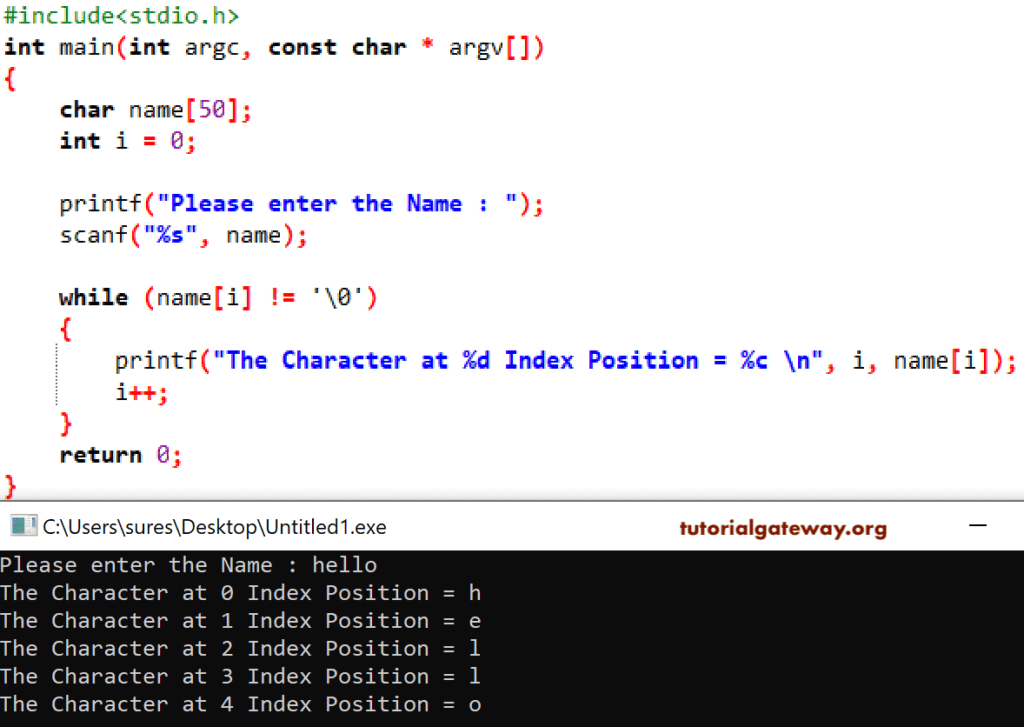
The analysis of the String or character array iteration-wise is shown below.
First Iteration : while (name[i] != ‘\0’)
Here, i value is 0. It means, name[0] = h So, condition is True
It will print that letter along with the index position.
Next, i value will increment
Second Iteration: while (name[1] != ‘\0’)
while (e != ‘\0’) – Condition True
C string Third Iteration: while (name[2] != ‘\0’)
while (l != ‘\0’) – It means the condition was True.
Fourth Iteration: while (name[3] != ‘\0’)
while (l != ‘\0’) – Condition True
Fifth Iter: while (name[4] != ‘\0’)
while (0 != ‘\0’) – This condition is True
Sixth Iteration:while (name[5] != ‘\0’)
while (\0 != ‘\0’) – Condition is False. So, the Compiler will exit from the While loop
How to find the String length?
In this program, we are using the built-in function strlen to find the length of a char array.
#include  <stdio.h>
#include  <string.h>

int main(int argc, const char * argv[])
{
    char nam[50];

    printf("Enter the Name : ");
    scanf("%s", nam);

    float len;
    len = strlen(name);
    printf("The Length = %.f \n", len);

    return 0;
}

Please refer to the string functions article to understand the functions.
