Saved replies keyboard shortcuts
For almost two years you have been able to use saved replies to quickly respond to multiple issues and pull requests. Now saved replies have keyboard shortcuts to make them…
For almost two years you have been able to use saved replies to quickly respond to multiple issues and pull requests. Now saved replies have keyboard shortcuts to make them even easier to use.
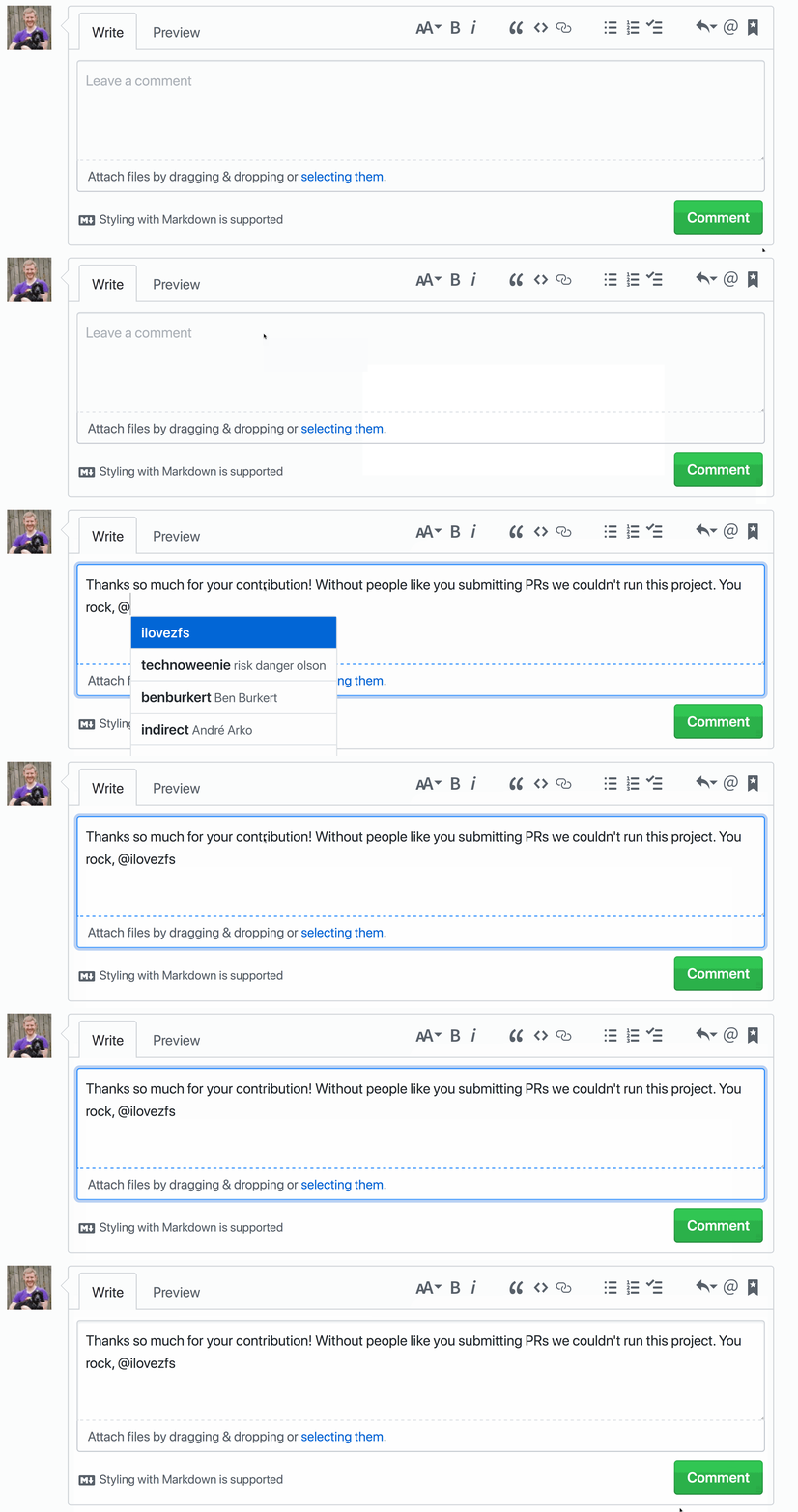
To activate your saved replies press Ctrl . when composing or replying to an issue or pull request. Select the saved reply of your choice with a number, for example Ctrl 2.
Note if your saved reply ends with a # or @ after inserting the saved reply it will attempt to autocomplete an issue or pull request number or username. Check out the documentation to learn more.
Written by

Related posts

Your stack, your rules: Introducing custom agents in GitHub Copilot for observability, IaC, and security
Use partner-built Copilot agents to debug, secure, and automate engineering workflows across your terminal, editor, and github.com.

The ultimate gift guide for the developer in your life
Finding the perfect gift for your favorite developer is easy with our top tips.

Why developers still flock to Python: Guido van Rossum on readability, AI, and the future of programming
Discover how Python changed developer culture—and see why it keeps evolving.
