Edit like an Ace
Ace is a code editor written in JavaScript. It powers Cloud9 IDE and, as of today, file editing on GitHub. If you’re using a recent version of Safari, Chrome, or…
Ace is a code editor written in JavaScript. It powers Cloud9 IDE and, as of today, file editing on GitHub.

If you’re using a recent version of Safari, Chrome, or Firefox here’s how it works:
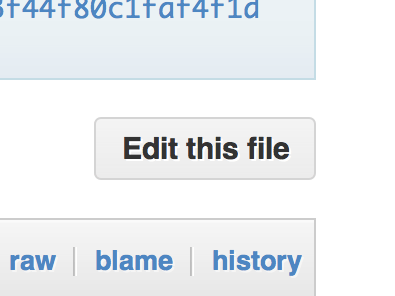
1. Hit the “Edit” button (or the e hotkey) on any blob
2. Edit your code
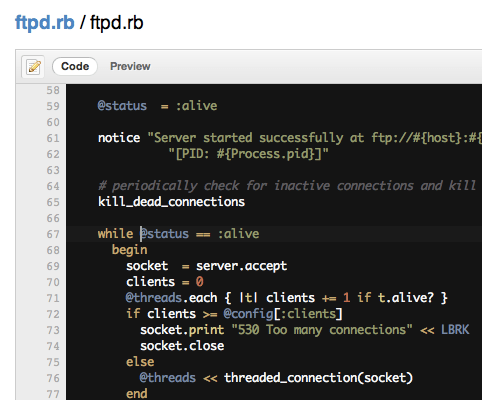
The basics should all work: TAB to indent, Shift+TAB to unindent, Command+/ (OSX) or Control+/ (Win/Linux) to comment out or uncomment a line.
3. Preview your changes
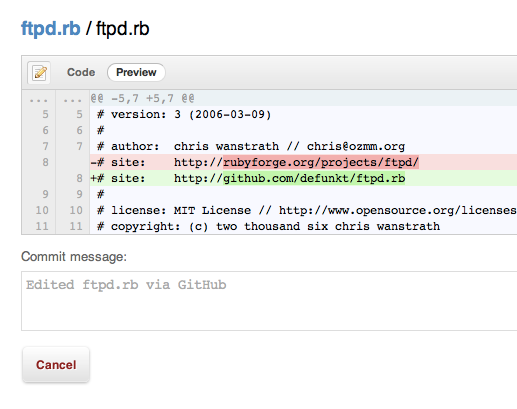
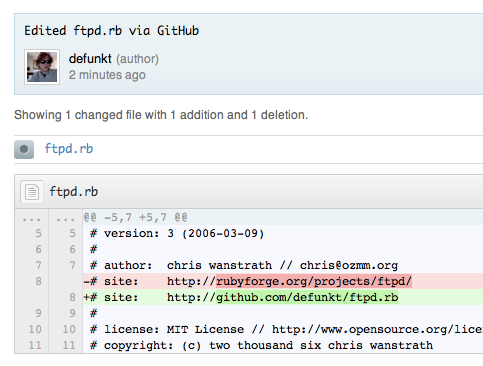
4. Commit!
Options
While we try to guess whether your file is using tabs or spaces and the indentation level, you can set those yourself using the options in the top right of the editor view:

Richtext
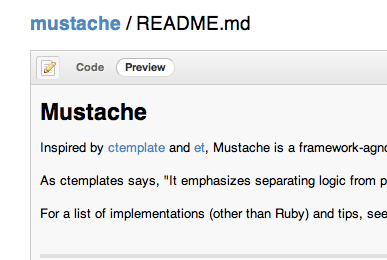
If the file you’re editing is Markdown, Textile, or any other richtext format GitHub supports we’ll render a preview of it instead of a diff:
More modes
If your favorite language isn’t being highlighted, consider adding a mode for it! Check out Ace’s “Creating or Extending an Edit Mode” wiki page for more info.
Ace
This is just the start. Help us make editing on GitHub even better by forking and improving Ace at ajaxorg/ace.
As always, please email [email protected] with any bugs you find or ideas you have. Happy hacking!
Written by

Related posts

Your stack, your rules: Introducing custom agents in GitHub Copilot for observability, IaC, and security
Use partner-built Copilot agents to debug, secure, and automate engineering workflows across your terminal, editor, and github.com.

The ultimate gift guide for the developer in your life
Finding the perfect gift for your favorite developer is easy with our top tips.

Why developers still flock to Python: Guido van Rossum on readability, AI, and the future of programming
Discover how Python changed developer culture—and see why it keeps evolving.
