
Document360 version 12.11.1 is now live, with improved Zendesk authentication, new API endpoints for article and Eddy AI feedback, and expanded MCP capabilities. This release gives teams more control over feedback management and makes everyday knowledge base tasks easier to handle through their existing tools.
Features and enhancements
Sign in to the Document360 app in Zendesk with your own account
Category: Extensions | Enhancement
Earlier, the Document360 app in Zendesk used a shared token, giving every agent access to all published content regardless of their individual permissions. Searches and Eddy AI usage also weren't attributed to individual users/agents. Agents can now sign in with their own Document360 user or reader account, in addition to enterprise SSO. Searches and Eddy AI usage are now tracked against the signed-in user.
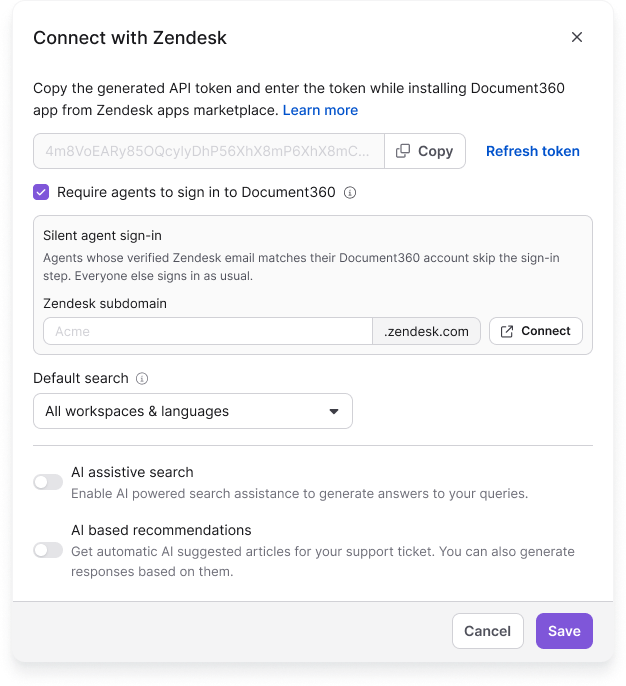
For more information, read the article on Zendesk.
Manage article and Eddy AI feedback using new API endpoints
Category: API documentation | Feature
You can now access article feedback and Eddy AI feedback through new API endpoints. This lets you manage reader feedback in the tools your team already uses, like ticketing or project management systems, without switching to the Knowledge base portal.
For article feedback, you can query items by status, like or dislike, article or page category, and date range. You can also view internal team discussions, update an item's status or assignee, and optionally reply to the reader when closing an item.
For Eddy AI feedback, you can query answered feedback by source, answered or unanswered queries, and reason, or retrieve full chat conversations.
For more information, see Feedback manager.
More flexibility in content management through new MCP tools
Category: MCP | Enhancement
You can now manage tasks, glossary terms, review reminders, and article feedback through AI assistants connected to the Document360 MCP server. Previously, you had to switch to the Knowledge base portal to perform these activities.
The ten new MCP tools let you:
- List your assigned tasks, snooze them, or mark them as done.
- List, create, and update glossary terms in a specific language.
- View review reminders across the project.
- Set review reminders for individual articles.
- Submit article feedback.
- Update the status of feedback assigned to you.
With these tools, writers and reviewers can keep content accurate and stay on top of their assignments directly from their AI assistant.
For more information, read the article on Supported MCP tools.
Reopen closed feedback
Category: Article feedback | Enhancement
You can now reopen closed feedback in the Feedback manager for both articles and Eddy AI responses when readers follow up or an issue needs further attention. Previously, closing a feedback item prevented you from changing its status or continuing the discussion.
When reopening feedback, you can optionally add a comment explaining why it is being reopened. The comment is saved as an internal note. Reopened items retain their assignee, tags, and discussion history, allowing your team to continue working on the issue and respond to the reader.
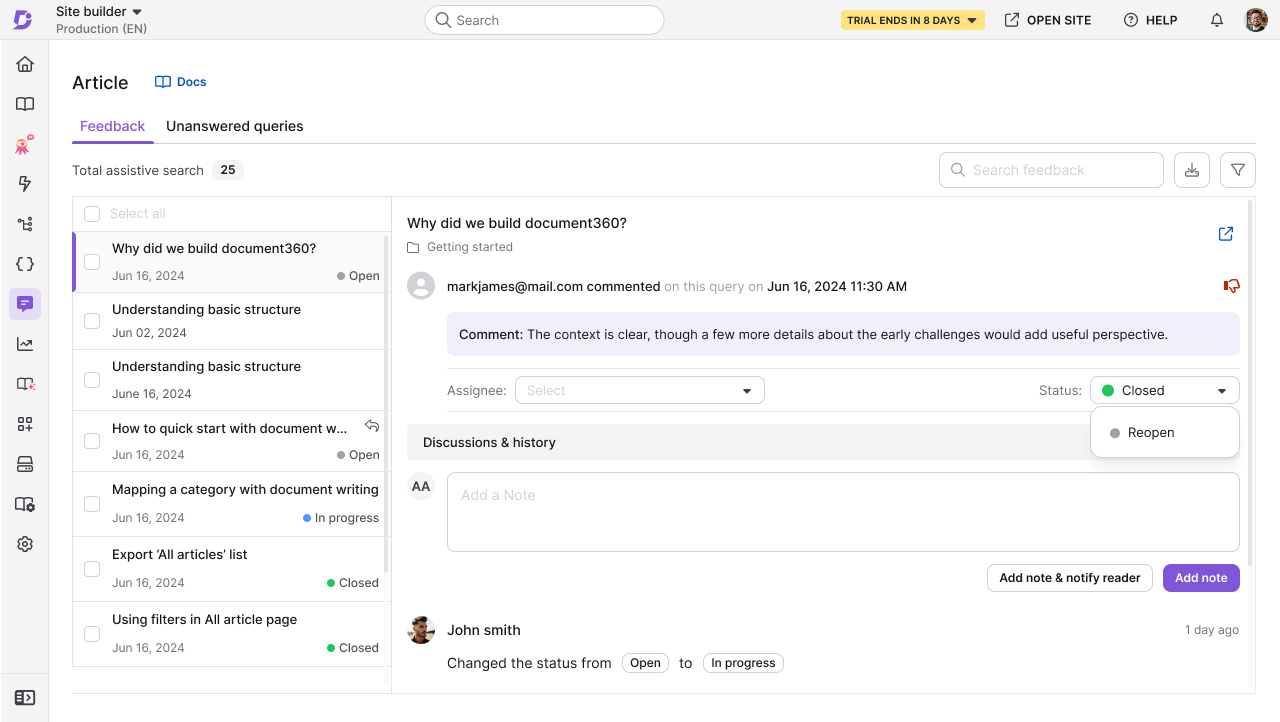
For more information, see Manage article feedback.
Move from Zendesk API tokens to account authentication
Category: Extensions | Enhancement
Zendesk is phasing out API tokens. Creating new API tokens is no longer supported, and existing tokens will stop working after April 30, 2027. Previously, connecting Document360 to Zendesk required you to generate an API token in Zendesk and manually enter it in each integration. You can now connect using your Zendesk account instead, without creating or copying API tokens.
This option is available for Zendesk federated search, Ticket deflector, and Eddy AI chatbot ticket escalation and sources. To establish the connection, you must have admin permissions in both Zendesk and Document360. Each integration requires a separate connection. You can plan the switch to a Zendesk account ahead of April 30, 2027 to ensure your integrations continue working without disruption when Zendesk retires API tokens.
For more information, read Set up Document360 for Zendesk.
Other updates
- The Workspace and localization and Feedback manager pages now have an improved UI for easier navigation.
- Minor security updates, bug fixes, and performance improvements have also been implemented across the Knowledge base portal and Knowledge base site.
