

الوصف
Improve your SEO with real-time feedback, schema, and clear guidance. Upgrade for AI tools, Google Docs integration, and 24/7 support, no hidden fees.
Yoast SEO: The #1 WordPress SEO Plugin
Since 2008, Yoast SEO has helped millions of websites worldwide improve their visibility and SEO performance.
Our mission is SEO for Everyone — from small local businesses to some of the most visited sites on the web.
Yoast SEO gives you everything you need to manage your on-site SEO effectively.
The Yoast SEO Premium plugin and its extensions unlock even more advanced and AI-powered tools.
Handing you the competitive edge
SEO is the most consistent and cost-effective source of website traffic — but it can be complex. Whether you’re just starting out or an advanced user, Yoast SEO helps you handle SEO confidently and efficiently.
Don’t have time to stay on top of AI search and best practices? Keeping Yoast SEO updated means you automatically benefit from ongoing technical improvements, schema updates, and AI advancements — all guided by our signature traffic light approach.
Empower search engines to better understand your website using Schema.org structured data integration, and access in-depth content and readability analysis tools that help you create content designed to perform well in search.
Quick and easy setup
Setting up Yoast SEO is quick and straightforward — no technical background required.
Our step-by-step configuration wizard walks you through essential setup details so Yoast SEO can generate accurate structured data that helps search engines understand your site.
Switching from another SEO plugin like Rank Math or AIOSEO? Migration is seamless.
Import your existing SEO data and settings safely with our built-in import/export tools.
Content and AI features
Unlock your content’s full potential with Yoast SEO’s advanced content analysis and AI-powered tools.
Content optimization features:
– Detailed SEO analysis to guide keyword targeting and site performance.
– Readability analysis for clear, engaging, and user-friendly writing.
– SERP previews for both desktop and mobile results.
– HowTo and FAQ blocks with built-in schema support.
– Breadcrumbs block for improved navigation.
– Inclusive Language Analysis to make your content more considerate and accessible.
– Semrush integration for keyword research directly in Yoast SEO.
– Wincher integration to track keyword performance inside your dashboard.
– Elementor integration for seamless optimization within your favorite builder.
AI features (included in Premium):
– Yoast AI Generate – Instantly create five SEO-friendly titles and meta descriptions, with one-click regeneration for more options.
– Yoast AI Optimize – Improve keyphrase placement (introduction, distribution, density) automatically.
– Yoast AI Summarize (New 2025) – Generate quick content summaries for briefs or social posts.
– All AI tools included – No extra accounts, limits, or hidden costs.
These tools help you craft optimized, helpful content that resonates with readers and performs strongly across search platforms.
Taking care of your technical SEO
Yoast SEO automatically handles much of your site’s technical SEO, freeing you to focus on your content.
Key technical SEO features:
– Automated meta tag optimization right out of the box.
– Canonical URLs to prevent duplicate content issues.
– Advanced XML sitemaps for clear site indexing.
– Best-in-class Schema.org integration to improve search understanding and appearance.
– Complete breadcrumb control for visitors and crawlers.
– Performance improvements that help reduce load times.
– Crawl settings to manage how bots access your site and reduce environmental impact.
– LLMs.txt management to guide how large language models interact with your content.
Every update delivers ongoing technical SEO enhancements automatically.
Keep your website in perfect shape
Whether you’re a creator, business owner, or developer, Yoast SEO helps maintain your website’s SEO health:
- Cornerstone content tools to organize and prioritize key pages.
- Front-end SEO inspector to view and edit titles, descriptions, and schema live.
- SEO roles to delegate plugin access securely across teams.
- Regular 2-week update cycle to ensure compatibility with the latest SEO standards and search engine changes.
Powerful integrations
Yoast SEO works seamlessly with popular WordPress tools to enhance your workflow and results:
- Google Site Kit: Access insights from Search Console, Analytics, and PageSpeed directly inside WordPress.
- Advanced Custom Fields (ACF): Combine with ACF Content Analysis for Yoast SEO for advanced field optimization.
- Elementor: Use full Yoast SEO functionality inside Elementor’s editor.
- Algolia: Enhance internal search accuracy and performance.
- Semrush: Discover and optimize for high-value keywords.
- Wincher: Track keyword positions and trends in Google Search.
- Jetpack: Manage SEO and social previews all in one place.
- Easy Digital Downloads (EDD): Improve digital product visibility with integrated schema.
- Mastodon: Verify your website on Mastodon with Yoast SEO Premium.
- WooCommerce: Optimize ecommerce SEO with the dedicated WooCommerce extension.
Yoast SEO Premium – AI-powered SEO for WordPress
Yoast SEO Premium enhances everything in Yoast SEO with advanced automation, AI tools, and professional support.
Trusted by millions, it helps you optimize efficiently for both traditional and AI-driven search.
Tackle your SEO challenges:
– Keep pace with algorithm and AI search updates.
– Target the right audience effectively.
– Automate redirects, crawl controls, and internal linking.
– Identify orphaned content and improve site structure.
– Get support when you need it.
Premium highlights:
– AI-generated titles and meta descriptions.
– Smart internal linking suggestions.
– Social previews for Facebook and X.
– Redirect Manager with bulk tools and automatic prompts.
– Bot Blocker for AI crawlers (GPTBot, CCBot, Google-Extended).
– IndexNow integration for fast content updates.
– Front-end SEO Inspector for real-time editing.
– SEO Workouts to improve orphaned and cornerstone content.
– Google Docs add-on for seamless SEO writing in Docs.
– 24/7 premium support from SEO specialists.
Includes at no extra cost:
– Yoast Local SEO: Optimize for local audiences and Google Maps.
– Yoast Video SEO: Ensure Google understands your videos with video sitemaps and schema.
– Yoast News SEO: Increase visibility in Google News and Top Stories.
Yoast WooCommerce SEO – Advanced SEO for Online Stores
Yoast WooCommerce SEO builds on Yoast SEO Premium with ecommerce-specific tools to improve your store’s visibility and conversion potential.
Key ecommerce SEO features:
– WooCommerce-specific XML sitemap excluding non-shopping content.
– Product structured data for enhanced rich results (price, reviews, availability).
– Canonical URL management to prevent duplicates.
– Ecommerce-focused content analysis for GTINs, SKUs, and short descriptions.
– AI Generate for ecommerce – Instantly create optimized titles and meta descriptions for product and category pages.
Benefits:
– Improve product visibility with automated structured data.
– Enhance crawl efficiency for large catalogs.
– Save time through metadata templates and automation.
– Increase engagement with AI-optimized ecommerce metadata.
Built for WooCommerce, trusted by thousands of online stores worldwide.
For Developers
Yoast SEO is built with developers in mind. With modern APIs, hooks, and a unified indexables system, you can extend or integrate SEO functionality across custom themes, plugins, or headless setups.
REST API
Retrieve SEO metadata for any post or URL, including meta tags, Open Graph, Twitter Cards, and Schema.org data.
Learn more about the REST API.
Surfaces API
Access SEO data directly in code via YoastSEO()->meta->for_current_page().
Supports titles, descriptions, canonicals, and schema.
Read the Surfaces API documentation.
Metadata API
Use the Metadata API to filter, override, or extend meta tags with WordPress hooks such as wpseo_title, wpseo_metadesc, and wpseo_canonical.
Schema API
The Schema API lets you modify or extend Schema.org graph pieces, including Article, Organization, Person, Breadcrumb, and WebPage entities.
Block Editor compatibility
Yoast SEO integrates directly with the WordPress Block Editor (Gutenberg).
It outputs schema for HowTo and FAQ blocks by default, and developers can extend schema for custom blocks.
Indexables
At the core of Yoast SEO lies the indexables system, unifying all SEO data for faster queries and consistent metadata across outputs.
Ongoing support and education
Yoast is powered by expert developers, testers, and SEO specialists who keep improving the plugin.
We’re committed to helping users grow their SEO skills with resources such as:
- Yoast SEO Academy: Free and premium SEO courses (included in all paid plans).
- Yoast SEO blog, newsletter, and webinars.
- Yoast SEO Update podcast for the latest SEO insights.
- Bug reports on GitHub (for issue tracking, not support).
Yoast SEO — built to make search optimization accessible, reliable, and ready for the future of AI search.
لقطات الشاشة
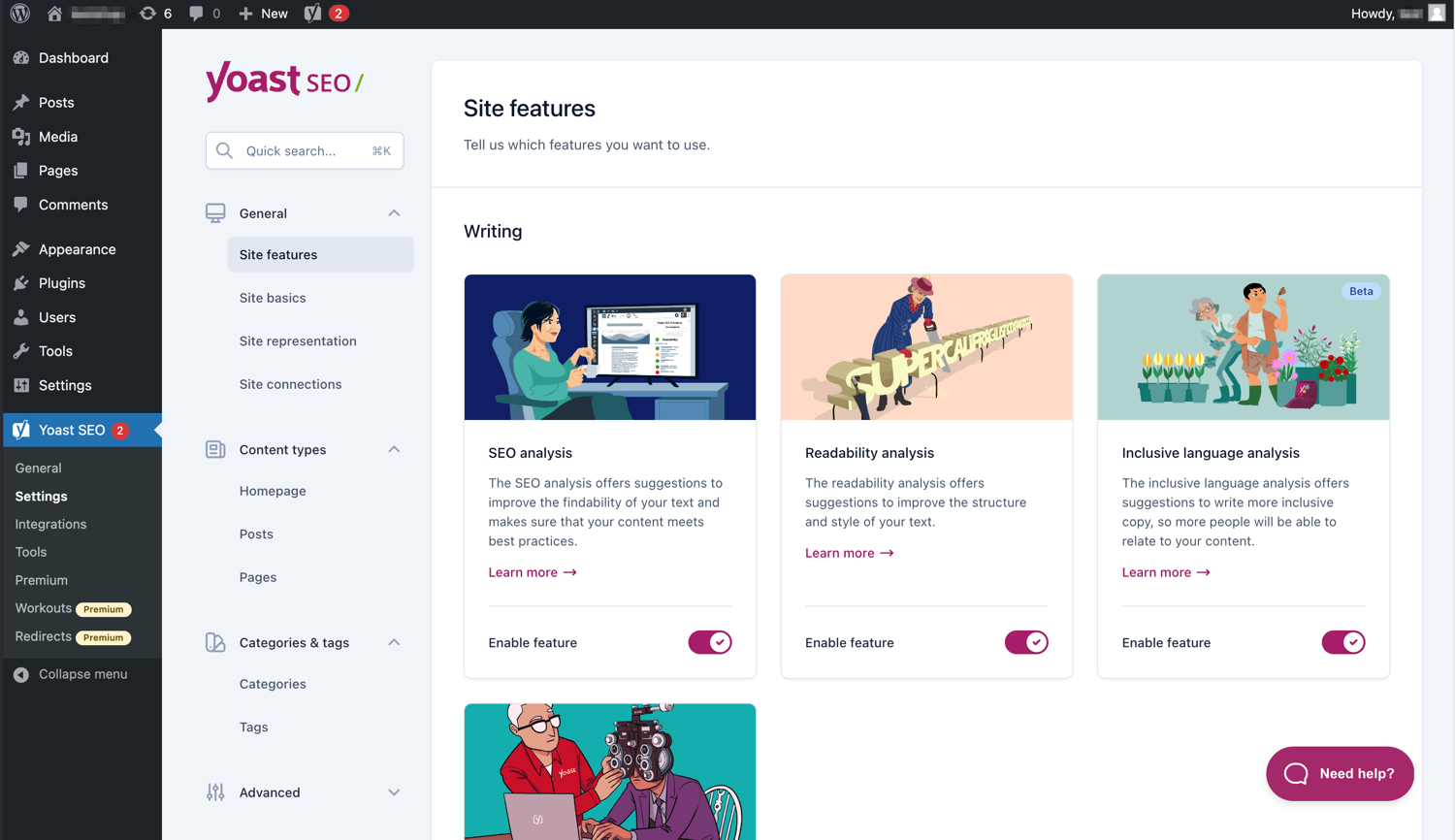
تجعل الواجهة الحديثة من السهل العمل مع Yoast SEO. 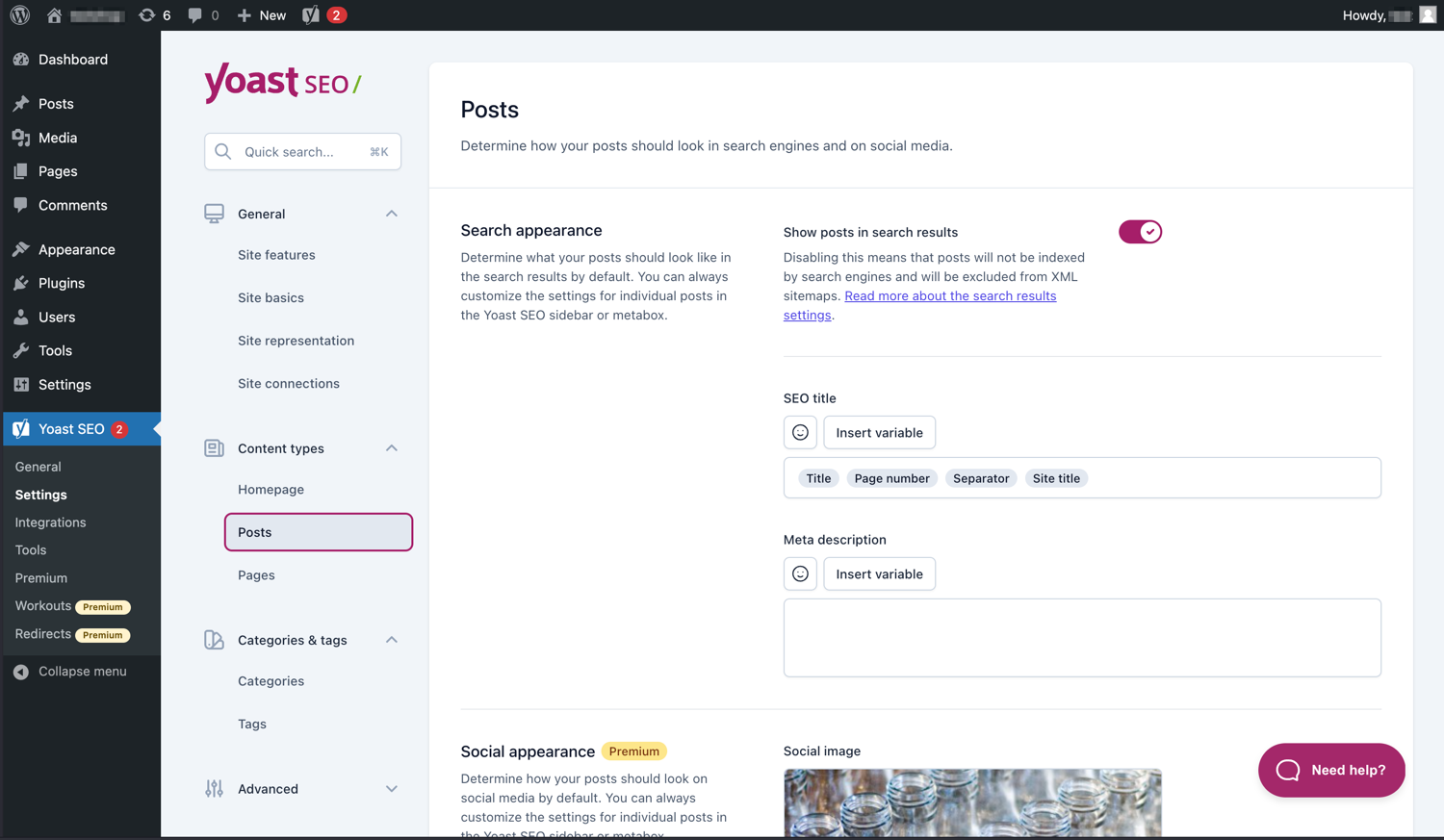
يمكنك بسهولة إدارة كيفية ظهور مقالاتك وصفحاتك في صفحات نتائج محرك البحث. 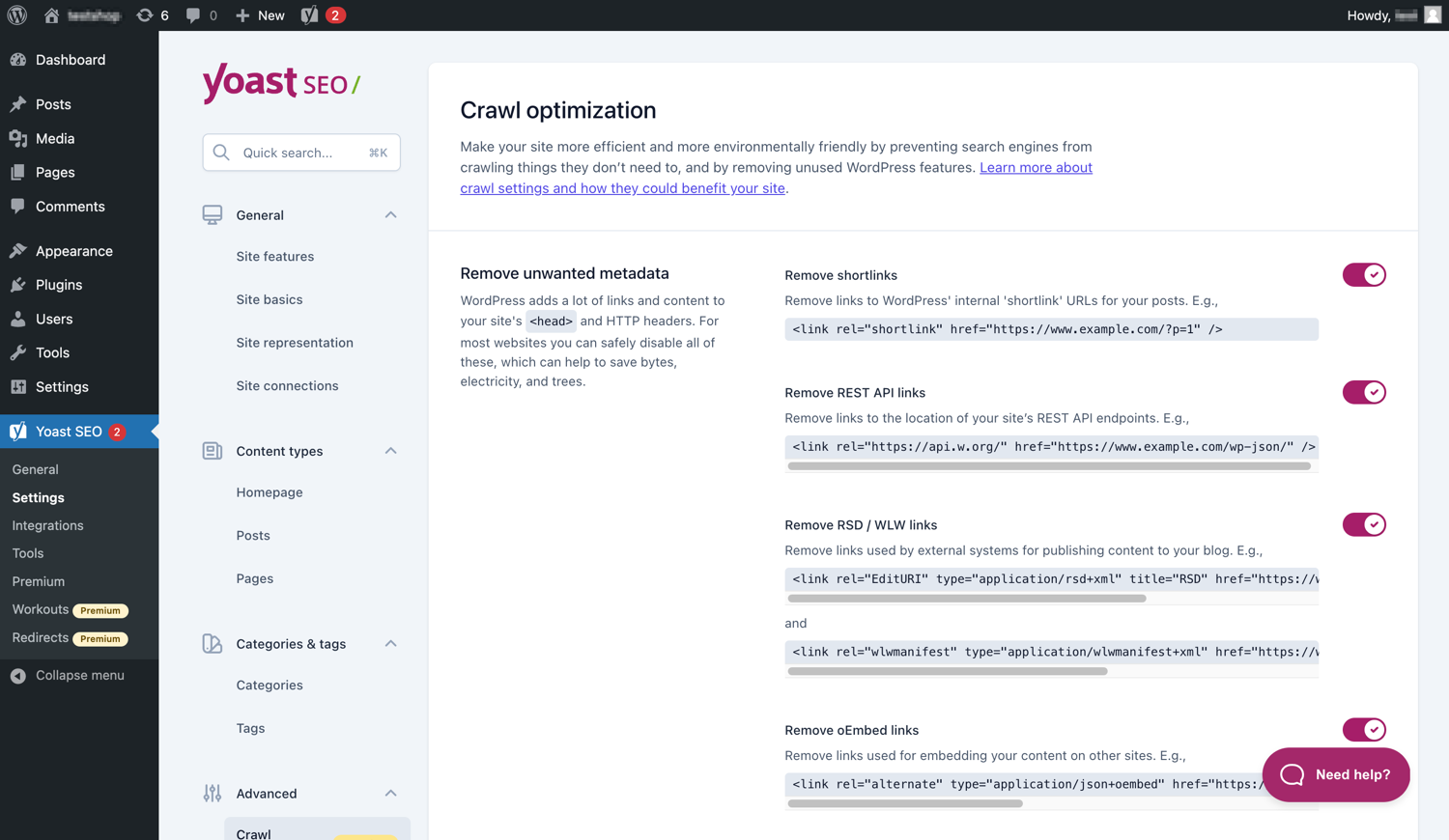
يحتوي Yoast SEO مميّز على خيارات إضافية لتحسين الزحف. 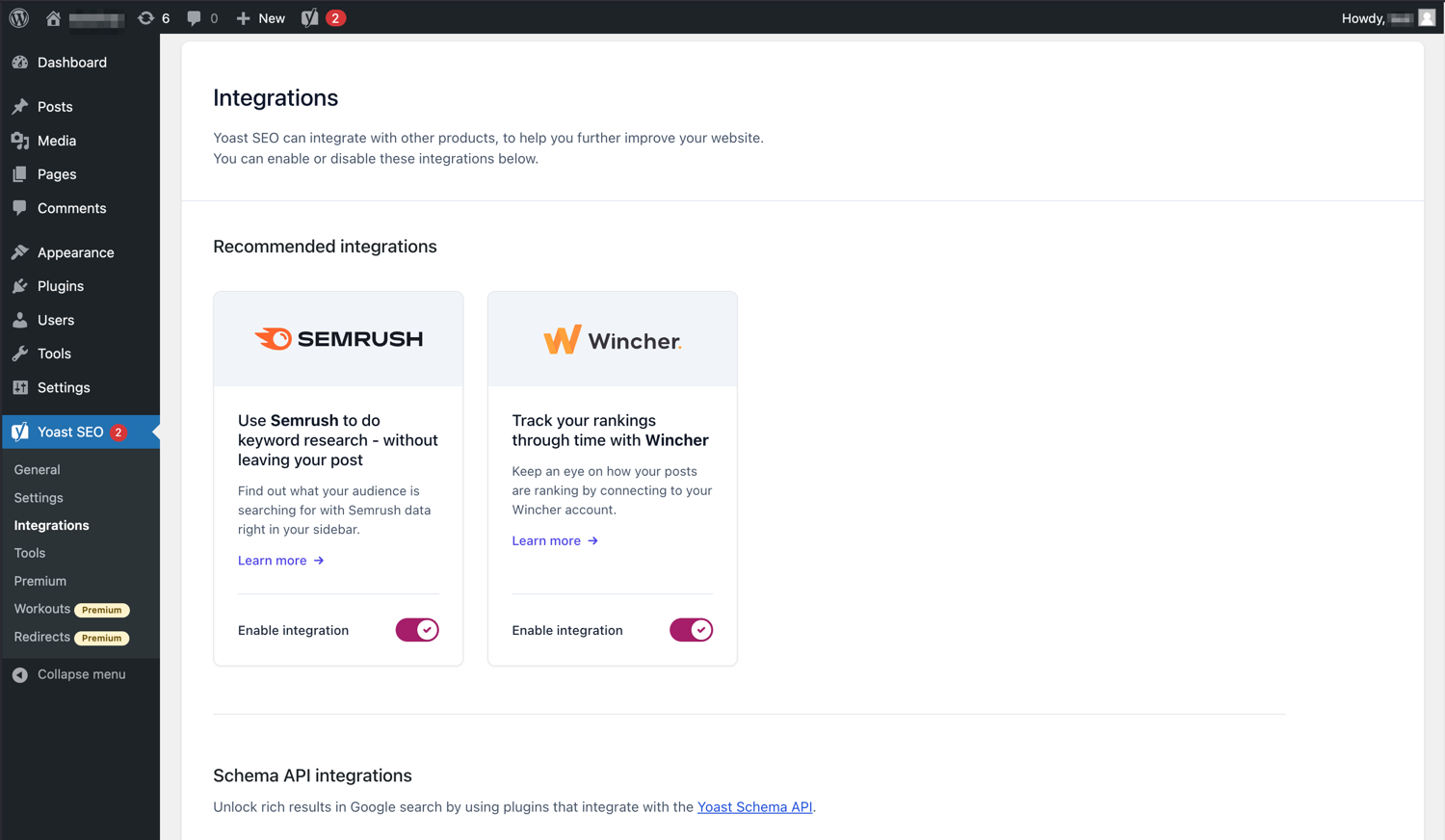
يتكامل Yoast SEO مع أدوات مثل Semrush و Wincher. 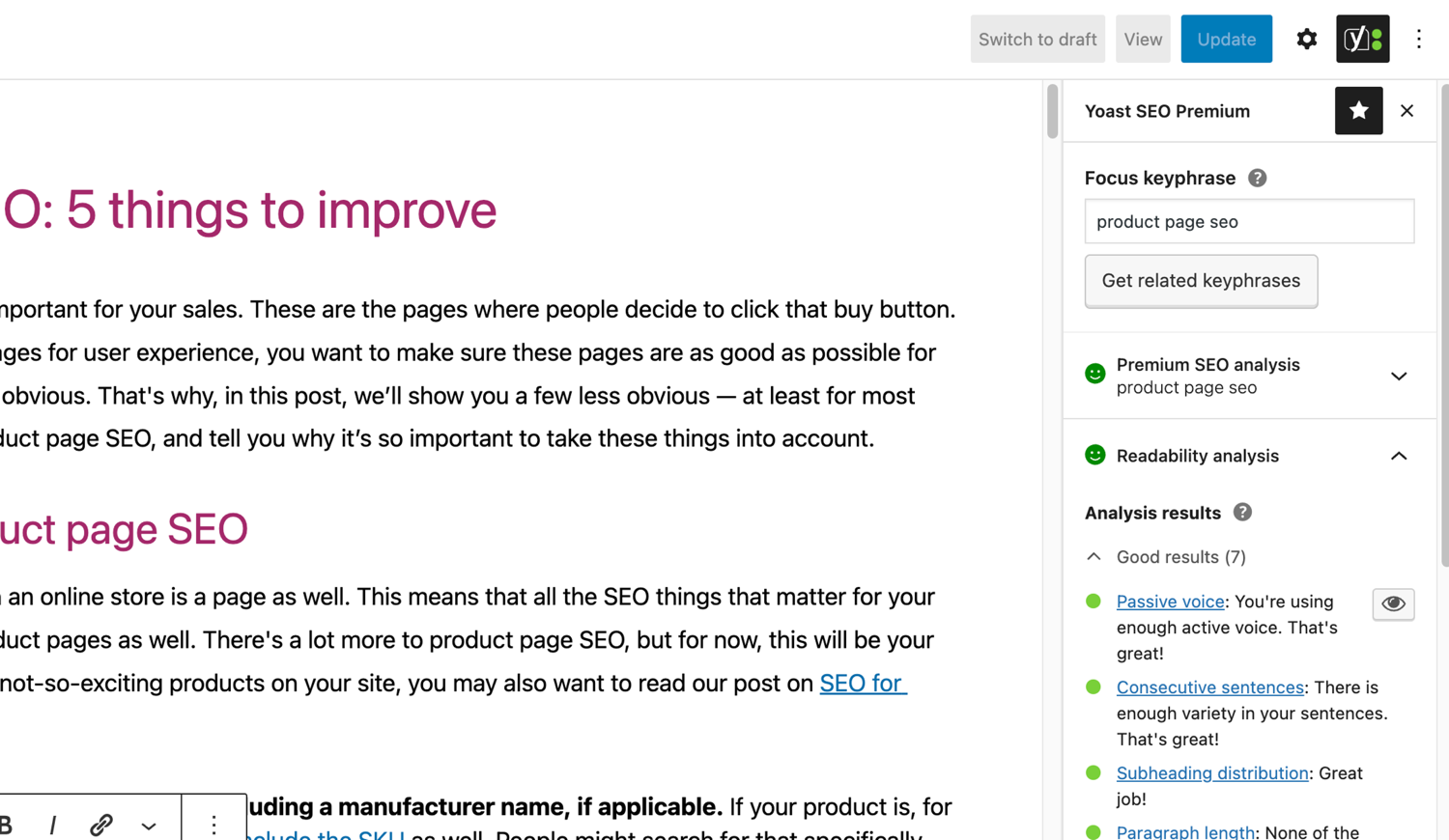
تحليلات SEO وقابلية القراءة الشهيرة في Yoast SEO. 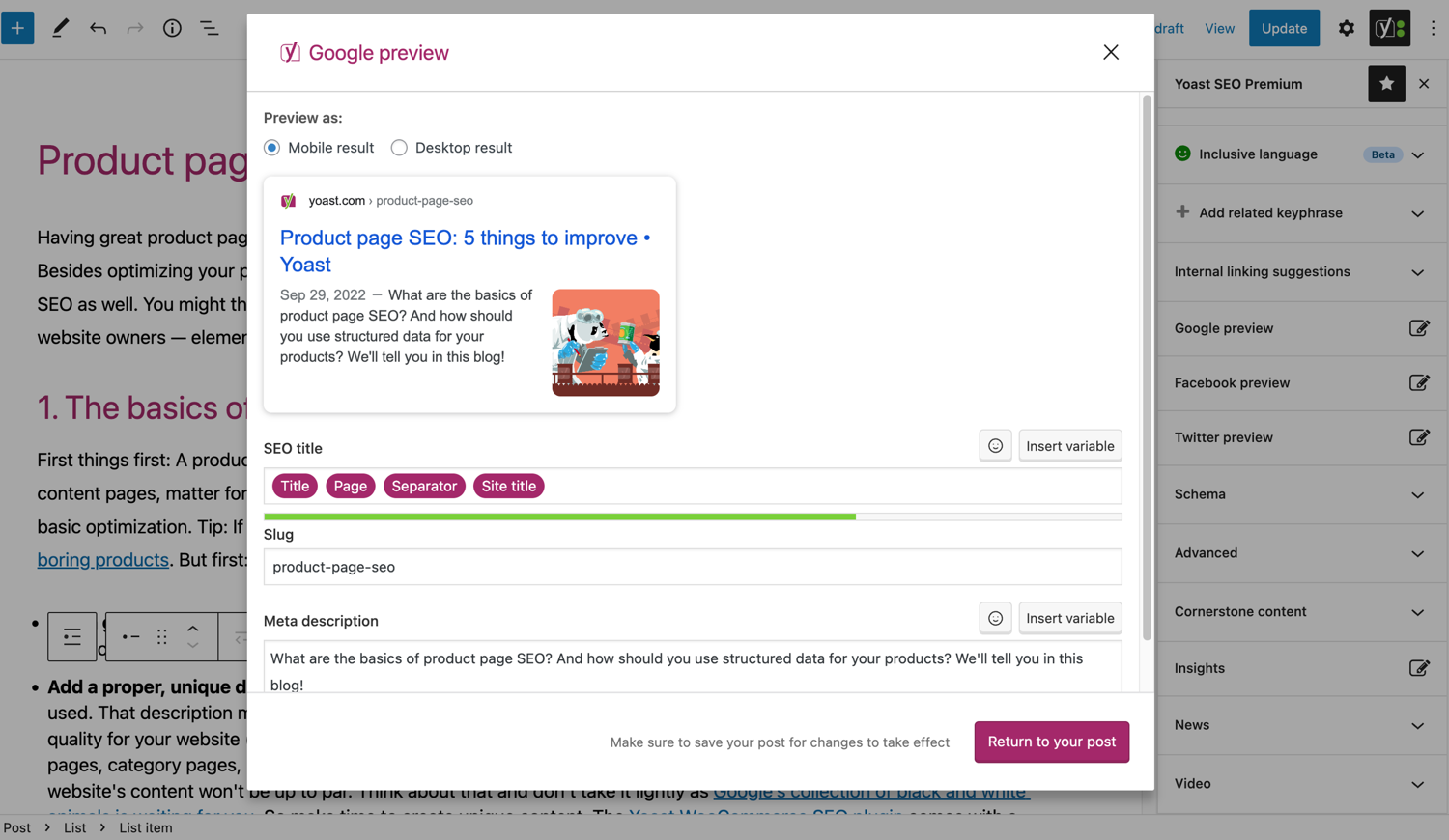
انظر كيف تبدو مقالتك على جوجل. 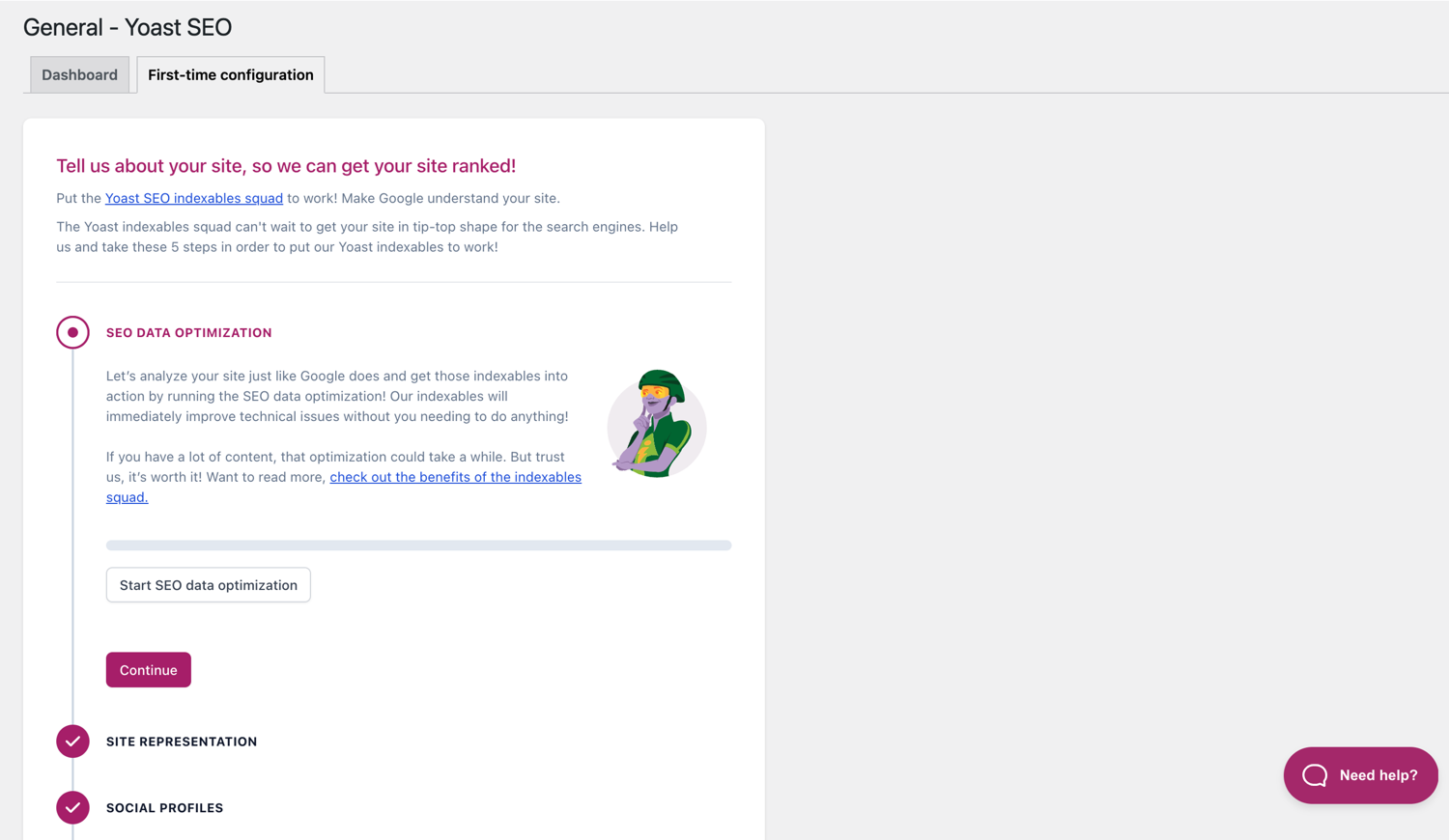
يساعدك تكوين المرة الأولى على البدء بسرعة. 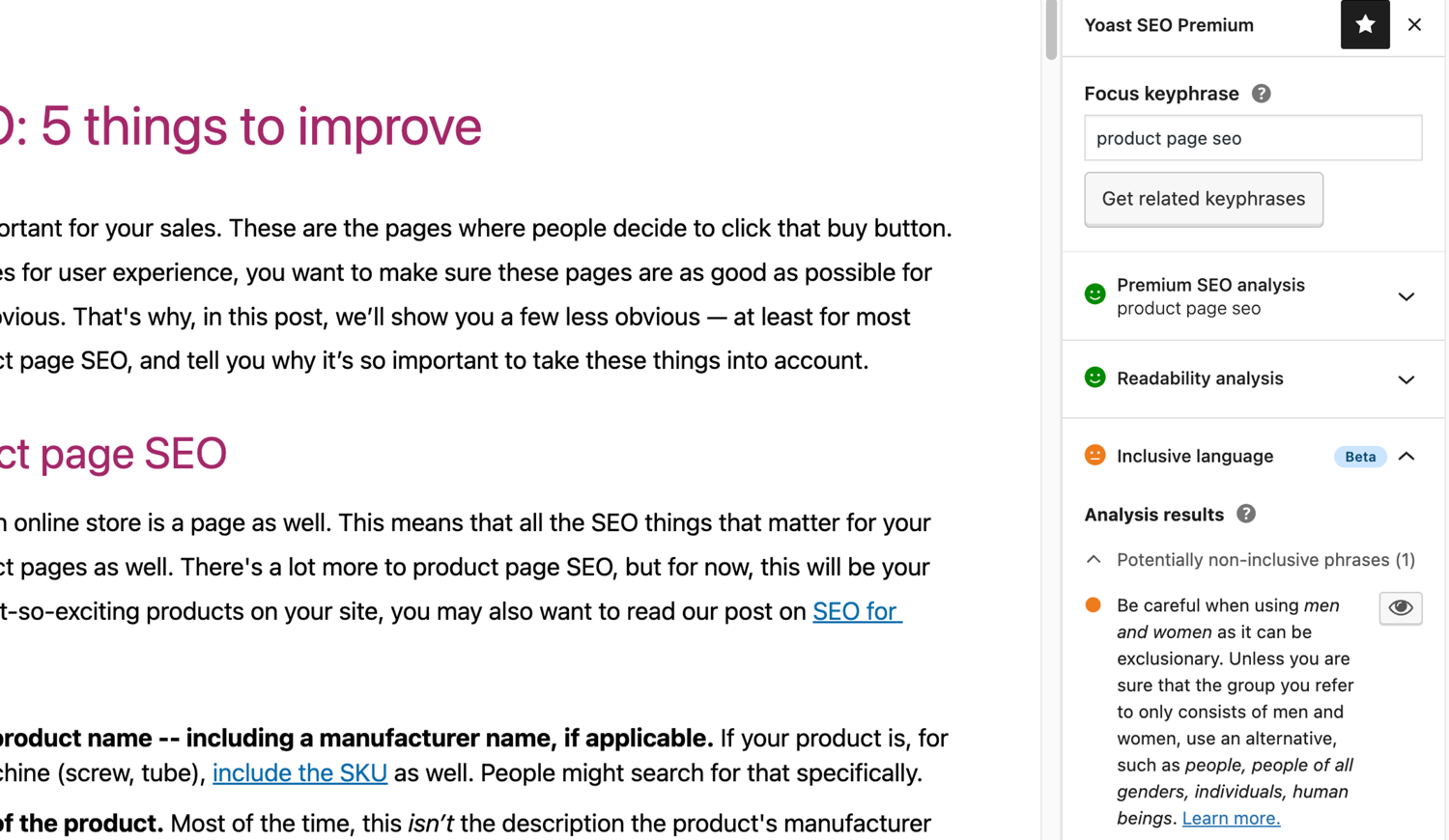
تحليل اللغة الشامل في Yoast SEO. 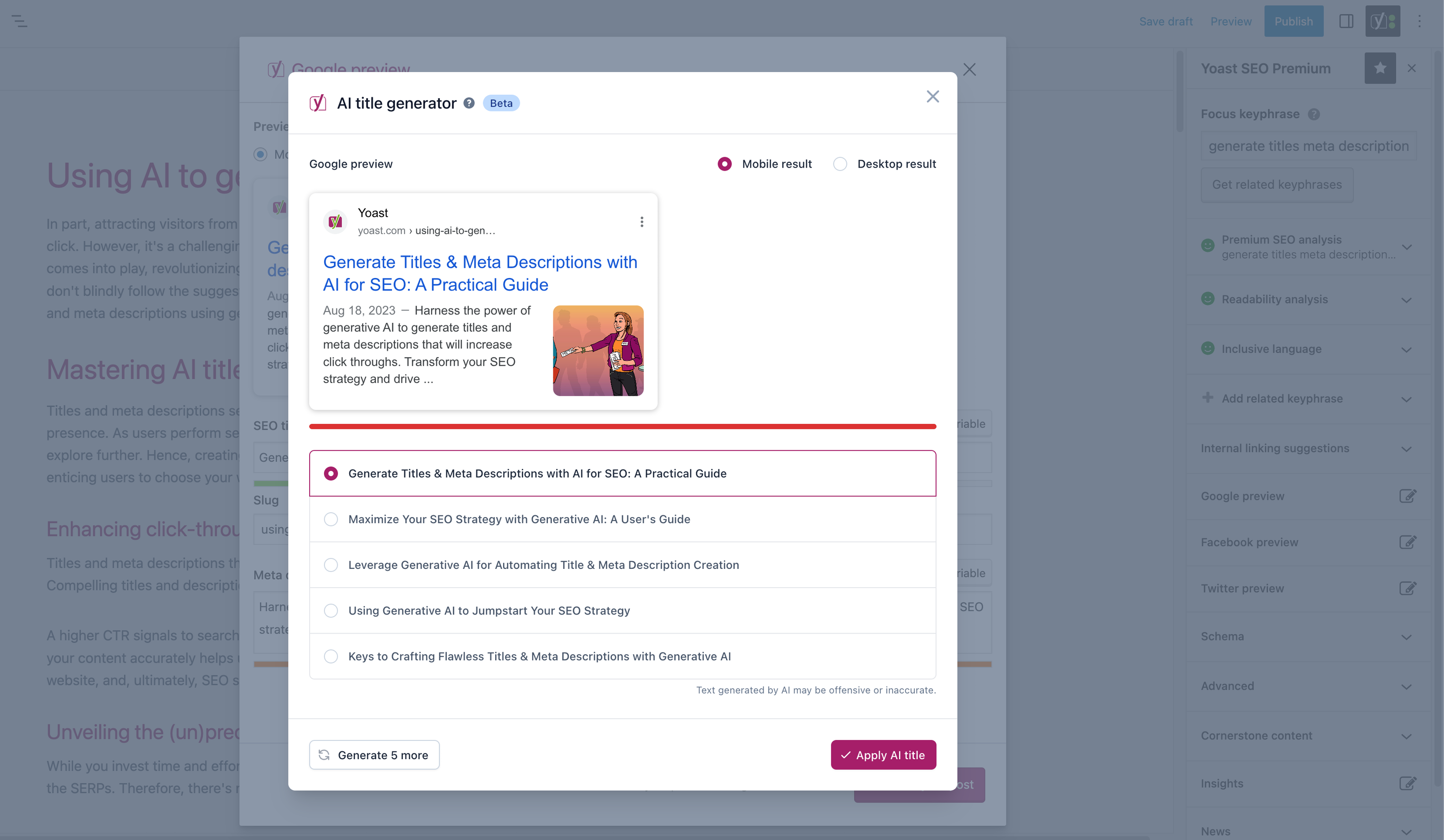


المكوّنات
تقدّم هذه الإضافة مكوّنين اثنين (2).
- Yoast FAQ List your Frequently Asked Questions in an SEO-friendly way.
- Yoast How-to Create a How-to guide in an SEO-friendly way. You can only use one How-to block per post.
التنصيب
تتكون عملية البدء باستخدام Yoast SEO من خطوتين فقط: تنصيب الإضافة وإعدادها. تم تصميم Yoast SEO للعمل مع احتياجات موقعك المحددة، لذا لا تنسَ إجراء تهيئة Yoast SEO لأول مرة كما هو موضح في خطوة “بعد التفعيل”! للحصول على أحدث الإرشادات حول كيفية تنصيب منتجات Yoast SEO، يرجى زيارة مركز المساعدة الخاص بنا .
الأسئلة المتكررّة
-
كيف تعمل ملفات XML Sitemaps في إضافة Yoast SEO؟
-
يمكن أن يكون وجود ملف XML sitemap مفيدًا لـ SEO، حيث يمكن لـ Google استرداد الصفحات الأساسية من موقع الويب بسرعة كبيرة، حتى إذا كان الارتباط الداخلي للموقع لا تشوبه شائبة.
يتم تحديث فهرس خريطة الموقع وخرائط المواقع الفردية تلقائيًا أثناء إضافة المحتوى أو إزالته وستتضمن أنواع المقالات التي تريد أن تقوم محركات البحث بفهرستها. لن تظهر أنواع المقالات المميزة بعلامة عدم الفهرسة في خريطة الموقع. تعلم المزيد عن XML Sitemaps . -
كيف يمكنني إضافة موقع الويب الخاص بي إلى وحدة تحكم البحث الخاصة بجوجل؟
-
من السهل إضافة موقع الويب الخاص بك إلى Google Search Console.
1. قم بإنشاء حساب Google Search Console وقم بتسجيل الدخول إلى حسابك.
2. انقر على “إضافة عقار” ضمن قائمة البحث المنسدلة.
3. أدخل URL لموقع الويب الخاص بك في المربع وانقر فوق “متابعة”.
4. انقر على السهم بجوار “وسم HTML” لتوسيع الخيار.
5. انسخ وسم الميتا.
6. قم بتسجيل الدخول إلى موقع ووردبريس الخاص بك.
7. انقر فوق “SEO” في لوحة التحكم.
8. انقر فوق “عام”.
9. انقر فوق علامة التبويب “أدوات مشرفي المواقع”.
10. الصق الرمز في حقل Google وانقر على “حفظ التغييرات”.
11. ارجع إلى Google Search Console وانقر على “تحقق”.إذا كنت تريد المزيد من الخطوات المفصلة، فيرجى زيارة مقالتنا في مركز المساعدة.
-
الخطوات أدناه هي حل مؤقت حيث قد يتم استبدال التعديلات اليدوية التي يتم إجراؤها على ملفات القوالب بتحديثات القوالب المستقبلية. يرجى الاتصال بمطور الموضوع للحصول على حل دائم. لقد كتبنا مقالًا حولأهمية مسارات التنقل لSEO.
لتنفيذ وظيفة bمسارات التنقل في Yoast SEO ، سيتعين عليك تعديل المظهر الخاص بك. نوصي بأخذ نسخة احتياطية قبل أي تحرير لملفات القوالب. يمكن لمزود المضيف الخاص بك مساعدتك في أخذ نسخة احتياطية.
انسخ الكود التالي إلى قالبك حيث تريد أن تكون مسارات التنقل. إذا لم تكن متأكدًا ، فستحتاج إلى تجربة الموضع:<?php if ( function_exists( 'yoast_breadcrumb' ) ) { yoast_breadcrumb( '<p id="breadcrumbs">','</p>' ); } ?>توجد أماكن شائعة حيث يمكنك وضع مسار التنقل الخاصة بك داخل ملف
single.phpو / أوpage.phpأعلى عنوان الصفحة مباشرةً. هناك خيار آخر يسهل الأمر حقًا في بعض القوالب وهو لصق الكود فيheader.phpفي النهاية.في معظم القوالب التي لا تتعلق بـ WooTheme، لا ينبغي إضافة مقتطف الشفرة هذا إلى
functions.phpملف.
بدلاً من ذلك، يمكنك إضافة الرمز المختصر لمسار التنقل يدويًا إلى المقالات أو الصفحات الفردية:[wpseo_breadcrumb]إذا كنت بحاجة إلى مزيد من التفاصيل أو دليل خطوة بخطوة ، فاقرأ دليل تنفيذ أثار التعقب لYoast SEO .
-
كيف أقوم بمنع فهرسة الروابط؟
-
توفر لك إضافة Yoast SEO خيارات متعددة لتعيين رابط أو مجموعة روابط بوضع noindex.اقرأ المزيد حول كيفية القيام بذلك في هذا الدليل.
-
جوجل يعرض وصف خاطئ، كيف يمكنني إصلاح ذلك؟
-
إذا قمت بصياغة أوصاف تعريفية لطيفة لمشاركات مدونتك ، فلا شيء مزعج أكثر من عرض جوجل وصفًا آخر لموقعك بالكامل في مقتطف نتيجة البحث.
الاسباب المحتملة قد تكون :
1. وصف خاطئ بالكود.
2. ذاكرة التخزين المؤقت الخاصة بجوجل قديمة
3. مصطلحات البحث متلاعب بها.
4. جوجل يتجاهل وصف التعريف. -
كيف يتم تحديث Yoast بالعادة؟
-
يتم تحديث Yoast SEO كل أسبوعين. إذا كنت تريد معرفة السبب، من فضلك اقرأ هذا المنشور حول سبب إصدارنا كل أسبوعين!
-
كيف يمكنني الحصول على الدعم؟
-
نظرًا لأن الإضافة المجانية يستخدمها ملايين الأشخاص حول العالم، فلا يمكننا أن نقدم لك دعمًا فرديًا. إذا كنت تواجه مشكلة مع إضافة Yoast SEO لـ ووردبريس ، فيمكنك الحصول على المساعدة في منتديات الدعم هنا علىwordpress.org أو عن طريق التحقق من مركز المساعدة الخاص بنا yoast.com/help/.
يُطلق على المكونات الإضافية التي تشتريها من Yoast اسم “إضافات Premium” (حتى لو لم يكن اسم Premium مدرجًا باسمها) وتتضمن سنة كاملة من التحديثات المجانية والدعم المتميز. هذا يعني أنه يمكنك الاتصال بفريق الدعم الخاص بنا إذا كانت لديك أي أسئلة حول هذا المكون الإضافي.
-
ماذا يحدث لبياناتي إذا تمكنت من تتبع الاستخدام ؟
-
توضح هذه الصفحة على yoast.com البيانات التي نجمعها لتحسين Yoast SEO. لا نجمع البيانات إلا عندما تختار ذلك صراحةً. اقرأ المزيد حول كيفية تعاملنا مع بياناتك في سياسة الخصوصية الخاصة بنا.
-
لدي سؤال مختلف عن الأسئلة المذكورة هنا
-
على الأرجح تمت الإجابة على سؤالك في قاعدة المعرفة لدينا: kb.yoast.com.
المراجعات


المساهمون والمطوّرون
“Yoast SEO – Advanced SEO with real-time guidance and built-in AI” هو برنامج مفتوح المصدر. وقد ساهم هؤلاء الأشخاص بالأسفل في هذه الإضافة.
المساهمون


لقد تم ترجمة ”Yoast SEO – Advanced SEO with real-time guidance and built-in AI“ إلى 57 لغة. شكراً إلى جميع المُترجمين لمُساهماتهم.
ترجمة ”Yoast SEO – Advanced SEO with real-time guidance and built-in AI“ إلى لغتك.
مُهتم بالتطوير؟
تصفّح الشفرة، تحقق من مستودع SVN، أو الاشتراك في سجل التطوير بواسطة RSS.
سجل التغييرات
26.6
Release date: 2025-12-15
Yoast SEO 26.6 brings more enhancements and bugfixes. Find more information about our software releases and updates here.
Enhancements
- Introduces a task list for reminding site admins about relevant SEO tasks.
- Improves the llms.txt structure by moving the sitemap mention into an option section at the end of the llms.txt file.
Bugfixes
- Fixes a bug where the
Show morelist for categories and content types would collapse when clicking on menu items in the settings sidebar navigation. - Fixes a bug where translations for the content analysis were not displayed on WordPress 6.9.
- Fixes a security bug that would allow users with limited capabilities to read metadata of posts that they should not have access to.
Other
- Highlights the Google Docs & Yoast Duplicate post add-ons on the Plans page.
- Improves the behavior of the upgrade button in the Yoast sidebar and admin menus.
- Improves the focus behavior for some buttons and links in the Yoast SEO admin pages.
- Redesigns the AI Brand Insights button in the Yoast sidebar and admin menus.
26.5
Release date: 2025-12-02
New: Yoast SEO includes the necessary updates to support the Site Kit by Google integration for all Premium users, with Yoast SEO (free) support following soon. Read the full release post here.
Enhancements
- Integrates the Yoast SEO tab into the Elementor Editor’s Elements panel sidebar to provide enhanced access to SEO settings.
- Makes the keyphrase density assessment and keyphrase in subheadings assessment available when no content has been added.
Bugfixes
- Fixes a bug where table backgrounds in the RSS settings and Semrush related keyphrases tables would expand beyond the rounded corners in Firefox.
Other
- Relocates the introduction notification to point to the Yoast SEO tab within the Elements panel sidebar of the Elementor Editor for better user guidance.
- Sets the WordPress tested up to version to 6.9.
Earlier versions
للحصول على سجل التغيير للإصدارات السابقة ، يرجى الرجوع إلى the changelog on yoast.com.
