
 Lessons: 18Length: 2.3 hours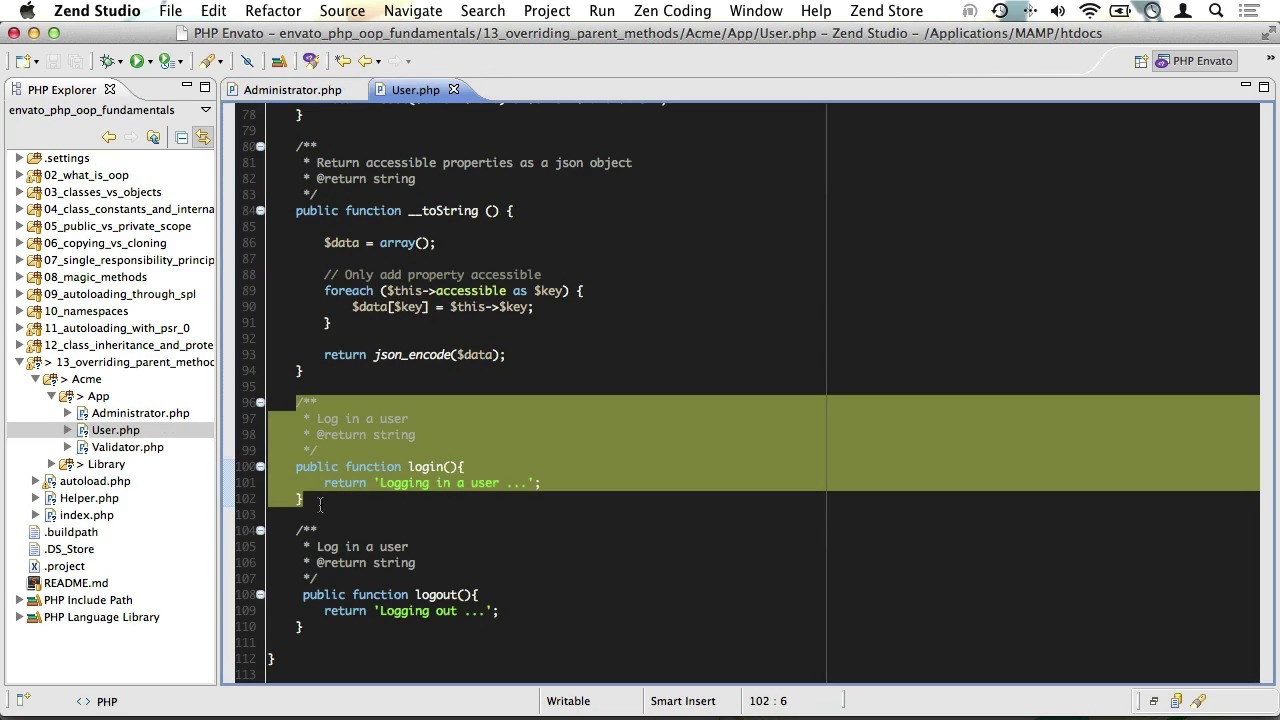
- Overview
- Transcript
4.2 Overriding Parent Methods
Sometimes, a method in a parent class differs just a little from what you want it to do in a child class. That’s where overriding comes into the picture.
1.Welcome
1.1Welcome01:07
2.The Absolute Basics of OOP
2.1What Is OOP?04:40
2.2Classes vs Objects05:42
2.3Class Constants and Internal Reference04:19
2.4Public vs Private Scope06:05
2.5Copying vs Cloning Objects02:07
3.Digging a Little Deeper Into OOP
3.1The Single Responsibility Principle15:18
3.2Magic Methods11:16
3.3Autoloading Through SPL03:37
3.4Working With Namespaces05:14
3.5Autoloading With PSR-008:27
4.OOP inheritance
4.1Class Inheritance And Protected Scope09:22
4.2Overriding Parent Methods02:40
5.OOP Abstractions
5.1Abstract Classes05:59
5.2Interfaces14:53
5.3Static Properties And Methods06:49
5.4Traits14:44
5.5Dependency Injection17:40
4.2 Overriding Parent Methods
Hello, and welcome to PHPOOP fundamentals. In the previous video we talked about inheritance. We created a simple, almost empty administrator class that extends the user class. That we created throughout the course. Now we went over how child classes inherit properties and methods from the parent classes and how to hide properties. And methods from children. But sometimes a method in a parent class differs just a little of what you wanted to do in a child class. And that's where overriding comes in to picture. I'll just open up our user class and scroll to the bottom. Here we have a login method. Now, of course, we want an administrator to be able to login as well. But let's just say that we want to log all administrators that login. Now it would be nice to be able to add that little feature to our login method. And let's do that. First, let's just change this message to be just a little more specific. So that when we're calling it from here we know it's actually about a user. Well, since our new feature is for administrators only, it would seem only natural to add it to the administrator class. At the moment it hasn't got a login method. And we'll just get rid of this, okay, like so. Now one thing we could do is go to the user class, copy this login method here. And just paste it into the Administrator class like so. That way we would run all of the logic that is in the parent class, and we could append it with our own logic. Now, when we run our code in the browser, we do see that it actually works. But there is a bit of a problem here. You see in our administrator class, we are duplicating code that is already in the parent class. Now that's a code smell if ever there was one. Luckily, we can improve on this. From within our login method, we can call the parent login method as well. And that means we don't have to duplicate all the functionality within thats parent login method. And now when we call Administrator login(), we are in fact first calling the login method from the parent, and then appending it with our own logic. And when you do call a method from the parent, make sure you call it using double colons, like so. Now, just to make this a little more explicit, we'll just store the returned value from the parent method in a variable called message. And then we'll just return that, followed by our own logic, like so. Run that in a browser and Bob's your uncle. Well, that was a quick one. In the next video, we'll talk about abstract classes. I'll see you there.


