
 Lessons: 18Length: 2.3 hours
- Overview
- Transcript
2.4 Public vs Private Scope
I’m sure you’ve come across the keywords public and private. In this video, I’ll help you understand what they mean and how they’re used.
1.Welcome
1.1Welcome01:07
2.The Absolute Basics of OOP
2.1What Is OOP?04:40
2.2Classes vs Objects05:42
2.3Class Constants and Internal Reference04:19
2.4Public vs Private Scope06:05
2.5Copying vs Cloning Objects02:07
3.Digging a Little Deeper Into OOP
3.1The Single Responsibility Principle15:18
3.2Magic Methods11:16
3.3Autoloading Through SPL03:37
3.4Working With Namespaces05:14
3.5Autoloading With PSR-008:27
4.OOP inheritance
4.1Class Inheritance And Protected Scope09:22
4.2Overriding Parent Methods02:40
5.OOP Abstractions
5.1Abstract Classes05:59
5.2Interfaces14:53
5.3Static Properties And Methods06:49
5.4Traits14:44
5.5Dependency Injection17:40
2.4 Public vs Private Scope
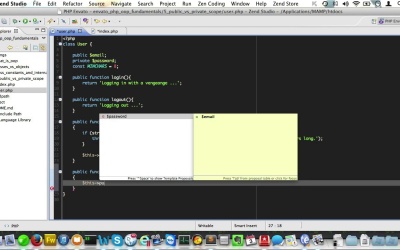
Hello and welcome back to PHP 00P Fundamentals. Remember I promised you we would expand on the public keyword? Well in this video we'll have a look at public versus private scope. Let's have another look at our user class. Well the properties and methods in this class are preceded with the keyword public. Now that keyword is also known as a visibility marker. Private and protected are two other visibility markers, we'll discuss protected in a later video though. Right now, because of the keyword public, the property's email and password can be read and said by the world outside of the user. Now let's see what happens if we change the visibility marker to the property password to private. I'll just open up index.php again, and we'll try and dump the password for user Joost to the screen. Let's see what that gives us. As you may have expected, we have encountered an error here, because we do not have access to the private property. Now let's see what happens if we try and set the password directly from within our index.php. Will that give us the same error? Well yes, it does. So, visibility markers like this are a way to state if a property or method should be visible to the rest of the application. But, why on earth would you want to hide properties from the outside world? Well, one of the aims of object-oriented programming is to encapsulate the data handling within your objects. An object should be like a black box, really. The outside world should not be aware of it's internal workings. It just feeds parameters into your object, and it gets a response in return. And only then, can an object act truly independently from the rest of the application. The way you can change change the entire return all for that object and it would not break the rest of your application. You could say the object does it's magic privately. Pretty powerful stuff. In that case you could argue that the only entity responsible for setting and returning the value of the password should be the user itself. The answer will have nothing to do with where that value is stored or if it's filtered or validated in any way validated. It just needs a way to get and set that property's value but without direct access to the property itself. In fact we already have a perfect example over that in our user class. If somebody outside of the user class weren't able to change the password for the user directly, you can easily make that arrive on a safe password like one, two, three, four. And to make matters worse, it would only be stored as plain text. Now this is exactly what we created this method setPassword. If you want to change the password from the outside you have to use this method here, and that method in it's turn makes sure that the password is properly validated and hashed before it's stored. Now let's create another method to get the value of the user's password, we'll call it get password. And since we all ready know that the password is properly validated, and hashed, we can simply return this password. So let's see that in action. Create a password like so and make sure we store it using the set password function like so. And then we'll just dump the result of Joost-getpassword. We'll just view that in a browser like so. So here you have it, we just built a simple API to set and get passwords from the outside. And actually these set and get methods are quite common practice in OOP. They are called setters and getters, and they're used to provide public access to private properties. So, let's do the same for email. We'll just set this to private as well. And then we'll create a public function called setEmail, and we'll feed that with a string as well. And here we'll also do some validation. We'll just have a look at the passed string and run it through filter_var. If it's not a valid email we'll just copy this and throw a new exception here. And we'll just make that say please provide a valid email. And then if that passes, we'll set this email to the passed string. Lastly, I'll just copy this and make sure I paste it in here, and we'll call that getEmail, and that will just return the stored email like so. Now just like with properties, you can also set the visibility scope of a method to private. So when would you do that? Well you use this for methods that are for internal use only. Example, I could extract password validation away from the setPassword method. to make that happen I'll just create a private method and call it validatePassword, and I'll just pass in that stream. Now I'll just copy this and paste it in our nearly created method. Now we don't want this method to throw an exception itself, but we want it to return true or false. So, instead we'll just do return, get rid of this, and get rid of this. And just do this little validation statement here. With a return false if validation fails and will return true if it does not fail. Now I'll just copy this method name here. And we need to change this comparison to just call this getPassword. And pass in the string that we have. Now we through in an exception. If it returns false like so, let's just check to see that all still works. We'll change the password to 1234. View it in the browser and then we get our exception message. And if we use a longer password, the exception is gone, like so. And one of the reasons you might be inclined to create a private method like this, is to be able to reuse it within the user class, but not have outsiders access it. Now one last note on the visibility markers. You can leave off the visibility marker for a method. In that case, the method will be accessible publicly. So just like you prepended it with the word public. So make sure you keep that in mind when coding, okay? That's all for public versus private. I'll see you in the next video which will be about instantiating and cloning. See you there.


