
Beskrivelse
Improve your SEO with real-time feedback, schema, and clear guidance. Upgrade for AI tools, Google Docs integration, and 24/7 support, no hidden fees.
Yoast SEO: #1 WordPress SEO plugin
Since 2008, Yoast SEO has helped millions of websites worldwide improve their visibility and SEO performance.
Our mission is SEO for Everyone — from small local businesses to some of the most visited sites on the web.
Yoast SEO gives you everything you need to manage your on-site SEO effectively.
The Yoast SEO Premium plugin and its extensions unlock even more advanced and AI-powered tools.
Handing you the competitive edge
SEO is the most consistent and cost-effective source of website traffic — but it can be complex. Whether you’re just starting out or an advanced user, Yoast SEO helps you handle SEO confidently and efficiently.
Don’t have time to stay on top of AI search and best practices? Keeping Yoast SEO updated means you automatically benefit from ongoing technical improvements, schema updates, and AI advancements — all guided by our signature traffic light approach.
Empower search engines to better understand your website using Schema.org structured data integration, and access in-depth content and readability analysis tools that help you create content designed to perform well in search.
Quick and easy setup
Setting up Yoast SEO is quick and straightforward — no technical background required.
Our step-by-step configuration wizard walks you through essential setup details so Yoast SEO can generate accurate structured data that helps search engines understand your site.
Switching from another SEO plugin like Rank Math or AIOSEO? Migration is seamless.
Import your existing SEO data and settings safely with our built-in import/export tools.
Content and AI features
Unlock your content’s full potential with Yoast SEO’s advanced content analysis and AI-powered tools.
Content optimization features:
– Detailed SEO analysis to guide keyword targeting and site performance.
– Readability analysis for clear, engaging, and user-friendly writing.
– SERP previews for both desktop and mobile results.
– HowTo and FAQ blocks with built-in schema support.
– Breadcrumbs block for improved navigation.
– Inclusive Language Analysis to make your content more considerate and accessible.
– Semrush integration for keyword research directly in Yoast SEO.
– Wincher integration to track keyword performance inside your dashboard.
– Elementor integration for seamless optimization within your favorite builder.
AI features (included in Premium):
– Yoast AI Generate – Instantly create five SEO-friendly titles and meta descriptions, with one-click regeneration for more options.
– Yoast AI Optimize – Improve keyphrase placement (introduction, distribution, density) automatically.
– Yoast AI Summarize (New 2025) – Generate quick content summaries for briefs or social posts.
– All AI tools included – No extra accounts, limits, or hidden costs.
These tools help you craft optimized, helpful content that resonates with readers and performs strongly across search platforms.
Taking care of your technical SEO
Yoast SEO automatically handles much of your site’s technical SEO, freeing you to focus on your content.
Key technical SEO features:
– Automated meta tag optimization right out of the box.
– Canonical URLs to prevent duplicate content issues.
– Advanced XML sitemaps for clear site indexing.
– Best-in-class Schema.org integration to improve search understanding and appearance.
– Complete breadcrumb control for visitors and crawlers.
– Performance improvements that help reduce load times.
– Crawl settings to manage how bots access your site and reduce environmental impact.
– LLMs.txt management to guide how large language models interact with your content.
Every update delivers ongoing technical SEO enhancements automatically.
Hold dit websted i perfekt form
Whether you’re a creator, business owner, or developer, Yoast SEO helps maintain your website’s SEO health:
- Cornerstone content tools to organize and prioritize key pages.
- Front-end SEO inspector to view and edit titles, descriptions, and schema live.
- SEO roles to delegate plugin access securely across teams.
- Regular 2-week update cycle to ensure compatibility with the latest SEO standards and search engine changes.
Powerful integrations
Yoast SEO works seamlessly with popular WordPress tools to enhance your workflow and results:
- Google Site Kit: Access insights from Search Console, Analytics, and PageSpeed directly inside WordPress.
- Advanced Custom Fields (ACF): Combine with ACF Content Analysis for Yoast SEO for advanced field optimization.
- Elementor: Use full Yoast SEO functionality inside Elementor’s editor.
- Algolia: Enhance internal search accuracy and performance.
- Semrush: Discover and optimize for high-value keywords.
- Wincher: Track keyword positions and trends in Google Search.
- Jetpack: Manage SEO and social previews all in one place.
- Easy Digital Downloads (EDD): Improve digital product visibility with integrated schema.
- Mastodon: Verify your website on Mastodon with Yoast SEO Premium.
- WooCommerce: Optimize ecommerce SEO with the dedicated WooCommerce extension.
Yoast SEO Premium – AI-powered SEO for WordPress
Yoast SEO Premium enhances everything in Yoast SEO with advanced automation, AI tools, and professional support.
Trusted by millions, it helps you optimize efficiently for both traditional and AI-driven search.
Tackle your SEO challenges:
– Keep pace with algorithm and AI search updates.
– Target the right audience effectively.
– Automate redirects, crawl controls, and internal linking.
– Identify orphaned content and improve site structure.
– Get support when you need it.
Premium highlights:
– AI-generated titles and meta descriptions.
– Smart internal linking suggestions.
– Social previews for Facebook and X.
– Redirect Manager with bulk tools and automatic prompts.
– Bot Blocker for AI crawlers (GPTBot, CCBot, Google-Extended).
– IndexNow integration for fast content updates.
– Front-end SEO Inspector for real-time editing.
– SEO Workouts to improve orphaned and cornerstone content.
– Google Docs add-on for seamless SEO writing in Docs.
– 24/7 premium support from SEO specialists.
Includes at no extra cost:
– Yoast Local SEO: Optimize for local audiences and Google Maps.
– Yoast Video SEO: Ensure Google understands your videos with video sitemaps and schema.
– Yoast News SEO: Increase visibility in Google News and Top Stories.
Yoast WooCommerce SEO – Advanced SEO for Online Stores
Yoast WooCommerce SEO builds on Yoast SEO Premium with ecommerce-specific tools to improve your store’s visibility and conversion potential.
Key ecommerce SEO features:
– WooCommerce-specific XML sitemap excluding non-shopping content.
– Product structured data for enhanced rich results (price, reviews, availability).
– Canonical URL management to prevent duplicates.
– Ecommerce-focused content analysis for GTINs, SKUs, and short descriptions.
– AI Generate for ecommerce – Instantly create optimized titles and meta descriptions for product and category pages.
Benefits:
– Improve product visibility with automated structured data.
– Enhance crawl efficiency for large catalogs.
– Save time through metadata templates and automation.
– Increase engagement with AI-optimized ecommerce metadata.
Built for WooCommerce, trusted by thousands of online stores worldwide.
For Developers
Yoast SEO is built with developers in mind. With modern APIs, hooks, and a unified indexables system, you can extend or integrate SEO functionality across custom themes, plugins, or headless setups.
REST API
Retrieve SEO metadata for any post or URL, including meta tags, Open Graph, Twitter Cards, and Schema.org data.
Learn more about the REST API.
Surfaces API
Access SEO data directly in code via YoastSEO()->meta->for_current_page().
Supports titles, descriptions, canonicals, and schema.
Read the Surfaces API documentation.
Metadata API
Use the Metadata API to filter, override, or extend meta tags with WordPress hooks such as wpseo_title, wpseo_metadesc, and wpseo_canonical.
Schema API
The Schema API lets you modify or extend Schema.org graph pieces, including Article, Organization, Person, Breadcrumb, and WebPage entities.
Block Editor compatibility
Yoast SEO integrates directly with the WordPress Block Editor (Gutenberg).
It outputs schema for HowTo and FAQ blocks by default, and developers can extend schema for custom blocks.
Indexables
At the core of Yoast SEO lies the indexables system, unifying all SEO data for faster queries and consistent metadata across outputs.
Ongoing support and education
Yoast is powered by expert developers, testers, and SEO specialists who keep improving the plugin.
We’re committed to helping users grow their SEO skills with resources such as:
- Yoast SEO Academy: Free and premium SEO courses (included in all paid plans).
- Yoast SEO blog, newsletter, and webinars.
- Yoast SEO Update podcast for the latest SEO insights.
- Bug reports on GitHub (for issue tracking, not support).
Yoast SEO — built to make search optimization accessible, reliable, and ready for the future of AI search.
Skærmbilleder
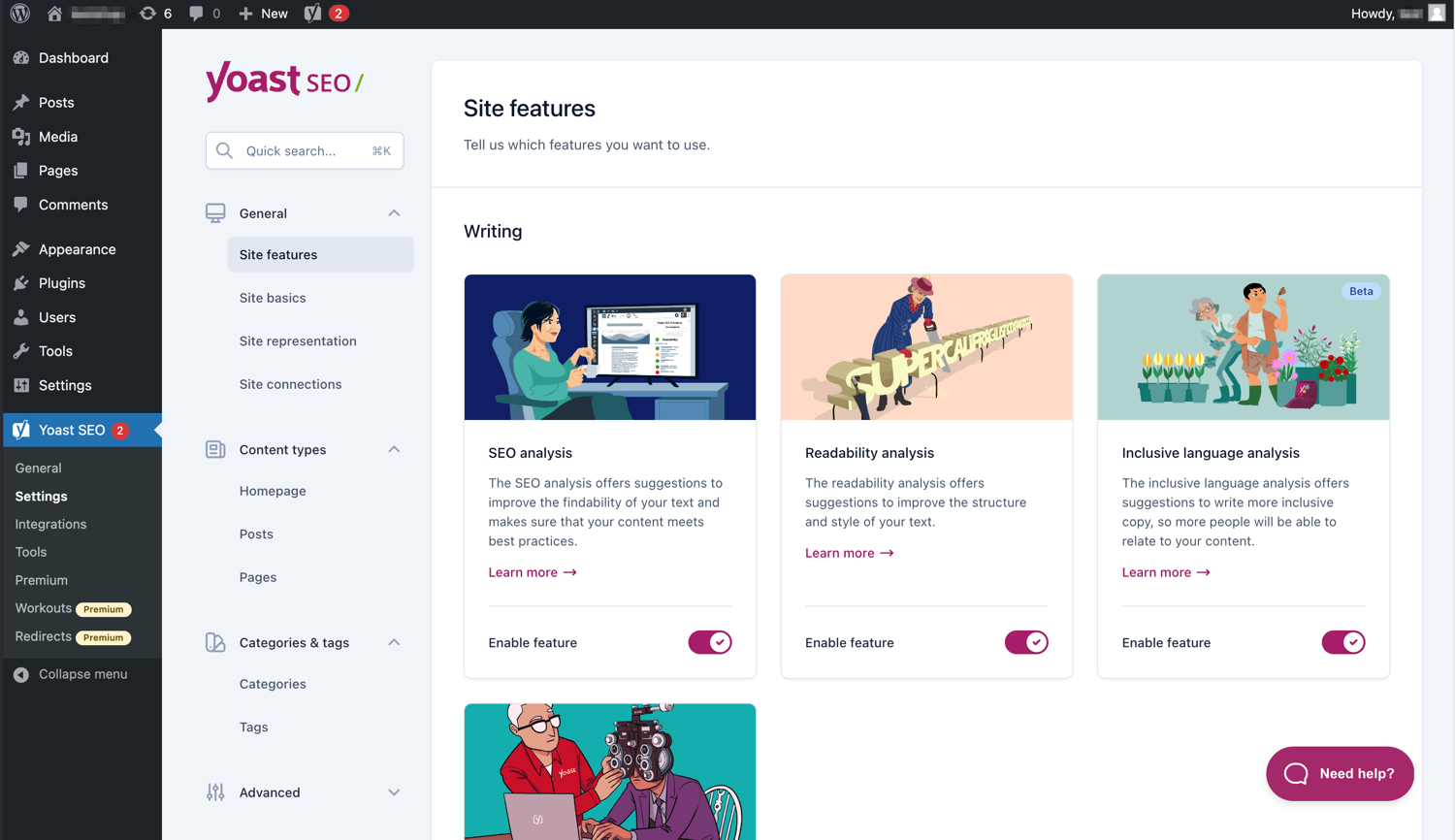
Den moderne grænseflade gør Yoast SEO let at arbejde med. 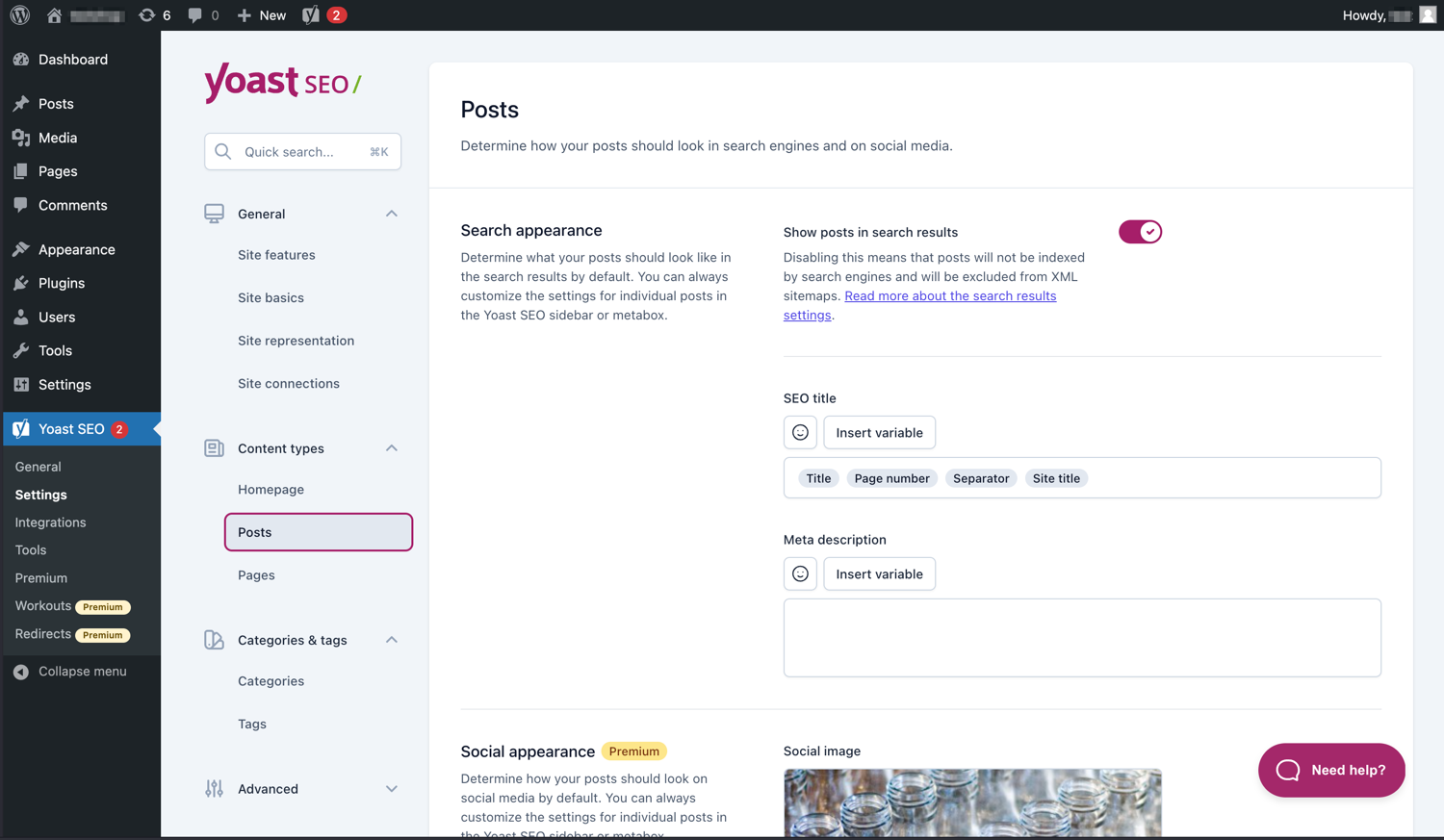
Administrer nemt, hvordan dine indlæg og sider vises i SERP’erne. 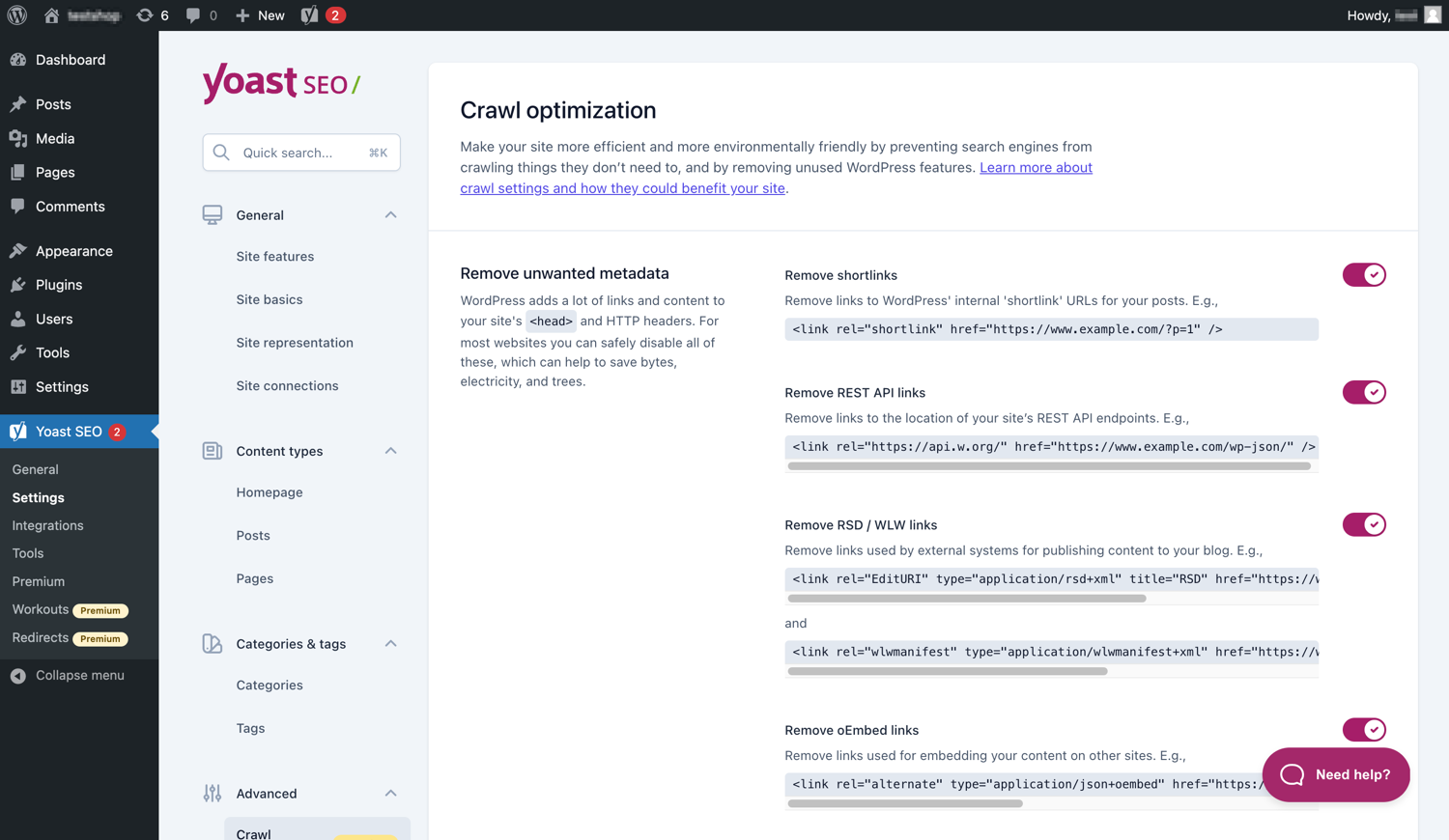
Yoast SEO Premium har ekstra muligheder for crawloptimering. 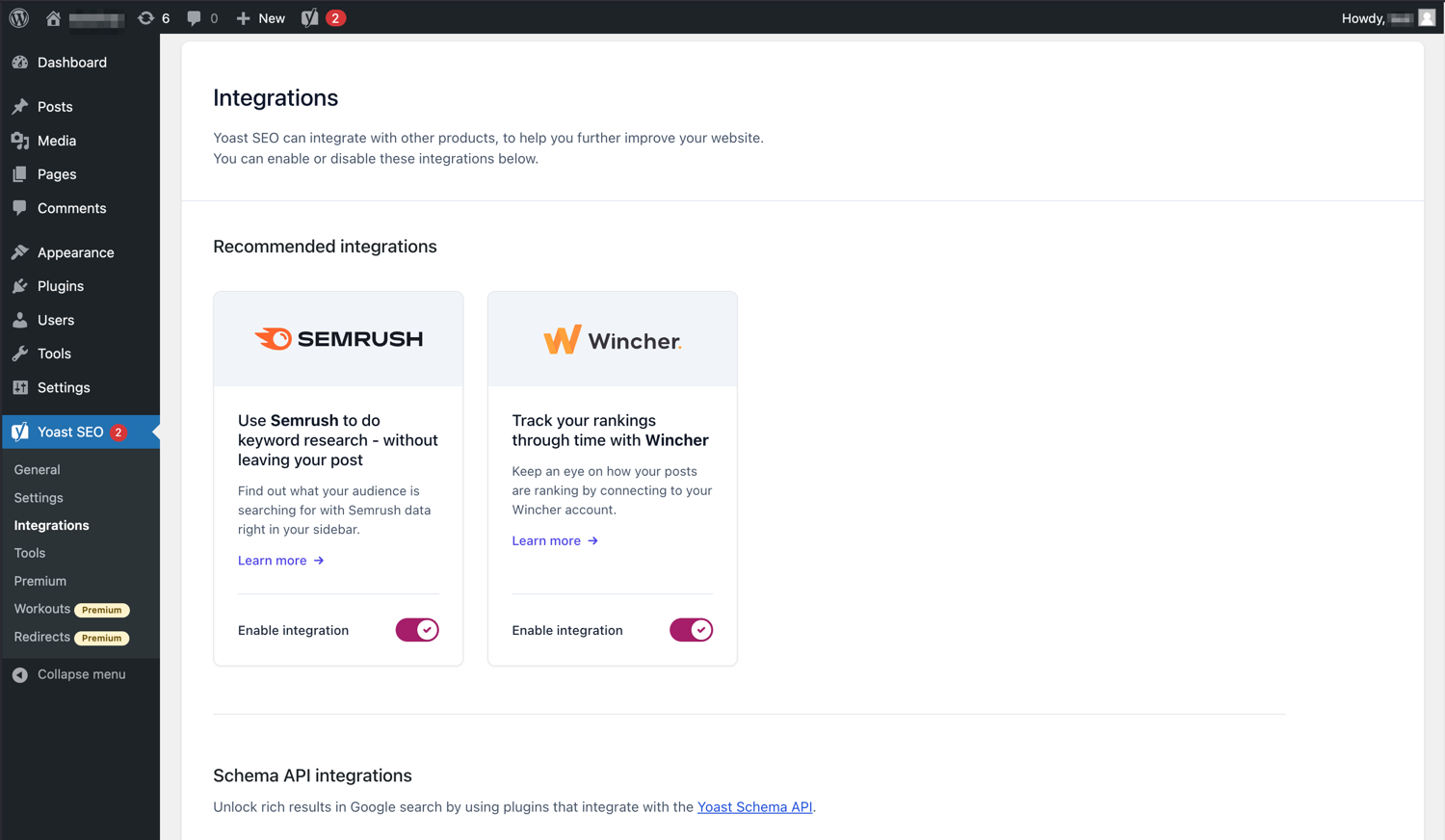
Yoast SEO integreres med værktøjer som Semrush og Wincher. 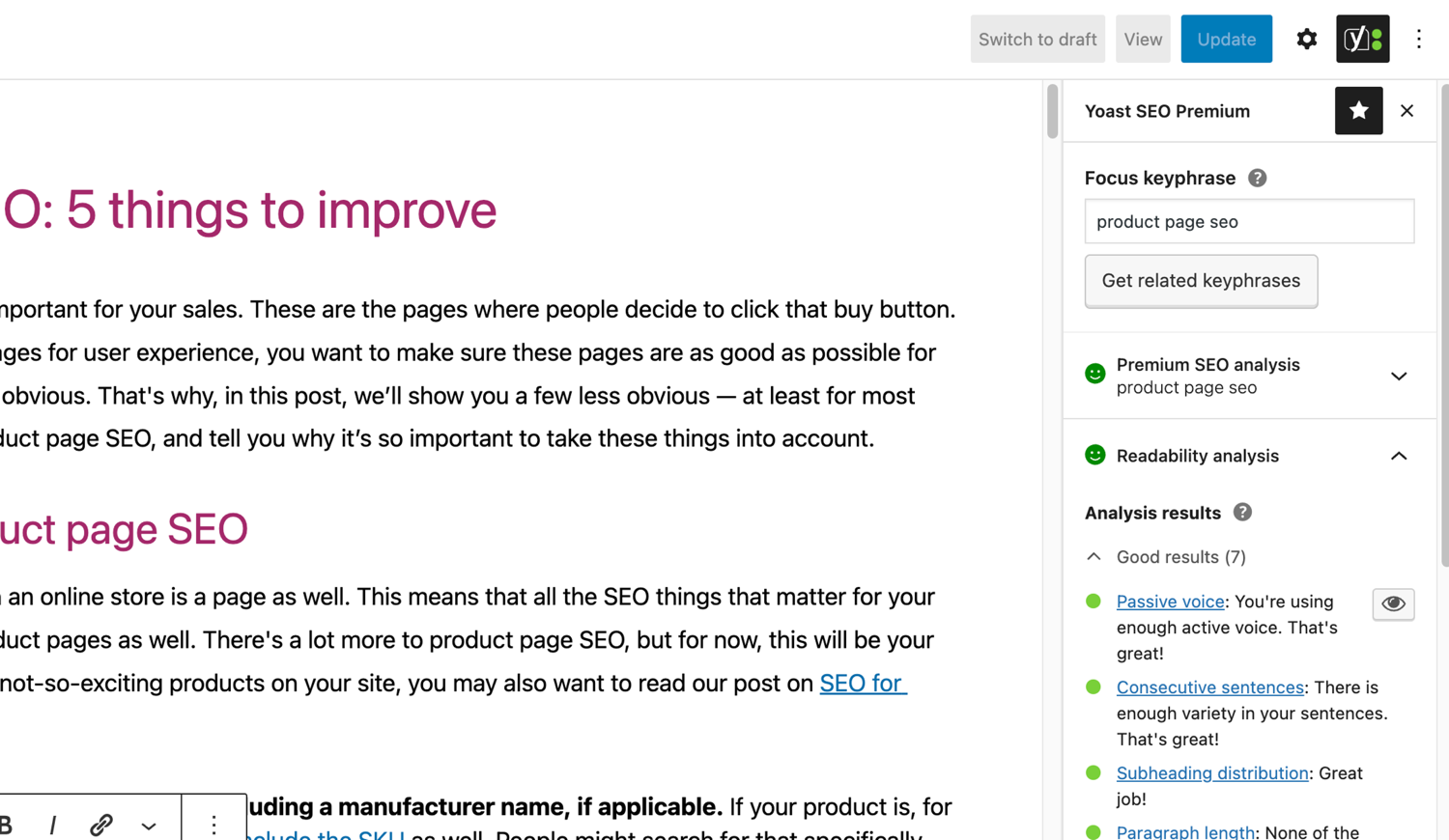
De berømte SEO- og læsbarhedsanalyser i Yoast SEO. 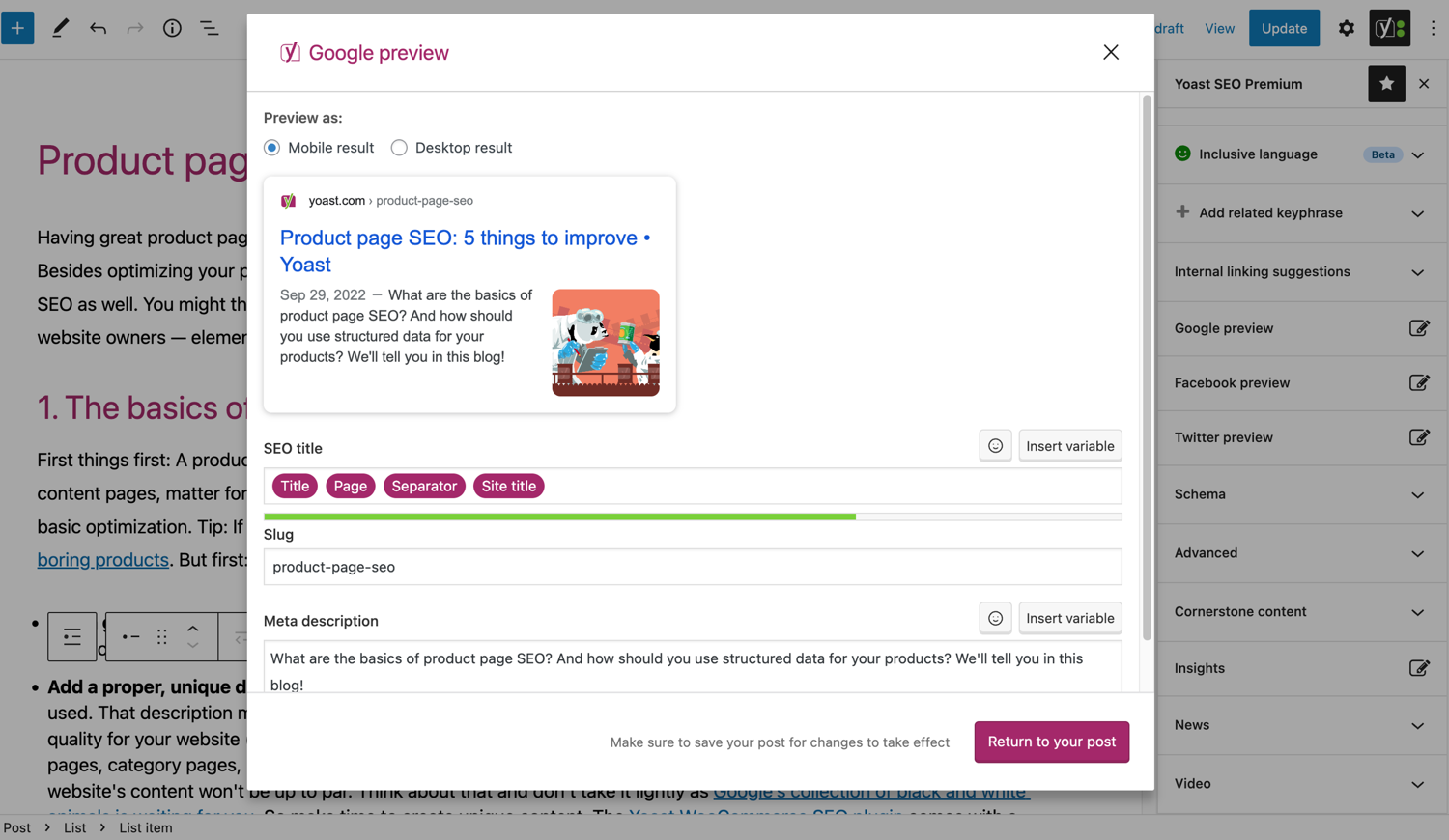
Se, hvordan dit indlæg ser ud på Google. 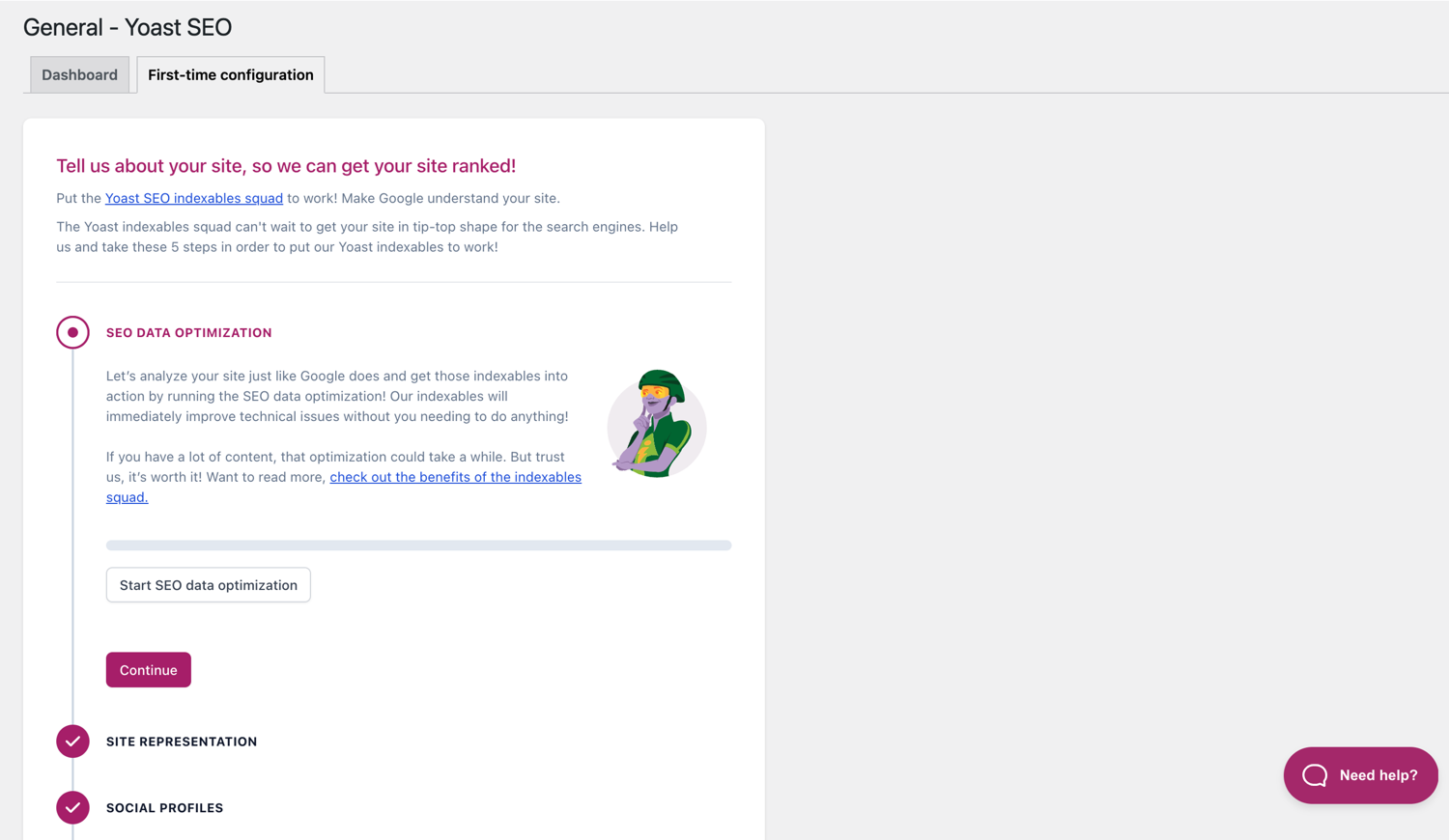
Førstegangskonfigurationen hjælper dig med at komme hurtigt i gang. 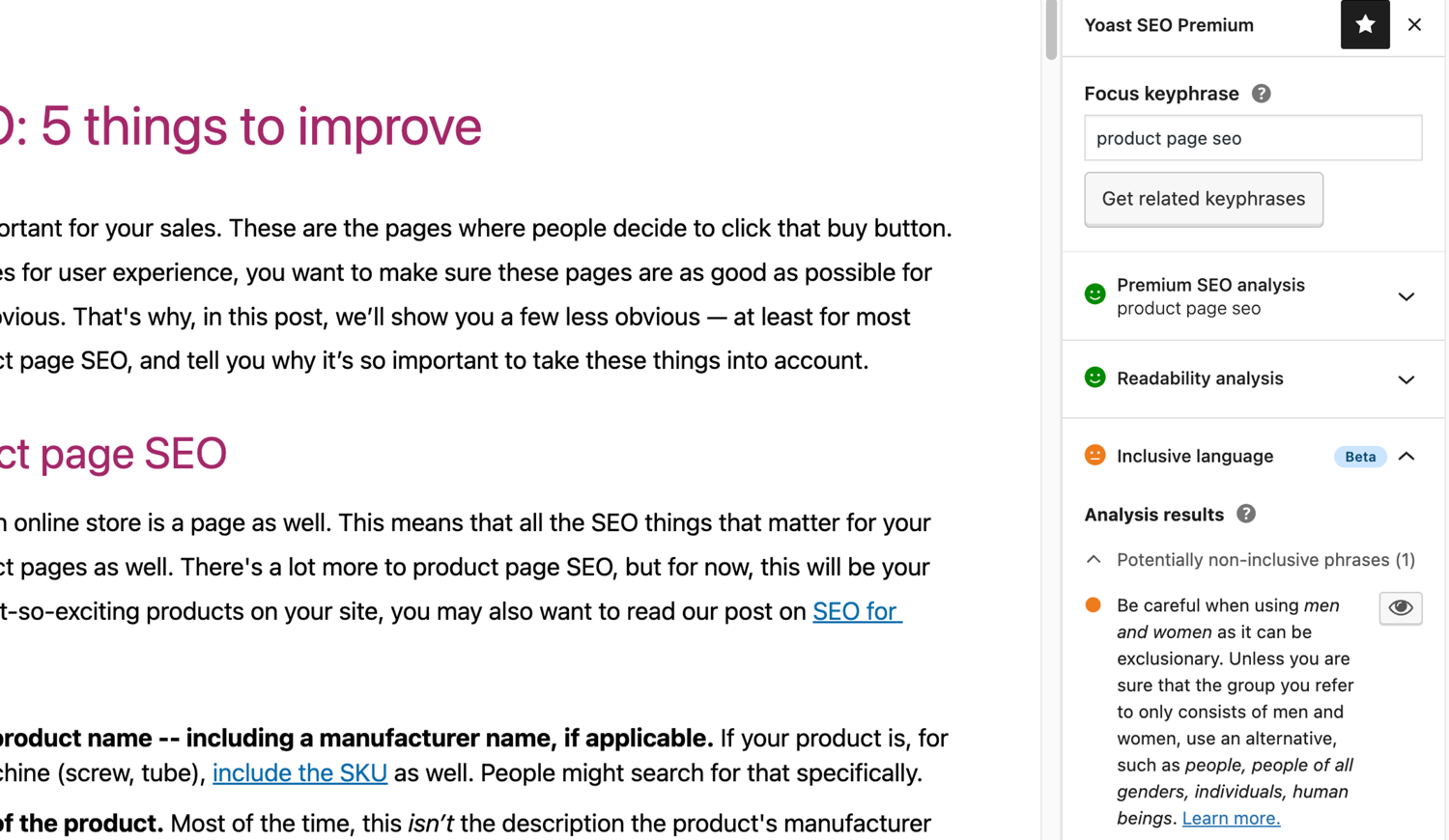
Den inkluderende sproganalyse i Yoast SEO. 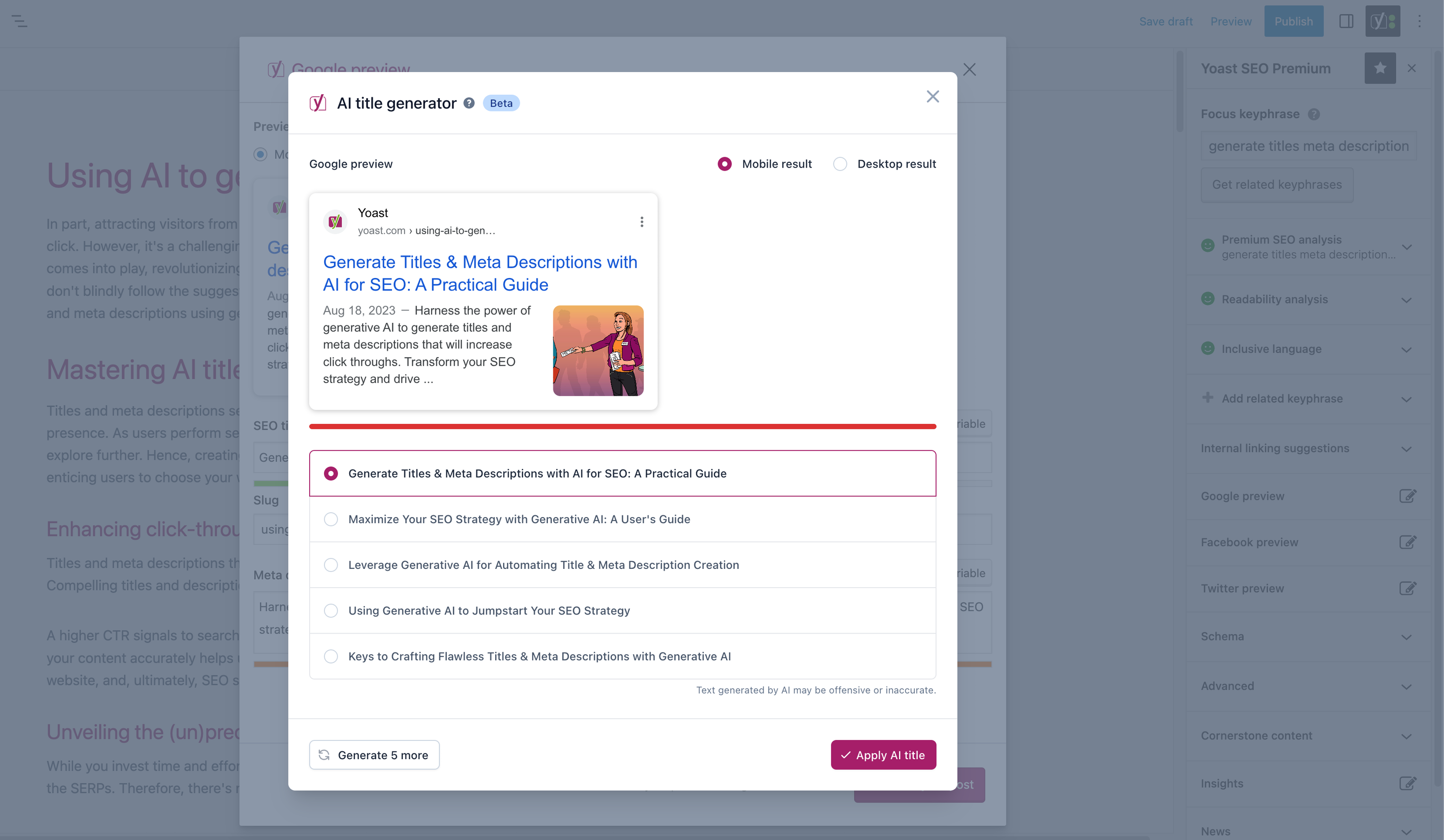


Blokke
Dette plugin giver 2 blokke.
- Yoast FAQ List your Frequently Asked Questions in an SEO-friendly way.
- Yoast How-to Create a How-to guide in an SEO-friendly way. You can only use one How-to block per post.
Installation
At komme i gang med Yoast SEO består kun af to trin: installation og opsætning af pluginet. Yoast SEO er designet til at fungere med dit websteds specifikke behov, så glem ikke at gennemgå Yoast SEO førstegangskonfiguration som forklaret i trinnet ‘efter aktivering’! For at få den mest opdaterede vejledning om, hvordan du installerer Yoast SEO-produkter, kan du besøge vores hjælpecenter.
FAQ
-
Hvordan virker XML Sitemaps i Yoast SEO pluginet?
-
At have et XML-sitemap kan være gavnligt for SEO, da Google kan hente væsentlige sider på et websted meget hurtigt, selvom det interne link til et websted ikke er fejlfrit.
Sitemapindekset og individuelle sitemaps opdateres automatisk, efterhånden som du tilføjer eller fjerner indhold, og vil inkludere de opslagstyper, du ønsker, at søgemaskinerne skal indeksere. Indlægstyper, der er markeret som noindex, vises ikke i sitemappet. Få flere oplysninger om XML-sitemaps. -
Hvordan kan jeg tilføje mit websted til Google Search Console?
-
Det er ligetil at tilføje dit websted til Google Search Console.
1. Opret en Google Search Console-konto, og log ind på din konto.
2. Klik på ‘Tilføj en ejendom’ under søgedrop-down menuen.
3. Indtast dit websteds URL i feltet, og klik på ‘Fortsæt’.
4. Klik på pilen ud for ‘HTML-tag’ for at udvide muligheden.
5. Kopier metatagget.
6. Log ind på din WordPress hjemmeside.
7. Klik på ‘SEO’ i dashboardet.
8. Klik på ‘Generelt’.
9. Klik på fanen ‘Webmasterværktøj’.
10. Indsæt koden i Google-feltet, og klik på ‘Gem ændringer’.
11. Gå tilbage til Google Search Console, og klik på ‘Bekræft’.Besøg artiklen i vores Knowledge base for flere detaljer.
-
Trinene nedenfor er en midlertidig løsning idet manuelle ændringer i temafilerne kan bliver overskrevet af fremtidige opdateringer af temaet. Kontakt dit temas udvikler for en permanent løsning. Vi har skrevet en artikel om vigtigheden af breadcrumbs for SEO.
For at implementere breadcrumbs funktionen i Yoast SEO, er du nødt til at ændre i dit temaet. Vi anbefaler at inden der laves ændringer i teamaet, laves en sikkerhedskopi. Din host leverandør kan hjælpe med at lave en sikkerhedskopi.
Kopier den følgende kod in i dit tema, hvor du gerne vil have at brødkrummestien skal være. Hvis du er usikker, vil du være nødt til at eksperimentere med placeringen.<?php if ( function_exists( 'yoast_breadcrumb' ) ) { yoast_breadcrumb( '<p id="breadcrumbs">','</p>' ); } ?>almindelige steder hvor du kan placere dine brødkrummer er i dine
single.phpog/ellerpage.phpfil, lige over sidens titel. En anden mulighed der gør det meget nemt i nogle temaer er bare at indsætte koden iheader.phpi slutningen.I de fleste ikke WooTheme temaer, bør denne stump kode ikke tilføjes til din
functions.phpfil. Alternativt, kan du manuelt tilføje shortcode brødkrummen til individuelle indlæg eller sider:[wpseo_breadcrumb]Hvis du har brug for flere informationer eller en trin for trin vejledning, så læs vores implementerings vejledning for Yoast SEO brødkrummer.
-
Hvordan noindexerer jeg URL’er?
-
Yoast SEO giver adskillige muligheder for at indstille en URL eller en gruppe af URL’er til noindex. Læs mere omkring hvordan man gør det i denne guide.
-
Google viser forkert beskrivelse, hvordan ændre jeg dette?
-
Hvis du har skrevet gode meta beskrivelser for dine blog opslag, er der ikke noget mere irriterende end at Google viser en anden beskrivelse for din side i stumpen fra søgeresultatet.
Mulige årsager kan være:
1. forkert beskrivelse i kode
2. Google-cache er forældet
3. Søgetermmanipulation
4. Google ignorerede metabeskrivelsenDu kan læse mere her om, hvordan du løser problemet med forkert beskrivelse
-
Hvor ofte bliver Yoast SEO updateret?
-
Yoast SEO bliver opdateret hver anden uge. Hvis du vil vide hvorfor, kan du læse her Denne artikel omhandler hvorfor vi opdatere hver anden uge!
-
Hvordan får jeg support?
-
Da vores gratis plugin bruges af millioner af mennesker verden over, kan vi ikke tilbyde dig en-til-en-support. Hvis du har problemer med Yoast SEO til WordPress-pluginnet, kan du få hjælp på supportforaerne her på wordpress.org eller ved at tjekke vores hjælpecenter på yoast.com/help/.
De plugins du køber hos Yoast hedder “præmium plugins” (også selv om præmium ikke indgår i navnet) og inkluderer et helt års gratis opdateringer og præmium support. Dette betyder at du kan kontakte vores support team, hvis du skulle have nogen spørgsmål angående dette plugin.
-
Hvad sker der med mine data, hvis jeg aktiverer brugssporing?
-
Denne side på yoast.com forklarer, hvilke data vi indsamler for at forbedre Yoast SEO. Vi indsamler kun data, når du udtrykkeligt giver tilsagn. Læs mere om, hvordan vi håndterer dine data i vores privatlivspolitik.
-
Jeg har et andet spørgsmål end de foreslåede
-
Dit spørgsmål er sansynligvis allerede blevet besvaret i vores “vidensbank”:
kb.yoast.com.
Anmeldelser


Bidragsydere & udviklere
“Yoast SEO – Advanced SEO with real-time guidance and built-in AI” er open source-software. Følgende personer har bidraget til dette plugin.
Bidragsydere


“Yoast SEO – Advanced SEO with real-time guidance and built-in AI” er blevet oversat til 57 sprog. Tak til oversætterne for deres bidrag.
Oversæt “Yoast SEO – Advanced SEO with real-time guidance and built-in AI” til dit eget sprog.
Interesseret i udvikling?
Gennemse koden, tjek SVN repository, eller abonner på udviklerloggen via RSS.
Ændringslog
26.6
Release date: 2025-12-15
Yoast SEO 26.6 brings more enhancements and bugfixes. Find more information about our software releases and updates here.
Enhancements
- Introduces a task list for reminding site admins about relevant SEO tasks.
- Improves the llms.txt structure by moving the sitemap mention into an option section at the end of the llms.txt file.
Bugfixes
- Fixes a bug where the
Show morelist for categories and content types would collapse when clicking on menu items in the settings sidebar navigation. - Fixes a bug where translations for the content analysis were not displayed on WordPress 6.9.
- Fixes a security bug that would allow users with limited capabilities to read metadata of posts that they should not have access to.
Other
- Highlights the Google Docs & Yoast Duplicate post add-ons on the Plans page.
- Improves the behavior of the upgrade button in the Yoast sidebar and admin menus.
- Improves the focus behavior for some buttons and links in the Yoast SEO admin pages.
- Redesigns the AI Brand Insights button in the Yoast sidebar and admin menus.
26.5
Release date: 2025-12-02
New: Yoast SEO includes the necessary updates to support the Site Kit by Google integration for all Premium users, with Yoast SEO (free) support following soon. Read the full release post here.
Enhancements
- Integrates the Yoast SEO tab into the Elementor Editor’s Elements panel sidebar to provide enhanced access to SEO settings.
- Makes the keyphrase density assessment and keyphrase in subheadings assessment available when no content has been added.
Bugfixes
- Fixes a bug where table backgrounds in the RSS settings and Semrush related keyphrases tables would expand beyond the rounded corners in Firefox.
Other
- Relocates the introduction notification to point to the Yoast SEO tab within the Elements panel sidebar of the Elementor Editor for better user guidance.
- Sets the WordPress tested up to version to 6.9.
Earlier versions
For ændringsloggen for tidligere versioner, se venligst ændringsloggen på yoast.com.
