
C++ Team Blog
The latest in C++, Visual Studio, VS Code, and vcpkg from the MSFT C++ team
Latest posts
What’s New for C++ Developers in Visual Studio 2022 17.9

We are happy to announce that Visual Studio 2022 version 17.9 is now generally available! This post summarizes the new features you can find in this release for C++. You can download Visual Studio 2022 from the Visual Studio downloads page or upgrade your existing installation by following the Update Visual Studio Learn page. Standard Library We're continuing to improve our open source standard library implementation. Thank you to everyone who has contributed features and fixes to this release! You can find the full set of changes at the STL changelog. The main conformance highlight for this release is the i...
Visual Studio Code CMake Tools Extension 1.17 Update: CMake Presets v6, Overriding Cache Variables, and Side Bar Updates

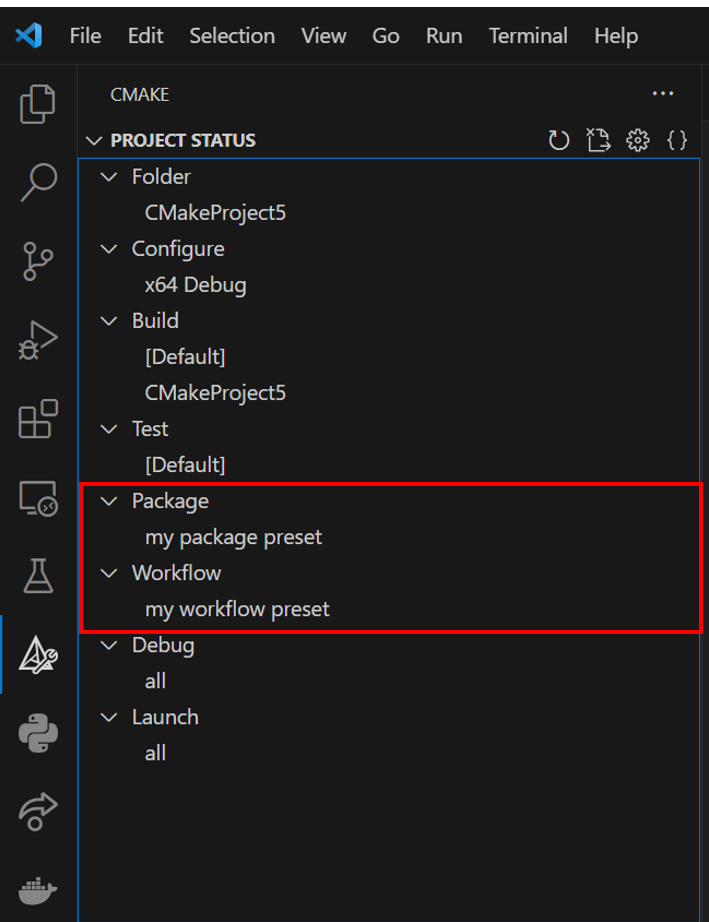
The February release of the CMake Tools extension in VS Code is now available. With this release, we have three major new updates to the extension, including some of our highly upvoted requests: To view the full list of updates with this release, please look at our CHANGELOG. This release features 2 contributions from our open-source community, and we greatly thank you for your support! CMake Presets v6 Support Kitware has added two new CMake Presets in version 6: workflow and package presets. Workflow presets allow you to define a string of CMake presets that you want to execute (e.g. a confi...
A Year of C++ Improvements in Visual Studio, VS Code, and vcpkg
As we enter the new year, it’s a good time to look back at all the features and improvements we made for C++ developers in our tools in 2023. We’ve made advancements across Visual Studio, Visual Studio Code, our toolchain, and the vcpkg package manager in both performance and functionality. Some particular areas of focus have been ARM64 support, Unreal Engine development, code safety, and cross-platform development. Contents Visual Studio Cross-Platform Cross-platform development is a first-class citizen in Visual Studio and has been for many years now. We’ve added many new features for those targeting Linu...
OpenMP improvements in Visual Studio C/C++ compiler: loop collapse

The MSVC compiler adds support for OpenMP "collapse" feature on for loops.
Quick Tips for using Copilot Chat with C++ in Visual Studio
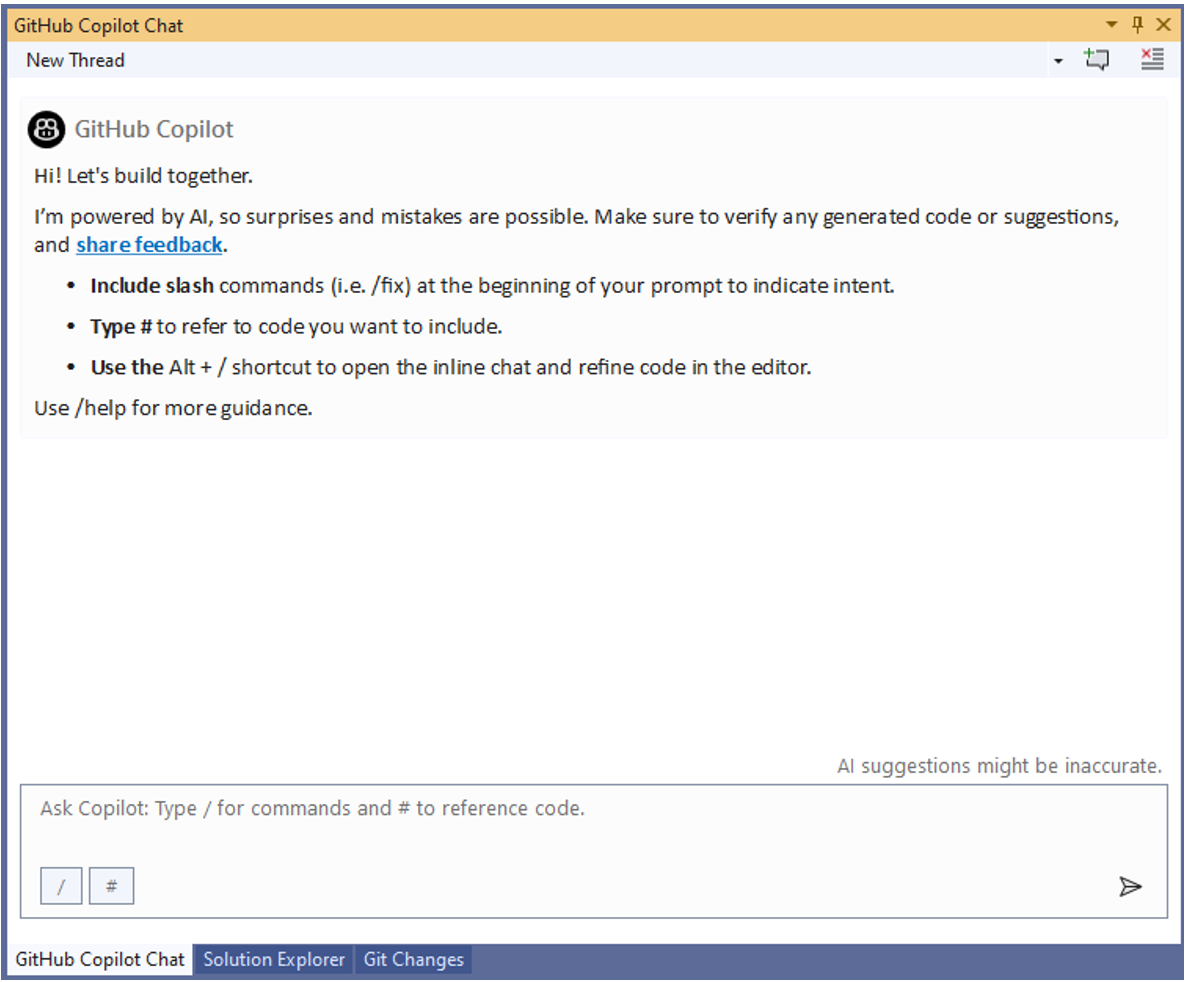
GitHub Copilot Chat is now available in both Visual Studio and Visual Studio Code when you have an active subscription to the service. Copilot Chat is your AI pair-programmer that allows you to speak in plain text through the chat interface to accomplish programming tasks such as understanding sections of code, generating test cases, and generating code. This blog post will focus on tips for using Copilot Chat functionality with C++ in Visual Studio, but the same functionality is available in Visual Studio Code and will be covered in future blog posts. Additionally, in future posts, we will dive into various C...
MSVC Toolset Minor Version Number 14.40 in VS 2022 v17.10

As we approach delivery of Visual Studio 2022 v17.9, the MSVC toolset version is 14.39. In Visual Studio 2022 version 17.10, the MSVC Toolset minor version will continue with 14.40 and continue incrementing in the ‘14.4x’ series. The file version and directories in Visual Studio v17.10 and subsequent installations will appear as follows: [VSInstallDir]\VC\Tools\MSVC\14.4x.BBBBB Where: We will make separate announcements about MSVC compiler toolset versions beyond 14.4x (i.e., versions >= 14.50) at an appropriate time in the future. Build System and Library Impact In Visual Studio 2022 ...
Testing the MSVC Compiler Backend

This post provides a behind-the-scenes look at how we test MSVC's backend, which is responsible for optimization and code generation. Many people worldwide use our compiler and expect it to provide a high-quality experience in terms of correctness (compiled code behaves as written), performance (speed of the compiled code), and throughput (speed of the compiler itself). By sharing with you how we test, you will better understand the level of quality control that goes into producing the compiler that you use. This topic may bring to mind a compiler bug that you have encountered in the past or are presently e...

What’s New in vcpkg (January 2024)

This blog post summarizes changes to the vcpkg package manager as part of the 2024.01.12 release and changes to vcpkg documentation throughout January. This month’s vcpkg release was mainly minor bug fixes, while several new documentation articles were added. Some stats for this period: vcpkg changelog (2024.01.12 release) Documentation changes If you have any suggestions for our documentation, feel free to submit an issue in our GitHub repo. You can also leave feedback for existing articles by using the Feedback button ...
C++ in VS Code: Getting Started & Configuring IntelliSense

Ever wondered how you can configure IntelliSense in the C++ Extension in Visual Studio Code? Or the easiest way to run your C++ code? With the new features added to the C++ extension, configuring IntelliSense and setting up a project is easier than ever. This includes a “Getting Started with C++” walkthrough, configure IntelliSense indicator, and the language status bar. "Getting Started with C++" Walkthrough With the C++ Extension for VS Code installed, the new Getting Started walkthrough helps you set up your environment and will have you running your C++ code in no time. Invoke it by running the...
