-
-
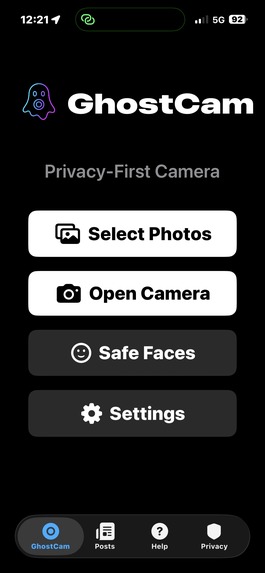
GhostCam ensures that a user’s personal environment, home, school, family, identity, is protected before a photo is ever posted.
-
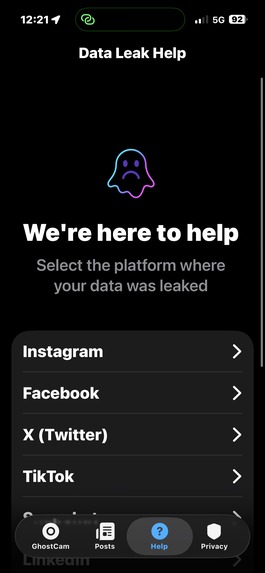
Get personalized support when your personal information is leaked
-
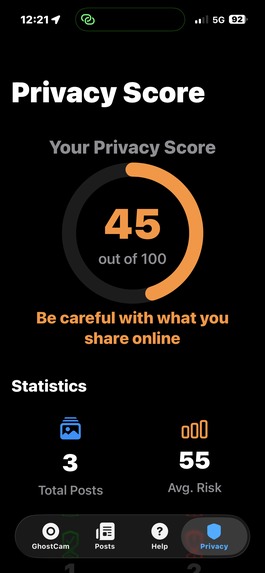
Privacy score and achivements makes privacy fun
-
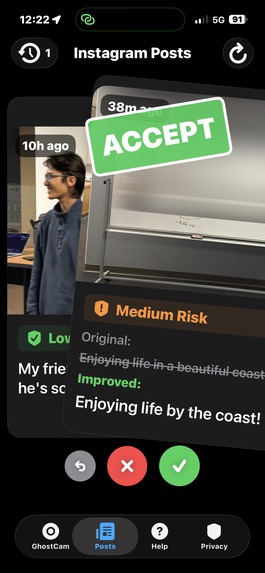
Accept this change and post it to your Instagram profile!
-
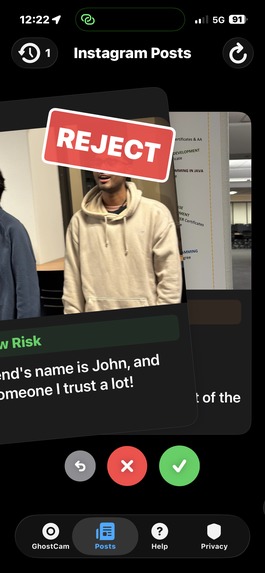
Reject this change and keep the post as it is!
-
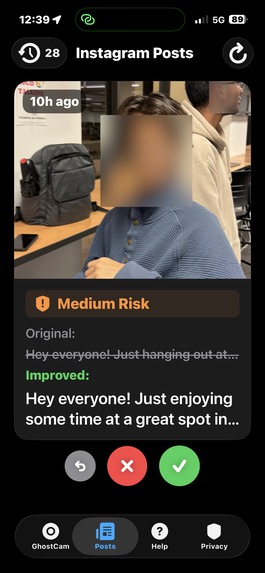
Blur your photos and make your caption more private
-
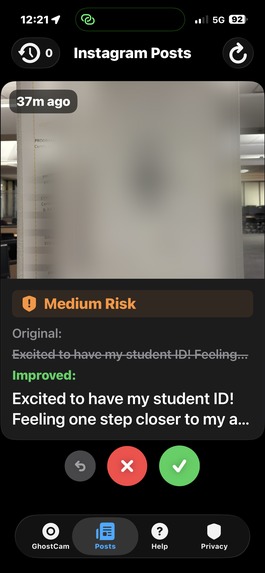
Blur your photos and make your caption more private
-
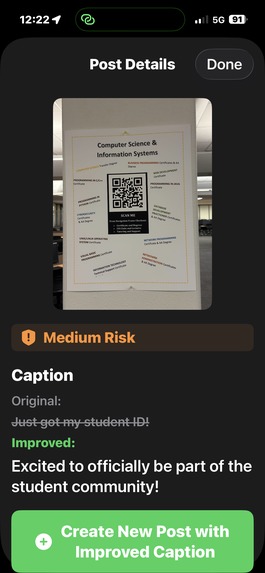
Blur your photos and make your caption more private


Inspiration
The idea for GhostCam originated from a series of conversations with friends, classmates, and community members regarding the increasing amount of personal identifiable information (PII) that appears unintentionally in everyday social media posts. Through informal surveys and observations, we noted a clear pattern: people frequently and unknowingly expose sensitive information such as faces, addresses, school identifiers, license plates, QR codes, and documents.
As cases of doxxing, cyberstalking, and digital harassment continue to rise, it became evident that this issue is no longer a niche concern. It is a serious, contemporary privacy challenge that affects families, students, creators, and minors. This motivated us to design a system that protects users proactively rather than reactively.
What it does
GhostCam provides a privacy-first safety layer that protects users across two major dimensions:
- GhostCam (Real-Time Privacy Camera)
• Automatically detects sensitive information in real time
• Identifies faces, text, badges, documents, and license plates
• Uses a “Safe Faces” whitelist, allowing trusted individuals (e.g., family and close friends) to remain unblurred
• Applies intelligent, adjustable blurring before users save or share a photo
• GhostCam ensures that a user’s personal environment, home, school, family, identity, is protected before a photo is ever posted.
- Instagram API Integration
• Securely connects via your Instagram account
• Analyzes new posts every 15 minutes to detect privacy risks
• Classifies risks (e.g., location leakage, personal details, school identifiers)
• Suggests safer caption alternatives
• Gamifies safety with a Tinder-like swipe left/right to ignore/accept caption changes, and a personalized privacy score and achievements
Together, these systems create a hybrid approach: privacy protection at photo capture time and post monitoring.
How we built it
We developed the project using Apple’s native frameworks and platforms:
• SwiftUI for the user interface
• Swift as the core programming language
• Apple VisionKit Framework for fast, on-device face detection, “Safe Faces”, and custom blur areas
• GPT-4o Vision for advanced PII detection (text, badges, documents)
• Instagram Graph API for secure account access
• BackgroundTasks to periodically analyze recent posts
• SwiftData for local state persistence
All photos fac performed locally by default, aligning with a privacy-by-design philosophy.
Challenges we ran into
One of the most significant challenges involved the Instagram API limitations:
• The API does not allow updating or deleting posts
• Certain moderation actions are not exposed to third-party developers
• Background tasks cannot run faster than every 15 minutes due to iOS restrictions
We spent multiple hours reading documentation, testing endpoints, and contacting Meta support to confirm these limitations. This forced us to design workarounds—for example, rewriting captions instead of modifying or removing original posts.
Another challenge was balancing on-device performance with the accuracy of cloud-based models, requiring careful architectural decisions to maintain speed while preserving privacy.
Accomplishments that we're proud of
• We successfully built a fully functional hybrid AI system in under 48 hours
• We implemented a real-time privacy camera with automatic PII detection
• We designed a safe and visually polished UI that feels intuitive and delightful
• We persisted through several technical roadblocks, API limitations, and late-night debugging sessions—working until 2 AM to deliver a complete solution
• Most importantly, we created a tool that we believe can genuinely protect people, especially minors and vulnerable individuals, from digital risks
What we learned
Throughout the development process, we learned a tremendous amount about:
• Teamwork and collaborative problem-solving under pressure
• Designing with a privacy-first mentality
• Navigating real-world API constraints
• Developing hybrid on-device + cloud AI workflows
• Building maintainable SwiftUI architectures
• Understanding user behavior around digital privacy
This project strengthened our technical, interpersonal, and product-design skills.
What's next for GhostCam
Our roadmap includes:
• Multi-image uploads for batch privacy filtering
• More accurate text/QR code detection
• Real-time video privacy protection
• Cross-platform support (Android + Web)
• Integration with additional social platforms
• Further optimization of on-device AI models
• Parent-child safety dashboards and family-oriented features
Our mission is to make digital privacy effortless and accessible for everyone.
We will make Instagram great again.




Log in or sign up for Devpost to join the conversation.