-
Thumbnail
-
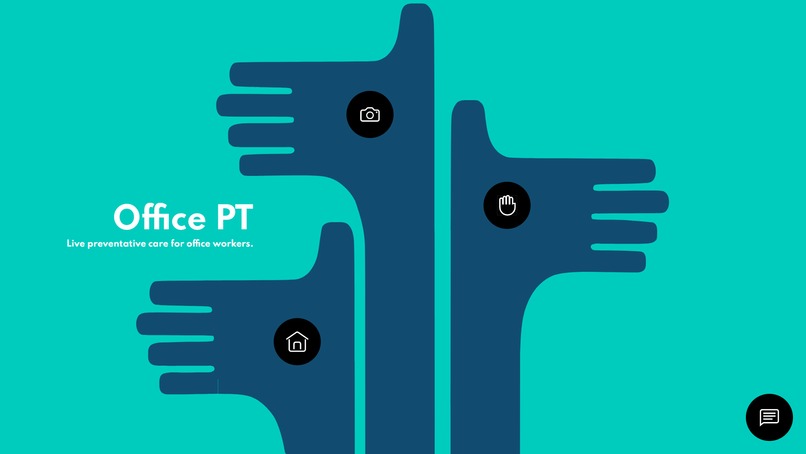
Homepage in our app!
-
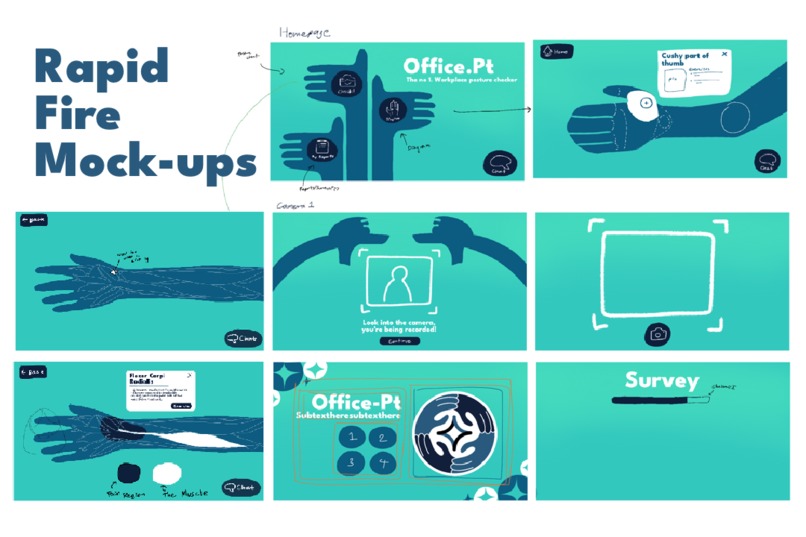
Mockup
-
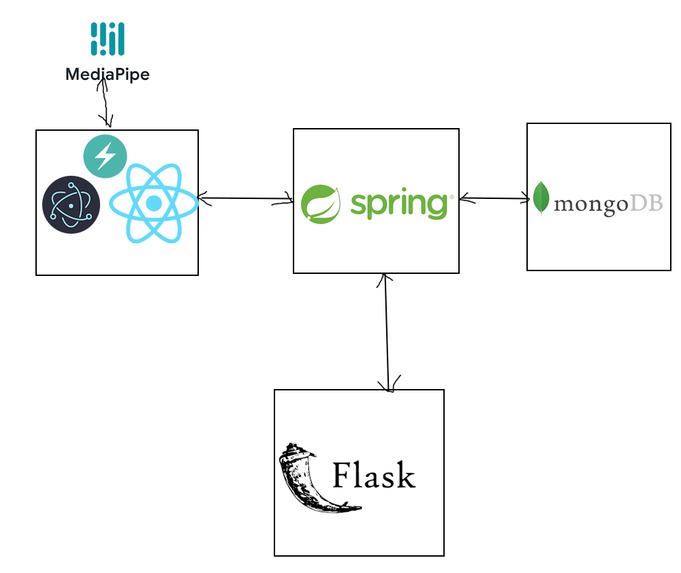
Our final Stack/system design :)
-
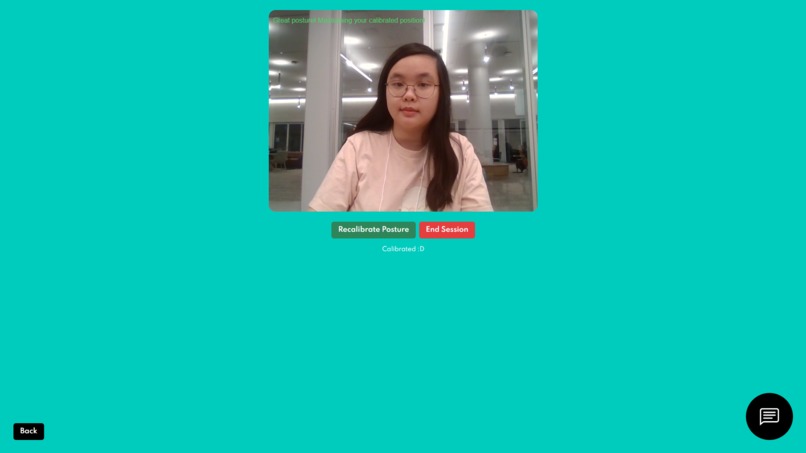
Corina Good Posture cameera section
-
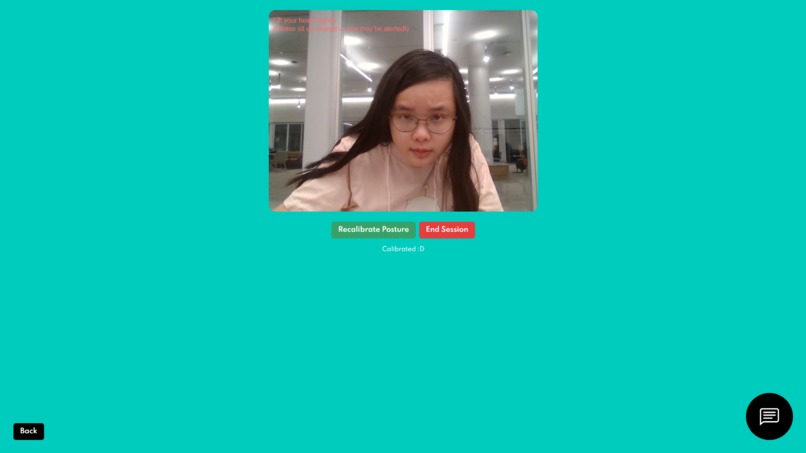
Corina Bad Posture cameera section
-
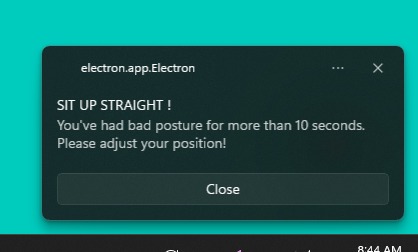
Bad Posture notif
-
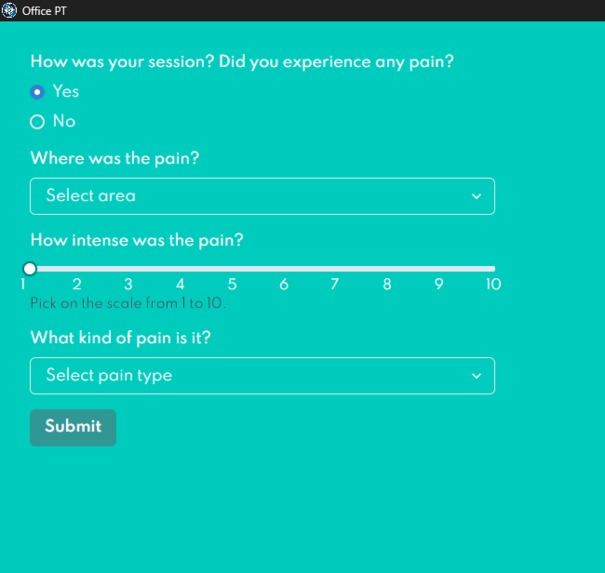
Post-Session survey
-
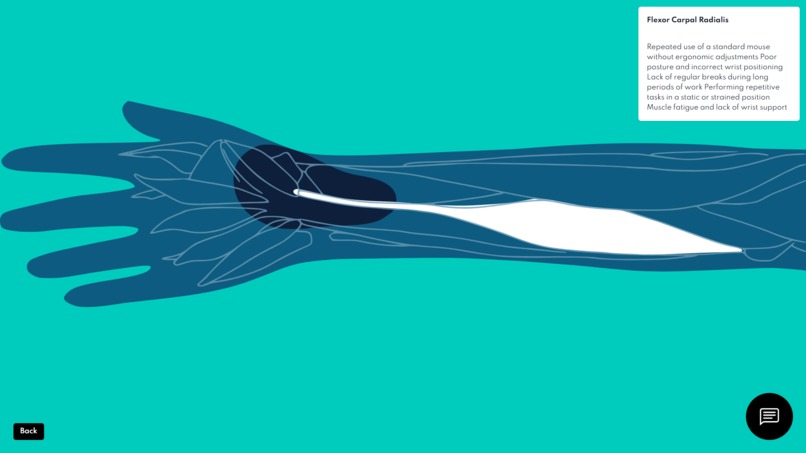
Radial diagram
-
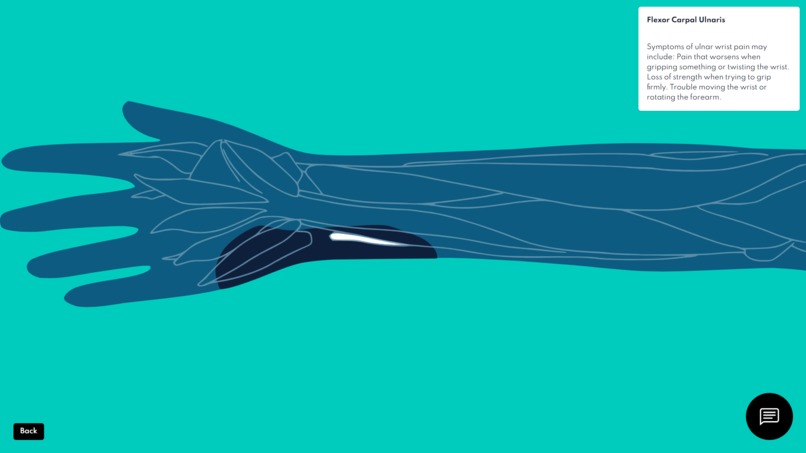
Ulnar diagram
-
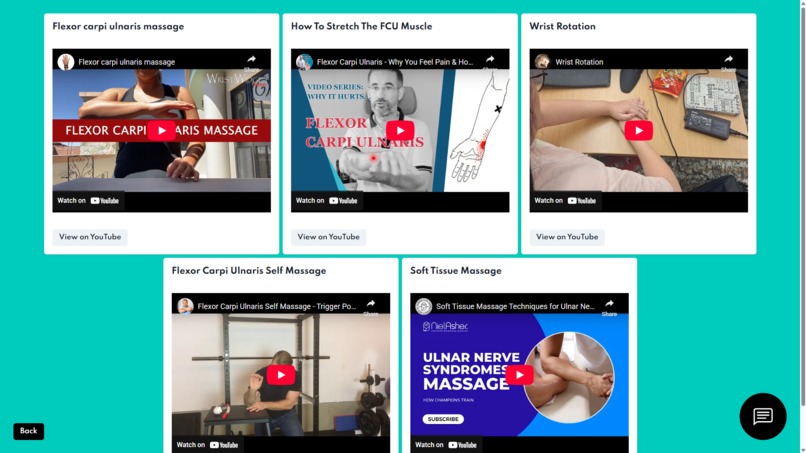
Exercise Videos :D
-
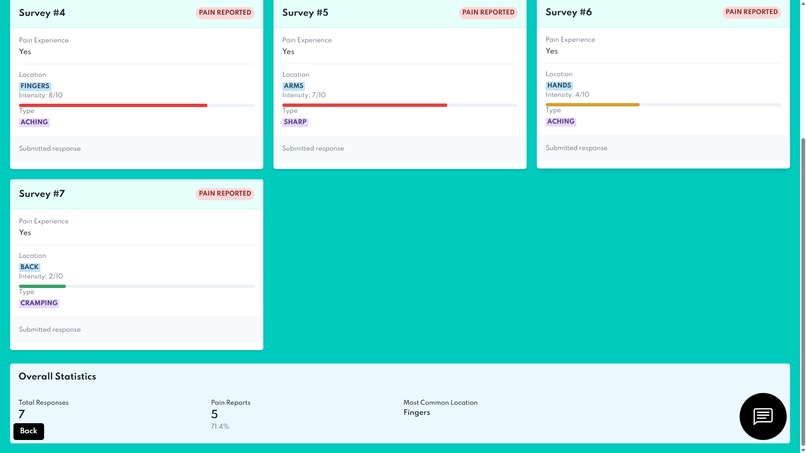
Summary of collected user surveys!
-
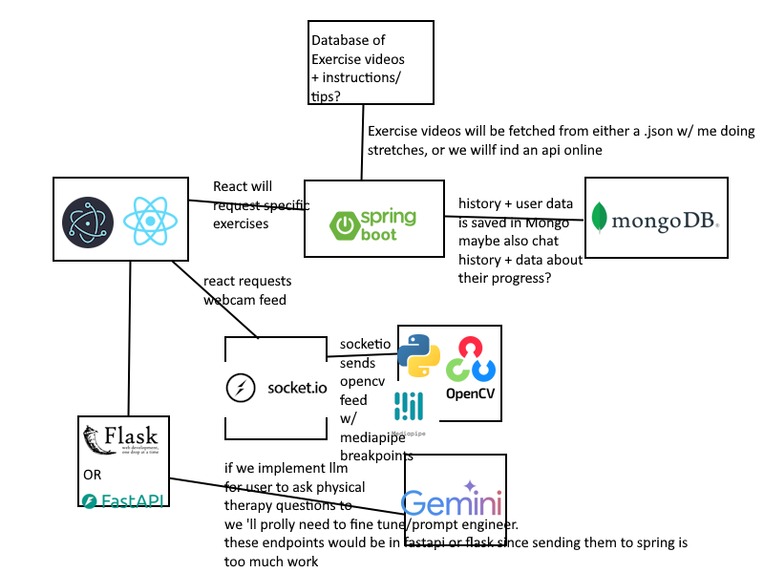
Corina's Unoptimized Beta System Design


Are your greasy grippers feelin' numb?
Inspiration
The largest inspiration for Office PT is from one of our member's personal experiences with Repetitive Strain Injury (RSI). When she was first diagnosed with tendonitis, it was difficult to find resources on educating, treating, and living with the condition. She came to the realization that our society in general is incredibly reliant on computers and unfortunately ergonomic options or access to a physical therapist can be expensive and sometimes completely unavailable. Office PT attempts to address these issues being a free/open source posture tracker alongside a physical therapy handbook, particularly marketed towards those who are at "higher-risk" for RSI conditions, i.e. office workers. The app has quite a few moving parts, aiming to cover as many bases as possible to be a "catch-all" solution for RSI risk factors. We also wanted to make sure that the app would not interrupt workflow as one of the biggest hurdles with treating RSI is sticking to consistent stretches and exercises.
Being a developer means long, long hours in front of computers, typing away for who-knows-how-long. All of our team members have experienced many forms of wrist, neck, and back discomfort. This inspired us to create a software that can help us better understand wrist and posture conditions, as well as work on improving them.
Due to the aforementioned teammate's personal experiences with tendonitis, the lack of resources often felt debilitating. Even more so due to the fact that many daily tasks would lead to flare-ups without any clear path to a solution.
What it does
Office PT is a wrist and posture health assistant that can be accessed on a Desktop application. The posture assistant is implemented as a WebCam object. A user will calibrate themselves sitting up straight and the app will notify them on their Desktop if they have been in "poor posture" for more than 10 seconds. The live webcam feed sends its frames to Google's MediaPipe and draws Pose Landmarks. These landmarks are then calculated with a distance formula. If the distance reads past a certain "posture threshold" then the user will have a certain amount of time to get back into proper position before being notified to fix their posture.
After each webcam session, a survey portion is displayed where users can note on areas where they are in pain/sore. Data about each session is saved on the cloud so the user is able to see statistics and other information of interest in a "summary" section of the app. One of the more educational portions of the app is a hand drawn interactive diagram of a human arm. Information regarding risk factors and general knowledge of muscles/tendons is rendered on hover. Once a user clicks a muscle section, exercises/stretches curated towards them are rendered.
Office PT also offers an optional, unobtrusive AI chat bot fine-tuned to guide users through any follow-up questions that they may have about PT and posture health.
How we built it
We first mapped out a very messy system architecture regarding each of the features we wanted to add. This was done with messy scribble drawings and an extremely cumbersome paint.net mockup. We decided that we wanted to add features into this app that we wished to see as software developers/CS students. The frontend is built in React w/ ChakraUI components and wrapped in Electron.js to provide a seamless desktop experience. Google's MediaPipe library is used for posture landmarks and suggestions. In our backend, we have a Spring Boot controller which renders endpoints that React calls from. This controller is also responsible for communicating with a Flask API Endpoint that fetches from OpenRouter's free API for the lightweight LLM model. User data, exercise data, video metadata, and survey data is stored on the cloud in MongoDB with CRUD operations being controlled by the Spring Controller..
One of the problems we ran into when looking for exercise databases was the fact that there are literally none that provide physical therapy stretches. This caused us to record Corina doing some of her prescribed exercises to hardcode into our repo. Most of them are unused in the actual app, but just another interesting point!
Challenges we ran into
There were quite a few challenges we ran into, one of which being the system architecture. Once again, the concept for this app was very important to us but it took us awhile to see how it would truly all come together. We had a few miscommunication issues with the system design and having two backend APIs was more confusing than it was helpful. A lot of operations could probably been migrated to being handled in the frontend, but we wanted an excuse to learn some new tools.
(Corina speaking here): Speaking of new tools, this was my first time dabbling in MediaPipe and computer vision. Tying to find the calculations for posture checking was extremely difficult especially because I had decided to program the WebCam service in React JavaScript (.jsx). But I was happy that I was able to get the camera feed working in exchange for a very sleepness night.
Deployment was also a big issue as we weren't sure how to manage each service. Ultimately, we decided that it may be out of scope for this Hackathon, but for OfficePT's lifespan as a whole? Well, anything is possible!
Accomplishments that we're proud of
Some accomplishments that we're proud of is
- Creating multiple different routes that are home to differing services
- Figuring out how to navigate system architecture
- Asynchronously working on database design, backend, and frontend/graphics engineering
- Putting together a lot of floating ideas for a hopefully cohesive app
- Getting done with most of what we set out to do at the beginning of this hackathon
- Learning a lot of new libraries, frameworks, and even languages!
- Having a project that's important to us see the light of day
What we learned
Our team consisted of two first time hackers and two who are more experienced. Thus, what we learned and the amount we learned was different for all of us, which was a learning experience on its own!
What's next for Office PT
We hope that Office PT may be a starting point for future endeavors that may provide simple, practical solutions to people who have posture issues in high-tech settings. Posture problems are common occurrences in office settings (and hackathons, for that matter...). Considering how accessible technology is in these environments, creating a program for wrist/back/neck pain seemed like the most straightforward approach. In a time where people are scrambling to utilize the newest innovations in technology, we hope that Office PT can serve as a reminder that developers do not exist just to chase the next best thing in tech, but to solve real-world problems with it. Even simply giving the education to someone who may not know where to look for RSI treatment is a win in our book!
Built With
- chakraui
- electron
- flask
- java
- javascript
- mediapipe
- mongodb
- openrouter
- python
- react
- spring
- typescript
- vite



Log in or sign up for Devpost to join the conversation.