-
-
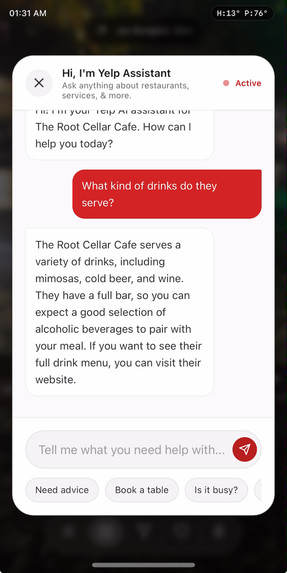
Chat with the Yelp AI
-
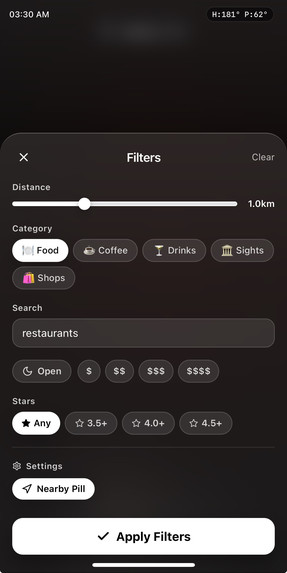
Filter for Businesses Nearby
-
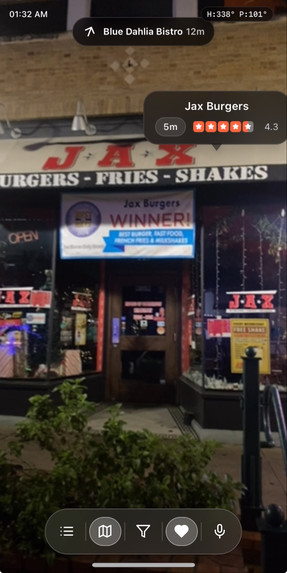
View Ratings of Local Businesses In Real Time
-
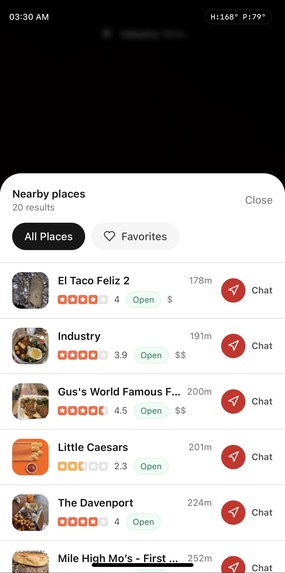
List View of Nearby Places
-
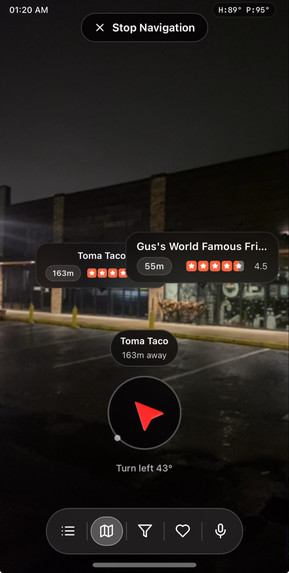
Navigate to Nearby Places
-
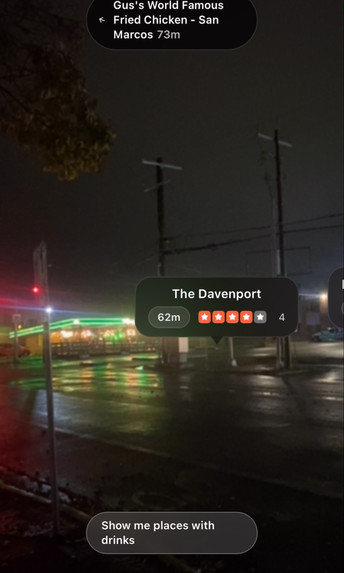
Use Microphone to filter out places


Inspiration for YelpStreet
I wanted to create a trendy street view like interface so that my friends and I could check out local places to go to while roaming around my college town. I wanted something quick and easy, where I could just pull out my phone and scan for a nearby place that suited our needs, while also being able to get in-depth answers quicker than just using Google Maps.
What it does
-Shows nearby businesses in AR with distance, ratings, and status overlays.
-Voice search and filters (open, rating, price, category) tuned for quick changes.
-One-tap navigation mode with live bearing/distance, plus an off-screen arrow to guide you.
-Favorites, list view, and chat/booking for a chosen place.
-Allows you to easily chat with the Yelp AI agent while on the go!
How we built it
-Next.js + React for the app shell; Tailwind for rapid UI iteration.
-WebXR/Web APIs for camera/compass and GPS to place AR cards in the viewport.
-Yelp API integration for nearby search, details, and ratings; custom utilities for bearings/distance.
-Framer Motion for UI transitions; service worker for PWA installability.
Challenges we ran into
-Mobile Safari quirks: permissions for camera/location and keeping sensors active.
-Compass smoothing and jitter reduction to keep AR cards stable.
-Balancing UI density on small screens: fitting nav, filters, and voice while keeping tap targets usable.
-Handling missing/rough location data and fallbacks without breaking the AR layout.
Accomplishments that we're proud of
-Smooth AR overlays that stay aligned with heading and distance in real time.
-Quick voice driven filters that actually apply meaningful Yelp parameters.
-Navigation mode with live bearing/distance updates and a compact status pill.
What we learned
-Safari/iOS permission flows require explicit user gestures and HTTPS to be reliable.
-Keeping UI minimal on mobile while exposing core actions (filter, list, mic, nav) is a constant tradeoff.
What's next for YelpStreet
-Better offline caching for recently viewed areas and favorites.
-Richer booking/chat flows (hours, menus, offers) inside the AR cards.
-Multi-modal search improvements (natural language + quick presets) and more robust POI refresh.
For best Experience:
-Turn on all permissions in your mobile browser
-Select "Hide Tool Bar" in the browser for the UI to be viewable
Built With
- framer
- googlegemini
- gps
- html
- next.js
- react
- tailwind
- typescript
- webxr
- yelp



Log in or sign up for Devpost to join the conversation.