WordPress 6.9 finally arrives as the final major release of 2025, code-named “Gene”. This update brings refinements across the Site Editor, big improvements to template management, new blocks, fresh design capabilities, and collaboration tools that streamline how teams work inside WordPress.
Below is a full breakdown of what’s coming and why it matters for agencies, developers, and organizations relying on WordPress at scale.
What’s New in WordPress 6.9 “Gene”?
WordPress 6.9 is a thoughtful iteration focused on practicality, stability, and usability. Below are the most important additions.
1. A More Streamlined Site Editor Experience
One of the standout improvements is the introduction of a simplified editing mode.
This new mode gives content editors a clean interface for making quick changes to text, images, and media – without exposing the entire suite of design controls. It’s perfect for teams where not every user needs full design access. Users can also hide blocks on the Front End.
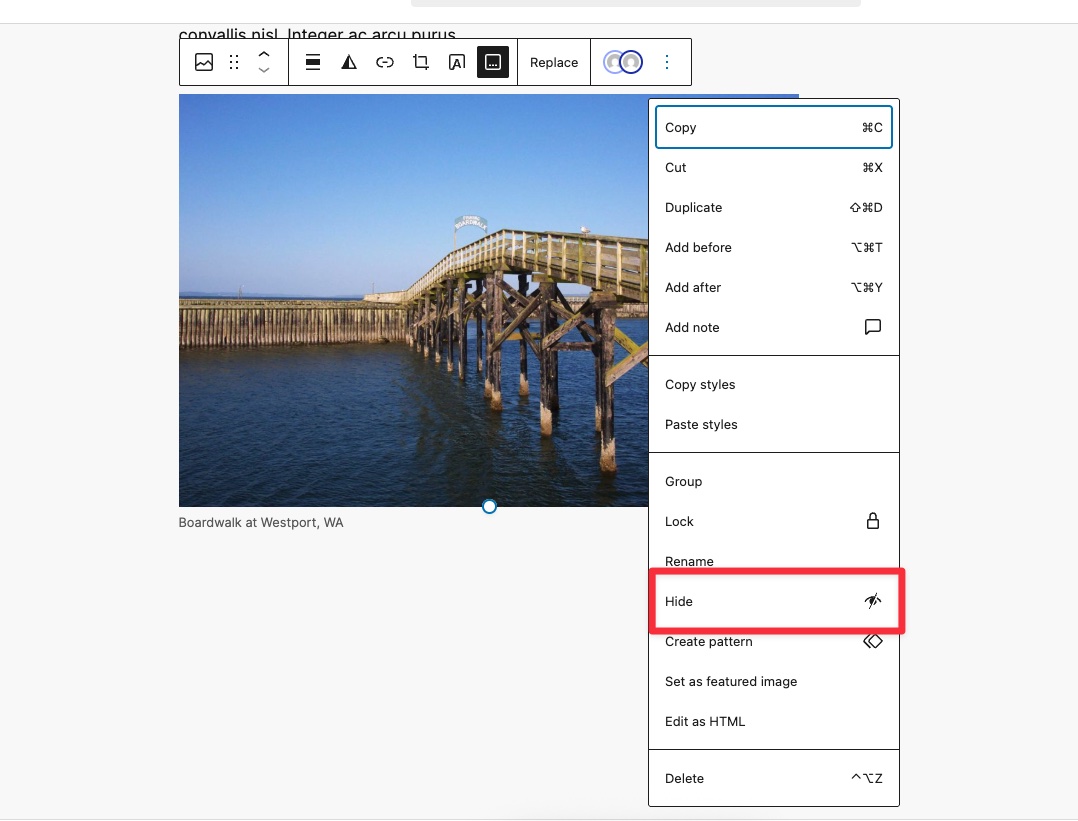
Meanwhile, designers and developers still retain full access to advanced styling tools, ensuring projects remain flexible without compromising consistency.
This is a meaningful step for organizations that rely on editorial workflows and want to maintain brand integrity without restrictive user permissions.
2. Major Improvements to Template Management
WordPress 6.9 introduces an upgraded template workflow – arguably one of the most impactful changes in the release.
Custom Templates Are Now Preserved When Switching Themes
This solves a long-standing frustration for agencies and developers.
Prior to 6.9, switching a theme could result in losing custom templates or needing manual re-creation. With the new version, custom templates now remain available across theme changes, dramatically improving:
- Redesigns
- Migrations
- Corporate rebranding
- Long-term site evolution
Create Multiple Templates for One Page
Editors and builders can now associate several custom templates with a single page, giving more control over layout variations and testing.
Draft Templates Before Publishing Them
You can now save templates as drafts, similar to posts and pages, allowing designers to work through versions without impacting the live site.
These updates bring WordPress closer to the kind of templating flexibility that agencies need to support long-term, scalable web ecosystems.
3. Block-Level Collaboration With “Notes”
One of the most anticipated additions is block-level commenting, officially called “Notes”.
Users can now comment directly on individual blocks, reply to threads, and resolve conversations – similar to collaboration tools like Google Docs or Figma.
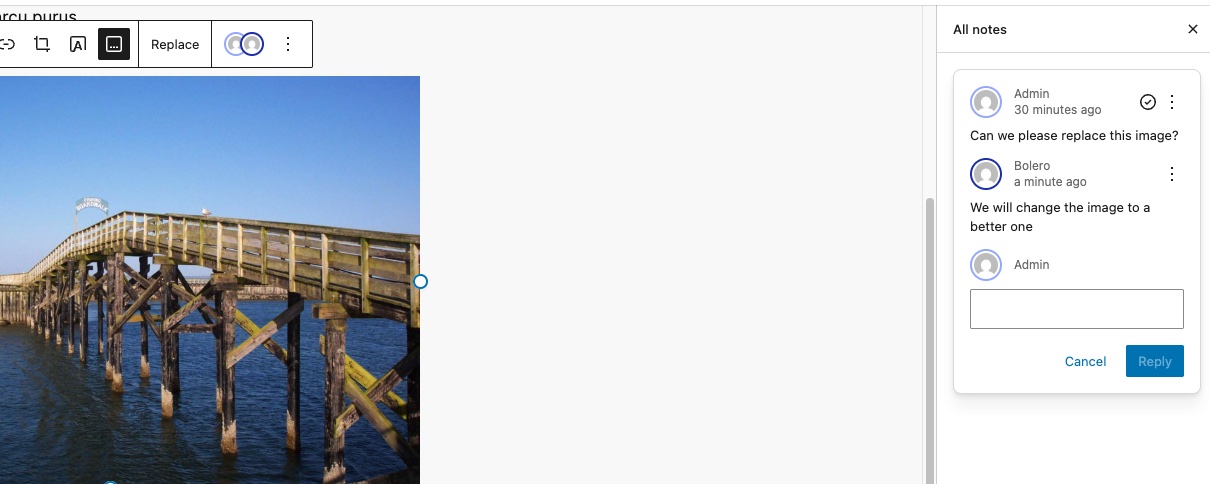
This is a real win for:
- Remote teams
- Editorial approvals
- Client-agency review cycles
- Visual feedback workflows
Instead of relying on screenshots, long email threads, or third-party tools, teams can now keep discussions directly inside WordPress.
4. New Core Blocks & Better Design Tools
WordPress 6.9 expands the core block library and introduces enhancements that make design more efficient.
New Core Blocks Include:
- Accordion Block – collapsible UI component, ideal for FAQs or large content sections
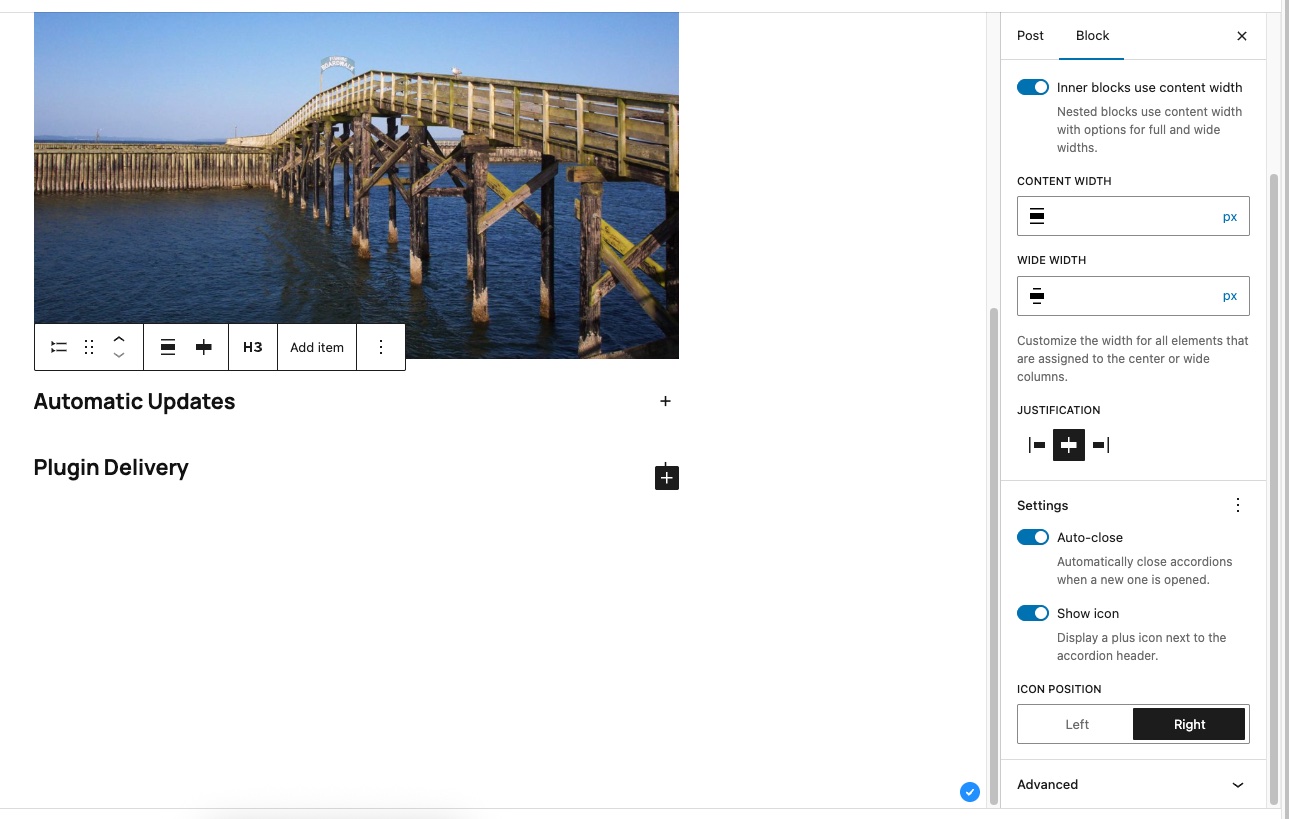
- Terms Query Block – allows displaying taxonomy terms without custom coding

- Math Block – supports mathematical notation for education, science, or technical content

- Time-to-Read Block – automatically displays reading time, boosting UX and engagement
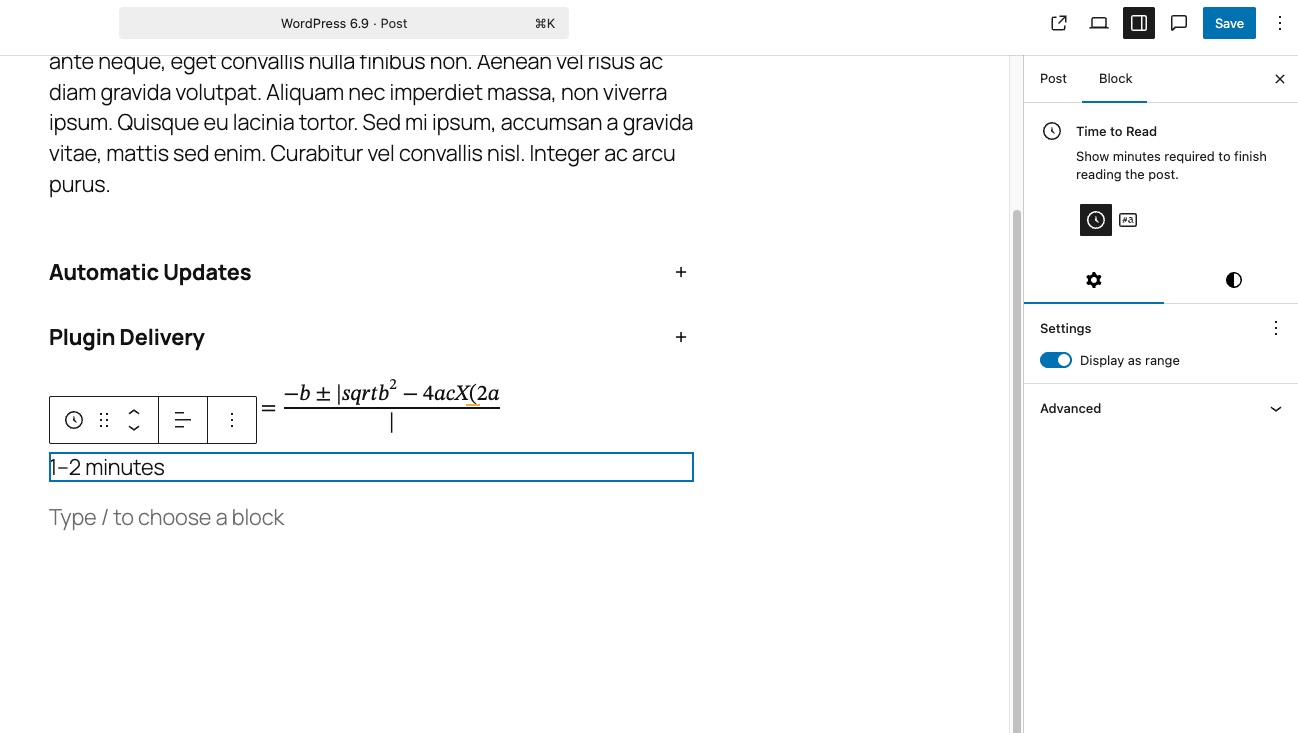
Enhanced Design Capabilities
- Fit Text for Titles/Headings – creates responsive headline typography
- Custom Social Icons in Social Links block
- New border-radius presets for consistent design systems
All these features reduce reliance on additional plugins or custom CSS for common design patterns.
5. Command Palette Across the Entire Admin
The Command Palette – originally introduced for the Site Editor – has been expanded across the WordPress dashboard.
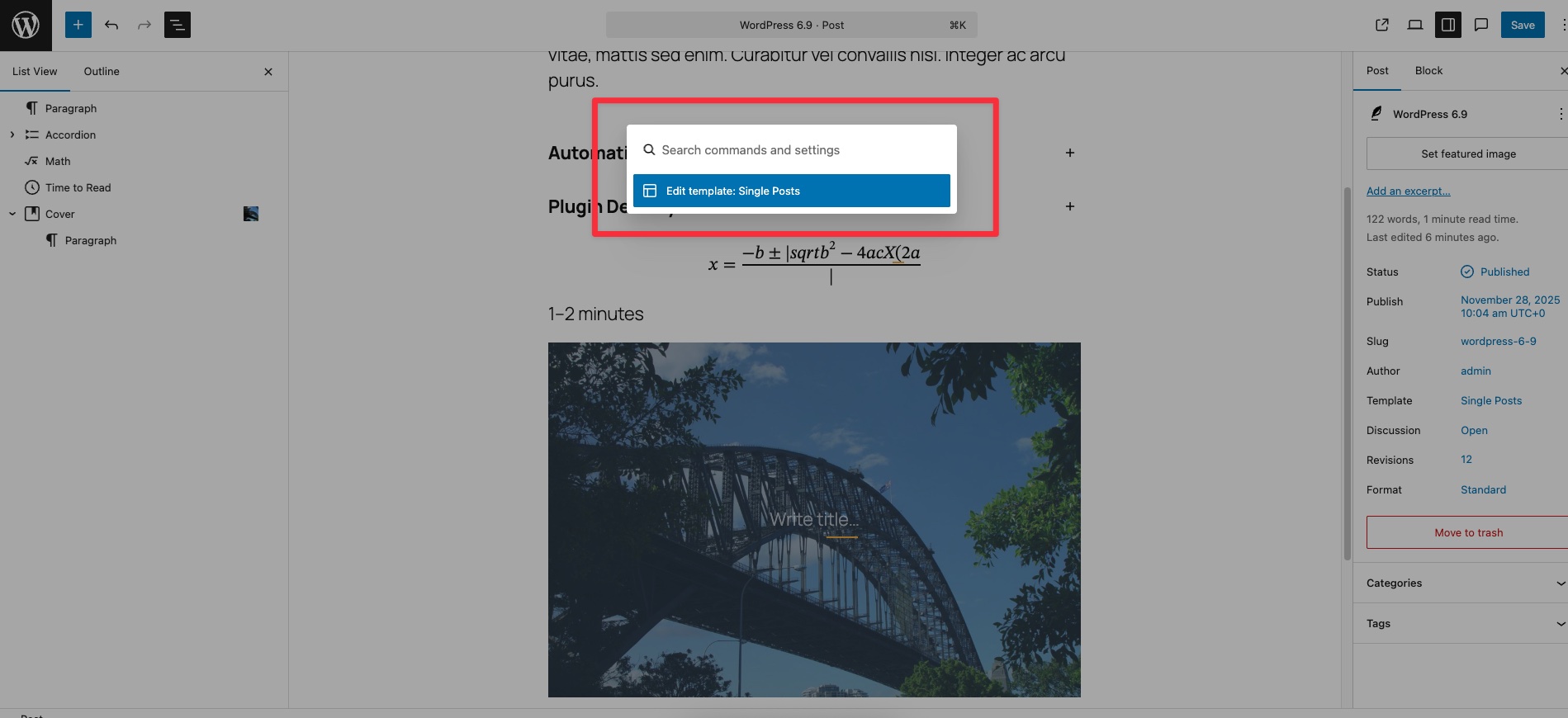
This allows users to search, navigate, and execute actions via keyboard shortcuts, significantly speeding up tasks like:
- Creating new posts
- Navigating to menus
- Opening template views
- Switching between admin pages
For power users and developers, this is a productivity boost. For agencies maintaining dozens of client sites, this saves time at scale.
6. Developer-Focused Enhancements & Performance Upgrades
WordPress 6.9 introduces improvements aimed at making WordPress more scalable and extensible.
New APIs
- Abilities API – designed to integrate with AI systems and automation tools, paving the way for personalized or AI-augmented workflows
- Enhanced Interactivity API – supports dynamic, app-like block behaviors
- Improvements to Block Bindings, HTML API, and DataViews – more robust data management and custom integration capabilities
Performance Improvements
The release includes better:
- Caching
- Asset loadin
- Template rendering
- Server-side handling
These enhancements contribute to faster load times, better Core Web Vitals, and improved SEO – especially important for high-traffic or enterprise-grade websites.
Wrap Up
WordPress 6.9 continues the platform’s move toward a more modern, collaborative, and highly customizable editing experience. With improvements across templates, collaboration, performance, and developer tooling, this release strengthens WordPress as a stable foundation for content-heavy, enterprise-grade, and long-term digital projects.
Whether you’re managing a content team, designing at scale, or maintaining dozens of client sites, the enhancements in 6.9 are built to make your workflows smoother and your websites more future-ready.
Furthermore, we’re overjoyed to have four DevriXian contributors to WordPress 6.9! Thank you Lachezar Gadzhev, Stanko Metodiev, Neycho Kalaydzhiev and Rolly Bueno for your work!
And on an ending note – don’t forget that our WordPress Retainer Services can help you improve your website, and grow your business, so don’t hesitate to reach out.
Team DevriX
This article is crafted by DevriX's seasoned marketing team, boasting over four decades of collective expertise in crafting sophisticated marketing funnels, devising comprehensive content frameworks and pillars, implementing engaging email campaigns, and creating impactful social media content designed for scalability.
Our marketing experts specialize in the complete spectrum of inbound marketing strategies. As an accredited HubSpot Agency Partner and a Semrush Partner, we engage in meticulous research, blending our extensive experience with the unique insights of our highly skilled team.
We set benchmarks in content creation by incorporating cutting-edge marketing trends, leveraging in-depth industry research, and utilizing state-of-the-art AI tools for data segmentation and captivating content hooks. Our proficiency extends across a diverse range of sectors, including working with SMEs, Fortune 1000 companies, global B2B brands, major publishing entities, WooCommerce platforms, business directories, and affiliate networks.