
Summary of Secure IOT With AWS and Hornbill ESP32 Using Arduino.
This article explains how to securely connect the Hornbill ESP32 Dev board to Amazon Web Services (AWS) IoT using TLS 1.2 encryption for secure communication. It covers setting up an AWS account, creating an IoT thing, generating security certificates, testing with an MQTT desktop client, and integrating the hardware. The focus is on leveraging the affordable and resource-capable ESP32 for implementing secure device communication with the cloud.
Parts used in the Secure IOT With AWS and Hornbill ESP32 Using Arduino project:
- Hornbill ESP32 Dev board
- AWS user account (cloud service)
- MQTT desktop client (software tool)
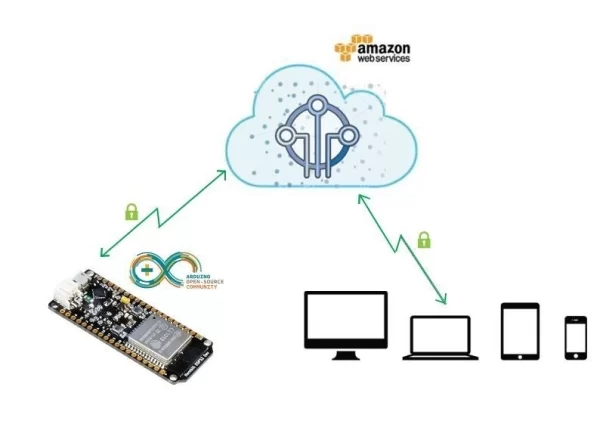
Security of connected devices is of paramount concern. There are several possible ways to make the devices secure. One of the most essential and widely used options is to use end to end encryption. The widely used Transport Layer Security (TLS) version 1.2 is the latest standard used on web for secure connections including banking. There are very few micro-controller based solutions that implement TLS 1.2 due to lack of resources. ESP32 is one of the most affordable options out there. So let’s look at securely connecting Hornbill ESP32 Dev board to Amazon web services (AWS) IOT.
We will start with configuring AWS account, setting up the thing, generating the security certificates, testing with a MQTT desktop client and then communicating with the hardware.
You’ll need an ESP32 Dev board to accomplish this. We are running a campaign for the most affordable and feature rich ESP32 dev tools called Hornbill. Get one from the campaign here:
https://www.crowdsupply.com/explore-embedded/hornbill
Step 1: AWS User Account :
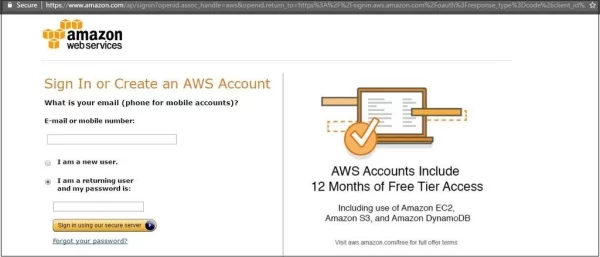
For using the AWS services you need to have a user account and login using the AWS Login link
Existing users can directly login and directly jump to next. New users should register first and link the credit card for payments. Basic plan is free for first Year, other plans are chargeable.
Step 2: Creating a New Thing :
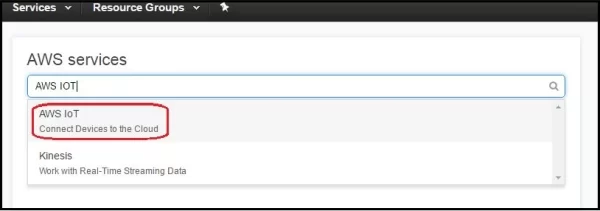
After Login, click on Signin To Console to go to AWS dashboard. Now type AWS IOT and Select the AWS IOT (Connect Devices to Cloud) from drop down as shown below.
Read more: Secure IOT With AWS and Hornbill ESP32 Using Arduino.

