
Summary of Serial Communication – Arduino and Linkit One
This article explains how to establish serial communication between an Arduino and a Linkit One to enable more complex projects. It involves connecting the Arduino's TX pin to the Linkit One's RX pin, and vice versa, along with connecting the grounds. The article provides a sample code to run on the boards after installing the Linkit One plugin with the Arduino IDE. Once set up, the serial monitor can be used to transmit data between the two devices.
Parts used in the Serial Communication between Arduino and Linkit One:
- Linkit One
- Arduino
- Wires
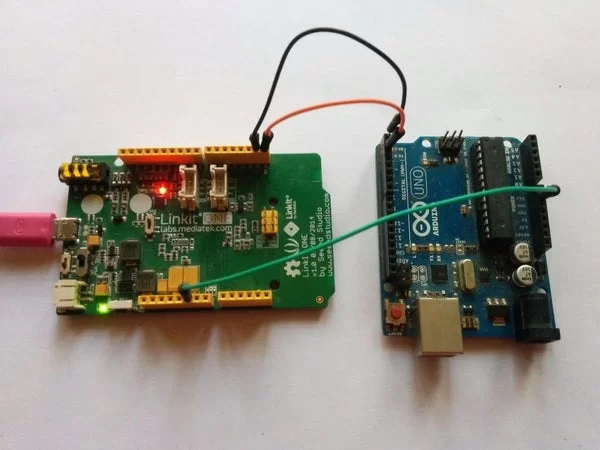
In this instructable I’m going show you how to establish serial communication between the arduino and the Linkit One. This would help you make a more complex project with these two boards.
Step 1: Components
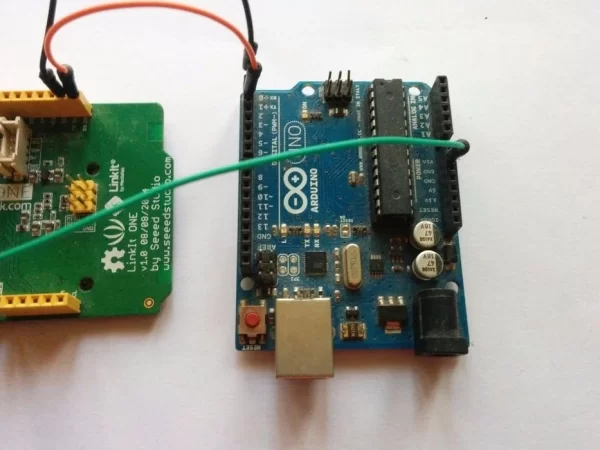
Here is a list of all the components required to get started, make sure you collect all the components first before proceeding to other steps-
Linkit One
Wires
Arduino
Step 2: Schematics
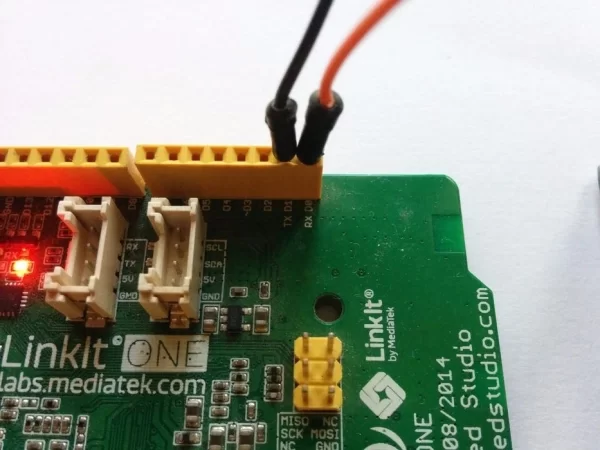
All the connections you need to do is connect the TX pin of the arduino to the RX pin of the Linkit One, Connect the Rx pin of the arduino to the TX pin of the Linkit One. And also connect both the GND terminals together.
Step 3: Program
To upload the program you need to install the Linkit one plugin along with the Arduino IDE. You can find instructions on how to do that in the official website. You can also download the IDE with the Linkit One plugin pre-installed from GitHub.
include
SoftwareSerial ser(0,1);
void setup() {
  Serial.begin(9600);
  Serial.println("SERIAL: BEGIN");
  ser.begin(9600);
  ser.println("SOFTWARE SERIAL: BEGIN");
}
void loop() {
  if(ser.available()) {
    Serial.print("writing to serial");
    Serial.write(ser.read());
  }
}
Step 4: Setting It Up
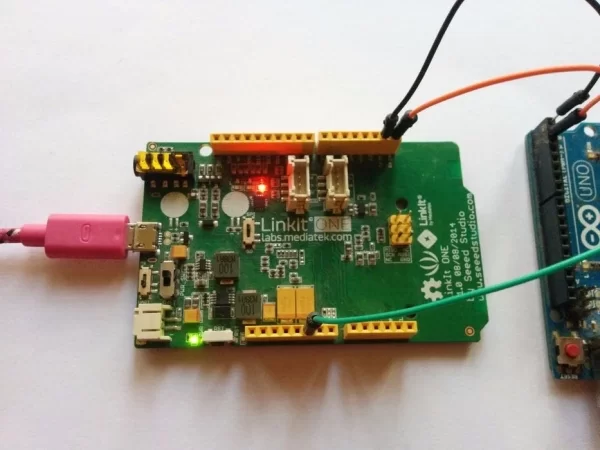
Open up a serial monitor and you can transmit data across the two boards.
Source: Serial Communication – Arduino and Linkit One

