
There are many security features in Spring Security such as authentication, authorization, instance-based control, and others. Grails developers use Spring security to secure the application.
Table Of Contents
1. Overview
This is an in-depth article on Grails Spring Security. Grails opensource framework is used for designing and developing full-stack applications. Spring security plugin provides spring security for Grails application. The plugin can be customized for various configuration options. Interfaces are used for extensibility.
2. Grails Spring Security
2.1 Prerequisites
Java 8 is required on the linux, windows or mac operating system. Gradle 5.4.1 version can be used for building gradle projects. Grails 3.3.10 is used for creating Grails Helloworld projects. Apache tomcat 9.0 is used as a servlet container to deploy Grails Helloworld example.
2.2 Download
You can download Java 8 from the Oracle web site . Likewise, Gradle 5.4.1 can be downloaded from this website. Grails binary distribution can be downloaded from github site. Similarly, Apache Tomcat 9.0 can be downloaded from the apache website.
2.3 Setup
2.3.1 Java Setup
You can set the environment variables for JAVA_HOME and PATH. They can be set as shown below.
Java Environment
JAVA_HOME=”/jboss/jdk1.8.0_73″
export JAVA_HOME
PATH=$JAVA_HOME/bin:$PATH
export PATH
2.3.2 Grails Setup
You can set the Grails home in the PATH as shown below:
Grails Environment
export GRAILS_HOME=/path/to/grails
export PATH="$PATH:$GRAILS_HOME/bin"
2.3.3 Gradle Setup
The environment variables for Gradle are set as below:
Gradle Environment
GRADLE_HOME="/opt/gradle/gradle-5.4.1/bin"
export GRADLE_HOME=$GRADLE_HOME/bin/
export PATH=$PATH:$GRADLE_HOME
2.4 Running Gradle
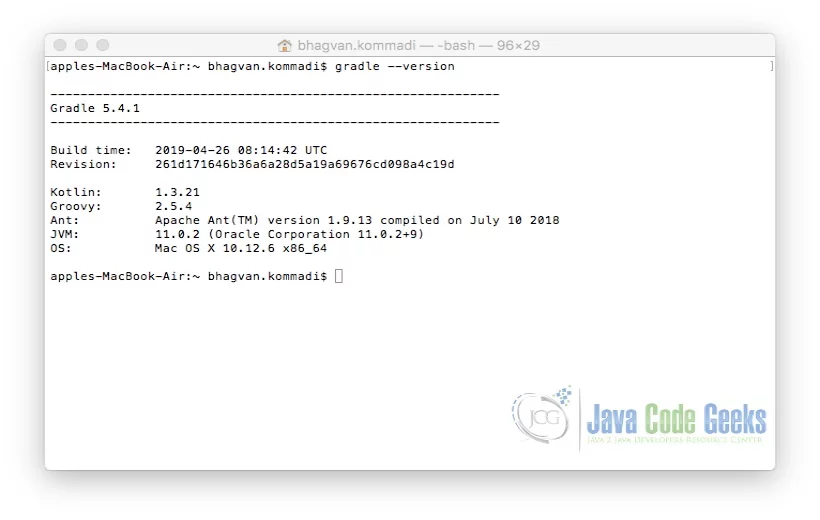
You can check the version of the gradle by using the command gradle –-version. The command for running Gradle is as below:
Gradle Version
gradle --version
The output of the executed Gradle command is shown below.
2.5 Running Grails
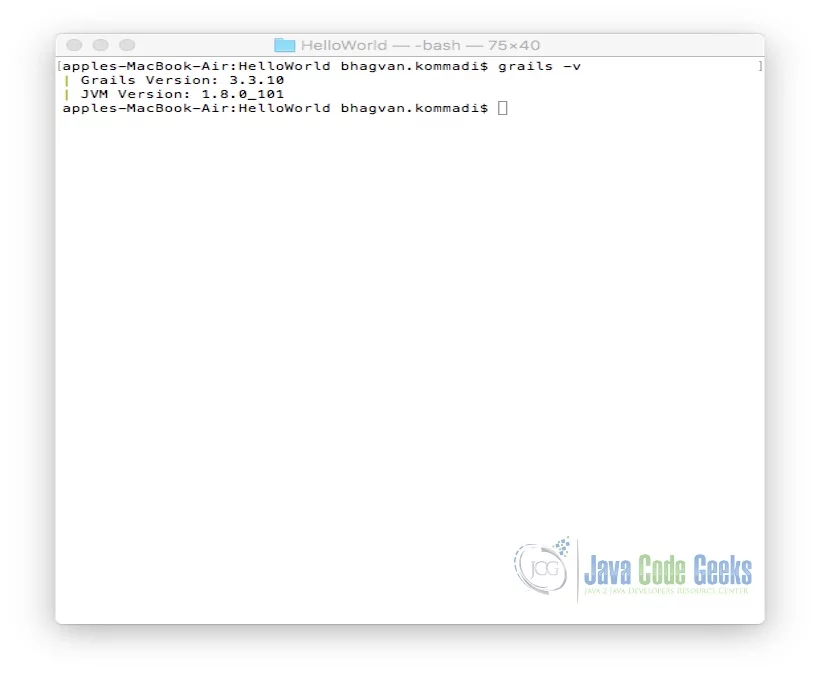
You can check the version of the Grails by using the command “grails –v”. The command for running Grails is as below:
Grails Version
grails -v
The output of the executed Grails command is shown below.
2.6 Hello World in Grails
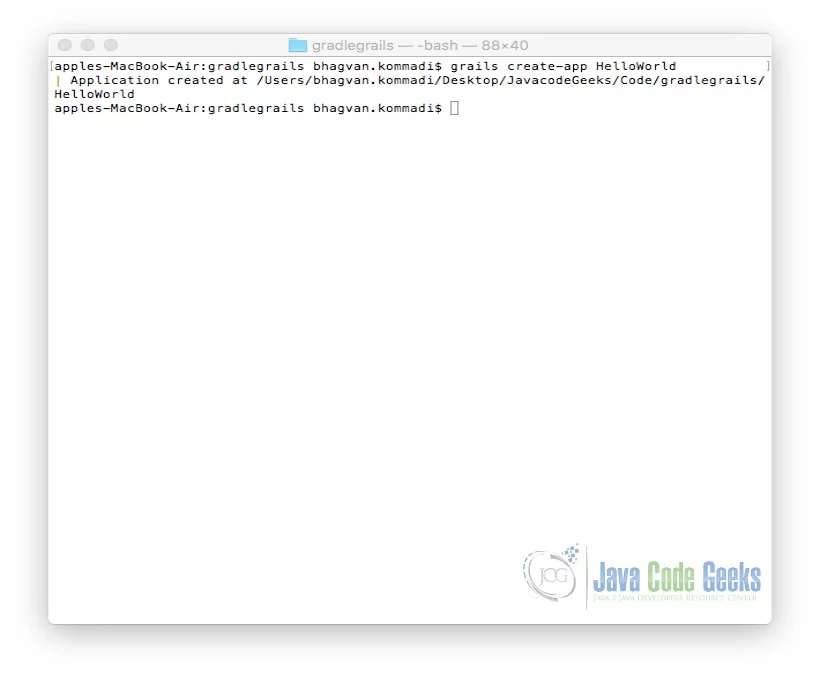
Grails framework is used for full-stack application development. It is an opensource framework. It cuts down the challenges in creating web applications using Java. You can create a Grails application by using the command below:
Hello World
grails create-app HelloWorld
The output of the executed Grails command is shown below.
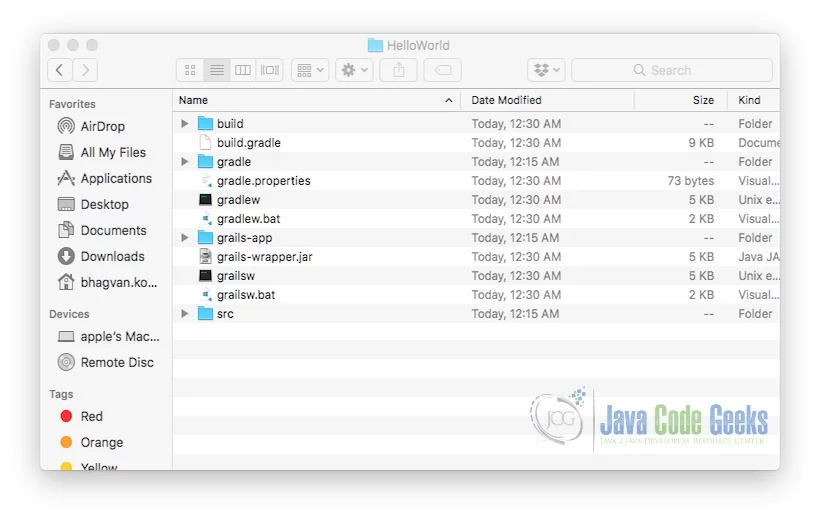
“CreateApp” command creates the HelloWorld folder. The folder contains the Gradle build based project for Grails. Folder structure is shown below:
Controllers are generated by using commands such as create-controller or generate-controller. You can create a controller by using the command below inside the HelloWorld folder:
Create Controller
grails create-controller Hello
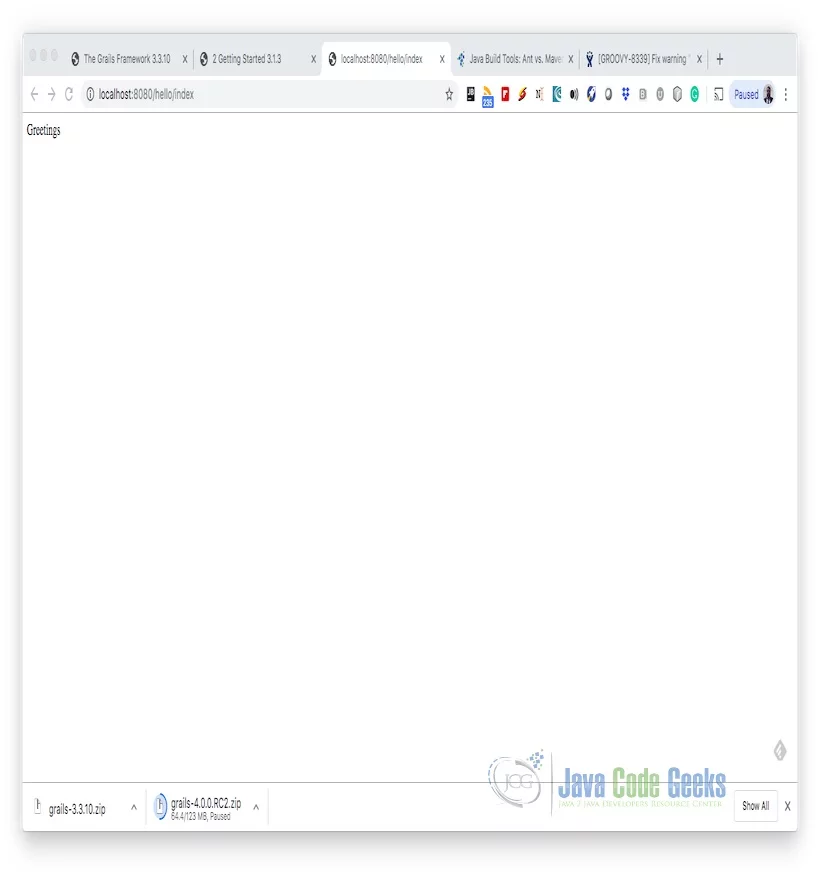
A controller has action methods which are public. These methods map to a URI of a page. You can add the code to show “Greetings” inside the generated controller code. The code implementation of the HelloController Class is shown below:
Hello Controller
package helloworld

class HelloController {

    def index() {

        render "Greetings"

    }
}
You can run the Grails app in grails console using the command below:
Run App
run-app
The snap shot of the grails console is shown below:
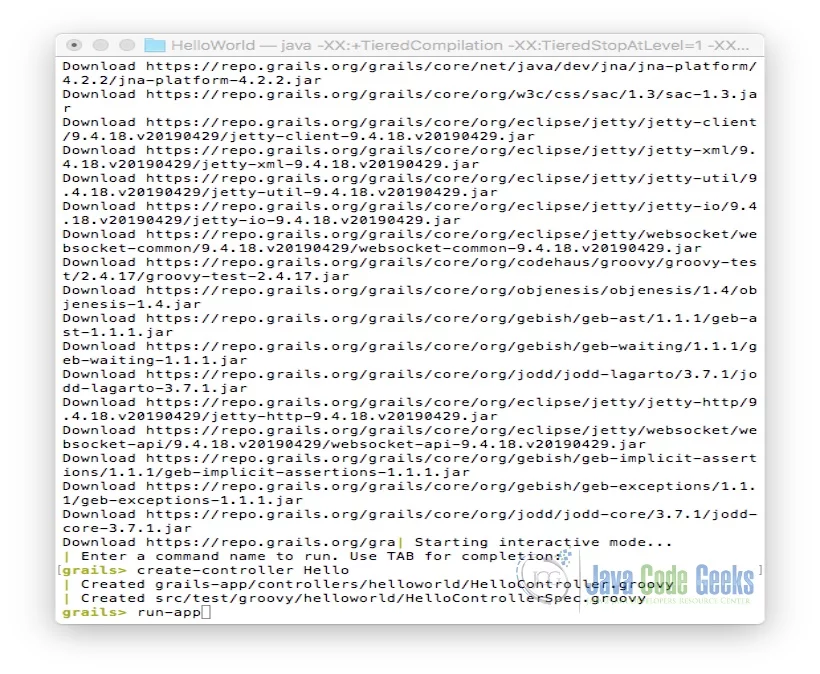
You can access the Grails app in the browser from this URL: http://localhost:8080/ . The page rendered is shown below:
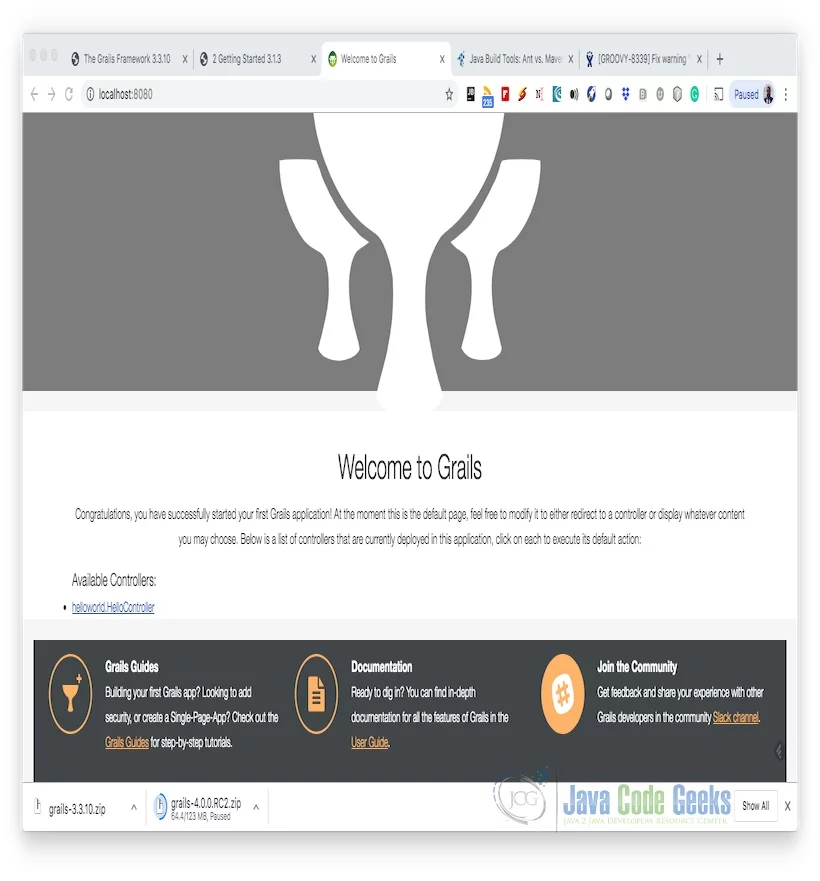
You can select the Hello Controller and click on the link. The following page shows up:
2.7 Testing Grails Application
Grails Framework has features for automated testing. Unit testing and functional testing can be done using the framework. You can modify the HelloWorld/src/test/groovy/helloworld/HelloControllerSpec.Groovy to test the index method. The code implemented for HelloControllerSpec is shown below:
Unit Test
package helloworld

import grails.testing.web.controllers.ControllerUnitTest
import spock.lang.Specification

class HelloControllerSpec extends Specification implements ControllerUnitTest {

    def setup() {
    }

    def cleanup() {
    }

    void "test something"() {

        when:
        controller.index()

        then:
        response.text == 'Greetings'

    }
}
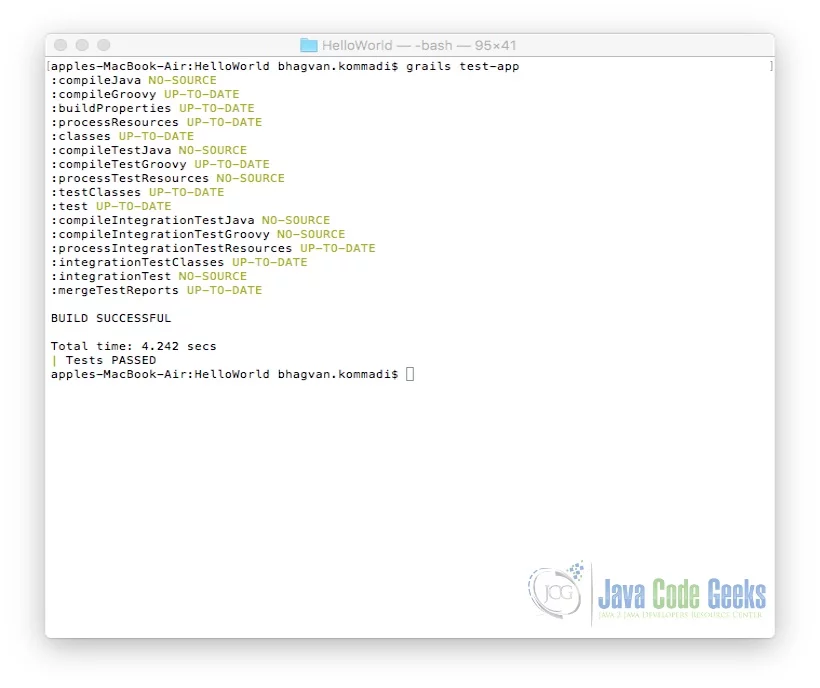
You can run test the Grails app using the command below:
Test Grails App
grails test-app
The output of the executed grails command is shown below.
2.8 Grails IDE Integration
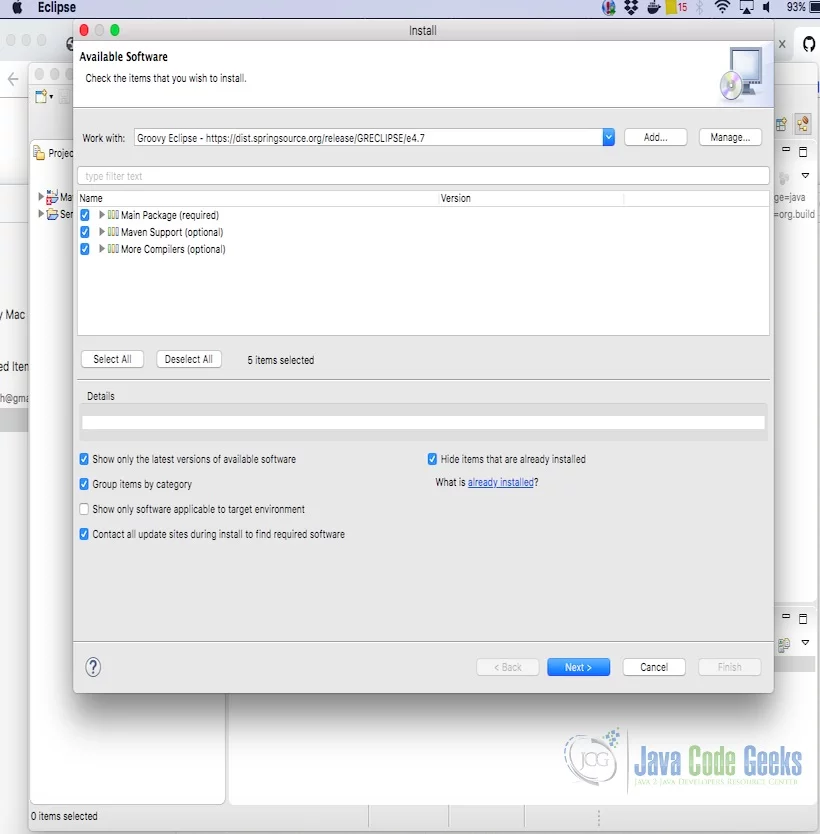
You can configure the Groovy Eclipse plugin from the distribution site. The screen shot below shows the configuration of Groovy Eclipse plugin from Help-> Install-> New Software.
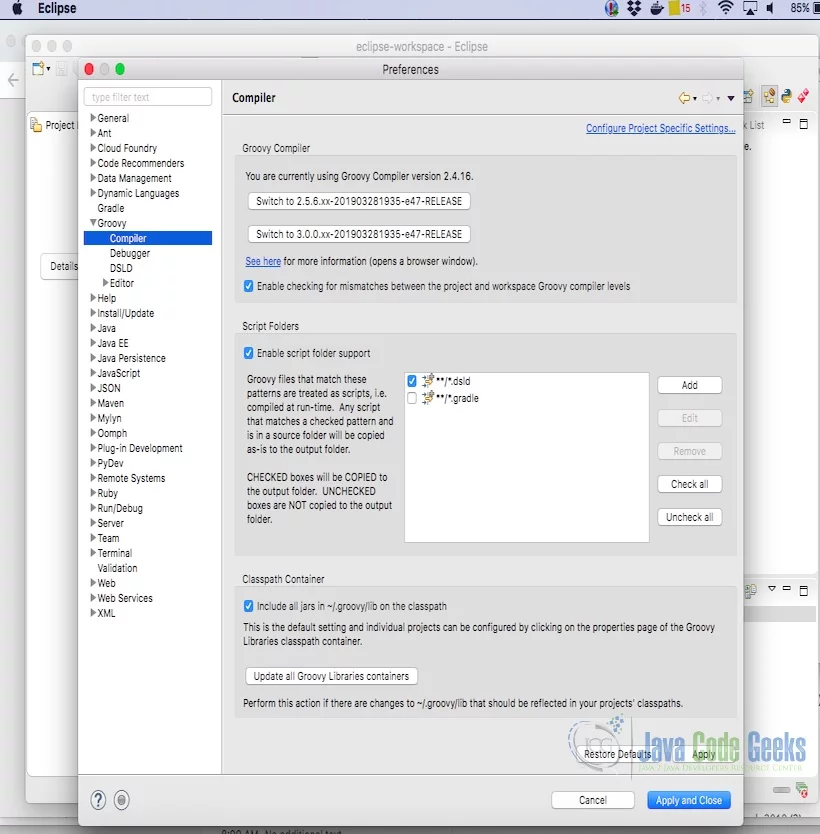
The groovy version is set from Eclipse’s Preferences -> Groovy ->Compiler. The setting of the groovy version 2.4.16 is shown below:
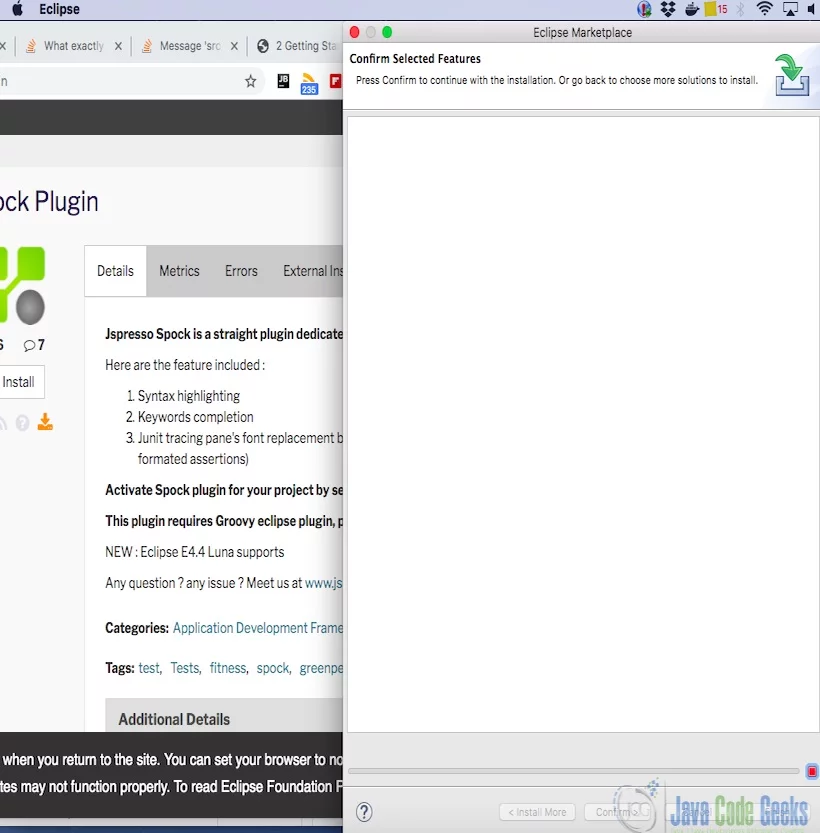
Spock plugin can be installed with eclipse from this site. The screenshot shows the spock plugin installation.
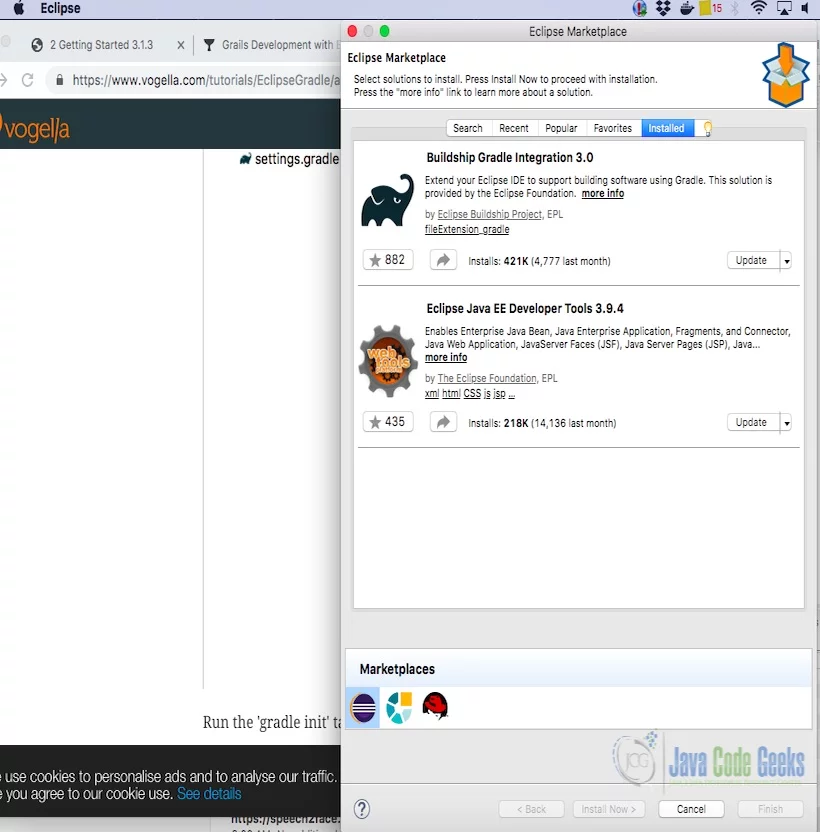
You need to install SpringSource Tool Suite Grails Support(STS) from the distribution site. You need to also ensure that Buildship gradle Integration plugin is installed. The snapshot below shows the installed gradle version.
2.9 Building with Gradle
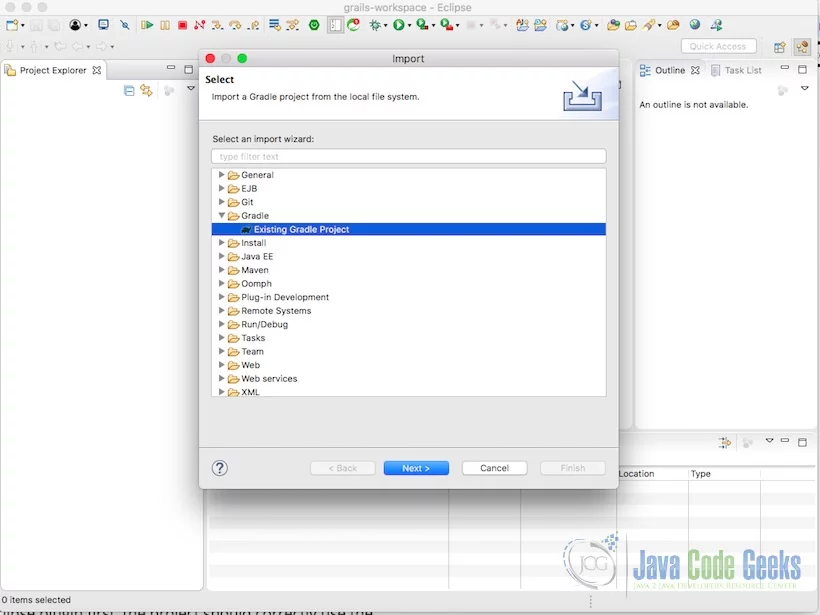
You can import the project HelloWorld which was a Gradle project created in section 2.6. The snapshot below shows the import wizard from the Eclipse menu File-> Import.
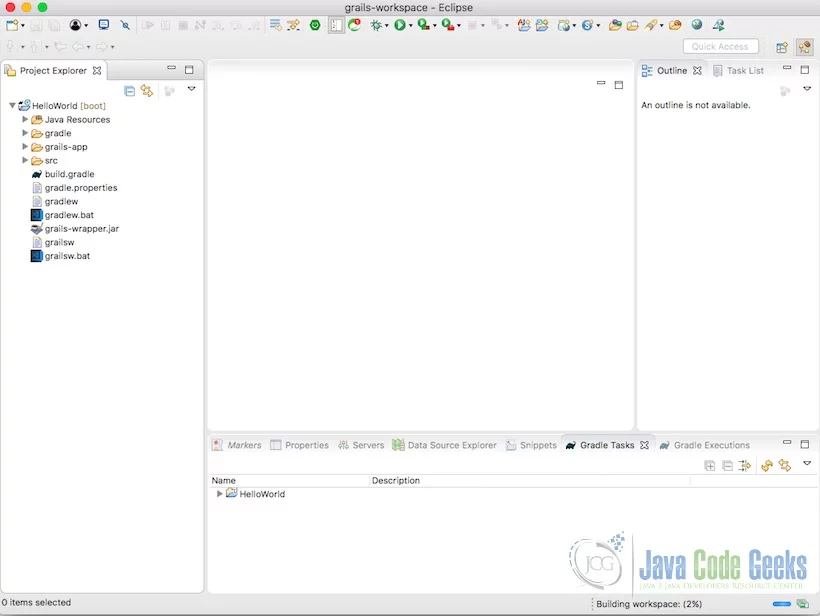
After the import, Gradle Grails project can be viewed in the eclipse. The screen shot below shows the imported project.
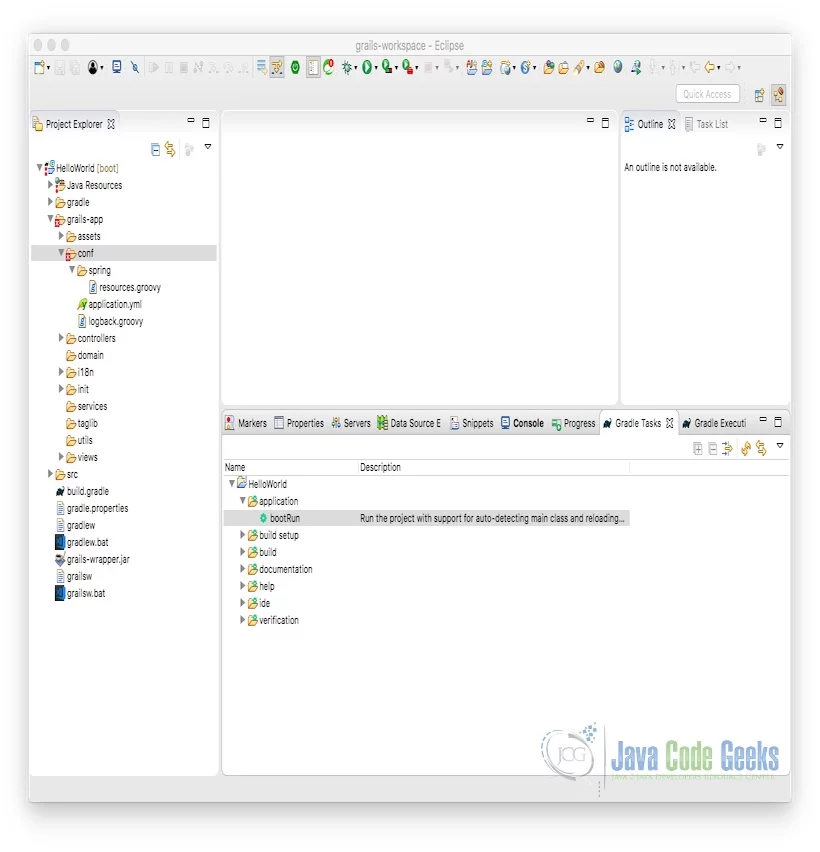
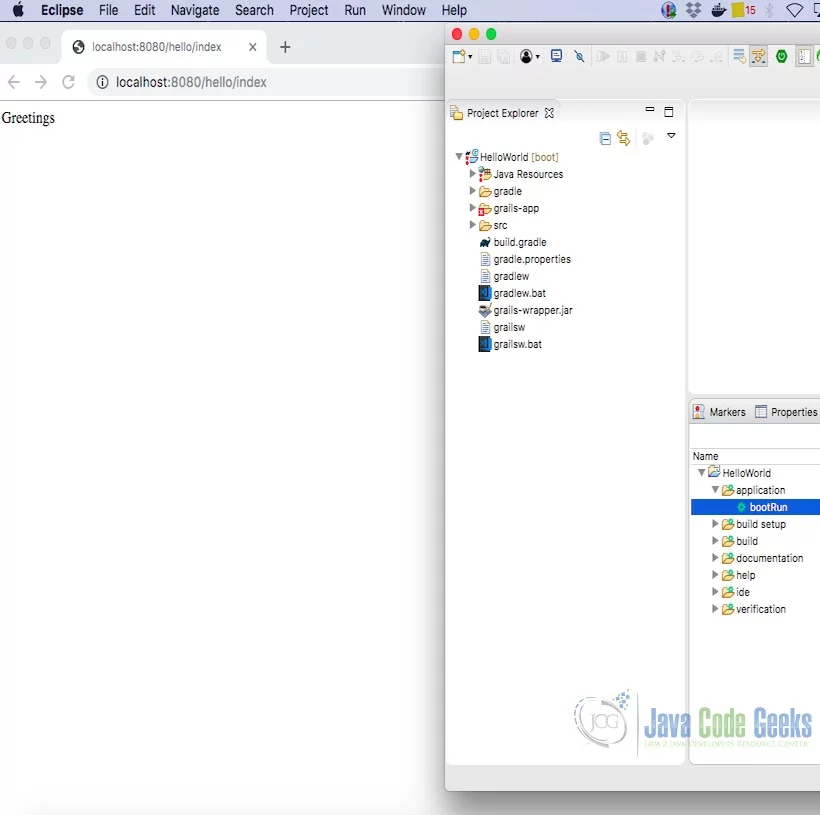
From the Gradle tasks view, You can see all the gradle tasks. To execute the grails app, click on bootRun. The screenshot below shows the gradle tasks view.
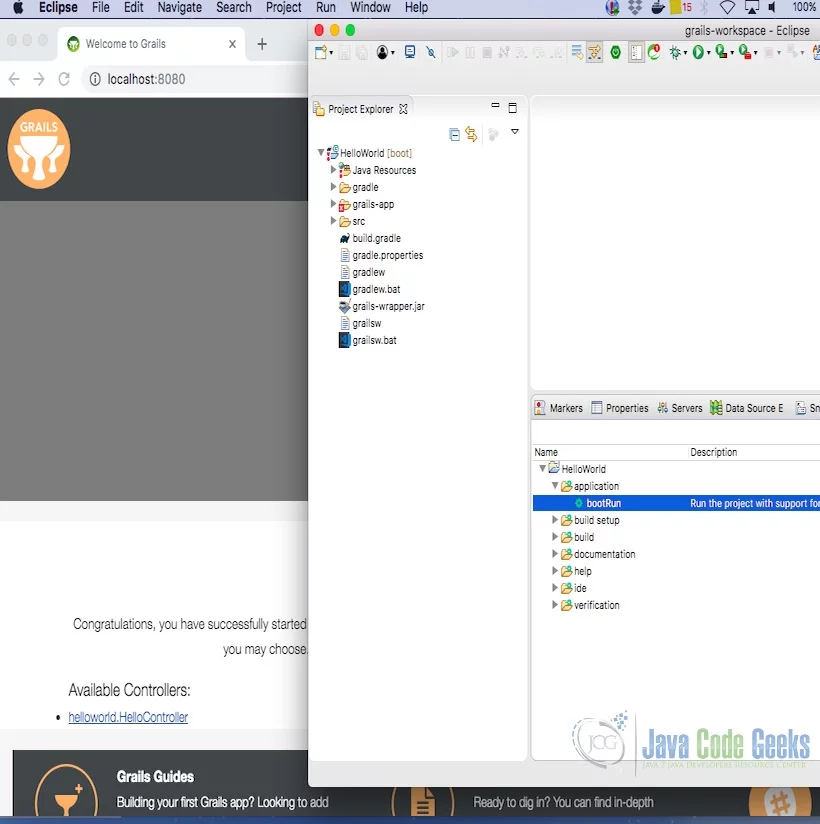
The grails app can be accessed at http://localhost:8080 when the gradle runs the Grails app on eclipse. The snapshot of the Grails app and Gradle task execution is shown below.
The HelloController can be accessed and the page renders to show the “Greetings” message. The rendered page is shown below:
2.10 Deploying a Grails App
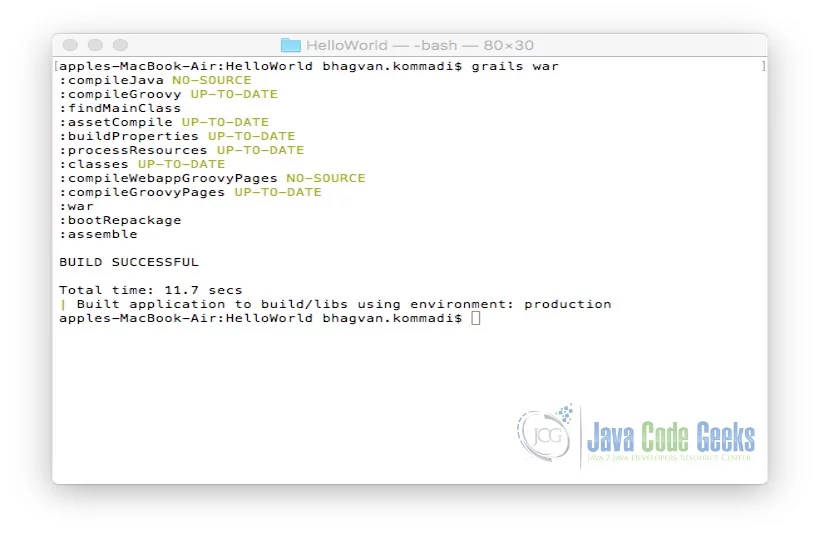
War file is deployed on the typical servlet containers such as Tomcat, Jetty, etc. war command is used for generating a war file. You can deploy a Grails app on to a container which supports Java Servlet 3.0 specification. The command to create a war file is shown below:
Deploying Grails App
grails war
The output of the executed grails command is shown below.
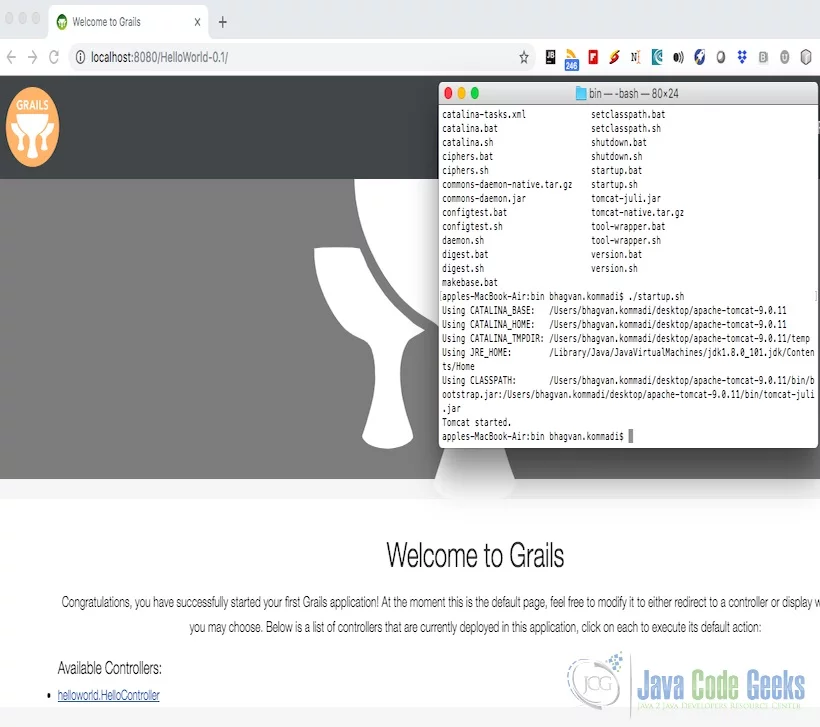
The war file from build/libs can be deployed on apache tomcat. The startup script of the tomcat is executed. The screen shot shows the execution of the script and the browser rendering the page at http://localhost:8080.
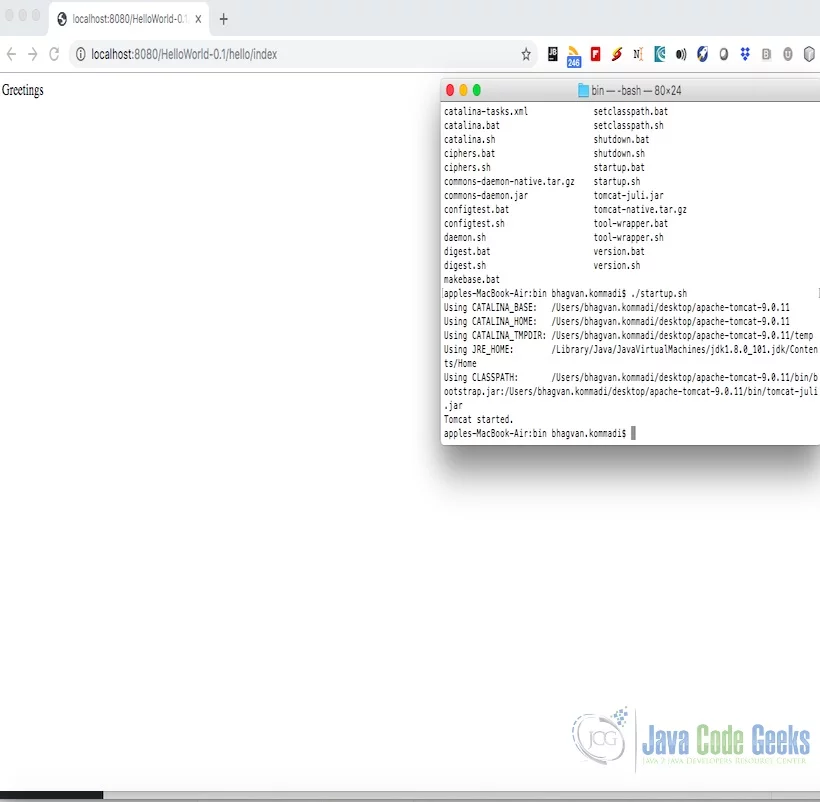
The controller page is accessed by clicking on the link. The page renders as shown below in the screen shot.
2.11 Grails Spring Security
2.11.1 Role Based Security
This section talks about the configuration and extension of spring security plugin for Grails apps. The configuration can be maintained in conf/application.yml. It can also be maintained in conf/application.groovy. application.yml can have the application-specific values and the defualt values can be in the DefaultSecurityConfig.groovy. The application-specific values are overridden with defaults and the settings are merged with the default configuration. The application.yml used is shown below:
application.yml
---
grails:
    profile: web
    codegen:
        defaultPackage: com.app.security
    spring:
        transactionManagement:
            proxies: false
    gorm:
        reactor:
            # Whether to translate GORM events into Reactor events
            # Disabled by default for performance reasons
            events: false
info:
    app:
        name: '@info.app.name@'
        version: '@info.app.version@'
        grailsVersion: '@info.app.grailsVersion@'
spring:
    main:
        banner-mode: "off"
    groovy:
        template:
            check-template-location: false

# Spring Actuator Endpoints are Disabled by Default
endpoints:
    enabled: false
    jmx:
        enabled: true

---
grails:
    mime:
        disable:
            accept:
                header:
                    userAgents:
                        - Gecko
                        - WebKit
                        - Presto
                        - Trident
        types:
            all: '*/*'
            atom: application/atom+xml
            css: text/css
            csv: text/csv
            form: application/x-www-form-urlencoded
            html:
              - text/html
              - application/xhtml+xml
            js: text/javascript
            json:
              - application/json
              - text/json
            multipartForm: multipart/form-data
            pdf: application/pdf
            rss: application/rss+xml
            text: text/plain
            hal:
              - application/hal+json
              - application/hal+xml
            xml:
              - text/xml
              - application/xml
    urlmapping:
        cache:
            maxsize: 1000
    controllers:
        defaultScope: singleton
    converters:
        encoding: UTF-8
    views:
        default:
            codec: html
        gsp:
            encoding: UTF-8
            htmlcodec: xml
            codecs:
                expression: html
                scriptlets: html
                taglib: none
                staticparts: none
endpoints:
    jmx:
        unique-names: true

---
hibernate:
    cache:
        queries: false
        use_second_level_cache: false
        use_query_cache: false
dataSource:
    pooled: true
    jmxExport: true
    driverClassName: org.h2.Driver
    username: sa
    password: ''

environments:
    development:
        dataSource:
            dbCreate: create-drop
            url: jdbc:h2:mem:devDb;MVCC=TRUE;LOCK_TIMEOUT=10000;DB_CLOSE_ON_EXIT=FALSE
    test:
        dataSource:
            dbCreate: create-drop
            url: jdbc:h2:mem:testDb;MVCC=TRUE;LOCK_TIMEOUT=10000;DB_CLOSE_ON_EXIT=FALSE
    production:
        dataSource:
            dbCreate: none
            url: jdbc:h2:./prodDb;MVCC=TRUE;LOCK_TIMEOUT=10000;DB_CLOSE_ON_EXIT=FALSE
            properties:
                jmxEnabled: true
                initialSize: 5
                maxActive: 50
                minIdle: 5
                maxIdle: 25
                maxWait: 10000
                maxAge: 600000
                timeBetweenEvictionRunsMillis: 5000
                minEvictableIdleTimeMillis: 60000
                validationQuery: SELECT 1
                validationQueryTimeout: 3
                validationInterval: 15000
                testOnBorrow: true
                testWhileIdle: true
                testOnReturn: false
                jdbcInterceptors: ConnectionState
                defaultTransactionIsolation: 2 # TRANSACTION_READ_COMMITTED
---
grails:
    plugin:
        springsecurity:
            apf:
                storeLastUsername: true
            useSwitchUserFilter: true
            switchUser:
                targetUrl: /secure/
            adh:
                errorPage: null # to trigger a 403
            userLookup:
                userDomainClassName: org.app.security.auth.LoginUser
                authorityJoinClassName: org.app.security.auth.LoginUserRole
            authority:
                className: org.app.security.auth.LoginRole
            controllerAnnotations:
                staticRules:
                    -
                        pattern: /
                        access:
                            - permitAll
                    -
                        pattern: /dbconsole/*
                        access:
                            - permitAll
                    -
                        pattern: /error
                        access:
                            - permitAll
                    -
                        pattern: /index
                        access:
                            - permitAll
                    -
                        pattern: /index.gsp
                        access:
                            - permitAll
                    -
                        pattern: /shutdown
                        access:
                            - permitAll
                    -
                        pattern: /assets/**
                        access:
                            - permitAll
                    -
                        pattern: /**/js/**
                        access:
                            - permitAll
                    -
                        pattern: /**/css/**
                        access:
                            - permitAll
                    -
                        pattern: /**/images/**
                        access:
                            - permitAll
                    -
                        pattern: /**/favicon.ico
                        access:
                            - permitAll
                    -
                        pattern: /login/impersonate
                        access:
                            - ROLE_SUPERVISOR
resources.groovy is configured for LoginPasswordEncoderListener . Sample resources.groovy is shown below.
resources.groovy
import com.app.security.auth.LoginPasswordEncoderListener

beans = {
    userPasswordEncoderListener(LoginPasswordEncoderListener)
}
Authentication can be done in Grails using spring security. The authentication object checks if the present user can execute a secured action. The action can be URL access, domain object securing, method level security and etc., The authentication can be pluggable using spring security. There exists an overlap between login authentication and user representation. LoginUserDataService will have an implementation of the method of findLoginUserUsername with parameter username. LoginUserDataService class code is shown below.
LoginUserService.groovy
package com.app.security.auth

import grails.gorm.services.Service
import groovy.transform.CompileStatic
import com.app.security.LoginUser

@CompileStatic
@Service(LoginUser)
interface LoginUserDataService {

    LoginUser save(String username, String password, boolean enabled)

    List findLoginUserUsername()
}
LoginUser class has properties username, password and enabled. Authorities property is implemented as a method named getAuthorities. Sample code is shown below:
LoginUser
package com.app.security

import groovy.transform.EqualsAndHashCode
import groovy.transform.ToString
import grails.compiler.GrailsCompileStatic

@GrailsCompileStatic
@EqualsAndHashCode(includes='username')
@ToString(includes='username', includeNames=true, includePackage=false)
class LoginUser implements Serializable {
	private static final long serialVersionUID = 1

	String username
	String password
	boolean enabled = true
	boolean accountExpired
	boolean accountLocked
	boolean passwordExpired

	Set getAuthorities() {
		(LoginUserRole.findAllByUser(this) as List)*.role as Set
	}

	static constraints = {
		password blank: false, password: true
		username blank: false, unique: true
	}

	static mapping = {
		password column: '`password`'
	}
}
Authority class helps in presenting the user roles in the web app. URL are restricted to the users by assigning access rights. Users can have multiple roles with different access rights in the application. Default user role is a virtual role named ROLE_NO_ROLES. Typically this role does not have any secure resources for this role. A LoginRole class code sample is shown below.
LoginRole.groovy
package com.app.security


import groovy.transform.EqualsAndHashCode
import groovy.transform.ToString
import grails.compiler.GrailsCompileStatic

@GrailsCompileStatic
@EqualsAndHashCode(includes='authority')
@ToString(includes='authority', includeNames=true, includePackage=false)
class LoginRole implements Serializable {

	private static final long serialVersionUID = 1
	String authority

	static constraints = {
		authority blank: false, unique: true
	}

	static mapping = {
		cache true
	}
}
A Role class will have authority, constraints, and mapping. The role names can be configured with names starting with “ROLE_”. Person and Authority have many to many relationship to each other. A LoginUserRole represents the relationship for users having more than one role. The LoginUserRole code is shown as below.
LoginUserRole.groovy
package com.app.security

import grails.gorm.DetachedCriteria
import groovy.transform.ToString

import org.codehaus.groovy.util.HashCodeHelper
import grails.compiler.GrailsCompileStatic

@SuppressWarnings(['FactoryMethodName', 'Instanceof'])
@GrailsCompileStatic
@ToString(cache=true, includeNames=true, includePackage=false)
class LoginUserRole implements Serializable {

	private static final long serialVersionUID = 1

	LoginUser user
	LoginRole role

	@Override
	boolean equals(other) {
		if (other instanceof LoginUserRole) {
			other.userId == user?.id && other.roleId == role?.id
		}
	}

	@Override
	int hashCode() {
		int hashCode = HashCodeHelper.initHash()
		if (user) {
			hashCode = HashCodeHelper.updateHash(hashCode, user.id)
		}
		if (role) {
			hashCode = HashCodeHelper.updateHash(hashCode, role.id)
		}
		hashCode
	}

	static LoginUserRole get(long userId, long roleId) {
		criteriaFor(userId, roleId).get()
	}

	static boolean exists(long userId, long roleId) {
		criteriaFor(userId, roleId).count()
	}

	private static DetachedCriteria criteriaFor(long userId, long roleId) {
		LoginUserRole.where {
			user == LoginUser.load(userId) &&
					role == Role.load(roleId)
		}
	}

	static LoginUserRole create(Login user, LoginRole role, boolean flush = false) {
		def instance = new LoginUserRole(user: user, role: role)
		instance.save(flush: flush)
		instance
	}

	static boolean remove(Login u, LoginRole r) {
		if (u != null && r != null) {
			LoginUserRole.where { user == u && role == r }.deleteAll()
		}
	}

	static int removeAll(Login u) {
		u == null ? 0 : LoginUserRole.where { user == u }.deleteAll() as int
	}

	static int removeAll(LoginRole r) {
		r == null ? 0 : LoginUserRole.where { role == r }.deleteAll() as int
	}

	static constraints = {
		role validator: { LoginRole r, LoginUserRole ur ->
			if (ur.user?.id) {
				LoginUserRole.withNewSession {
					if (LoginUserRole.exists(ur.user.id, r.id)) {
						return ['userRole.exists']
					}
				}
			}
		}
	}

	static mapping = {
		id composite: ['user', 'role']
		version false
	}
}
The command below executes the above code snippets:
Grails Run App
grails run-app
The output of the executed command is shown below.

The screen shot below shows the execution of the sample code and the browser rendering the page at http://localhost:8080.

2.11.2 Security Group
A security group can consist of multiple users. The access rights can be assigned to a group. The application will have multiple groups of users having different levels of access.
2.11.3 Hierarchical Roles
Roles can be hierarchical to minimize the clutter in application request mappings. The configuration options for the hierarchical roles can be role Hierarchy and roleHierarchy entry class name. Sample hierarchy can be as shown below:
Role Hierarchy
grails.plugin.springsecurity.roleHierarchy = '''
   ROLE_SUPER_ADMIN > ROLE_FINANCE_ADMIN
   ROLE_FINANCE_ADMIN > ROLE_OPERATIONS_ADMIN
   ROLE_OPERATIONS_ADMIN > ROLE_ADMIN
'''
3. Download the Source Code
You can download the full source code of this example here: Grails Spring Security Tutorial





Please solve this issue
https://github.com/grails/grails-core/issues/11646?fbclid=IwAR2FibE4ztX7qPBheWoBAhILkNkeRKB_E9Iu3L-3e9rR6Po5_gZWouiEz8Q