1. Introduction
This is an in-depth article related to Spring Security Architecture. Spring Framework is used for developing stand-alone and production-ready applications. Spring Framework features are Spring MVC, JPA, Spring Boot, Micro Containers, and Messaging. It is an open-source software framework. Developers use it for creating web applications and services using the Java technology stack. In the spring framework, security is implemented in web applications using filters and method annotations.
2. Spring Security Architecture
Servlet filters are used internally in the Spring security framework. Spring security is used by UI and the application backends based on HTTP. Authorization rules can be implemented as rules in the spring framework for different methods. Spring security has features related to authentication and authorization. Authentication is about who are you. Authorization is about what are you permitted to do.

2.1 Prerequisites
Java 7 or 8 is required on the linux, windows or mac operating system. Maven 3.6.1 is required for building the spring application.
2.2 Download
You can download Java 8 can be downloaded from the Oracle web site . Apache Maven 3.6.1 can be downloaded from Apache site. Spring framework latest releases are available from the spring website.
2.3 Setup
You can set the environment variables for JAVA_HOME and PATH. They can be set as shown below:
Setup
JAVA_HOME="/desktop/jdk1.8.0_73"
export JAVA_HOME
PATH=$JAVA_HOME/bin:$PATH
export PATH
The environment variables for maven are set as below:
Maven Environment
JAVA_HOME=”/jboss/jdk1.8.0_73″
export M2_HOME=/users/bhagvan.kommadi/Desktop/apache-maven-3.6.1
export M2=$M2_HOME/bin
export PATH=$M2:$PATH
2.4 Authentication and Access Control
2.4.1 Authentication
In spring framework, authentication is implemented using AuthenticationManager. Authentication is verifying user credentials. AuthenticationManager has a method authenticate which needs to be implemented. authenticate method checks if the input is a valid user principal. If it is not a valid principal, AuthenticationException is thrown. If it is a valid principal, it returns the Authentication. ProviderManager implements this interface. AuthenticationManager interface is shown below.
AuthenticationManager
public interface AuthenticationManager {

  Authentication authenticate(Authentication authentication)
    throws AuthenticationException;
}
When the AuthenticationException is thrown, the web page will send 401 response to the user. AuthenticationProvider is the other interface implemented by the ProviderManager. AuthenticationProvider has another method to check if authentication type is supported.
AuthenticationProvider
public interface AuthenticationProvider {

	Authentication authenticate(Authentication authentication)
			throws AuthenticationException;

	boolean supports(Class authentication);
}
ProviderManager can handle different authentication methods using the AuthenticationProvider chain. Logical resource groups in an application can be protected using an AuthenticationManager. Groups can be created by using a path pattern like /api/**. Authentication details can be provided using AuthenticationManagerBuilder for JDBC and LDAP access. Spring Security has configuration helpers to support different authentication methods.
2.4.2 Access Control
Access control is about providing authorization to a user for resource access. The resources can be databases, data sources, files, content, and others. Authentication is the first step before Access control is provided. AccessDecisionManager is the important interface. The implementations of the interface delegate to AccessDecisionVoter classes.
AccesDecisionManager
public interface AccessDecisionManager {
boolean supports(ConfigAttribute attribute);

boolean supports(Class clazz);

int vote(Authentication authentication, S object,
        Collection attributes);

}
AccessDecisionVoter uses Authentication and ConfigAttributes based secure Object. ConfigAttributes are based on generic implementation using secure Object with metadata. Metadata is related to permission levels of access. ConfigAttribute is an interface with a single method and supports multiple formats for user roles such as ROLE_ADMIN, ROLE_AUDIT, and others. AccessDecisionManager is the default that uses AffirmativeBased. The default is the popular method for access control.
2.5 Web Security
Servlet filters are used in the Spring Security framework for web application security. Servlet filters help in filtering operations based on filter pattern. Spring Security framework has FilterChainProxy Interface for providing web security. Spring Boot app has security filter support as @Bean annotation in Application Context. This filter is the default for all the requests. The filter is installed at SecurityProperties.DEFAULT_FILTER_ORDER. When the request comes to the web application, the web container picks the right servlet filter based on the request path URI. Filter chain can be applied for a request. In the chain, a filter can veto the rest of the filters in the chain. A filter can change the request and response. The filter orders in the chain can be implemented using @Order annotation or using FilterRegistrationBean. FilterRegistrationBean has REQUEST_WRAPPER_FILTER_MAX_ORDER.
2.6 Method Security
Method level security can be provided in the spring security framework. Method level security is using access rules for invoking Java methods. Enabling method level security is by allowing top-level or module level configuration. Method level invoking happens through a security check first. If the security check does not pass, AccessDenied Exception is thrown.
MethodLevelExample
@Service public class MethodLevelExample {
 @Secured("ROLE_USER") public String secureMethod()
 { return "method level check done";
 }
}
Access control example is shown below where ConfigAttribute strings are used at the top level of the app.
AccessControl
@SpringBootApplication
@EnableGlobalMethodSecurity(securedEnabled = true)
public class ExampleSecureApplication {
}
The method resources can be controlled access at the method level using ConfigAttribute.
AccessControlService
@Service
public class AccessControlService {

  @Secured("ROLE_USER")
  public String secureMethod() {
    return "method level ";
  }

}
If the method access is denied, AccessDeniedException is thrown. @PreAuthorize and @PostAuthorize annotations can be used to apply security constraints using expressions.
2.7 How to download and install Spring framework
Spring framework’s latest releases are available from the spring website. You can select the framework based on your operating system. After downloading the zip file can be extracted to a folder. The libraries in the libs folder are set in the CLASSPATH variable.
2.8 Building the Application
2.8.1 Spring
You can start building Spring applications using Spring Boot. Spring Boot has minimal configuration of Spring. Spring Boot has simplified security, tracing, application health management and runtime support for webservers. Spring configuration is done through maven pom.xml. The xml configuration is shown as below:
Spring Configuration
<?xml version="1.0" encoding="UTF-8"?>
<project xmlns="http://maven.apache.org/POM/4.0.0" xmlns:xsi="http://www.w3.org/2001/XMLSchema-instance"
    xsi:schemaLocation="http://maven.apache.org/POM/4.0.0 https://maven.apache.org/xsd/maven-4.0.0.xsd">
    <modelVersion>4.0.0</modelVersion>

    <groupId>org.springframework</groupId>
    <artifactId>spring-helloworld</artifactId>
    <version>0.1.0</version>

    <parent>
        <groupId>org.springframework.boot</groupId>
        <artifactId>spring-boot-starter-parent</artifactId>
        <version>2.1.4.RELEASE</version>
    </parent>

    <dependencies>
        <dependency>
            <groupId>org.springframework.boot</groupId>
            <artifactId>spring-boot-starter-web</artifactId>
        </dependency>
        <dependency>
            <groupId>org.springframework.boot</groupId>
            <artifactId>spring-boot-starter-test</artifactId>
            <scope>test</scope>
        </dependency>
    </dependencies>

    <properties>
        <java.version>1.8</java.version>
    </properties>


    <build>
        <plugins>
            <plugin>
                <groupId>org.springframework.boot</groupId>
                <artifactId>spring-boot-maven-plugin</artifactId>
            </plugin>
        </plugins>
    </build>

</project>
You can create a HelloWorldController class as the web controller. The class is annotated using @RestController. Rest Controller is used to handle requests in Spring Model View Controller framework. Annotation @RequestMapping is used to annotate the index() method. The code for the HelloWorldController class is shown below:
HelloWorldController
package helloworld;
import org.springframework.web.bind.annotation.RestController;
import org.springframework.web.bind.annotation.RequestMapping;

@RestController
public class HelloWorldController {

    @RequestMapping("/")
    public String index() {
        return "Hello World\n";
    }

}
HelloWorldApp is created as the Spring Boot web application. When the application starts, beans, and settings are wired up dynamically. They are applied to the application context. The code for HelloWorldApp class is shown below:HelloWorldApp
Run Command
package helloworld;
import java.util.Arrays;

import org.springframework.boot.SpringApplication;
import org.springframework.boot.autoconfigure.SpringBootApplication;
import org.springframework.context.ApplicationContext;

@SpringBootApplication
public class HelloWorldApp {

    public static void main(String[] args) {
        ApplicationContext ctx = SpringApplication.run(HelloWorldApp.class, args);

        System.out.println("Inspecting the beans");

        String[] beans = ctx.getBeanDefinitionNames();
        Arrays.sort(beans);
        for (String name : beans) {
            System.out.println("Bean Name" +name);
        }
    }

}
Maven is used for building the application. The command below builds the application.
Maven Build Command
mvn package
The output of the executed command is shown below.
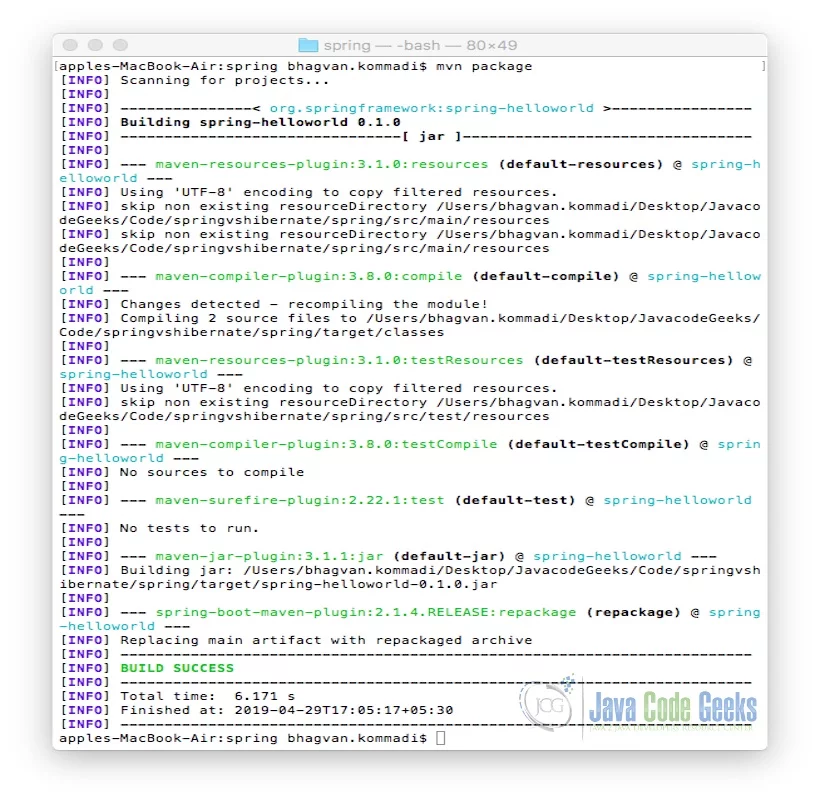
The jar file spring-helloworld-0.1.0.jar is created. The following command is used for executing the jar file.
Java Command
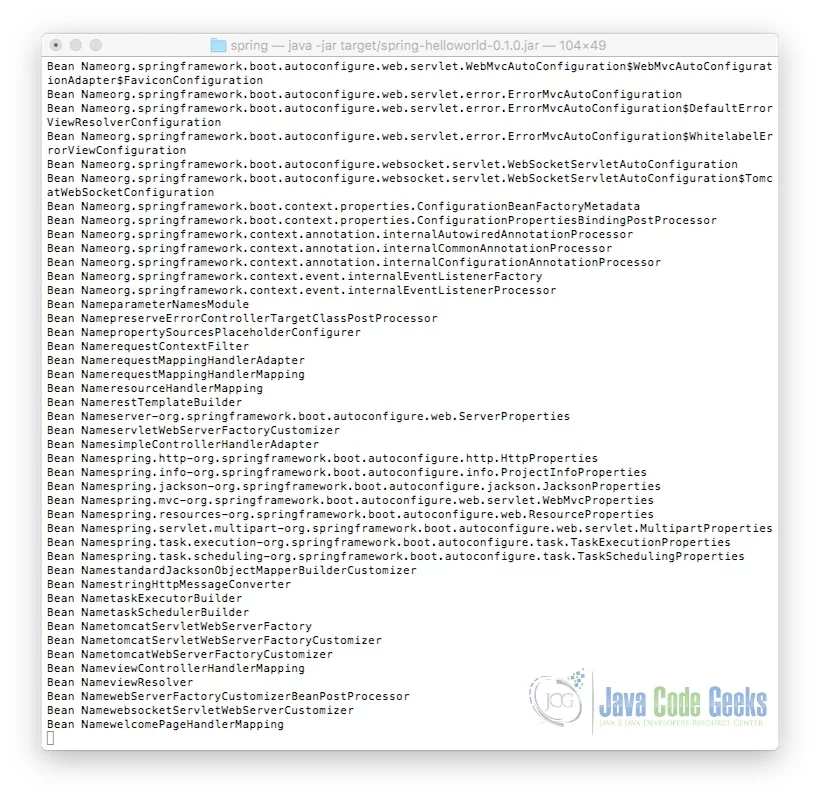
java -jar target/spring-helloworld-0.1.0.jar
The output of the Java command is shown as below:
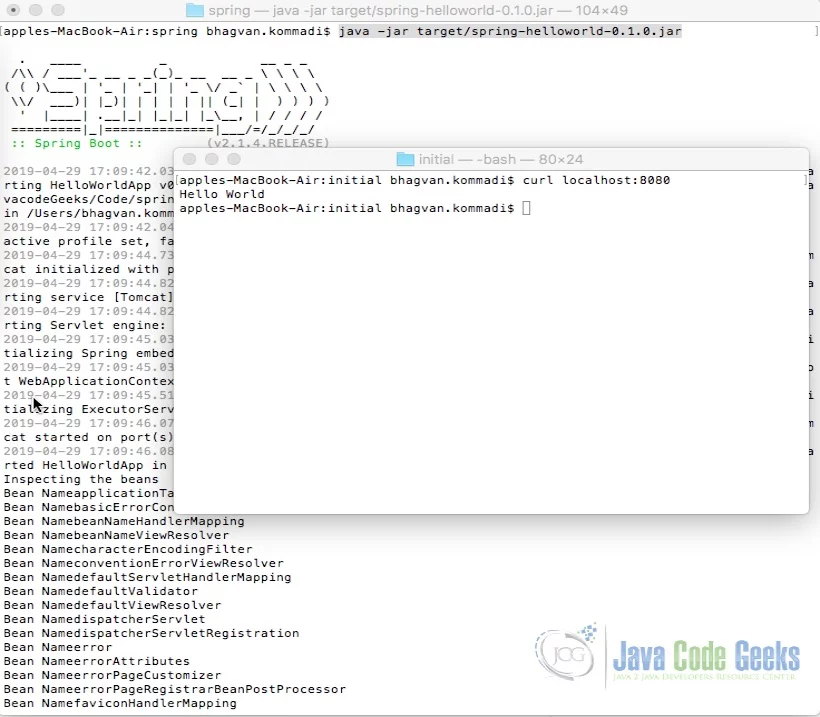
Curl command is invoked on the command line for the execution of index method. The method returns a String “Hello World” text. @RestController aggregates the two annotations @Controller and @ResponseBody. This results in returning data. The ouput is shown as below.
2.9 Unit Tests
2.9.1 Spring
In Spring, MockMvc is used to send HTTP requests to the DispatcherServlet. The assertions are made based on the result obtained from the servlet. @AutoConfigureMockMvc annotation is used with @SpringBootTest to inject a MockMvc instance. The implementation of the Spring Unit Test is shown as below:
HelloWorldControllerTest
package helloworld;

import static org.hamcrest.Matchers.equalTo;
import static org.springframework.test.web.servlet.result.MockMvcResultMatchers.content;
import static org.springframework.test.web.servlet.result.MockMvcResultMatchers.status;

import org.junit.Test;
import org.junit.runner.RunWith;
import org.springframework.beans.factory.annotation.Autowired;
import org.springframework.boot.test.autoconfigure.web.servlet.AutoConfigureMockMvc;
import org.springframework.boot.test.context.SpringBootTest;
import org.springframework.http.MediaType;
import org.springframework.test.context.junit4.SpringRunner;
import org.springframework.test.web.servlet.MockMvc;
import org.springframework.test.web.servlet.request.MockMvcRequestBuilders;

@RunWith(SpringRunner.class)
@SpringBootTest
@AutoConfigureMockMvc
public class HelloWorldControllerTest {

    @Autowired
    private MockMvc mvc;

    @Test
    public void getMessage() throws Exception {
        mvc.perform(MockMvcRequestBuilders.get("/").accept(MediaType.APPLICATION_JSON))
                .andExpect(status().isOk())
                .andExpect(content().string(equalTo("Hello World\n")));
    }
}
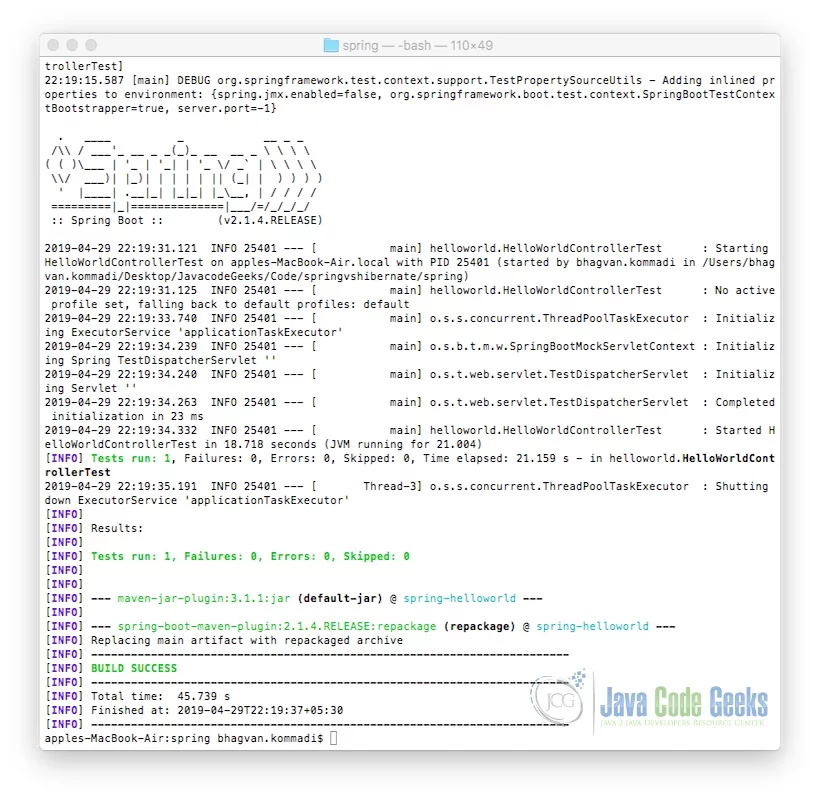
Maven command is used to run the unit test. The command is as below :Maven Build Command
Maven Build Command
mvn package
The output of the executed command is shown below.
2.10 Threads
In the spring framework, SecurityContextHolder has ThreadLocal variables to persist the principal information. SecurityContext has user authentication and authorization details for app access. ThreadLocal class has the variables local to a thread. These variables cannot be shared between the threads in the environment which is multithreaded. Each thread has the SecurityContextSecurityContextHolder has the information till the completion of the request processing. After the request is processed, security information is deleted. SecurityContextHolder can be used in three modes which are MODE_THREADLOCAL, MODE_GLOBAL, and MODE_INHERITABLETHREADLOCALMODE_THREADLOCAL which is used in web apps where every request thread has the SecurityContext. MODE_GLOBALSecurityContextAuthentication instance is also the same across the app. MODE_INHERITABLETHREADLOCALSecurityContext instance. SecurityContextHolderSecurityContext interface. SecurityContext has the Authentication object which has the UserDetails .
3. Download the Source Code
You can download the full source code of this example here: Security Architecture with Spring