

توضیحات
قدرت تحلیلهای حریم خصوصیمحور را با Burst Statistics باز کنید!
آمار وردپرس خود میزبان و دوستدار حریم خصوصی با Burst Statistics! داشبوردهای ما بینشهای واضح و مختصری ارائه میدهند که به شما امکان میدهد بدون احساس غرق شدن در دادههای فراوان، تصمیمات آگاهانه بگیرید. Burst Statistics را برای تجزیه و تحلیل یکپارچه و قابل اعتماد که توسط بیش از 300,000 کاربر اعتماد شده است، انتخاب کنید.
This plugin is free and does not require an account.
ویژگیهای کلیدی برای بینشهای قدرتمند
- Privacy-Friendly: All data is stored on your own server.
- Essential Metrics: Get the core data you need, like Pageviews, Visitors, Sessions, Time on Page, and Referrers.
- Real-Time Data: Get instant insights directly on your dashboard.
- Track Your Goals: Easily track your custom goals and keep track of conversions.
- Free Support: Feel free to reach out to us for assistance. We would be happy to help in any way we can.
- Simplicity: User-friendly analytics that does not overwhelm you with data.
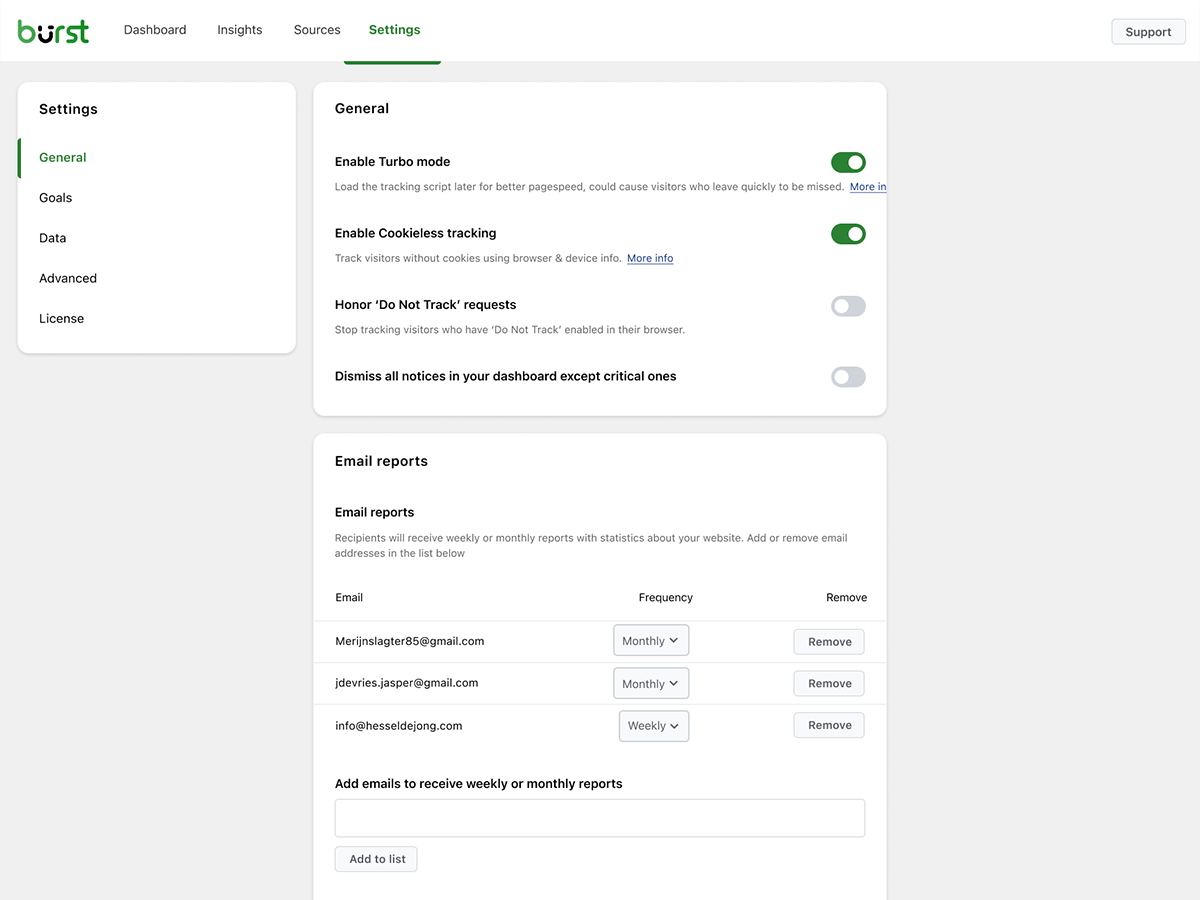
- Email Reporting: Receive regular email reports on your website’s stats.
در اینجا یک بررسی از یکی از کاربران ما آمده است:
«تجزیه و تحلیل در محل یک جایگزین عالی، اگر نگوییم بهترین، برای Google Analytics در عصر GDPR است. علاوه بر این، از آنجا که به صورت بومی در وردپرس است، پیکربندی اهداف و غیره بسیار آسان است. این فوقالعاده است.»
– دان از Daan.dev (@daanvandenbergh)
از سازندگان UpdraftPlus، WP Optimize و All In One Security
آمار Burst توسط توسعهدهندگان با تجربهای ایجاد شده است که همچنین افزونههای زیر را ساختهاند:
* UpdraftPlus: افزونه پشتیبانگیری و مهاجرت وردپرس
* امنیت همهجانبه (AIOS) – امنیت و فایروال
* WP-Optimize – کش، فشردهسازی تصاویر، کوچکسازی و پاکسازی پایگاه داده برای افزایش سرعت و عملکرد صفحه
با سابقهای اثباتشده در ارائه راهحلهای برتر و کاربرپسند، میتوانید اطمینان داشته باشید که آمار Burst نیز از همان استانداردهای بالا برخوردار است.
جامعه ما خود گویای همه چیز است: با بیش از ۳,۰۰۰,۰۰۰ بار دانلود و ۳۰۰,۰۰۰ کاربر فعال، Burst Statistics یک انتخاب مطمئن برای نیازهای تحلیلی شماست.
آمار Burst را بهتر کنید!
Our team is always working on improving our plugin, and your input as a user can significantly help us in this process. You don’t require any coding or software development knowledge to contribute; simply sharing your ideas or any issues you encounter would help to improve the plugin significantly. Please feel free to contact us via a support request on the WordPress forums; we welcome any feedback you may have.
با Burst Pro بینش بیشتری کسب کنید
Unlock comprehensive insights into your website’s user behavior with Burst Pro. Benefit from advanced features designed to improve performance, boost engagement, and drive conversions. Elevate your data analysis experience by upgrading to Burst Pro today.
ویژگیهای Burst Pro شامل:
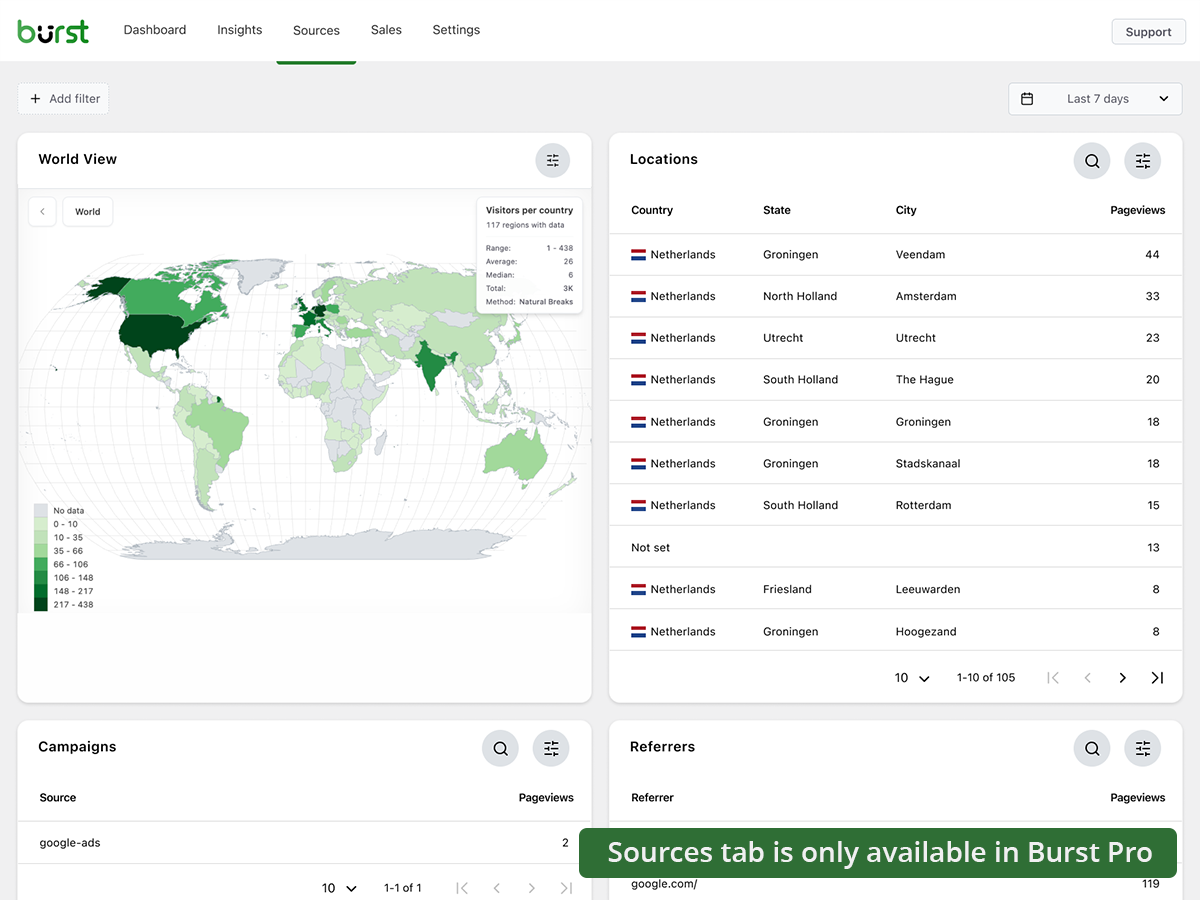
- Geo-Tracking: Identify the countries your visitors are coming from.
- Data Archiving: Automatic archiving and manual restore options.
- Multiple Goals: Track multiple objectives to measure your site’s success.
- شاخصهای بیشتر: اطلاعات بیشتری درباره عملکرد وبسایت خود دریافت کنید.
- Premium Support: Premium Support from our fantastic team.
- ردیابی پارامترهای URL: اثربخشی پارامترهای URL خود را نظارت کنید.
- ردیابی کمپین UTM: عملکرد کمپینهای بازاریابی خود را دنبال کنید.
For upcoming features, please visit our roadmap on our website.
نصب
- در داشبورد وردپرس خود به “افزونه ها” بروید و روی “افزودن جدید” کلیک کنید.
- روی «آپلود» کلیک کنید و فایل زیپ دانلود شده را انتخاب کنید.
- افزونه جدید خود را فعال کنید.
- از تور ما برای آشنایی با آمار انفجار استفاده کنید.
عکسهای صفحه
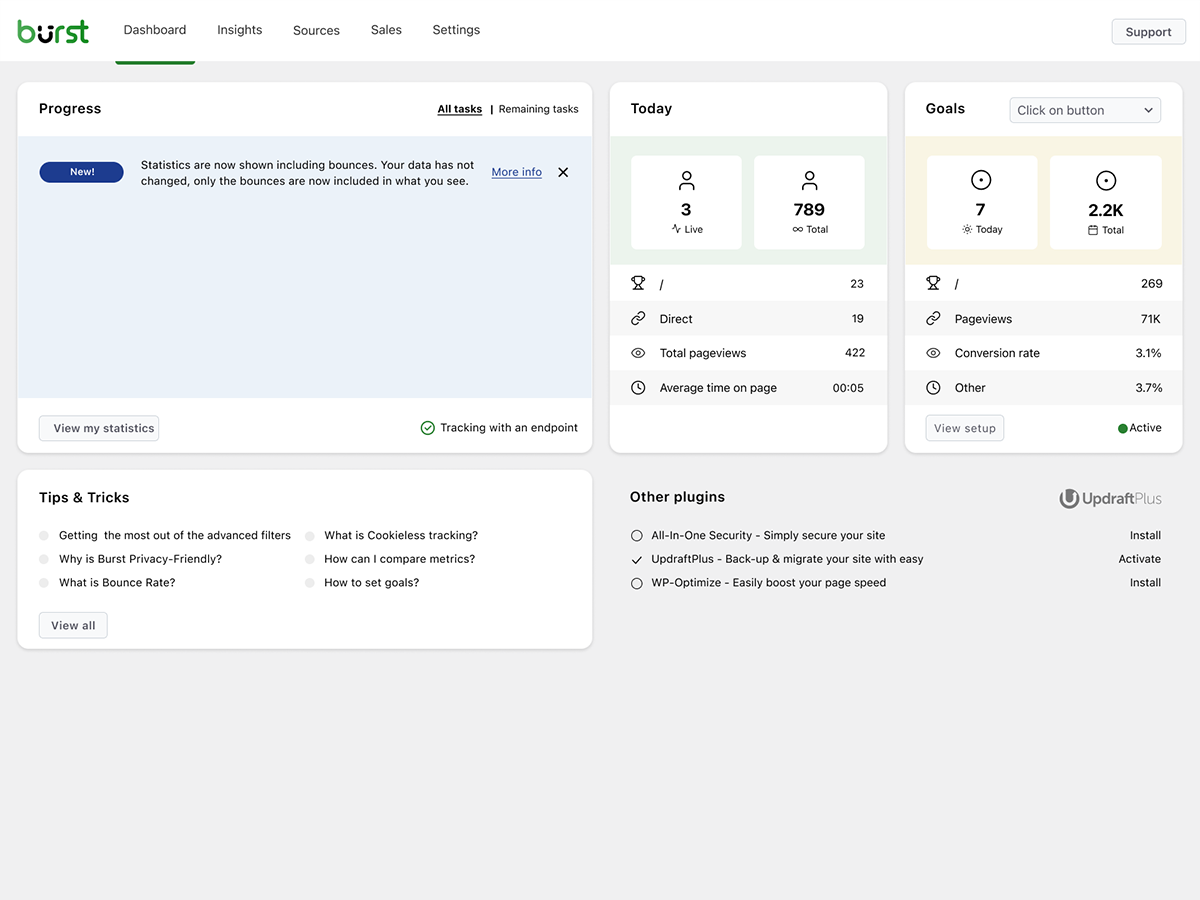
آمار انفجار: داشبورد تجزیه و تحلیل 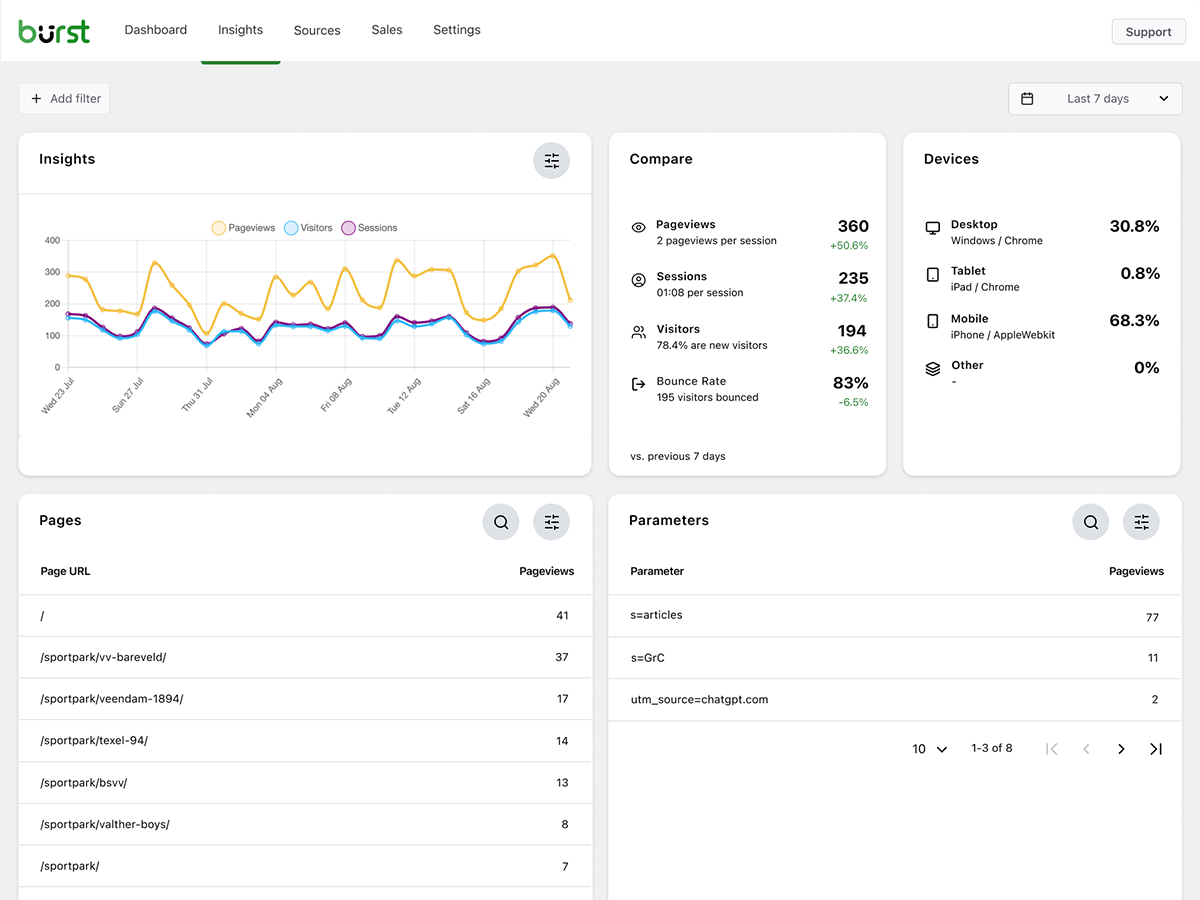


بلوکها
این افزونه 1 بلوک ارائه میدهد.
- Pageviews Counter
سوالات متداول
-
پایگاه دانش
-
ما یک پایگاه دانش درباره آمار Burst و تحلیلها و حریم خصوصی به طور کلی را حفظ و گسترش خواهیم داد.
-
دادهها کجا ذخیره میشوند؟
-
دادهها در پایگاه داده وردپرس خودتان ذخیره میشوند. برخلاف راهحلهای ابری، ما به دادههای شما دسترسی نداریم. هدف ما این است که دادهها را تا حد ممکن کوچک نگه داریم و Burst میتواند بهطور خودکار دادههای قدیمی را بایگانی یا حذف کند. بیشتر بخوانید درباره آیا به بایگانی دادهها نیاز دارید.
-
آیا به یک حساب کاربری نیاز دارم؟
-
خیر، شما نیازی به حساب کاربری ندارید؛ هیچ دادهای به وبسایت دیگری ارسال نمیشود.
-
آیا محدودیتی برای تعداد بازدیدکنندگانی که میتوانم ردیابی کنم وجود دارد؟
-
خیر، هیچ محدودیتی وجود ندارد. تنها عامل محدود کننده، پایگاه داده و سرور خود شماست.
-
آیا میتوانم آدرسهای IP یا نقشهای کاربری را از ردیابی مستثنی کنم؟
-
آمار Burst به شما اجازه میدهد تا آدرسهای IP خاص و نقشهای کاربری را از ردیابی در تنظیمات مستثنی کنید. Burst همچنین بیشتر خزندهها و رباتهای شناخته شده را از ردیابی مستثنی میکند. بیشتر بخوانید درباره مسدود کردن IP یا مستثنی کردن نقشهای کاربری.
-
اگر ترجیح میدهید، گزینهای برای استفاده از ردیابی بدون کوکی وجود دارد. اما به طور پیشفرض، Burst از کوکیها استفاده میکند زیرا دقیقتر و سبکتر هستند. در حالی که از کوکیها استفاده میشود، Burst همچنان حریم خصوصی را رعایت میکند زیرا تمام دادهها ناشناس هستند و بر روی سرور شما ذخیره میشوند. بیشتر بخوانید درباره چرا کوکیها به اشتباه درک میشوند.
-
چرا آمار Burst حریم خصوصیپسند است؟
-
آمار Burst یک داشبورد تحلیلی با دادههای ناشناس ارائه میدهد که فقط متعلق به شماست. بیشتر بخوانید درباره چرا آمار Burst حریم خصوصی را رعایت میکند.
-
آمار Burst میتواند بدون تنظیم کوکیها یا ذخیرهسازی دادهها در مرورگرها استفاده شود. با این حال، این میتواند بر دقت تأثیر بگذارد، بنابراین یک گزینه ترکیبی با کوکیها پس از رضایت امکانپذیر است. بیشتر بخوانید درباره ردیابی بدون کوکی.
-
آیا آمار Burst بر عملکرد تأثیر میگذارد؟
-
عملکرد تقریباً تحت تأثیر قرار نمیگیرد. ما Burst را به گونهای ساختهایم که برای کاربران شما بسیار کارآمد باشد زیرا میدانیم که این برای وبسایت شما چقدر مهم است. بیشتر بخوانید درباره حالت توربو
-
Is it possible to install Burst Statistics with composer?
-
Absolutely! Both free and premium plugin can be managed with composer. Read the documentation for more information.
-
آیا میتوانم درباره افزونه بازخورد بدهم؟
-
ما به بازخورد شما ارزش میدهیم. شما میتوانید در انجمنهای وردپرس درخواست پشتیبانی ارسال کنید و ما به سرعت پاسخ خواهیم داد.
نقد و بررسیها


توسعه دهندگان و همکاران
“Burst آمار – تجزیه و تحلیل دوستانه حریم خصوصی برای وردپرس” نرم افزار متن باز است. افراد زیر در این افزونه مشارکت کردهاند.
مشارکت کنندگان


“Burst آمار – تجزیه و تحلیل دوستانه حریم خصوصی برای وردپرس” به 54 زبان ترجمه شده است. با تشکر از مترجمین برای همکاری و کمکهایشان.
ترجمه “Burst آمار – تجزیه و تحلیل دوستانه حریم خصوصی برای وردپرس” به زبان شما.
علاقه مند به توسعه هستید؟
Browse the code, check out the SVN repository, or subscribe to the development log by RSS.
گزارش تغییرات
3.1.4
- December 23rd 2025
- Improvement: styling of datatable blocks and loading states.
- Improvement: referrer query performance improvements.
- Improvement: parameter query performance improvements.
- Improvement: exclude track hit over Rest Api from the Burst Rest Api Optimizer, this way all plugins are loaded during the hit, which is required for hook goals.
- Improvement: added fallback to default method for combine variables and scripts, in case the uploads directory is not writable.
- Improvement: the ‘cron not running’ notice not dismissible anymore, as it is a critical issue.
- Improvement: allow search for formatted data on datatables, e.g. you can now search for ‘United States’ instead of US on the locations datatable.
- Improvement: add parameter filtering.
- Fix: filtering on devices block.
3.1.0.3
- December 1st
- Fix: saving settings changes after saving initial changes required a reload.
- Performance: Performance improvements by offloading resource greedy processes during tracking to cron in batches
- Improvement: User Agent Parser improvements, removing invalid browsers
- Fix: dropdown for advanced filters not filtering the list.
- Fix: undefined tab caused by incomplete removal of sales menu when no WooCommerce or EDD detected.
- Fix: object caching on page counts causing slow update of page counts, props @fveits
3.0.2
- November 25th 2025
- Fix: some notices were incorrectly dismissed during validation.
- Improvement: added automated test for hook goals.
- Improvement: added automated test for archiving restoration.
3.0.0
- November 11th 2025
- Fix: compability with unknown plugin, allowing null value in get_timerange_dropdown() on WooCommerce products overview, props @tegid
- Fix: do not treat www and non www domains as different domains, when detecting multiple domains setup.
- Fix: remove obsolete slash in loading of goals script, which on some setups causes it to get blocked, props @jhndkrvzc
- Fix: top bar count did not show the ‘k’ for thousands, ‘M’ for millions, etc, only showing 1, instead of 1k.
- New: increase minimal required versions for PHP to 8.0, for WordPress to 6.4
2.2.9.3
- Fix: some css styling fixed.
2.2.9.2
- Improvement: css change to ensure Burst icon aligned correctly in menu
- Improvement: remove obsolete log line
- Improvement: remove upgrader_process_complete hook to handle upgrades
- Improvement: removed some obsolete files
2.2.9.1
- Improvement: Date range selection option in pages and posts overview screen options.
- Fix: issue in onboarding wizard data storing.
2.2.9
- Fix: move the code directory from /src to /includes, because otherwise javascript files are not scanned for translations by WordPress
2.2.8
- New: improved library for cookieless tracking.
- New: entry/exit pages filter
- Improvement: added fallback database upgrade mechanism in case the normal upgrade didn’t fire.
- Improvement: dismissal of PHP notice.
2.2.7
- New: Detailed live visitors tab
- Improvement: responsiveness on mobile, restored 1280px breakpoint
- Improvement: suspicious data (over 1000 visits from 1 user) is now only detected and the admin notified, not automatically removed.
- Fix: on multisite with Burst network activated, the endpoint incorrectly did not detect Burst as active, which prevents tracking from occuring.
2.2.6.1
- Fix: remove false positive notice about missing tables.
2.2.6
- Improvement: pass post_id to javascript using a data attribute in the body element, to improve accuracy of the page specific pageviews.
- Improvement: dropped usage of the imprecise post_meta pageviews metric entirely.
- Improvement: made it possible to track hook goals with cookieless tracking.
- Improvement: migrated all remaining css to tailwind css.
- Fix: Group by on parameters overview should group by combination of parameter and value.
2.2.5
- Fix: incorrect calculation of bounces and bounce rate.
- Fix: upgrade link on archiving not working.
2.2.4
- New: debug information in Site Health Info.
- New: wildcard filtering on page URL in advanced filters, by adding an asterisk behind your string.
- Improvement: check in endpoint if Burst is still active, for situations where javascript is still active, due to caching, but plugin not active.
- Improvement: catch incorrect data structure on hit, for situations where previous javascript is still active due to caching.
- Improvement: larger selection of Tips & Tricks retrieved from website, showing a variety of different and more up to date articles.
- Improvement: performance optimizations.
- Fix: when statistics table is empty, the summary table upgrade could fail on an empty value for “first visit”, props @programmin.
- Fix: catch edge case where a theme passes a null value to the “the_content” filter (which is incorrect behaviour). props @sllew.
- Fix: incorrect bounce calculation, resulting in too high bounces and bounce rates.
2.2.3
- Improvement: allow ipv6 addresses
- Improvement: prevent false positives on ajax fallback notice
- Improvement: rest optimizer improvements
2.2.2
- New: Extensive range of filter options to easily track what campaigns are delivering your conversions!
- Improvement: Added CORS support to tracking endpoint to allow cross-origin requests via fetch/sendBeacon. props Alex
- Improvement: automatic cleanup of anomalous numbers of visits, when one visitor results in over 1000 page views in 24 hours (customizable with filters).
- Improvement: remove duplicate non necessary json_encode from endpoint
- Improvement: Add logging option to check error responses on the endpoint or rest api, when BURST_DEBUG and WP_DEBUG are set to true.
- Fix: when the weekly statistics report was sent on another day than the default day, date range calculation could retrieve the wrong range. props Pieter
- Fix: Referrer filter not working. props @lekkerbezig
- Fix: allow for alternative WordPress location, e.g. in subfolder ‘wp’.
2.2.1
- Fix: usage of wrong key prevented upgrade from completing
2.2.0
- New: extended range of shortcodes.
- New: goal element preview to check if the selected element exists on the page.
- Improvement: moved all hooks from constructor to init method.
- Improvement: remove bounce=0 conditions on goal filtering
- Fix: Integrations not loading due to path change in 2.0.
- Fix: First time visits counting duplicates for visitors on cookieless tracking when they came back after a month.
- Fix: multisite redirect to network, but should redirect to main site, props @muttleydosomething
2.1.0
- Fix: type mismatch when browser key is not in the user agent data.
- New: Onboarding wizard for new users.
2.0.9
- Fix: incorrect “best device” conversion rate on the goals block.
- Fix: when running tasks validation, summary warning call caused an error, due to wrong call.
- Improvement: allow null value in admin_enqueue_scripts to prevent Visual Composer causing fatal error.
- Improvement: changed plugin_url value to use site_url instead of get_plugin_url() to prevent mixed content.
2.0.8
- Fix: filtering by referrer not working.
- Fix: Dashboard submenu link only working when the Burst settings page was already loaded.
2.0.7
- Fix: in some cases a php warning could be shown on the endpoint.
- Improvement: drop option for administrators to send an email report by adding a query variable.
- Improvement: improved efficiency of burst_find_wordpress_base_path() function.
2.0.6
- Improvement: optimized database upgrade.
- New: rewritten plugin for even better performance
- New: extended range of automated tests to increase reliability
