

Description
The “Table Block by Tableberg” plugin for WordPress simplifies creating and managing tables within the block editor. It features intuitive sub-blocks, allowing users to add and customize tables easily.
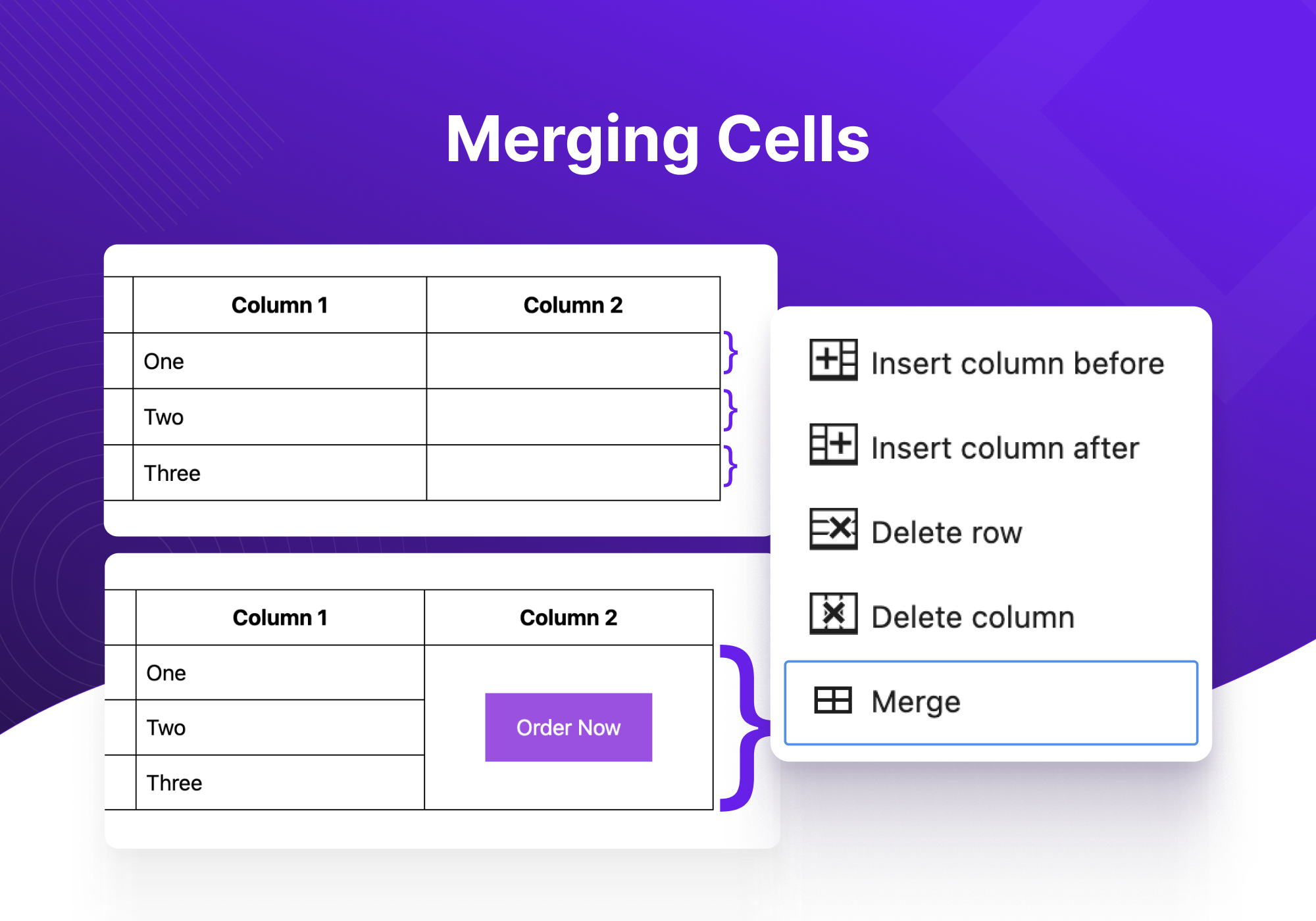
From pricing tables to product tables, you can build any type of tables using Tableberg. The plugin is designed for both novices and experienced users. It offers advanced functionalities like responsive controls, alignment adjustments, and cell merging, ensuring that tables look great on all devices without the need for coding skills.
Il est fourni avec les sous-blocs suivants, faciles à utiliser :
- Paragraphe : permet de saisir du texte simple dans une cellule de tableau.
- Liste : facilite l’ajout de listes organisées pour plus de clarté.
- Bouton : active l’insertion de boutons cliquables pour les appels à l’action.
- Image : prend en charge l’ajout d’images directement dans les cellules du tableau.
- Évaluation par étoiles (Pro) : fournit une option permettant d’inclure des évaluations par étoiles interactives.
- Liste stylisée (Pro) : offre des listes avec des options de style supplémentaires.
- Icône (Pro) : permet d’intégrer des icônes pour représenter visuellement des concepts ou des actions.
- Ruban (Pro) : ajoute des rubans décoratifs pour mettre en valeur des informations particulières.
- HTML personnalisé (Pro) : active l’utilisation du HTML pour des personnalisations complexes.
Voici les principales fonctionnalités de l’extension Tableberg :
- Réglages de l’entête : options permettant de désactiver l’entête, de désigner la ligne supérieure comme entête ou d’insérer un nouvel entête.
- Réglages du pied de page : semblable aux réglages de l’entête, avec des options pour le pied de page comprenant la désactivation, la désignation ou l’insertion.
- Largeur du tableau et alignement : permet d’ajuster la largeur globale du tableau et son alignement sur la page.
- Réglages responsives : garantit que le tableau s’adapte aux différents écrans d’appareils (ordinateur de bureau, tablette, mobile) pour un affichage optimal.
- Personnalisation des couleurs : modifier les couleurs de l’entête, du pied de page, des lignes paires et impaires pour une meilleure hiérarchie visuelle.
- Marges internes et espacement des cellules : personnaliser l’espace à l’intérieur et entre les cellules pour améliorer la lisibilité.
- Options de bordure : définir la taille et la couleur de la bordure du tableau et décider d’inclure ou non des bordures intérieures dans la personnalisation.
- Style de police global : contrôler la couleur de la police, la couleur du lien et la taille de la police pour l’ensemble du tableau.
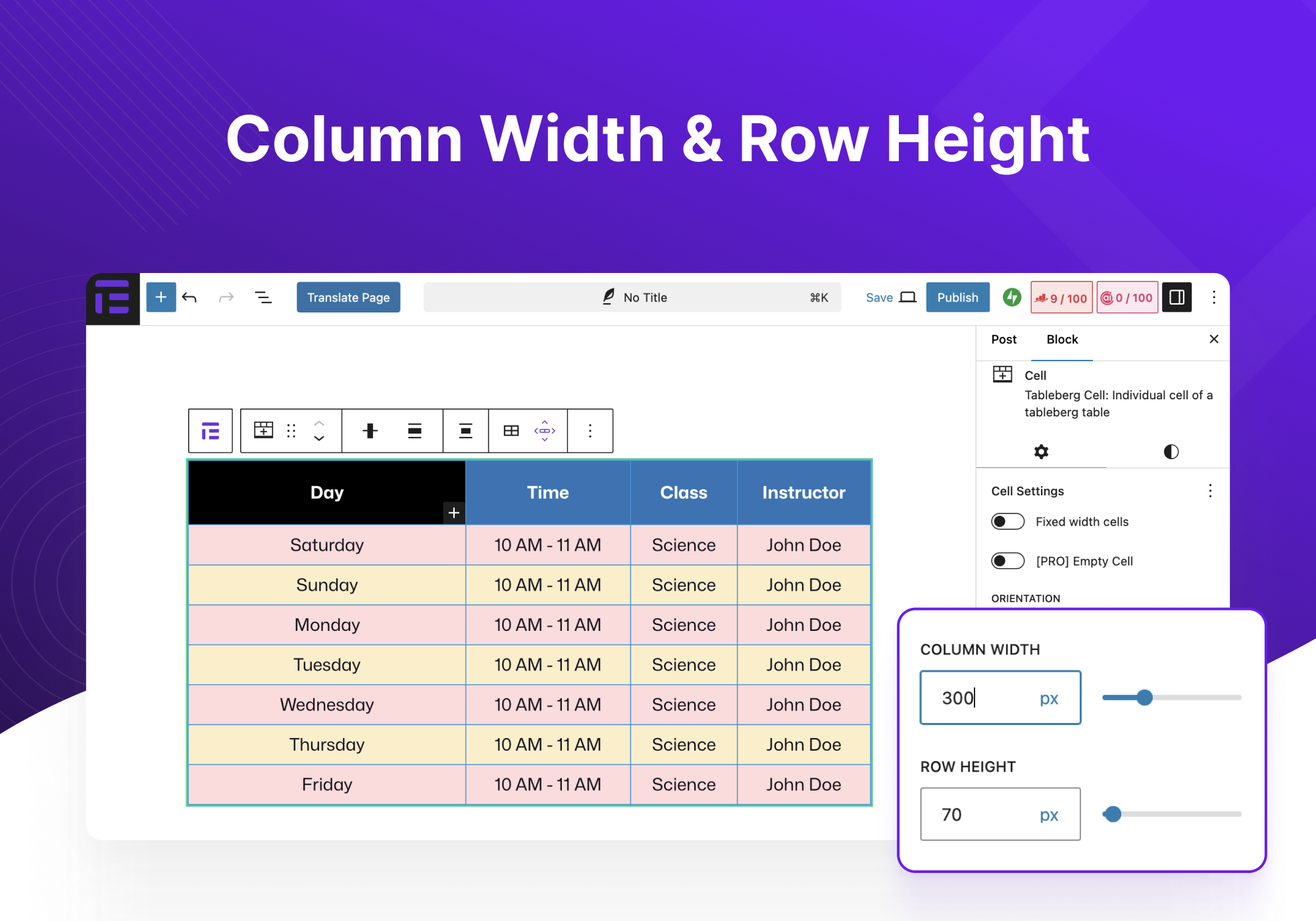
- Largeur des colonnes et hauteur des lignes : Ajuster la taille des colonnes et des lignes en fonction du contenu ou des préférences esthétiques.
- Personnalisations pour chaque bloc : réglages détaillés pour chaque type de bloc inséré dans le tableau.
Voyons maintenant quelques cas d’utilisation de l’extension Tableberg :
- Tableaux de prix : idéaux pour présenter différents niveaux de prix avec des comparaisons claires des fonctionnalités et des coûts.
- Tableaux comparatifs : comparer des produits, des services ou des options côte à côte pour faciliter la prise de décision.
- Tables de produits Amazon : présenter les produits Amazon de manière efficace, en améliorant les efforts de marketing d’affiliation.
- Tableau des avantages et des inconvénients : lister clairement les avantages et les inconvénients d’un article, afin d’aider les lecteurs à faire des choix éclairés.
- Tableau des membres de l’équipe : afficher les informations relatives aux membres de l’équipe, telles que leur rôle, leur biographie et leurs informations de contact, de manière organisée.
- Tableaux de planification : parfaites pour présenter les planifications d’événements, les horaires de cours ou les créneaux de rendez-vous.
- Tableaux de menus de restaurants : lister les éléments du menu avec leur description et leur prix dans un format attrayant et facile à lire.
- Plus : l’adaptabilité de l’extension permet une large gamme d’autres applications adaptées à des besoins spécifiques.
Si vous avez des suggestions ou si vous avez rencontré des problèmes, contactez-nous ici. Vous pouvez également suivre Tableberg sur Twitter.
Captures d’écrans
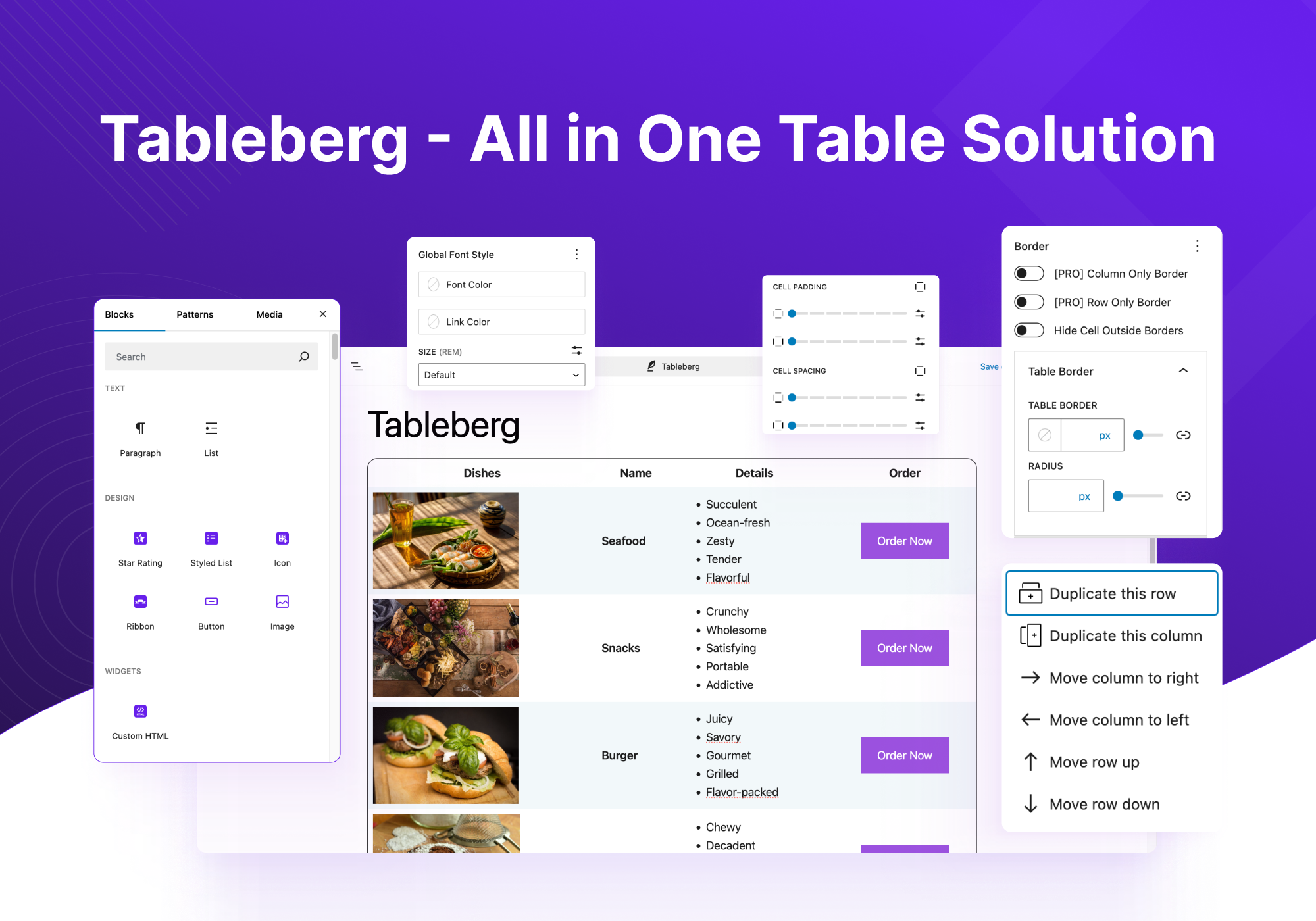
Creating a table with Tableberg 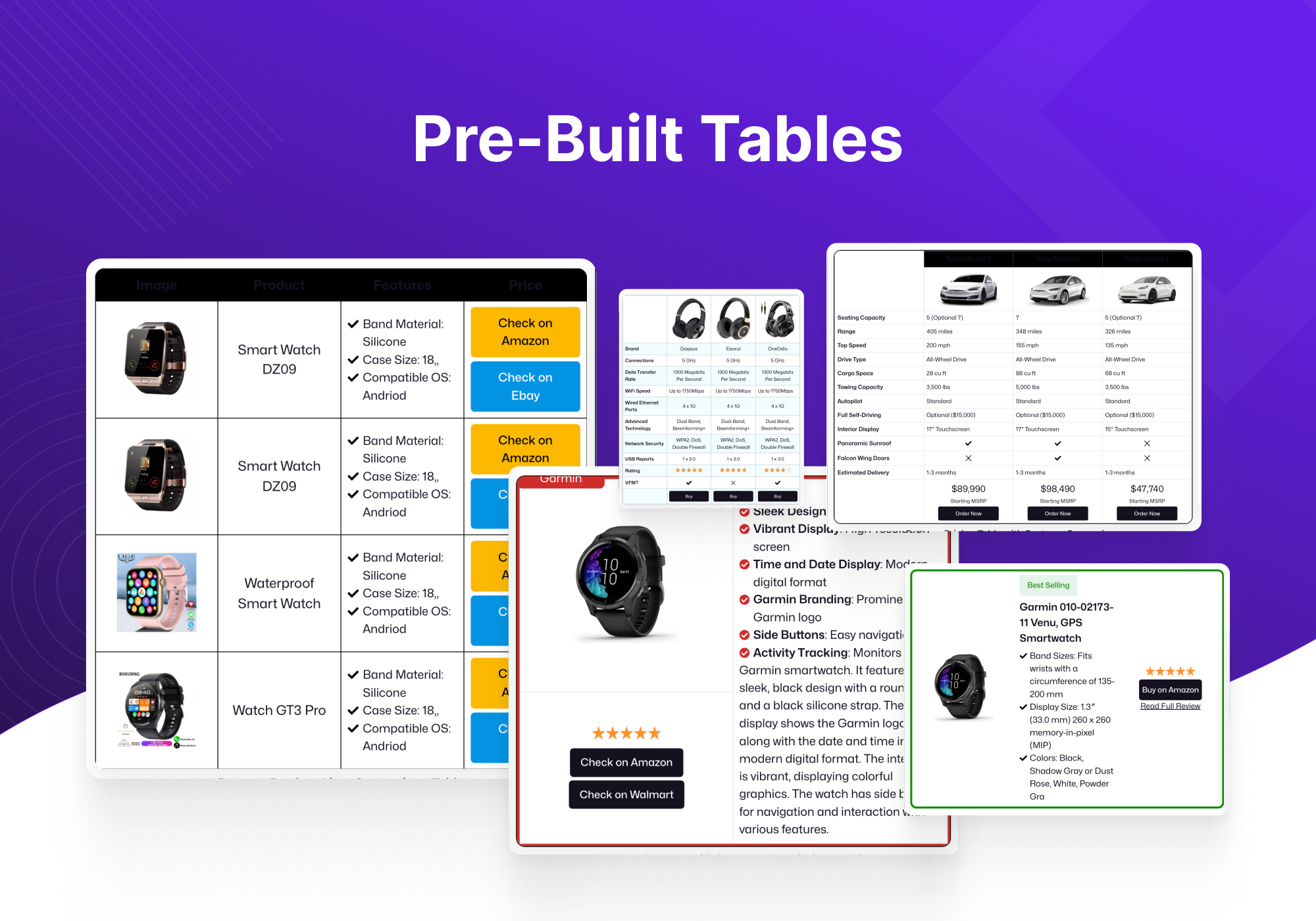
Core Table Block vs Tableberg Block 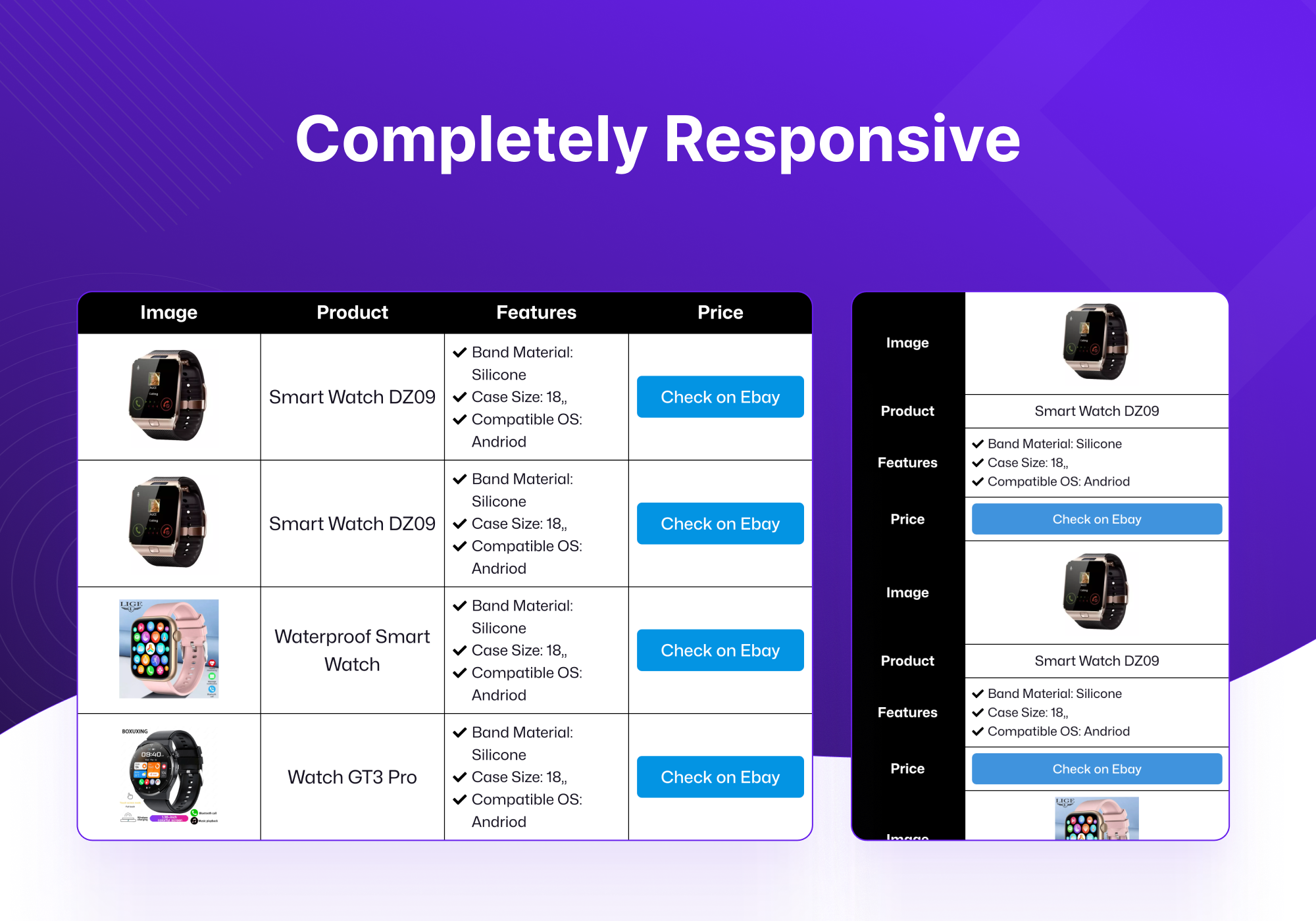
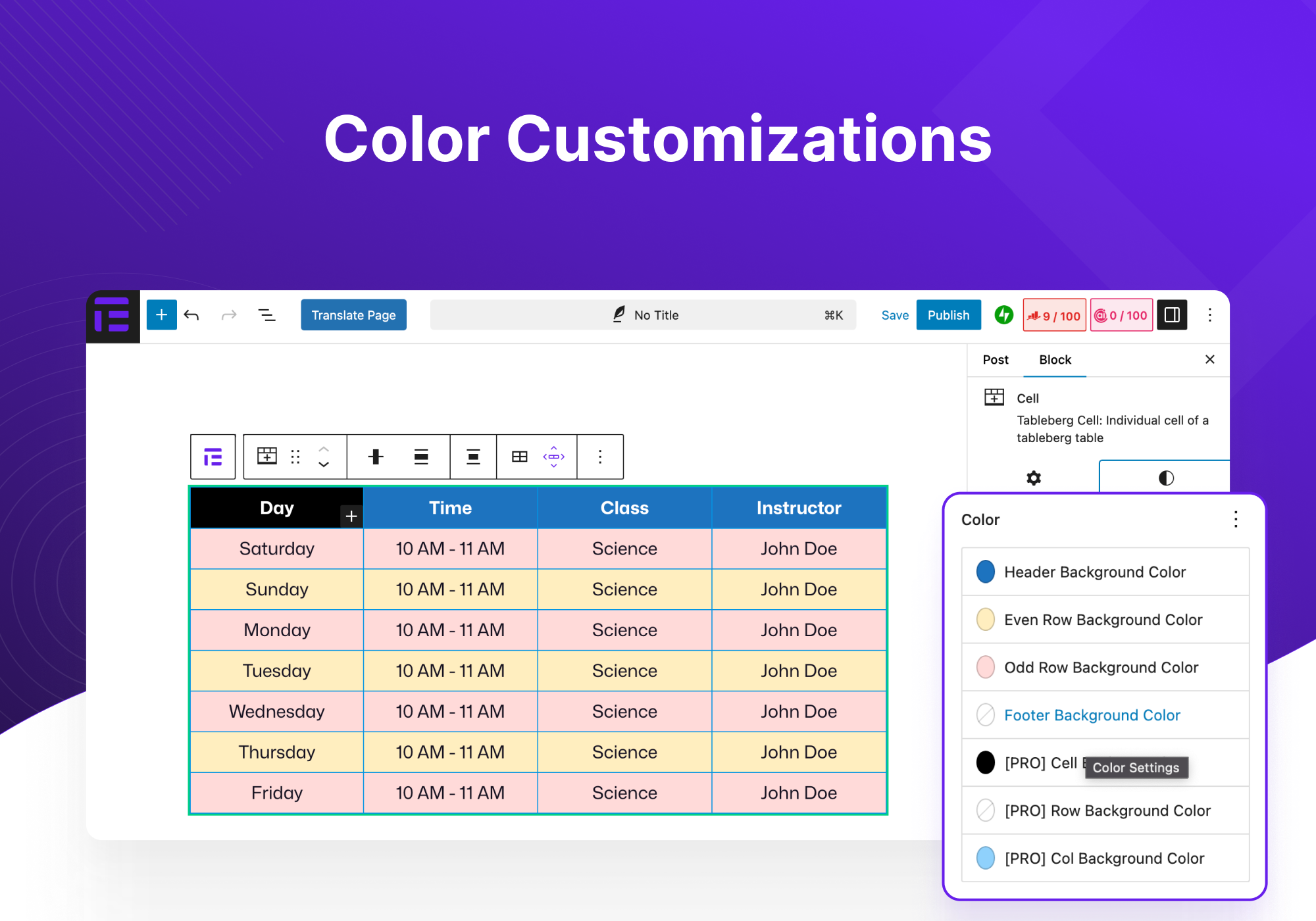


Blocs
Cette extension fournit 4 blocs.
- Tableberg Table Block By Tableberg – Advanced Table Block for Block Editor
- Cell Tableberg Cell: Individual cell of a tableberg table
- Image Tableberg Image
- Button Tableberg Button: Add a button to your tableberg table
Installation
- Téléverser le fichier zip de l’extension via la page d’extension de WordPress en cliquant sur « Ajouter une extension » et en sélectionnant l’extension sur votre ordinateur local.
- Activer les extensions par le biais du menu « Extensions » de WordPress.
Avis


Contributeurs/contributrices & développeurs/développeuses
« Tableberg – Simple Gutenberg Table Block » est un logiciel libre. Les personnes suivantes ont contribué à cette extension.
Contributeurs


“Tableberg – Simple Gutenberg Table Block” a été traduit dans 4 locales. Remerciez l’équipe de traduction pour ses contributions.
Traduisez « Tableberg – Simple Gutenberg Table Block » dans votre langue.
Le développement vous intéresse ?
Parcourir le code, consulter le SVN dépôt, ou s’inscrire au journal de développement par RSS.
Journal des modifications
0.6.12
- FIX: XSS issue in button block
0.6.11
- FIX: Handle the case where Gutenberg edit-site is not available
0.6.10
- FIX: Check user authority before ajax calls
0.6.9
- NEW: Added pattern library
0.6.8
- FIX: Border separation not working for some themes
0.6.7
- FIX: Scroll option in responsive mode not working
- FIX: PHP warning: Undefined array key « tableAlignment »
0.6.6
- NEW: PRO: Create table with AI
- NEW: Control to change alignment of all children of all cells
- NEW: More controls to customize table caption
- FIX: Table center align not working properly
- FIX: XSS vulnerabilities
0.6.5
- FIX: Include required files in the zip
- FIX: Make all strings translatable
- FIX: Rename functions to avoid conflicts
- FIX: Sanitize outputs by escaping as needed
- FIX: Enable freemius wordpress.org compliance mode
- FIX: Change review link to show all ratings
0.6.4
- FIX: Update plugin name
0.6.3
- PRO: NEW: Woocommerce products table
- PRO: NEW: Search highlights matching text
- PRO: FIX: Search is now case insensitive
- NEW: Add table caption support
- FIX: Cell vertical alignment now also aligns inner blocks
0.6.2
- PRO: NEW: Add individual cell border control
- FIX: First column’s fixed width now persists on reload
- FIX: Added a missing class which would throw an error in some cases
0.6.1
- FIX: An XSS issue in button block
- FIX: Version control fatal error (sometimes occurred if plugin repository mirrors are used)
0.6.0
- FIX: Column stacking in responsive mode.
- FIX: An issue where tables made with some older versions won’t work.
- FIX: Performance issues in the patterns/prebuilt tables viewer.
- FIX: Table sometimes disappears in editor; especially during changing preview device.
- FIX: Fixed size column widths won’t persist after reload in editor.
0.5.9
- PRO: NEW: Toggle block
- FIX: Table disappearing when changing preview device, reloading posts etc.
0.5.8
- FIX: Custom HTML not displayed properly on frontend
- FIX: Color picker now shows theme colors
- IMPROVE: Decreased loading time of prebuilt table gallery
0.5.7
- PRO: NEW: Added search placeholder edit option
- PRO: NEW: Localized search placeholder
- Pro: New: Added block previews to all the blocks
- NEW: Added block previews to blocks and upsells
- FIX: Review asking section changed
- NEW: Added specific documentation link for each block
- NEW: Added more icons to icon block
- FIX: icon blocks select icon section scroll
- FIX: changed default Item spacing
0.5.6
- PRO: NEW: Added search option
- PRO: NEW: Added sorting option
- PRO: FIX: Column background problem
- NEW: Added disable theme style option
- FIX: Create paragraph block when creating cell
- FIX: Adding header/footer caused empty cells
0.5.5
- PRO: NEW: Empty Cell option
- PRO: NEW: Added orientation option in cell
- FIX: Set default image width 150px
- FIX: Button hover color in the editor
- IMPROVE: Added checked & close circle outline icons
- PRO: IMPROVE: Added option for enabling/disabling star rating review text
- FIX: Responsiveness in the frontend
- PRO: FIX: Split styled list on enter key
- PRO: FIX: Remove default background color when sticky row/col is enabled
0.5.4
- FIX: Odd Even row incorrect style
- FIX: Fixed width table in frontend
- FIX: Inner Border Radius problem
- FIX: Table Border Radius problem
0.5.3
- FIX: A notice being shown about block registration if pro is not active.
- FIX: Table border having problem when cell radius is set
- FIX: Cell spacing in wrong axes
- FIX: Even odd color getting swapped in frontend
- FIX: Button text styling not getting rendered
- PRO: FIX: Use iframe to display custom html
- PRO: FIX: Make row/col only border work with no outside border
- NEW: Table border radius control
- NEW: Item spacing inside cells
- NEW: Tableberg patterns
- PRO: NEW: Added badge ribbon
- PRO: NEW: Sort rows & columns by drag & drop
- PRO: NEW: Individual Row/Col background
- PRO: NEW: Individual Row/Col border with radius
- IMPROVE: Control cell outside border
- IMPROVE: Deactivate pro version when free version is deactivated
- IMPROVE: Show Tableberg when searched for Row/Column in editor
- PRO: IMPROVE: Added center position in badge ribbon
- PRO: IMPROVE: Added rotation option in badge ribbon
0.5.2
- NEW: Fixed width columns
- PRO: NEW: Row-only/Column-only border option
- PRO: NEW: Sticky row/column
- PRO: NEW: Duplicate row and column
- PRO: NEW: Individual cell background
- PRO: IMPROVE: Change default star rating color
- PRO: IMPROVE: Add font size changer for styled list item
- FIX: Escape all strings that come from attributes
- FIX: Issue with default border in frontend
- FIX: Button font size in frontend
0.5.1
- NEW: Added table alignment option for full screen
- FIX: Tableberg breaks dashboard in lower PHP versions
- FIX: Cell padding not working on frontend
- IMPROVE: Reduce css variables
0.5.0
- NEW: Add device type switching in responsive mode
- PRO: NEW: New pro blocks: custom html, styled list, star rating, icon, ribbon
- IMPROVE: Show table block controls in cell block (toolbar and sidebar)
- IMPROVE: Split js bundles and reduce bundle sizes
- IMPROVE: Exclude empty paragraphs when cells are merged
- IMPROVE: Change toolbar button labels to differentiate
- IMPROVE: Show block toolbar when creating table
- FIX: An issue with even odd row color
- FIX: An issue with cell background color in responsive mode
- FIX: An issue where tableberg will not load on a fresh wordpress install
- FIX: Move blocks to the proper cells on undo of cell merge
- FIX: An issue where splitting rows on last column would break
- FIX: Resetting values now work properly
0.4.1
- NEW: Add padding controls to button block
- IMPROVE: Change table border in responsive mode
- IMPROVE: Add a button to responsive controls to convert top row to header
- FIX: A problem with unsplitting at the end of a row
0.4.0
- NEW: Add support for responsive table
- NEW: Alignment control for cell child blocks
- NEW: Add support for converting core table to tableberg
- IMPROVE: (Image block) Preserve aspect ratio while resizing
- IMPROVE: Display block appender when cell children are selected
- IMPROVE: Shift+click multi selection update (behaves like MS Excel)
- FIX: Wrong css placeholder in cell child blocks (e.g. list)
- FIX: (Button block) Incorrect hover colors in editor
- FIX: (Image block) Aspect ratio not preserved when resizing via handles
- FIX: (Image block) Center alignment not working
- FIX: (Image block) Images float when multiple consequent images
- FIX: (Image block) URL not set in editmode
- FIX: (Paragraph block) First and last margin issue
0.3.3
- NEW: Split merged cells
- IMPROVE: Change table header and footer controls
- IMPROVE: Paragraph block placeholder text shortened
- FIX: Use th tags in header and footer
0.3.2
- FIX: Default value of column and row in blank table creator dialog
- FIX: Row color problem
0.3.1
- HOTFIX: Fixed the issue where plugin could not be activated.
0.3.0
- NEW: Add cell spacing functionality.
- IMPROVE: Row block removed. Cell blocks are added directly to tableberg table block.
- IMPROVE: Multiple cells can be merged now.
- FIX: Adding non-cell blocks to table block breaks the layout.
0.2.1
- FIX: (Button Block) Fixed PHP errors on frontend.
0.2.0
- NEW: Added plugin page with instructions, documentation, and support.
- NEW: Added table block preview.
- NEW: (Table Block) Added custom block logo.
- NEW: (Table Block) Added block transform: transform core block into tableberg block.
- NEW: (Table Block) Added table alignment control to toolbar.
- NEW: (Table Block) Added global font style controls: Text Color, Link Color, Font Size.
- NEW: (Button Block) Added gradient support.
- IMPROVE: Decreased initial spacing
- IMPROVE: Changed block name from « Tableberg Image » to « Image ».
- FIX: (Table Block) Fixed an issue with table footer toggle.
- FIX: (Table Block) Show block toolbar when add table placeholder dialog is shown.
- FIX: (Table Block) Fixed an issue with adding a new row.
- FIX: (Table Block) Fixed an issue with undoing adding a row.
- FIX: (Table Block) Fixed an issue with undoing adding a column.
- FIX: (Button Block) Fixed an issue with color.
