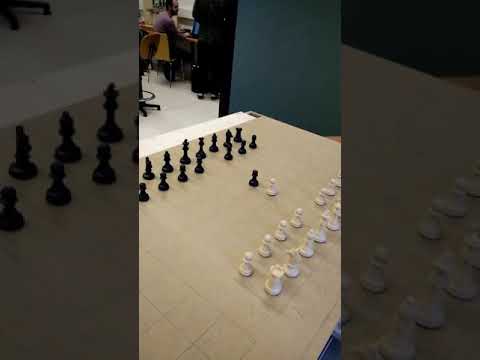
Development a voice controlled chess, similar to Harry Potter's chess.
Youtube video:
Library used to perform the communications with arduino using java: https://github.com/HirdayGupta/Java-Arduino-Communication-Library
In order to get the bluetooth server working in the raspberry follow the instructions explained by levifuksz here https://blog.iamlevi.net/2017/05/control-raspberry-pi-android-bluetooth/ If you want to change the name of your bluetooth device you must created a file called /etc/machine-info that should have the following content:
PRETTY_HOSTNAME=device-name
Depending on which OS you have chosen you may have to modify the bluetooth configuration file, located in
/etc/bluetooth/main.conf
Uncomment DiscoverableTimeout = 0 and PairableTimeout = 0 if you want your raspberry bluetooth to be always visible and pairable.
In order to execute the bluetooth server on startup create a file in your pi folder and write there the commands you want to be executed on startup. You can do this with the following commands:
sudo nano startupScript
Write there the following commands
sudo sdptool add SP
./blueServer.py
Now include that file you have created at the end of .bashrc
sudo nano .bashrc
The android client has been developed in android studio. You only have to open the file located in WifiSetup/androidApp with Android Studio and build the apk.
Load the Marlin modified code in arduino with Arduino IDE. Some versions of Arduino IDE may generate errors. Version 1.0.6 of Arduino IDE should load the Marlin code without any problems.
Stockfish is the chess engine used to play against the computer. It must be installed before executing the program. You can install stockfish from the official repository on github https://github.com/official-stockfish/Stockfish Execute the following commands to do it:
git clone https://github.com/official-stockfish/Stockfish.git
cd Stockfish/src
make build ARCH=[YOUR ARCH]
Alternatively, if it does not work try this
sudo apt-get install stockfish
Then you can find stockfish executable in /usr/games/
Now set the route of stockfish in the class Stockfish.java, located in
MagicChess/src/chess/Stockfish.java
Follow google's documentation to get the speech recognition working https://cloud.google.com/java/docs/setup
