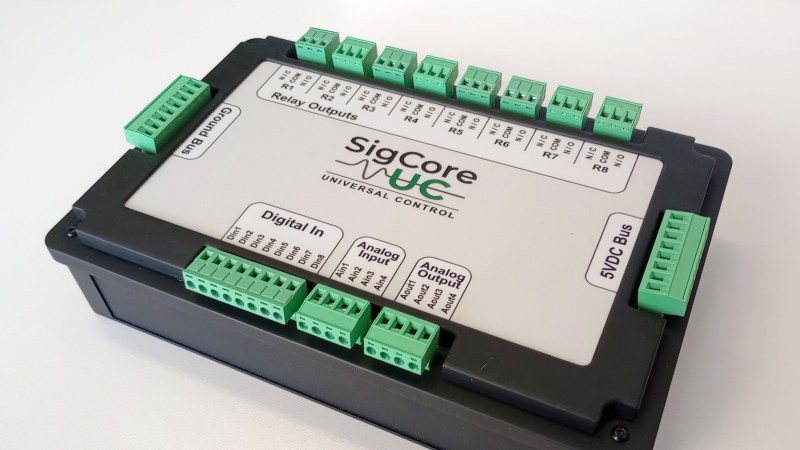
A photo of the SigCoreUC

SigCore UC: An Open-Source Universal I/O Controller For The Raspberry Pi

Recently, [Edward Schmitz] wrote in to let us know about his Hackaday.io project: SigCore UC: An Open-Source Universal I/O Controller With Relays, Analog I/O, and Modbus for the Raspberry Pi.

In the video embedded below, [Edward] runs us through some of the features which he explains are a complete industrial control and data collection system. Features include Ethernet, WiFi, and Modbus TCP connectivity, regulated 5 V bus, eight relays, eight digital inputs, four analog inputs, and four analog outputs. All packaged in rugged housing and ready for installation/deployment.

[Edward] says he wanted something which went beyond development boards and expansion modules that provided a complete and ready-to-deploy solution. If you’re interested in the hardware, firmware, or software, everything is available on the project’s GitHub page. Beyond the Hackaday.io article, the GitHub repo, the YouTube explainer video, there is even an entire website devoted to the project: sigcoreuc.com. Our hats off to [Edward], he really put a lot of polish on this project.

If you’re interested in using the Raspberry Pi for input/output you might also like to read about Raspberry Pi Pico Makes For Expeditious Input Device and Smart Power Strip Revived With Raspberry Pi.

Continue reading “SigCore UC: An Open-Source Universal I/O Controller For The Raspberry Pi”
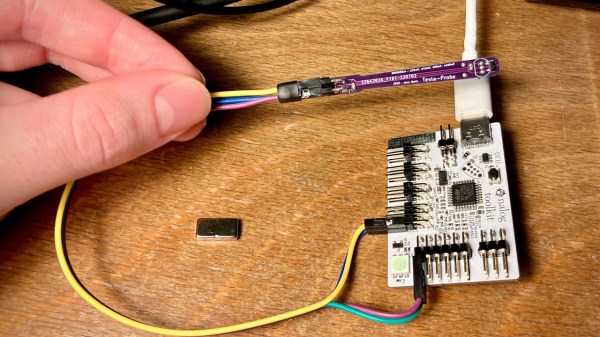
Jana showing the board in action, with a magnetic probe attached to it

Add The Analog Toolkit To Your…Toolkit

Analog acquisition tools are super helpful whenever you want to run an experiment, test out a theory, or improve upon your code, and you won’t realize how much you always needed one up until you’re facing a situation where it’s the only tool for the task. Well, here’s a design you might just want to add to your next PCB order — the STM32G4 Analog Toolkit from [Jana Marie].

The recommended STM32G431 is a wonderful tool for the task in particular. For a start, this board exposes nine 16-bit ADC inputs, with six of them capable of differential mode and three of them having the PGA (Programmable Gain Amplifier) feature. There’s also two 12-bit DAC pins, two timer outputs, three GPIOs, and UART with I2C for the dessert. As a bonus, it can work as a PD trigger, giving you higher-than-5V voltages out of USB-C for any experiments of yours.

The board requires only a few components, most of them easily solderable, with the STM32 in the TQFP32 package. The BOM is optimized, the GPIOs are used up to the max, with two spare GPIOs driving an RGB LED using a witty control scheme. There’s even a place to clip an alligator clip, in case that’s what your probing hardware wants! All in all, this is a carefully crafted design certainly worth having on hand.

Make sure to get a few of these made before you find yourself desperately needing one! That said, there’s always a backup option, the venerable ATtiny85.

Image

Filtering Noisy Data With An Arduino

One of the first frustrating situations a beginning microcontroller programmer will come across is the issue of debouncing switches. Microcontrollers are faster than switches, and the switch has yet to be built that can change state in zero time like they can on paper. This hurdle is easily overcome, but soon we are all faced with another issue: filtering noise from an analog signal. Luckily [Paul Martinsen] has put together a primer of three different ways to use an Arduino to filter signals.

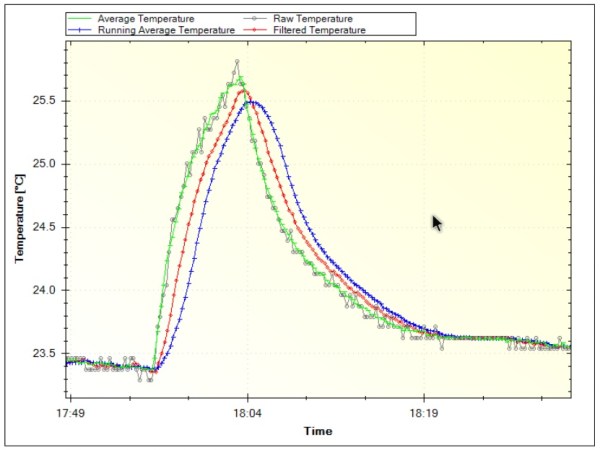
The first (and fastest, simplest, etc.) way to filter an analog signal is to sample a bunch of times and then average all of the samples together. This will eliminate most outliers and chatter without losing much of the information. From there, the tutorial moves on to programming a running average to help increase the sample time (but consume much more memory). Finally, [Paul] takes a look at exponential filters, which are recursive, use less memory, and can be tweaked to respond to changes in different ways.

[Paul] discusses all of the perks and downsides of each method and provides examples for each as well. It’s worth checking out, whether you’re a seasoned veteran who might glean some nuance or you’re a beginner who hasn’t even encountered this problem yet. And if you’re still working on debouncing a digital input, we have you covered there, too.

Image

King Of Clever Reads 4-Pin Rotary Encoder With One Analog Pin

Rotary encoders are pretty interesting pieces of technology. They’re a solid way to accurately measure rotation including the direction. [David] recently wrote some software to handle these input devices, but unlike everyone else, his application can get by on only one microcontroller pin.

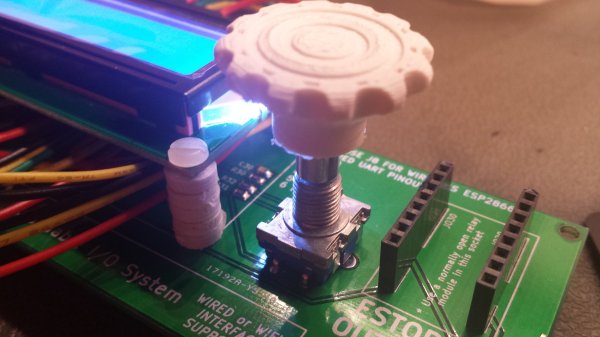
Most people will use three pins to handle a rotary encoder with a microcontroller: one to handle the switch and two to handle the quadrature inputs. With only one pin left available on his project [David] had to look for another solution, and he focused on the principle that the encoder pins behaved in very specific ways when turning the shaft. He designed a circuit that generates an analog voltage based on the state of those pins. He also wrote a program that can recognize the new analog patterns produced by his rotary encoder and his new circuit.

If you’ve been stuck on a project that uses a rotary encoder because you’ve run out of pins, this novel approach may help you get un-stuck. It’s a pretty impressive feat of circuit design to boot. Just think of how many other projects use these types of input devices and could benefit from it!

[via Hackaday.io Project Page go give it a Skull!]